Page 47 of 508
47
1-3. Opening, closing and locking the doors and back door
1
Before driving
PRIUS_U_(OM47614U)
■
If the smart key system does not operate properly
● Locking and unlocking the doors: Use the mechanical key.
(P. 448)
● Starting the hybrid system: P. 134
■ When the electronic key battery is fully depleted
P. 392
■ Customization that can be co nfigured at Toyota dealer
Settings (e.g. smart key system) can be changed.
(Customizable features P. 486)
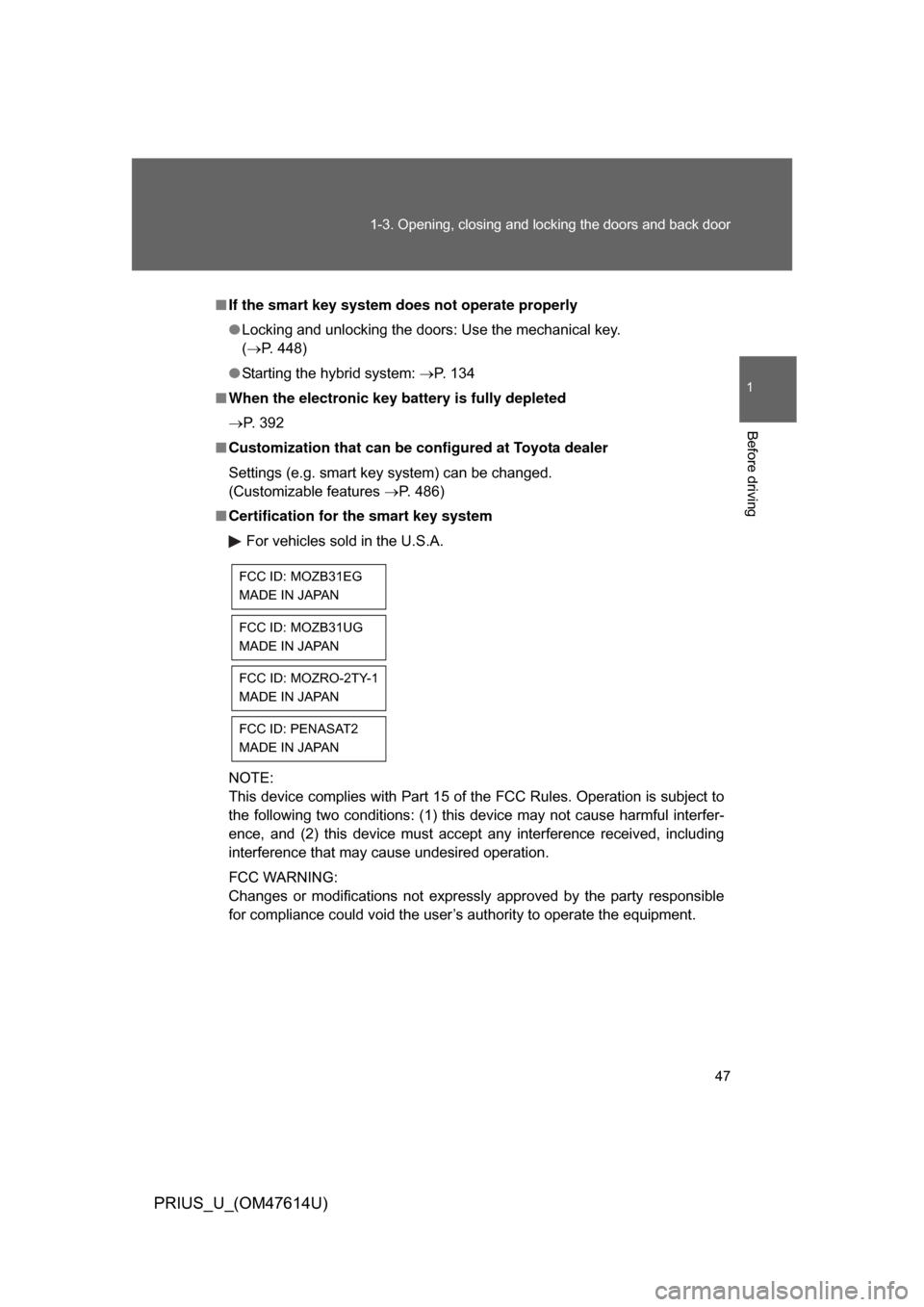
■ Certification for the smart key system
For vehicles sold in the U.S.A.
NOTE:
This device complies with Part 15 of the FCC Rules. Operation is subject to
the following two conditions: (1) this device may not cause harmful interfer-
ence, and (2) this device must accept any interference received, including
interference that may cause undesired operation.
FCC WARNING:
Changes or modifications not expressly approved by the party responsible
for compliance could void the user’s authority to operate the equipment.
FCC ID: MOZB31EG
MADE IN JAPAN
FCC ID: MOZB31UG
MADE IN JAPAN
FCC ID: MOZRO-2TY-1
MADE IN JAPAN
FCC ID: PENASAT2
MADE IN JAPAN
Page 49 of 508
49
1
1-3. Opening, closing and locking the doors and back door
Before driving
PRIUS_U_(OM47614U)
Wireless remote control
■Operation indicator
A buzzer sounds and the emergency flashers flash to indicate that the doors
have been locked/unlocked. (Locked: Once; Unlocked: Twice)
■ Door lock buzzer
If a door is not fully closed, a buzzer sounds continuously if an attempt to
lock the door is made. Fully close the door to stop the buzzer, and lock the
vehicle once more.
■ Security feature
P. 4 5
■ When the electronic key battery is fully depleted
P. 392
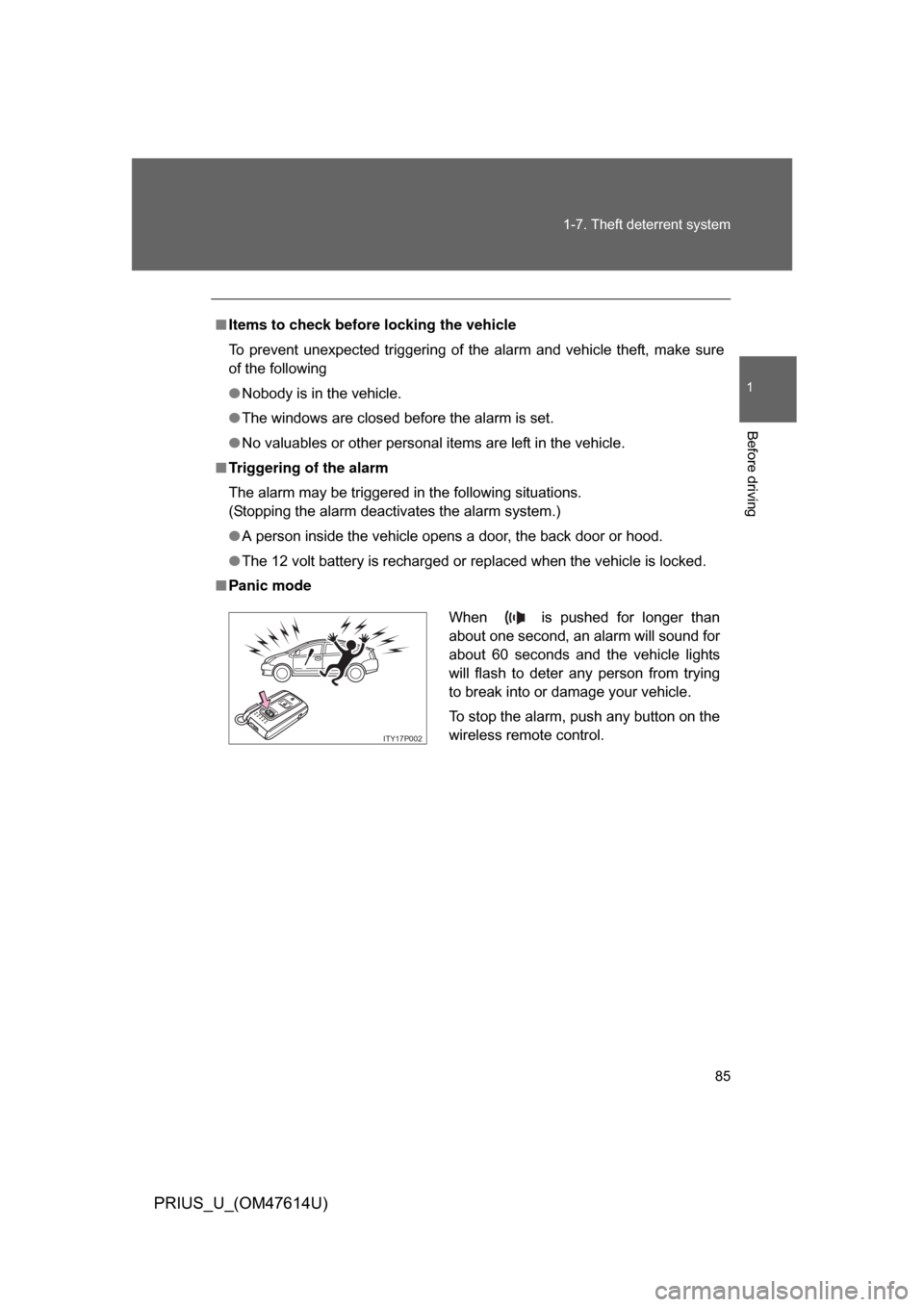
The wireless remote control can be used to lock and unlock the vehi-
cle and the back door fr om outside the vehicle.
Locks all doors
Unlocks all doors
Pressing the button unlocks
the driver’s door. Pressing the
button again within 3 seconds
unlocks the other doors.
Sounds alarm
(push and hold) (P. 8 5 )
Page 50 of 508

50 1-3. Opening, closing and locking the doors and back door
PRIUS_U_(OM47614U)
■Conditions affecting operation
P. 4 2
■ Low battery
If the wireless remote control does not function or if it only operates very
close to the vehicle, the battery may be low. ( P. 392)
■ Customization that can be co nfigured at Toyota dealer
Settings (e.g. 2-step unlocking function) can be changed.
(Customizable features P. 486)
■ Certification for wir eless remote control
For vehicles sold in the U.S.A.
NOTE:
This device complies with Part 15 of the FCC Rules. Operation is subject to
the following two conditions: (1) this device may not cause harmful interfer-
ence, and (2) this device must accept any interference received, including
interference that may cause undesired operation.
FCC WARNING:
Changes or modifications not expressly approved by the party responsible
for compliance could void the user’s authority to operate the equipment. For vehicles sold in the Canada
NOTE:
This device complies with RSS-210 of Industry Canada.
Operation is subject to the following two conditions: (1) this device may not
cause interference, and (2) this device must accept any interference, includ-
ing interference that may cause undesired operation of the device.
FCC ID: MOZB21TG
MADE IN JAPAN
FCC ID: MOZB21RG
MADE IN JAPAN
Page 77 of 508
77
1-5. Opening and closing the windows and moon roof
1
Before driving
PRIUS_U_(OM47614U)
■
The power windows can be operated when
The “POWER” switch is in ON mode.
■ Operating the power wi ndows after turning the “POWER” switch OFF
The power windows can be operated for approximately 45 seconds even
after the “POWER” switch is switc hed to ACCESSORY mode or turned OFF.
They cannot, however, be operated once the driver’s or front passenger’s
door is opened.
■ Jam protection function (driver’s window only)
If an object becomes caught between the window and the window frame,
window travel is stopped and the window is opened slightly.
■ When the 12 volt battery is disconnected
The power windows must be initialized in order to ensure proper operation.
(driver’s window only)
Open the window halfway.
Fully close the window by pulling the switch up and continue hold-
ing the switch for 1 second.
The indicator on the switch changes from a flashing pattern to being on
when initial settings are complete.
■ Customization that can be co nfigured at Toyota dealer
Settings (e.g. linked door lock operation) can be changed.
(Customizable features P. 486)
STEP1
STEP2
Page 85 of 508
85
1-7. Theft deterrent system
1
Before driving
PRIUS_U_(OM47614U)
■
Items to check before locking the vehicle
To prevent unexpected triggering of the alarm and vehicle theft, make sure
of the following
● Nobody is in the vehicle.
● The windows are closed before the alarm is set.
● No valuables or other personal items are left in the vehicle.
■ Triggering of the alarm
The alarm may be triggered in the following situations.
(Stopping the alarm deactivates the alarm system.)
● A person inside the vehicle opens a door, the back door or hood.
● The 12 volt battery is recharged or replaced when the vehicle is locked.
■ Panic mode
When is pushed for longer than
about one second, an alarm will sound for
about 60 seconds and the vehicle lights
will flash to deter any person from trying
to break into or damage your vehicle.
To stop the alarm, push any button on the
wireless remote control.
ITY17P002
Page 95 of 508
95
1-8. Safety information
1
Before driving
PRIUS_U_(OM47614U)
■
When to contact your Toyota dealer
In the following cases, contact your Toyota dealer as soon as possible. Do
not disconnect the 12 volt battery cables before contacting your Toyota
dealer.
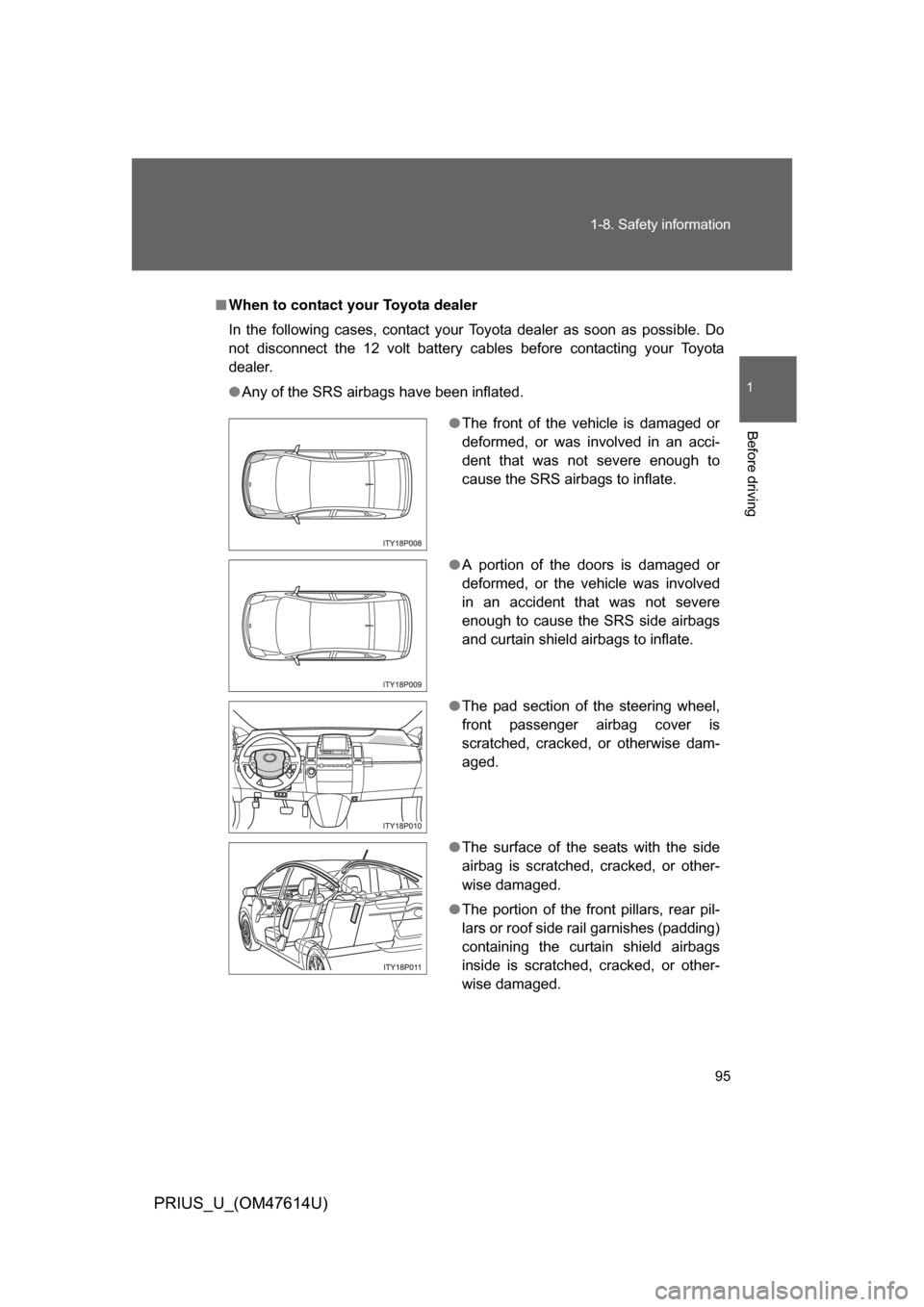
● Any of the SRS airbags have been inflated.
●The front of the vehicle is damaged or
deformed, or was involved in an acci-
dent that was not severe enough to
cause the SRS airbags to inflate.
● A portion of the doors is damaged or
deformed, or the vehicle was involved
in an accident that was not severe
enough to cause the SRS side airbags
and curtain shield airbags to inflate.
● The pad section of the steering wheel,
front passenger airbag cover is
scratched, cracked, or otherwise dam-
aged.
● The surface of the seats with the side
airbag is scratched, cracked, or other-
wise damaged.
● The portion of the front pillars, rear pil-
lars or roof side rail garnishes (padding)
containing the curtain shield airbags
inside is scratched, cracked, or other-
wise damaged.
Page 123 of 508
123
2-1. Driving procedures
2
When driving
PRIUS_U_(OM47614U)
■
Driving in the rain
● Drive carefully when it is raining, because visibility will be reduced, the
windows may become fogged-up, and the road will be slippery.
● Drive carefully when it starts to rain, because the road surface will be
especially slippery.
● Refrain from high speeds when driving on an expressway in the rain,
because there may be a layer of water between the tires and the road
surface, preventing the steering and brakes from operating properly.
■ Breaking in your new Toyota
To extend the life of the vehicle, the following precautions are recommended
to observe:
● For the first 180 miles (300 km):
Avoid sudden stops.
● For the first 621 miles (1000 km):
• Do not drive at extremely high speeds.
• Avoid sudden acceleration.
• Do not drive continuously in the low gears.
• Do not drive at a constant speed for extended periods.
■ Operating your vehicle in a foreign country
Comply with the relevant vehicle registration laws and confirm the availability
of the correct fuel. ( P. 462)
■ For efficient use
● Put the shift lever into “D” when driving
In the “N” position, the gasoline engine operates but electricity cannot be
generated.
The hybrid battery (traction battery) will be discharged requiring unnec-
essary engine power to recharge.
● Drive your vehicle smoothly
Avoid abrupt acceleration and deceleration. Gradual acceleration and
deceleration will make more effective use of the traction motor without
having to use gasoline engine power.
Page 124 of 508
124 2-1. Driving procedures
PRIUS_U_(OM47614U)
●Avoid repeated acceleration
Repeated acceleration consumes hybrid battery (traction battery) power,
resulting in poor acceleration. Battery power can be restored by driving
with the accelerator pedal slightly released.
● Push the “P” position switch when parking
In the “N” position, the hybrid battery (traction battery) does not recharge.
Leaving the shift lever in the “N” position for an extended period of the
time may discharge the hybrid battery. The vehicle cannot run if the
hybrid battery is discharged.
■ Normal characteristics after turning off the hybrid system
Approximately five hours after the hybrid system is turned off, you may hear
sound coming from under the vehicle for several minutes. This is because
the fuel evaporation leakage check is performed. It does not indicate a mal-
function.