Page 376 of 608
376 3-6. Using the storage features
Glove boxUnlock with the master key
(vehicles without smart key
system) or mechanical key
(vehicles with smart key sys-
tem)
Lock with the master key
(vehicles without smart key
system) or mechanical key
(vehicles with smart key sys-
tem)
Open (pull lever)
■ Power back door main switch (vehicles with power back door)
The power back door main switch is located in the glove box. (→P. 73)
CAUTION
■Caution while driving
Keep the glove box closed.
Injuries may result in the event of an accident or sudden braking.
Glove box
Page 377 of 608
377
3-6. Using the
storage features
3
Interior features
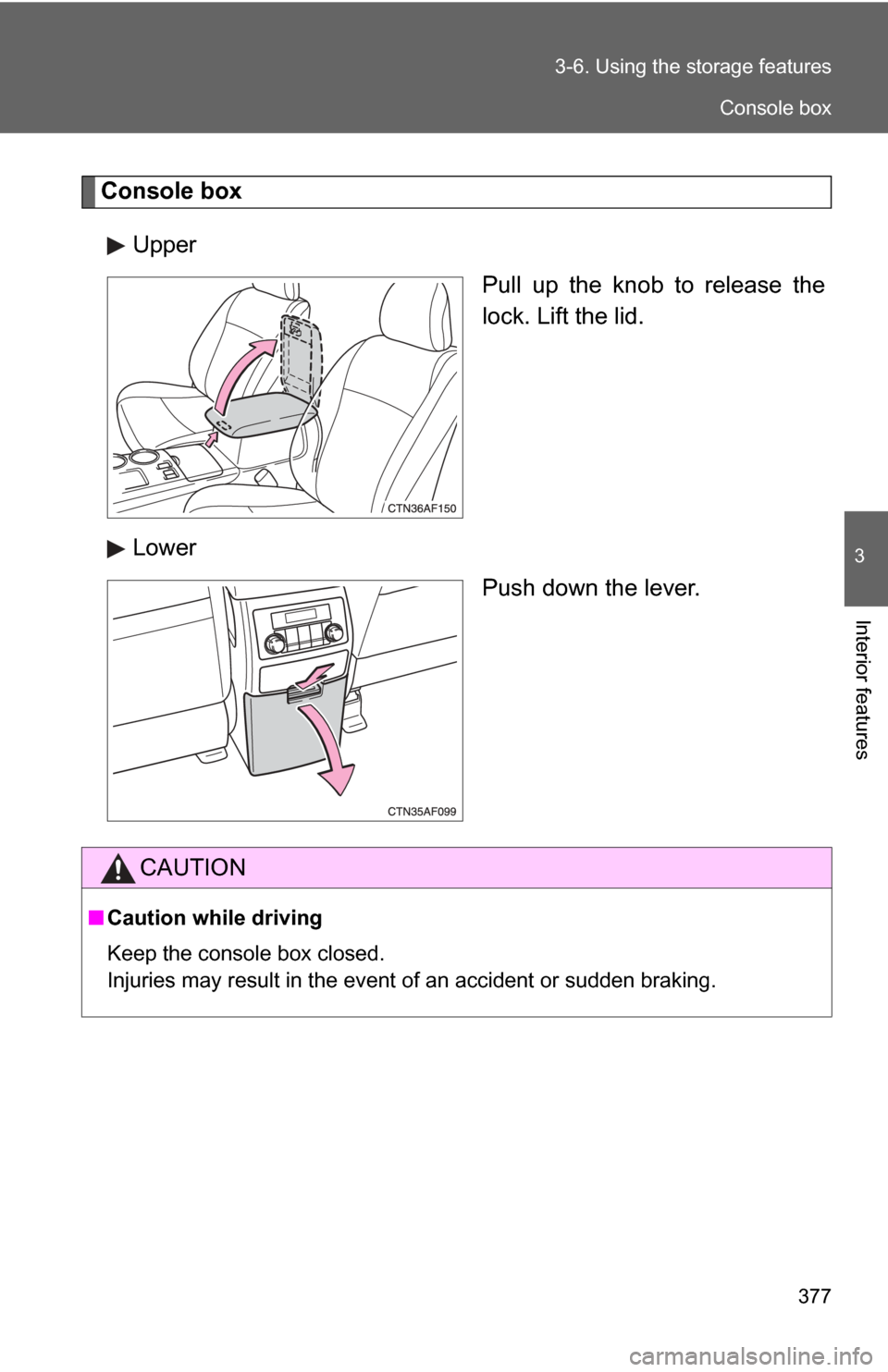
Console box
Upper Pull up the knob to release the
lock. Lift the lid.
Lower Push down the lever.
CAUTION
■Caution while driving
Keep the console box closed.
Injuries may result in the event of an accident or sudden braking.
Console box
Page 386 of 608
386 3-6. Using the storage features
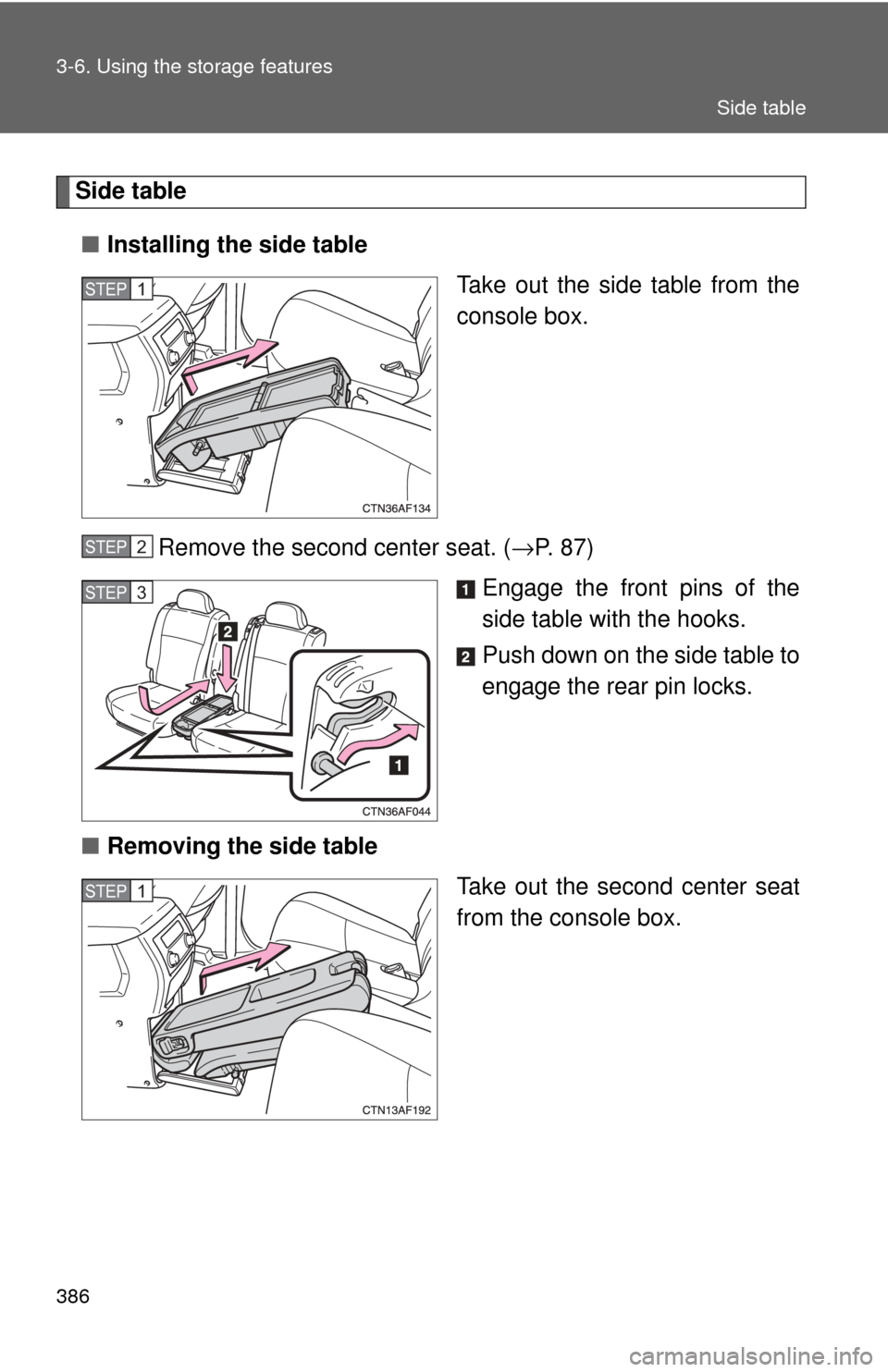
Side table■ Installing the side table
Take out the side table from the
console box.
Remove the second center seat. ( →P. 87)
Engage the front pins of the
side table with the hooks.
Push down on the side table to
engage the rear pin locks.
■ Removing the side table
Take out the second center seat
from the console box.
STEP1
STEP2
STEP3
STEP1
Side table
Page 387 of 608
387
3-6. Using the
storage features
3
Interior features
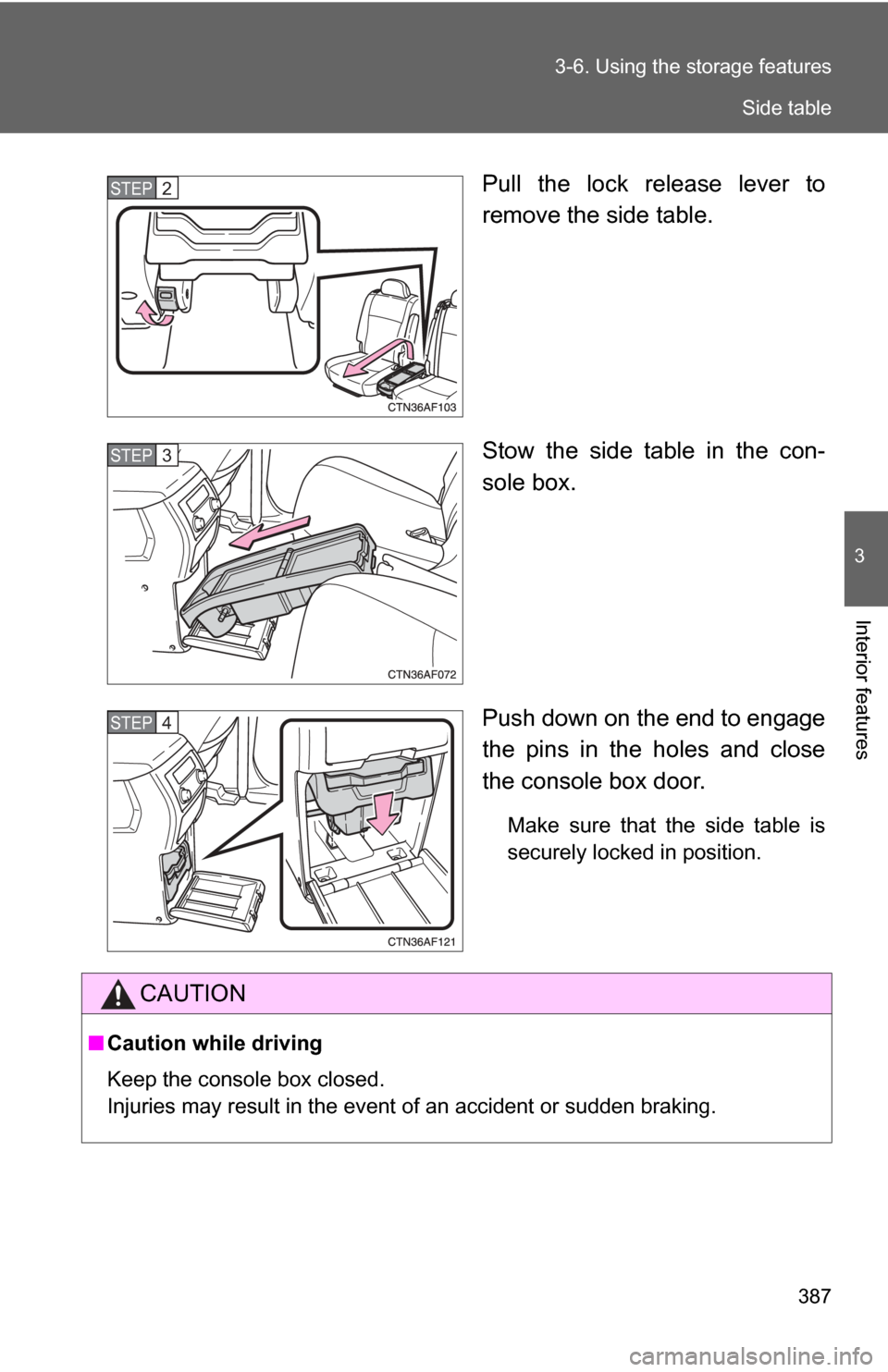
Pull the lock release lever to
remove the side table.
Stow the side table in the con-
sole box.
Push down on the end to engage
the pins in the holes and close
the console box door.
Make sure that the side table is
securely locked in position.
STEP2
STEP3
STEP4
CAUTION
■Caution while driving
Keep the console box closed.
Injuries may result in the event of an accident or sudden braking.
Side table
Page 390 of 608
390
3-7. Other interior features
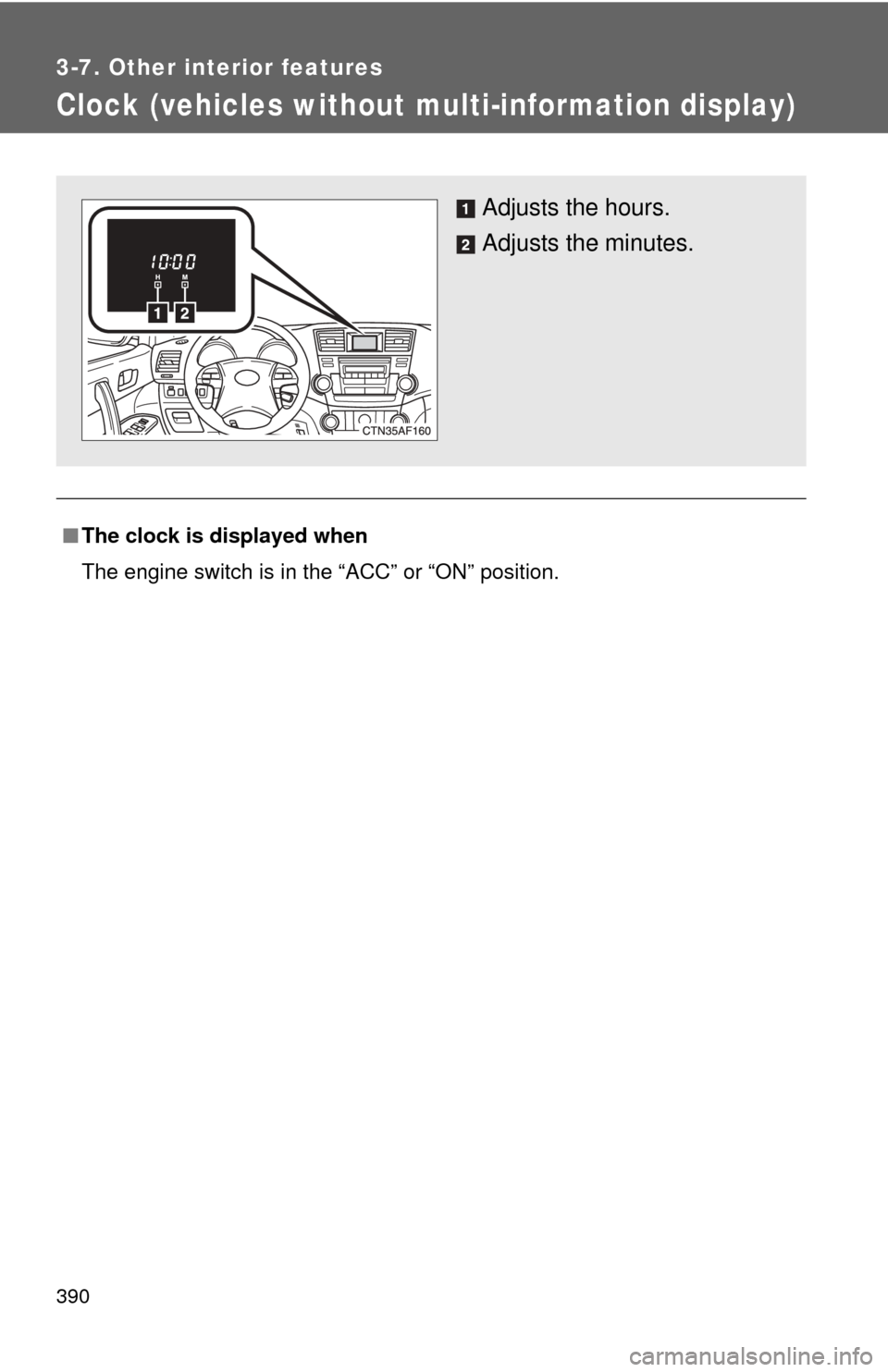
Clock (vehicles without multi-information display)
■The clock is displayed when
The engine switch is in the “ACC” or “ON” position.
Adjusts the hours.
Adjusts the minutes.
Page 396 of 608
396
3-7. Other interior features
Seat heaters∗
■The seat heaters can be used when
Vehicles without smart key system
The engine switch is in the “ON” position. Vehicles with smart key system
The “ENGINE START STOP” switch is in IGNITION ON mode.
■ When not in use
Turn the knob fully counterclockwise. The indicator light turns off.
Press the knob into the recessed position.
Pops the knob out
On
The indicator light comes on.
Adjusts the seat tempera-
ture
The further you turn the knob
clockwise, the warmer the seat
becomes.Front passenger's seat
Driver's seat
∗: If equipped
Page 406 of 608
406
3-7. Other interior features
Garage door opener∗
The garage door opener (HomeLink Universal Transceiver) is manufac-
tured under license from HomeLink.
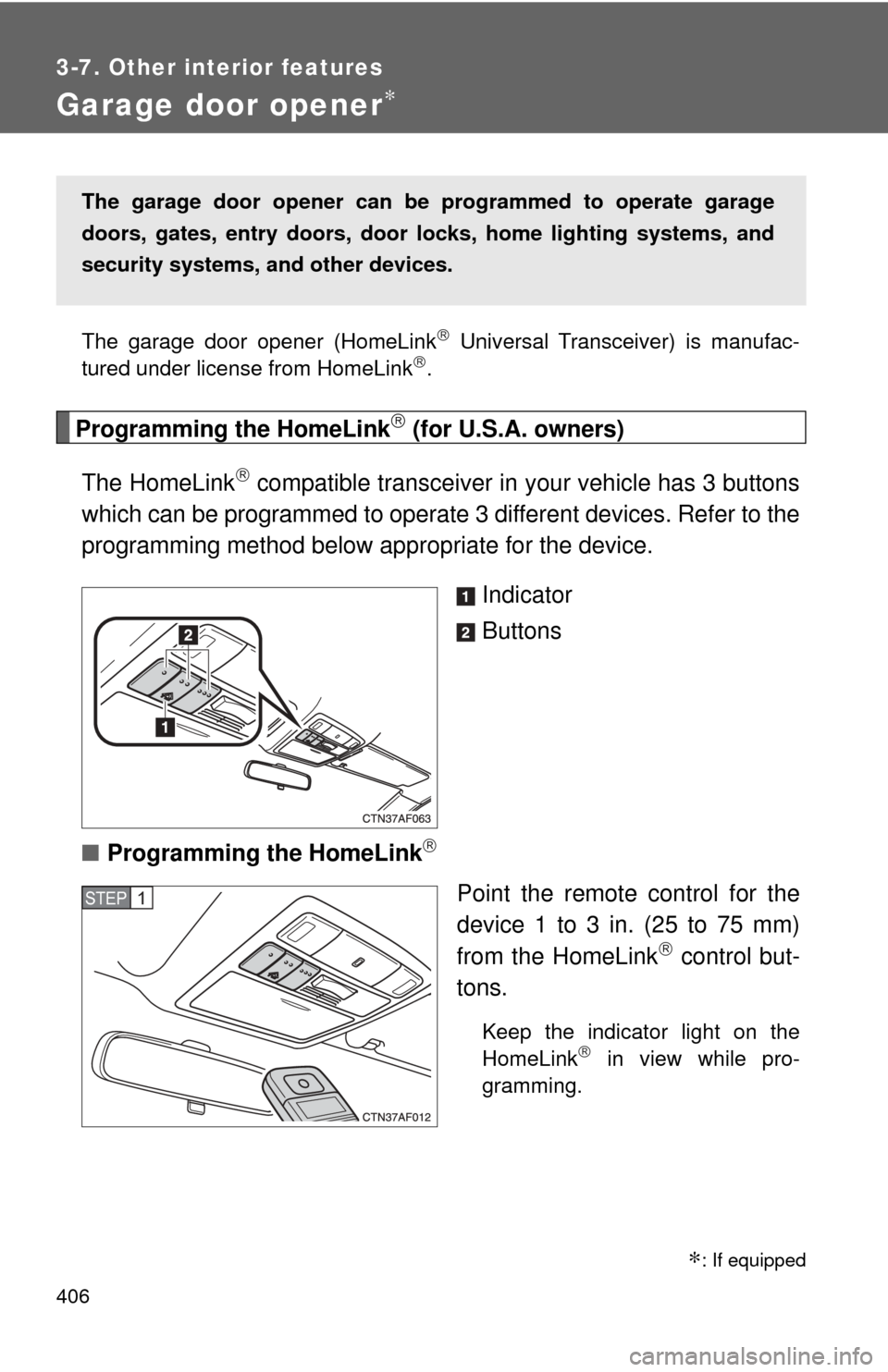
Programming the HomeLink (for U.S.A. owners)
The HomeLink
compatible transceiver in your vehicle has 3 buttons
which can be programmed to operate 3 different devices. Refer to the
programming method below appropriate for the device.
Indicator
Buttons
■ Programming the HomeLink
Point the remote control for the
device 1 to 3 in. (25 to 75 mm)
from the HomeLink
control but-
tons.
Keep the indicator light on the
HomeLink in view while pro-
gramming.
The garage door opener can be programmed to operate garage
doors, gates, entry doors, door locks, hom e lighting systems, and
security systems, and other devices.
STEP1
∗: If equipped
Page 409 of 608
409
3-7. Other interior features
3
Interior features
Test the operation of the HomeLink by pressing the newly
programmed button. Check to see if the gate/device operates
correctly.
Repeat the steps above to program another device for each of
the remaining HomeLink
buttons.
■ Programming other devices
To program other devices such as home security systems, home
door locks or lighting, contact your authorized Toyota dealer for
assistance.
■ Reprogramming a button
The individual HomeLink
buttons cannot be erased but can be
reprogrammed. To reprogram a button, follow the programming
instructions.
Operating the HomeLink
Press the appropriate HomeLink button. The HomeLink indicator
light on the HomeLink transceiver should turn on.
The HomeLink continues to send a signal for up to 20 seconds as long
as the button is pressed.
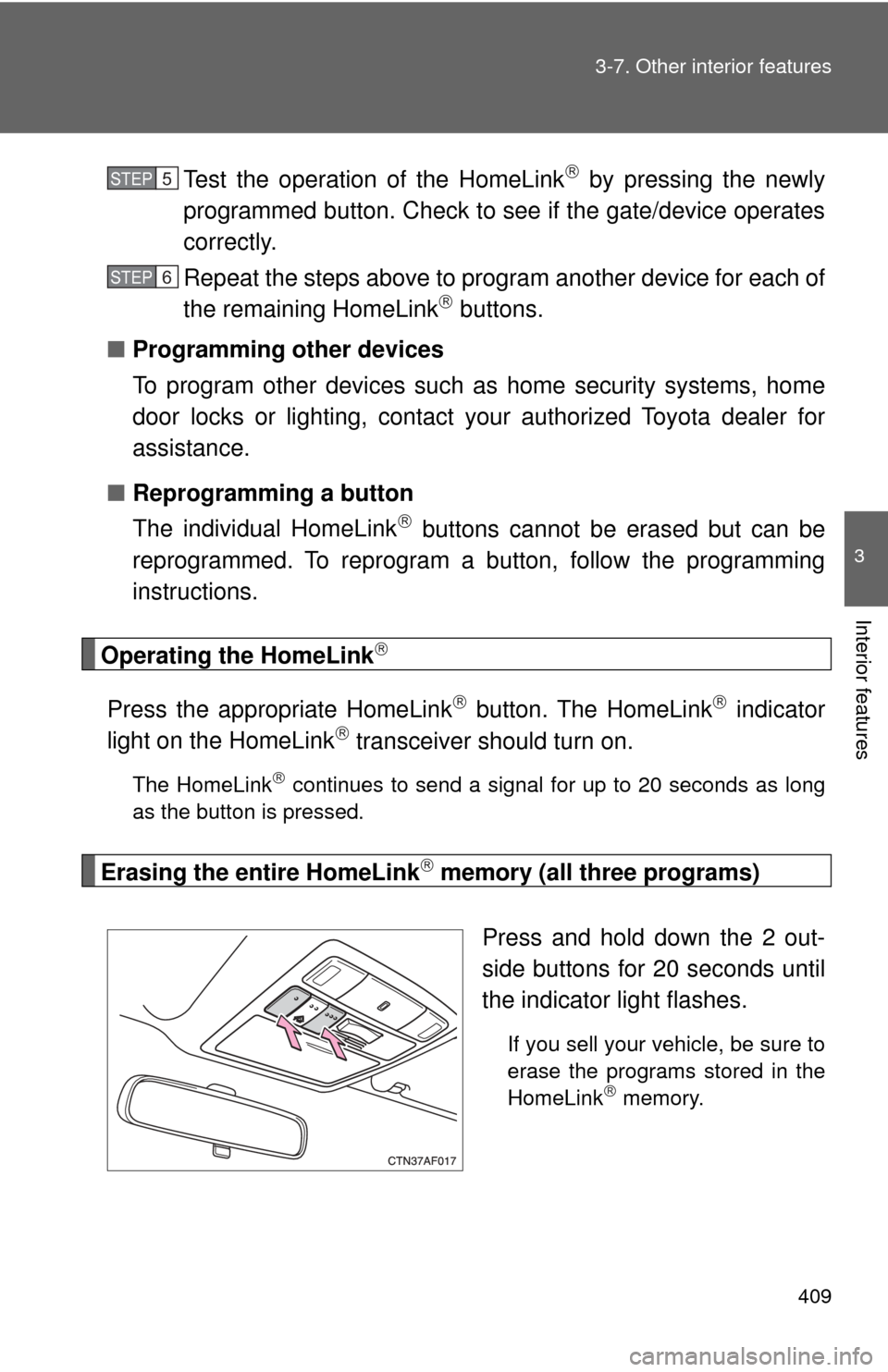
Erasing the entire HomeLink memory (all three programs)
Press and hold down the 2 out-
side buttons for 20 seconds until
the indicator light flashes.
If you sell your vehicle, be sure to
erase the programs stored in the
HomeLink
memory.
STEP5
STEP6