Page 94 of 228
94
Instruments and controls
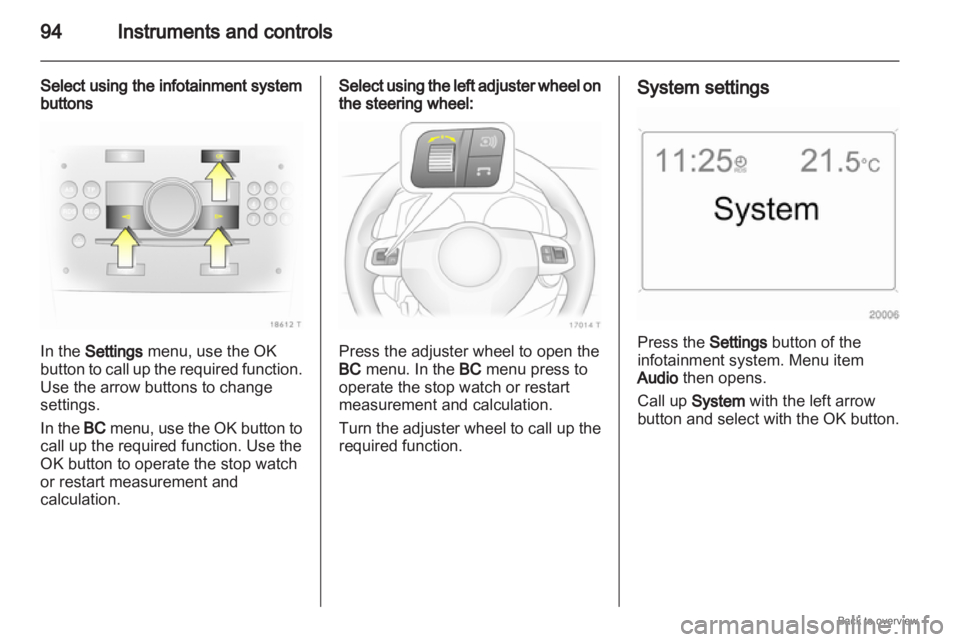
Select using the infotainment system
buttons In the Settings menu, use the OK
button to call up the required function.
Use the arrow buttons to change
settings.
In the BC menu, use the OK button to
call up the required function. Use the
OK button to operate the stop watch
or restart measurement and
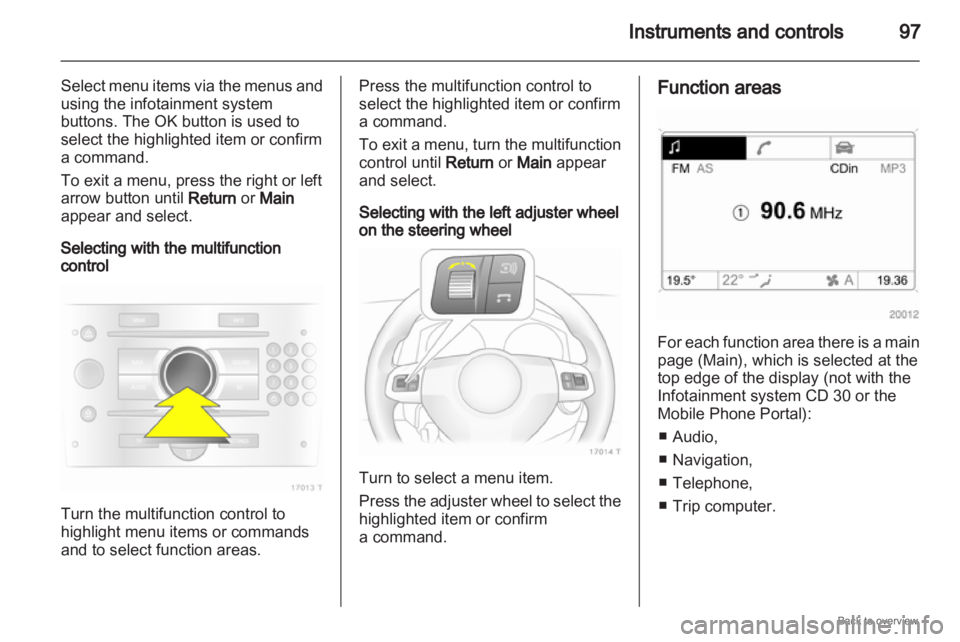
calculation. Select using the left adjuster wheel on
the steering wheel:
Press the adjuster wheel to open the
BC menu. In the BC menu press to
operate the stop watch or restart
measurement and calculation.
Turn
the adjuster wheel to call up the
required function. System settings
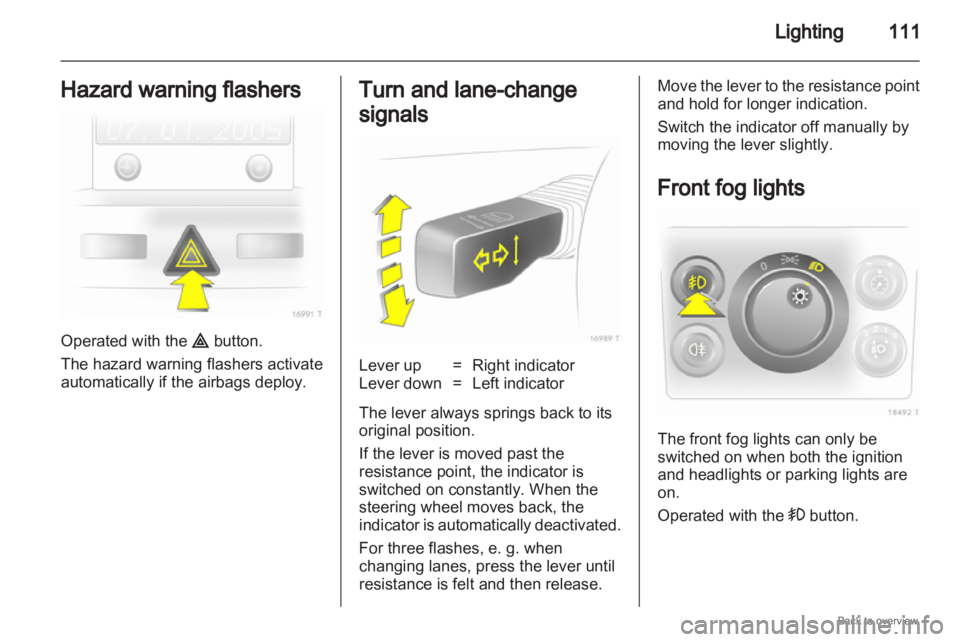
Press the Settings button of the
infotainment system. Menu item
Audio then opens.
Call up
System with the left arrow
button
and select with the OK button.
Page 96 of 228
96
Instruments and controls
Setting units of measure Select the required unit of
measurement
with the arrow buttons. Graphic-Info-Display,
Colour-Info-Display
Display of time, outside temperature,
date or infotainment system (when it
is on) and electronic climate control
system.
The Color-Info-Display
displays the
information in colour.
The type of information and how it is
displayed depend on the equipment
of the vehicle and the settings made. Selecting functions
Functions and settings of the
infotainment system and electronic
climate control system are accessed
via the display.
Selections are made via the menus
and buttons, the multifunction control
of the infotainment system or the left
adjuster wheel of the steering wheel.
Selecting with the infotainment
system buttons
Page 97 of 228
Instruments and controls
97
Select menu items via the menus and
using the infotainment system
buttons. The OK button is used to
select the highlighted item or confirm
a command.
To exit a menu, press the right or left
arrow button until Return or Main
appear and select.
Selecting with the multifunction
control Turn the multifunction control to
highlight menu items or commands
and to select function areas. Press the multifunction control to
select the highlighted item or confirm
a command.
To
exit a menu, turn the multifunction
control until Return or Main appear
and select.
Selecting with the left adjuster wheel
on the steering wheel Turn to select a menu item.
Press
the adjuster wheel to select the
highlighted item or confirm
a command. Function areas
For each function area there is a main
page (Main), which is selected at the
top edge of the display (not with the
Infotainment system CD 30 or the
Mobile Phone Portal):
■
Audio,
■ Navigation,
■ Telephone,
■ Trip computer.
Page 102 of 228
102
Instruments and controls
Reduce speed and check tyre
pressure at the next opportunity. Tyre
pressure monitoring system 3 176.
Check tyre pressure 3 175, 3 220.If there is a considerable loss of
pressure, a corresponding message
appears indicating the tyre.
Steer out of flow of traffic as quickly
as possible without endangering
other vehicles. Stop and check the
tyres. Mount the spare wheel
3 182.
If run-flat tyres are fitted, maximum
speed is 80 km/h. Information
3 174. Tyre pressure monitoring
system 3 176. Washer fluid level
Low washer fluid level. Top up
washer fluid
3 158. Trip computer
Trip computer in Board-
Info-Display
Access the data by pressing the
BC
button on the infotainment system or
the
left adjuster wheel on the steering
wheel.
Some information appears in the
display in an abbreviated form.
Once an audio function has been
selected, the lower row of the trip
computer function is displayed
furthermore.
Page 104 of 228
104
Instruments and controls
Select the function. Press the OK
button or the left adjuster wheel on the
steering wheel to start or stop the stop
watch.
Restart trip computer
The measurement or calculation of
the following trip computer
information can be restarted:
■ Average consumption,
■ Absolute consumption,
■ Average speed,
■ Distance,
■ Stop watch.
Select the desired trip computer
information 3 93. To restart, press the
OK button or the left adjuster wheel
on the steering wheel for approx.
2 seconds. Trip computer in Graphic-
Info-Display or Colour-
Info-Display
The main page of the trip computer
provides information on range,
current consumption and average
consumption of
BC 1.
To display other trip computer data,
press the BC button on the
infotainment system, select the trip
computer menu from the display or
press the left adjuster wheel on the
steering wheel.
Select BC 1 or BC 2 from the trip
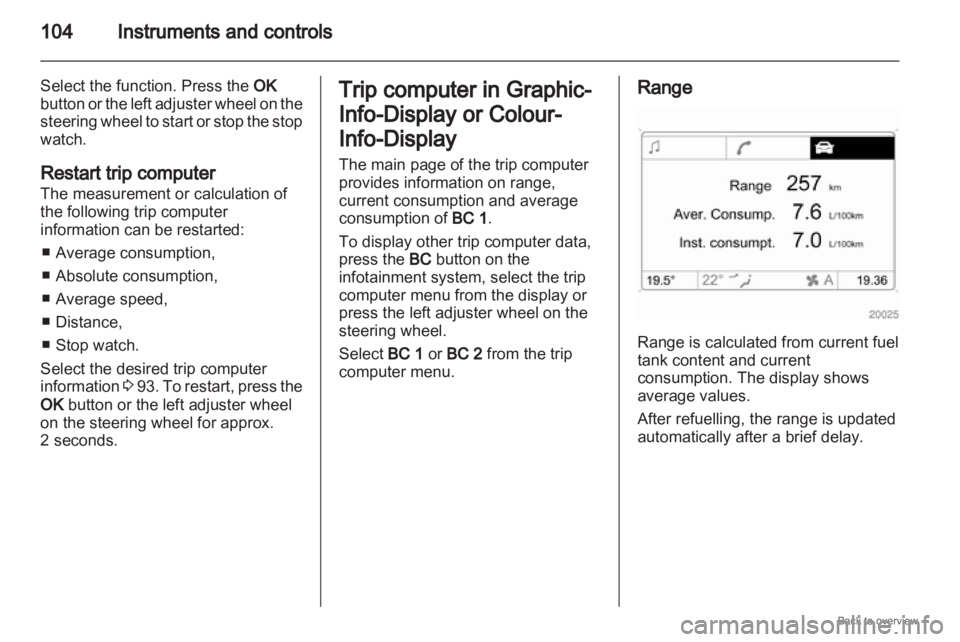
computer menu. Range
Range is calculated from current fuel
tank content and current
consumption. The display shows
average values.
After refuelling, the range is updated
automatically after a brief delay.
Page 110 of 228
110
Lighting
Vehicles with halogen headlight
system
Have the headlights adjusted by
a workshop.
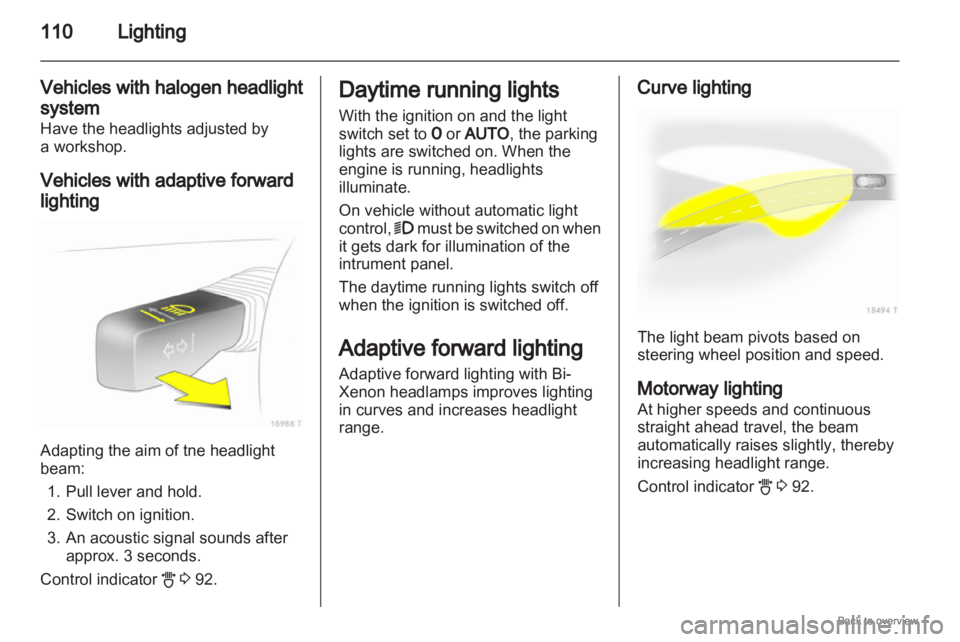
Vehicles with adaptive forward
lighting Adapting the aim of tne headlight
beam:
1.
Pull lever and hold.
2. Switch on ignition.
3. An acoustic signal sounds after approx. 3 seconds.
Control indicator B 3 92. Daytime running lights
With the ignition on and the light
switch set to 7 or AUTO, the parking
lights are switched on. When the
engine is running, headlights
illuminate.
On vehicle without automatic light
control, 9
must be switched on when
it gets dark for illumination of the
intrument panel.
The daytime running lights switch off
when the ignition is switched off.
Adaptive forward lighting
Adaptive forward lighting with Bi-
Xenon headlamps improves lighting
in curves and increases headlight
range. Curve lighting
The light beam pivots based on
steering wheel position and speed.
Motorway lighting
At higher speeds and continuous
straight ahead travel, the beam
automatically raises slightly, thereby
increasing headlight range.
Control indicator
B 3 92.
Page 111 of 228
Lighting
111
Hazard warning flashers Operated with the ¨ button.
The hazard warning flashers activate
automatically if the airbags deploy. Turn and lane-change
signals
Lever up = Right indicator
Lever down = Left indicator
The lever always springs back to its
original position.
If the lever is moved past the
resistance point, the indicator is
switched on constantly. When the
steering wheel moves back, the
indicator
is automatically deactivated.
For three flashes, e. g. when
changing lanes, press the lever until
resistance is felt and then release. Move the lever to the resistance point
and hold for longer indication.
Switch the indicator off manually by
moving the lever slightly.
Front fog lights
The front fog lights can only be
switched on when both the ignition
and headlights or parking lights are
on.
Operated with the > button.
Page 124 of 228
124
Climate control
In the Climate menu, select menu
item Auto recirc and activate or
deactivate.
Switch to manual air recirculation as
necessary.
Manual air recirculation mode
The manual air recirculation mode is
operated with the 4 button. 9
Warning The exchange of fresh air is
reduced in air recirculation mode.
In
operation without cooling the air
humidity increases, so the
windows may mist up. The quality
of the passenger compartment air
deteriorates, which may cause the
vehicle occupants to feel drowsy. Air conditioning with the engine
not running
When
ignition is off, the residual heat
or cooling in the system can be used
for climate control in passenger
compartment. Press the AUTO button with the
ignition off. Residual air conditioning
on will appear briefly in the display.
Residual climate control can only
operate
for a limited period of time. To
cancel, press the AUTO button.
Auxiliary heater
Air heater
Quickheat is an electric auxiliary air
heater which warms up the
passenger compartment more
quickly.
Coolant heater
Diesel-engined vehicles have a fuel-
powered auxiliary coolant heater
which warms up the engine coolant
when the engine is running. Air vents
Adjustable air vents
At least one air vent must be open
while
cooling is on in order to prevent
the evaporator from icing up due to
lack of air movement.
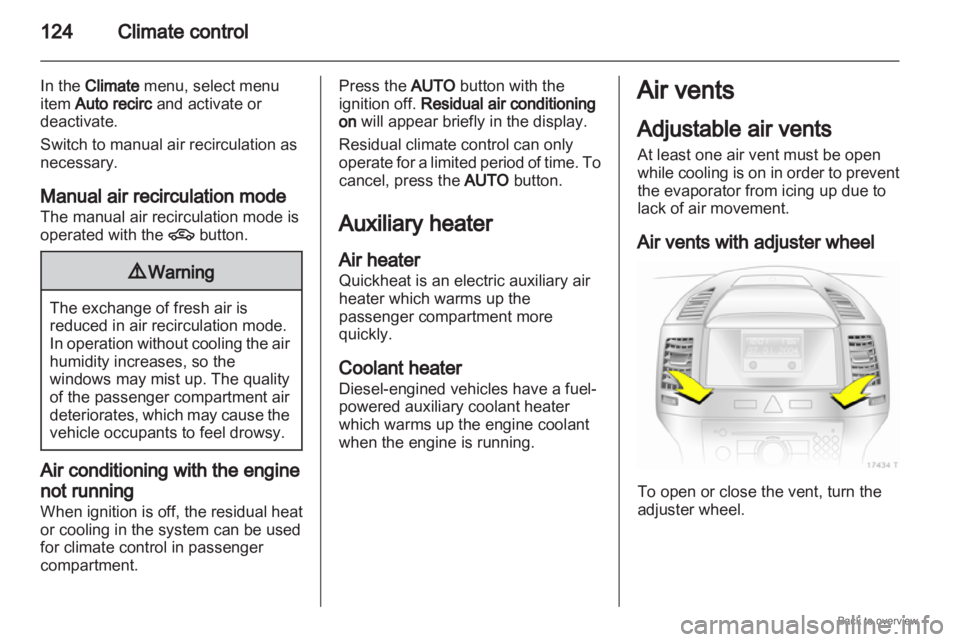
Air vents with adjuster wheel To open or close the vent, turn the
adjuster wheel.