Page 103 of 284
97
Instruments, controls
Picture no: 18612t.tif
To select with the infotainment system
buttons
Select menu items via the menus and using
the infotainment system buttons. The OK
button is used to select the marked item or
confirm a command.
To exit a menu, press the right or left arrow
button to execute Return or Main .
Picture no: 17013t.tif
To select using the multifunction button
Turn the multifunction button to highlight
menu items or commands and to select
function areas.
Press the multifunction button to select the
highlighted item or confirm a command.
To exit a menu, turn the multifunction
button to Return or Main and select.
Picture no: 18187s.tif
Select using the left adjusting wheel 3 on
the steering wheel
Turn to select a menu item.
Press the adjuster wheel to select the
highlighted item or confirm a command.
Back to overview
Page 106 of 284
100 Instruments, controls
Picture no: 17343t.tif
Setting units of measure
Select menu item Units from the Settings
menu.
Select the desired unit.
Selections are indicated by a o in front of
the menu item.
Picture no: 17926t.tif
Adjusting contrast 3
(Graphical Information Display)
Select menu item Contrast from the
Settings menu.
Confirm the required setting. Setting display mode
3
Display brightness is independent of
vehicle lighting. Settings are made as
follows:
Select menu item Day / Night from the
Settings menu.
Automatic: adapted based on vehicle
lighting.
Always day design: black or coloured text
on light background.
Always night design: white or coloured
text on dark background.
Selections are indicated by a o in front of
the menu item.
Ignition logic 3
See infotainment sy stem instructions.
7 Settings 19,5° 19:36
Time, Date
Language
!
Europe-SI
Units
"
Japan
Contrast
"
Great Britain
Day / Night
"
USA
! Ign. logic
7 Contrast 19,5° 19:36
12
Back to overview
Page 111 of 284
105
Instruments, controls
Acknowledge warning messages as
described on page 96, confirm.
Unacknowledged warning messages can
be re-displayed later.
Warning messages:Remote Control
Battery
check
Remote control battery voltage too low
3 32.
Brakelight switch
check
Brake light does not come on during
braking. Have the cause of the fault
eliminated immediately by a workshop.
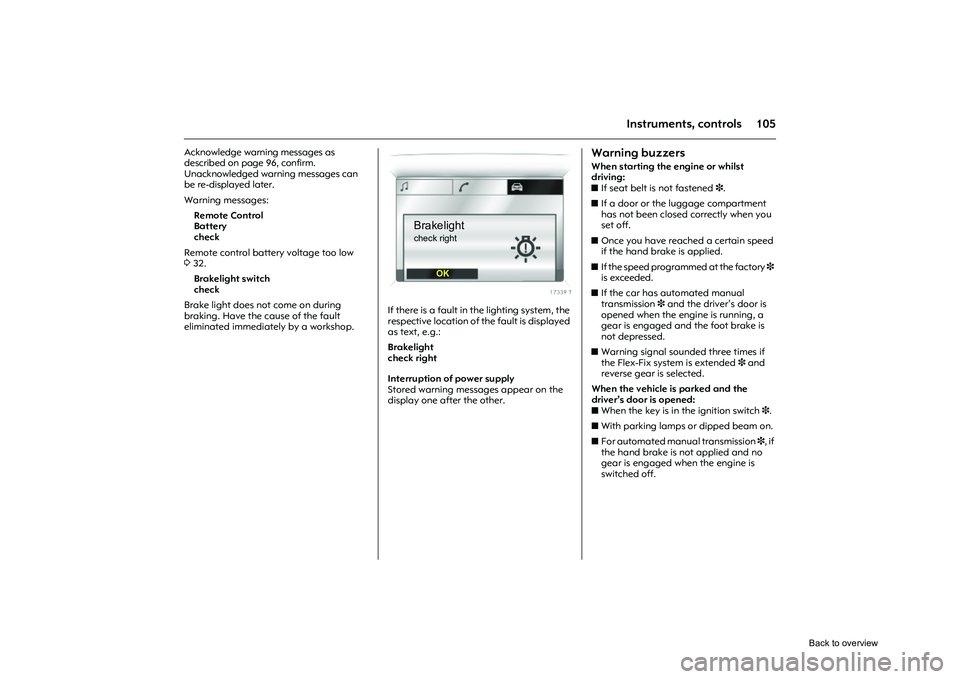
Picture no: 18435s.tif
If there is a fault in the lighting system, the
respective location of the fault is displayed
as text, e.g.:
Brakelight
check right
Interruption of power supply
Stored warning messages appear on the
display one after the other.
Warning buzzersWhen starting the engine or whilst
driving:
z If seat belt is not fastened 3.
z If a door or the luggage compartment
has not been closed correctly when you
set off.
z Once you have reached a certain speed
if the hand brake is applied.
z If the speed programmed at the factory 3
is exceeded.
z If the car has automated manual
transmission 3 and the driver’s door is
opened when the engine is running, a
gear is engaged and the foot brake is
not depressed.
z Warning signal sounded three times if
the Flex-Fix system is extended 3 and
reverse gear is selected.
When the vehicle is parked and the
driver’s door is opened:
z When the key is in the ignition switch 3.
z With parking lamps or dipped beam on.
z For automated manual transmission 3, if
the hand brake is not applied and no
gear is engaged when the engine is
switched off.
Brakelightcheck right
OK
Back to overview
Page 114 of 284

108 LightingLighting
Picture no: 18197s.tif
Exterior lightsTurn light switch:
In positions 8 and 9, the tail lamps and
number plate lamps are also on.
Control indicator 8388.
If the ignition is switched off when main
beam or dipped beam is on, the parking
lamps come on.
The parking lamps go off when the ignition
key is removed. Versions with daytime running lights 3
:
Parking lamps are on when the ignition is
switched on and the lig ht switch is set to 7
or A 3. Dipped beam is on when the engine
is running.
The daytime running lig hts switch off when
the ignition is switched off.
Follow the regulations of the country in
which you are driving when using daytime
running lights and fog lamps 3.
Driving abroad 3117.
Exterior lights ....................................... 108
Main beam, headlamp flash .............. 109
Automatic dipped beam
activation A 3................................. 109
Turn signal lamps ................................ 109
Fog lamps > 3.................................... 110
Fog tail lamp r................................... 110
Reversing lamps................................... 110
Hazard warning lamps ....................... 111
Headlamp range adjustment ? 3..... 111
Adaptive Forward Lighting 3 (AFL) .. 112
Lead-me lighting 3............................. 113
Switching on the exterior lighting with the remote control 3......................... 113
Parking lamps ...................................... 114
Instrument illumination, Information display illumination ........................... 114
Courtesy lamp...................................... 114
Battery discharge protection .............. 116
Misted light covers............................... 116
Headlamps when driving abroad ...... 117 7
=Off
8 = Parking lamps
9 = Dipped or main beam
Back to overview
Page 115 of 284

109
Lighting
Picture no: 18165s.tif
Main beam, headlamp flash Push stalk forward to switch from dipped
beam to main beam.
To switch to dipped beam, push stalk
forward again or pull towards steering
wheel.
To operate the headlamp flash, pull stalk
towards steering wheel. The main beam is
switched on for as long as the stalk is held
in this position.
Picture no: 18198s.tif
Automatic dipped beam
activation A
3
Light switch set to A: when the engine is
running, dipped beam switches on when
external light conditions are poor.
The exterior lights switch off when the
ignition is switched off.
For reasons of safety, the light switch
should always remain in the A position.
If visibility is poor (in foggy conditions, for
example) turn light switch to 9.
Picture no: 18167s.tif
Turn signal lamps Push stalk up or down to activate:
After operation, the turn signal stalk
returns to its starting position.
If the stalk is moved past the resistance
point, the turn signal lamp remains on.
When the steering wheel moves back
toward the straight-ahead position, the
turn signal lamp is automatically
deactivated.
Move the stalk to the resistance point and
hold for the turn signals to flash longer.
Switch the turn signal off manually by
moving the stalk slightly. Lever upwards = Right turn signal
Lever downwards = Left turn signal
Back to overview
Page 116 of 284
110 LightingShort turn signal 3
Push stalk until you feel resistance and
release. The turn signal flashes three times,
e.g. for changing lanes. This function can
be activated or deactivated depending on
the key that is used, see "personalised key",
P3 339, 341.
Acoustic turn signal 3
The volume of the acoustic turn signal can
be adjusted. This function can be
programmed depending on the key used,
see "Personalised key", P7 339, 341.
Picture no: 18199s.tif
Fog lamps
> 3
The fog lamps can only be switched on
when both the ignition and lights are on.
Operated with the > button.
Fog tail lamp
r
The fog tail lamp can only be switched on
both the ignition and dipped beam/parking
lamps are on.
Operated with the r button.
The vehicle fog tail lamp are deactivated
when towing.
Reversing lamps The reversing lamps come on when the
ignition is on and reverse gear is engaged.
Back to overview
Page 117 of 284
111
Lighting
Picture no: 18169s.tif
Hazard warning lamps Operated with the ¨ button.
To aid location of the pushbutton, the red
surface is illuminated when the ignition
switched on. When the button is pressed,
its control indicator flashes in time with the
hazard warning lamps.
The hazard warning flashers activate
automatically if the airbags deploy.
Picture no: 18200s.tif
Headlamp range adjustment
? 3
Adjust headlamp range to suit the vehicle
load to avoid dazzling oncoming traffic.
Push button
I or
J step-by-step until the
required setting is displayed on the
kilometre display.
The display shows for 4 seconds, when
dipped beam is switched on or every time
the beam range is changed, together with
the symbol ?.
Picture no: 18419s.tif
0 = Front seats occupied
1 = All seats occupied
2 = All seats occupied and luggage
compartment load
3 = Driver’s seat occupied and luggage compartment load
Back to overview
Page 118 of 284

112 Lighting
Picture no: 17793j.tif
Adaptive Forward Lighting
3
(AFL) ensures better illumination of
zbends (curve lighting),
z crossings and narrow bends
(cornering light).
Curve lighting (1)
The light beam pivots based on
steering wheel position and speed
(from approx. 10 km/h).
The headlamps shine at an angle of up to
15� to the right or left of the direction of
travel.
Picture no:
Cornering light (2)
An additional light is switched on
depending on the stee ring wheel position
(from rotation of approx. 90�), turn signal
position and speed (up to approx. 40 km/h).
The light is thrown approx. 90� to the
left or right of the car, to a distance of
approx. 30 metres.
Reversing function
If the lights are on, reverse gear is
engaged, and the turn signal is activated,
the cornering light on the appropriate side
is switched on. The cornering light stays on
for 15 seconds once the turn signal has
been switched off.
Picture no: 18249s.tif
Control indicator fo r adaptive driving
lamps
B
Illuminated: Fault in system. The system is
not ready for operation.
Contact a workshop for assistance.
If control indicator
B flashes for
approx. 4 seconds after the ignition is
switched on, this is a reminder that the
headlamps have been set to symmetrical
dipped beam; see "Headlamps when
driving abroad" 3117.
Back to overview


