2009 NISSAN ALTIMA COUPE ignition
[x] Cancel search: ignitionPage 125 of 373
To fully close the moonroof, push the switch
toward
s2.
To open or close the moonroof part way, push the
switch in any direction while the moonroof is
sliding to stop it in the desired position.
Tilting the moonroof
Close the moonroof by pushing the switch
toward
s2. Release the switch, then push
the switch toward
s2again to tilt the
moonroof up.
To tilt the moonroof down, push the switch
toward
s1.
WARNING
cIn an accident you could be thrown from
the vehicle through an open moonroof.
Always use seat belts and child
restraints.
cDo not allow anyone to stand up or
extend any portion of their body out of
the moonroof opening while the vehicle
is in motion or while the moonroof is
closing.
CAUTION
cRemove water drops, snow, ice or sand
from the moonroof before opening.
cDo not place heavy objects on the
moonroof or surrounding area.
Resetting the moonroof switch
The moonroof switch may not operate properly
and need to be reset if any of the following
conditions have occurred:
cthe moonroof has been manually moved,
cthe moonroof motor has been removed and
reinstalled after the moonroof has been re-
positioned or adjusted,
cthe moonroof glass panel has been adjusted
or changed, or
cthe electrical supply interrupted and/or
some malfunction has been detected.
Use the following reset procedure to return the
moonroof operation to normal.
1. Place the ignition switch in the ON position.
2. Push and hold the moonroof switch
toward
s2. Once the moonroof has
reached the full tilt position, release the
switch. Push and hold the switch towardthe
s2position again. After a delay of
four seconds, the moonroof will make a small
movement and backup.
3. Release the switch.
4. Within 5 seconds of releasing the switch,
push and continuously hold the switch
toward
s2. The moonroof will move
from the tilt position to the open position and
back to the close position.
NOTE:
If the switch is released at any time during
Step 4, the procedure must be restarted.
5. Release the switch. Do not place the ignition
switch in the OFF position for at least 2
seconds. The moonroof is now reset.
If the moonroof still does not operate properly,
have the moonroof system checked by a NISSAN
dealer.
Auto-reverse function (when closing or
tilting down the moonroof)
The auto-reverse function can be activated when
the moonroof is closed or tilted down by auto-
matic operation when the ignition switch is
placed in the ON position or for about 45 sec-
onds after the ignition switch is placed in the OFF
position.
Instruments and controls2-47
ZREVIEW COPYÐ2009 Altima(alt)
Owners Manual(owners)ÐUSA_English(nna)
02/03/09Ðdebbie
X
Page 126 of 373
Depending on the environment or driving
conditions, the auto-reverse function may
be activated if an impact or load similar to
something being caught in the moonroof
occurs.
WARNING
There are some small distances immedi-
ately before the closed position which
cannot be detected. Make sure that all
passengers have their hands, etc., inside
the vehicle before closing the moonroof.
When closing:
If the control unit detects something caught in the
moonroof as it moves to the front, the moonroof
will immediately open backward.
When tilting down:
If the control unit detects something caught in the
moonroof as it tilts down, the moonroof will im-
mediately tilt up.
If the auto-reverse function malfunctions and re-
peats opening or tilting up the moonroof, keep
pushing the tilt down switch within 5 seconds
after it happens; the moonroof will fully close
gradually. Make sure nothing is caught in the
moonroof.
WARNING
cIn an accident you could be thrown from
the vehicle through an open moonroof.
Always use seat belts and child
restraints.
cDo not allow anyone to stand up or
extend any portion of their body out of
the moonroof opening while the vehicle
is in motion or while the moonroof is
closing.
CAUTION
cRemove water drops, snow, ice or sand
from the moonroof before opening.
cDo not place heavy objects on the
moonroof or surrounding area.
Sunshade
Open and close the sunshade by sliding it for-
ward or backward.
If the moonroof does not close
Have your NISSAN dealer check and repair the
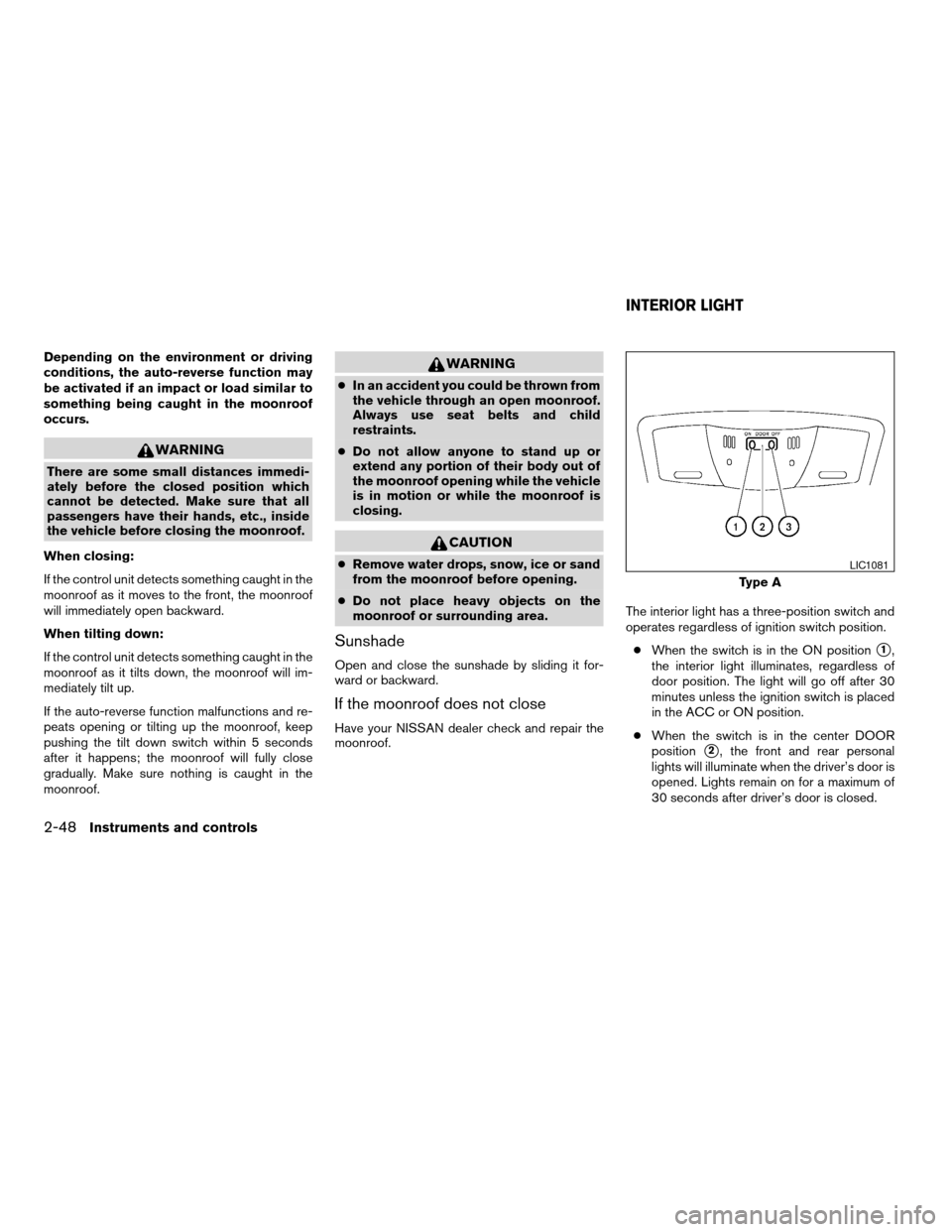
moonroof.The interior light has a three-position switch and
operates regardless of ignition switch position.
cWhen the switch is in the ON position
s1,
the interior light illuminates, regardless of
door position. The light will go off after 30
minutes unless the ignition switch is placed
in the ACC or ON position.
cWhen the switch is in the center DOOR
position
s2, the front and rear personal
lights will illuminate when the driver’s door is
opened. Lights remain on for a maximum of
30 seconds after driver’s door is closed.
Type A
LIC1081
INTERIOR LIGHT
2-48Instruments and controls
ZREVIEW COPYÐ2009 Altima(alt)
Owners Manual(owners)ÐUSA_English(nna)
02/03/09Ðdebbie
X
Page 127 of 373

The lights will go off when the ignition switch is
placed in the ON position, or the driver’s door is
closed and locked.
The lights will also go off after 30 minutes when
the doors are open.
cWhen the switch is in the OFF position
s3,
the interior light does not illuminate, regard-
less of door position.NOTE:
The doorstep lights illuminate when the
driver and passenger doors are opened re-
gardless of the interior light switch posi-
tion. These lights will turn off automatically
after 30 minutes while doors are open to
prevent the battery from becoming dis-
charged.
CAUTION
Do not use for extended periods of time
with the engine stopped. This could result
in a discharged battery.
CONSOLE LIGHT (if so equipped)
The console light will turn on whenever the park-
ing lights or headlights are illuminated.
The console light brightness can be adjusted
with the instrument brightness control.
Type B
WIC1267WIC1476
Instruments and controls2-49
ZREVIEW COPYÐ2009 Altima(alt)
Owners Manual(owners)ÐUSA_English(nna)
02/03/09Ðdebbie
X
Page 128 of 373
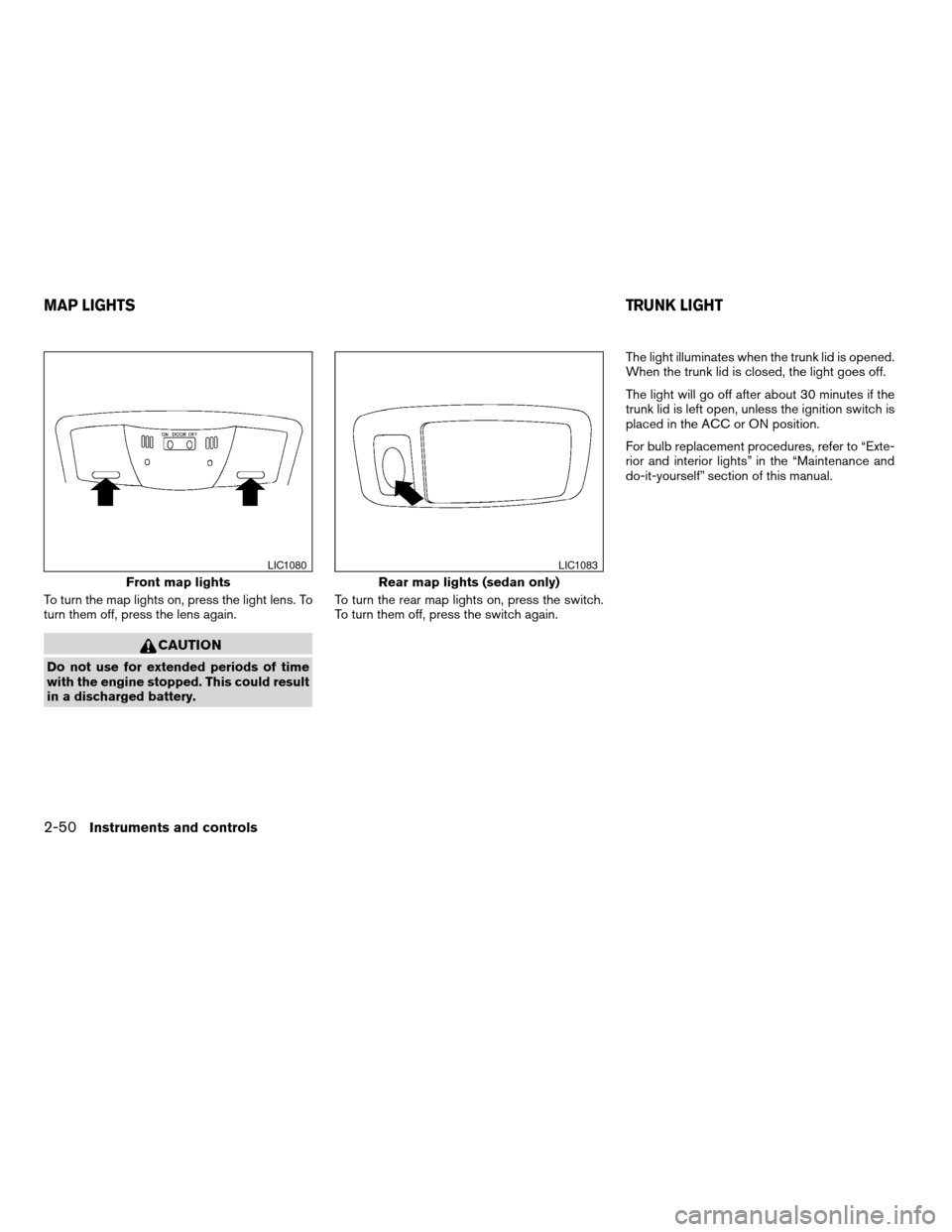
To turn the map lights on, press the light lens. To
turn them off, press the lens again.
CAUTION
Do not use for extended periods of time
with the engine stopped. This could result
in a discharged battery.To turn the rear map lights on, press the switch.
To turn them off, press the switch again.The light illuminates when the trunk lid is opened.
When the trunk lid is closed, the light goes off.
The light will go off after about 30 minutes if the
trunk lid is left open, unless the ignition switch is
placed in the ACC or ON position.
For bulb replacement procedures, refer to “Exte-
rior and interior lights” in the “Maintenance and
do-it-yourself” section of this manual.
Front map lights
LIC1080
Rear map lights (sedan only)
LIC1083
MAP LIGHTSTRUNK LIGHT
2-50Instruments and controls
ZREVIEW COPYÐ2009 Altima(alt)
Owners Manual(owners)ÐUSA_English(nna)
02/03/09Ðdebbie
X
Page 137 of 373
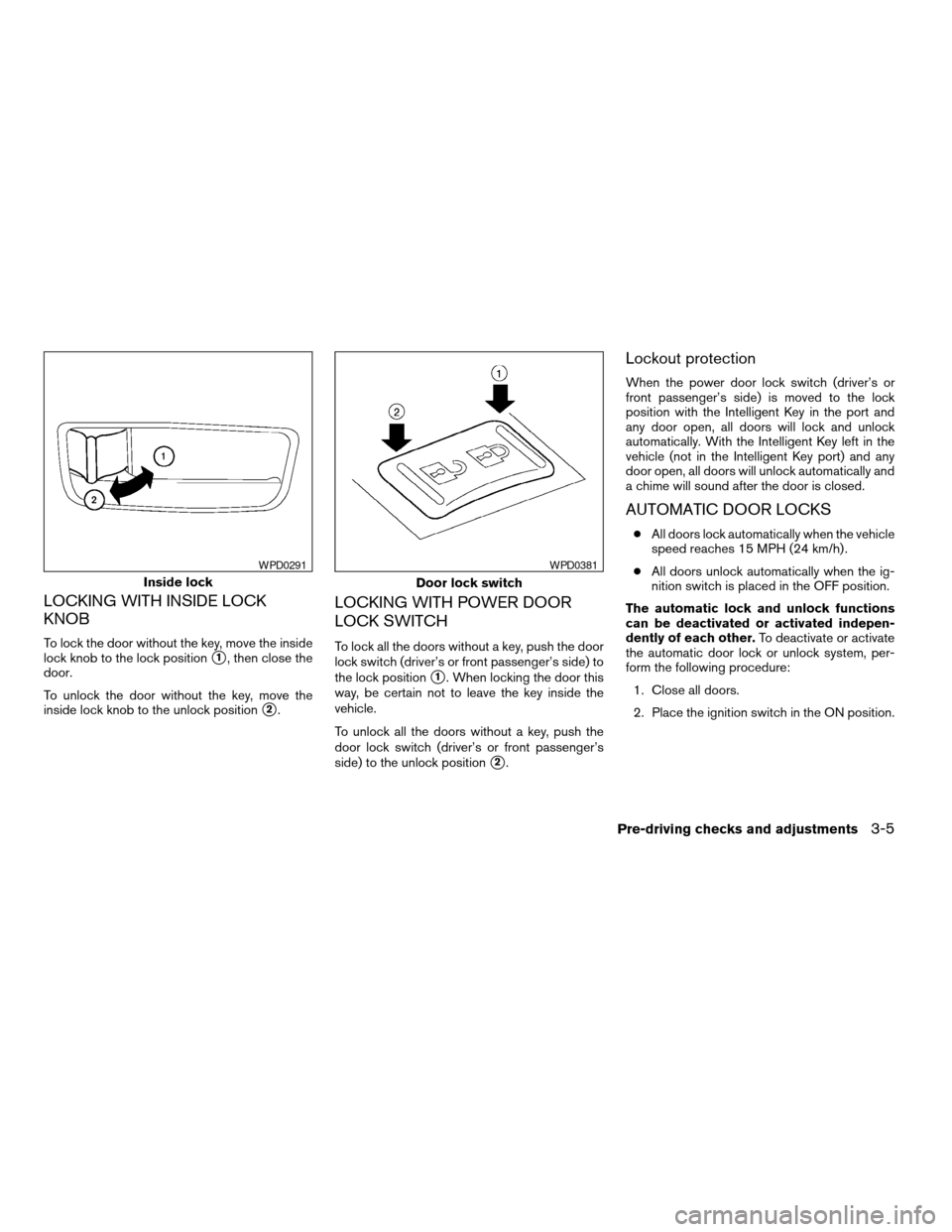
LOCKING WITH INSIDE LOCK
KNOB
To lock the door without the key, move the inside
lock knob to the lock position
s1, then close the
door.
To unlock the door without the key, move the
inside lock knob to the unlock position
s2.
LOCKING WITH POWER DOOR
LOCK SWITCH
To lock all the doors without a key, push the door
lock switch (driver’s or front passenger’s side) to
the lock position
s1. When locking the door this
way, be certain not to leave the key inside the
vehicle.
To unlock all the doors without a key, push the
door lock switch (driver’s or front passenger’s
side) to the unlock position
s2.
Lockout protection
When the power door lock switch (driver’s or
front passenger’s side) is moved to the lock
position with the Intelligent Key in the port and
any door open, all doors will lock and unlock
automatically. With the Intelligent Key left in the
vehicle (not in the Intelligent Key port) and any
door open, all doors will unlock automatically and
a chime will sound after the door is closed.
AUTOMATIC DOOR LOCKS
cAll doors lock automatically when the vehicle
speed reaches 15 MPH (24 km/h) .
cAll doors unlock automatically when the ig-
nition switch is placed in the OFF position.
The automatic lock and unlock functions
can be deactivated or activated indepen-
dently of each other.To deactivate or activate
the automatic door lock or unlock system, per-
form the following procedure:
1. Close all doors.
2. Place the ignition switch in the ON position.
Inside lock
WPD0291
Door lock switch
WPD0381
Pre-driving checks and adjustments3-5
ZREVIEW COPYÐ2009 Altima(alt)
Owners Manual(owners)ÐUSA_English(nna)
02/03/09Ðdebbie
X
Page 138 of 373
3. Do one of the following within 20 seconds of
performing Step #2:
cTo change AUTO UNLOCK settings:
push and hold the power door lock switch
to the
position (UNLOCK) for more
than 5 seconds.
cTo change AUTO LOCK settings: push
and hold the power door lock switch to
the
position (LOCK) for more
than 5 seconds.
4. When activated, the hazard warning lights
will flash twice. When deactivated, the haz-
ard warning lights will flash once.
5. The ignition switch must be placed in the
OFF and ON position again between each
setting change.
CHILD SAFETY REAR DOOR LOCK
(Sedan only)
Child safety locks help prevent the rear doors
from being opened accidentally, especially when
small children are in the vehicle.
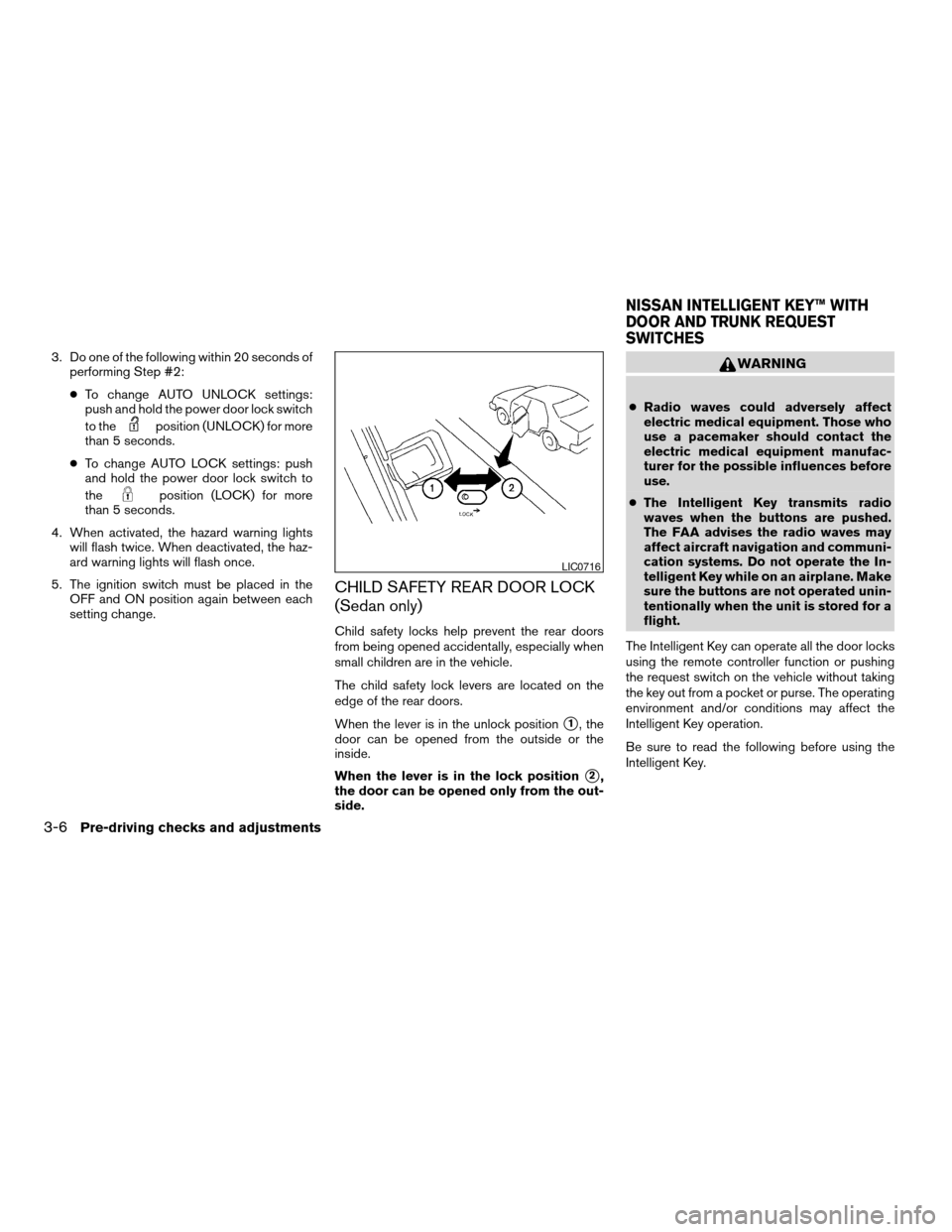
The child safety lock levers are located on the
edge of the rear doors.
When the lever is in the unlock position
s1, the
door can be opened from the outside or the
inside.
When the lever is in the lock position
s2,
the door can be opened only from the out-
side.
WARNING
cRadio waves could adversely affect
electric medical equipment. Those who
use a pacemaker should contact the
electric medical equipment manufac-
turer for the possible influences before
use.
cThe Intelligent Key transmits radio
waves when the buttons are pushed.
The FAA advises the radio waves may
affect aircraft navigation and communi-
cation systems. Do not operate the In-
telligent Key while on an airplane. Make
sure the buttons are not operated unin-
tentionally when the unit is stored for a
flight.
The Intelligent Key can operate all the door locks
using the remote controller function or pushing
the request switch on the vehicle without taking
the key out from a pocket or purse. The operating
environment and/or conditions may affect the
Intelligent Key operation.
Be sure to read the following before using the
Intelligent Key.
LIC0716
NISSAN INTELLIGENT KEY™ WITH
DOOR AND TRUNK REQUEST
SWITCHES
3-6Pre-driving checks and adjustments
ZREVIEW COPYÐ2009 Altima(alt)
Owners Manual(owners)ÐUSA_English(nna)
02/03/09Ðdebbie
X
Page 139 of 373
CAUTION
cBe sure to carry the Intelligent Key with
you when operating the vehicle.
cNever leave the Intelligent Key in the
vehicle when you leave the vehicle.
The Intelligent Key is always communicating with
the vehicle as it receives radio waves. The Intel-
ligent Key transmits weak radio waves. Environ-
mental conditions may interfere with the opera-
tion of the Intelligent Key under the following
operating conditions:
cWhen operating near a location where
strong radio waves are transmitted, such as
a TV tower, power station and broadcasting
station.
cWhen in possession of wireless equipment,
such as a cellular telephone, transceiver,
and CB radio.
cWhen the Intelligent Key is in contact with or
covered by metallic materials.
cWhen any type of radio wave remote control
is used nearby.
cWhen the Intelligent Key is placed near an
electric appliance such as a personal com-
puter.cWhen the vehicle is parked near a parking
meter.
In such cases, correct the operating conditions
before using the Intelligent Key function or use
the mechanical key.
Although the life of the battery varies depending
on the operating conditions, the battery’s life is
approximately 2 years. If the battery is dis-
charged, replace it with a new one.
When the Intelligent Key battery is almost dis-
charged, insert the Intelligent Key into the Intelli-
gent Key port to start the engine. Replace the
discharged battery with a new one as soon as
possible. For more details, see “Push-button ig-
nition switch” in the “Starting and driving” sec-
tion.
Since the Intelligent Key is continuously receiving
radio waves, if the key is left near equipment
which transmits strong radio waves, such as sig-
nals from a TV and personal computer, the bat-
tery life may become shorter.
For information regarding replacement of a bat-
tery, see “Battery replacement” in the “Mainte-
nance and do-it-yourself” section.
Because the steering wheel is locked electrically,
unlocking the steering wheel with the ignition
switch in the LOCK position is impossible when
the vehicle battery is completely discharged. Un-locking the steering wheel is impossible even if
the Intelligent Key is inserted into the Intelligent
Key port. Pay special attention that the vehicle
battery is not completely discharged.
As many as 4 Intelligent Keys can be registered
and used with one vehicle. For information about
the purchase and use of additional Intelligent
Keys, contact a NISSAN dealer.
CAUTION
cDo not allow the Intelligent Key, which
contains electrical components, to
come into contact with water or salt
water. This could affect the system
function.
cDo not drop the Intelligent Key.
cDo not strike the Intelligent Key sharply
against another object.
cDo not change or modify the Intelligent
Key.
cWetting may damage the Intelligent
Key. If the Intelligent Key gets wet, im-
mediately wipe until it is completely dry.
cDo not place the Intelligent Key for an
extended period in an area where tem-
peratures exceed 140°F (60°C) .
Pre-driving checks and adjustments3-7
ZREVIEW COPYÐ2009 Altima(alt)
Owners Manual(owners)ÐUSA_English(nna)
02/03/09Ðdebbie
X
Page 142 of 373
Locking doors
1. Move the shift selector to the P (Park) posi-
tion, place the ignition switch in the LOCK
position and make sure you carry the Intelli-
gent Key with you.
2. Close all doors.
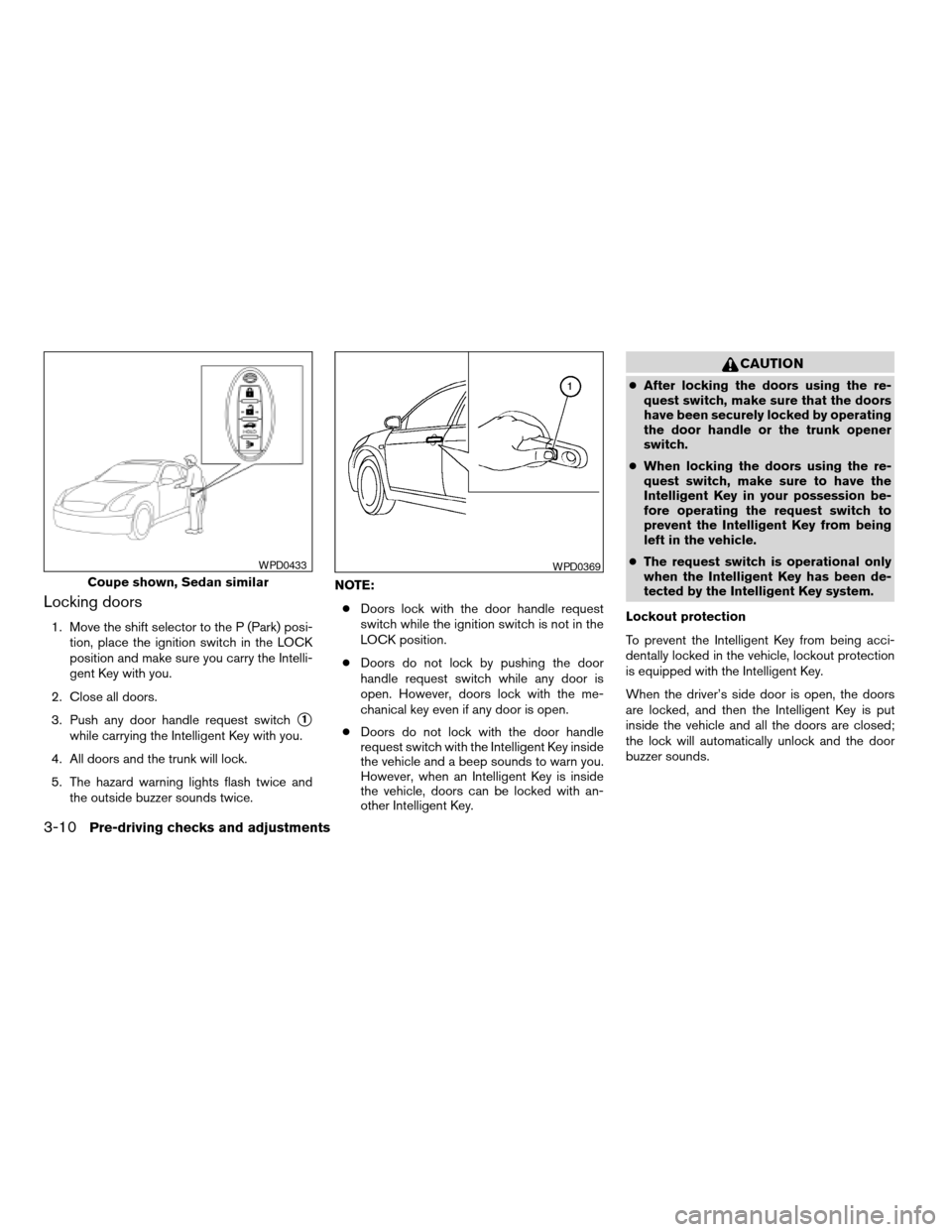
3. Push any door handle request switch
s1
while carrying the Intelligent Key with you.
4. All doors and the trunk will lock.
5. The hazard warning lights flash twice and
the outside buzzer sounds twice.NOTE:
cDoors lock with the door handle request
switch while the ignition switch is not in the
LOCK position.
cDoors do not lock by pushing the door
handle request switch while any door is
open. However, doors lock with the me-
chanical key even if any door is open.
cDoors do not lock with the door handle
request switch with the Intelligent Key inside
the vehicle and a beep sounds to warn you.
However, when an Intelligent Key is inside
the vehicle, doors can be locked with an-
other Intelligent Key.
CAUTION
cAfter locking the doors using the re-
quest switch, make sure that the doors
have been securely locked by operating
the door handle or the trunk opener
switch.
cWhen locking the doors using the re-
quest switch, make sure to have the
Intelligent Key in your possession be-
fore operating the request switch to
prevent the Intelligent Key from being
left in the vehicle.
cThe request switch is operational only
when the Intelligent Key has been de-
tected by the Intelligent Key system.
Lockout protection
To prevent the Intelligent Key from being acci-
dentally locked in the vehicle, lockout protection
is equipped with the Intelligent Key.
When the driver’s side door is open, the doors
are locked, and then the Intelligent Key is put
inside the vehicle and all the doors are closed;
the lock will automatically unlock and the door
buzzer sounds.
Coupe shown, Sedan similar
WPD0433WPD0369
3-10Pre-driving checks and adjustments
ZREVIEW COPYÐ2009 Altima(alt)
Owners Manual(owners)ÐUSA_English(nna)
02/03/09Ðdebbie
X