2009 NISSAN ALTIMA COUPE ignition
[x] Cancel search: ignitionPage 104 of 373
The alarm is activated by:
copening the door or trunk lid without using
the key or Intelligent Key (even if the door is
unlocked by releasing the door inside lock
switch) .
How to stop an activated alarm
The alarm stops only by unlocking the driver’s
door or the trunk lid with the key, pressing
the
button on the Intelligent Key, or press-
ing the request switch on the driver’s or passen-
ger’s door with the Intelligent Key in range of the
door handle.
NISSAN VEHICLE IMMOBILIZER
SYSTEM
The NISSAN Vehicle Immobilizer System will not
allow the engine to start without the use of a
registered key.
Never leave these keys in the vehicle.
Statement related to Section 15 of FCC
Rules for NISSAN Vehicle Immobilizer Sys-
tem
This device complies with part 15 of the
FCC Rules and RSS-210 of Industry
Canada. Operation is subject to the follow-
ing two conditions;(1) This device may not cause harmful in-
terference, and (2) this device must accept
any interference received, including inter-
ference that may cause undesired opera-
tion of the device.
CHANGES OR MODIFICATIONS NOT EX-
PRESSLY APPROVED BY THE PARTY RE-
SPONSIBLE FOR COMPLIANCE COULD
VOID THE USER’S AUTHORITY TO OPER-
ATE THE EQUIPMENT.
Security indicator light
The security indicator light blinks whenever the
ignition switch is placed in the OFF, LOCK or ACC
position. This function indicates the NISSAN Ve-
hicle Immobilizer System is operational.
If the NISSAN Vehicle Immobilizer System is mal-
functioning, the light will remain on while the
ignition switch is placed in the ON position.
If the light still remains on and/or the en-
gine will not start, see a NISSAN dealer for
NISSAN Vehicle Immobilizer System ser-
vice as soon as possible. Please bring all
registered keys that you have when visiting
your NISSAN dealer for service.
LIC0474
2-26Instruments and controls
ZREVIEW COPYÐ2009 Altima(alt)
Owners Manual(owners)ÐUSA_English(nna)
02/03/09Ðdebbie
X
Page 105 of 373
SWITCH OPERATION
The windshield wiper and washer switch oper-
ates when the ignition switch is placed in the ON
position.
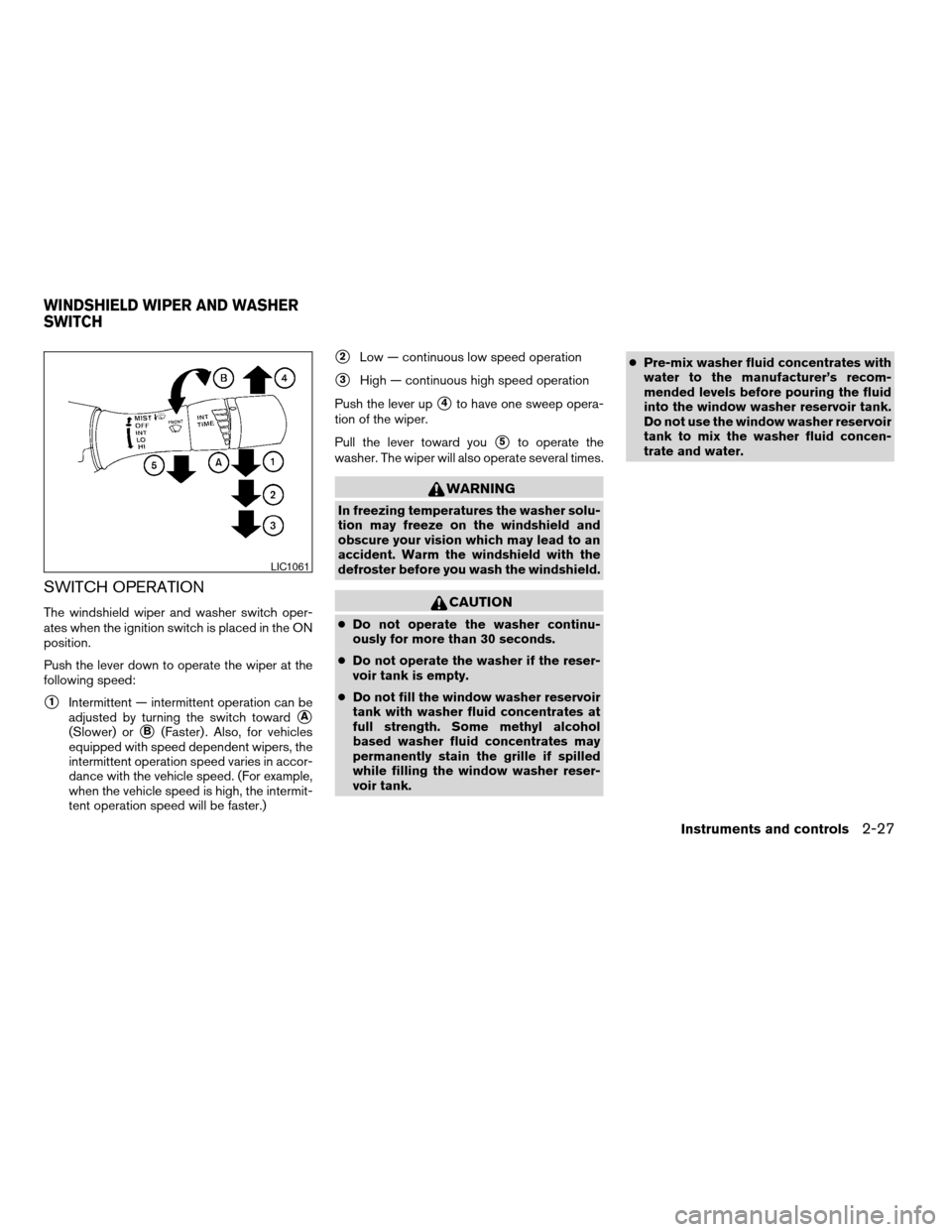
Push the lever down to operate the wiper at the
following speed:
s1Intermittent — intermittent operation can be
adjusted by turning the switch toward
sA
(Slower) orsB(Faster) . Also, for vehicles
equipped with speed dependent wipers, the
intermittent operation speed varies in accor-
dance with the vehicle speed. (For example,
when the vehicle speed is high, the intermit-
tent operation speed will be faster.)
s2Low — continuous low speed operation
s3High — continuous high speed operation
Push the lever up
s4to have one sweep opera-
tion of the wiper.
Pull the lever toward you
s5to operate the
washer. The wiper will also operate several times.
WARNING
In freezing temperatures the washer solu-
tion may freeze on the windshield and
obscure your vision which may lead to an
accident. Warm the windshield with the
defroster before you wash the windshield.
CAUTION
cDo not operate the washer continu-
ously for more than 30 seconds.
cDo not operate the washer if the reser-
voir tank is empty.
cDo not fill the window washer reservoir
tank with washer fluid concentrates at
full strength. Some methyl alcohol
based washer fluid concentrates may
permanently stain the grille if spilled
while filling the window washer reser-
voir tank.cPre-mix washer fluid concentrates with
water to the manufacturer’s recom-
mended levels before pouring the fluid
into the window washer reservoir tank.
Do not use the window washer reservoir
tank to mix the washer fluid concen-
trate and water.
LIC1061
WINDSHIELD WIPER AND WASHER
SWITCH
Instruments and controls2-27
ZREVIEW COPYÐ2009 Altima(alt)
Owners Manual(owners)ÐUSA_English(nna)
02/03/09Ðdebbie
X
Page 108 of 373
CAUTION
Use the headlights with the engine run-
ning to avoid discharging the vehicle
battery.
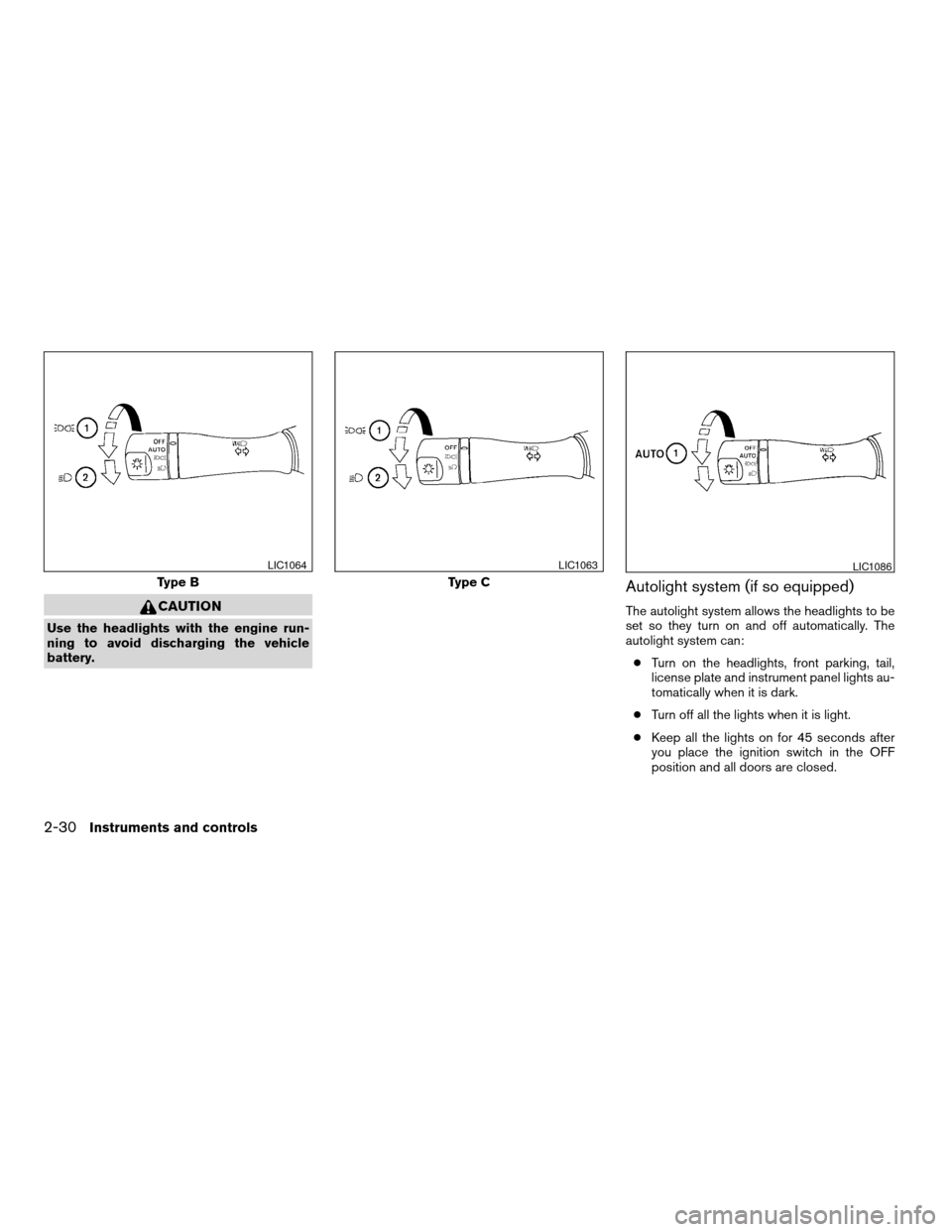
Autolight system (if so equipped)
The autolight system allows the headlights to be
set so they turn on and off automatically. The
autolight system can:
cTurn on the headlights, front parking, tail,
license plate and instrument panel lights au-
tomatically when it is dark.
cTurn off all the lights when it is light.
cKeep all the lights on for 45 seconds after
you place the ignition switch in the OFF
position and all doors are closed.
Type B
LIC1064
Type C
LIC1063LIC1086
2-30Instruments and controls
ZREVIEW COPYÐ2009 Altima(alt)
Owners Manual(owners)ÐUSA_English(nna)
02/03/09Ðdebbie
X
Page 109 of 373
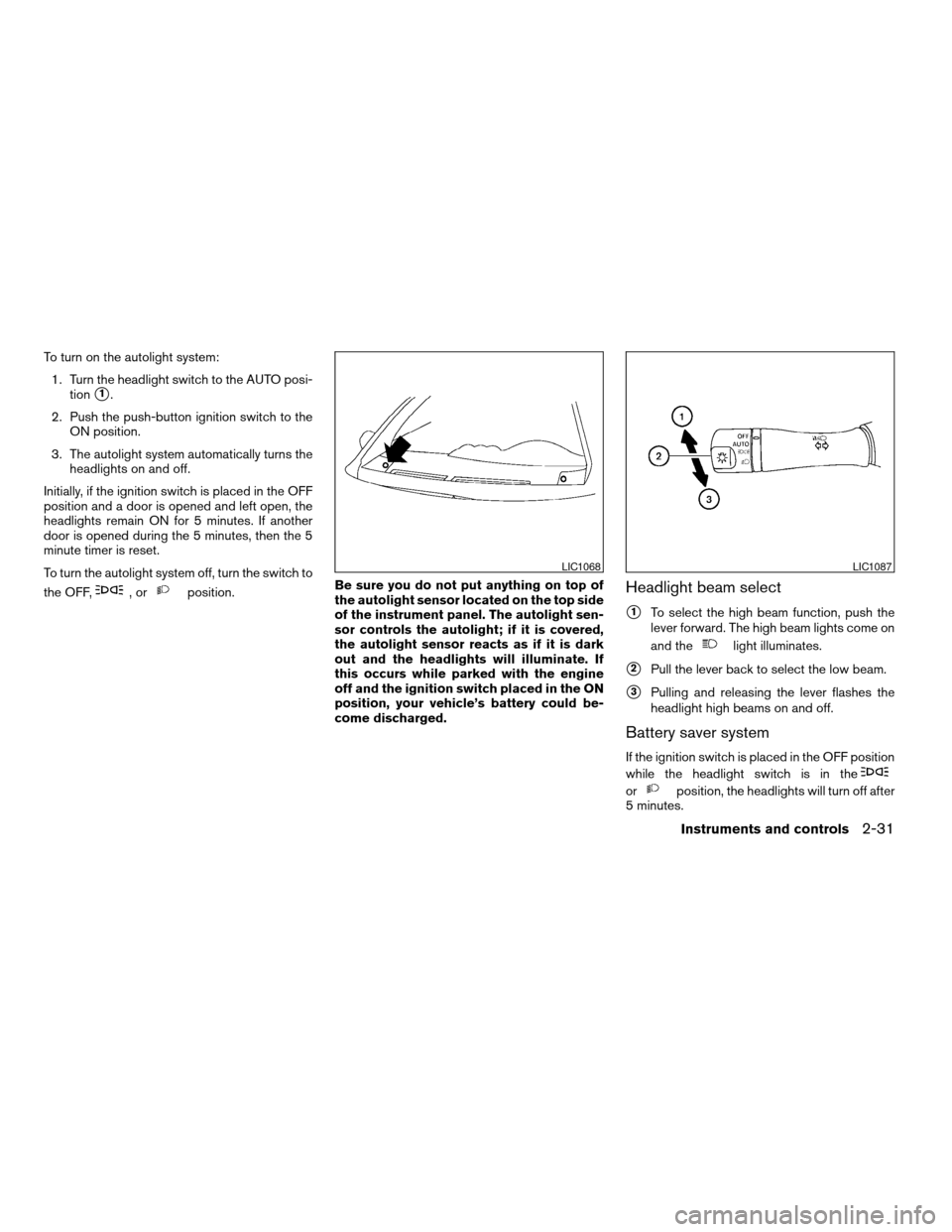
To turn on the autolight system:
1. Turn the headlight switch to the AUTO posi-
tion
s1.
2. Push the push-button ignition switch to the
ON position.
3. The autolight system automatically turns the
headlights on and off.
Initially, if the ignition switch is placed in the OFF
position and a door is opened and left open, the
headlights remain ON for 5 minutes. If another
door is opened during the 5 minutes, then the 5
minute timer is reset.
To turn the autolight system off, turn the switch to
the OFF,
,orposition.Be sure you do not put anything on top of
the autolight sensor located on the top side
of the instrument panel. The autolight sen-
sor controls the autolight; if it is covered,
the autolight sensor reacts as if it is dark
out and the headlights will illuminate. If
this occurs while parked with the engine
off and the ignition switch placed in the ON
position, your vehicle’s battery could be-
come discharged.Headlight beam select
s1To select the high beam function, push the
lever forward. The high beam lights come on
and the
light illuminates.
s2Pull the lever back to select the low beam.
s3Pulling and releasing the lever flashes the
headlight high beams on and off.
Battery saver system
If the ignition switch is placed in the OFF position
while the headlight switch is in the
orposition, the headlights will turn off after
5 minutes.
LIC1068LIC1087
Instruments and controls2-31
ZREVIEW COPYÐ2009 Altima(alt)
Owners Manual(owners)ÐUSA_English(nna)
02/03/09Ðdebbie
X
Page 110 of 373
CAUTION
Even though the battery saver feature au-
tomatically turns off the headlights after a
period of time, you should turn the head-
light switch to the OFF position when the
engine is not running to avoid discharging
the vehicle battery.
DAYTIME RUNNING LIGHT SYSTEM
(Canada only)
The headlights automatically illuminate at a re-
duced intensity when the engine is started with
the parking brake released. The daytime running
lights operate with the headlight switch in the
OFF position or in the
position. Turn the
headlight switch to the
position for full
illumination when driving at night.
If the parking brake is applied before the engine is
started, the daytime running lights do not illumi-
nate. The daytime running lights illuminate when
the parking brake is released. The daytime run-
ning lights will remain on until the ignition switch
is placed in the OFF position.
WARNING
When the daytime running light system is
active, tail lights on your vehicle are not
on. It is necessary at dusk to turn on your
headlights. Failure to do so could cause
an accident injuring yourself and others.
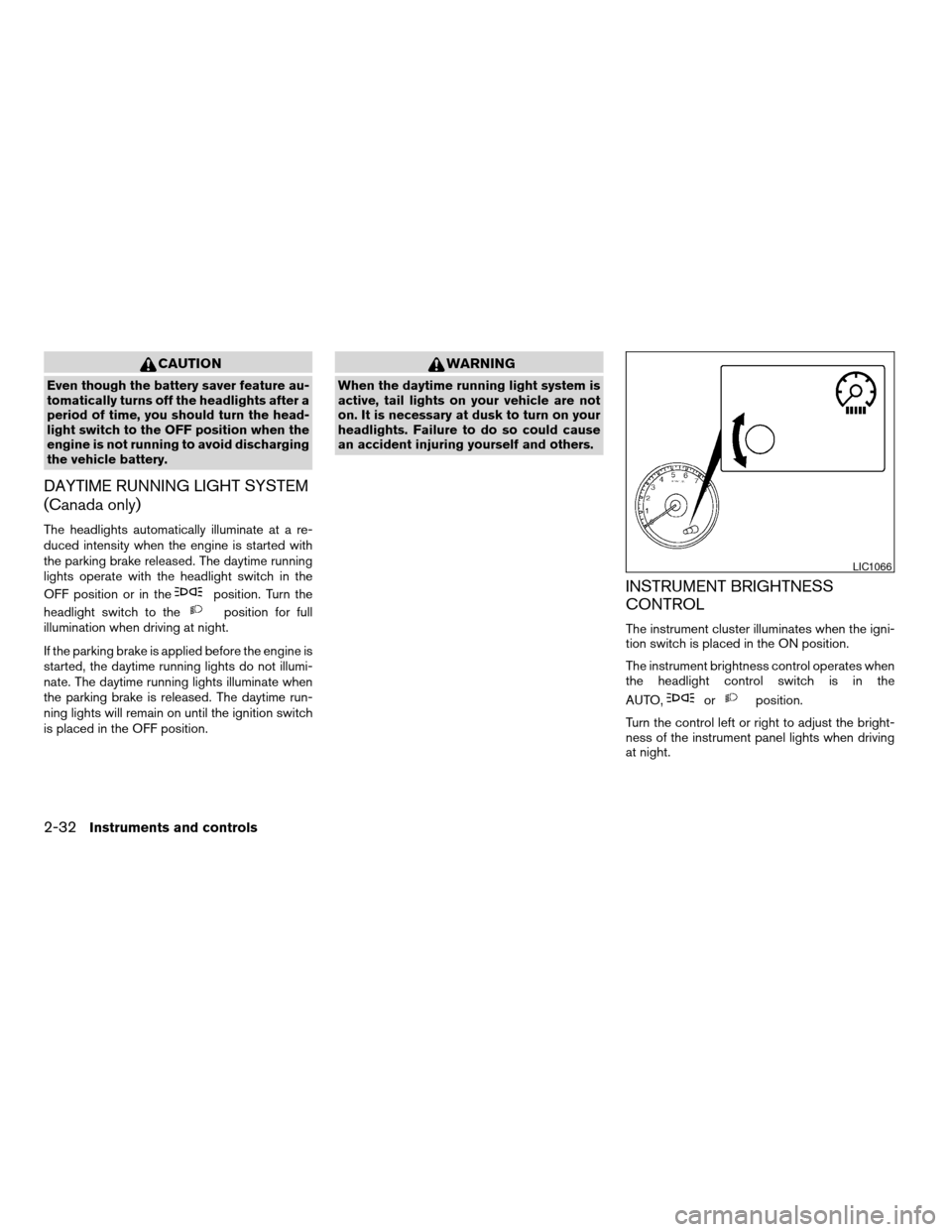
INSTRUMENT BRIGHTNESS
CONTROL
The instrument cluster illuminates when the igni-
tion switch is placed in the ON position.
The instrument brightness control operates when
the headlight control switch is in the
AUTO,
orposition.
Turn the control left or right to adjust the bright-
ness of the instrument panel lights when driving
at night.
LIC1066
2-32Instruments and controls
ZREVIEW COPYÐ2009 Altima(alt)
Owners Manual(owners)ÐUSA_English(nna)
02/03/09Ðdebbie
X
Page 112 of 373
The flashers will operate with the ignition switch
placed in any position.
Some state laws may prohibit the use of
the hazard warning flasher switch while
driving.
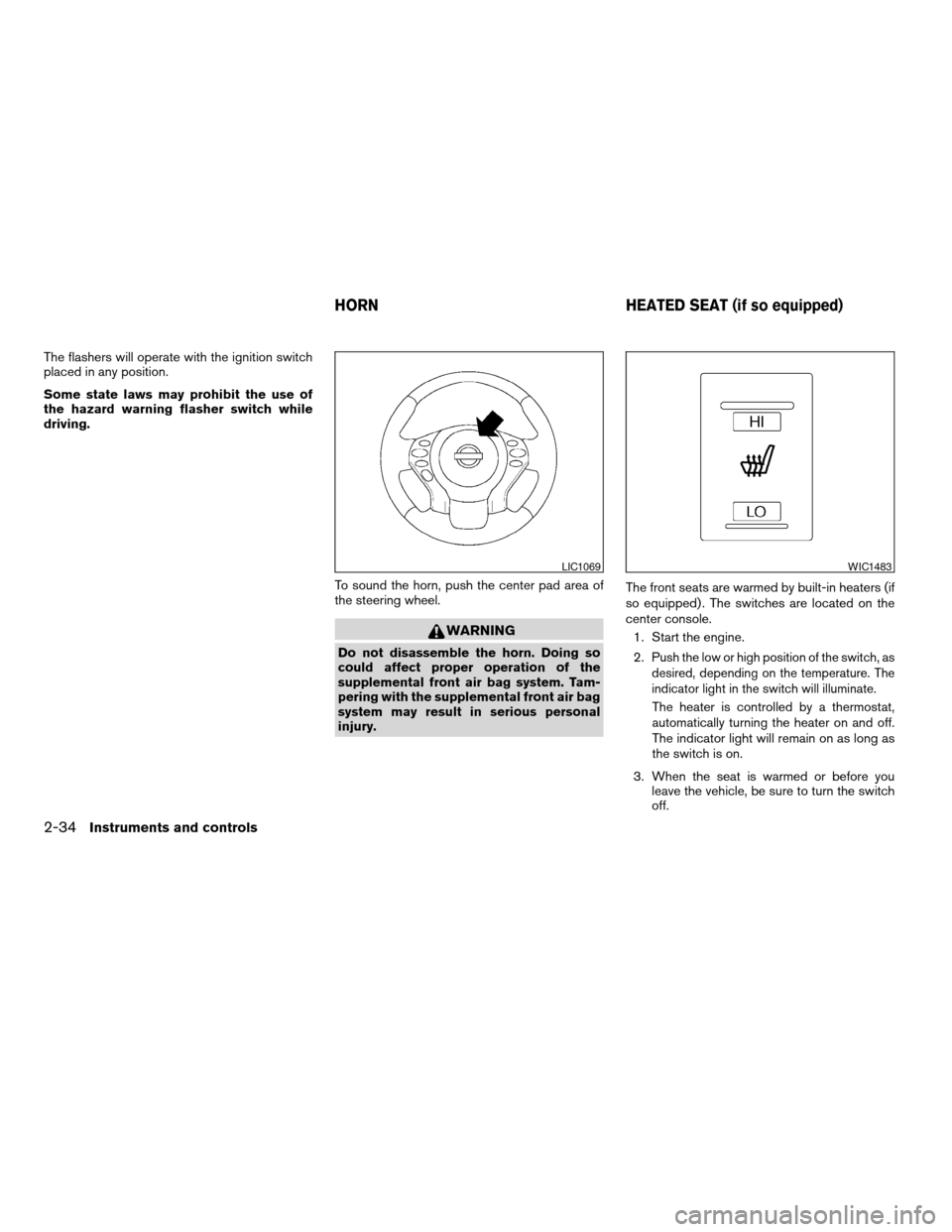
To sound the horn, push the center pad area of
the steering wheel.
WARNING
Do not disassemble the horn. Doing so
could affect proper operation of the
supplemental front air bag system. Tam-
pering with the supplemental front air bag
system may result in serious personal
injury.The front seats are warmed by built-in heaters (if
so equipped) . The switches are located on the
center console.
1. Start the engine.
2.Push the low or high position of the switch, as
desired, depending on the temperature. The
indicator light in the switch will illuminate.
The heater is controlled by a thermostat,
automatically turning the heater on and off.
The indicator light will remain on as long as
the switch is on.
3. When the seat is warmed or before you
leave the vehicle, be sure to turn the switch
off.
LIC1069WIC1483
HORN HEATED SEAT (if so equipped)
2-34Instruments and controls
ZREVIEW COPYÐ2009 Altima(alt)
Owners Manual(owners)ÐUSA_English(nna)
02/03/09Ðdebbie
X
Page 122 of 373
POWER WINDOWS
WARNING
cMake sure that all passengers have
their hands, etc. inside the vehicle while
it is in motion and before closing the
windows. Use the window lock switch
to prevent unexpected use of the power
windows.
cDo not leave children unattended inside
the vehicle. They could unknowingly ac-
tivate switches or controls and become
trapped in a window. Unattended chil-
dren could become involved in serious
accidents.
The power windows operate when the ignition
switch is placed in the ON position, or for about
45 seconds after the ignition switch is placed in
the OFF position. If the driver’s or passenger’s
door is opened during this period of about 45
seconds, power to the windows is canceled.
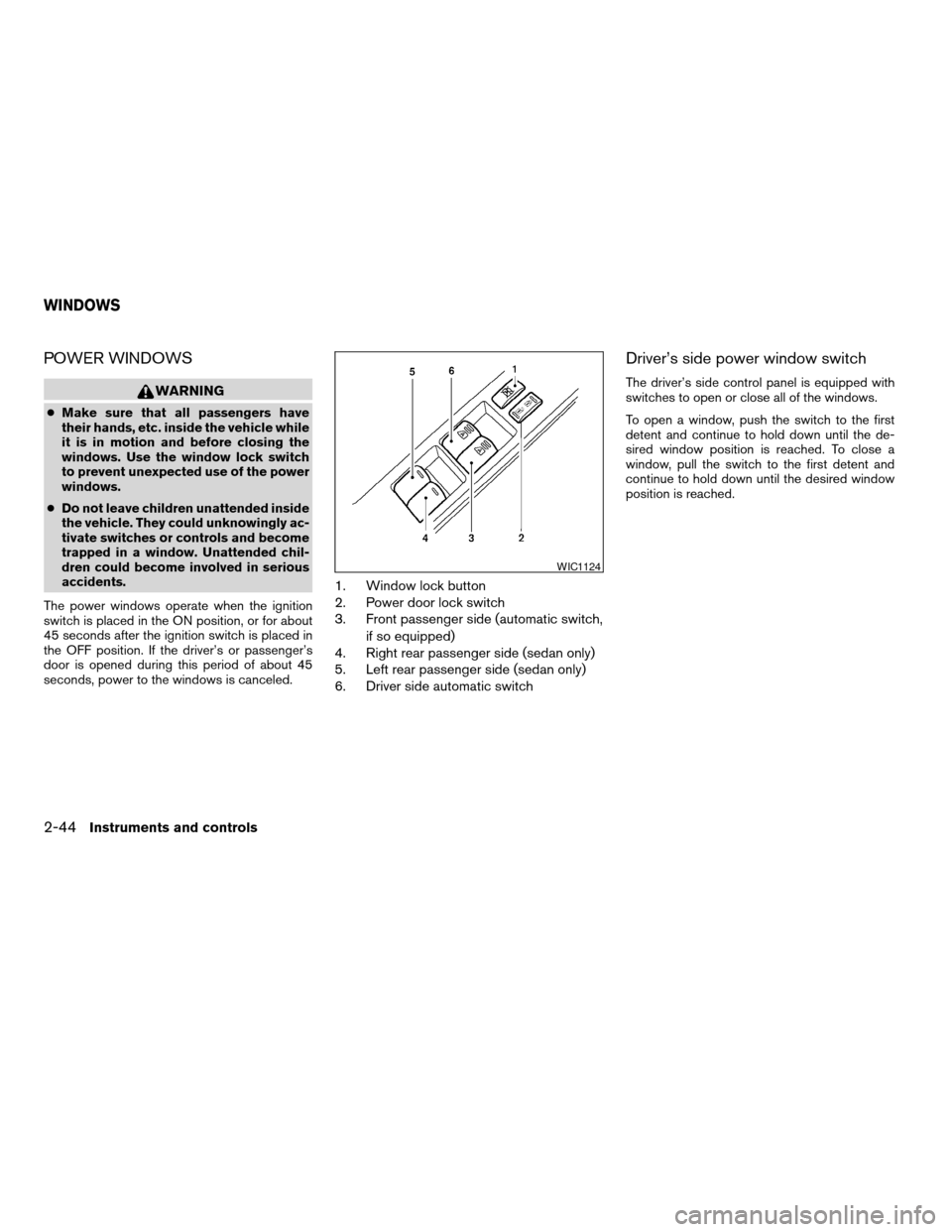
1. Window lock button
2. Power door lock switch
3. Front passenger side (automatic switch,
if so equipped)
4. Right rear passenger side (sedan only)
5. Left rear passenger side (sedan only)
6. Driver side automatic switch
Driver’s side power window switch
The driver’s side control panel is equipped with
switches to open or close all of the windows.
To open a window, push the switch to the first
detent and continue to hold down until the de-
sired window position is reached. To close a
window, pull the switch to the first detent and
continue to hold down until the desired window
position is reached.
WIC1124
WINDOWS
2-44Instruments and controls
ZREVIEW COPYÐ2009 Altima(alt)
Owners Manual(owners)ÐUSA_English(nna)
02/03/09Ðdebbie
X
Page 124 of 373
Auto-reverse function
If the control unit detects something caught in the
window as it is closing, the window will be imme-
diately lowered.
The auto-reverse function can be activated when
the window is closed by automatic operation
when the ignition switch is placed in the ON
position or for 45 seconds after the ignition
switch is placed in the OFF position.
Depending on the environment or driving
conditions, the auto-reverse function may
be activated if an impact or load similar to
something being caught in the window oc-
curs.
WARNING
There are some small distances immedi-
ately before the closed position which
cannot be detected. Make sure that all
passengers have their hands, etc., inside
the vehicle before closing the window.
When power window switch does not
operate
If the power window automatic function (closing
only) does not operate properly, perform the fol-
lowing procedure to initialize the power window
system:
1. Place the ignition switch in the ON position.
2. Open the window more than halfway by
operating the power window switch.
3. Pull the power window switch and hold it to
close the window, and then hold the switch
more than 3 seconds after the window is
closed.
4. Release the power window switch. Operate
the window by the automatic function to
confirm the initialization is complete. The
power window automatically opens or
closes depending on if the automatic down
or up function is selected.
5. Perform steps 2 through 4 above for other
windows.
If the power window function does not operate
properly after performing the above procedure,
see a NISSAN dealer for assistance.
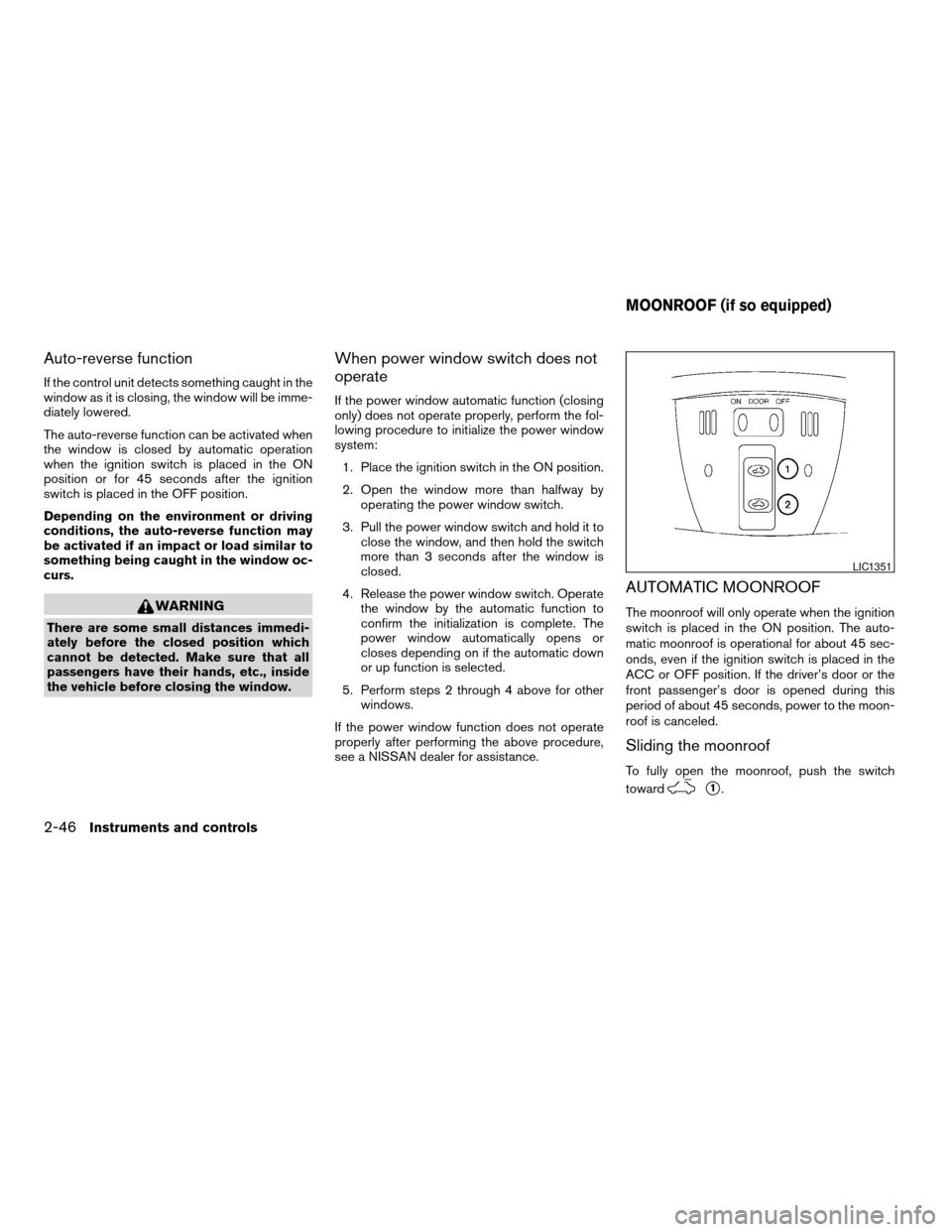
AUTOMATIC MOONROOF
The moonroof will only operate when the ignition
switch is placed in the ON position. The auto-
matic moonroof is operational for about 45 sec-
onds, even if the ignition switch is placed in the
ACC or OFF position. If the driver’s door or the
front passenger’s door is opened during this
period of about 45 seconds, power to the moon-
roof is canceled.
Sliding the moonroof
To fully open the moonroof, push the switch
toward
s1.
LIC1351
MOONROOF (if so equipped)
2-46Instruments and controls
ZREVIEW COPYÐ2009 Altima(alt)
Owners Manual(owners)ÐUSA_English(nna)
02/03/09Ðdebbie
X