Page 35 of 304
Radio Display Condition Action Required
NO TEXT Song title information not available.Song title information
not available at this
time on this channel.
The system is working properly.
NO TEXT Category information not available.Category information
not available at this
time on this channel.
The system is working properly.
NO SIGNAL Loss of signal from
the SIRIUS satellite or SIRIUS tower to the vehicle antenna. You are in a location
that is blocking theSIRIUS signal (i.e., tunnel, under an
overpass, dense foliage, etc). The system is
working properly. When you move into an openarea, the signal should return.
UPDATING Update of channel
programming in progress. No action required. The
process may take up to three minutes.
CALL SIRIUS
1–888–539–7474 Satellite service has
been deactivated by SIRIUS Satellite Radio. Call SIRIUS at
1–888–539–7474 to
re-activate or resolve subscription issues.
2009 Tribute (j14)
Owners Guide, 1st Printing
USA (fus)
Entertainment Systems
35
Page 42 of 304
4. On the wall or screen you willobserve a light pattern with a
distinct horizontal edge of high
intensity light towards the right.
If this edge is not at the
horizontal reference line, the
beam will need to be adjusted.
5. Locate the vertical adjuster on the headlamp, then us ea4mm
socket to turn the adjuster
either counterclockwise (to
adjust up) or clockwise (to
adjust down) aligning the upper
edge of the light pattern to the
horizontal line.
6. Move the opaque cloth to cover the right-hand headlamp and
repeat Steps 4 and 5 for the
left-hand headlamp.
7. HORIZONTAL AIM IS NOT REQUIRED FOR THIS VEHICLE AND IS NON-ADJUSTABLE.
8. Close the hood and turn off the lamps.
TURN SIGNAL CONTROL
• Push down to activate the left
turn signal.
• Push up to activate the right turn
signal.
2009 Tribute (j14)
Owners Guide, 1st Printing
USA (fus)
Lights
42
Page 45 of 304
FunctionNumber of bulbs Trade number
Headlamps (high and
low beams) 2
H13
Park/turn/sidemarker
lamps (front) 2
3157A (amber)
Rear
stop/tail/sidemarker 2
3157K / 4157K
Backup lamp 2921
Fog lamp (front) 29145
Center High-mount
stop lamp 5
W5WL
Rear license plate
lamp 2
168
All replacement bulbs are clear in color except where noted.
To replace all instrument panel lights - see your authorized dealer
Replacing the interior bulbs
Check the operation of the following interior bulbs frequently:
• Courtesy/Reading lamp
For bulb replacement, see an authorized Mazda dealer.
Replacing exterior bulbs
Check the operation of all the bulbs frequently.
Replacing headlamp bulbs 1. Make sure that the headlamp control is in the off position.
2. Open the hood.
3. Reach over the front bolster.
4. Remove the bulb by turning it counterclockwise and then
pulling it straight out.
2009 Tribute (j14)
Owners Guide, 1st Printing
USA (fus)
Lights
45
Page 46 of 304

WARNING:Handling Halogen Bulbs: When a halogen bulb
breaks, it is dangerous. These bulbs contain pressurized gas. If
one is broken, it will explode and serious injuries could be caused by
the flying glass. If the glass portion of the bulb is touched with bare
hands, body oil could cause the bulb to overheat and explode when lit.
Never touch the glass portion of the bulb with your bare hands and
always wear eye protection when handling or working around halogen
bulbs.
5. Disconnect the electrical connector from the bulb.
WARNING: Children and
Halogen Bulbs: Playing with
a halogen bulb is dangerous.
Serious injuries could be caused
by dropping a halogen bulb or
breaking in some other way.
Always keep halogen bulbs out of
the reach of children.
6. Connect the electrical connector on the new bulb.
7. Insert the glass end of the new bulb into the headlamp assembly. When the grooves in the plastic base are aligned, turn the new bulb
clockwise to install.
Replacing front parking lamp/turn signal bulbs
For bulb replacement, see your authorized Mazda dealer.
Replacing tail/stop/turn/backup lamp bulbs
The tail/stop/turn/sidemarker/backup lamp bulbs are located in the same
portion of the tail lamp assembly, one just below the other. Follow the
same steps to replace either bulb:
2009 Tribute (j14)
Owners Guide, 1st Printing
USA (fus)
Lights
46
Page 47 of 304

1. Make sure the headlamp switchis in the off position and then
open the liftgate to expose the
lamp assembly screws.
2. Remove the two screws from the lamp assembly.
3. Carefully remove the lamp assembly away from the vehicle
by pulling the assembly straight
out to expose the bulb socket.
DO NOT TIP THE LAMP ASSEMBLY SIDEWAYS.
4. Rotate the bulb socket counterclockwise and remove from lamp assembly.
5. Pull bulb straight out of socket and push in the new bulb.
6. Install the bulb socket into the lamp assembly and rotate clockwise.
7. Carefully install the tail lamp assembly on the vehicle and secure with two screws.
Replacing license plate lamp bulbs 1. Make sure the headlamp switch is in the off position.
2. Depress the lever and carefully pry the license plate lamp
assembly (located above the
license plate) from the liftgate.
3. Rotate the bulb socket counterclockwise and remove
from lamp assembly.
4. Pull bulb straight out of socket and push in the new bulb.
5. Install the bulb socket into the lamp assembly and rotate
clockwise.
6. To install, carefully press the lamp assembly into liftgate.
2009 Tribute (j14)
Owners Guide, 1st Printing
USA (fus)
Lights
47
Page 50 of 304
Rear window wiper/washer controls
For rear wiper operation, rotate the
rear window wiper and washer
control to the desired position.
Select:
INT 2 — Normal speed operation of
rear wiper.
INT 1 — Intermittent operation of
rear wiper.
OFF — Rear wiper and washer off.
For rear wash cycle, rotate (and hold as desired) the rear wiper/washer
control to either
position.
From either position, the control will automatically return to the INT 2
or OFF position.
MANUAL TILT STEERING COLUMN
To adjust the steering wheel: 1. Pull down the steering column tilt lever.
2. Move the steering wheel up or down until you find the desired
location.
3. Push the steering column tilt lever up. This will lock the
steering wheel in position.
2009 Tribute (j14)
Owners Guide, 1st Printing
USA (fus)
Driver Controls
50
Page 55 of 304

One touch down (AUTO)
Allows the driver’s window to open
fully without holding the control
down. Push the switch completely
down to the second detent and
release quickly. The window will
open fully. Momentarily press the
switch to any position to stop the
window operation.
Window lock
The window lock feature allows only
the driver to operate the power
windows.
To lock out all the window controls
(except for the driver’s) press the
right side of the control. Press the
left side to restore the window
controls.
Accessory delay
With accessory delay, power windows and moonroof operate for up to
10 minutes after the ignition switch is turned from the accessory or on
to the off position, the key is not in the ignition or until either front door
is opened.
WARNING:Do not leave children unattended in the vehicle and
do not let children play with the power windows or moon roof.
They may seriously injure themselves.
INTERIOR MIRROR
The interior rear view mirror has two pivot points on the support arm
which lets you adjust the mirror UP or DOWN and from SIDE to SIDE.
WARNING: Do not adjust the mirror while the vehicle is in
motion.
2009 Tribute (j14)
Owners Guide, 1st Printing
USA (fus)
Driver Controls
55
Page 56 of 304
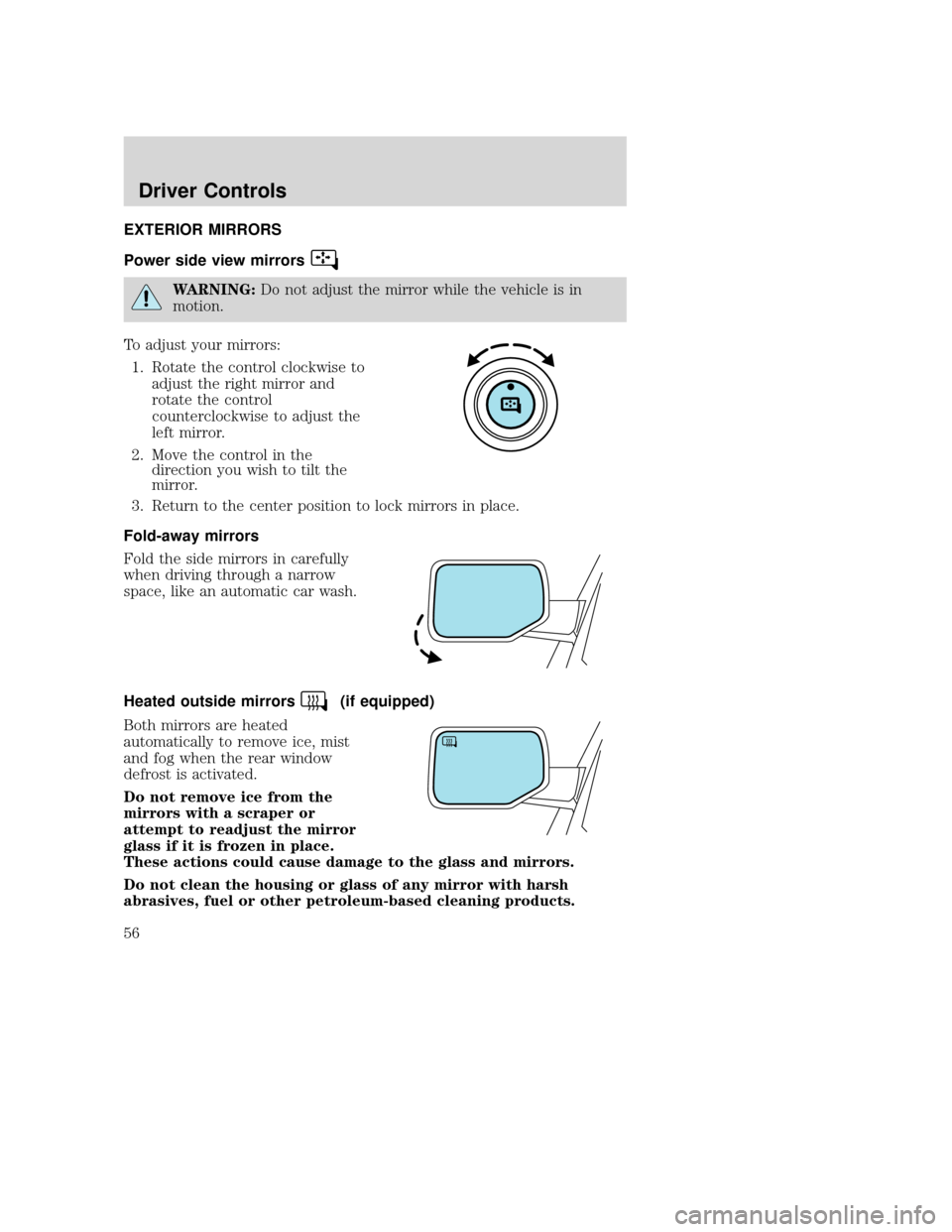
EXTERIOR MIRRORS
Power side view mirrors
WARNING:Do not adjust the mirror while the vehicle is in
motion.
To adjust your mirrors: 1. Rotate the control clockwise to adjust the right mirror and
rotate the control
counterclockwise to adjust the
left mirror.
2. Move the control in the direction you wish to tilt the
mirror.
3. Return to the center position to lock mirrors in place.
Fold-away mirrors
Fold the side mirrors in carefully
when driving through a narrow
space, like an automatic car wash.
Heated outside mirrors
(if equipped)
Both mirrors are heated
automatically to remove ice, mist
and fog when the rear window
defrost is activated.
Do not remove ice from the
mirrors with a scraper or
attempt to readjust the mirror
glass if it is frozen in place.
These actions could cause damage to the glass and mirrors.
Do not clean the housing or glass of any mirror with harsh
abrasives, fuel or other petroleum-based cleaning products.
2009 Tribute (j14)
Owners Guide, 1st Printing
USA (fus)
Driver Controls
56


