Page 283 of 622
282
3-3. Using the audio system
GS_G_U (OM30B43U)
April 27, 2009 10:48 am
■Entering a language code
If you touch on the “Select Audio Language” screen, “Select
Subtitle Language” screen or “Sel ect DVD Language” screen, you can
select a language by entering the 4-digit language code if that lan-
guage is available.
Input the 4-digit language code
and then touch .
: Deletes the last inputdigit.
:Returns to previous screen.
●Language code
CodeLanguageCodeLanguageCodeLanguage
1001Japanese0512Greek0208Bihari
0514English0101Afar0209Bislama
0618French0102Abkhazian0214Bengali
0405German0106Afrikaans0215Ti b e t a n
0920Italian0113Amharic0218Breton
0519Spanish0118Arabic0301Catalan
2608Chinese0119Assamese0315Corsican
1412Dutch0125Ay m a ra0319Czech
1620Portuguese0126Azerbaijani0325We l s h
1922Swedish0201Bashkir0401Danish
1821Russian0205Byelorussian0426Bhutani
1115Korean0207Bulgarian0515Esperanto
GS_U_G.book Page 282 Monday, April 27, 2009 10:50 AM
Page 284 of 622
283
3-3. Using the audio system
3
Interior features
GS_G_U (OM30B43U)
April 27, 2009 10:48 am
CodeLanguageCodeLanguageCodeLanguage
0520Estonian0914Indonesian1311Macedonian
0521Basque0919Icelandic1312Malayalam
0601Pe r s i a n0923Hebrew1314Mongolian
0609Finnish1009Yiddish1315Moldavian
0610Fiji1023Javanese1318Marathi
0615Faroe se1101Georgian1319Malay
0625Frisian1111Kazakh1320Maltese
0701Irish1112Greenlandic1325Burmese
0704Scots-Gaelic1113Cambodian1401Nauru
0712Galician1114Kannada1405Nepali
0714Guarani1119Kashmiri1415Norwegian
0721Gujarati1121Kurdish1503Occitan
0801Hausa1125Kirghiz1513(Afan)
Oromo
0809Hindi1201Latin1518Oriya
0818Croatian1214Lingala1601Pa n j a b i
0821Hungarian1215Laothian1612Polish
0825Armenian1220Lithuanian1619Pa s h t o,
Pushto
0901Interlingua1222Latvian1721Quechua
0905Interlingue1307Malagasy1813Rhaeto-
Romance
0911Inupiak1309Maori1814Kirundi
GS_U_G.book Page 283 Monday, April 27, 2009 10:50 AM
Page 285 of 622
284
3-3. Using the audio system
GS_G_U (OM30B43U)
April 27, 2009 10:48 am
CodeLanguageCodeLanguageCodeLanguage
1815Romanian1919Siswati2019Ts o n g a
1823Kinyarwanda1920Sesotho2020Ta t a r
1901Sanskrit1921Sundanese2023Tw i
1904Sindhi1923Swahili2111Ukrainian
1907Sangho2001Ta m i l2118Urdu
1908Serbo-
Croatian2005Te l u g u2126Uzbek
1909Sinhalese2007Tajik2209Vietnamese
1911Slovak2008Thai2215Vo l a p ü k
1912Slovenian2009Ti g r i n y a2315Wo l o f
1913Samoan2011Tu r k m e n2408Xhosa
1914Shona2012Ta g a l o g2515Yo r u b a
1915Somali2014Setswana2621Zulu
1917Albanian2015To n g a
1918Serbian2018Tu r k i s h
■Error messages
If “Region Code Error” is displayed, check that the region code printed on the DVD
matches the player’s region code.
If a different message is displayed: →P. 2 8 9
GS_U_G.book Page 284 Monday, April 27, 2009 10:50 AM
Page 286 of 622
285
3-3. Using the audio system
3
Interior features
GS_G_U (OM30B43U)
April 27, 2009 10:48 am
Playing video CD (with DVD player)
For safety reasons, you can enjoy the visual contents of discs only when the
vehicle is completely stopped with the “ENGINE START STOP” switch in
ACCESSORY or IGNITION ON mode and the parking brake applied.
While you are driving, only audio contents may be played.
■ Video control screen
Press while the disc is playing, the following screen appears.
Return to video screen
Change screen mode (→ P. 3 0 5 )
GS_U_G.book Page 285 Monday, April 27, 2009 10:50 AM
Page 287 of 622
286
3-3. Using the audio system
GS_G_U (OM30B43U)
April 27, 2009 10:48 am
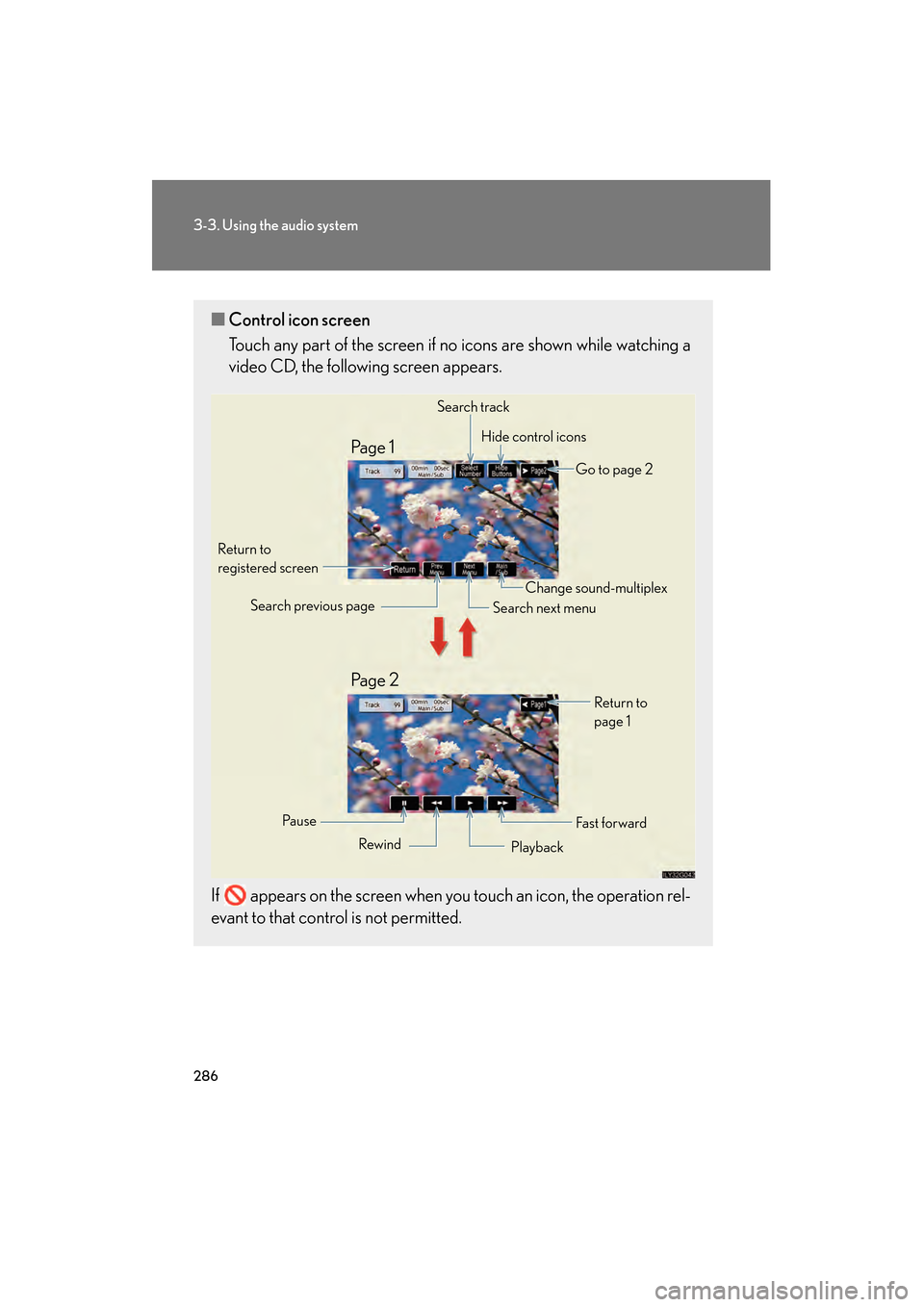
■Control icon screen
Touch any part of the screen if no icons are shown while watching a
video CD, the following screen appears.
If appears on the screen when you touch an icon, the operation rel-
evant to that control is not permitted.
Search track Hide control icons
Go to page 2
Return to
registered screen
Fa st f or wardReturn to
page 1
Change sound-multiplex
Search next menu
Search previous page
Rewind Playback
Pa u s e
Pa g e 2 Pa g e 1
GS_U_G.book Page 286 Monday, April 27, 2009 10:50 AM
Page 288 of 622
287
3-3. Using the audio system
3
Interior features
GS_G_U (OM30B43U)
April 27, 2009 10:48 am
Loading, ejecting and selecting discs→P. 2 6 2
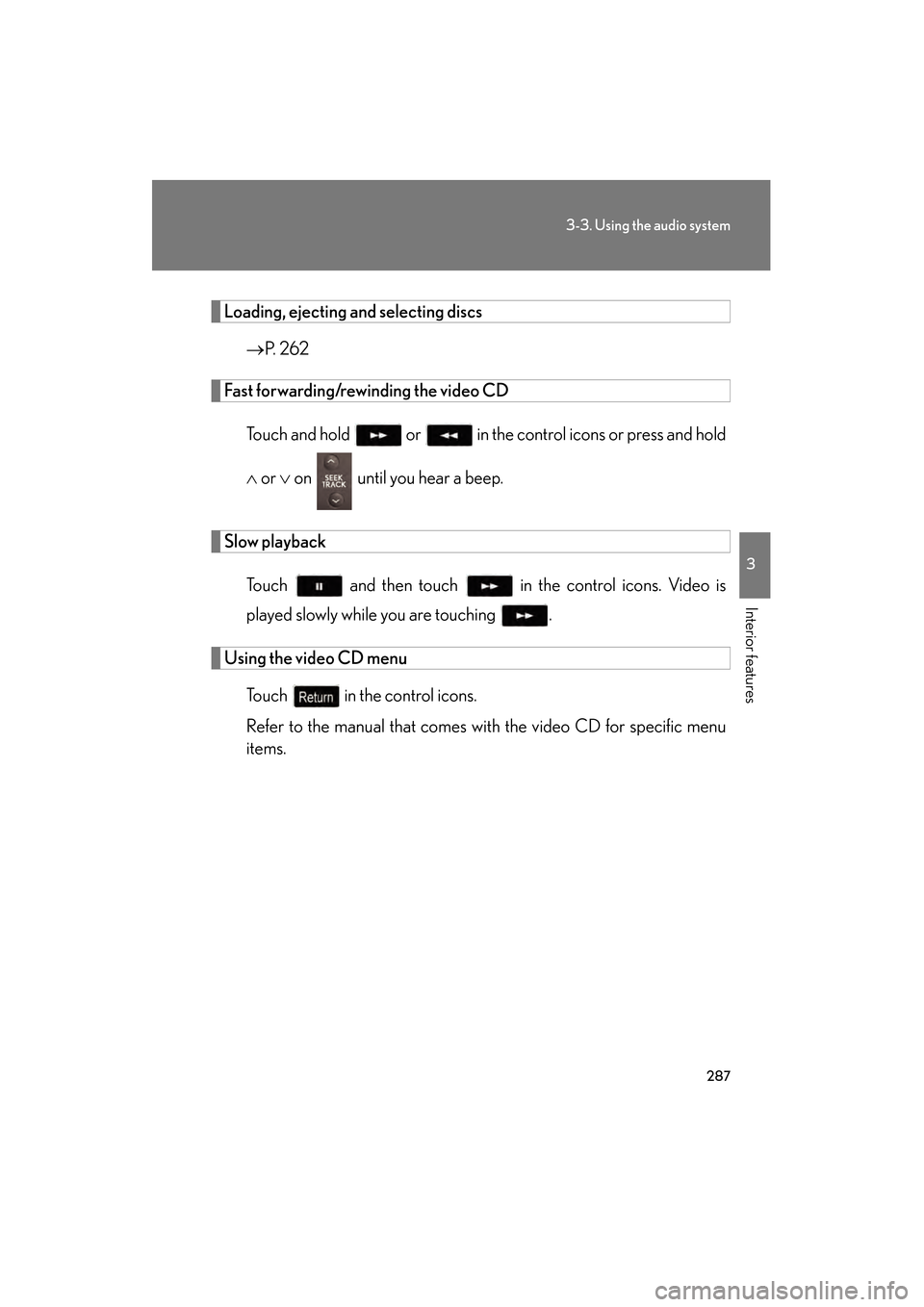
Fast forwarding/rewinding the video CD
Touch and hold or in the co ntrol icons or press and hold
∧ or ∨ on until you hear a beep.
Slow playback
Touch and then touch in the control icons. Video is
played slowly while you are touching .
Using the video CD menu
Touch in the control icons.
Refer to the manual that comes wi th the video CD for specific menu
items.
GS_U_G.book Page 287 Monday, April 27, 2009 10:50 AM
Page 289 of 622
288
3-3. Using the audio system
GS_G_U (OM30B43U)
April 27, 2009 10:48 am
Selecting a desired screen■ Searching manually
Touch or on the screen, or press ∧ or ∨ on until
the desired screen appears.
■ Searching by number
Touch in the control icons. Input the desired track number on
the screen and touch .
: Deletes the last inputnumber.
: Hides icons. To display icons, touch .
:Returns to previous screen.
Changing the sound-multiplex mode
Touch of the control icons. Th e mode cycles through each time
the button is touched.
“Main” → “Sub” → “Main/Sub”
STEP1
STEP2
■Error messages
→P. 2 8 9
GS_U_G.book Page 288 Monday, April 27, 2009 10:50 AM
Page 290 of 622
289
3-3. Using the audio system
3
Interior features
GS_G_U (OM30B43U)
April 27, 2009 10:48 am
CD/DVD player and DVD video disc information
■Error messages
Refer to the following ta ble and take the appropriate measures. If the
problem is not rectified, take the vehicle to your Lexus dealer.
MessageCauseCorrection
Procedures
No CD or
No DiscThere is no disc in the CD
or DVD changerInsert a disc
Check CD X or
Check DISC X
• The disc X is dirty or damaged
• The disc X is inserted
upside down
• The disc X is not play- able with the player
• Clean the disc
• Insert the disc correctly
• Confirm the disc is play-able with the player
CD Error
or
DVD Error
• There is a malfunction within the system
• Operation is stopped due to a high tempera-
ture inside the player
• Eject the disc
• Eject the disc and allow the player to cool down
NO MUSIC FILE
This indicates that no
playable data is included
in the disc
Eject the disc
GS_U_G.book Page 289 Monday, April 27, 2009 10:50 AM