2009 KIA AMANTI ESP
[x] Cancel search: ESPPage 96 of 321
Knowing your vehicle84
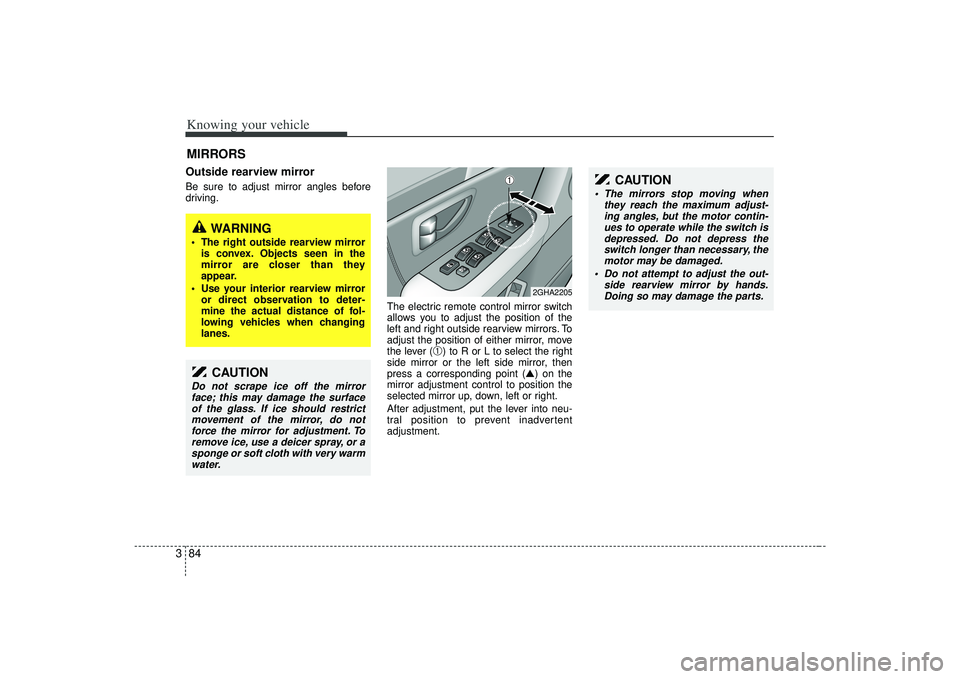
3Outside rearview mirror Be sure to adjust mirror angles before
driving.
The electric remote control mirror switch
allows you to adjust the position of the
left and right outside rearview mirrors. To
adjust the position of either mirror, move
the lever (
➀) to R or L to select the right
side mirror or the left side mirror, then
press a corresponding point (▲) on the
mirror adjustment control to position the
selected mirror up, down, left or right.
After adjustment, put the lever into neu-
tral position to prevent inadvertent
adjustment.
MIRRORS
2GHA2205
CAUTION
Do not scrape ice off the mirror face; this may damage the surfaceof the glass. If ice should restrictmovement of the mirror, do not force the mirror for adjustment. Toremove ice, use a deicer spray, or asponge or soft cloth with very warm water.
CAUTION
The mirrors stop moving when they reach the maximum adjust-ing angles, but the motor contin-ues to operate while the switch is depressed. Do not depress theswitch longer than necessary, themotor may be damaged.
Do not attempt to adjust the out- side rearview mirror by hands.Doing so may damage the parts.
➀
WARNING
The right outside rearview mirror is convex. Objects seen in the
mirror are closer than they
appear.
Use your interior rearview mirror or direct observation to deter-
mine the actual distance of fol-
lowing vehicles when changing
lanes.
Page 100 of 321
Knowing your vehicle88
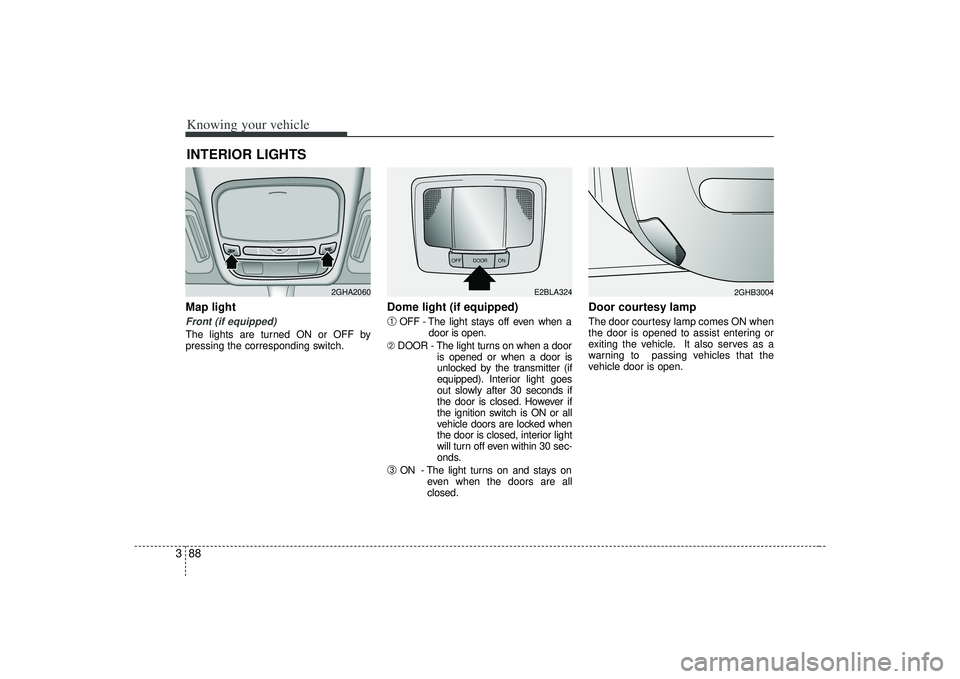
3Map light Front (if equipped)The lights are turned ON or OFF by
pressing the corresponding switch.
Dome light (if equipped)➀
OFF - The light stays off even when a
door is open.
➁ DOOR - The light turns on when a door
is opened or when a door is
unlocked by the transmitter (if
equipped). Interior light goes
out slowly after 30 seconds if
the door is closed. However if
the ignition switch is ON or all
vehicle doors are locked when
the door is closed, interior light
will turn off even within 30 sec-
onds.
➂
ON - The light turns on and stays oneven when the doors are all
closed.
Door courtesy lamp The door courtesy lamp comes ON when
the door is opened to assist entering or
exiting the vehicle. It also serves as a
warning to passing vehicles that the
vehicle door is open.
INTERIOR LIGHTS
2GHA2060
OFF DOOR
ON
E2BLA324
2GHB3004
Page 117 of 321

3105
Knowing your vehicle
1. FM/AM Selection ButtonTurns to FM or AM mode and toggles
FM1
➟FM2
➟AM
➟...➟FM1
➟... when the
button is pressed each time.
2. Automatic Channel Selection Button When the [TRACK ] is pressed, it
will automatically tune to the previous
lower station.
When the [SEEK ] is pressed, it will automatically tune to the next higher
station.3. SCAN Selection ButtonWhen the button is pressed, it automati-
cally only [SCAN] up. The sound hearing
for 5 seconds per all searched station
preset.4. MUTE Selection ButtonPush button to stop sound and [MUTE] is
displayed.
5. Pre-set Selection Button Push [1]~[6] buttons less than 0.8 sec-onds to play the channel saved in each
button.
Push pre-set button for 0.8 seconds or longer to save current channel to the
respective button with a beep.6. SET UP Button The SET UP Mode is displayed if the[SET UP] Button is pressed. While in
SET UP Mode, use the [TUNE/ENTER]
Button to set the SOUND(BASS, MID-
DLE, TREBLE, FADER, BALANCE),
SAT(CHANNEL/TITLE, CATEGORY/
CHANNEL), CLOCK(12, 24), TEMP
(°C, °F) and SCROLL(ON, OFF).
To exit from SET UP Mode, press "RETURN" or wait 10 seconds.
Method of adjusting the SET UP is the same for CDP, AUX, USB, and iPod
Mode.
■Setting the SET UP Mode Press the [TUNE/ENTER] Button to
select and make adjustments to the
desired mode within SET UP Mode.
While in SOUND Mode, press the[TUNE/ENTER] Button to change in
the order of BASS
➟MIDDLE
➟TREBLE
➟FADER
➟BALANCE
➟SET UP Mode.
Turn the [TUNE/ENTER] Button in
clockwise or counterclockwise direc-
tion to make adjustments for each SUB
Mode.
While in SAT Mode, press the [TUNE/ ENTER] Button to display the "CHAN-
NEL/TITLE, CATEGORY/CHANNEL".
Rotate the [TUNE/ENTER] Button to
select the SUB Mode and press the
[TUNE/ENTER] Button to set.
While in CLOCK Mode, press the [TUNE/ENTER] Button to display the
"ON, OFF".
Rotate the [TUNE/ENTER] Button to
select the SUB Mode and press the
[TUNE/ENTER] Button to set.
(CLOCK Mode CDC Only)
Page 122 of 321
Knowing your vehicle110
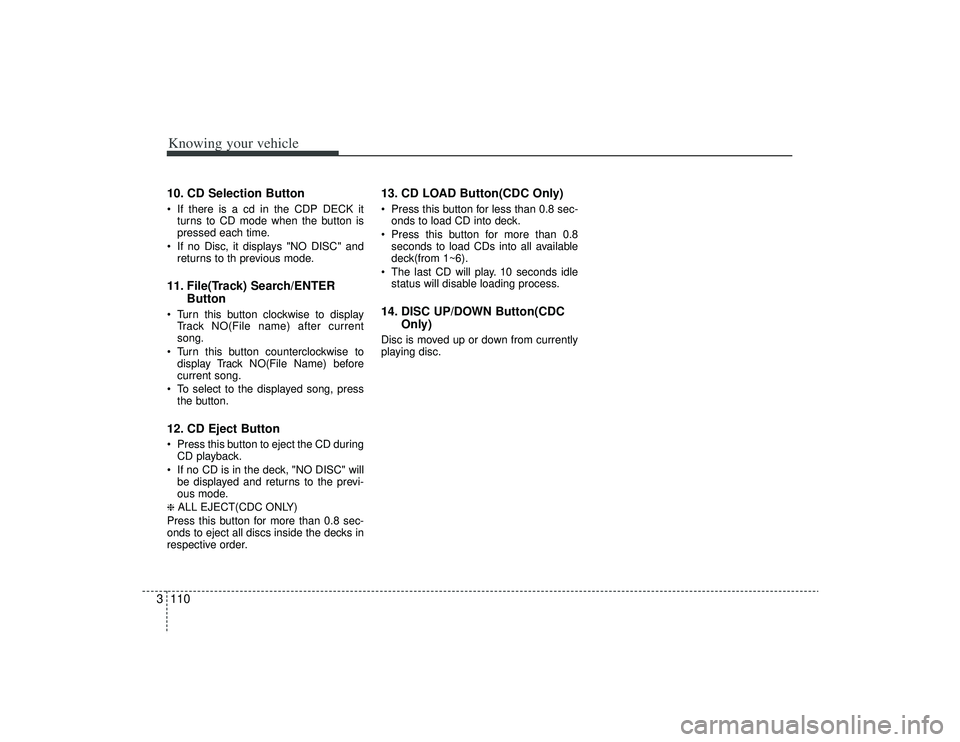
310. CD Selection Button If there is a cd in the CDP DECK it
turns to CD mode when the button is
pressed each time.
If no Disc, it displays "NO DISC" and returns to th previous mode.11. File(Track) Search/ENTER Button Turn this button clockwise to display
Track NO(File name) after current
song.
Turn this button counterclockwise to display Track NO(File Name) before
current song.
To select to the displayed song, press the button.12. CD Eject Button Press this button to eject the CD duringCD playback.
If no CD is in the deck, "NO DISC" will be displayed and returns to the previ-
ous mode.❈ ALL EJECT(CDC ONLY)
Press this button for more than 0.8 sec-
onds to eject all discs inside the decks in
respective order.
13. CD LOAD Button(CDC Only) Press this button for less than 0.8 sec- onds to load CD into deck.
Press this button for more than 0.8 seconds to load CDs into all available
deck(from 1~6).
The last CD will play. 10 seconds idle status will disable loading process.14. DISC UP/DOWN Button(CDC Only)Disc is moved up or down from currently
playing disc.
Page 133 of 321

3121
Knowing your vehicle
How to Use SIRIUS Satellite
RadioYour new Kia vehicle is equipped with 3
months complimentary period of SIRIUS
Satellite Radio so you have access to
over 130 channels of music, information
and entertainment programming.ActivationIn order to extend or reactivate your sub-
scription to SIRIUS Satellite Radio, you
will need to contact SIRIUS Customer
Care at 888-539-7474. Have your 12 digit
SID(Sirius Identification Number)/ESN
(Electronic Serial Number) ready. To
retrieve the SID/ESN, turn on the radio,
press the [SAT] button and tune to chan-
nel zero. please note that the vehicle will
need to be turned on, in Sirius mode, and
have an unobstructed view of the sky in
order for the radio to receive the activation
signal.1. SATELLITE RADIO SelectionButton(SIRIUS Satellite Radio)Press the [SAT] button to switch to SIR-
IUS Satellite Radio. It cycles through the
different bands as noted below.
SAT1
➟SAT2
➟SAT3
➟SAT1
➟...
2. Channel Selection Button Press [TRACK ] or [SEEK ] but-
ton for less than 0.8 seconds to select
previous or next channel.
Press [TRACK ] or [SEEK ] but- ton for 0.8 or longer to continuously
move to previous or next channel.
if "CATEGORY" Icon is displayed at the top of the screen, channel up/down is
done through the channels within cur-
rent category.3. SCAN Selection Button When the button is pressed, it automat-ically scans the radio stations upwards.
The SCAN feature steps through each channel, starting from the initial chan-
nel, for ten seconds. Press the [SCAN]
button again to stop the scan feature
and to listen to the currently selected
channel.4. MUTE Selection ButtonPress this button to temporarily cut off
the Sound. "MUTE" is displayed on the
LCD. Press the button once again to can-
cel MUTE mode.
5. Preset Selection Button Press [1]~[6] buttons less than 0.8seconds to play the Channel saved in
each button.
Press [1]~[6] button for 0.8 seconds or longer to save current Channel to the
respective button with a beep.6. INFO Selection ButtonDisplays the information of the channel
currently played by in the order of CATE-
GORY NAME
➟ARTIST NAME
➟COM-
POSER NAME
➟...(CH/TITLE Selection)
Displays the information of the channel
currently played in the order of SONG
TITLE
➟ARTIST NAME
➟COMPOSER
NAME
➟... (CAT/CH Selection) (If there is
no information of COMPOSER NAME, it
returns to main display.)
Page 136 of 321
![KIA AMANTI 2009 Owners Manual Knowing your vehicle124
31. DISPLAY ON/OFF This is the display window ON/OFF
function.
Each time the [DISP] button is pressed, the display window will be turned
ON/OFF.2. CLOCK Function This is the](/manual-img/2/57931/w960_57931-135.png "KIA AMANTI 2009 Owners Manual Knowing your vehicle124
31. DISPLAY ON/OFF This is the display window ON/OFF
function.
Each time the [DISP] button is pressed, the display window will be turned
ON/OFF.2. CLOCK Function This is the")
Knowing your vehicle124
31. DISPLAY ON/OFF This is the display window ON/OFF
function.
Each time the [DISP] button is pressed, the display window will be turned
ON/OFF.2. CLOCK Function This is the clock adjustment function.
Each time [CLOCK] is pressed, thesecond
➟minute will blink once every
0.5 seconds and switch modes.
Pressing the [CLOCK] again while the "minute" mode is blinking or waiting 10
seconds will turn off time adjustment
mode and save the set time.
The clock can be set in 12 hour or 24 hour modes. The 12 hour system is the
default and can be changed to 24 hour
system within the SET-UP menu.
3. Time/Date Increase/Decrease Function While in Time/Date mode, pressing the
[ ], [ ] buttons will increase/
decrease the time/date.
This function will operate only after pressing the time/date button and the
hour/minute/month/day is blinking.
4. RESET Function The RESET function can be usedwhen adjusting the time.
If the [RESET] is pressed while adjust- ing the "hour", the hour will display
"AM12" when using 12 hour clock
mode and "00" when using 24 hour
clock mode.
If the RESET is pressed while adjust- ing the "min", the minute display will be
changed to "00".
The RESET function can be used while adjusting the date.
If the [RESET] is pressed while adjust- ing the "month/day", the corresponding
display will be changed to "01month/
01day".
5. DATE Function This is used to adjust the date.
Each time [DATE] is pressed, the mon-th
➟day will blink once every 0.5 sec-
onds and switch modes.
Pressing the [DATE] again while the "day" is blinking or waiting 10 seconds
will turn off date adjustment mode and
save the set date.
❈Slight differences with actual time may
occur. Please readjust the time upon
the occurrence of such differences.
Page 142 of 321
Driving your vehicle64Automatic transaxle operationAll normal forward driving is done with
the shift lever in the D (Drive) position.
To move the shift lever from the P (Park)
position, the brake pedal must be
depressed and the lock release button
must be depressed.For smooth operation, depress the brakepedal when shifting from N (Neutral) to a forward or reverse gear.
✽ ✽
NOTICE• To avoid damage to your transaxle, do
not accelerate the engine in R
(Reverse) or any forward gear posi-
tion with the brakes on.
• When stopped on an upgrade, do not hold the vehicle stationary with
engine power. Use the service brake
or the parking brake.
• Do not shift from N (Neutral) or P (Park) into D (Drive), or R (Reverse)
when the engine is above idle speed.
Transaxle rangesP (park)This position locks the transaxle and pre-
vents the front wheels from rotating.
Always come to a complete stop before
shifting into this position.
WARNING
- Automatic
transaxle
Before leaving the driver’s seat,
always make sure the shift lever is
in the P (PARK) position; then set
the parking brake fully and shut the
engine off. Unexpected and sudden
vehicle movement can occur if
these precautions are not followed
in the order identified.
WARNING
Shifting into P (Park) while the
vehicle is in motion will cause the
drive wheels to lock which will
cause you to lose control of the
vehicle.
Do not use the P (Park) position in place of the parking brake.
Always make sure the shift lever
is latched in the P (Park) position
so that it cannot be moved unless
the lock release button is pushed
in, AND set the parking brake
fully.
(Continued)
Page 151 of 321
415
Driving your vehicle
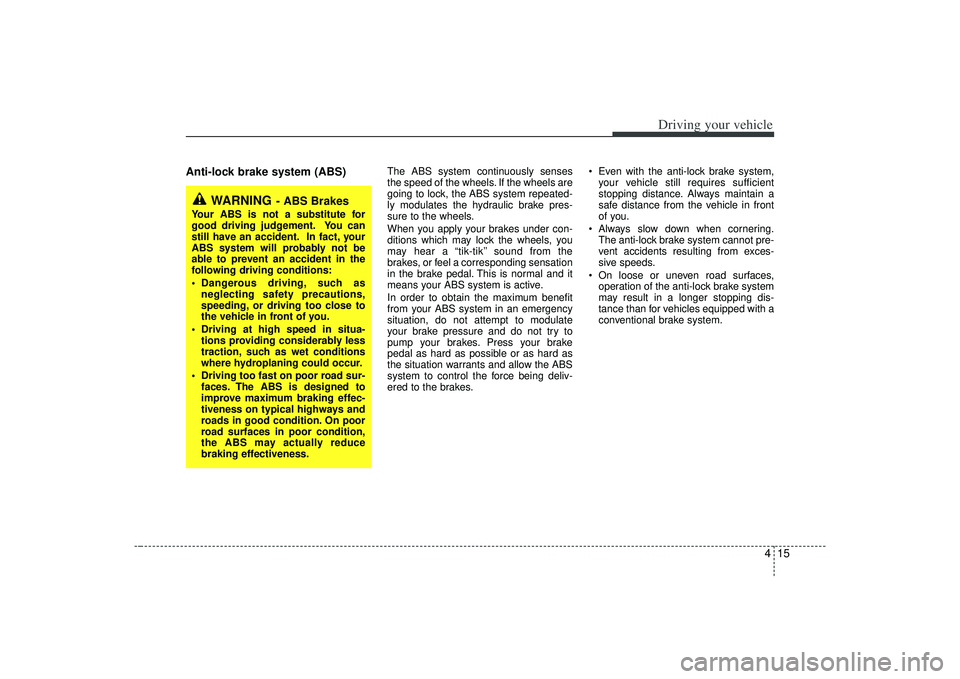
Anti-lock brake system (ABS)
The ABS system continuously senses
the speed of the wheels. If the wheels are
going to lock, the ABS system repeated-
ly modulates the hydraulic brake pres-
sure to the wheels.
When you apply your brakes under con-
ditions which may lock the wheels, you
may hear a “tik-tik’’ sound from the
brakes, or feel a corresponding sensation
in the brake pedal. This is normal and it
means your ABS system is active.
In order to obtain the maximum benefit
from your ABS system in an emergency
situation, do not attempt to modulate
your brake pressure and do not try to
pump your brakes. Press your brake
pedal as hard as possible or as hard as
the situation warrants and allow the ABS
system to control the force being deliv-
ered to the brakes. Even with the anti-lock brake system,
your vehicle still requires sufficient
stopping distance. Always maintain a
safe distance from the vehicle in front
of you.
Always slow down when cornering. The anti-lock brake system cannot pre-
vent accidents resulting from exces-
sive speeds.
On loose or uneven road surfaces, operation of the anti-lock brake system
may result in a longer stopping dis-
tance than for vehicles equipped with a
conventional brake system.
WARNING
- ABS Brakes
Your ABS is not a substitute for
good driving judgement. You can
still have an accident. In fact, your
ABS system will probably not be
able to prevent an accident in the
following driving conditions:
Dangerous driving, such asneglecting safety precautions,
speeding, or driving too close to
the vehicle in front of you.
Driving at high speed in situa- tions providing considerably less
traction, such as wet conditions
where hydroplaning could occur.
Driving too fast on poor road sur- faces. The ABS is designed to
improve maximum braking effec-
tiveness on typical highways and
roads in good condition. On poor
road surfaces in poor condition,
the ABS may actually reduce
braking effectiveness.