Page 32 of 502
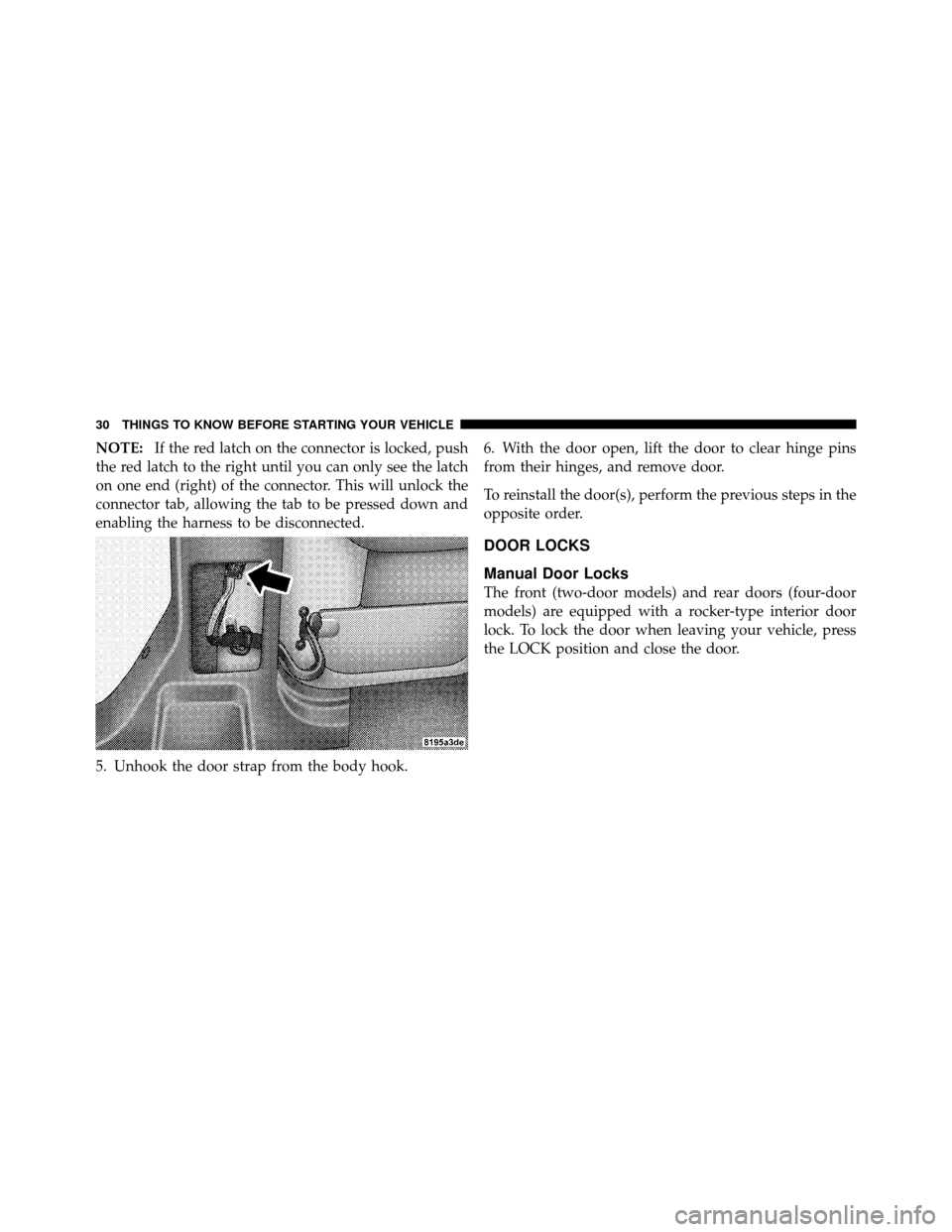
NOTE:If the red latch on the connector is locked, push
the red latch to the right until you can only see the latch
on one end (right) of the connector. This will unlock the
connector tab, allowing the tab to be pressed down and
enabling the harness to be disconnected.
5. Unhook the door strap from the body hook. 6. With the door open, lift the door to clear hinge pins
from their hinges, and remove door.
To reinstall the door(s), perform the previous steps in the
opposite order.
DOOR LOCKS
Manual Door Locks
The front (two-door models) and rear doors (four-door
models) are equipped with a rocker-type interior door
lock. To lock the door when leaving your vehicle, press
the LOCK position and close the door.
30 THINGS TO KNOW BEFORE STARTING YOUR VEHICLE
Page 33 of 502
NOTE:The ignition key that is used to start the vehicle
is used to lock or unlock the doors, swing gate, and
console storage.
WARNING!
•For personal security reasons and safety in an
accident, lock the vehicle doors when you drive, as
well as when you park and leave the vehicle.
•Never leave children alone in a vehicle. Leaving
unattended children in a vehicle is dangerous for a
number of reasons. A child or others could be
seriously or fatally injured. Do not leave the key in
the ignition. A child could operate power win-
dows, other controls, or move the vehicle.
Manual Door Lock
2
THINGS TO KNOW BEFORE STARTING YOUR VEHICLE 31
Page 34 of 502
Power Door Locks — If Equipped
The door lock switch is located on each front door panel.
Press the switch downward to lock the doors, and
upward to unlock the doors.WARNING!
•For personal security reasons and safety in an
accident, lock the vehicle doors when you drive, as
well as when you park and leave the vehicle.
•Never leave children alone in a vehicle. Leaving
unattended children in a vehicle is dangerous for a
number of reasons. A child or others could be
seriously or fatally injured. Do not leave the key in
the ignition. A child could operate power win-
dows, other controls, or move the vehicle.
Power Door Lock Switch
32 THINGS TO KNOW BEFORE STARTING YOUR VEHICLE
Page 35 of 502

Automatic Unlock Doors On Exit
The doors will unlock automatically on vehicles with
power door locks if:
1. The “Automatic Unlock Doors On Exit” feature is
enabled.
2. The transmission was in gear and the vehicle speed
returned to 0 mph (0 km/h).
3. The transmission shift lever is in NEUTRAL or PARK.
4. The driver door is opened.
5. The doors were not previously unlocked.
6. The vehicle speed is 0 mph (0 km/h).
Automatic Unlock Doors on Exit Programming
The “Automatic Unlock Doors On Exit” feature can be
enabled or disabled as follows:
1. Close all doors and place the key in the ignition.
2. Cycle the ignition switch between LOCK and ON and
then back to LOCK four times ending up in the LOCK
position.
3. Depress the power door unlock switch to unlock the
doors.
4. A single chime will indicate the completion of the
programming.
5. Repeat these steps if you want to return this feature to
its previous setting.
NOTE:Use the “Automatic Unlock Doors On Exit”
feature in accordance with local laws.
2
THINGS TO KNOW BEFORE STARTING YOUR VEHICLE 33
Page 36 of 502

Automatic Door Locks
The doors will lock automatically on vehicles with power
door locks if all of the following conditions are met:
1. The “Automatic Door Locks” feature is enabled.
2. The transmission is in gear.
3. All doors are closed.
4. The throttle is pressed.
5. The vehicle speed is above 15 mph (24 km/h).
6. The doors were not previously locked using the power
door lock switch or Remote Keyless Entry (RKE)
transmitter.
Automatic Door Locks Programming
The “Automatic Door Locks” feature can be enabled or
disabled as follows:
1. Close all doors and place the key in the ignition.
2. Cycle the ignition switch between LOCK and ON and
then back to LOCK four times ending up in the LOCK
position.
3. Depress the power door LOCK switch to lock the
doors.
4. A single chime will indicate the completion of the
programming.
5. Repeat these steps if you want to return this feature to
its previous setting.
NOTE:Use the “Automatic Door Locks” feature in
accordance with local laws.
34 THINGS TO KNOW BEFORE STARTING YOUR VEHICLE
Page 37 of 502
WINDOWS
Power Windows — If Equipped
The power window switches are located on the instru-
ment panel center stack (below the radio). The top left
switch controls the left front window and the top right
switch controls the right front window. The lower left
switch controls the left rear passenger window (four-
door models), and the lower right switch controls the
right rear passenger window (four-door models). The
switches will continue to function for up to two minutes
after the ignition key has been removed, or until a front
door is opened.
Window Lockout Switch (Four-Door Models Only)
The window lockout switch (located between the win-
dow switches) allows you to disable the rear window
switches that are located on the back of the center floor
console. To disable the window controls, press the win-
dow lockout button downward. To enable the window
controls, press the window lockout button upward.
Power Window Switches
2
THINGS TO KNOW BEFORE STARTING YOUR VEHICLE 35
Page 39 of 502
Wind Buffeting
Wind buffeting can be described as the perception of
pressure on the ears or a helicopter-type sound in the
ears. Your vehicle may exhibit wind buffeting with the
windows down in certain open or partially open posi-
tions. This is a normal occurrence and can be minimized
by adjusting window opening.
REAR SWING GATE
The swing gate can be unlocked by using the key, Remote
Keyless Entry (RKE) transmitter, or by activating the
power door lock switches located on the front doors.
To open the swing gate, press the button on the gate
handle.NOTE:
Close the rear flip-up window before attempting
to close the swing gate (hard top models only).
Gate Handle
2
THINGS TO KNOW BEFORE STARTING YOUR VEHICLE 37
Page 41 of 502

WARNING!
In a collision, you and your passengers can suffer
injuries, including fatalities, if you are not properly
buckled up. You can strike the interior of your
vehicle or other passengers, or you can be thrown out
of the vehicle. Always be sure you and others in your
vehicle are buckled up properly.
Buckle up even though you are an excellent driver, even
on short trips. Someone on the road may be a poor driver
and cause a collision that includes you. This can happen
far away from home or on your own street.
Research has shown that seat belts save lives, and that
they can reduce the seriousness of injuries in a collision.
Some of the worst injuries happen when people are
thrown from the vehicle. Seat belts reduce the possibility
of ejection and the risk of injury caused by striking the inside of the vehicle.
Everyonein a motor vehicle should
be belted at all times to reduce or prevent injuries.Lap/Shoulder Belts
All seating positions in your vehicle have combination
lap/shoulder belts. The belt webbing retractor is de-
signed to lock during very sudden stops or collisions.
This feature allows the shoulder part of the belt to move
freely with you under normal conditions. But in a colli-
sion, the belt will lock and reduce the risk of you striking
the inside of the vehicle or being thrown out.
WARNING!
•It is extremely dangerous to ride in a cargo area,
inside or outside of a vehicle. In a collision, people
riding in these areas are more likely to be seri-
ously injured or killed.
(Continued)
2
THINGS TO KNOW BEFORE STARTING YOUR VEHICLE 39