Page 73 of 457
UNDERSTANDING THE FEATURES OF YOUR VEHICLE
CONTENTS
�Mirrors.............................. 75
▫Inside Day/Night Mirror................ 75
▫Automatic Dimming Inside Mirror —
If Equipped.......................... 76
▫Outside Mirror — Driver’s Side........... 77
▫Outside Mirror — Passenger’s Side......... 77
▫Folding Outside Mirrors — If Equipped..... 78
▫Power Mirrors — If Equipped............ 79
▫Vanity Mirrors — If Equipped............ 80�Hands-Free Communication (UConnect�)—
If Equipped............................ 81
▫Operation........................... 83
▫Phone Call Features.................... 91
▫UConnect�System Features.............. 94
▫Advanced Phone Connectivity............ 99
▫Things You Should Know About Your
UConnect�System.................... 100
▫General Information................... 109
3
Page 77 of 457
MIRRORS
Inside Day/Night Mirror
A two-point pivot system allows for horizontal and
vertical mirror adjustment. Adjust the mirror to center on
the view through the rear window.
Headlight glare can be reduced by moving the small
control under the mirror to the night position (toward the
rear of vehicle). The mirror should be adjusted while set
in the day position (toward the windshield).
Adjusting Rearview Mirror
UNDERSTANDING THE FEATURES OF YOUR VEHICLE 75
3
Page 78 of 457
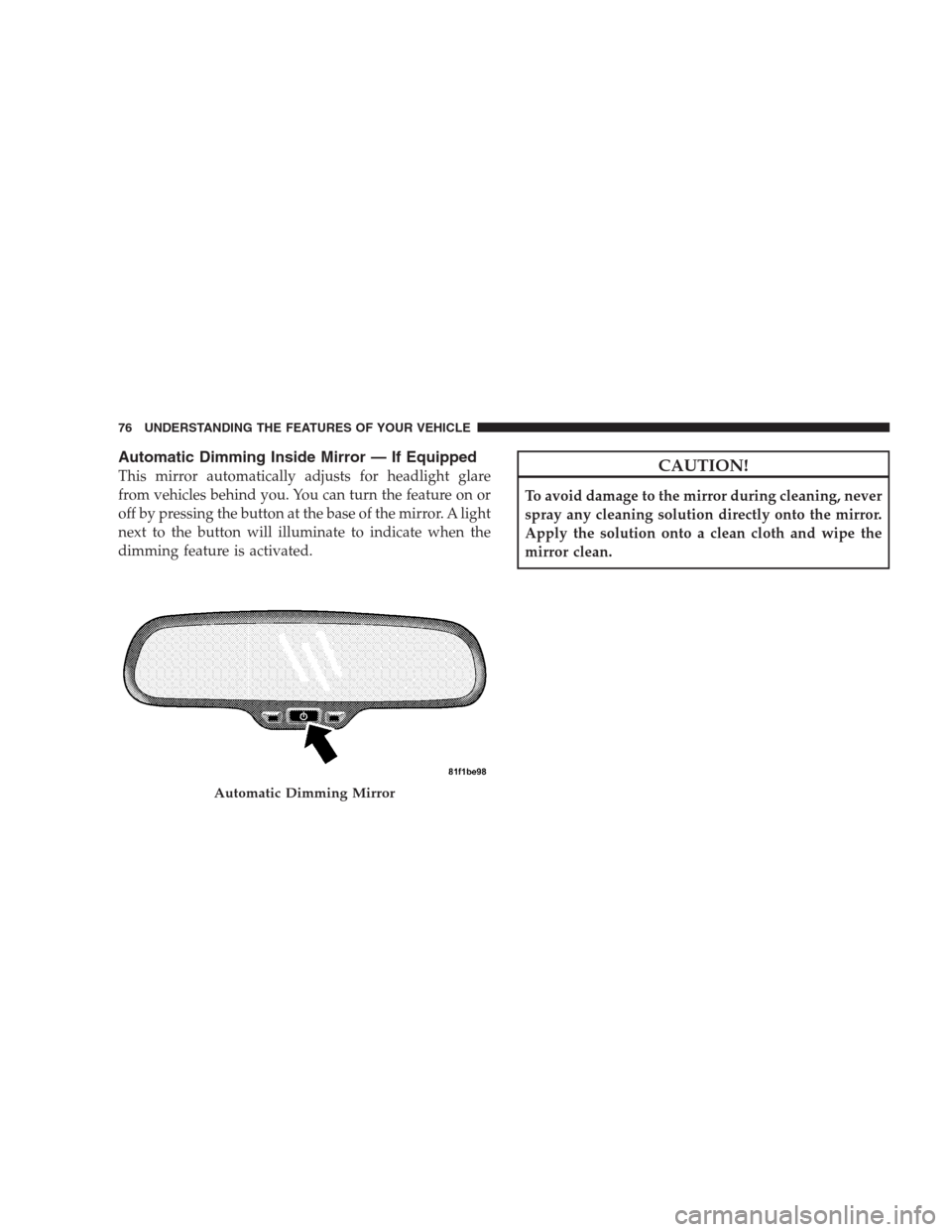
Automatic Dimming Inside Mirror — If Equipped
This mirror automatically adjusts for headlight glare
from vehicles behind you. You can turn the feature on or
off by pressing the button at the base of the mirror. A light
next to the button will illuminate to indicate when the
dimming feature is activated.CAUTION!
To avoid damage to the mirror during cleaning, never
spray any cleaning solution directly onto the mirror.
Apply the solution onto a clean cloth and wipe the
mirror clean.
Automatic Dimming Mirror
76 UNDERSTANDING THE FEATURES OF YOUR VEHICLE
Page 79 of 457
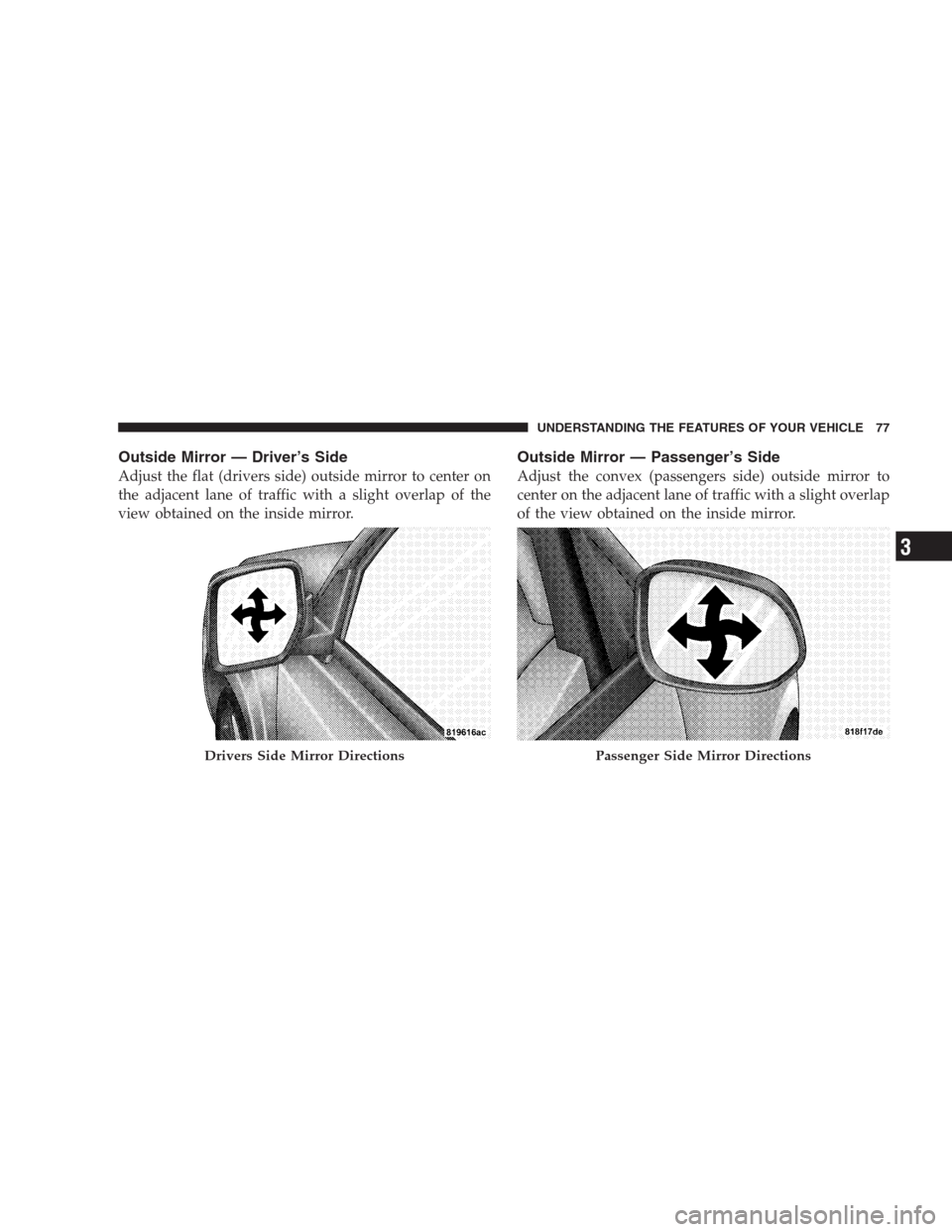
Outside Mirror — Driver’s Side
Adjust the flat (drivers side) outside mirror to center on
the adjacent lane of traffic with a slight overlap of the
view obtained on the inside mirror.
Outside Mirror — Passenger’s Side
Adjust the convex (passengers side) outside mirror to
center on the adjacent lane of traffic with a slight overlap
of the view obtained on the inside mirror.
Drivers Side Mirror DirectionsPassenger Side Mirror Directions
UNDERSTANDING THE FEATURES OF YOUR VEHICLE 77
3
Page 80 of 457
WARNING!
Vehicles and other objects seen in the passenger side
convex mirror will look smaller and farther away
than they really are. Relying too much on your
passenger side mirror could cause you to collide with
another vehicle or other object. Use your inside
mirror when judging the size or distance of a vehicle
seen in this convex mirror.
Folding Outside Mirrors — If Equipped
The outside mirrors are hinged and may be moved,
manually, either forward or rearward to resist damage.
The hinges have three detent positions; full forward, full
rearward and normal.
Folding the Outside Mirrors
78 UNDERSTANDING THE FEATURES OF YOUR VEHICLE
Page 81 of 457
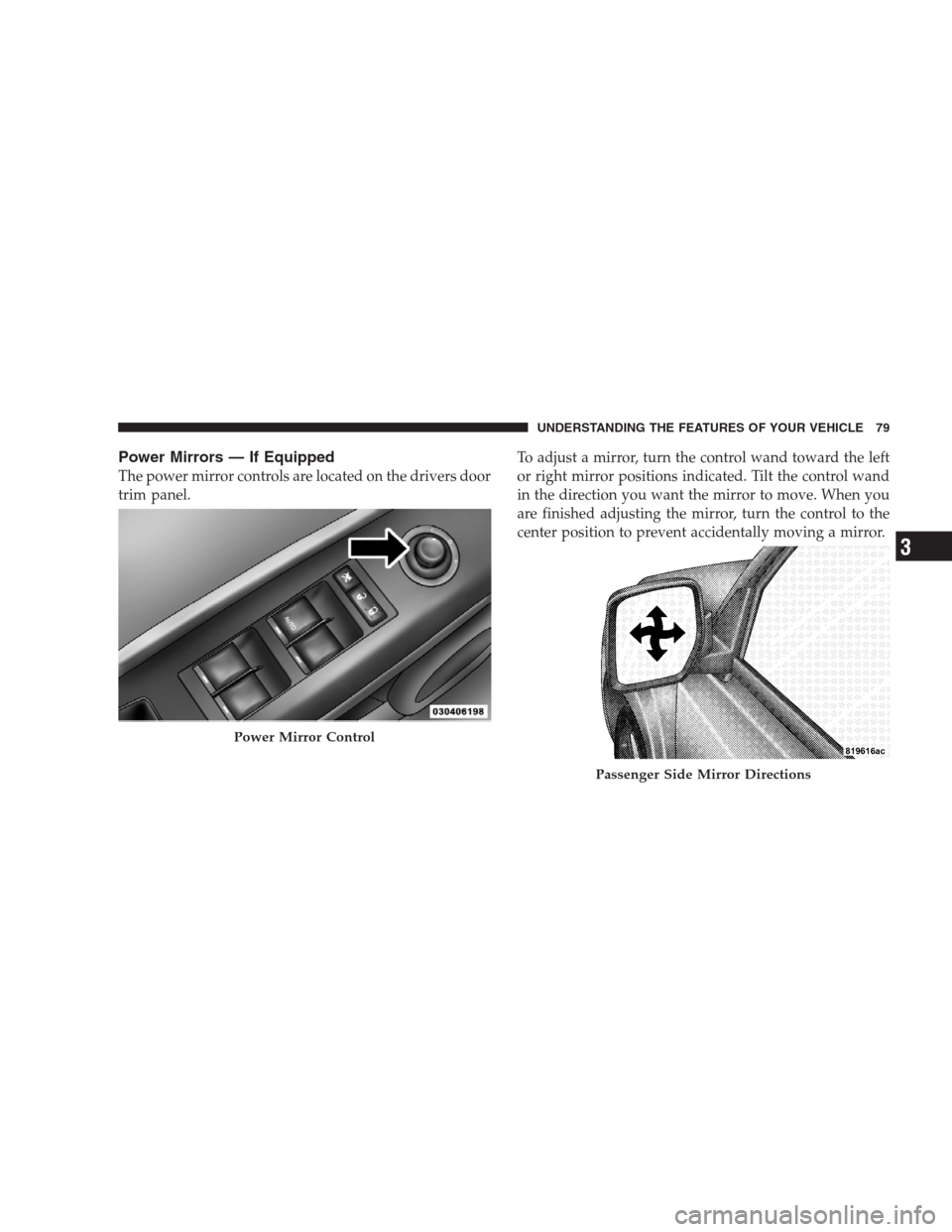
Power Mirrors — If Equipped
The power mirror controls are located on the drivers door
trim panel.To adjust a mirror, turn the control wand toward the left
or right mirror positions indicated. Tilt the control wand
in the direction you want the mirror to move. When you
are finished adjusting the mirror, turn the control to the
center position to prevent accidentally moving a mirror.
Power Mirror Control
Passenger Side Mirror Directions
UNDERSTANDING THE FEATURES OF YOUR VEHICLE 79
3
Page 82 of 457
WARNING!
Vehicles and other objects seen in the right side
convex mirror will look smaller and farther away
than they really are. Relying too much on your right
side mirror could cause you to collide with another
vehicle or other object. Use your inside mirror when
judging the size or distance of a vehicle seen in the
right side mirror.
Vanity Mirrors — If Equipped
To use the mirror, pull the sun visor down and rotate the
mirror cover upward.
Sun Visor Sliding Feature
The sun visors may be pulled out to provide extended
coverage of the side glass.
Vanity Mirror
80 UNDERSTANDING THE FEATURES OF YOUR VEHICLE
Page 84 of 457

UConnect�features Bluetooth�technology - the global
standard that enables different electronic devices to con-
nect to each other without wires or a docking station, so
UConnect�works no matter where you stow your cellu-
lar phone (be it your purse, pocket, or briefcase), as long
as your phone is turned on and has been paired to the
vehicle’s UConnect�system. The UConnect�system
allows up to seven cellular phones to be linked to the
system. Only one linked (or paired) cellular phone can be
used with the system at a time. The system is available in
English, Spanish, or French languages.
Phone Button
The rearview mirror contains the microphone
for the system (depending on the type of
mirror and radio equipped), and either the
radio or the mirror has the two control buttons
(PHONE Button and VOICE RECOGNITION button)
that will enable you to access the system.Voice Recognition Button
Actual button location may vary with the ra-
dio. The individual buttons are described in the
“Operation” section.
The UConnect�system can be used with any Hands-Free
Profile certified Bluetooth�cellular phone. See the
UConnect�website for supported phones. If your cellu-
lar phone supports a different profile (e.g., Headset
Profile) you may not be able to use any UConnect�
features. Refer to your cellular service provider or the
phone manufacturer for details.
The UConnect�system is fully integrated with the vehi-
cle’s audio system. The volume of the UConnect�system
can be adjusted either from the radio volume control
knob or from the steering wheel radio control (right
switch), if so equipped.
82 UNDERSTANDING THE FEATURES OF YOUR VEHICLE