Page 97 of 506
Bluetooth�technology - the global standard that enables
different electronic devices to connect to each other
without wires or a docking station, so uconnect �phone
works no matter where you stow your cellular phone (be
it your purse, pocket, or briefcase), as long as your phone
is turned on and has been paired to the vehicle’s
uconnect� phone. The uconnect� phone allows up to
seven cellular phones to be linked to the system. Only
one linked (or paired) cellular phone can be used with the
system at a time. The system is available in English,
Spanish, or French languages.
Phone Button The rearview mirror contains the microphone
for the system (depending on the type of
mirror and radio equipped), and either the
radio or the mirror has the two control buttons
(PHONE Button and VOICE RECOGNITION button)
that will enable you to access the system. Voice Recognition Button
Actual button location may vary with the ra-
dio. The individual buttons are described in the
“Operation” section.
The uconnect� phone can be used with any Hands-Free
Profile certified Bluetooth� cellular phone. See the
uconnect� website for supported phones. If your cellular
phone supports a different profile (e.g., Headset Profile)
you may not be able to use any uconnect� phone
features. Refer to your cellular service provider or the
phone manufacturer for details.
The uconnect� phone is fully integrated with the vehi-
cle’s audio system. The volume of the uconnect� phone
can be adjusted either from the radio volume control
knob or from the steering wheel radio control (right
switch), if so equipped.
UNDERSTANDING THE FEATURES OF YOUR VEHICLE 95
3
Page 138 of 506
DRIVER MEMORY SEAT — IF EQUIPPED
This feature allows the driver to store up to two different
memory profiles, for easy recall through a memory
switch. Each memory profile contains desired position
settings for the driver seat and side mirrors, and a set of
desired radio station presets.
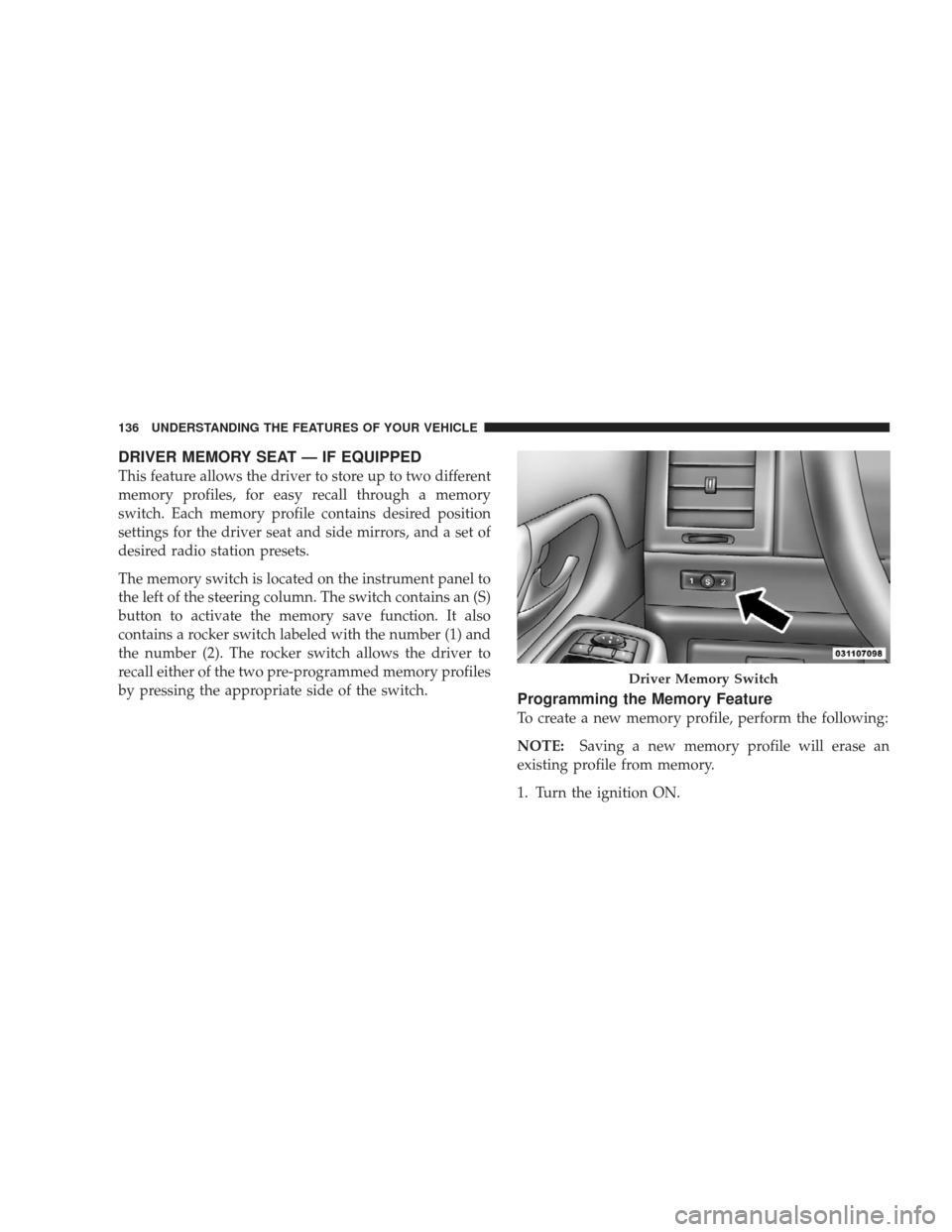
The memory switch is located on the instrument panel to
the left of the steering column. The switch contains an (S)
button to activate the memory save function. It also
contains a rocker switch labeled with the number (1) and
the number (2). The rocker switch allows the driver to
recall either of the two pre-programmed memory profiles
by pressing the appropriate side of the switch.
Programming the Memory Feature
To create a new memory profile, perform the following:
NOTE:Saving a new memory profile will erase an
existing profile from memory.
1. Turn the ignition ON.
Driver Memory Switch
136 UNDERSTANDING THE FEATURES OF YOUR VEHICLE
Page 144 of 506
CAUTION!
To prevent possible damage:
•Before closing hood, make sure the hood prop rod
is fully seated into its storage retaining clips.
•Do not slam the hood to close it. Use a firm
downward push at the center front edge of the
hood to ensure that both latches engage.
•Never drive your vehicle unless the hood is fully
closed, with both latches engaged.
WARNING!
If the hood is not fully latched, it could fly up when
the vehicle is moving and block your forward vision.
Be sure all hood latches are fully latched before
driving.
LIGHTS
Exterior and Interior Lighting Control
The multifunction lever on the left side of the
steering column controls the operation of the
headlights, parking lights, turn signal lights, in-
strument panel lights, instrument panel light dimming,
interior lights and fog lights (if equipped).
142 UNDERSTANDING THE FEATURES OF YOUR VEHICLE
Page 151 of 506
Parade Mode (Daytime Brightness Feature)
Rotate the dimmer control to the first detent to brighten
the odometer and radio display when the parking lights
or headlights are on during daylight conditions.
Interior Light On
Rotate the dimmer control completely upward to the
second detent to turn on the interior lights. The interior
lights will remain on when the dimmer control is in this
position.
Interior Light Defeat Off
Rotate the dimmer control completely downward to the
(O) OFF position. The interior lights will remain off when
the doors are open.
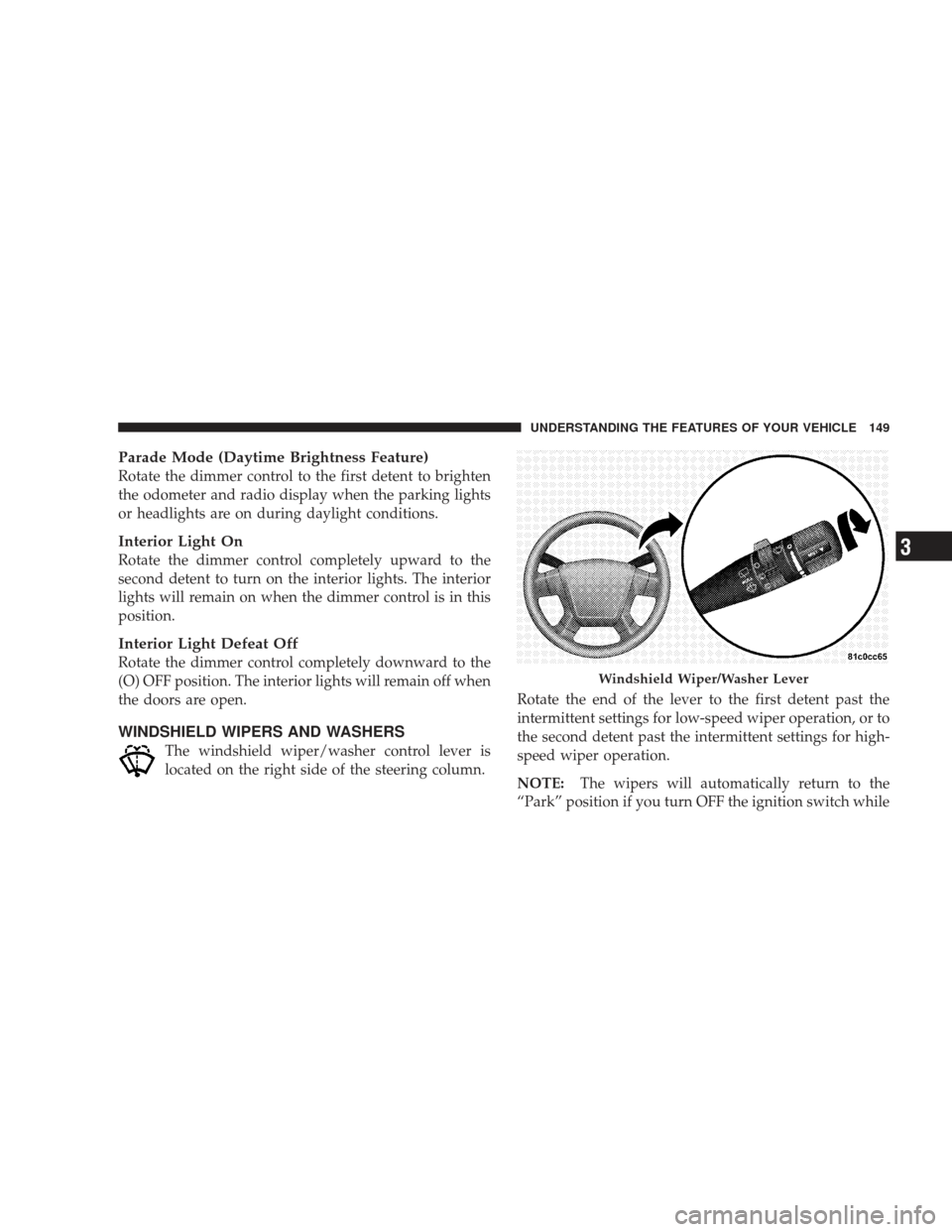
WINDSHIELD WIPERS AND WASHERS
The windshield wiper/washer control lever is
located on the right side of the steering column.Rotate the end of the lever to the first detent past the
intermittent settings for low-speed wiper operation, or to
the second detent past the intermittent settings for high-
speed wiper operation.
NOTE:
The wipers will automatically return to the
“Park” position if you turn OFF the ignition switch while
Windshield Wiper/Washer Lever
UNDERSTANDING THE FEATURES OF YOUR VEHICLE 149
3
Page 154 of 506
Headlights with Wipers (Available with Auto
Headlights Only)
When this feature is active, the headlights will turn on
approximately 10 seconds after the wipers are turned on
if the multifunction lever (on the left side of the steering
column) is placed in the AUTO position. In addition, the
headlights will turn off when the wipers are turned off if
they were turned on by this feature.
The Headlights with Wipers feature can be turned on or
off through the Electronic Vehicle Information Center
(EVIC) — if equipped. For details, refer to ”Headlights
On with Wipers,” under “Personal Settings (Customer-
Programmable Features)” under “Electronic Vehicle In-
formation Center” in Section 4 of this manual.
Rain Sensing Wipers — If Equipped
This feature senses moisture on the windshield and
automatically activates the wipers for the driver. This
feature is especially useful for road splash or oversprayfrom the windshield washers of the vehicle ahead. Rotate
the end of the windshield wiper/washer control lever to
one of the five intermittent wiper settings to activate this
feature.
The sensitivity of the system is adjustable from the
windshield wiper/washer control lever. Wiper delay
position 1 is the least sensitive and wiper delay position
5 is the most sensitive. Choose position 3 for normal rain
conditions. Choose position 2 or 1 if you desire less wiper
sensitivity. Choose position 4 or 5 if you desire more
sensitivity. Place the lever in the off position when not
using the system.
NOTE:
•The rain-sensing feature will not operate when the
wiper speed is in the low or high position.
•The rain-sensing feature may not function properly
when ice or dried salt water is present on the wind-
shield.
152 UNDERSTANDING THE FEATURES OF YOUR VEHICLE
Page 156 of 506
Windshield Washers
To use the washer, pull the windshield wiper/washer
control lever toward you and hold it for as long as
washer spray is desired.
If you activate the washer while the wiper control is in
the delay range, the wipers will operate in low-speed for
two wipe cycles after releasing the lever and then resume
the intermittent interval previously selected.
If you activate the washer while the wiper control is in
the off position, the wipers will operate for two wipe
cycles and then turn off.
TILT STEERING COLUMN
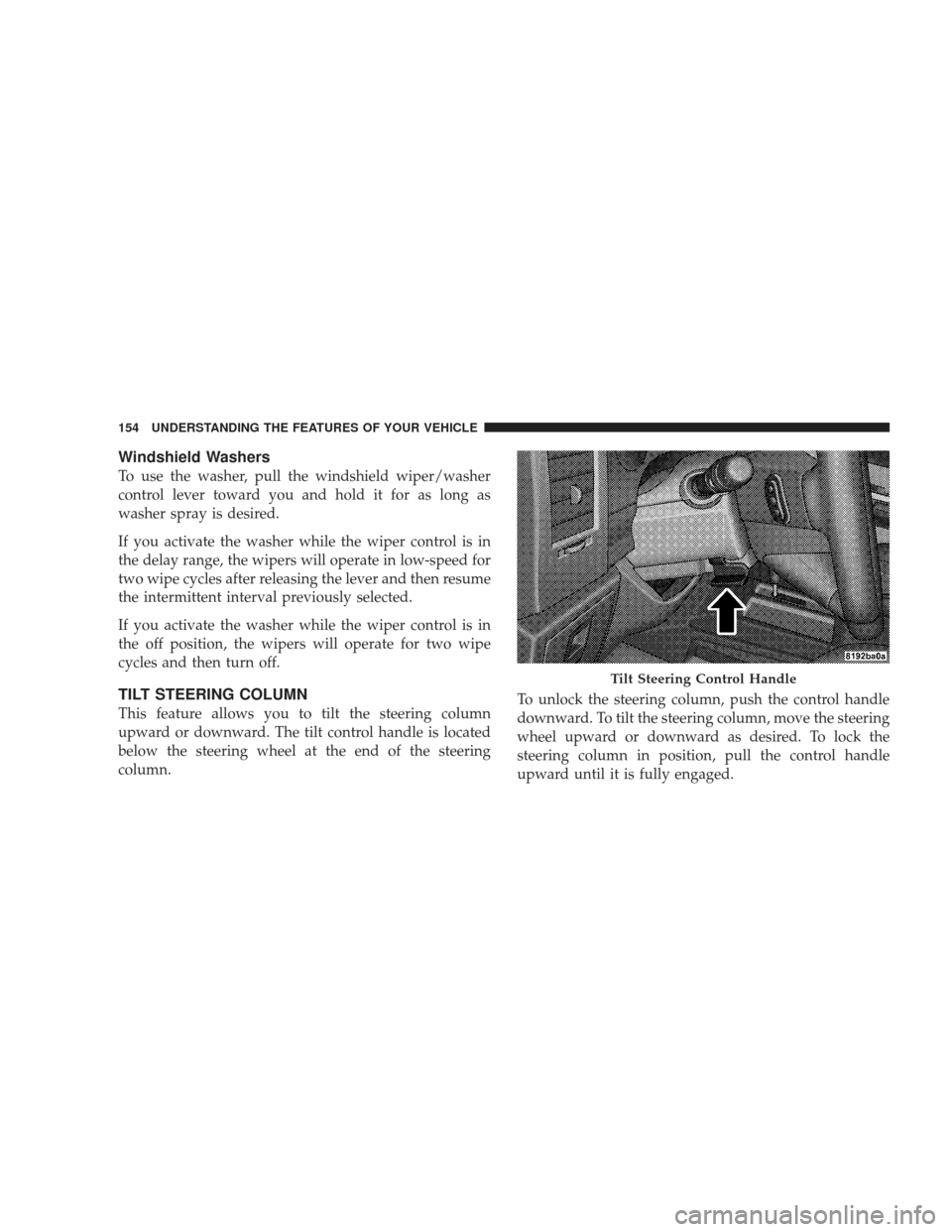
This feature allows you to tilt the steering column
upward or downward. The tilt control handle is located
below the steering wheel at the end of the steering
column.To unlock the steering column, push the control handle
downward. To tilt the steering column, move the steering
wheel upward or downward as desired. To lock the
steering column in position, pull the control handle
upward until it is fully engaged.
Tilt Steering Control Handle
154 UNDERSTANDING THE FEATURES OF YOUR VEHICLE
Page 157 of 506
WARNING!
Do not adjust the steering wheel while driving. The
tilt adjustment must be locked while driving. Adjust-
ing the steering wheel while driving or driving
without the tilt adjustment locked could cause the
driver to lose control of the vehicle.
ELECTRONIC SPEED CONTROL — IF EQUIPPED
When engaged, the Electronic Speed Control takes over
the accelerator operation at speeds greater than 25 mph
(40 km/h).
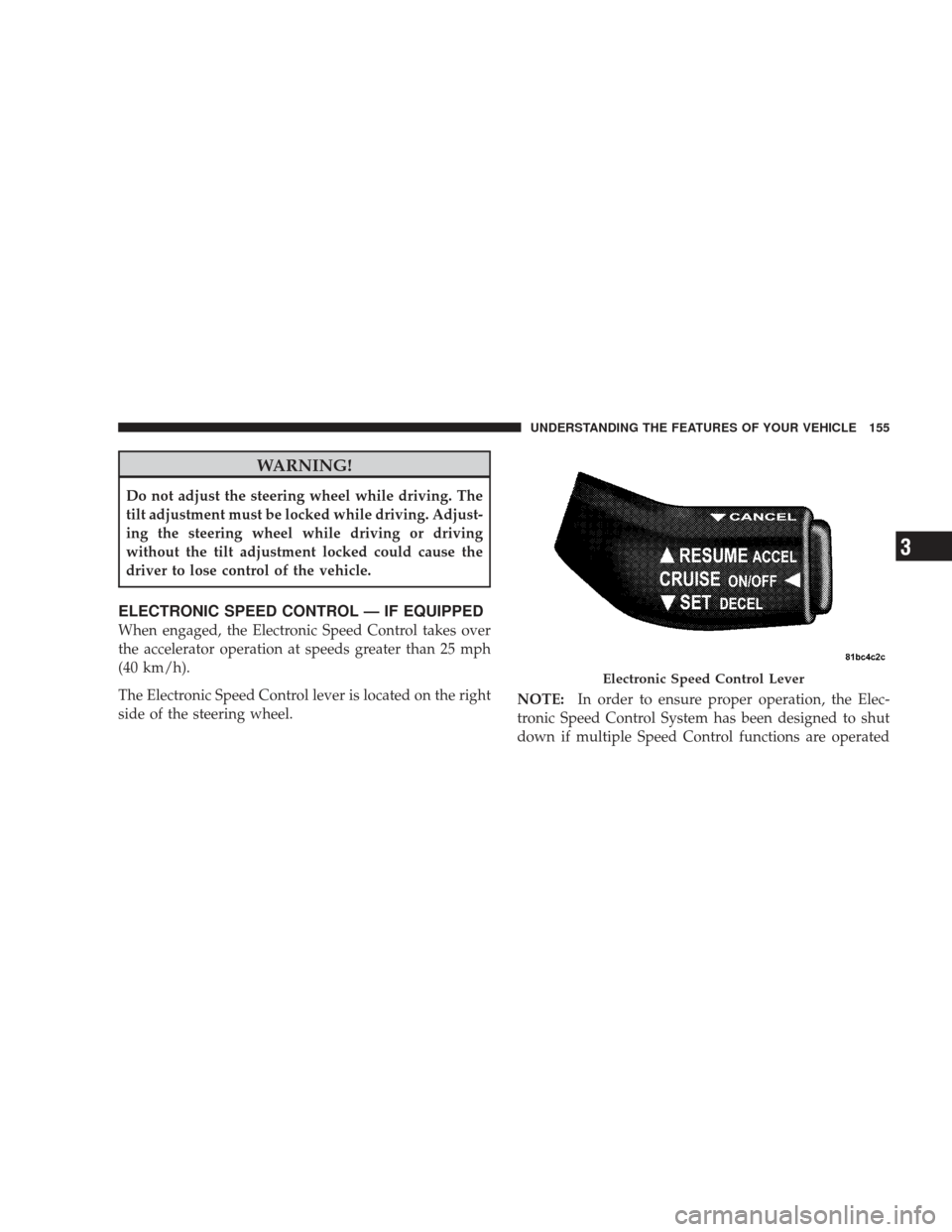
The Electronic Speed Control lever is located on the right
side of the steering wheel.NOTE:
In order to ensure proper operation, the Elec-
tronic Speed Control System has been designed to shut
down if multiple Speed Control functions are operated
Electronic Speed Control Lever
UNDERSTANDING THE FEATURES OF YOUR VEHICLE 155
3
Page 194 of 506
WARNING!
In an accident, a cargo cover loose in the vehicle
could cause injury. It could fly around in a sudden
stop and strike someone in the vehicle. Do not store
the cargo cover on the cargo floor or in the passenger
compartment. Remove the cover from the vehicle
when taken from its mounting. Do not store in the
vehicle.
REAR WINDOW FEATURES
Rear Window Wiper/Washer — If Equipped
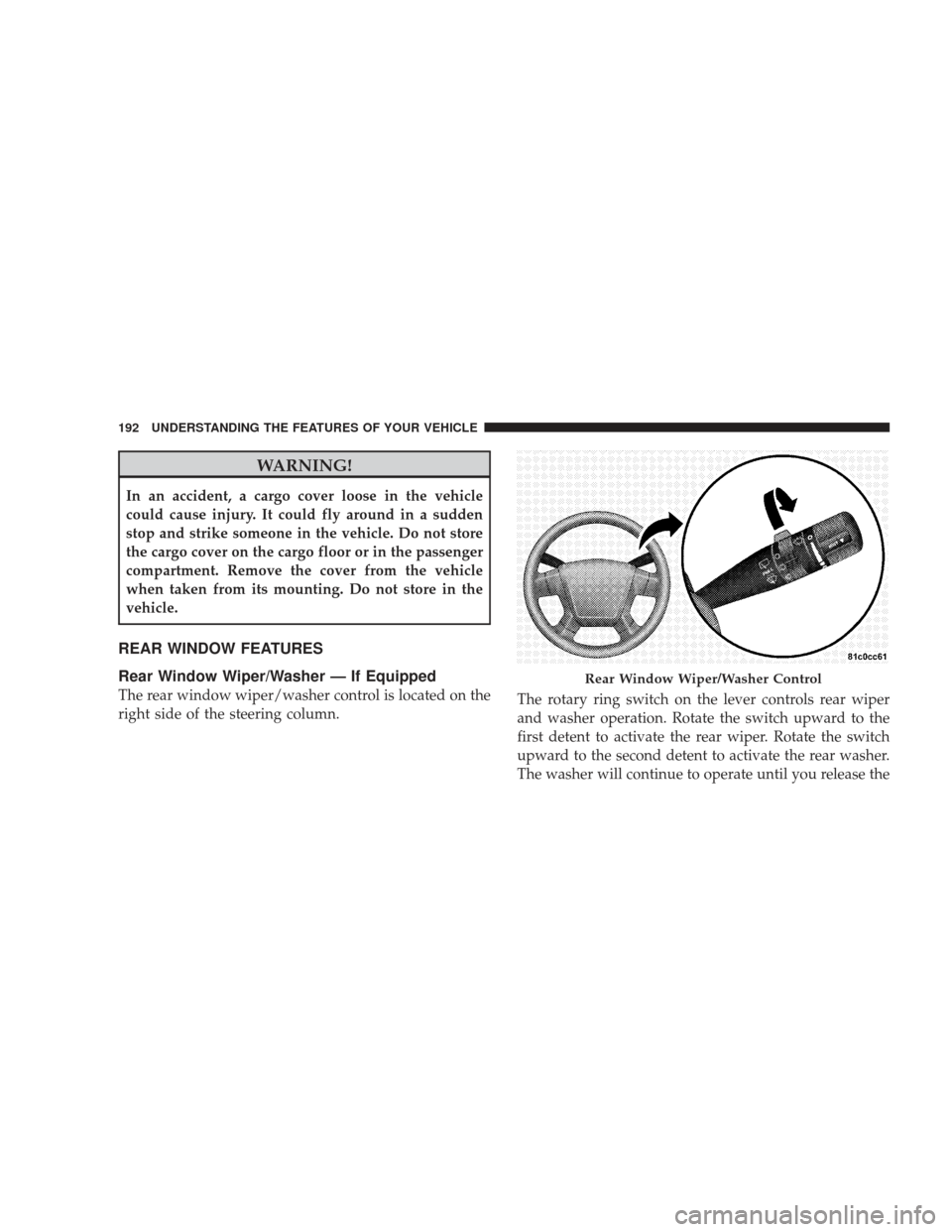
The rear window wiper/washer control is located on the
right side of the steering column.The rotary ring switch on the lever controls rear wiper
and washer operation. Rotate the switch upward to the
first detent to activate the rear wiper. Rotate the switch
upward to the second detent to activate the rear washer.
The washer will continue to operate until you release the
Rear Window Wiper/Washer Control
192 UNDERSTANDING THE FEATURES OF YOUR VEHICLE