Page 130 of 521
Easy Entry/Exit Seat
This feature provides automatic driver’s seat positioning
which will enhance driver mobility out of and into the
vehicle.
There are two possible Easy Entry/Exit adjustments
available:
•The seat cushion will move rearward approximately
2.5 in (60 mm), if the starting position of the seat is
greater than or equal to 2.67 in (68 mm) forward of the
rear seat stop when the key is removed from the
ignition switch. The seat will then move forward
approximately 2.5 in (60 mm) when the key is placed
into the ignition and turned out of the LOCK position.
•The seat will move to the position located 0.3 in
(8 mm) forward of the rear stop if the starting position
is between 0.9 to 2.67 in (23 to 68 mm) forward of the
rear stop when the key is removed from the ignition
switch. The seat will move forward to the memory/driving position when the key is placed into the
ignition, and turned out of the LOCK position toward
the ACC/ON position.
The Easy Entry/Exit feature will be automatically dis-
abled if the seat is already positioned closer than 0.9 in
(23 mm) forward of the rear stop. At this position, there
is no benefit to the driver by moving the seat for Easy
Exit/Entry.
Each stored memory setting will have an associated Easy
Entry/Exit position.
NOTE:The Easy Entry/Exit feature is not enabled
when the vehicle is delivered from the factory. The Easy
Entry/Exit feature is enabled (or later disabled) through
the programmable features in the Electronic Vehicle
Information Center (EVIC). Refer to�Electronic Vehicle
Information Center (EVIC) — Customer-Programmable
Features�in Section 4 for more information.
128 UNDERSTANDING THE FEATURES OF YOUR VEHICLE
Page 134 of 521
SmartBeams — If Equipped
The SmartBeam system provides increased forward light-
ing at night by automating high beam control through
the use of a digital camera mounted on the inside
rearview mirror. This camera detects vehicle specific light
and automatically switches from high beams to low
beams until the approaching vehicle is out of view.
NOTE:If the windshield or SmartBeam mirror is re-
placed, the SmartBeam mirror must be re-aimed to
ensure proper performance. See your local authorized
dealer.
To Activate
1. Select “Auto Headlamp Low/High Beams? — Low/
High Beam.” Refer to “EVIC — Customer-Programmable
Features” in Section 4 of this manual.
2. Turn the end of the multifunction lever to the AUTO
headlight position.
3. Push the multifunction lever away from you (toward
front of vehicle) to engage the high beam mode.
NOTE:This system will not activate until the vehicle is
at or above 20 mph (32 km/h).
132 UNDERSTANDING THE FEATURES OF YOUR VEHICLE
Page 139 of 521
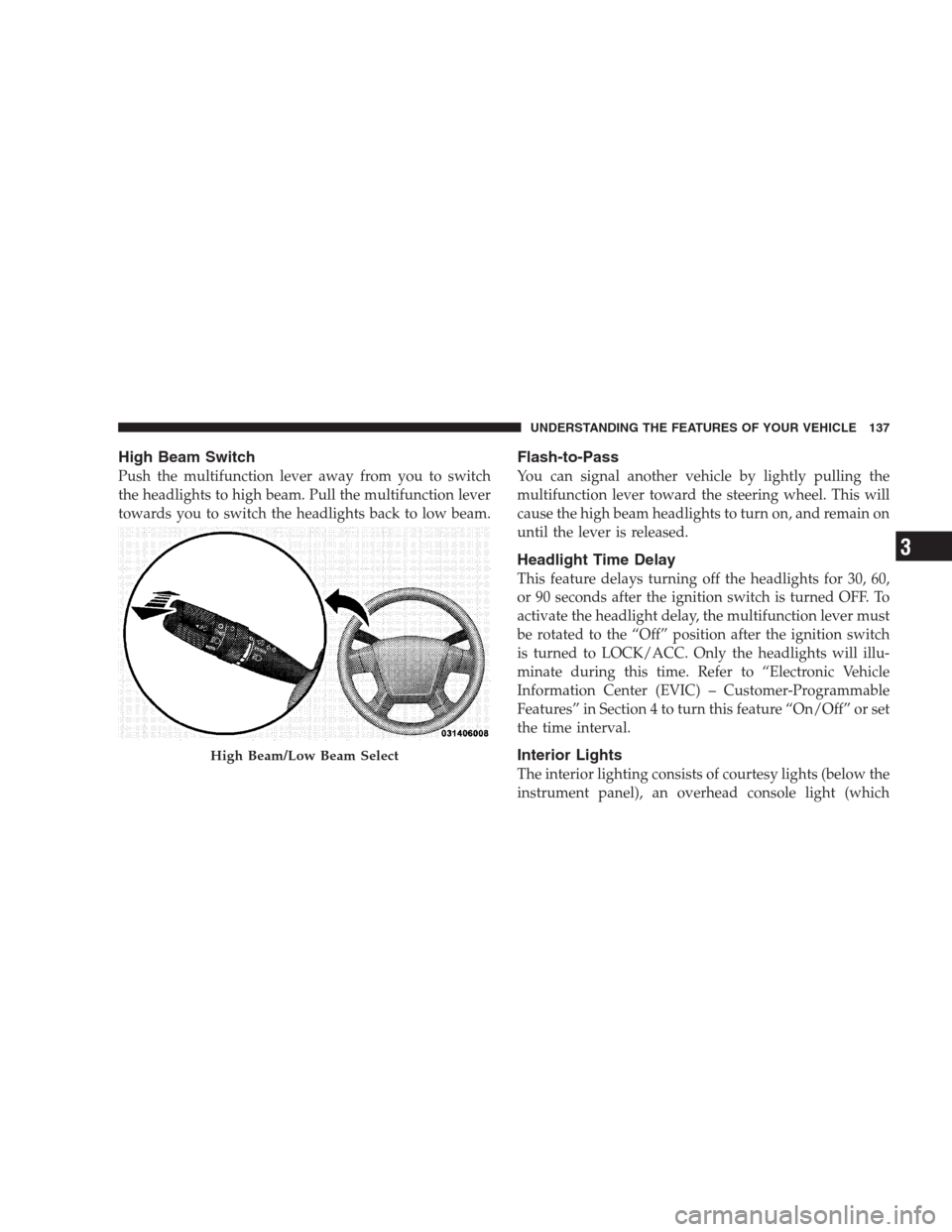
High Beam Switch
Push the multifunction lever away from you to switch
the headlights to high beam. Pull the multifunction lever
towards you to switch the headlights back to low beam.
Flash-to-Pass
You can signal another vehicle by lightly pulling the
multifunction lever toward the steering wheel. This will
cause the high beam headlights to turn on, and remain on
until the lever is released.
Headlight Time Delay
This feature delays turning off the headlights for 30, 60,
or 90 seconds after the ignition switch is turned OFF. To
activate the headlight delay, the multifunction lever must
be rotated to the “Off” position after the ignition switch
is turned to LOCK/ACC. Only the headlights will illu-
minate during this time. Refer to “Electronic Vehicle
Information Center (EVIC) – Customer-Programmable
Features” in Section 4 to turn this feature “On/Off” or set
the time interval.
Interior Lights
The interior lighting consists of courtesy lights (below the
instrument panel), an overhead console light (which
High Beam/Low Beam Select
UNDERSTANDING THE FEATURES OF YOUR VEHICLE 137
3
Page 142 of 521
To use the washer, pull the lever toward you and hold
while spray is desired. If the lever is pulled while in the
delay range, the wiper will operate for several seconds
after the lever is released, and then resume the intermit-
tent interval previously selected.
If the lever is pulled while in the off position, the wipers
will operate for several wipe cycles, then turn off.
WARNING!
Sudden loss of visibility through the windshield
could lead to an accident. You might not see other
vehicles or other obstacles. To avoid sudden icing of
the windshield during freezing weather, warm the
windshield with the defroster before and during
windshield washer use.
Mist
Use the Mist feature when weather conditions make
occasional usage of the wipers necessary. Pull down and
release the control lever for a single wiping cycle.
Speed Sensitive Intermittent Wiper System
Use one of the five intermittent wiper speeds when
weather conditions make a single wiping cycle, with a
variable pause between cycles, desirable. Turn the end of
the lever to one of the five delay positions for the desired
delay interval. The delay can be regulated from a maxi-
mum of approximately 18 seconds between cycles, to a
cycle every 1/2 second.
NOTE:The wiper delay times depend on vehicle speed.
If the vehicle is moving less than 10 mph (16 km/h),
delay times will be doubled.
140 UNDERSTANDING THE FEATURES OF YOUR VEHICLE
Page 144 of 521
operate until the wiper switch is moved, vehicle speed
is greater than 0 mph (0 km/h), or the outside tem-
perature is greater than 32°F (0°C).
•Transmission in NEUTRAL Position— When the
ignition is ON, and the transmission is in the NEU-
TRAL position, the rain sensing system will not oper-
ate until the wiper switch is moved, vehicle speed is
greater than 5 mph (8 km/h), or the shift lever is
moved out of the NEUTRAL position.
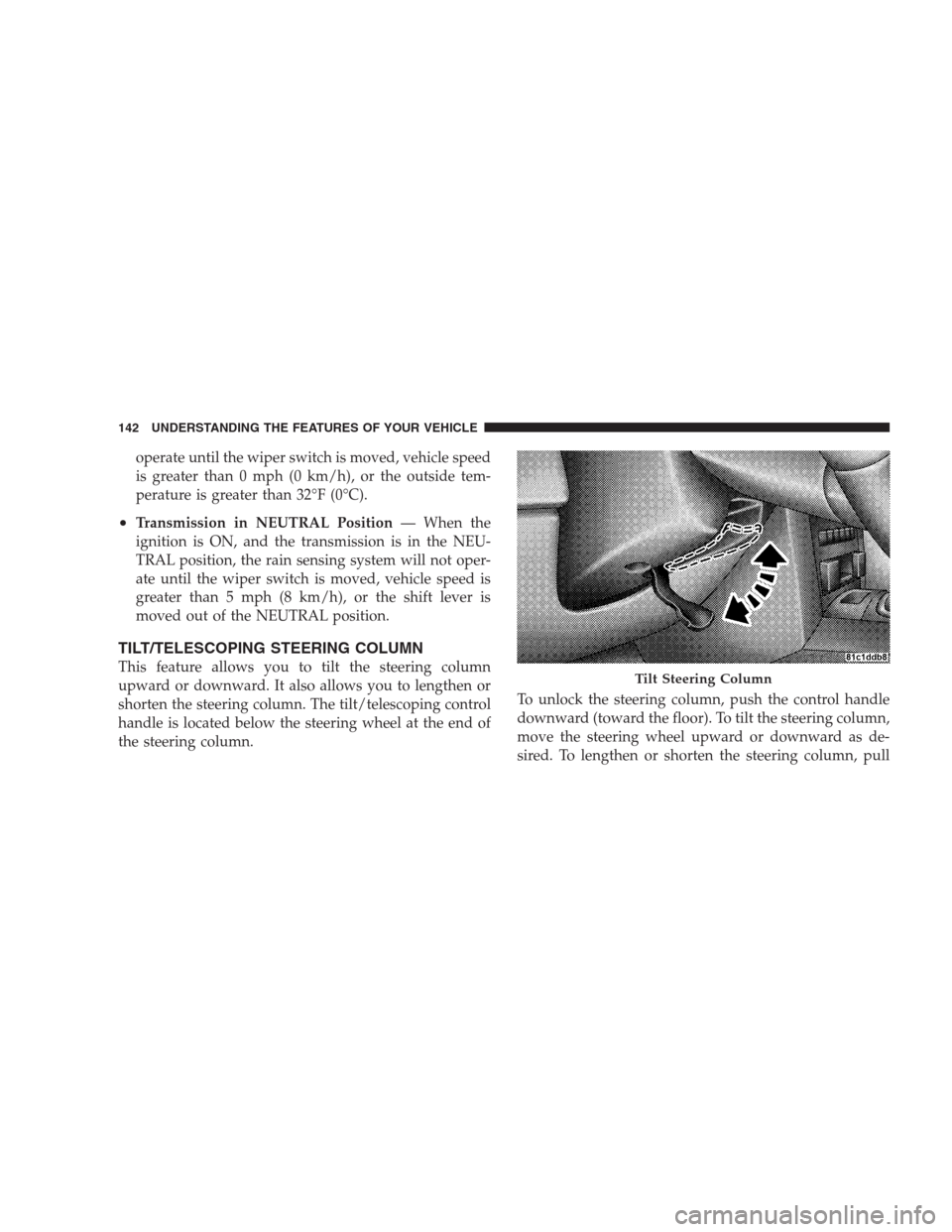
TILT/TELESCOPING STEERING COLUMN
This feature allows you to tilt the steering column
upward or downward. It also allows you to lengthen or
shorten the steering column. The tilt/telescoping control
handle is located below the steering wheel at the end of
the steering column.To unlock the steering column, push the control handle
downward (toward the floor). To tilt the steering column,
move the steering wheel upward or downward as de-
sired. To lengthen or shorten the steering column, pullTilt Steering Column
142 UNDERSTANDING THE FEATURES OF YOUR VEHICLE
Page 145 of 521
the steering wheel outward or push it inward as desired.
To lock the steering column in position, push the control
handle upward until fully engaged.
WARNING!
Do not adjust the steering wheel while driving. The
telescoping adjustment must be locked while driv-
ing. Adjusting the steering wheel while driving or
driving without the telescoping adjustment locked
could cause the driver to lose control of the vehicle.
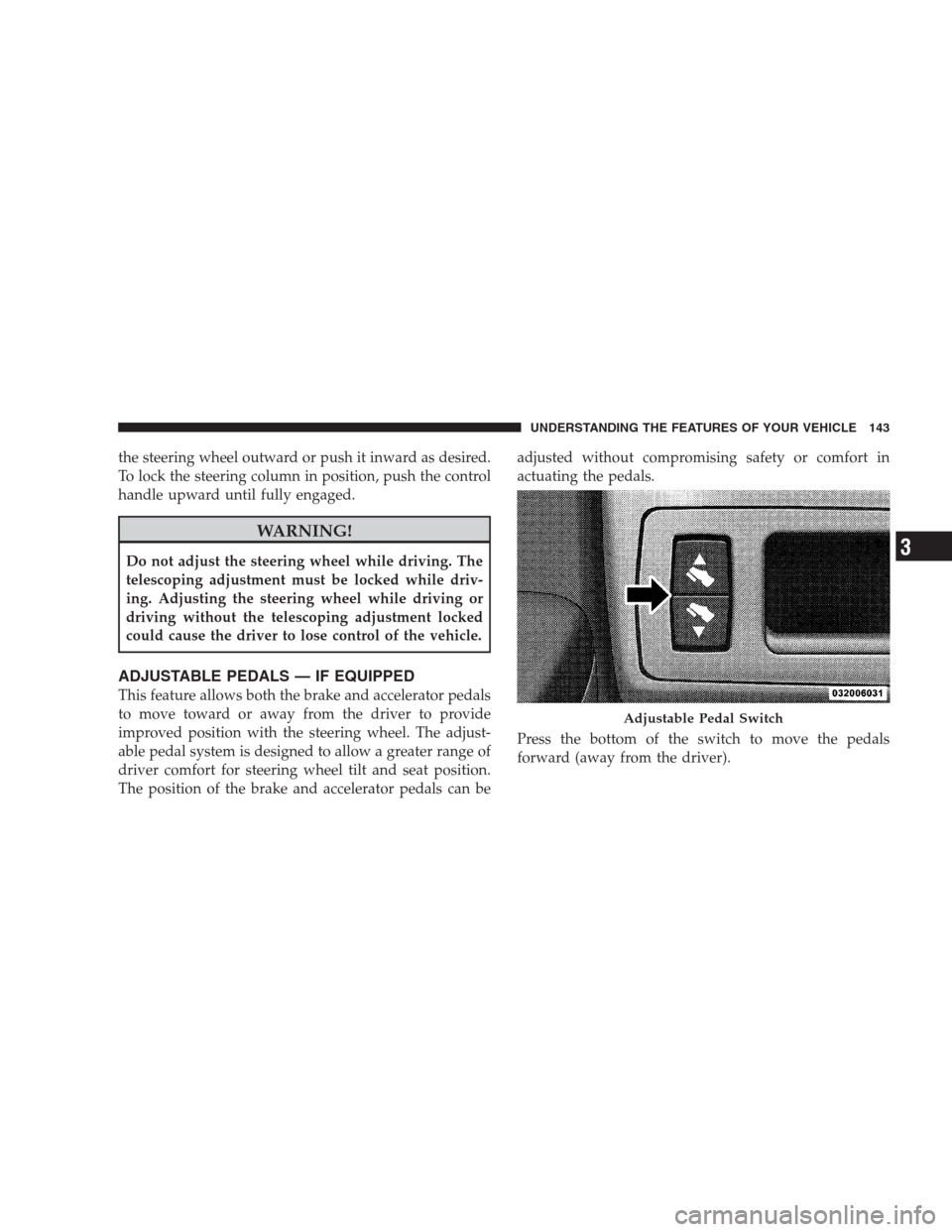
ADJUSTABLE PEDALS — IF EQUIPPED
This feature allows both the brake and accelerator pedals
to move toward or away from the driver to provide
improved position with the steering wheel. The adjust-
able pedal system is designed to allow a greater range of
driver comfort for steering wheel tilt and seat position.
The position of the brake and accelerator pedals can beadjusted without compromising safety or comfort in
actuating the pedals.
Press the bottom of the switch to move the pedals
forward (away from the driver).
Adjustable Pedal Switch
UNDERSTANDING THE FEATURES OF YOUR VEHICLE 143
3
Page 146 of 521
Press the top of the switch to move the pedals rearward
(toward the driver).
•The pedals can be adjusted with the ignition OFF.
•The pedals can be adjusted while driving.
•The pedalscannotbe adjusted when the vehicle is in
REVERSE (R) or when the Electronic Speed Control is
ON. A message will be displayed in the Electronic
Vehicle Information Center (EVIC) if the pedals are
attempted to be adjusted when the system is locked
out (“Adjustable Pedal Disabled — Cruise Control
Engaged” or “Adjustable Pedal Disabled — Vehicle In
Reverse”). Refer to Electronic Vehicle Information
Center (EVIC) in Section 4 for more information.
CAUTION!
Do not place any article under the adjustable pedal’s
or impede its ability to move as it may cause damage
to the pedal controls. Pedal travel may become lim-
ited if movement is stopped by an obstruction in the
adjustable pedal’s path.
ELECTRONIC SPEED CONTROL — IF EQUIPPED
When engaged, Electronic Speed Control takes over
accelerator operations at speeds greater than 25 mph
(40 km/h) for 3.7L, 4.7L, and 5.7L engines; and 14 mph
(23 km/h) for 3.0L diesel engines.
The Electronic Speed Control lever is located on the right
side of the steering wheel.
144 UNDERSTANDING THE FEATURES OF YOUR VEHICLE
Page 147 of 521
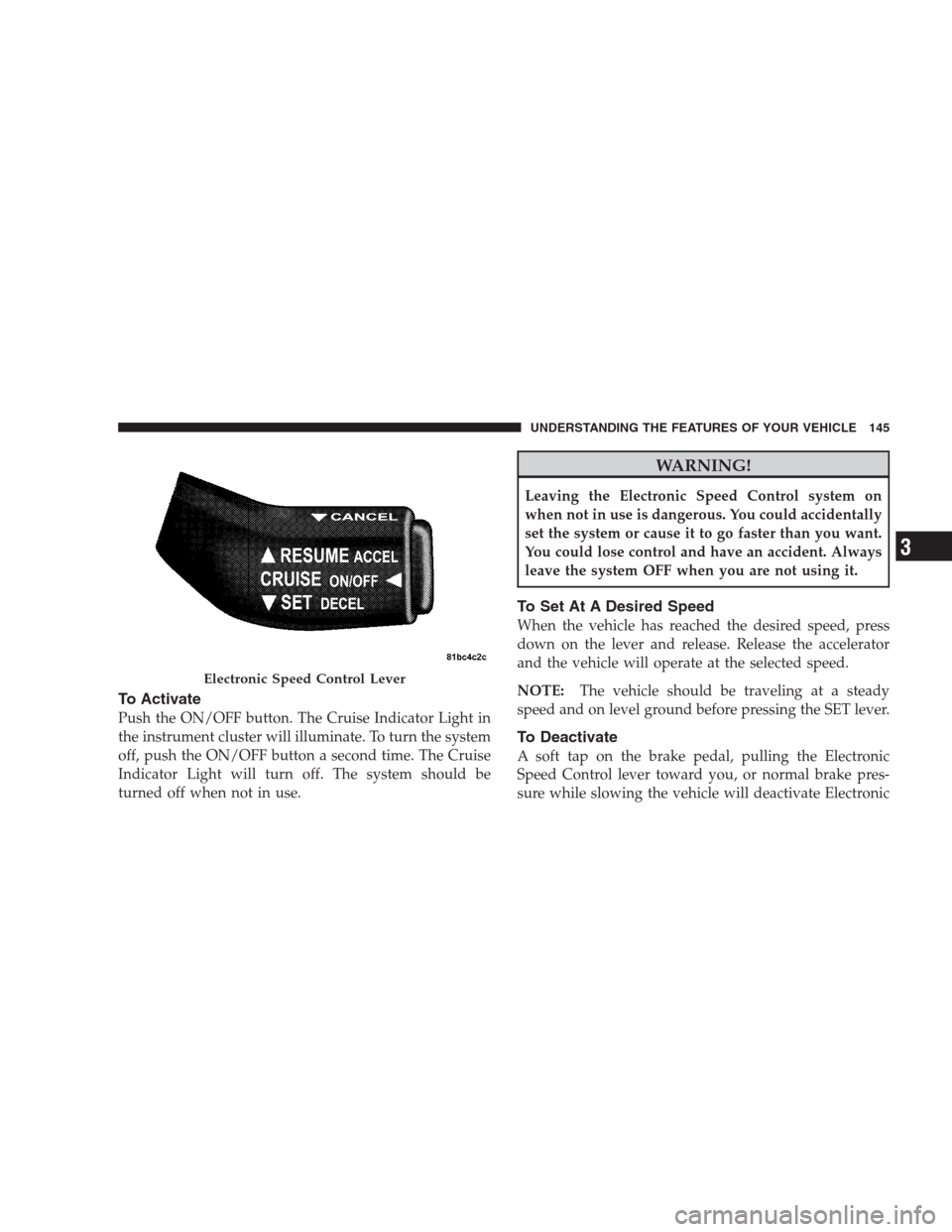
To Activate
Push the ON/OFF button. The Cruise Indicator Light in
the instrument cluster will illuminate. To turn the system
off, push the ON/OFF button a second time. The Cruise
Indicator Light will turn off. The system should be
turned off when not in use.
WARNING!
Leaving the Electronic Speed Control system on
when not in use is dangerous. You could accidentally
set the system or cause it to go faster than you want.
You could lose control and have an accident. Always
leave the system OFF when you are not using it.
To Set At A Desired Speed
When the vehicle has reached the desired speed, press
down on the lever and release. Release the accelerator
and the vehicle will operate at the selected speed.
NOTE:The vehicle should be traveling at a steady
speed and on level ground before pressing the SET lever.
To Deactivate
A soft tap on the brake pedal, pulling the Electronic
Speed Control lever toward you, or normal brake pres-
sure while slowing the vehicle will deactivate Electronic
Electronic Speed Control Lever
UNDERSTANDING THE FEATURES OF YOUR VEHICLE 145
3