2009 JAGUAR XF Def
[x] Cancel search: DefPage 56 of 391
Supplementary restraints system
56
Side and curtain airbags
To ensure that the side and curtain airbags are
fully effective:
Side and curtain airbags are designed to offer
increased protection for the torso and head in
a side impact. The curtain airbags may deflate
at a slower rate than the front or side airbags,
to afford prolonged protection.
Airbag deployment effects
WARNINGS
Do not allow passe ngers to obstruct
the operation of the airbags by
placing any part of their person, or
any objects, in contact with, or close to, an
airbag module. Airbags deploy at very high
speeds and can cause se rious injury or death
if objects or occupants are within the area of
deployment.
Do not sit too close to, lean or
sleep against the door trim. The
side and curtain airbags could
injure you as they deploy.
Do not lean out of the window.
Only use approved accessories (e.g.
seat covers).
Due to the function of the curtain
airbag deployment, consult your
Jaguar Dealer/Autho rised Repairer,
prior to installing any accessories in the upper
environment/pillar trim area (e.g. hands-free
telephone kits).
WARNINGS
When an airbag inflates, a by-product
of the gas generation may be released
as small particles. It is possible that
this may cause irritation and should be
thoroughly flushed from th e eyes and any cuts
or abrasions.
After inflation, some airbag
components are at high
temperatures. To prevent injury, do
no touch the airbag components until they
have cooled.
In order to react with sufficient speed,
airbags are deployed by a pyrotechnic
device. Consequently, airbag
deployment is accomp anied by a very loud
noise which may caus e discomfort and
temporary loss of hearing.
Page 74 of 391

Steering wheel
74
CRUISE CONTROL
1. SET - Rotate and releas e to engage cruise
control (at the vehicle's current speed).
With cruise control operating, rotate up or
down to increase or decrease the speed in
2 km/h (1 mph) steps.
2. CANCEL - Press to cancel cruise control.
The previously programmed set speed will
be retained and can be reselected by
pressing RESUME.
3. RESUME - Press to resume the previously
programmed set speed (e.g. after cruise
control has been cancelled).
4. GAP (ACC only) - Rotate up or down to
increase or decrease the time gap to the
vehicle ahead. The gap can be set to one of
four pre-defined inte rvals. The current
setting will be displayed in the message
centre.
For more information about cruise control:
See USING CRUISE CONTROL (page 156).
For more information about adaptive cruise
control (ACC): See USING ACC (page 159).
DISPLAY SHOW
NAVIGATION
The Navigation main
menu is displayed on the
touch-screen (the
navigation caution must
be accepted before the
menu is displayed).
DISPLAY ON Turns the touch-screen on.
DISPLAY OFF Turns the touch-screen off.
NOTEPAD HELP Play s information on
notepad commands.
RECORD NOTE Allows recording of a note, up to 30 seconds
long.
PLAY NOTEPAD Plays all currently stored notes.
CLEAR NOTEPAD Deletes all notes currently
stored in notepad.
Command Description
E9707923
41
Page 96 of 391
Windows and mirrors
96
Automatic folding
The mirrors can be configured to automatically
fold when the vehicle is locked and unfold
when unlocked.
Note: If the mirrors were folded using the
switches, they will not unfold when the vehicle
is unlocked.
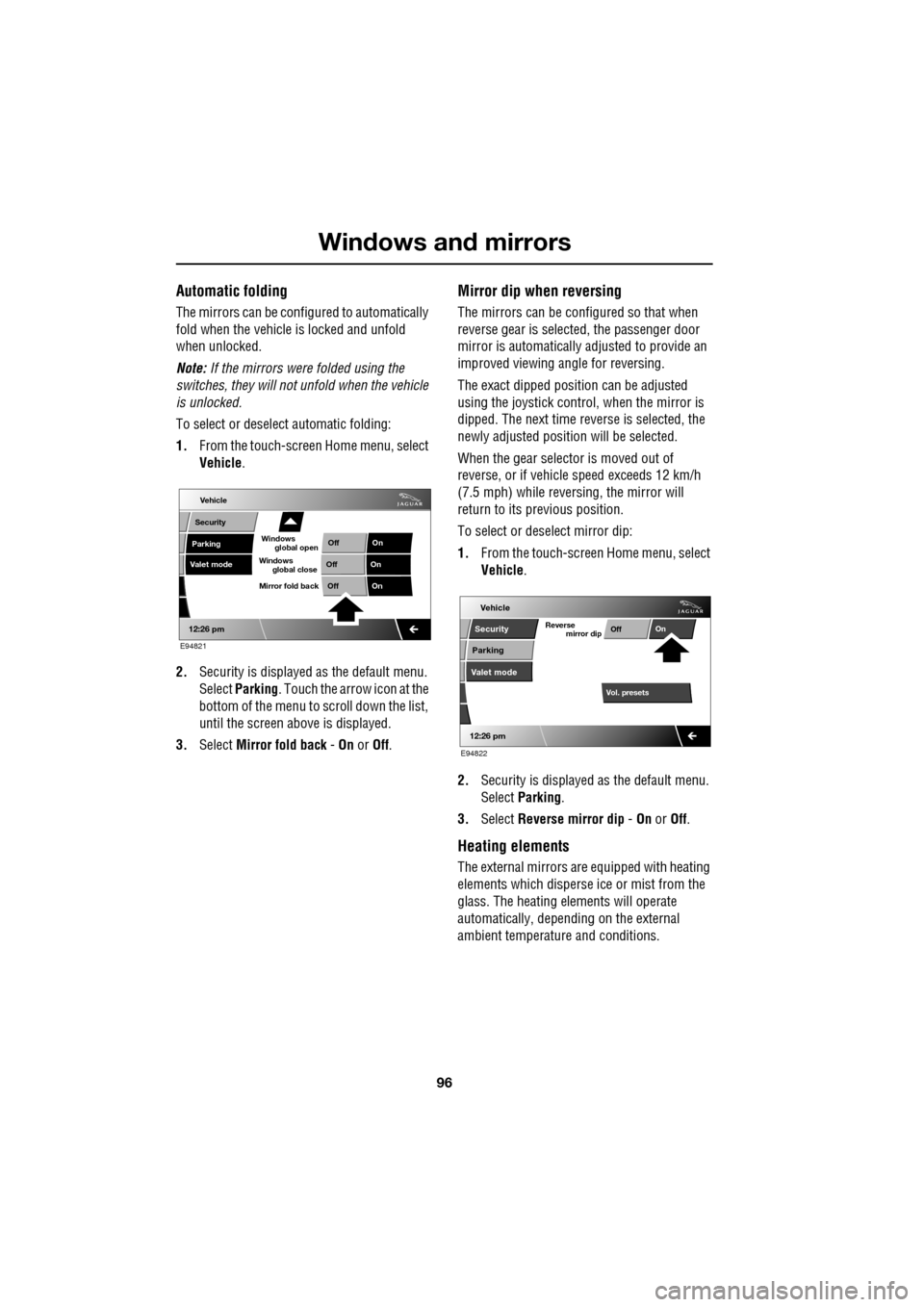
To select or deselect automatic folding:
1. From the touch-screen Home menu, select
Vehicle .
2. Security is displayed as the default menu.
Select Parking . Touch the arrow icon at the
bottom of the menu to scroll down the list,
until the screen a bove is displayed.
3. Select Mirror fold back - On or Off.
Mirror dip when reversing
The mirrors can be configured so that when
reverse gear is select ed, the passenger door
mirror is automatically adjusted to provide an
improved viewing a ngle for reversing.
The exact dipped positi on can be adjusted
using the joystick contro l, when the mirror is
dipped. The next time reverse is selected, the
newly adjusted position will be selected.
When the gear selector is moved out of
reverse, or if vehicle speed exceeds 12 km/h
(7.5 mph) while revers ing, the mirror will
return to its previous position.
To select or deselect mirror dip:
1. From the touch-screen Home menu, select
Vehicle .
2. Security is displayed as the default menu.
Select Parking .
3. Select Reverse mirror dip - On or Off.
Heating elements
The external mirrors are equipped with heating
elements which disperse ice or mist from the
glass. The heating el ements will operate
automatically, depending on the external
ambient temperatur e and conditions.
Vehicle
Valet mode
Security
Parking Off
On
Off On
12:26 pm
OffOn
Mirror fold back
E94821
global open
Windows
global close
Windows
mirror dip
Vol. presetsOff
On
Vehicle
Security
Parking
Valet mode
Reverse
12:26 pm
E94822
Page 114 of 391

Information displays
114
Timeout to home menu
The time period before the touch-screen
display reverts to the Home menu, after the last
user input, can be adjusted to suit personal
preference.
From the Home menu, select Vehicle.
1. Select Syst. settings .
2. Select Display set , then touch the + or -
buttons to increase or decrease the
timeout delay. The time out can be adjusted
from ten seconds to five minutes.
Note: An initial defa ult setting of one minute is
set if no time adjustment is made.
3. To prevent the display from reverting to
the Home menu, select Timeout to home
screen Off .
Vehicle
Trip B
Trip
auto eset
Units Distance
Av. speed
Av. fuel 532 Km
42 Km/h
12.3 L/100km
353 Km
RangeClock adjust
Cont./Bright. Trip computer
Syst. settings Veh. settings
Trip A
12 : 26 pm
E95075
1
Vehicle
Display set.
Pr
But io
Vol. presets
12 : 26 PM
50 seconds
OnOff
Screensaver
Timeout to home
setting
screen
W
E95076
32
Page 116 of 391

Climate control
116
AUTOMATIC CLIMATE CONTROL
Automatic climate control provides efficient
regulation of the vehicle environment, without
constant adjustments from the occupant.
Sensors inside the vehicle monitor
temperature, humidity an d direct sunlight. The
electronic control system automatically adjusts
the heat input, blower speed, air intake and
airflow distribution, to maintain the selected
temperature(s) and re duce misting. The air
conditioning system al so incorporates a
pollen/odour filter, to further increase the
comfort of the vehicle environment.
Automatic operation provides optimum
comfort under most driving conditions. It is recommended that automatic control
(AUTO) is selected as the normal operating
mode.
Automatic control can be overridden at any
time.
Controls
1.
Touch-screen display.
2. Left-hand temperature control.
3. Right-hand temperature control.
4. Blower speed, rotate to change blower
speed. Press to turn the climate control
system on/off.
5. AUTO mode, press to select fully
automatic operation. 6.
Recirculation, press to switch on/off.
7. Heated rear screen, press to switch on/off.
8. Heated front screen, press to switch
on/off.
9. Defrost program, press to switch on/off.
Settings
Temp sync External12CAuto19 21C5 CAuto
A/C5
Climate
12 26 pmAutoOFF
Auto
E95086
1
4
65789
23
Page 117 of 391

117
Climate control
Temperature controls
Separate controls allow the driver
and front passenger zone
temperatures to be independently
adjusted. Press the upper (red)
button to increase temperature and the lower
(blue) button to decrease temperature.
Both driver and passenger temperatures are
displayed on the touch-screen.
Selecting the maximum or minimum
temperature settings for the driver temperature
zone, causes the disp lay to change to HI or LO
respectively. This cancels AUTO mode.
To quickly change from HI or LO to a
convenient mid-rang e temperature of 22°C
(72°F), press and hold AUTO for a few
seconds.
Note: The maximum possible temperature
differential between the driver and passenger
settings is 3°C (5.4°F)
Windscreen defrost and demist
To remove frost or heavy misting
from the windscreen, press the DEF
button. The following functions will
activate:
• The blower switches on at a high speed
(blower speed can be adjusted manually to
suit).
• The air conditioni ng activates (to
dehumidify the air) and cannot be switched
off.
• Recirculation is canc elled and cannot be
selected.
• The front and rear screen heaters switch
on automatically (if th e engine is running).
To deselect, press the DEF button again or
press AUTO .
Heated screens
The front (F) and rear ( R)
screen heaters, may be
switched on and off in
any mode, including with
the climate control system off. However, they
will only operate when the engine is running.
The front screen heater switches off
automatically after 5 minutes. The rear screen
heater switches off automatically after 21
minutes.
The screen heaters can be manually deselected
using the push buttons.
In cold ambient conditions, the front and rear
screen heaters will switch on automatically for
the timed period when the engine is started.
The front and rear screen heaters will
automatically come on at temperatures below
5°C (41°F).
Auto mode
Automatic operation utilises
the air conditioning and other
climate controls , to provide a
controlled environment over a
temperature range of 16°C to 28°C (59°F to
83°F) and should be rega rded as the normal
operating mode.
To select automatic climate control press the
AUTO button.
Select the required temperature.
Front and rear screen heating and timed air
recirculation may be se lected in AUTO mode,
but selecting any othe r manual control will
cancel AUTO operation.
To resume fully automatic operation at any
time, press the AUTO button.
Page 118 of 391
Climate control
118
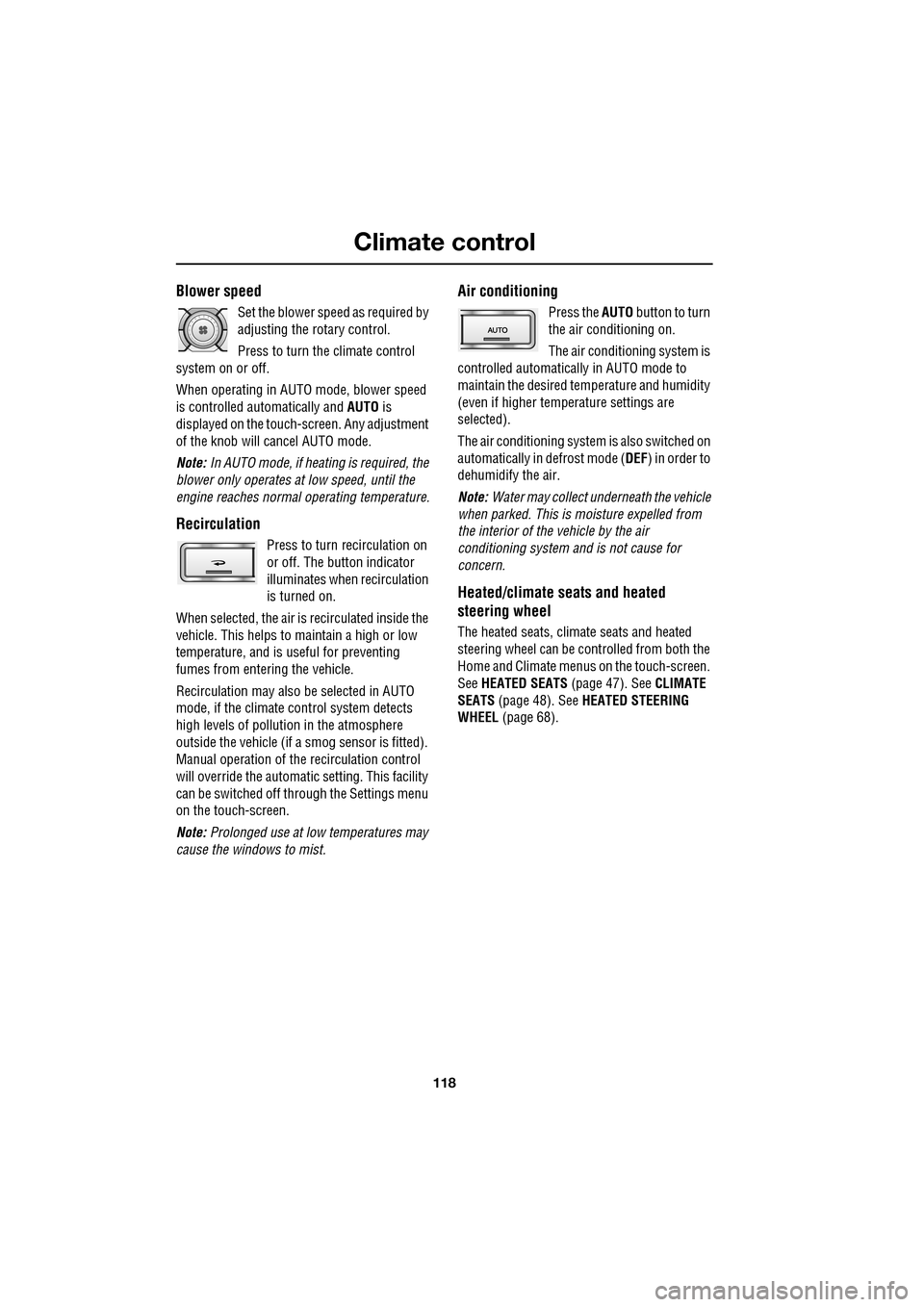
Blower speed
Set the blower speed as required by
adjusting the rotary control.
Press to turn the climate control
system on or off.
When operating in AUTO mode, blower speed
is controlled au tomatically and AUTO is
displayed on the touch-screen. Any adjustment
of the knob will cancel AUTO mode.
Note: In AUTO mode, if heating is required, the
blower only operates at low speed, until the
engine reaches normal operating temperature.
Recirculation
Press to turn recirculation on
or off. The button indicator
illuminates when recirculation
is turned on.
When selected, the air is recirculated inside the
vehicle. This helps to ma intain a high or low
temperature, and is useful for preventing
fumes from entering the vehicle.
Recirculation may also be selected in AUTO
mode, if the climate control system detects
high levels of pollution in the atmosphere
outside the vehicle (if a smog sensor is fitted).
Manual operation of the recirculation control
will override the automatic setting. This facility
can be switched off through the Settings menu
on the touch-screen.
Note: Prolonged use at low temperatures may
cause the windows to mist.
Air conditioning
Press the AUTO button to turn
the air conditioning on.
The air conditioning system is
controlled automatically in AUTO mode to
maintain the desired temperature and humidity
(even if higher temperature settings are
selected).
The air conditioning system is also switched on
automatically in defrost mode ( DEF) in order to
dehumidify the air.
Note: Water may collect unde rneath the vehicle
when parked. This is moisture expelled from
the interior of the vehicle by the air
conditioning system a nd is not cause for
concern.
Heated/climate seats and heated
steering wheel
The heated seats, climate seats and heated
steering wheel can be controlled from both the
Home and Climate menus on the touch-screen.
See HEATED SEATS (page 47). See CLIMATE
SEATS (page 48). See HEATED STEERING
WHEEL (page 68).
Page 160 of 391
Adaptive cruise control (ACC)
160
Setting the speed
Accelerate as normal until the required speed is
reached.
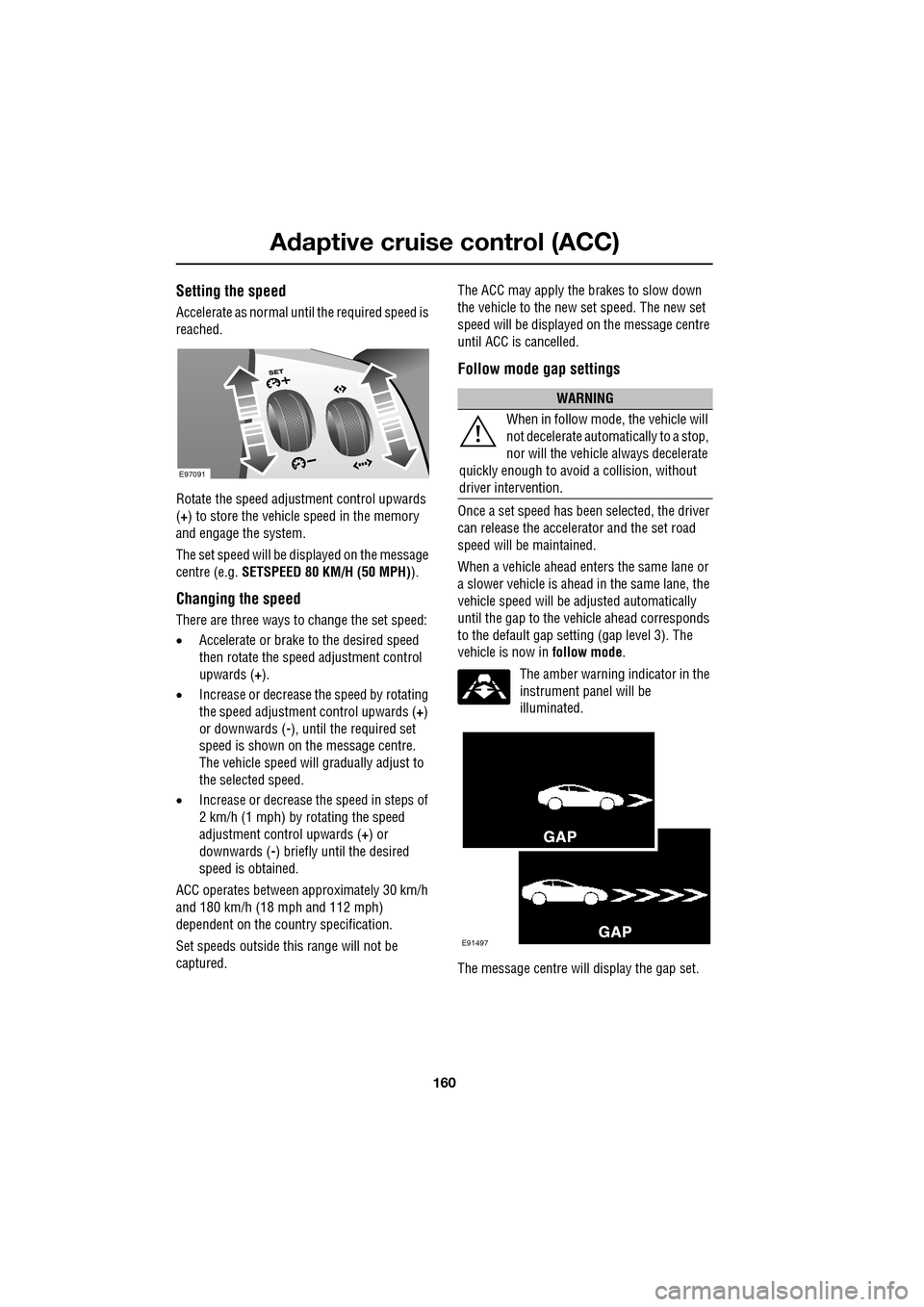
Rotate the speed adjustment control upwards
(+) to store the vehicle speed in the memory
and engage the system.
The set speed will be displayed on the message
centre (e.g. SETSPEED 80 KM/H (50 MPH) ).
Changing the speed
There are three ways to change the set speed:
•Accelerate or brake to the desired speed
then rotate the speed adjustment control
upwards ( +).
• Increase or decrease the speed by rotating
the speed adjustment control upwards ( +)
or downwards ( -), until the required set
speed is shown on the message centre.
The vehicle speed will gradually adjust to
the selected speed.
• Increase or decrease the speed in steps of
2 km/h (1 mph) by rotating the speed
adjustment control upwards (+) or
downwards ( -) briefly until the desired
speed is obtained.
ACC operates between approximately 30 km/h
and 180 km/h (18 mph and 112 mph)
dependent on the c ountry specification.
Set speeds outside th is range will not be
captured. The ACC may apply the brakes to slow down
the vehicle to the new set speed. The new set
speed will be displayed on the message centre
until ACC is cancelled.
Follow mode gap settings
Once a set speed has been selected, the driver
can release the accelerator and the set road
speed will be maintained.
When a vehicle ahead enters the same lane or
a slower vehicle is ahead in the same lane, the
vehicle speed will be adjusted automatically
until the gap to the vehicle ahead corresponds
to the default gap setting (gap level 3). The
vehicle is now in
follow mode.
The amber warning indicator in the
instrument panel will be
illuminated.
The message centre will display the gap set.
E97091
WARNING
When in follow mode, the vehicle will
not decelerate automatically to a stop,
nor will the vehicle always decelerate
quickly enough to avoid a collision, without
driver intervention.
E91497