Page 188 of 532
Doing any of the f ollowing af ter
pressing the MEMO button will
cancel the storing procedure.Not press a memory button within
5 seconds.
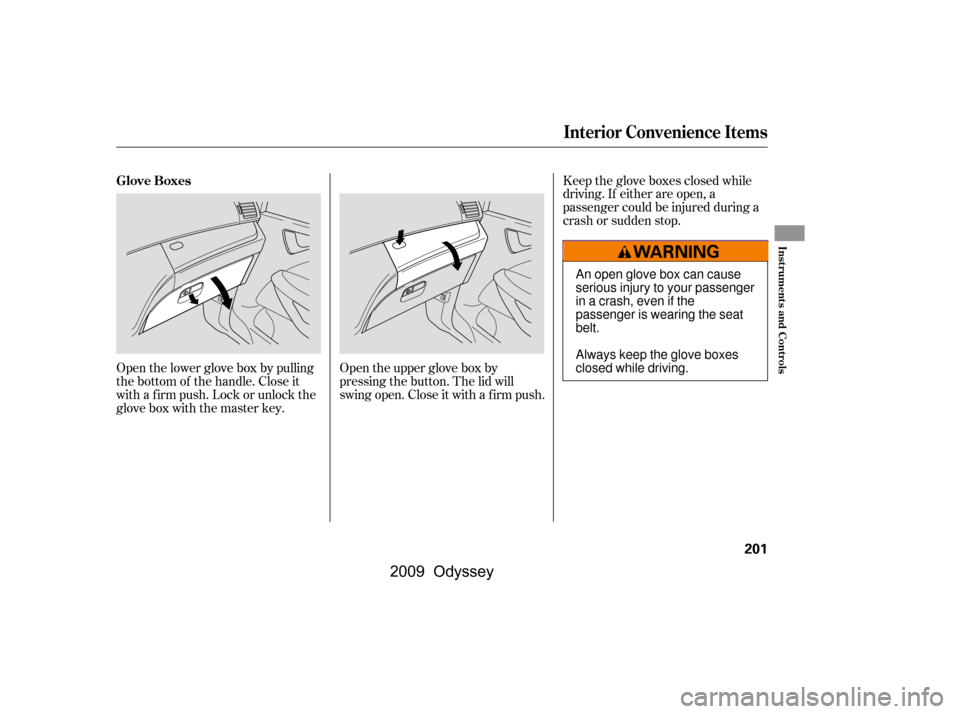
To select a memorized position, do
this:
Pressing the MEMO button again
within 5 seconds.
Press the desired memory button
(1 or 2) until you hear a beep.
Readjust the seat position.
Readjusting the outside mirror
position.
All stored driving positions will be
lost if your vehicle’s battery goes
dead or is disconnected.
Each memory button stores only one
driving position. Storing a new
position erases the previous setting
stored in that button’s memory. If
you want to add a new position while
retaining the current one, use the
other memory button. The system will move the seat and
outside mirrors to the memorized
positions. The indicator in theselected memory button will f lash
during movement. When the
adjustments are complete, you will
hear two beeps, and the indicator will
remain on.
To stop the system’s automatic
adjustment, do any of these actions:
Press any button on the driver’s
door: MEMO, memory button 1 or
2.
Push any of the adjustment
switches f or the seat.
Shif t out of Park.
Adjust the outside mirrors.
If desired, you can use the
adjustment switches to change the
positions of the seat or outside
mirrors af ter they are in their
memorized positions. If you change
the memorized position, the
indicator in the memory button will
go out. To keep this driving position
f or later use, you must store it in the
driving position memory.
Make sure the shif t lever is in the
Park (P) position.
1.
2.
Selecting a Memorized Position
Driving Position Memory System
Inst rument s and Cont rols
185
MEMORY BUTTONS
�\f���—�\f���—���
�y�
�
�������\f���y���
�(���������\f�y�\f�
���\f�y
2009 Odyssey
Page 189 of 532
�µ
�µ
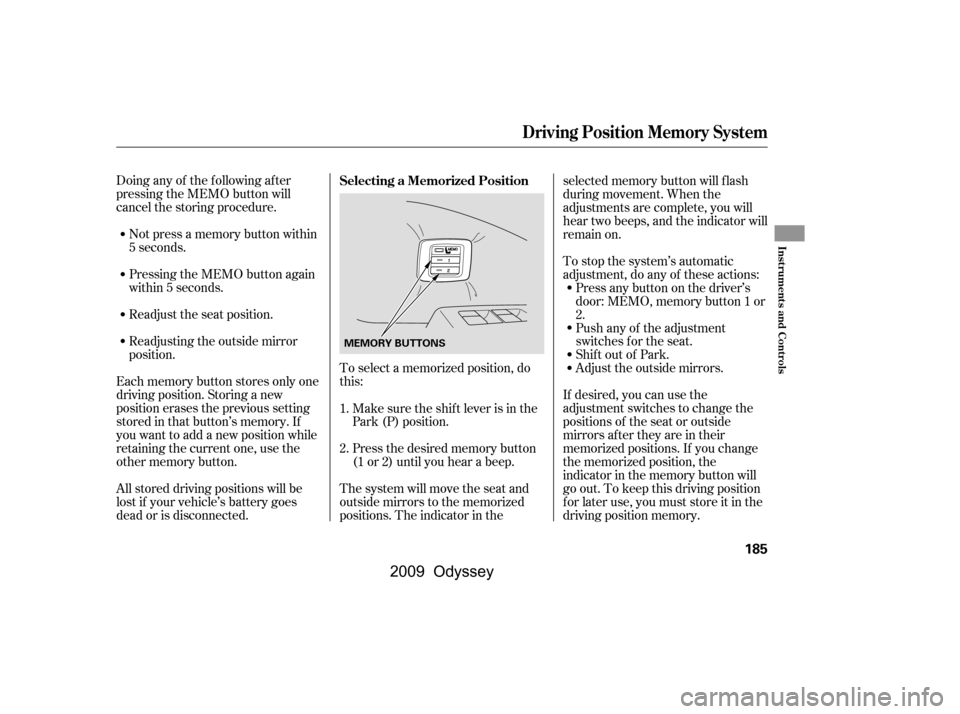
The windows will operate f or up to
10 minutes af ter you turn of f the
ignition switch. Opening either f ront
door cancels this f unction.
To open/close the driver’s
window, push the window switch
f irmly down or up to the second
detent, and release it. The window
will automatically go up or down all
the way. To stop the window, pull/
push on the window switch brief ly.
If the MAIN switch is OFF, the
passenger windows cannot be raised
or lowered. Keep the MAIN switch
off whenyouhavechildreninthe
vehicle so they do not injure
themselves by operating the
windows unintentionally.
If the driver’s
window senses any obstacle while it
is closing automatically, it will
reverse direction, and then stop. To
close the window, remove the
obstacle, then use the window switch
again.
Turn the ignition switch to the ON
(II) position to raise or lower any
window. To open the window, push
the switch down to the f irst detent
andholdit.Releasetheswitchwhen
you want the window to stop. Pull
back on the switch and hold it to
close the window.
Auto reverse stops sensing when the
window is almost closed. You should
always check that all passengers and
objects are away from the window
bef ore closing it.
Only on the driver’s window,
the auto reverse f unction is disabled
when you continuously pull up the
switch.
AUTO
AUTO REVERSE
Power Windows
186
NOTE:
MAIN SWITCHDRIVER’S WINDOW SWITCH
Closing a power window on
someone’s hands or fingers can
cause serious injury.
Make sure your passengers are
away from the windows before
closing them.
�����—�����—���
�y�
�
�������
���y���
�(�����������y���
���
�y
2009 Odyssey
Page 190 of 532
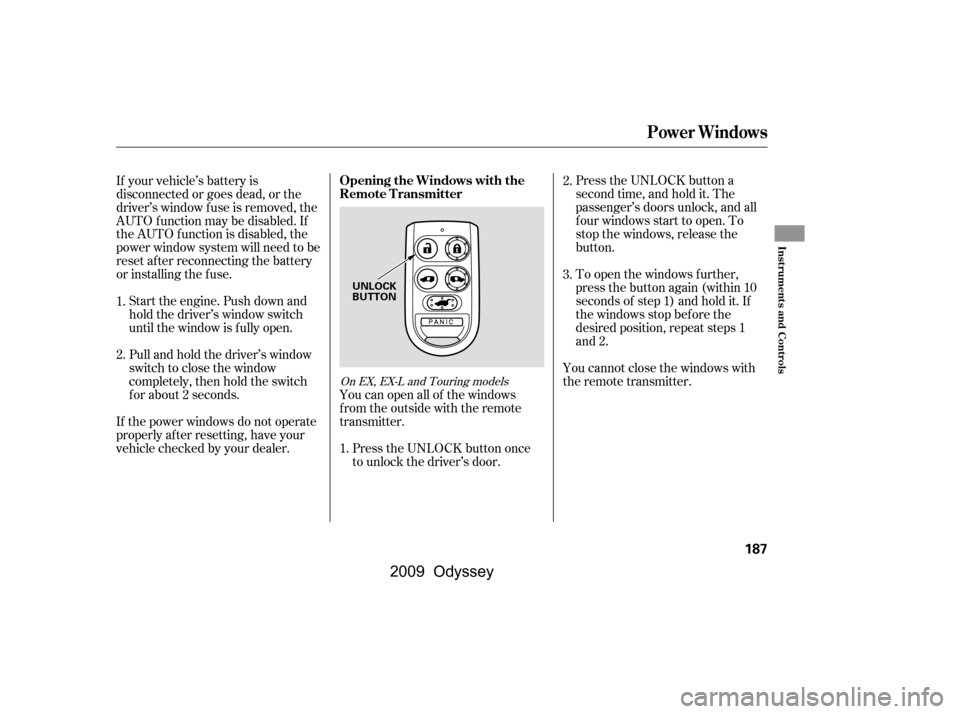
Press the UNLOCK button a
second time, and hold it. The
passenger’s doors unlock, and all
f our windows start to open. To
stop the windows, release the
button.
To open the windows f urther,
press the button again (within 10
seconds of step 1) and hold it. If
the windows stop bef ore the
desired position, repeat steps 1
and 2.
If your vehicle’s battery is
disconnected or goes dead, or the
driver’s window f use is removed, the
AUTO f unction may be disabled. If
the AUTO f unction is disabled, the
power window system will need to be
reset af ter reconnecting the battery
or installing the f use.
If the power windows do not operate
properly af ter resetting, have your
vehicle checked by your dealer.
Pull and hold the driver’s window
switch to close the window
completely, then hold the switch
f or about 2 seconds.
Start the engine. Push down and
hold the driver’s window switch
until the window is f ully open.
You cannot close the windows with
the remote transmitter.
You can open all of the windows
from the outside with the remote
transmitter.
Press the UNLOCK button once
to unlock the driver’s door.
1.
2.
3.
1. 2.
On EX, EX-L and Touring models
Opening the Windows with the
Remote Transmitter
Power Windows
Inst rument s and Cont rols
187
UNLOCK
BUTTON
�\f���—�\f���—���
�y�
�
�����������y���
�(���������\f�y�\f�
�����y
2009 Odyssey
Page 191 of 532
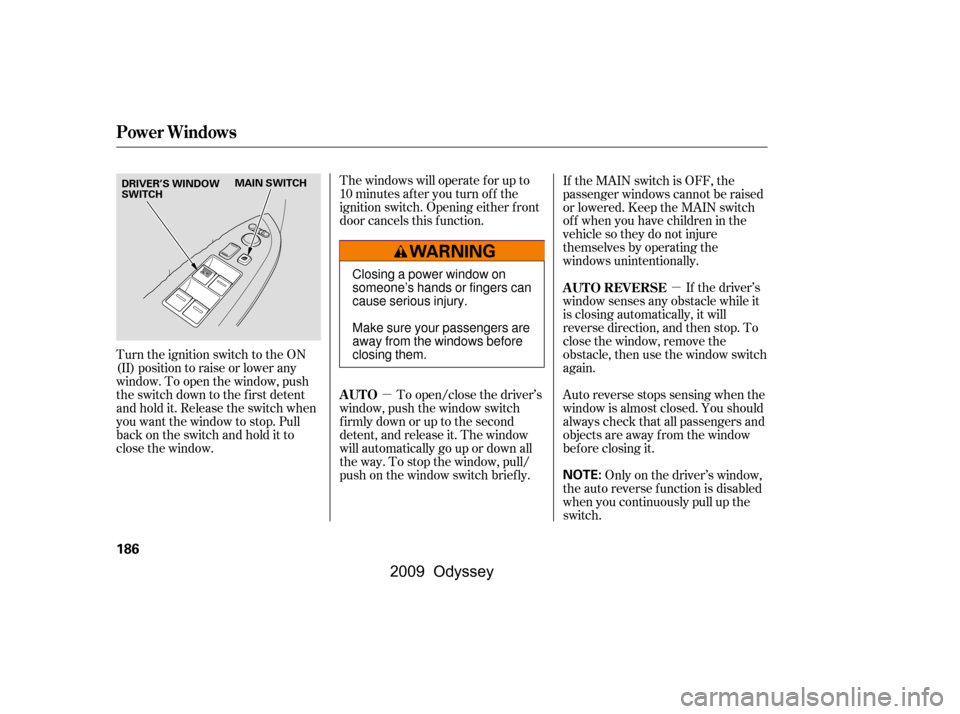
Turnthekeyclockwiseagain,and
hold it. All f our windows start to
open. To stop the windows,
release the key.
To close: Insert the key in the driver’s door
lock.
Turn the key counterclockwise,
then release it.
Turn the key counterclockwise
again, and hold it. All four
windowsstarttoclose.Tostopthe
windows, release the key.
To open the windows further, turn
andholdthekeyagain(within
10 seconds of step 2).
To close the windows further, turn
andholdthekeyagain(within
10 seconds of step 2). If the windows stop bef ore
the desired position, repeat steps 2
and 3.
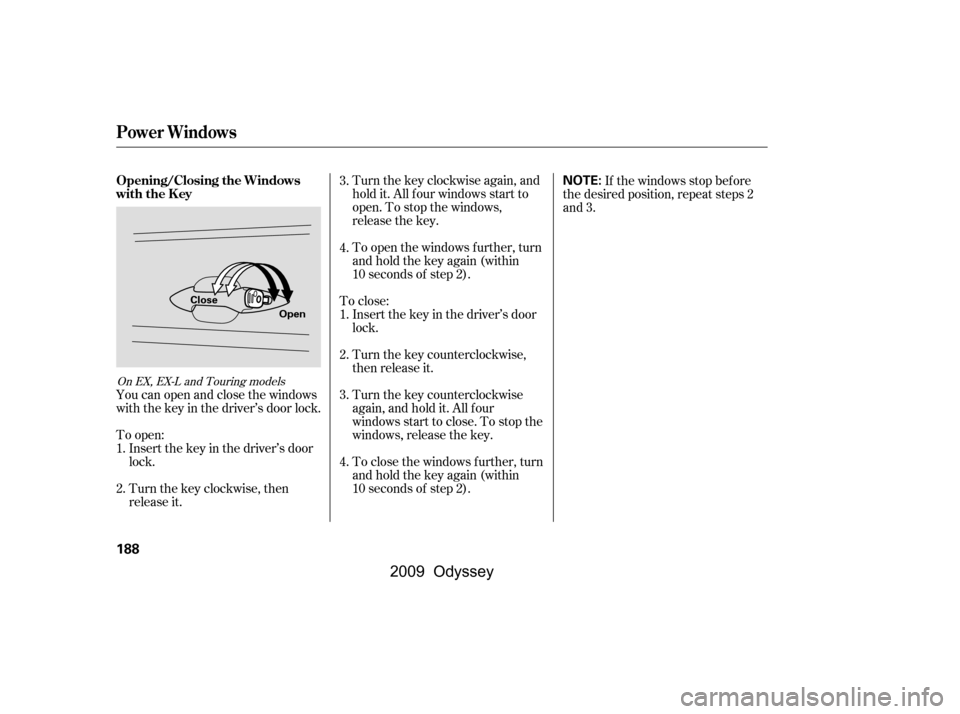
You can open and close the windows
with the key in the driver’s door lock.
To open: Insert the key in the driver’s door
lock.
Turn the key clockwise, then
release it. 1.
2.
3.
4.
1.
2. 3.
4.
On EX, EX-L and Touring models
Opening/Closing the Windows
with the Key
Power Windows
188
NOTE:
Open
Close
�\f���—�\f���—���
�y�
�
�����������y���
�(���������\f�y�\f�
�����y
2009 Odyssey
Page 203 of 532
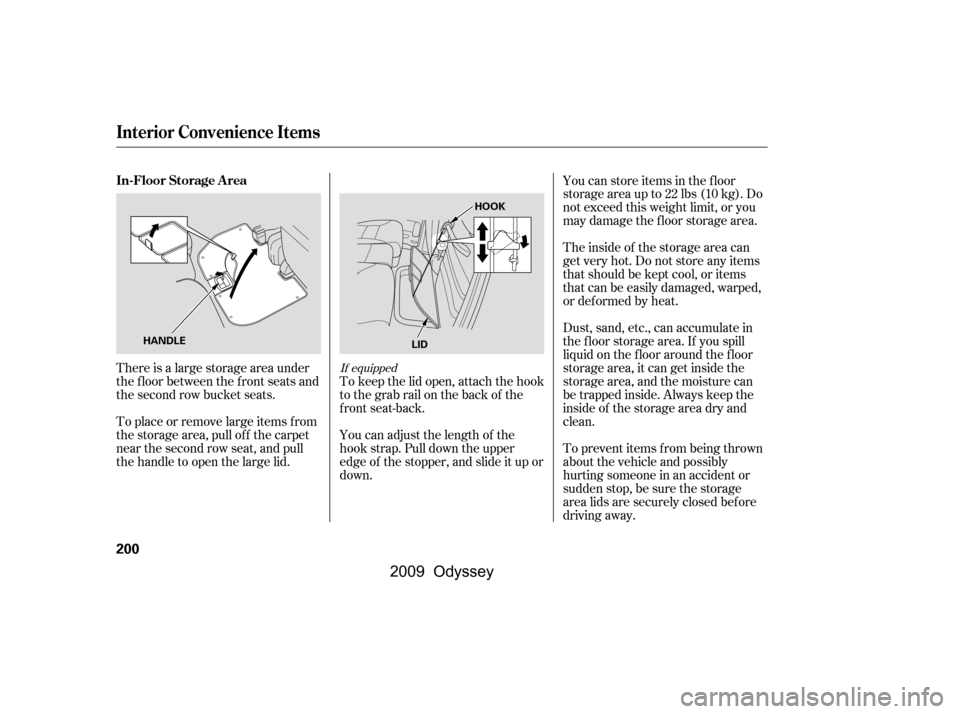
There is a large storage area under
the floor between the front seats and
the second row bucket seats.
To place or remove large items f rom
the storage area, pull off the carpet
near the second row seat, and pull
thehandletoopenthelargelid.You can store items in the f loor
storageareaupto22lbs(10kg).Do
not exceed this weight limit, or you
may damage the floor storage area.
Theinsideof thestorageareacan
get very hot. Do not store any items
that should be kept cool, or items
that can be easily damaged, warped,
or def ormed by heat.
Dust, sand, etc., can accumulate in
the f loor storage area. If you spill
liquid on the f loor around the f loor
storage area, it can get inside the
storage area, and the moisture can
be trapped inside. Always keep the
inside of the storage area dry and
clean.
To prevent items f rom being thrown
about the vehicle and possibly
hurting someone in an accident or
sudden stop, be sure the storage
area lids are securely closed bef ore
driving away.
You can adjust the length of the
hook strap. Pull down the upper
edge of the stopper, and slide it up or
down.
To keep the lid open, attach the hook
to the grab rail on the back of the
f ront seat-back.If equipped
In-Floor Storage A rea
Interior Convenience Items
200
HANDLE HOOK
LID
�\f���—�\f���—���
�y�
�
����
��\f�\f�y���
�(���������\f�y�\f���\f���y
2009 Odyssey
Page 204 of 532
Open the lower glove box by pulling
the bottom of the handle. Close it
with a f irm push. Lock or unlock the
glove box with the master key.
Open the upper glove box by
pressing the button. The lid will
swing open. Close it with a f irm push.
Keep the glove boxes closed while
driving. If either are open, a
passenger could be injured during a
crash or sudden stop.
Glove Boxes
Interior Convenience Items
Inst rument s and Cont rols
201
An open glove box can cause
serious injury to your passenger
inacrash,evenifthe
passenger is wearing the seat
belt.
Always keep the glove boxes
closed while driving.
�����—�����—���
�y�
�
����
������y���
�(�����������y���������y
2009 Odyssey
Page 207 of 532
The maximum capacity f or this
power outlet is 115 volt AC at 100
watts or less. If you use an appliance
which requires more than 100 watts,
it automatically stops supplying the
power. If this happens, turn the
ignition switch of f and turn it on
again.The AC power outlet is not
designed f or electric appliances
which require high initial peak
wattage such as cathode-ray tube
type televisions, ref rigerators,
electric pumps, etc. It is also not
suitable f or devices that process
precise data such as medical
equipment or measuring instruments.
Any appliances that require an
extremely stable power supply such
as microcomputer-controlled electric
blankets, touch sensor lamps, etc.,
should not be connected to this
outlet.
Interior Convenience Items
204
NOTE:
�\f���—�\f���—���
�y�
�
����
������y���
�(���������\f�y�\f���\f���y
2009 Odyssey
Page 226 of 532

�µ
�µ
�µ �´�µ
The ignition switch must be in the
ACCESSORY (I) or ON (II) position.
Turn the system on by pushing the
PWR/VOL knob. Adjust the volume
by turning the same knob.
The band and f requency that the
radio was last tuned to are displayed.
To change bands, press the AM or
FM button. On the FM band, ST will
be displayed if the station is
broadcasting in stereo. Stereo
reproduction in AM is not available.
On the AM band, AM noise
reduction turns on automatically. The scan f unction samples
all stations with strong signals on the
selected band. To activate it, press
the SCAN button, then release it.
You will see SCAN in the display.
The system will scan f or a station
with a strong signal. When it f inds
one, it will stop and play that station
f or about 10 seconds.
If you do nothing, the system will
scan f or the next strong station and
play it f or 10 seconds. When it plays
a station that you want to listen to,
press the SCAN button again.
Use the TUNE knob to
tune the radio to a desired f requency.
Turn the knob right to tune to a
higher f requency, or lef t to tune to a
lower f requency.
The SEEK f unction
searches up and down from the
current f requency to f ind a station
with a strong signal. To activate it
press the or side of the bar,
then release it.
You can use any of f ive methods to
f ind radio stations on the selected
band: tune, seek, scan, the preset
buttons, and auto select.
CONT INUED
To Play the AM/FM Radio SCAN
To Select a Station
TUNE
SEEK
Playing the AM/FM Radio (LX and Canadian DX models)
Features
223
�\f���—�\f���—���
�y�
�
�������
���y���
�(���������\f�y�\f�������y
2009 Odyssey