2009 GMC ACADIA air condition
[x] Cancel search: air conditionPage 151 of 420

Rear Air Conditioning and Heating System
A. Fan Control
B. Temperature Control
C. Air Delivery Mode Control
For vehicles with the rear climate
control system, the controls are
located on the rear of the center
console. The system can also
be controlled with the front controls.
Press the REAR button on the
front climate control system to turn
the rear climate control system
on or off.An indicator comes on when the
rear system is on. The system also
turns on if any of the rear controls
are adjusted.
Mimic Mode:
This mode matches
the rear climate control to the front
climate control settings. It comes on
when REAR is pressed.
Independent Mode: This mode
directs rear seating airow according
to the settings of the rear controls.
It comes on when any rear
control is adjusted. Fan Control:
Turn clockwise or
counterclockwise to increase
or decrease the fan speed.
Turn the knob to
9to turn the
fan off.
Temperature Control: Turn
clockwise or counterclockwise to
increase or decrease the airow
temperature.
Air Delivery Mode Control:
Turn to the desired mode to change
the airow direction.
H(Vent): Air is directed through
the overhead outlets.
)(Bi-Level): Air is directed
through the rear oor outlets, as
well as the overhead outlets.
6(Floor): Air is directed through
the oor outlets. The rear system
oor outlets are located under
the third row seats.
Instrument Panel 3-31
Page 152 of 420

Rear Air Conditioning and Heating System and
Electronic Climate Controls
A. Fan Control
B. Air Delivery Mode Control
C. Temperature Control
For vehicles with the rear climate
control system, the controls are
located on the rear of the center
console.Press the REAR button on the front
climate control system to turn the
rear climate control system on or off.
The system also turns on if any of
the rear controls, except for the
Care pressed. An indicator comes
on when the rear system is on.
The system can also be turned off,
by pressing and holding the
Cbutton. Mimic Mode:
This mode matches
the rear climate control to the
front climate control settings.
It comes on when REAR is pressed.
Independent Mode: This mode
directs rear seating airow according
to the settings of the rear controls.
It comes on when any rear control
is adjusted.
DC(Fan Control): Press the fan
up or down buttons to increase
or decrease the fan speed.
Temperature Control: Press
+or− to increase or decrease
the air temperature. The
temperature settings will display in
0-12 increments, going from the
coolest (0) to the warmest (12)
setting.
N(Air Delivery Mode Control):
Press to manually change the
direction of the airow. Repeatedly
press the button until the desired
mode appears on the display.
Rear Climate Control with Rear Seat Audio Controls
3-32 Instrument Panel
Page 157 of 420

vehicle from a distance, if equipped,
you may not see the system
check. Then, after several more
seconds, the status indicator
will light either ON or OFF, or either
the on or off symbol to let you
know the status of the right front
passenger frontal airbag.
If the word ON or the on symbol is
lit on the passenger airbag status
indicator, it means that the right front
passenger frontal airbag is enabled
(may inate).
If the word OFF or the off symbol is
lit on the passenger airbag status
indicator, it means that the
passenger sensing system has
turned off the right front passenger
frontal airbag.
If, after several seconds, both status
indicator lights remain on, or if
there are no lights at all, there may
be a problem with the lights or
the passenger sensing system.
See your dealer/retailer for service.{CAUTION
If the airbag readiness light ever
comes on and stays on, it means
that something may be wrong with
the airbag system. To help avoid
injury to yourself or others, have
the vehicle serviced right away.
SeeAirbag Readiness Light on
page 3-36for more information,
including important safety
information.
Charging System Light
The charging system light comes on
briey when the ignition is turned
on, but the engine is not running,
as a check to show the light is
working. It should go out when the
engine is started.If the light stays on, or comes on
while driving, there may be a
problem with the electrical charging
system. Have it checked by your
dealer/retailer. Driving while this light
is on could drain the battery.
When this light comes on, the Driver
Information Center (DIC) will also
display the SERVICE BATTERY
CHARGING SYSTEM message.
SeeDIC Warnings and Messages
on page 3-56for more information.
If a short distance must be driven
with the light on, be sure to turn off
all accessories, such as the radio
and air conditioner.
Instrument Panel 3-37
Page 162 of 420
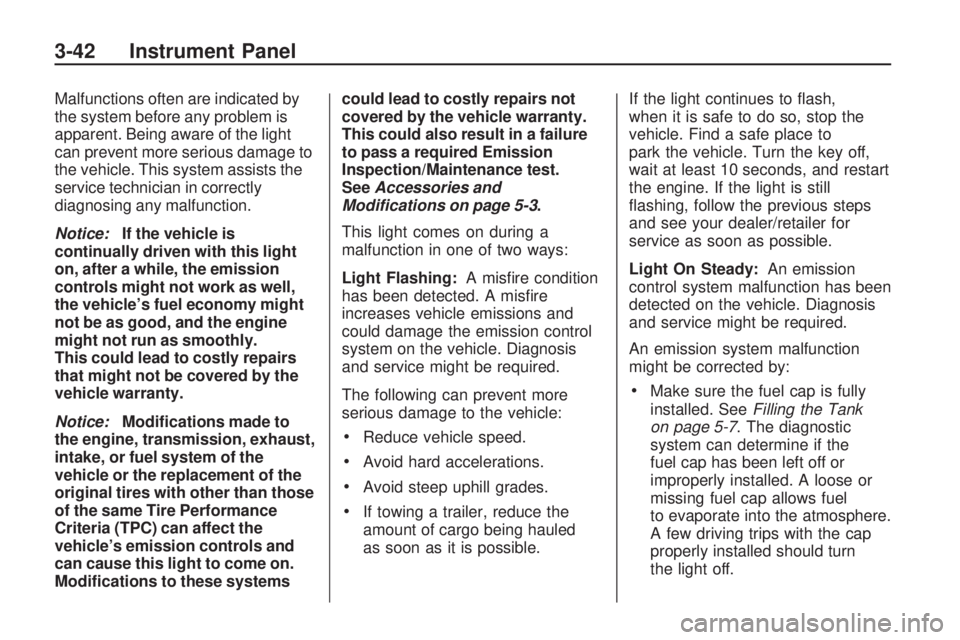
Malfunctions often are indicated by
the system before any problem is
apparent. Being aware of the light
can prevent more serious damage to
the vehicle. This system assists the
service technician in correctly
diagnosing any malfunction.
Notice:If the vehicle is
continually driven with this light
on, after a while, the emission
controls might not work as well,
the vehicle’s fuel economy might
not be as good, and the engine
might not run as smoothly.
This could lead to costly repairs
that might not be covered by the
vehicle warranty.
Notice:Modications made to
the engine, transmission, exhaust,
intake, or fuel system of the
vehicle or the replacement of the
original tires with other than those
of the same Tire Performance
Criteria (TPC) can affect the
vehicle’s emission controls and
can cause this light to come on.
Modications to these systemscould lead to costly repairs not
covered by the vehicle warranty.
This could also result in a failure
to pass a required Emission
Inspection/Maintenance test.
SeeAccessories and
Modifications on page 5-3.
This light comes on during a
malfunction in one of two ways:
Light Flashing:A misre condition
has been detected. A misre
increases vehicle emissions and
could damage the emission control
system on the vehicle. Diagnosis
and service might be required.
The following can prevent more
serious damage to the vehicle:
Reduce vehicle speed.
Avoid hard accelerations.
Avoid steep uphill grades.
If towing a trailer, reduce the
amount of cargo being hauled
as soon as it is possible.If the light continues to ash,
when it is safe to do so, stop the
vehicle. Find a safe place to
park the vehicle. Turn the key off,
wait at least 10 seconds, and restart
the engine. If the light is still
ashing, follow the previous steps
and see your dealer/retailer for
service as soon as possible.
Light On Steady:An emission
control system malfunction has been
detected on the vehicle. Diagnosis
and service might be required.
An emission system malfunction
might be corrected by:
Make sure the fuel cap is fully
installed. SeeFilling the Tank
on page 5-7. The diagnostic
system can determine if the
fuel cap has been left off or
improperly installed. A loose or
missing fuel cap allows fuel
to evaporate into the atmosphere.
A few driving trips with the cap
properly installed should turn
the light off.
3-42 Instrument Panel
Page 177 of 420

Turn off all unnecessary accessories
to allow the battery to recharge.
The normal battery voltage range is
11.5 to 15.5 volts.
CHANGE ENGINE OIL SOON
This message displays when
the engine oil needs to be changed.
When you change the engine oil,
be sure to reset the CHANGE
ENGINE OIL SOON message.
SeeEngine Oil Life System
on page 5-13for information on how
to reset the message. SeeEngine
Oil on page 5-11andScheduled
Maintenance on page 6-3for more
information.
CHECK TIRE PRESSURE
On vehicles with the Tire Pressure
Monitor System (TPMS), this
message displays when the
pressure in one or more of the
vehicle’s tires needs to be checked.
This message also displays LEFT
FRONT, RIGHT FRONT, LEFT
REAR, or RIGHT REAR to indicate
which tire needs to be checked.You can receive more than one tire
pressure message at a time.
To read the other messages that
may have been sent at the
same time, press the set/reset
button or the trip odometer reset
stem. If a tire pressure message
appears on the DIC, stop as soon as
you can. Have the tire pressures
checked and set to those shown on
the Tire Loading Information
label. SeeTires on page 5-35,
Loading the Vehicle on page 4-16,
andInflation - Tire Pressure on
page 5-41. The DIC also shows the
tire pressure values. See “DIC
Operation and Displays (With DIC
Buttons)” earlier in this section. If the
tire pressure is low, the low tire
pressure warning light comes
on. SeeTire Pressure Light on
page 3-41.
CRUISE SET TO XXX
This message displays whenever
the cruise control is set. SeeCruise
Control on page 3-9for more
information.
DRIVER DOOR OPEN
This message displays and a chime
sounds if the driver door is not
fully closed and the vehicle is shifted
out of P (Park). Stop and turn off
the vehicle, check the door for
obstructions, and close the door
again. Check to see if the message
still appears on the DIC.
ENGINE HOT A/C (Air
Conditioning) OFF
This message displays when the
engine coolant becomes hotter than
the normal operating temperature.
SeeEngine Coolant Temperature
Gage on page 3-40. To avoid added
strain on a hot engine, the air
conditioning compressor
automatically turns off. When the
coolant temperature returns to
normal, the air conditioning
compressor turns back on. You can
continue to drive your vehicle.
Instrument Panel 3-57
Page 179 of 420

FUEL LEVEL LOW
This message displays and a chime
sounds if the fuel level is low.
Refuel as soon as possible.
SeeFuel Gage on page 3-45
andFuel on page 5-5for more
information.
HEATED WASH (Washer)
FLUID SYSTEM OFF
This message displays when you
manually turn off the heated
windshield washer uid system or
when the system automatically turns
off. See “Heated Windshield
Washer” underWindshield Washer
on page 3-8for more information.
This message clears itself after
10 seconds.
HEATING WASH (Washer)
FLUID WASH (Washer) WIPES
PENDING
This message displays when you
turn on the heated windshield
washer uid system. See “Heated
Windshield Washer” under
Windshield Washer on page 3-8
for more information.
HOOD OPEN
On some models, this message
displays and a chime sounds if the
hood is not fully closed. Stop and
turn off the vehicle, check the hood
for obstructions, and close the
hood again. Check to see if the
message still appears on the DIC.
ICE POSSIBLE DRIVE
WITH CARE
This message displays when the
outside air temperature is cold
enough to create icy road
conditions. Adjust your driving
accordingly.
LEFT REAR DOOR OPEN
This message displays and a chime
sounds if the driver side rear
door is not fully closed and the
vehicle is shifted out of P (Park).
Stop and turn off the vehicle, check
the door for obstructions, and
close the door again. Check to see
if the message still appears on
the DIC.
LIFTGATE OPEN
This message displays and a chime
sounds if the liftgate is open
while the ignition is in ON/RUN.
Turn off the vehicle and check the
liftgate. Restart the vehicle and
check for the message on the DIC
display.
Instrument Panel 3-59
Page 181 of 420

RIGHT REAR DOOR OPEN
This message displays and a chime
sounds if the passenger side rear
door is not fully closed and the
vehicle is shifted out of P (Park).
Stop and turn off the vehicle, check
the door for obstructions, and
close the door again. Check to see
if the message still appears on
the DIC.
SERVICE A/C (Air
Conditioning) SYSTEM
This message displays when the
electronic sensors that control
the air conditioning and heating
systems are no longer working.
Have the climate control system
serviced by your dealer/retailer
if you notice a drop in heating and
air conditioning efficiency.
SERVICE AIR BAG
This message displays if there is a
problem with the airbag system.
Have your dealer/retailer inspect the
system for problems. SeeAirbagReadiness Light on page 3-36and
Airbag System on page 1-48for
more information.
SERVICE ALL WHEEL DRIVE
If your vehicle has the All-Wheel
Drive (AWD) system, this message
displays if there is a problem
with this system. If this message
appears, stop as soon as possible
and turn off the vehicle. Restart
the vehicle after 30 seconds
and check for the message on the
DIC display. If the message is
still displayed or appears again
when you begin driving, the AWD
system needs service. See your
dealer/retailer.
SERVICE BATTERY
CHARGING SYSTEM
On some vehicles, this message
displays if there is a problem
with the battery charging system.
Under certain conditions, the
charging system light may also turn
on in the instrument panel cluster.
SeeCharging System Light onpage 3-37. Driving with this problem
could drain the battery. Turn off
all unnecessary accessories.
Have the electrical system checked
as soon as possible. See your
dealer/retailer.
SERVICE BRAKE SYSTEM
This message displays along with
the brake system warning light
if there is a problem with the brake
system. SeeBrake System
Warning Light on page 3-38. If this
message appears, stop as soon
as possible and turn off the vehicle.
Restart the vehicle and check for
the message on the DIC display.
If the message is still displayed or
appears again when you begin
driving, the brake system needs
service as soon as possible.
See your dealer/retailer.
SERVICE PARK ASSIST
If your vehicle has the Ultrasonic
Rear Parking Assist (URPA) system,
this message displays if there is a
problem with the URPA system.
Instrument Panel 3-61
Page 249 of 420

The traction control system is
enabled automatically when the
vehicle is started. It will activate and
the StabiliTrak light will ash if it
senses that any of the wheels are
spinning or beginning to lose traction
while driving. If traction control is
turned off, only the brake-traction
control portion of traction control
will work. The engine speed
management will be disabled. In this
mode, engine power is not reduced
automatically and the driven
wheels can spin more freely. This
can cause the brake-traction control
to activate constantly.
Notice:If the wheel(s) of one axle
is allowed to spin excessively
while the StabiliTrak, ABS and
brake warning lights and any
relevant DIC messages are
displayed, the transfer case could
be damaged. The repairs would
not be covered by the vehicle
warranty. Reduce engine power
and do not spin the wheel(s)
excessively while these lights
and messages are displayed.The traction control system may
activate on dry or rough roads
or under conditions such as heavy
acceleration while turning or
abrupt upshifts/downshifts of the
transmission. When this happens, a
reduction in acceleration may be
noticed, or a noise or vibration may
be heard. This is normal.
If cruise control is being used when
the system activates, the StabiliTrak
light will ash and cruise control
will automatically disengage. Cruise
control may be reengaged when
road conditions allow. SeeCruise
Control on page 3-9.
StabiliTrak may also turn off
automatically if it determines that a
problem exists with the system.
If the problem does not clear itself
after restarting the vehicle, see your
dealer/retailer for service.All-Wheel Drive (AWD)
System
If the vehicle has this feature,
engine power is sent to all four
wheels when extra traction is
needed. This is like four-wheel drive,
but there is no separate lever or
switch to engage or disengage the
axle. It is fully automatic, and
adjusts itself as needed for road
conditions.
When using a compact spare tire
on the AWD equipped vehicle,
the AWD system automatically
detects the presence of the compact
spare and the AWD is disabled.
To restore the AWD operation and
prevent excessive wear on the
AWD system, replace the compact
spare with a full-size tire as
soon as possible. SeeCompact
Spare Tire on page 5-81for more
information.
Driving Your Vehicle 4-7