2009 FORD EXPEDITION EL air condition
[x] Cancel search: air conditionPage 96 of 415

WARNING: Always remember to turn on your headlamps at
dusk or during inclement weather. The Daytime Running Lamp
(DRL) system does not activate the tail lamps and generally may not
provide adequate lighting during these conditions. Failure to activate
your headlamps under these conditions may result in a collision.
PANEL DIMMER CONTROL
Use to adjust the brightness of the
instrument panel and all applicable
switches in the vehicle during
headlamp and parking lamp
operation.
Move the control to the full upright
position, past detent, to turn on the
interior lamps.
Move the control to the full down
position, past detent, to prevent the
interior lights from illuminating when the doors are opened. When the
control is in the full down position, it acts as a dome lamp
defeat/override.
Note: If the battery is disconnected, discharged, or a new battery is
installed, the dimmer switch requires re-calibration. Rotate the dimmer
switch from the full dim position to the full Dome/ON position to reset.
This will ensure that your displays are visible under all lighting
conditions.
AIMING THE HEADLAMPS
The headlamps on your vehicle are properly aimed at the assembly plant.
If your vehicle has been in an accident the alignment of your headlamps
should be checked by your authorized dealer.
Vertical aim adjustment
Before aim adjustment, disable the air suspension system. Refer to
Message center in the Driver Controls chapter.
2009 Expedition (exd)
Owners Guide, 2nd Printing
USA (fus)Lights
96
Page 132 of 415

Outside air temperature (OAT)
The outside air temperature is
shown together with the compass
heading in the bottom row of the
message center display.
Compass display (if equipped)
The compass heading is displayed as one of N, NE, E, SE, S, SW, W and
NW in the message center display.
The compass reading may be affected when you drive near large
buildings, bridges, power lines and powerful broadcast antenna. Magnetic
or metallic objects placed in, on or near the vehicle may also affect
compass accuracy.
Usually, when something affects the compass readings, the compass will
correct itself after a few days of operating your vehicle in normal
conditions. If the compass still appears to be inaccurate, a manual
calibration may be necessary. Refer to Compass zone adjustment.
Most geographic areas (zones) have a magnetic north compass point that
varies slightly from the northerly direction on maps. This variation is up
to four degrees between adjacent zones and will become noticeable as
the vehicle crosses multiple zones. A correct zone setting will eliminate
this error. Refer to Compass calibration adjustment.
Compass zone adjustment (if equipped)
1. Determine which magnetic zone
you are in for your geographic
location by referring to the zone
map.
2. Press and hold the RESET stem
to scroll through the information
displays until the message center
displays HOLD RESET FOR
SETUP MENU .
3. Press and hold the RESET stem
for approximately two seconds until
the message center displays HOLD RESET FOR SYSTEM CHECK .
4. Press and release the RESET stem to scroll through the system check
displays until the message center displays COMPASS ZONE
4
5
6 7 8 9 1011 12131415
2009 Expedition (exd)
Owners Guide, 2nd Printing
USA (fus)Driver Controls
132
Page 140 of 415
XXX MILES TO E FUEL LEVEL LOW — Displayed as an early
reminder of a low fuel condition.
WASHER FLUID LEVEL LOW — Indicates the washer fluid reservoir
is less than one quarter full. Check the washer fluid level. Refer to
Windshield washer fluid in the Maintenance and Specifications
chapter.
OIL LIFE CHANGE SOON — Displayed when the engine oil life
remaining is 10% or less. When oil life left is between 10% and 0%, the
XX% OIL LIFE CHANGE SOON message will be displayed.
OIL CHANGE REQUIRED — Displayed when the oil life left reaches
0%, the OIL CHANGE REQUIRED message will be displayed.
OPTIONAL MESSAGE CENTER (IF EQUIPPED)
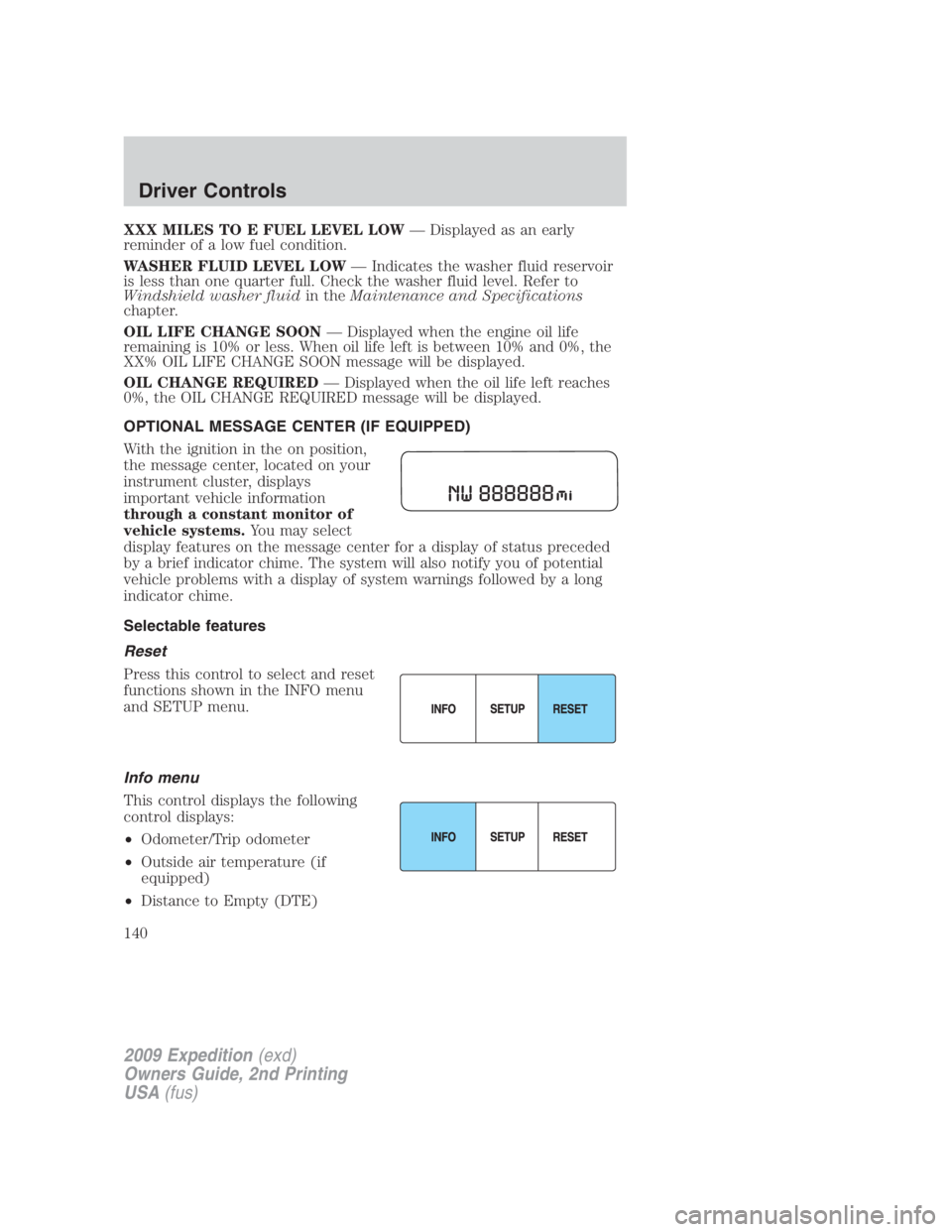
With the ignition in the on position,
the message center, located on your
instrument cluster, displays
important vehicle information
through a constant monitor of
vehicle systems. You may select
display features on the message center for a display of status preceded
by a brief indicator chime. The system will also notify you of potential
vehicle problems with a display of system warnings followed by a long
indicator chime.
Selectable features
Reset
Press this control to select and reset
functions shown in the INFO menu
and SETUP menu.
Info menu
This control displays the following
control displays:
• Odometer/Trip odometer
• Outside air temperature (if
equipped)
• Distance to Empty (DTE)
2009 Expedition (exd)
Owners Guide, 2nd Printing
USA (fus)Driver Controls
140
Page 141 of 415

• Average Fuel Economy (AFE)
• Instantaneous Fuel Economy
• Trip Elapsed Drive Time
• Blank Screen
Odometer/Trip odometer
Refer to Gauges in the Instrument Cluster chapter.
Outside air temperature (if equipped)
Press and hold the INFO button for
two seconds to display the outside
temperature. To switch from a blank
display to the temperature display,
hold the INFO button for two
seconds until the temperature is
seen in the display. To switch the temperature display to compass
display, hold the INFO button again for two seconds until the compass
heading is seen in the display
Distance to empty (DTE)
Selecting this function from the
INFO menu estimates approximately
how far you can drive with the fuel
remaining in your tank under
normal driving conditions.
Remember to turn the ignition off
when refueling to allow this feature to correctly detect the added fuel.
The DTE function will display XXX MILES TO E FUEL LEVEL
LOW
and sound a tone for one second when you have
approximately 50 miles (80 km) to empty. If you RESET this warning
message, this display and tone will return after 10 minutes.
DTE is calculated using a running average fuel economy, which is based
on your recent driving history of 500 miles (800 km). This value is not
the same as the average fuel economy display. The running average fuel
economy is reinitialized to a factory default value if the battery is
disconnected.
2009 Expedition (exd)
Owners Guide, 2nd Printing
USA (fus) Driver Controls
141
Page 148 of 415
Compass zone/calibration adjustment
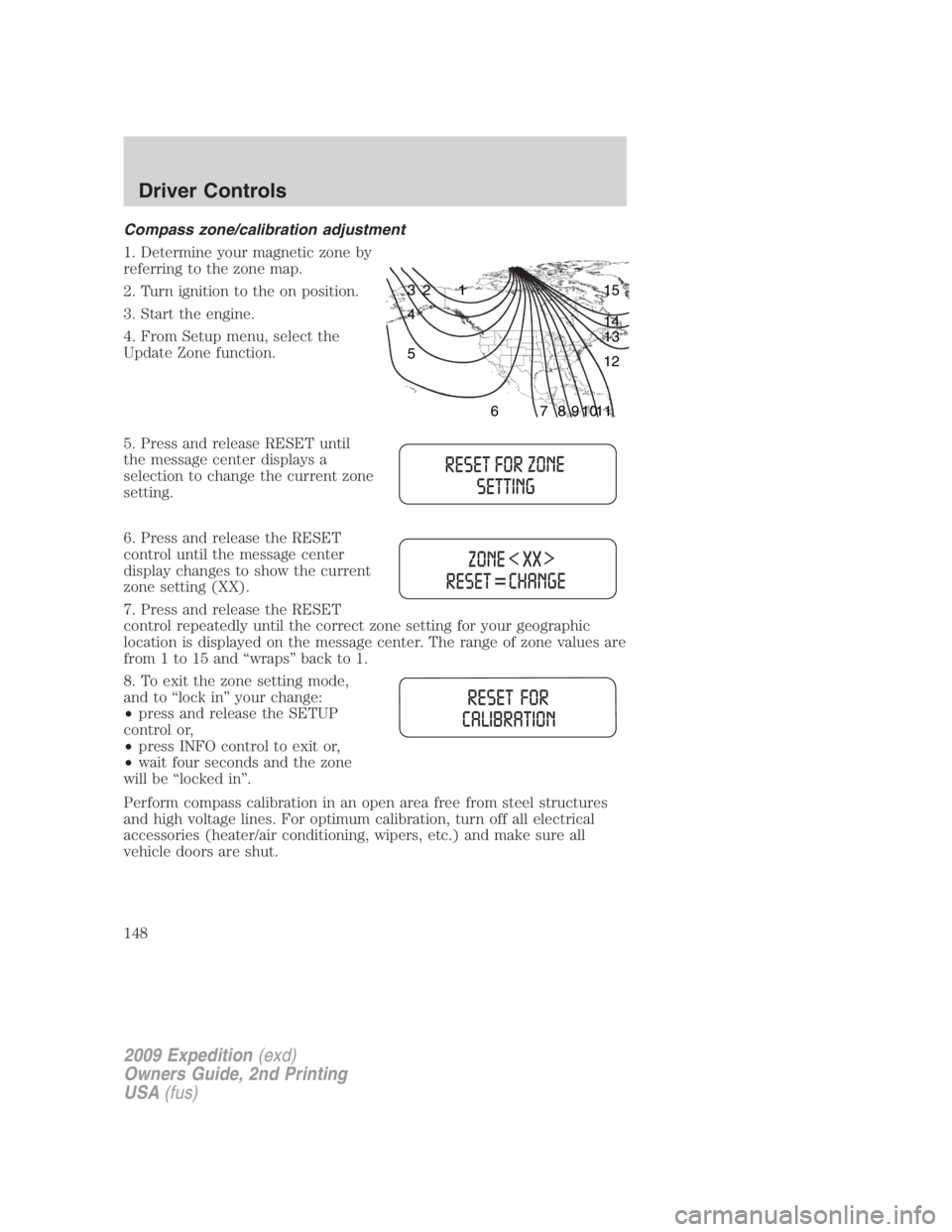
1. Determine your magnetic zone by
referring to the zone map.
2. Turn ignition to the on position.
3. Start the engine.
4. From Setup menu, select the
Update Zone function.
5. Press and release RESET until
the message center displays a
selection to change the current zone
setting.
6. Press and release the RESET
control until the message center
display changes to show the current
zone setting (XX).
7. Press and release the RESET
control repeatedly until the correct zone setting for your geographic
location is displayed on the message center. The range of zone values are
from 1 to 15 and “wraps” back to 1.
8. To exit the zone setting mode,
and to “lock in” your change:
• press and release the SETUP
control or,
• press INFO control to exit or,
• wait four seconds and the zone
will be “locked in”.
Perform compass calibration in an open area free from steel structures
and high voltage lines. For optimum calibration, turn off all electrical
accessories (heater/air conditioning, wipers, etc.) and make sure all
vehicle doors are shut. 123
4
5
6 7 8 9 1011 12131415
2009 Expedition (exd)
Owners Guide, 2nd Printing
USA (fus)Driver Controls
148
Page 150 of 415

System warnings
System warnings alert you to possible problems or malfunctions in your
vehicle’s operating systems.
In the event of a multiple warning situation, the message center will
cycle the display to show all warnings by displaying each one for four
seconds.
The message center will display the last selected feature if there are no
more warning messages. This allows you to use the full functionality of
the message center after you acknowledge the warning by pressing the
RESET control and clearing the warning message.
Warning messages that have been reset are divided into three categories:
• They cannot be cleared until the condition is corrected.
• They will reappear on the display 10 minutes from the reset.
• They will not reappear until an ignition off-on cycle has been
completed.
This acts as a reminder that these warning conditions still exist within
the vehicle.
Warning display Status
Driver door ajar Warning can be reset. Will
return if reset and warning is
cleared and set again within
the same ignition cycle. Will
return on ignition cycle.Passenger door ajar
Rear left door ajar
Rear right door ajar
Liftgate/glass ajar
Check charging system
Check fuel fill inlet
Tire pressure sensor fault
Low tire pressure
Tire pressure monitor fault
Air suspension off (if equipped)
2009 Expedition (exd)
Owners Guide, 2nd Printing
USA (fus)Driver Controls
150
Page 151 of 415

Warning display Status
Brake fluid level low Warning can be reset. Will NOT
return if reset and warning is
cleared and set again within
the same ignition cycle. Will
return on ignition cycle.Check park brake
Washer fluid level low
Oil change required
Oil life change soon
Check air suspension (if equipped)
Check park aid (if equipped)
Check brake system Warning can be reset. Will
return after 10 minutes. If
within the 10 minutes, the
condition is cleared and set
again, it will not return until
the initial 10 minutes is up.
Will return on ignition cycle.XXX miles to E fuel level low
Park brake engaged Warning can be reset. Will
return after 10 minutes. If
within the 10 minutes, the
condition is cleared and set
again, it will return
immediately. Will return on
ignition cycle.
Press reset to clear This can be reset, it will
remain on the display for four
seconds.
For 4x4 low stop vehicle (if equipped) Temporary alert
For 4x4 low shift to N (if equipped)
To exit 4x4 low stop vehicle
(if equipped)
4x4 shift in progress (if equipped)
To exit 4x4 low shift to N
(if equipped)
DRIVER DOOR AJAR — Displayed when the driver door is not
completely closed.
2009 Expedition (exd)
Owners Guide, 2nd Printing
USA (fus) Driver Controls
151
Page 190 of 415

Memory seat/power mirrors/adjustable pedals (if equipped)
This system allows automatic
positioning of the driver seat,
outside rearview mirrors and
adjustable pedals to two
programmable positions.
The memory seat control is located
on the outboard side of the seat cushion.
• To program position one, move the driver seat, exterior mirrors and
adjustable pedals to the desired positions using the associated
controls. Press and hold control button 1 for at least two seconds.
• To program position two, repeat the previous procedure using control
button 2.
A position can only be recalled when the transmission gearshift is in Park
(automatic transmission). A memory seat position may be programmed
at any time.
The memory seat positions are also recalled when you press your remote
entry transmitter (unlock) control and the transmitter is
programmed to a memory seat position or when you enter a valid
customer code 1 or 2 on the keypad.
To program the memory seat to remote entry transmitter, refer to
Remote entry system in the Locks and Security chapter.
Note: The seat will not travel to its final position if the key is not
in the ignition and the easy entry feature is enabled.
Climate controlled seats (if equipped)
Note: It is recommended for optimal performance that the vehicle air
conditioning system be run in the same mode (either heating or cooling)
as the climate control seat system. During start up of the climate control
seat system, a slight difference in seat surface temperature may be
perceived between the seat cushion and seat back until the cabin and
seat temperatures stabilize. If the vehicle air conditioning system is run
in floor mode, the effect may be more pronounced. Switching between
seat heat and seat cool modes in alternate succession will delay the time
it takes for the seat temperatures (back and cushion) to stabilize.
The controls for the climate controlled seats are located on the dual
electronic automatic temperature control (DEATC) system.
2009 Expedition (exd)
Owners Guide, 2nd Printing
USA (fus)Seating and Safety Restraints
190