Page 124 of 449
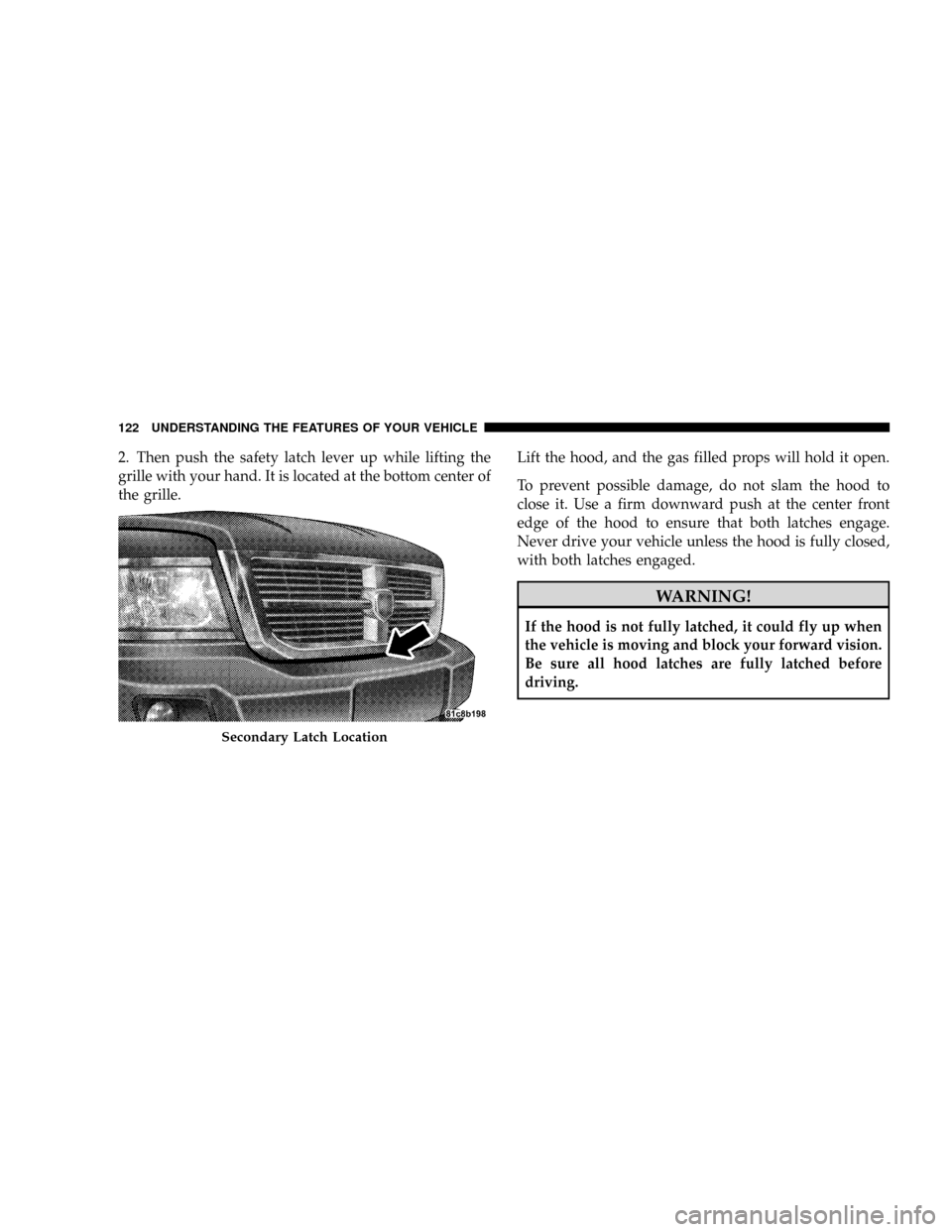
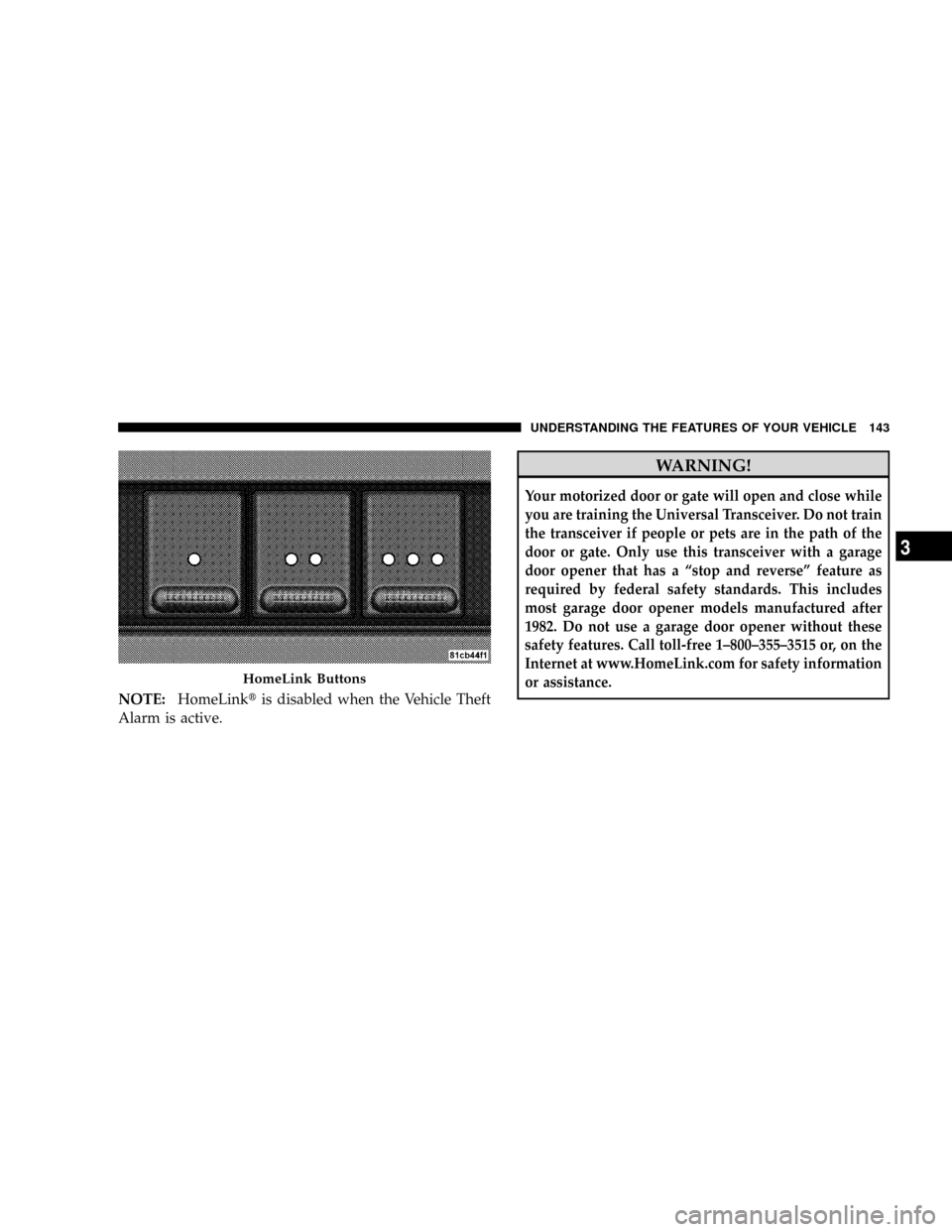
2. Then push the safety latch lever up while lifting the
grille with your hand. It is located at the bottom center of
the grille.Lift the hood, and the gas filled props will hold it open.
To prevent possible damage, do not slam the hood to
close it. Use a firm downward push at the center front
edge of the hood to ensure that both latches engage.
Never drive your vehicle unless the hood is fully closed,
with both latches engaged.
WARNING!
If the hood is not fully latched, it could fly up when
the vehicle is moving and block your forward vision.
Be sure all hood latches are fully latched before
driving.
Secondary Latch Location
122 UNDERSTANDING THE FEATURES OF YOUR VEHICLE
Page 132 of 449
Intermittent Wiper System
The intermittent feature of this system was designed for
use when weather conditions make a single wiping cycle,
with a variable pause between cycles, desirable. For
maximum delay between cycles, rotate the control knob
into the upper end of the delay range.
The delay interval decreases as you rotate the knob until
it enters the LO continual speed position. The delay can
be regulated from a maximum of about 18 seconds
between cycles, to a cycle every two seconds. The delay
intervals will double in duration when the vehicle speed
is 10 mph (16 km) or less.WARNING!
Sudden loss of visibility through the windshield
could lead to an accident. You might not see other
vehicles or other obstacles. To avoid sudden icing of
the windshield during freezing weather, warm the
windshield with the defroster before and during
windshield washer use.
NOTE:If the front wiper is operating when the ignition
is turned off, the wiper will automatically return to the
9Park9position. When the vehicle is restarted, the wipers
will resume operation.
130 UNDERSTANDING THE FEATURES OF YOUR VEHICLE
Page 134 of 449
WARNING!
Tilting the steering column while the vehicle is
moving is dangerous. Without a stable steering col-
umn, you could lose control of the vehicle and have
an accident. Adjust the column only while the ve-
hicle is stopped. Be sure it is locked before driving.
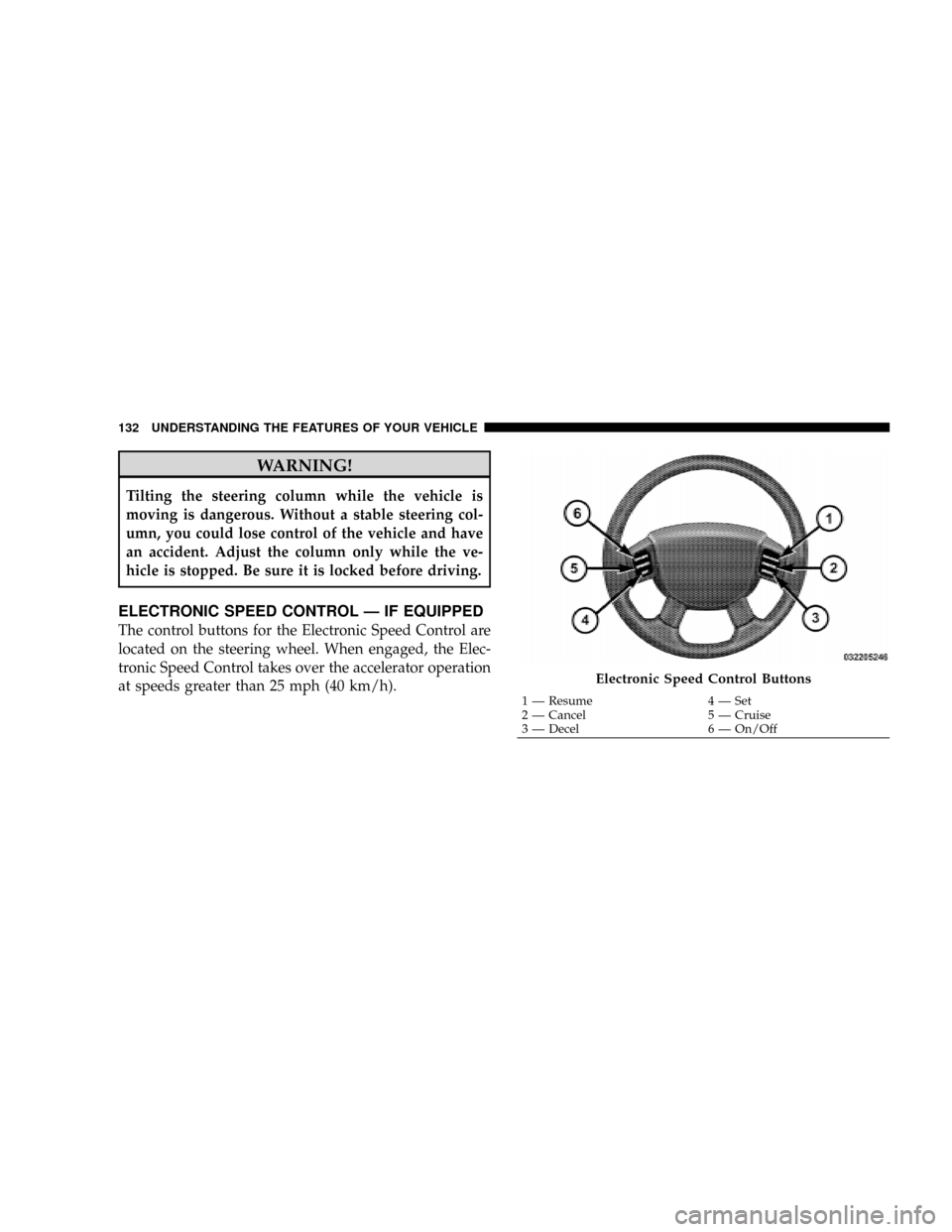
ELECTRONIC SPEED CONTROL Ð IF EQUIPPED
The control buttons for the Electronic Speed Control are
located on the steering wheel. When engaged, the Elec-
tronic Speed Control takes over the accelerator operation
at speeds greater than 25 mph (40 km/h).
Electronic Speed Control Buttons
1 Ð Resume 4 Ð Set
2 Ð Cancel 5 Ð Cruise
3 Ð Decel 6 Ð On/Off 132 UNDERSTANDING THE FEATURES OF YOUR VEHICLE
Page 135 of 449
To Activate
Push the ON/OFF button to the ON position. In the
instrument cluster, the word ªCRUISEº illuminates to
indicate that the system is on.
NOTE:The Electronic Speed Control has been designed
to shut down if multiple speed control buttons (i.e., SET
and CANCEL) are operated simultaneously in order to
ensure proper operation. The Electronic Speed Control
can be reactivated by pushing the speed control ON/OFF
button and reestablishing the desired vehicle SET speed.
To Set At A Desired Speed
When the vehicle has reached the desired speed, press
and release the SET button. Release the accelerator and
the vehicle will operate at the selected speed.
To Deactivate
A soft tap on the brake pedal, normal braking, or pressing
the CANCEL button will deactivate the speed controlwithout erasing the memory. Pushing the ON/OFF but-
ton to the OFF position or turning off the ignition erases
the memory.
WARNING!
Leaving the Electronic Speed Control ON when not
in use is dangerous. You could accidentally set the
Electronic Speed Control to cause it to go faster than
you want. You could lose control and have an acci-
dent. Always leave the system OFF when you are not
using it.
To Resume Speed
To resume a previously set speed, push and release the
RESUME button. Resume can be used at any speed above
20 mph (32 km/h).
UNDERSTANDING THE FEATURES OF YOUR VEHICLE 133
3
Page 137 of 449
WARNING!
Electronic Speed Control can be dangerous where the
system cannot maintain a constant speed. Your ve-
hicle could go too fast for the conditions, and you
could lose control. An accident could be the result.
Do not use Electronic Speed Control in heavy traffic
or on roads that are winding, icy, snow-covered, or
slippery.
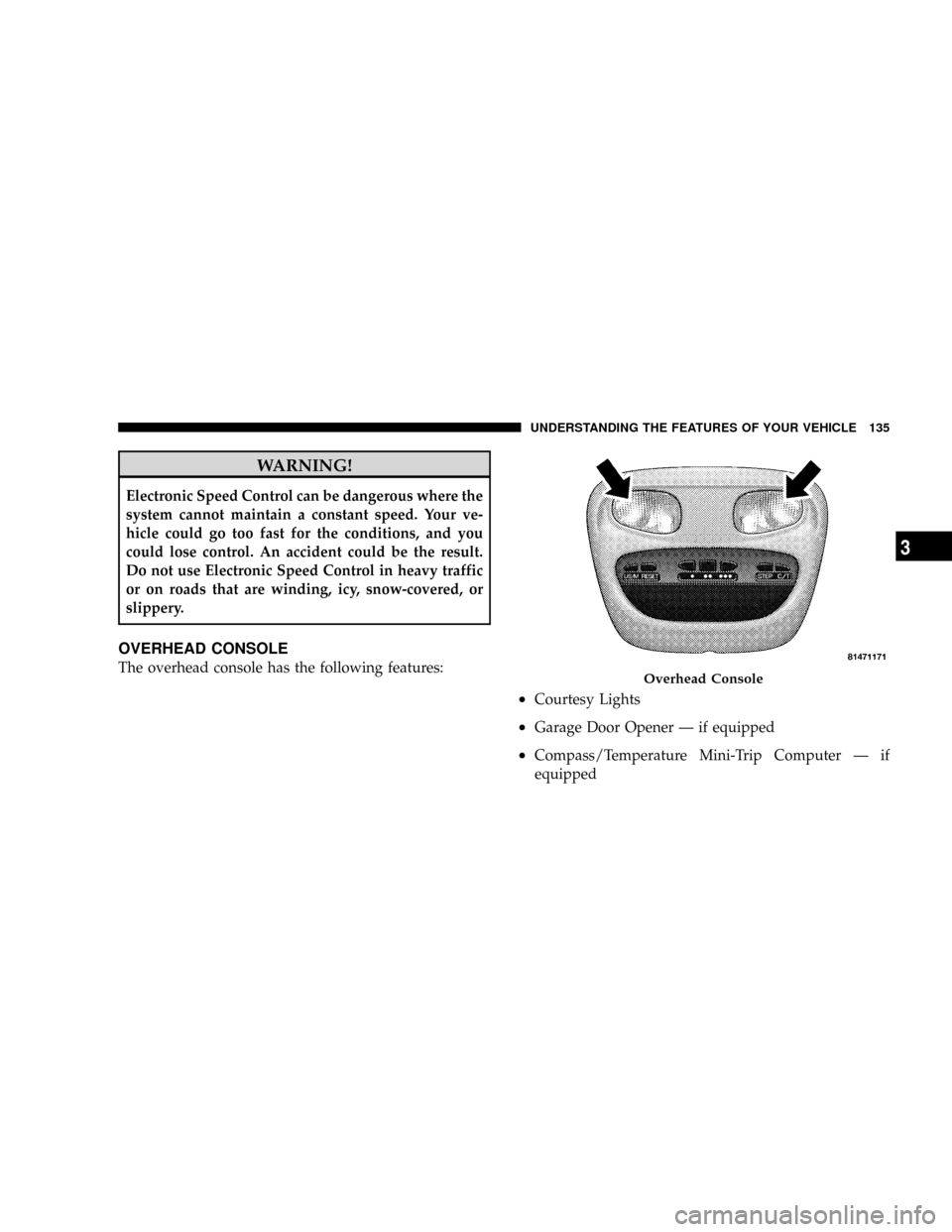
OVERHEAD CONSOLE
The overhead console has the following features:
²Courtesy Lights
²Garage Door Opener Ð if equipped
²Compass/Temperature Mini-Trip Computer Ð if
equipped
Overhead Console
UNDERSTANDING THE FEATURES OF YOUR VEHICLE 135
3
Page 142 of 449
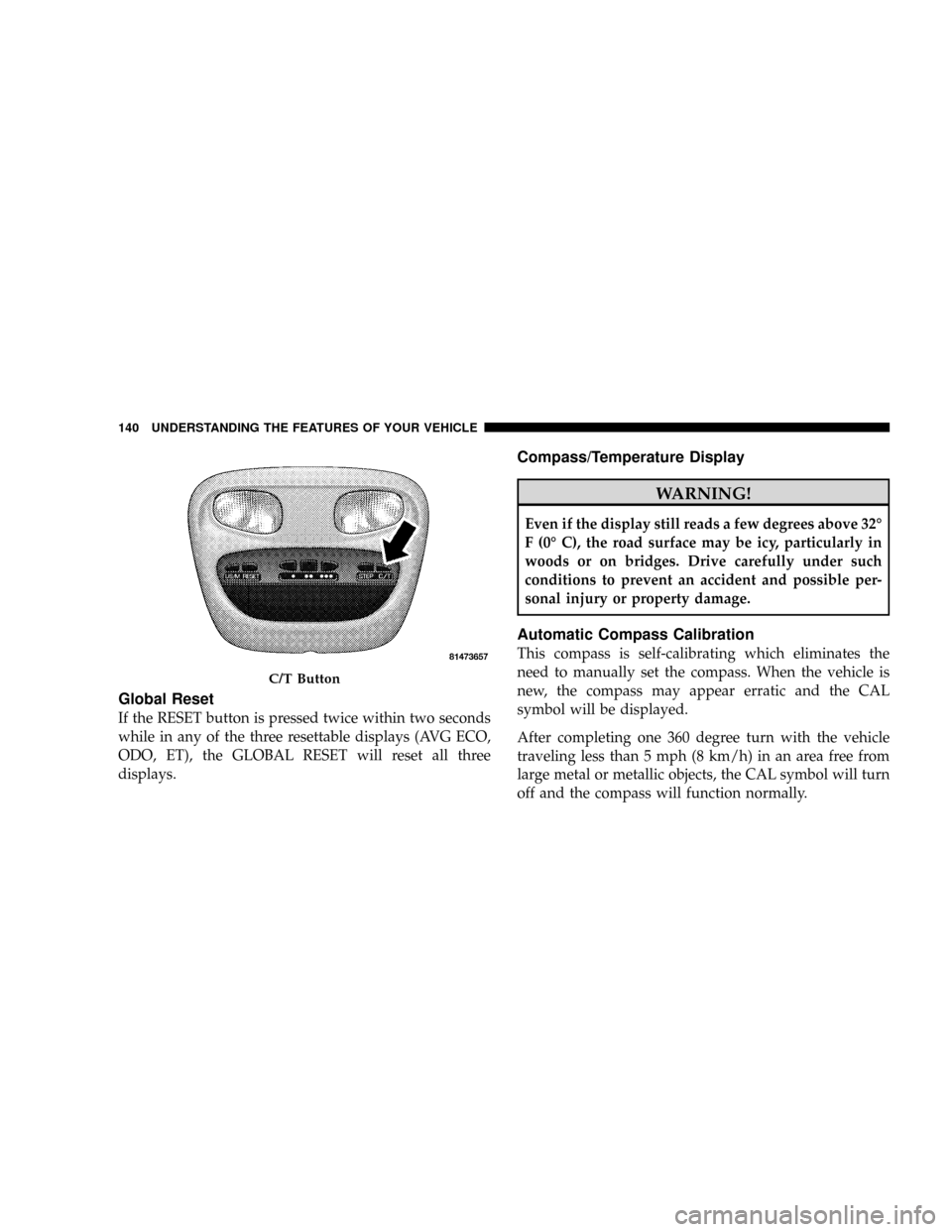
Global Reset
If the RESET button is pressed twice within two seconds
while in any of the three resettable displays (AVG ECO,
ODO, ET), the GLOBAL RESET will reset all three
displays.
Compass/Temperature Display
WARNING!
Even if the display still reads a few degrees above 32É
F (0É C), the road surface may be icy, particularly in
woods or on bridges. Drive carefully under such
conditions to prevent an accident and possible per-
sonal injury or property damage.
Automatic Compass Calibration
This compass is self-calibrating which eliminates the
need to manually set the compass. When the vehicle is
new, the compass may appear erratic and the CAL
symbol will be displayed.
After completing one 360 degree turn with the vehicle
traveling less than 5 mph (8 km/h) in an area free from
large metal or metallic objects, the CAL symbol will turn
off and the compass will function normally.
C/T Button
140 UNDERSTANDING THE FEATURES OF YOUR VEHICLE
Page 145 of 449
NOTE:HomeLinktis disabled when the Vehicle Theft
Alarm is active.
WARNING!
Your motorized door or gate will open and close while
you are training the Universal Transceiver. Do not train
the transceiver if people or pets are in the path of the
door or gate. Only use this transceiver with a garage
door opener that has a ªstop and reverseº feature as
required by federal safety standards. This includes
most garage door opener models manufactured after
1982. Do not use a garage door opener without these
safety features. Call toll-free 1±800±355±3515 or, on the
Internet at www.HomeLink.com for safety information
or assistance.
HomeLink Buttons
UNDERSTANDING THE FEATURES OF YOUR VEHICLE 143
3
Page 146 of 449
WARNING!
Vehicle exhaust contains carbon monoxide, a danger-
ous gas. Do not run your vehicle in the garage while
training the transceiver. Exhaust gas can cause seri-
ous injury or death.
Programming HomeLinkT
Before You Begin
The Compass Mini-Trip Computer (CMTC) illuminates
the HomeLinktsymbol (a house with an arrow inside it)
along with 1, 2 or 3 indicators under it, when a
HomeLinktbutton is pressed.
Pay attention to the indicator(s), as they will flash at
different rates, or remain solid during training.
If you have not trained any of the HomeLinktbuttons,
erase all channels before you begin training.To do this, press and hold the two outside buttons for
20 seconds. Release the buttons when the indicators start
to flash.
It is recommended that anew batterybe placed in the
hand-held transmitter of the device being programmed
to HomeLinkt, for more efficient training and accurate
transmission of the radio-frequency signal.
Your vehicle should be parked outside of the garage
while training.
1. Turn the ignition switch to the ON/RUN position.
2. Place the hand-held transmitter 1 to 3 inches (3 to
8 cm) from the HomeLinktbuttons, while keeping the
HomeLinktdisplay in view.
For optimal training, point the battery end of the hand-
held transmitter away from the HomeLinkt.
144 UNDERSTANDING THE FEATURES OF YOUR VEHICLE