Page 99 of 449
NOTE:
²The Towing Assistance number dialed is based on the
country where the vehicle is purchased (1-800-528-
2069 for the U.S., 1-877-213-4525 for Canada, 55-14-
3454 for Mexico City and 1-800-712-3040 for outside
Mexico City in Mexico).
²If supported, this number may be programmable on
some systems. To do this, press `Phone' button and say
`Setup', followed by `Towing Assistance'.
Paging
To learn how to page, refer to9Working with Automated
Systems.9Paging works properly except for pagers of
certain companies, which time out a little too soon to
work properly with the UConnecttsystem.
Voice Mail Calling
To learn how to access your voice mail, refer to9Working
with Automated Systems.9
Working with Automated Systems
This method is used in instances where one generally has
to press numbers on the cellular phone keypad while
navigating through an automated telephone system.
You can use your UConnecttsystem to access a voice
mail system or an automated service, such as a paging
service or automated customer service line. Some ser-
vices require immediate response selection. In some
instances, that may be too quick for use of the UConnectt
system.
When calling a number with your UConnecttsystem
that normally requires you to enter in a touch-tone
sequence on your cellular phone keypad, you can press
the ªVoice Recognitionº button and say the sequence you
wish to enter, followed by the word9Send.9For example,
if required to enter your PIN followed with a pound, (3 7
4 6 #), you can press the ªVoice Recognitionº button and
say,93746#Send.9Saying a number, or sequence of
UNDERSTANDING THE FEATURES OF YOUR VEHICLE 97
3
Page 101 of 449
Phone and Network Status Indicators
If available on the radio and/or on a premium display
such as the instrument panel cluster, and supported by
your cell phone, the UConnecttsystem will provide
notification to inform you of your phone and network
status when you are attempting to make a phone call
using UConnectt. The status is given for roaming, net-
work signal strength, phone battery strength, etc.
Dialing Using the Cellular Phone Keypad
You can dial a phone number with your cellular phone
keypad and still use the UConnecttsystem (while dial-
ing via the cell phone keypad, the user must exercise
caution and take precautionary safety measures). By
dialing a number with your paired Bluetoothtcellular
phone, the audio will be played through your vehicle's
audio system. The UConnecttsystem will work the same
as if you dial the number using voice recognition.NOTE:Certain brands of mobile phones do not send the
dial ring to the UConnecttsystem to play it on the
vehicle audio system, so you will not hear it. Under this
situation, after successfully dialing a number the user
may feel that the call did not go through even though the
call is in progress. Once your call is answered, you will
hear the audio.
Mute/Un-Mute (Mute Off)
When you mute the UConnecttsystem, you will still be
able to hear the conversation coming from the other
party, but the other party will not be able to hear you. In
order to mute the UConnecttsystem:
²Press the ªVoice Recognitionº button.
²Following the beep, say9Mute.9
In order to un-mute the UConnecttsystem:
²Press the ªVoice Recognitionº button.
UNDERSTANDING THE FEATURES OF YOUR VEHICLE 99
3
Page 106 of 449
²smooth road surface,
²fully closed windows,
²dry weather conditions, and
²operation from the driver's seat.
²Performance, such as audio clarity, echo, and loudness
to a large degree rely on the phone and network, and
not the UConnecttsystem.
²Echo at the far end can sometimes be reduced by
lowering the in-vehicle audio volume.
²In a convertible vehicle, system performance may be
compromised with the convertible top down.
BluetoothtCommunication Link
Cellular phones have been found to lose connection to
the UConnecttsystem. When this happens, the connec-
tion can generally be re-established by switching the
phone off/on. Your cell phone is recommended to remain
in BluetoothtON mode.
Power-Up
After switching the ignition key from OFF to either ON
or ACC position, or after a language change, you must
wait at least five seconds prior to using the system.
104 UNDERSTANDING THE FEATURES OF YOUR VEHICLE
Page 113 of 449
When you press the VR hard-key, you will hear a beep.
The beep is your signal to give a command.
NOTE:If you do not say a command within a few
seconds, the system will present you with a list of
options.
If you ever wish to interrupt the system while it lists
options, press the VR hard-key, listen for the beep, and
say your command.
Pressing the VR hard-key while the system is speaking is
known as ªbarging in.º The system will be interrupted
and after the beep you can add or change commands.
This will become helpful once you start to learn the
options.
NOTE:At any time, you can say the words CANCEL,
HELP, or MAIN MENU.These commands are universal and can be used from any
menu. All other commands can be used depending upon
the active application.
For example, if you are in the disc menu and you are
listening to FM radio, you can speak commands from the
disc menu or from the FM radio menu.
When using this system, you should speak clearly and at
a normal speaking volume.
The system will best recognize your speech if the win-
dows are closed, and the heater/air-conditioning fan is
set to low.
At any point, if the system does not recognize one of your
commands, you will be prompted to repeat it.
To hear the first available Menu, press the VR hard-key
and say HELP or MAIN MENU.
UNDERSTANDING THE FEATURES OF YOUR VEHICLE 111
3
Page 114 of 449
Commands
The Voice Recognition System understands two types of
commands. Universal commands are available at all
times. Local commands are available if the supported
radio mode is active.
Changing the Volume
1. Start a dialogue by pressing the VR hard-key.
2. Say a command (e.g., HELP).
3. Use the ON/OFF VOLUME rotary knob to adjust the
volume to a comfortable level while the voice recognition
system is speaking. Please note the volume setting for VR
is different then the audio system.
Main Menu
Start a dialogue by pressing the VR hard-key. You may
say MAIN MENU to switch to the main menu.
In this mode, you can say the following commands:
²RADIO (to switch to the radio mode)
²DISC (to switch to the disc mode)
²MEMO (to switch to the memo recorder)
²SYSTEM SETUP (to switch to system setup)
Radio AM (or Radio Long Wave or Radio Medium
Wave - if equipped)
To switch to the AM band say AM or RADIO AM. In this
mode, you may say the following commands:
²FREQUENCY (to change the frequency)
²NEXT STATION (to select the next station)
²PREVIOUS STATION (to select the previous station)
²RADIO MENU (to switch to the radio menu)
²MAIN MENU (to switch to the main menu)
112 UNDERSTANDING THE FEATURES OF YOUR VEHICLE
Page 116 of 449
Memo
To switch to the voice recorder mode say MEMO. In this
mode, you may say the following commands:
²NEW MEMO (to record a new memo) Ð During the
recording you may press the VR hard-key to stop
recording. You proceed by saying one of the following
commands:
þSAVE (to save the memo)
þCONTINUE (to continue recording)
þDELETE (to delete the recording)
²PLAY MEMOS (to play previously recorded memos)
Ð During the playback you may press the VR hard-
key to stop playing memos. You proceed by saying one
of the following commands:
þREPEAT (to repeat a memo)
þNEXT (to play the next memo)
þPREVIOUS (to play the previous memo)
þDELETE (to delete a memo)
²DELETE ALL (to delete all memos)
System Setup
To switch to system setup say ªSetupº. In this mode, you
may say the following commands:
²Language English
²Language French
²Language Spanish
²Tutorial
²Voice Training
NOTE:Keep in mind that you have to press the VR
hard-key first and wait for the beep, before speaking the
ªbarge inº commands.
114 UNDERSTANDING THE FEATURES OF YOUR VEHICLE
Page 117 of 449
Voice Training
For users experiencing difficulty with the system recog-
nizing their voice commands or numbers, the UConnectt
system Voice Training feature may be used.
1. Press the VR hard-key, speak ªSystem Setupº and once
you are in that menu then speak ªVoice Training.º This
will train your own voice to the system and will improve
recognition.
2. Repeat the words and phrases when prompted by the
UConnecttSystem. For best results, the Voice Training
session should be completed when the vehicle is parked,
engine running, all windows closed, and the blower fan
switched OFF. This procedure may be repeated with a
new user. The system will adapt to the last trained voice
only.
SEATS
Manual Seat Adjustment
The adjusting lever is at the front of the seat, near the
floor. Lift the lever and move the seat to the desired
position. Release the bar to lock the seat into position.
Using body pressure, move forward and rearward on the
seat to be sure the seat adjusters have latched.
UNDERSTANDING THE FEATURES OF YOUR VEHICLE 115
3
Page 125 of 449
LIGHTS
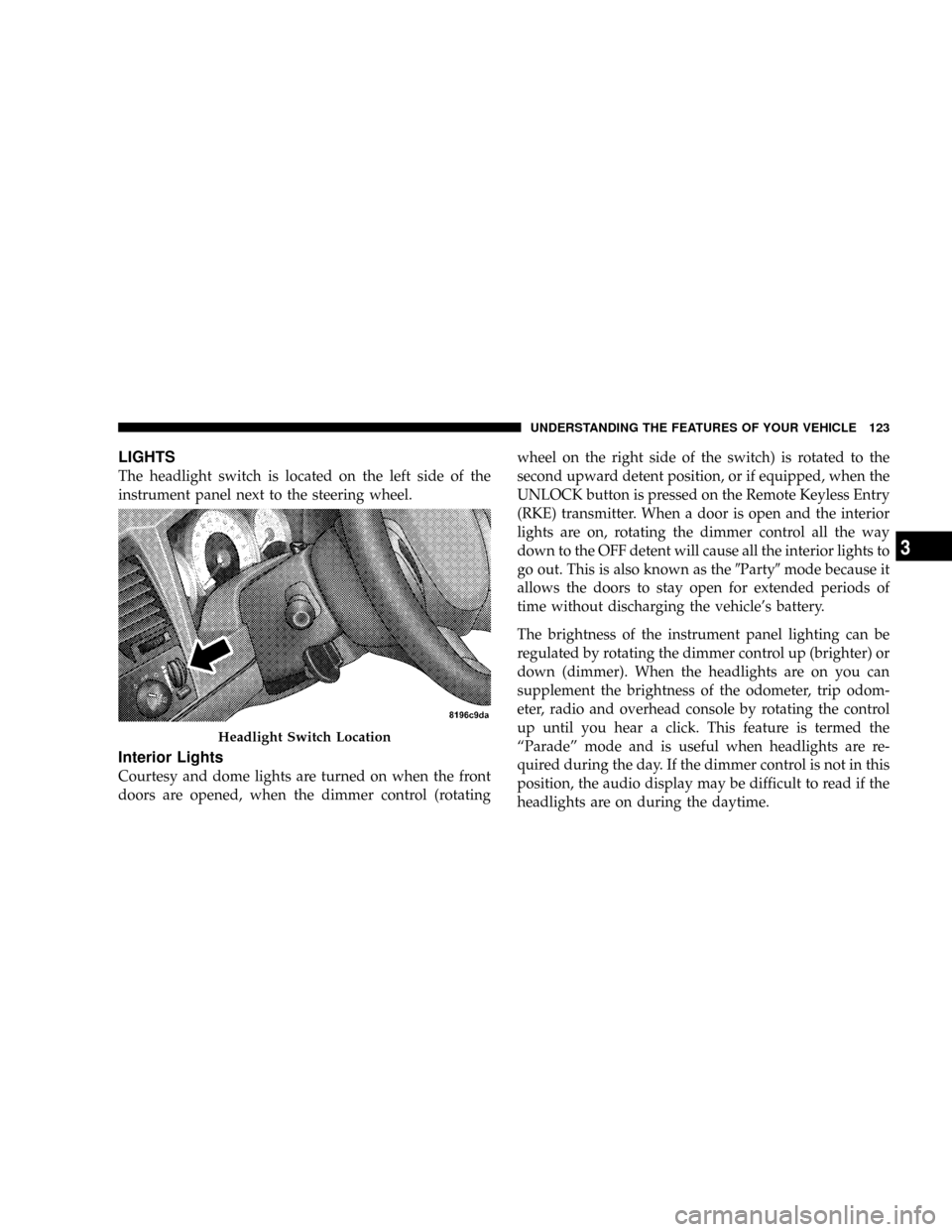
The headlight switch is located on the left side of the
instrument panel next to the steering wheel.
Interior Lights
Courtesy and dome lights are turned on when the front
doors are opened, when the dimmer control (rotatingwheel on the right side of the switch) is rotated to the
second upward detent position, or if equipped, when the
UNLOCK button is pressed on the Remote Keyless Entry
(RKE) transmitter. When a door is open and the interior
lights are on, rotating the dimmer control all the way
down to the OFF detent will cause all the interior lights to
go out. This is also known as the9Party9mode because it
allows the doors to stay open for extended periods of
time without discharging the vehicle's battery.
The brightness of the instrument panel lighting can be
regulated by rotating the dimmer control up (brighter) or
down (dimmer). When the headlights are on you can
supplement the brightness of the odometer, trip odom-
eter, radio and overhead console by rotating the control
up until you hear a click. This feature is termed the
ªParadeº mode and is useful when headlights are re-
quired during the day. If the dimmer control is not in this
position, the audio display may be difficult to read if the
headlights are on during the daytime.
Headlight Switch Location
UNDERSTANDING THE FEATURES OF YOUR VEHICLE 123
3