Page 30 of 449
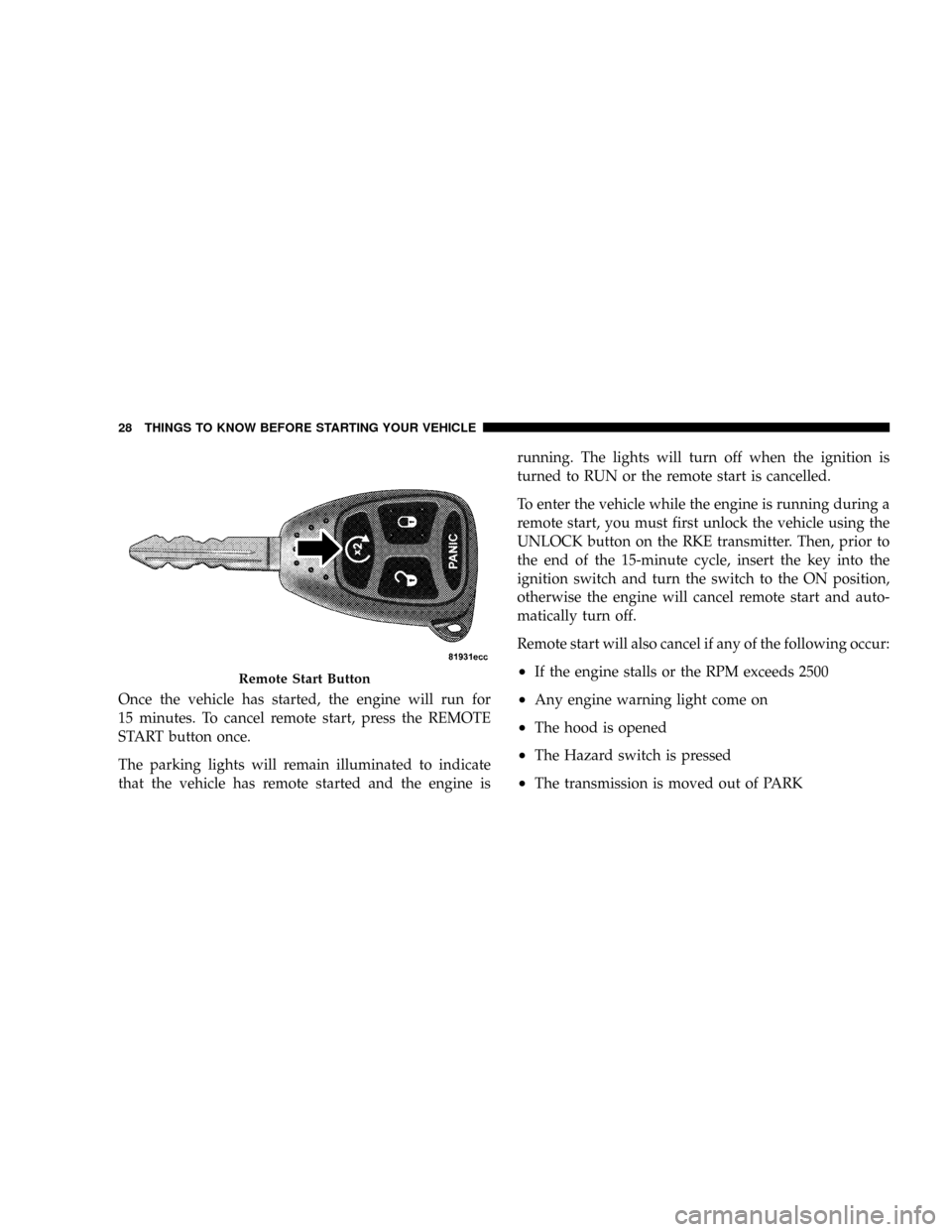
Once the vehicle has started, the engine will run for
15 minutes. To cancel remote start, press the REMOTE
START button once.
The parking lights will remain illuminated to indicate
that the vehicle has remote started and the engine isrunning. The lights will turn off when the ignition is
turned to RUN or the remote start is cancelled.
To enter the vehicle while the engine is running during a
remote start, you must first unlock the vehicle using the
UNLOCK button on the RKE transmitter. Then, prior to
the end of the 15-minute cycle, insert the key into the
ignition switch and turn the switch to the ON position,
otherwise the engine will cancel remote start and auto-
matically turn off.
Remote start will also cancel if any of the following occur:
²If the engine stalls or the RPM exceeds 2500
²Any engine warning light come on
²The hood is opened
²The Hazard switch is pressed
²The transmission is moved out of PARK
Remote Start Button
28 THINGS TO KNOW BEFORE STARTING YOUR VEHICLE
Page 31 of 449

The vehicle can be started remotely up to a maximum of
two times. The vehicle is also allowed a maximum of one
failed start, where the remote start sequence was initiated
but the engine stopped cranking without starting. After
either of these conditions, or if the Vehicle Security Alarm
System is activated, or if the PANIC button was pressed,
the vehicle must be reset by inserting a valid key into the
ignition and moving it to the RUN position, then back to
LOCK.
DOOR LOCKS
Manual Door Locks
All the doors can be manually locked from the inside by
pushing down the door lock plunger, located on the door
trim panel. Both front doors may be opened from the
inside with the door lock plunger in the down or locked
position.
WARNING!
²For personal security and safety in the event of an
accident, lock the vehicle doors as you drive, as
well as when you park and leave the vehicle.
²Never leave children alone in a vehicle. Leaving
unattended children in a vehicle is dangerous for a
number of reasons. A child or others could be
seriously or fatally injured. Don't leave the key in
the ignition. A child could operate power win-
dows, other controls, or move the vehicle.
Power Door Locks
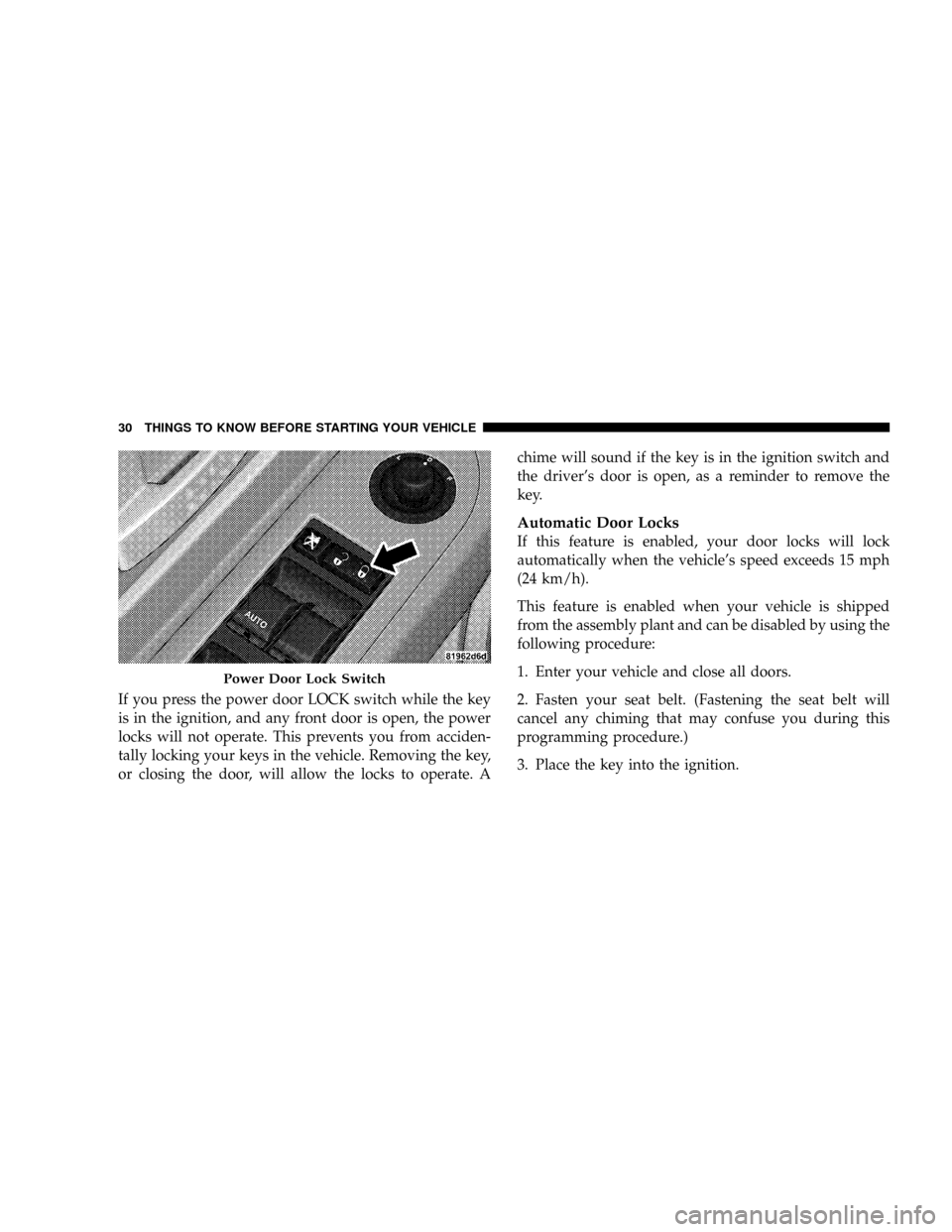
A power door lock switch is on each front door trim
panel. Use this switch to lock or unlock the doors.
THINGS TO KNOW BEFORE STARTING YOUR VEHICLE 29
2
Page 32 of 449
If you press the power door LOCK switch while the key
is in the ignition, and any front door is open, the power
locks will not operate. This prevents you from acciden-
tally locking your keys in the vehicle. Removing the key,
or closing the door, will allow the locks to operate. Achime will sound if the key is in the ignition switch and
the driver's door is open, as a reminder to remove the
key.
Automatic Door Locks
If this feature is enabled, your door locks will lock
automatically when the vehicle's speed exceeds 15 mph
(24 km/h).
This feature is enabled when your vehicle is shipped
from the assembly plant and can be disabled by using the
following procedure:
1. Enter your vehicle and close all doors.
2. Fasten your seat belt. (Fastening the seat belt will
cancel any chiming that may confuse you during this
programming procedure.)
3. Place the key into the ignition.
Power Door Lock Switch
30 THINGS TO KNOW BEFORE STARTING YOUR VEHICLE
Page 33 of 449
4. Within 10 seconds, cycle the key from the LOCK
position to the ON position and back to LOCK position,
a minimum of four times; ending in the LOCK position.
(Do not start the engine.)
5. Within 30 seconds, press the driver's door LOCK
switch in the LOCK direction.
6. A single chime will be heard to indicate the feature has
been disabled.
7. To reactivate this feature, repeat the above Steps.
8. If a chime is not heard, program mode was canceled
before the feature could be disabled. If necessary, repeat
the above procedure.
Auto Unlock On Exit Feature Ð If Equipped
This feature unlocks all of the doors of the vehicle when
any door is opened. This will occur only after the vehiclehas been shifted into the PARK position after the vehicle
has been driven (shifted out of PARK and the doors
closed).
Auto Unlock Feature Programming
The Customer Programming sequence to disable or en-
able Auto Unlock:
1. Enter your vehicle and close all the doors.
2. Fasten your seat belt. (Fastening the seat belt will
cancel any chiming that may be confusing during this
programming procedure.)
3. Insert the key into the ignition.
4. Within 15 seconds, cycle the key from the LOCK
position to the ON position and back to LOCK position,
a minimum of four times; ending in the LOCK position.
(Do not start the engine.)
THINGS TO KNOW BEFORE STARTING YOUR VEHICLE 31
2
Page 37 of 449
WARNING!
Never leave children alone in a vehicle. Leaving
unattended children in a vehicle is dangerous for a
number of reasons. A child or others could be seri-
ously or fatally injured. Don't leave the key in the
ignition. A child could operate power windows,
other controls, or move the vehicle.
Auto Down (Driver's Side Only)
The driver's window switch has an Auto Down feature.
Push the window switch past the first detent, release, and
the window will go down automatically. To cancel the
Auto Down movement, operate the switch in either the
up or down direction and release the switch.
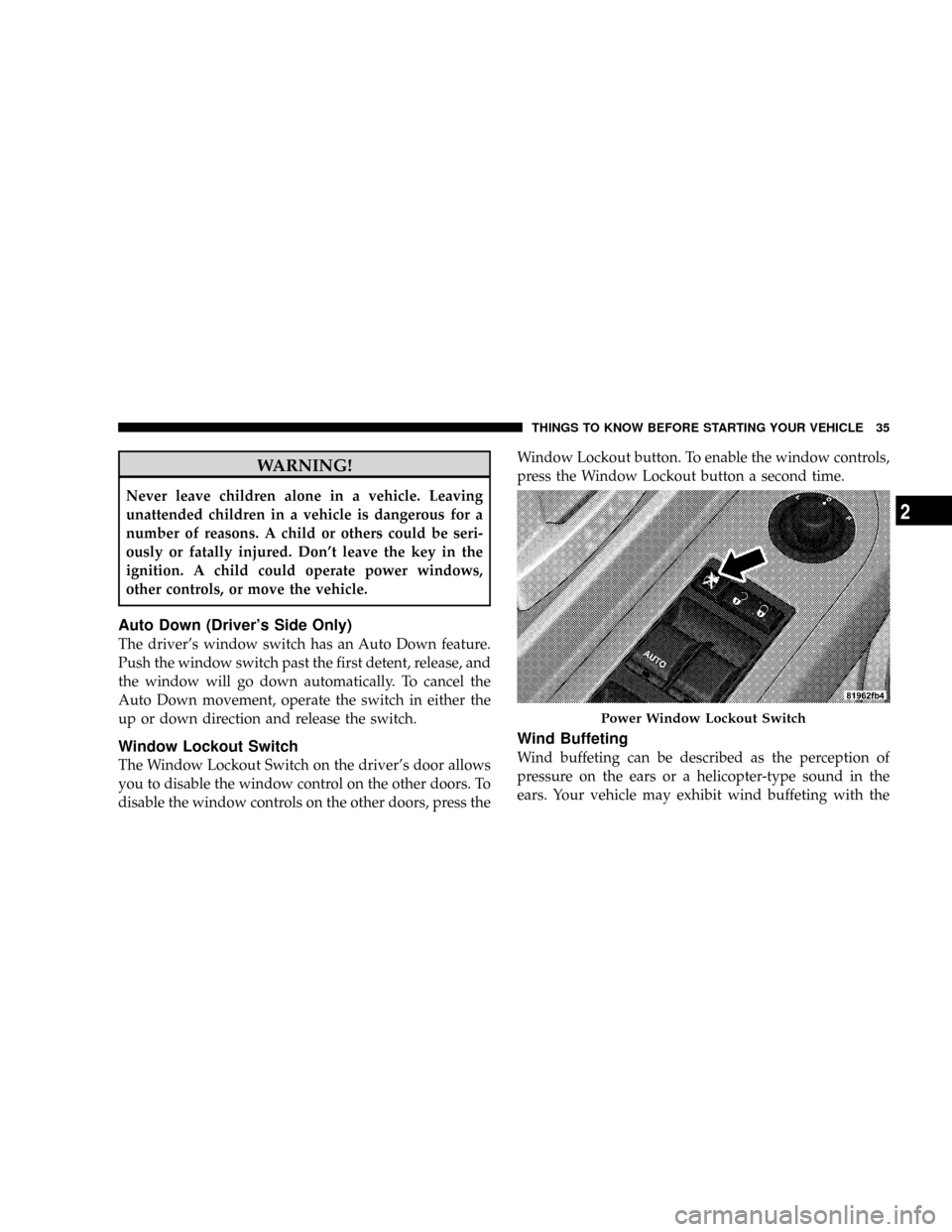
Window Lockout Switch
The Window Lockout Switch on the driver's door allows
you to disable the window control on the other doors. To
disable the window controls on the other doors, press theWindow Lockout button. To enable the window controls,
press the Window Lockout button a second time.
Wind Buffeting
Wind buffeting can be described as the perception of
pressure on the ears or a helicopter-type sound in the
ears. Your vehicle may exhibit wind buffeting with the
Power Window Lockout Switch
THINGS TO KNOW BEFORE STARTING YOUR VEHICLE 35
2
Page 52 of 449

WARNING! (Continued)
²If the vehicle has window bags, they also need
room to inflate. Do not lean against the door or
window. Sit upright in the center of the seat.
Airbag System Components
The airbag system consists of the following:
²Occupant Restraint Controller
²Side Remote Acceleration Sensors ± if equipped
²Airbag Warning Light
²Driver Airbag
²Passenger Airbag
²Window Bags above side windows ± if equipped
²Steering Wheel and Column
²Instrument Panel
²Interconnecting Wiring
²Knee Impact Bolsters
²Front Acceleration Sensors
²Driver and Front Passenger Seat Belt Pretensioners
How the Airbag System Works
²
TheOccupant Restraint Controller (ORC)determines
if a frontal collision is severe enough to require the
airbags to inflate. The front airbag inflators are de-
signed to provide different rates of airbag inflation
from direction provided by the ORC. The ORC will not
detect rollover.
The ORC also monitors the readiness of the electronic
parts of the system whenever the ignition switch is in
the START or RUN position. These include all of the
items listed above, except the steering wheel and
column, and knee bolsters. If the key is in the OFF
50 THINGS TO KNOW BEFORE STARTING YOUR VEHICLE
Page 96 of 449
has established, press and hold the PHONE button until
you hear a double beep, indicating that the two calls have
been joined into one conference call.
Call Termination
To end a call in progress, momentarily press the PHONE
button. Only the active call(s) will be terminated and if
there is a call on hold, it will become the new active call.
If the active call is terminated by the far end, a call on
hold may not become active automatically. This is cell
phone-dependent. To bring the call back from hold, press
and hold the PHONE button until you hear a single beep.
Redial
²
Press the PHONE button to begin.
²After the9Ready9prompt and the following beep, say
9Redial.9
²The UConnecttsystem will call the last number that
was dialed from your cellular phone.NOTE:This may not be the last number dialed from the
UConnecttsystem.
Call Continuation
Call continuation is the progression of a phone call on the
UConnecttsystem after the vehicle ignition key has been
switched to OFF. Call continuation functionality avail-
able on the vehicle can be any one of three types:
²After the ignition key is switched to OFF, a call can
continue on the UConnecttsystem either until the call
ends, or until the vehicle battery condition dictates
cessation of the call on the UConnecttsystem and
transfer of the call to the mobile phone.
²After the ignition key is switched to OFF, a call can
continue on the UConnecttsystem for a certain dura-
tion, after which the call is automatically transferred
from the UConnecttsystem to the mobile phone.
94 UNDERSTANDING THE FEATURES OF YOUR VEHICLE
Page 97 of 449
²An active call is automatically transferred to the
mobile phone after the ignition key is switched to OFF.
UConnectTSystem Features
Language Selection
To change the language that the UConnecttsystem is
using:
²Press the PHONE button to begin.
²After the9Ready9prompt and the following beep, say
the name of the language you wish to switch to
English, Espanol, or Francais.
²Continue to follow the system prompts to complete
language selection.
After selecting one of the languages, all prompts and
voice commands will be in that language.NOTE:After every UConnecttlanguage change opera-
tion, only the language-specific 32-name phonebook is
usable. The paired phone name is not language-specific
and usable across all languages.
Emergency Assistance
If you are in an emergency and the mobile phone is
reachable:
²Pick up the phone and manually dial the emergency
number for your area.
If the phone is not reachable and the UConnecttsystem
is operational, you may reach the emergency number as
follows:
²Press the PHONE button to begin.
²After the9Ready9prompt and the following beep, say
9Emergency9and the UConnecttsystem will instruct
UNDERSTANDING THE FEATURES OF YOUR VEHICLE 95
3