Page 242 of 484
•During all List modes, the iPod�displays all lists in
“wrap-around” mode. So if the track is at the
bottom of the list just turn the wheel backwards
(counter-clockwise) to get to the track faster.
•In List mode, the radio PRESETButtons are used as
shortcuts to the following lists on the iPod�.
•Preset 1 – Playlists
•Preset 2 – Artists
•Preset 3 – Albums
•Preset 4 – Genres
•Preset 5 - Audiobooks
•Preset 6 – Podcasts
•Pressing a PRESET button, will display the current
list on the top line and the first item in that list on
the second line.
•To Exit List mode without selecting a track, press the
same PRESET button again to go back to Play
mode.
•LIST button: The LISTbutton will display the top
level menu of the iPod�. Turn the TUNEcontrol knob
to list the top-menu item you wish to select and press
the TUNE control knob. This will display the next
sub-menu list item on the iPod� then you can follow
the same steps to go to the desired track in that list.
Not all iPod� sub-menu levels are available on this
system.
•MUSIC TYPE button: TheMUSIC TYPE button is
another shortcut button to the genre listing on your
iPod�.
240 UNDERSTANDING YOUR INSTRUMENT PANEL
Page 252 of 484
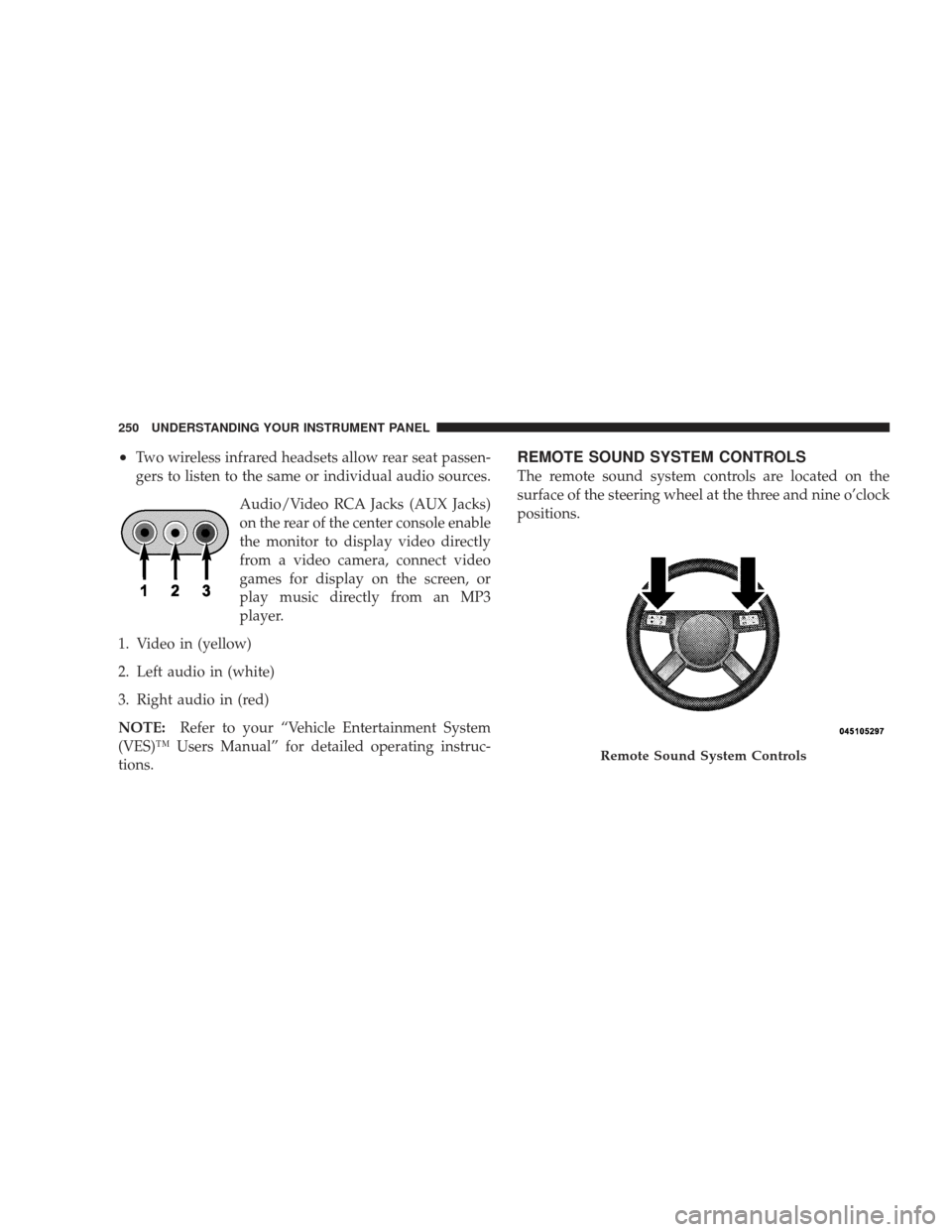
•Two wireless infrared headsets allow rear seat passen-
gers to listen to the same or individual audio sources.Audio/Video RCA Jacks (AUX Jacks)
on the rear of the center console enable
the monitor to display video directly
from a video camera, connect video
games for display on the screen, or
play music directly from an MP3
player.
1. Video in (yellow)
2. Left audio in (white)
3. Right audio in (red)
NOTE: Refer to your “Vehicle Entertainment System
(VES)™ Users Manual” for detailed operating instruc-
tions.REMOTE SOUND SYSTEM CONTROLS
The remote sound system controls are located on the
surface of the steering wheel at the three and nine o’clock
positions.
Remote Sound System Controls
250 UNDERSTANDING YOUR INSTRUMENT PANEL
Page 253 of 484
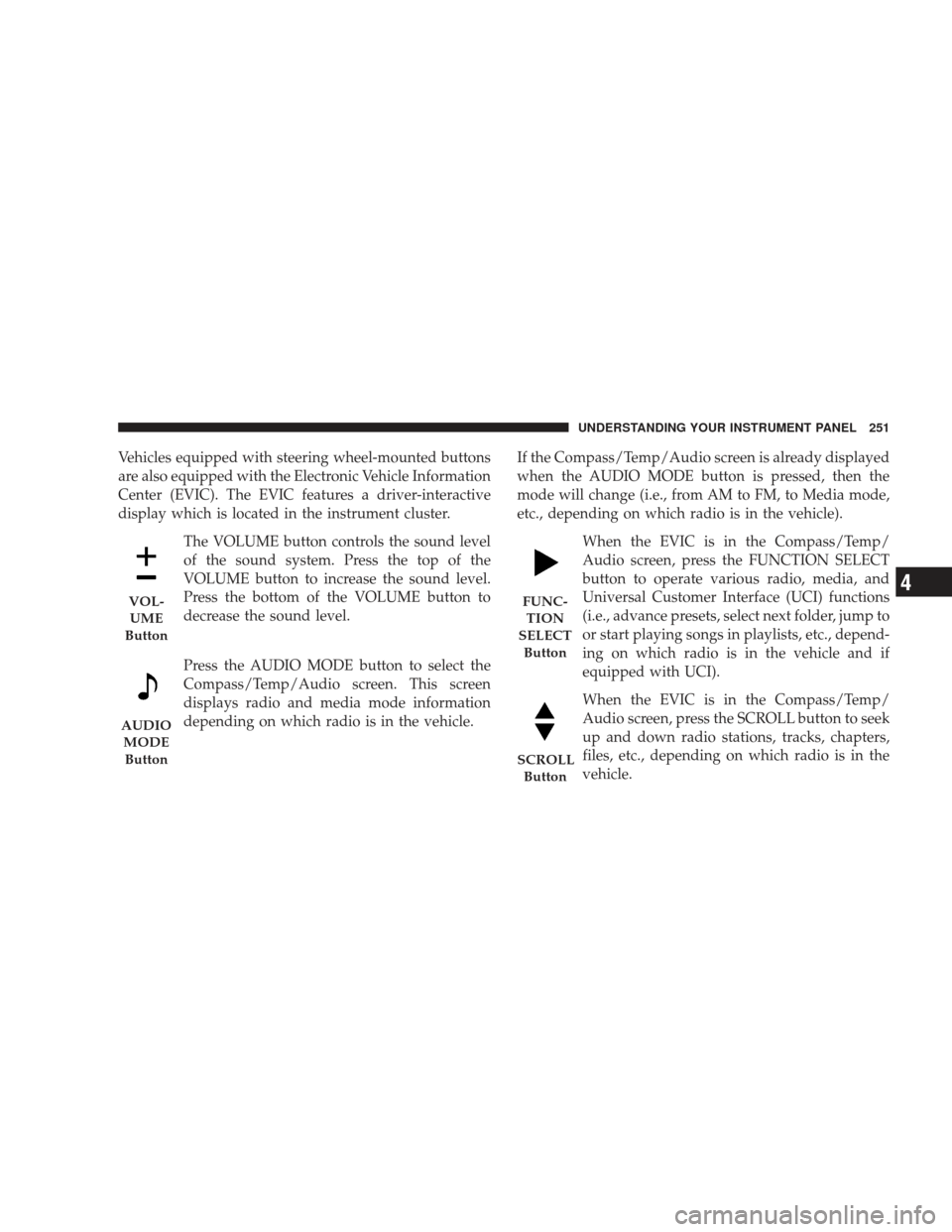
Vehicles equipped with steering wheel-mounted buttons
are also equipped with the Electronic Vehicle Information
Center (EVIC). The EVIC features a driver-interactive
display which is located in the instrument cluster.The VOLUME button controls the sound level
of the sound system. Press the top of the
VOLUME button to increase the sound level.
Press the bottom of the VOLUME button to
decrease the sound level.
Press the AUDIO MODE button to select the
Compass/Temp/Audio screen. This screen
displays radio and media mode information
depending on which radio is in the vehicle. If the Compass/Temp/Audio screen is already displayed
when the AUDIO MODE button is pressed, then the
mode will change (i.e., from AM to FM, to Media mode,
etc., depending on which radio is in the vehicle).
When the EVIC is in the Compass/Temp/
Audio screen, press the FUNCTION SELECT
button to operate various radio, media, and
Universal Customer Interface (UCI) functions
(i.e., advance presets, select next folder, jump to
or start playing songs in playlists, etc., depend-
ing on which radio is in the vehicle and if
equipped with UCI).
When the EVIC is in the Compass/Temp/
Audio screen, press the SCROLL button to seek
up and down radio stations, tracks, chapters,
files, etc., depending on which radio is in the
vehicle.
VOL-UME
Button
AUDIO MODEButton
FUNC- TION
SELECT Button
SCROLL Button
UNDERSTANDING YOUR INSTRUMENT PANEL 251
4
Page 267 of 484
STARTING AND OPERATING
CONTENTS
�Starting Procedures .................... 269
▫ Automatic Transmission ............... 269
▫ Normal Starting (Tip Start) ............. 270
� Engine Block Heater — If Equipped ........ 272
� Automatic Transmission ................. 273
▫ General Information .................. 273
▫ Brake/Transmission Shift Interlock System . . 275
▫ Brake/Transmission Interlock Manual
Override .......................... 275 ▫
4-Speed Automatic Transmission ......... 276
▫ 5-Speed Automatic Transmission ......... 282
� AutoStick� — If Equipped ............... 286
▫ AutoStick� Operation................. 286
� All-Wheel Drive (AWD) — If Equipped ...... 286
� Driving On Slippery Surfaces ............. 287
▫ Acceleration ........................ 287
▫ Traction ........................... 288
5
Page 270 of 484
�Vehicle Loading ...................... 340
▫ Vehicle Certification Label .............. 340
▫ Gross Vehicle Weight Rating (GVWR) ...... 340
▫ Gross Axle Weight Rating (GAWR) ........ 340
▫ Overloading ........................ 341
▫ Loading ........................... 341
� Trailer Towing ........................ 342
▫ Common Towing Definitions ............ 342
▫ Trailer Hitch Classification .............. 344 ▫
Trailer Towing Weights (Maximum Trailer
Weight Ratings) ..................... 346
▫ Trailer And Tongue Weight ............. 347
▫ Towing Requirements ................. 348
▫ Towing Tips ........................ 353
� Recreational Towing
(Behind Motorhome, Etc.) ................ 354
▫ Two-Wheel Drive And All-Wheel Drive .... 354
268 STARTING AND OPERATING
Page 279 of 484
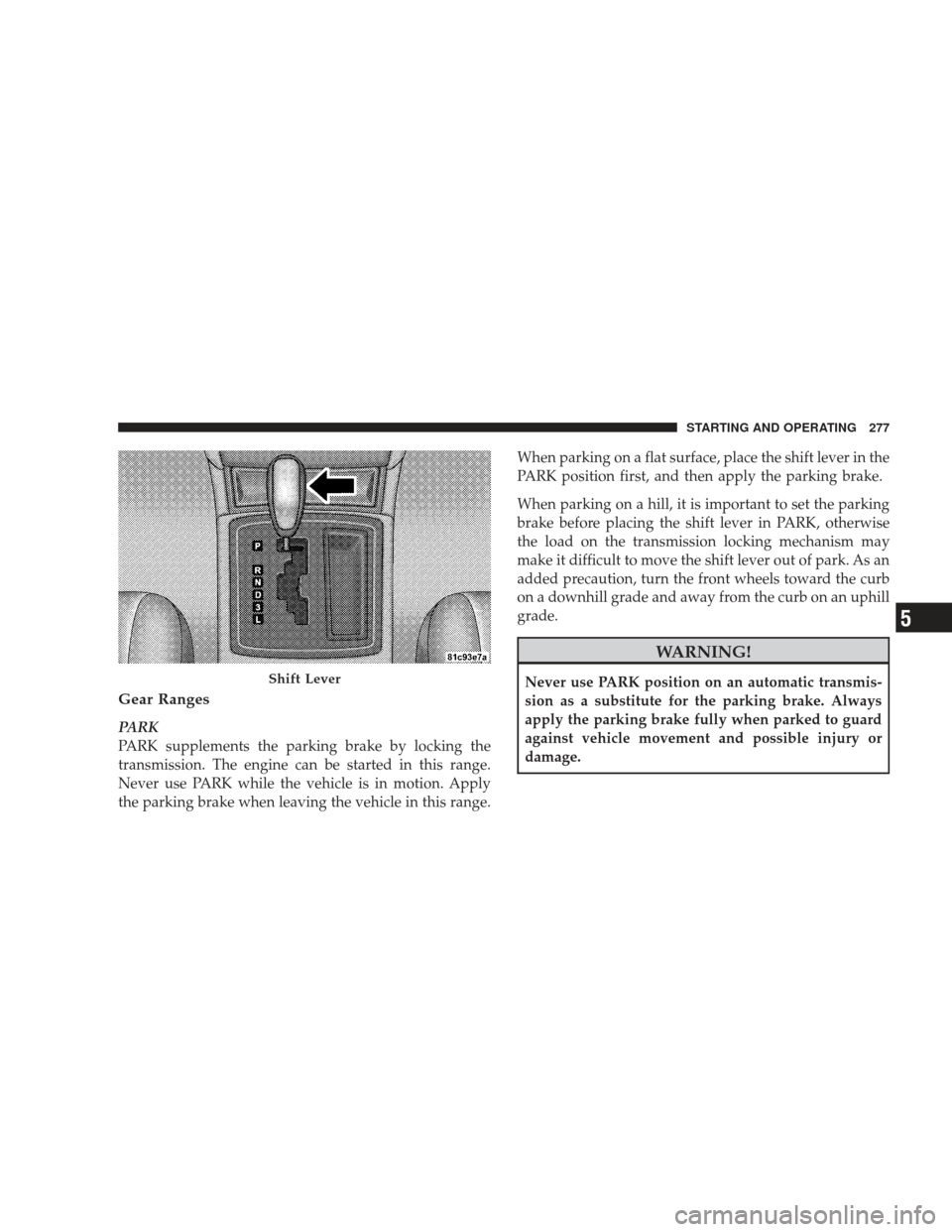
Gear Ranges
PARK
PARK supplements the parking brake by locking the
transmission. The engine can be started in this range.
Never use PARK while the vehicle is in motion. Apply
the parking brake when leaving the vehicle in this range.When parking on a flat surface, place the shift lever in the
PARK position first, and then apply the parking brake.
When parking on a hill, it is important to set the parking
brake before placing the shift lever in PARK, otherwise
the load on the transmission locking mechanism may
make it difficult to move the shift lever out of park. As an
added precaution, turn the front wheels toward the curb
on a downhill grade and away from the curb on an uphill
grade.
WARNING!
Never use PARK position on an automatic transmis-
sion as a substitute for the parking brake. Always
apply the parking brake fully when parked to guard
against vehicle movement and possible injury or
damage.Shift Lever
STARTING AND OPERATING 277
5
Page 284 of 484
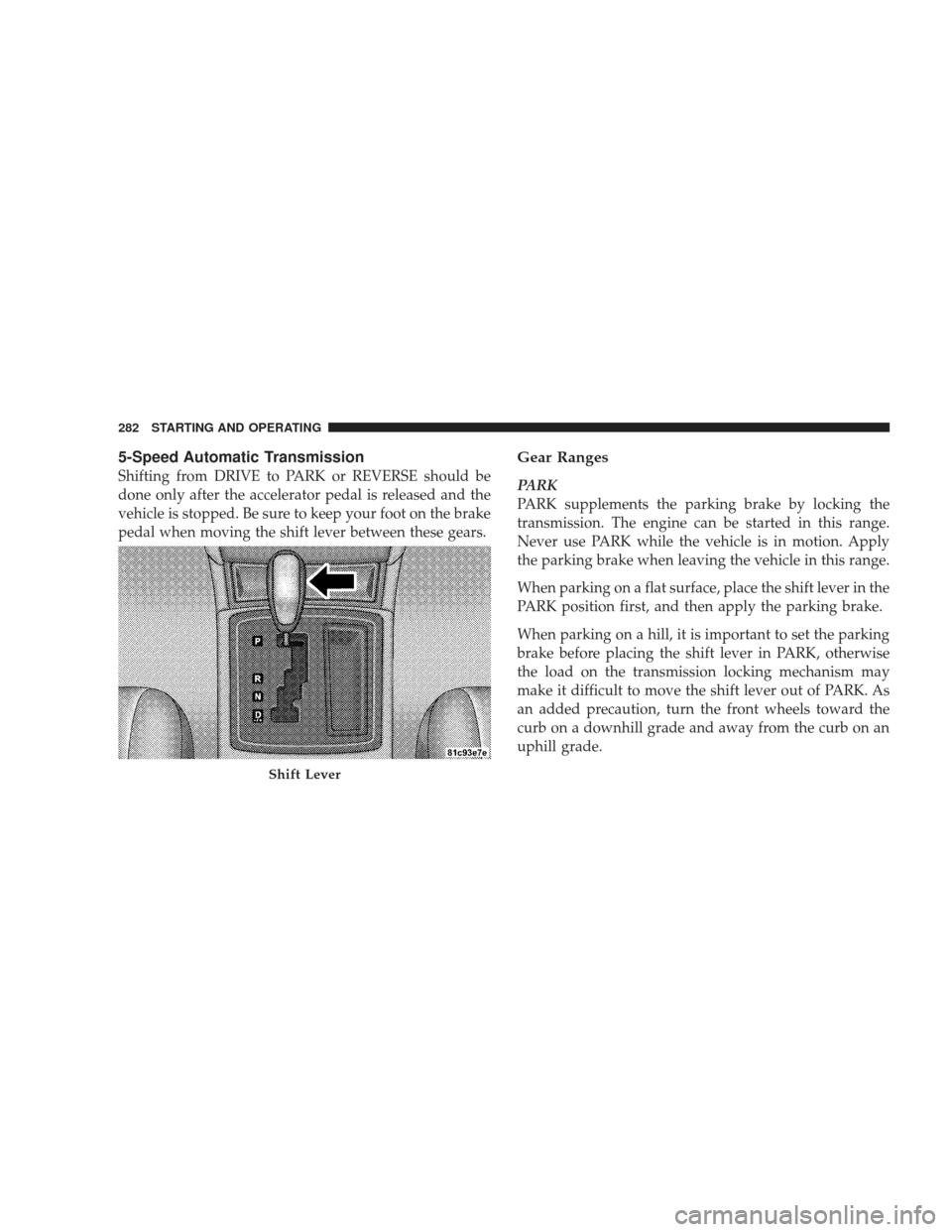
5-Speed Automatic Transmission
Shifting from DRIVE to PARK or REVERSE should be
done only after the accelerator pedal is released and the
vehicle is stopped. Be sure to keep your foot on the brake
pedal when moving the shift lever between these gears.
Gear Ranges
PARK
PARK supplements the parking brake by locking the
transmission. The engine can be started in this range.
Never use PARK while the vehicle is in motion. Apply
the parking brake when leaving the vehicle in this range.
When parking on a flat surface, place the shift lever in the
PARK position first, and then apply the parking brake.
When parking on a hill, it is important to set the parking
brake before placing the shift lever in PARK, otherwise
the load on the transmission locking mechanism may
make it difficult to move the shift lever out of PARK. As
an added precaution, turn the front wheels toward the
curb on a downhill grade and away from the curb on an
uphill grade.
Shift Lever
282 STARTING AND OPERATING
Page 288 of 484
AUTOSTICK�— IF EQUIPPED
Autostick�is a driver-interactive transmission that offers
manual gear shifting to provide you with more control of
the vehicle. Autostick� allows you to maximize engine
braking, eliminate undesirable upshifts and downshifts,
and improve overall vehicle performance. This system
can also provide you with more control during passing,
city driving, cold slippery conditions, mountain driving,
trailer towing, and many other situations.
Autostick� Operation
By placing the shift lever in the DRIVE position, it can be
moved from side to side. This allows the driver to select
a higher or lower range of gears. Moving the shift lever to
the left (-) triggers a downshift and to the right (+) an
upshift. The gear position will display in the instrument
cluster on the transmission range indicator.
You can shift in or out of the Autostick� mode at any time
without taking your foot off the accelerator pedal. If you choose the Overdrive mode, the transmission will oper-
ate automatically, shifting between the five available
gears. When you wish to engage Autostick�, simply
move the shift lever to the right or left (D+/D-) while in
the DRIVE position. The transmission will remain in the
current gear until an upshift or downshift is chosen.
ALL-WHEEL DRIVE (AWD) — IF EQUIPPED
This vehicle is equipped with an active on-demand All
Wheel Drive (AWD) system which makes available opti-
mum traction for a wide variety of road surface and
driving conditions. The system minimizes wheel slip by
automatically redirecting torque to the front and rear
wheels as necessary.
To maximize fuel economy, your AWD vehicle automati-
cally defaults to Rear Wheel Drive (RWD) when road and
environmental conditions are such that wheel slip is
unlikely to occur. When specific road and environmental
conditions require increased levels of road traction, the
286 STARTING AND OPERATING