Page 129 of 469
position. In addition, the headlights will turn off when
the wipers are turned off if they were turned on by this
feature.
The Headlights On with Wipers feature can be enabled or
disabled. Refer to ”Headlights On with Wipers,” under
“Personal Settings (Customer-Programmable Features)”
under “Electronic Vehicle Information Center (EVIC)” in
Section 4.
TILT/TELESCOPING STEERING COLUMN
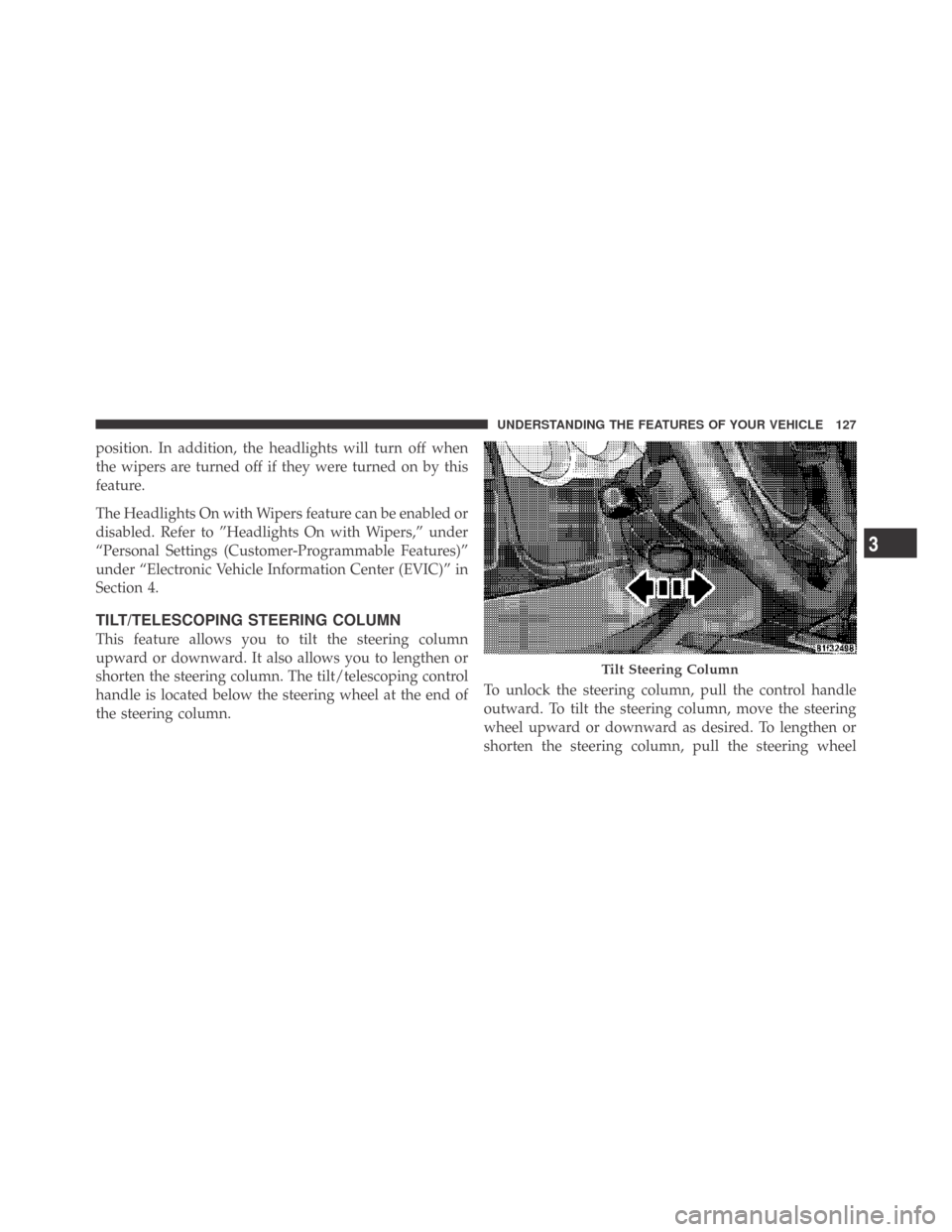
This feature allows you to tilt the steering column
upward or downward. It also allows you to lengthen or
shorten the steering column. The tilt/telescoping control
handle is located below the steering wheel at the end of
the steering column.To unlock the steering column, pull the control handle
outward. To tilt the steering column, move the steering
wheel upward or downward as desired. To lengthen or
shorten the steering column, pull the steering wheel
Tilt Steering Column
3
UNDERSTANDING THE FEATURES OF YOUR VEHICLE 127
Page 130 of 469
outward or push it inward as desired. To lock the steering
column in position, push the control handle inward until
fully engaged.
WARNING!
Do not adjust the steering wheel while driving. The
telescoping adjustment must be locked while driv-
ing. Adjusting the steering wheel while driving or
driving without the telescoping adjustment locked
could cause the driver to lose control of the vehicle.
ELECTRONIC SPEED CONTROL
When engaged, Electronic Speed Control takes over the
accelerator operation at speeds greater than 25 mph
(40 km/h).
The Electronic Speed Control lever, located on the right-
side of the steering wheel, operates the system.NOTE:In order to ensure proper operation, the Elec-
tronic Speed Control System has been designed to shut
down if multiple Speed Control functions are operated
Electronic Speed Control Lever
128 UNDERSTANDING THE FEATURES OF YOUR VEHICLE
Page 132 of 469
•Electronic Speed Control may not engage if a different
size tire is installed on one wheel, such as the compact
spare tire.
To Deactivate
The system will disable Electronic Speed Control without
erasing the memory if you:
•Softly tap the brake pedal.
•Press the brake pedal, or press the clutch pedal to the
floor (manual transmission).
•Pull the speed control lever toward you (CANCEL).
Pushing and releasing the ON/OFF button or turning the
ignition OFF erases the set speed from memory.
To Resume Speed
If you deactivated the Electronic Speed Control without
erasing the set speed from memory and your vehicle
speed is above 20 mph (32 km/h), you can resume theprevious set speed. To do so, push the lever upward to
RESUME ACCEL and release. Then remove your foot
from the accelerator pedal.
To Vary the Speed Setting
When the Electronic Speed Control is set, you can in-
crease speed by pushing up and holding the lever in
RESUME ACCEL. When the lever is released, a new set
speed will be established.
Tapping the lever to RESUME ACCEL once will result in
a 1 mph (1.6 km/h) speed increase. Each time the lever is
tapped speed increases, so tapping the lever three times
will increase speed by 3 mph (4.8 km/h), etc.
To decrease speed while Electronic Speed Control is set,
push down and hold the lever in SET DECEL. Release the
lever when the desired speed is reached, and a new set
speed will be established.
130 UNDERSTANDING THE FEATURES OF YOUR VEHICLE
Page 162 of 469

14. Oil Pressure Warning Light
This light indicates low engine oil pressure. The
light should turn on momentarily when the engine
is started. If the light turns on while driving, stop the
vehicle and shut off the engine as soon as possible. A
chime will sound for four minutes when this light turns
on.
Do not operate the vehicle until the cause is corrected.
This light does not indicate how much oil is in the engine.
The engine oil level must be checked under the hood.
15. High Beam Indicator
This indicator will turn on when the high beam
headlights are on. Push the multifunction lever
away from the steering wheel to switch the headlights to
high beam.16. Seat Belt Reminder Light
This light will turn on for five to eight seconds as
a bulb check when the ignition switch is first
turned ON. A chime will sound if the driver’s seat
belt is unbuckled during the bulb check. The Seat Belt
Warning Light will flash or remain on continuously if the
driver’s seat belt remains unbuckled after the bulb check
or when driving.
17. Shift Lever Indicator — Automatic Transmission
Only
The Shift Lever Indicator is self-contained within the
instrument cluster. It displays the gear position of the
automatic transmission.
18. Front Fog Light Indicator — If Equipped
This indicator will illuminate when the front fog
lights are on.
160 UNDERSTANDING YOUR INSTRUMENT PANEL
Page 167 of 469

As an added safety feature, your vehicle has been
equipped with a Tire Pressure Monitoring System
(TPMS) that illuminates a low tire pressure telltale when
one or more of your tires is significantly under-inflated.
Accordingly, when the low tire pressure telltale illumi-
nates, you should stop and check your tires as soon as
possible, and inflate them to the proper pressure. Driving
on a significantly under-inflated tire causes the tire to
overheat and can lead to tire failure. Under-inflation also
reduces fuel efficiency and tire tread life, and may affect
the vehicle’s handling and stopping ability.
Please note that the TPMS is not a substitute for proper
tire maintenance, and it is the driver ’s responsibility to
maintain correct tire pressure, even if under-inflation has
not reached the level to trigger illumination of the TPMS
low tire pressure telltale.
Your vehicle has also been equipped with a TPMS
malfunction indicator to indicate when the system is notoperating properly. The TPMS malfunction indicator is
combined with the low tire pressure telltale. When the
system detects a malfunction, the telltale will flash for
approximately one minute and then remain continuously
illuminated. This sequence will continue upon subse-
quent vehicle start-ups as long as the malfunction exists.
When the malfunction indicator is illuminated, the sys-
tem may not be able to detect or signal low tire pressure
as intended. TPMS malfunctions may occur for a variety
of reasons, including the installation of replacement or
alternate tires or wheels on the vehicle that prevent the
TPMS from functioning properly. Always check the
TPMS malfunction telltale after replacing one or more
tires or wheels on your vehicle, to ensure that the
replacement or alternate tires and wheels allow the TPMS
to continue to function properly.
4
UNDERSTANDING YOUR INSTRUMENT PANEL 165
Page 168 of 469
CAUTION!
The TPMS has been optimized for the original
equipment tires and wheels. TPMS pressures and
warning have been established for the tire size
equipped on your vehicle. Undesirable system opera-
tion or sensor damage may result when using re-
placement equipment that is not of the same size,
type, and/or style. Aftermarket wheels can cause
sensor damage. Do not use tire sealant from a can, or
balance beads if your vehicle is equipped with a
TPMS, as damage to the sensors may result.
23. Anti-Lock Brake (ABS) Light
This light monitors the Anti-Lock Brake System
(ABS). The light will turn on when the ignition
switch is turned to the ON position and may stay on for
as long as four seconds.If the ABS light remains on or turns on while driving,
then the Anti-Lock portion of the brake system is not
functioning and service is required. However, the con-
ventional brake system will continue to operate normally
if the BRAKE warning light is not on.
If the ABS light is on, the brake system should be serviced
as soon as possible to restore the benefits of Anti-Lock
Brakes. If the ABS light does not turn on when the
ignition switch is turned to the ON position, have the
light inspected by an authorized dealer.
24. Low Fuel Light
This light will turn on and a single chime will
sound when the fuel level drops to 1/8 tank.
25. Malfunction Indicator Light (MIL)
The Malfunction Indicator Light (MIL) is part of
an onboard diagnostic system called OBD. The
OBD system monitors engine and automatic
transmission control systems. The MIL will turn on when
166 UNDERSTANDING YOUR INSTRUMENT PANEL
Page 170 of 469
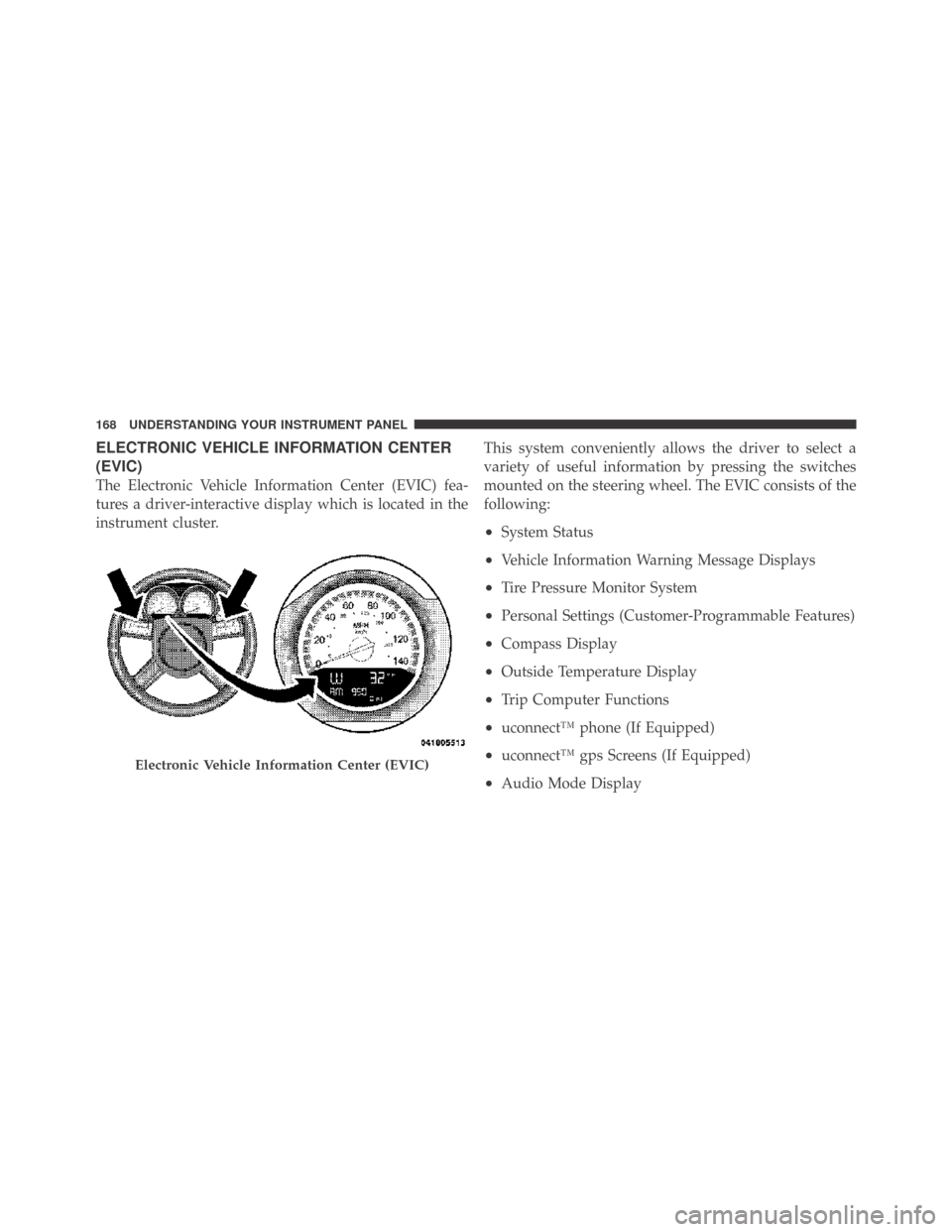
ELECTRONIC VEHICLE INFORMATION CENTER
(EVIC)
The Electronic Vehicle Information Center (EVIC) fea-
tures a driver-interactive display which is located in the
instrument cluster.This system conveniently allows the driver to select a
variety of useful information by pressing the switches
mounted on the steering wheel. The EVIC consists of the
following:
•System Status
•Vehicle Information Warning Message Displays
•Tire Pressure Monitor System
•Personal Settings (Customer-Programmable Features)
•Compass Display
•Outside Temperature Display
•Trip Computer Functions
•uconnect™ phone (If Equipped)
•uconnect™ gps Screens (If Equipped)
•Audio Mode Display
Electronic Vehicle Information Center (EVIC)
168 UNDERSTANDING YOUR INSTRUMENT PANEL
Page 171 of 469
![DODGE CHALLENGER 2009 3.G Owners Manual •Surround Sound Modes (If Equipped with Driver-
Selectable Surround [DSS])
The system allows the driver to select information by
pressing the following buttons mounted on the steering
wheel.
MENU Bu](/manual-img/12/5533/w960_5533-170.png "DODGE CHALLENGER 2009 3.G Owners Manual •Surround Sound Modes (If Equipped with Driver-
Selectable Surround [DSS])
The system allows the driver to select information by
pressing the following buttons mounted on the steering
wheel.
MENU Bu")
•Surround Sound Modes (If Equipped with Driver-
Selectable Surround [DSS])
The system allows the driver to select information by
pressing the following buttons mounted on the steering
wheel.
MENU Button
Press and release the MENU button and the
mode displayed will change between Trip
Functions, Performance Pages, uconnect™ gps
(If Equipped), System Warnings, System Sta-
tus, Personal Settings, and Surround Sound (If
Equipped).
FUNCTION SELECT Button
Press the FUNCTION SELECT button to accept
a selection. The FUNCTION SELECT button
also functions as a remote sound system con-
trol. Refer to “Remote Sound System Controls”
in this section.SCROLL Button
Press the SCROLL button to scroll through Trip
Functions, Performance Pages, uconnect™ gps
(If Equipped), System Status Messages, and
Personal Settings (Customer-Programmable
Features). The SCROLL button also functions as a remote
sound system control. Refer to “Remote Sound System
Controls” in this section.
AUDIO MODE Button
Press the AUDIO MODE button to select the
Compass/Temp/Audio screen. Along with
compass reading and outside temperature, this
screen will display radio and media mode
information depending on which radio is in the vehicle.
Refer to “Remote Sound System Controls” in this section.
4
UNDERSTANDING YOUR INSTRUMENT PANEL 169