Page 115 of 534

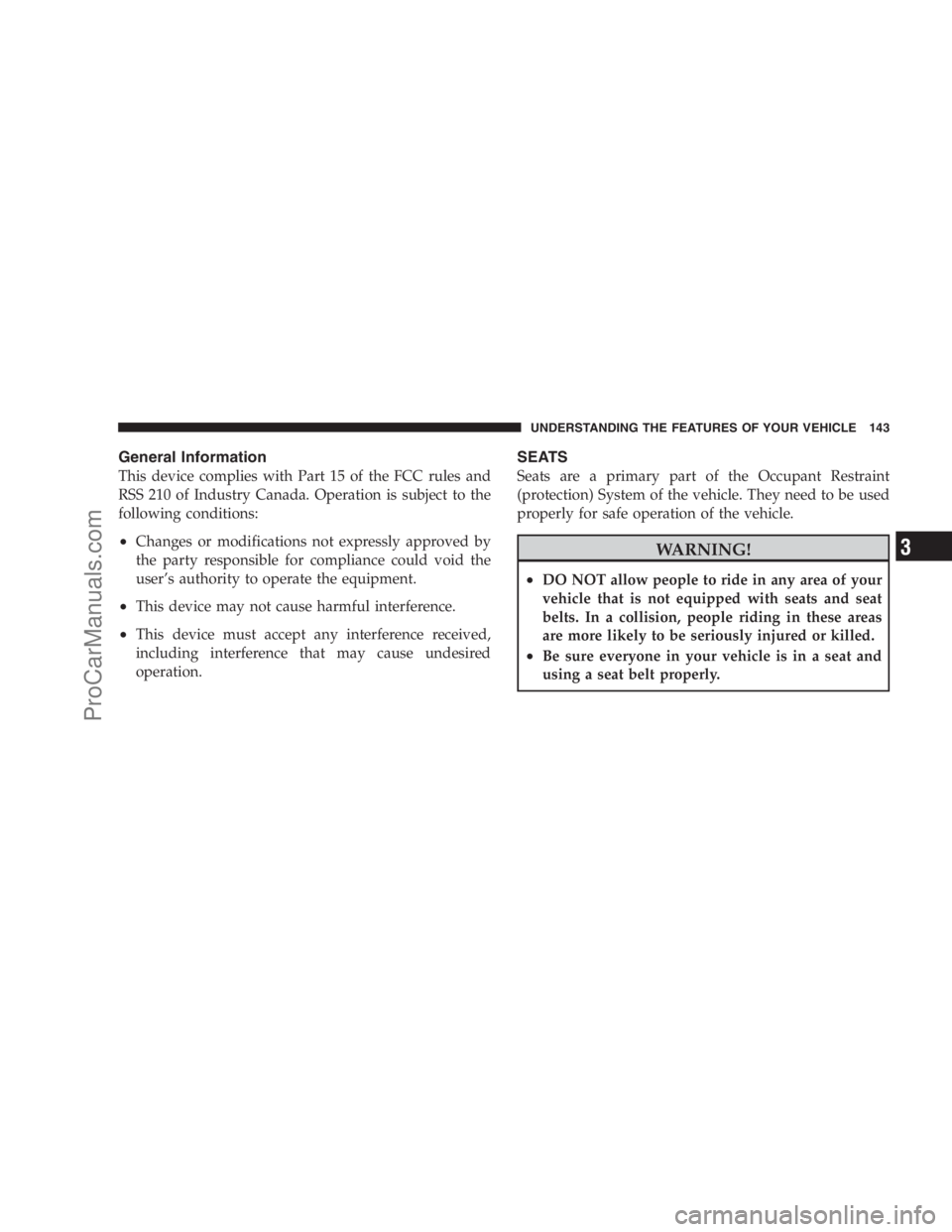
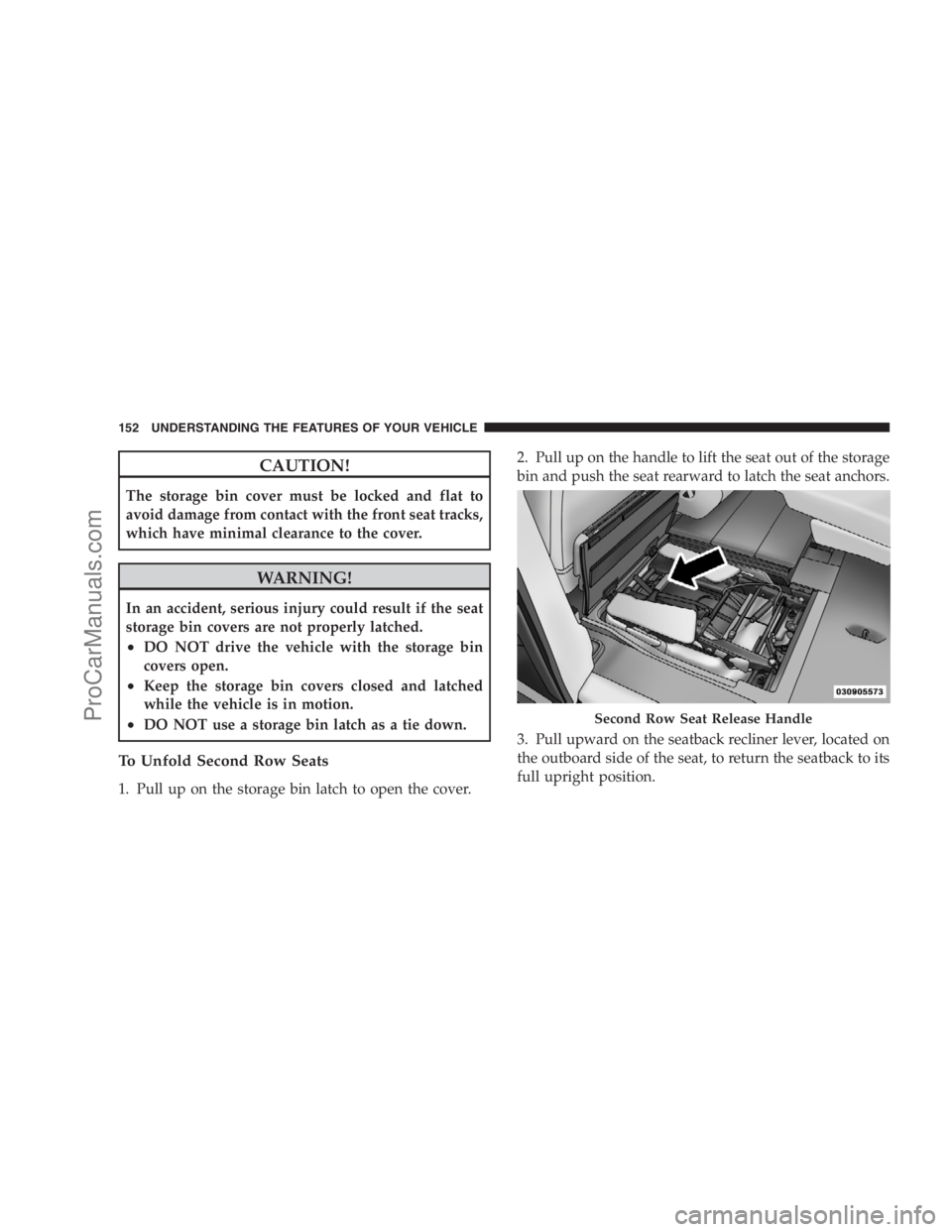
RCP monitors the rear detection zones on both sides of
the vehicle, for objects that are moving toward the side of
the vehicle with a minimum speed of approximately 1 to
2 mph (1 km/h to 3 km/h), to objects moving a maxi-
mum of approximately 10 mph (16 km/h), such as in
parking lot situations.NOTE:In a parking lot situation, oncoming vehicles can
be obscured by vehicles parked on either side. If the
sensors are blocked by other structures or vehicles, the
system will not be able to alert the driver.
When RCP is on and the vehicle is in REVERSE, the
driver is alerted using both the visual and audible
alarms, including radio muting.
WARNING!
RCP is not a Back Up Aid system. It is intended to be
used to help a driver detect an oncoming vehicle in a
parking lot situation. Drivers must be careful when
backing up, even when using RCP. Always check
carefully behind your vehicle, look behind you, and
be sure to check for pedestrians, animals, other
vehicles, obstructions, and blind spots before back-
ing up. Failure to do so can result in serious injury or
death.
RCP Detection Zones
UNDERSTANDING THE FEATURES OF YOUR VEHICLE 113
3
ProCarManuals.com
Page 131 of 534
Canada and 060 for Mexico). The number dialed may
not be applicable with the available cellular service
and area.
•If supported, this number may be programmable on
some systems. To do this, press ‘Phone’ button and say
‘Setup’, followed by ‘Emergency’.
•The UConnect�system does slightly lower your
chances of successfully making a phone call as to that
for the cell phone directly.
WARNING!
Your phone must be turned on and paired to the
UConnect�system to allow use of this vehicle feature
in emergency situations, when the cell phone has
network coverage and stays paired to the UConnect�
system.
Towing Assistance
If you need towing assistance:
•Press the PHONE button to begin.
•After the�Ready�prompt and the following beep, say
�Towing Assistance.�
NOTE:
•The Towing Assistance number dialed is based on the
country where the vehicle is purchased (1-800-528-
2069 for the U.S., 1-877-213-4525 for Canada, 55-14-
3454 for Mexico City and 1-800-712-3040 for outside
Mexico City in Mexico).
•If supported, this number may be programmable on
some systems. To do this, press ‘Phone’ button and say
‘Setup’, followed by ‘Towing Assistance’.
Paging
To learn how to page, refer to�Working with Automated
Systems.�Paging works properly except for pagers of
UNDERSTANDING THE FEATURES OF YOUR VEHICLE 129
3
ProCarManuals.com
Page 145 of 534
General Information
This device complies with Part 15 of the FCC rules and
RSS 210 of Industry Canada. Operation is subject to the
following conditions:
•Changes or modifications not expressly approved by
the party responsible for compliance could void the
user’s authority to operate the equipment.
•This device may not cause harmful interference.
•This device must accept any interference received,
including interference that may cause undesired
operation.
SEATS
Seats are a primary part of the Occupant Restraint
(protection) System of the vehicle. They need to be used
properly for safe operation of the vehicle.
WARNING!
•DO NOT allow people to ride in any area of your
vehicle that is not equipped with seats and seat
belts. In a collision, people riding in these areas
are more likely to be seriously injured or killed.
•Be sure everyone in your vehicle is in a seat and
using a seat belt properly.
UNDERSTANDING THE FEATURES OF YOUR VEHICLE 143
3
ProCarManuals.com
Page 146 of 534
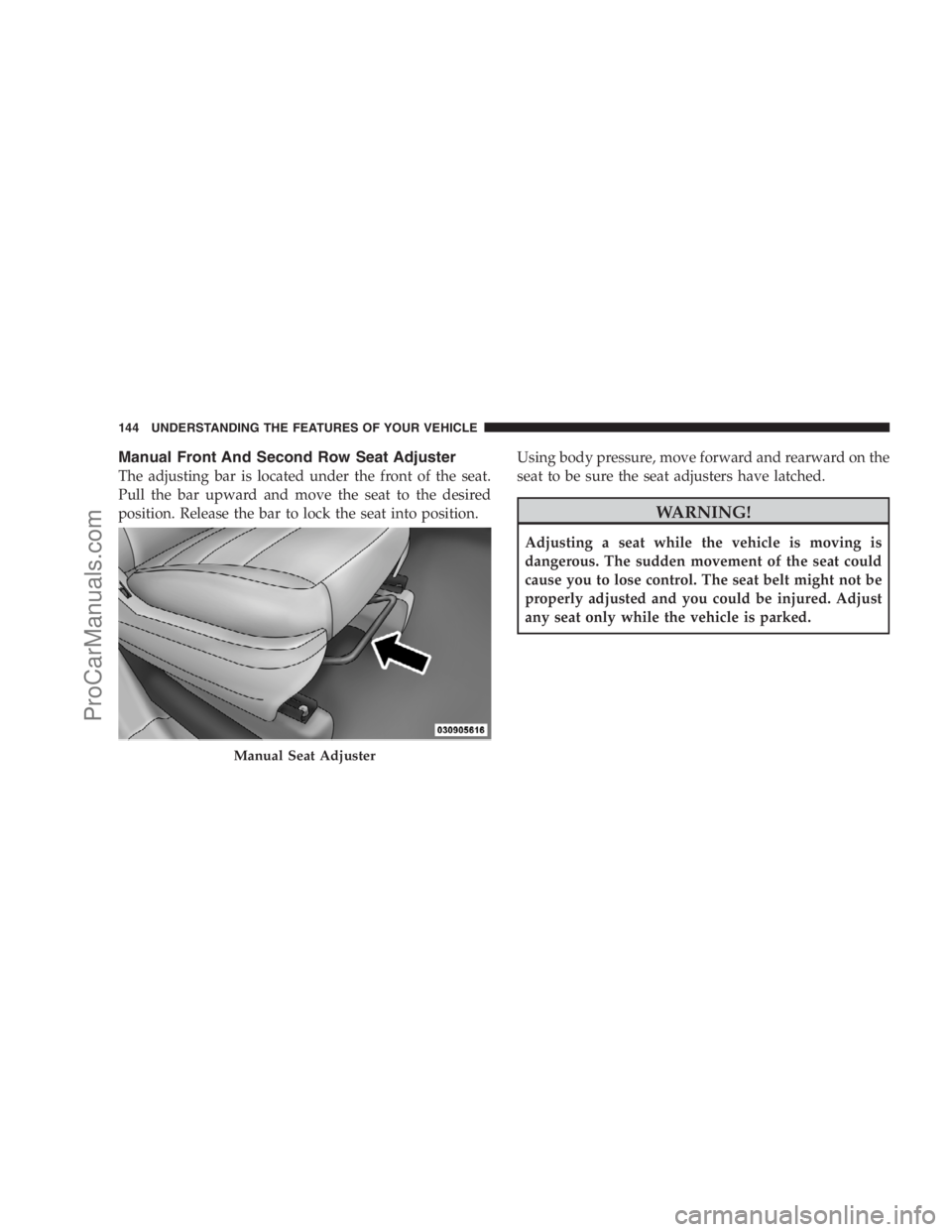
Manual Front And Second Row Seat Adjuster
The adjusting bar is located under the front of the seat.
Pull the bar upward and move the seat to the desired
position. Release the bar to lock the seat into position.Using body pressure, move forward and rearward on the
seat to be sure the seat adjusters have latched.
WARNING!
Adjusting a seat while the vehicle is moving is
dangerous. The sudden movement of the seat could
cause you to lose control. The seat belt might not be
properly adjusted and you could be injured. Adjust
any seat only while the vehicle is parked.
Manual Seat Adjuster
144 UNDERSTANDING THE FEATURES OF YOUR VEHICLE
ProCarManuals.com
Page 150 of 534
WARNING!
Persons who are unable to feel pain to the skin
because of advanced age, chronic illness, diabetes,
spinal cord injury, medication, alcohol use, exhaus-
tion or other physical condition must exercise care
when using the seat heater. It may cause burns even
at low temperatures, especially if used for long
periods of time. DO NOT place anything on the seat
that insulates against heat, such as a blanket or
cushion. This may cause the seat heater to overheat.
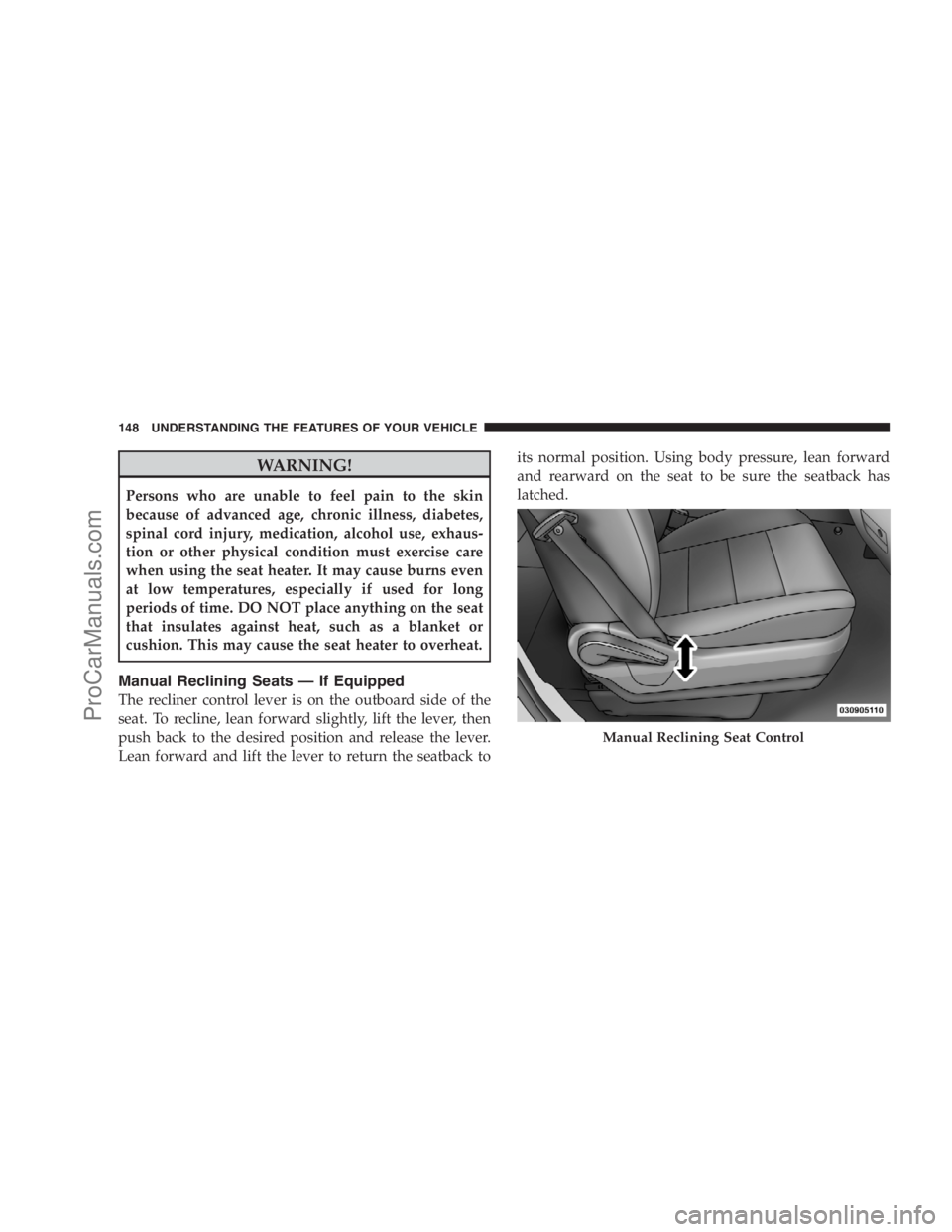
Manual Reclining Seats — If Equipped
The recliner control lever is on the outboard side of the
seat. To recline, lean forward slightly, lift the lever, then
push back to the desired position and release the lever.
Lean forward and lift the lever to return the seatback toits normal position. Using body pressure, lean forward
and rearward on the seat to be sure the seatback has
latched.
Manual Reclining Seat Control
148 UNDERSTANDING THE FEATURES OF YOUR VEHICLE
ProCarManuals.com
Page 151 of 534
WARNING!
DO NOT ride with the seatback reclined so that the
shoulder belt is no longer resting against your chest.
In a collision you could slide under the seat belt and
be seriously or fatally injured. Use the recliner only
when the vehicle is parked.
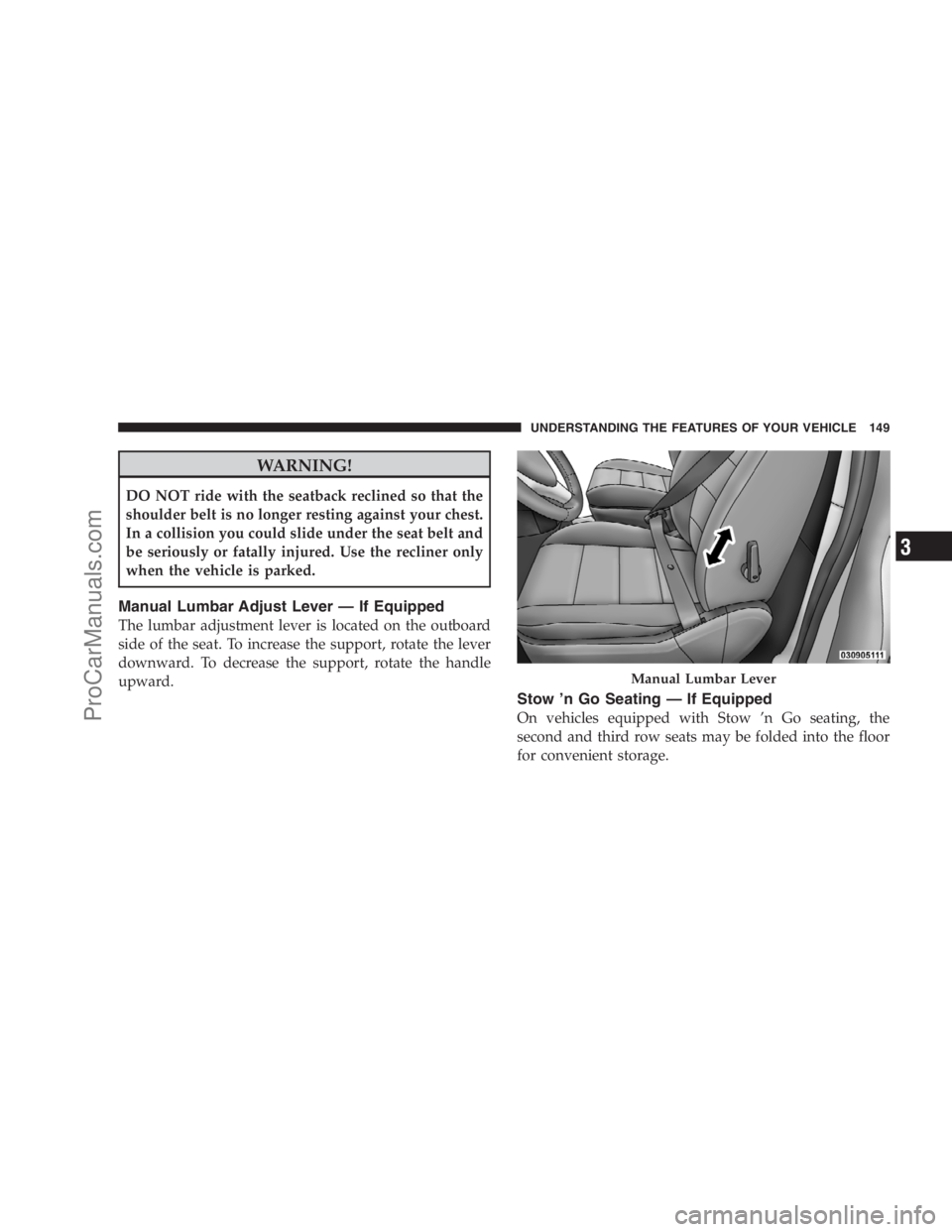
Manual Lumbar Adjust Lever — If Equipped
The lumbar adjustment lever is located on the outboard
side of the seat. To increase the support, rotate the lever
downward. To decrease the support, rotate the handle
upward.
Stow ’n Go Seating — If Equipped
On vehicles equipped with Stow ’n Go seating, the
second and third row seats may be folded into the floor
for convenient storage.
Manual Lumbar Lever
UNDERSTANDING THE FEATURES OF YOUR VEHICLE 149
3
ProCarManuals.com
Page 154 of 534
CAUTION!
The storage bin cover must be locked and flat to
avoid damage from contact with the front seat tracks,
which have minimal clearance to the cover.
WARNING!
In an accident, serious injury could result if the seat
storage bin covers are not properly latched.
•DO NOT drive the vehicle with the storage bin
covers open.
•Keep the storage bin covers closed and latched
while the vehicle is in motion.
•DO NOT use a storage bin latch as a tie down.
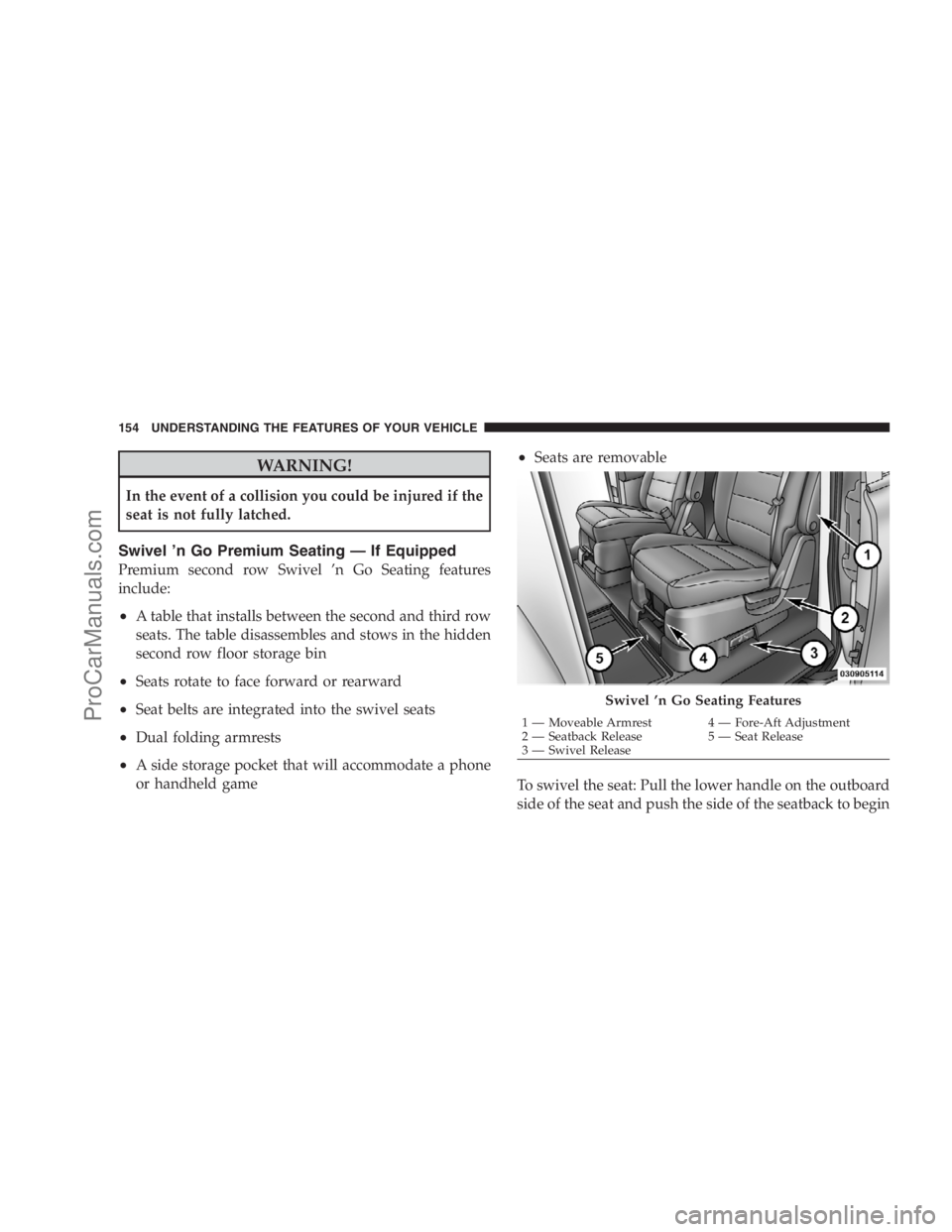
To Unfold Second Row Seats
1. Pull up on the storage bin latch to open the cover.2. Pull up on the handle to lift the seat out of the storage
bin and push the seat rearward to latch the seat anchors.
3. Pull upward on the seatback recliner lever, located on
the outboard side of the seat, to return the seatback to its
full upright position.
Second Row Seat Release Handle
152 UNDERSTANDING THE FEATURES OF YOUR VEHICLE
ProCarManuals.com
Page 156 of 534
WARNING!
In the event of a collision you could be injured if the
seat is not fully latched.
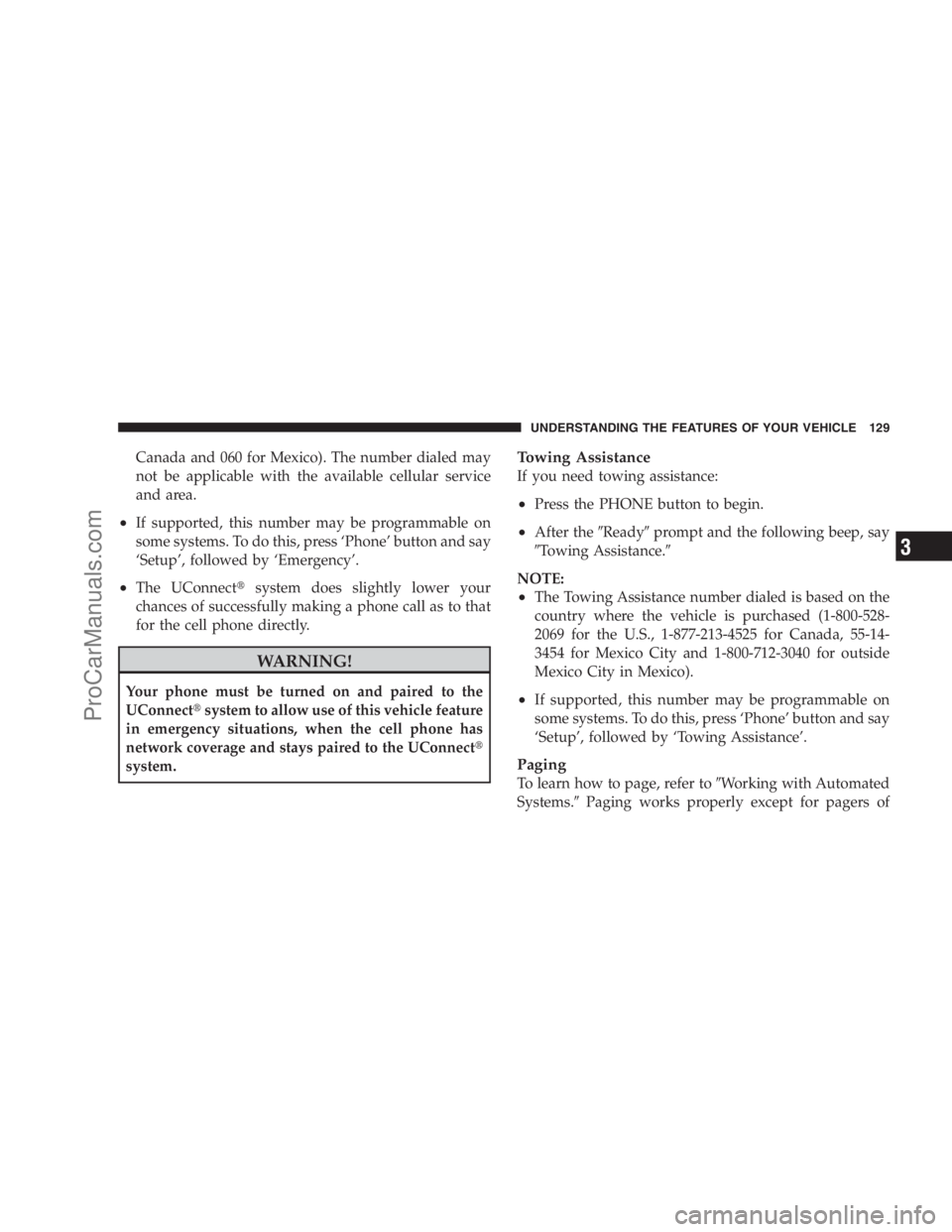
Swivel ’n Go Premium Seating — If Equipped
Premium second row Swivel ’n Go Seating features
include:
•A table that installs between the second and third row
seats. The table disassembles and stows in the hidden
second row floor storage bin
•Seats rotate to face forward or rearward
•Seat belts are integrated into the swivel seats
•Dual folding armrests
•A side storage pocket that will accommodate a phone
or handheld game
•Seats are removable
To swivel the seat: Pull the lower handle on the outboard
side of the seat and push the side of the seatback to begin
Swivel ’n Go Seating Features
1 — Moveable Armrest 4 — Fore-Aft Adjustment
2 — Seatback Release 5 — Seat Release
3 — Swivel Release 154 UNDERSTANDING THE FEATURES OF YOUR VEHICLE
ProCarManuals.com