Page 188 of 534
Speed Control system can be reactivated by pushing the
Electronic Speed Control switch ON/OFF button and
resetting the desired vehicle set speed.
Accelerating To Pass
Depress the accelerator as you normally would. When
the pedal is released, the vehicle will return to the set
speed.
NOTE:The Electronic Speed Control system maintains
speed up and down hills. A slight speed change on
moderate hills is normal.
Your vehicle may experience a downshift (automatic
transmissions only) while climbing uphill or descending
downhill. This downshift is necessary to maintain vehicle
set speed.
On steep hills, a greater speed loss or gain may occur, so
it may be preferable to drive without Electronic Speed
Control.
WARNING!
Electronic Speed Control can be dangerous where the
system cannot maintain a constant speed. Your ve-
hicle could go too fast for the conditions, and you
could lose control. An accident could be the result.
Do not use Electronic Speed Control in heavy traffic
or on roads that are winding, icy, snow-covered, or
slippery.
REAR PARK ASSIST SYSTEM — IF EQUIPPED
The Rear Park Assist system provides visible and audible
indications of the distance between the rear fascia and the
detected obstacle, when backing up. When backing up,
you should also use the inside rearview and outside
mirrors.
186 UNDERSTANDING THE FEATURES OF YOUR VEHICLE
ProCarManuals.com
Page 190 of 534
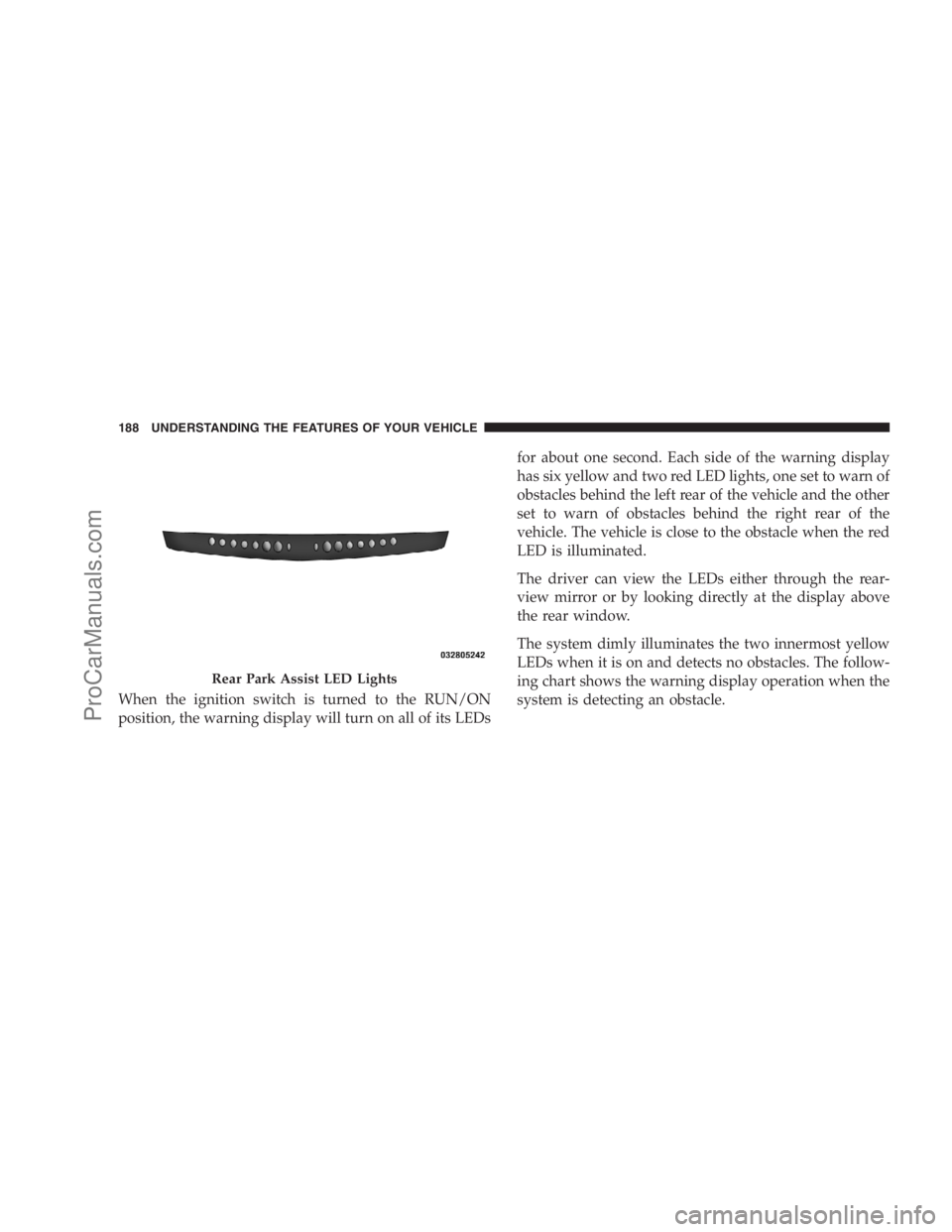
When the ignition switch is turned to the RUN/ON
position, the warning display will turn on all of its LEDsfor about one second. Each side of the warning display
has six yellow and two red LED lights, one set to warn of
obstacles behind the left rear of the vehicle and the other
set to warn of obstacles behind the right rear of the
vehicle. The vehicle is close to the obstacle when the red
LED is illuminated.
The driver can view the LEDs either through the rear-
view mirror or by looking directly at the display above
the rear window.
The system dimly illuminates the two innermost yellow
LEDs when it is on and detects no obstacles. The follow-
ing chart shows the warning display operation when the
system is detecting an obstacle.
Rear Park Assist LED Lights
188 UNDERSTANDING THE FEATURES OF YOUR VEHICLE
ProCarManuals.com
Page 194 of 534

Vehicles Equipped With the Compass Mini-Trip
Computer (CMTC)
You can turn the Rear Park Assist system ON or OFF
through the CMTC by pressing the left reset button in the
instrument cluster. Turn the ignition switch to the ON
position, then press and hold the RESET button for
approximately two seconds.
Service The Rear Park Assist System
If the Rear Park Assist system malfunctions, the instru-
ment cluster will actuate a single chime, once per ignition
cycle, and it will display the�SERVICE PARK ASSIST
SYSTEM�message. Refer to “Compass Mini Trip Com-
puter (CMTC) or “Electronic Vehicle Information Center
(EVIC) — If Equipped”, in Section 4.
If�SERVICE PARK ASSIST SYSTEM�appears in the
Electronic Vehicle Information Center (EVIC), after mak-
ing sure the rear bumper is clean, please see your
authorized dealer.Should this wrench symbol display with the
letterPnext to it, your Park Sense system
needs servicing. Contact your authorized
dealer.
Cleaning The Rear Park Assist System
Clean the Rear Park Assist sensors with water, car wash
soap and a soft cloth. Do not use rough or hard cloths. Do
not scratch or poke the sensors, otherwise, you could
damage them.
REAR BACKUP CAMERA SYSTEM — IF
EQUIPPED
Your vehicle may be equipped with a Rear Camera
System that allows you to see an on-screen image of the
rear of your vehicle whenever the shift lever is put into
REVERSE. The Rear camera image will be displayed on
the radio display screen, located on the center stack of the
instrument panel. The camera is located in the light bar
over the rear license plate.
192 UNDERSTANDING THE FEATURES OF YOUR VEHICLE
ProCarManuals.com
Page 196 of 534

CAUTION!
•To avoid vehicle damage the Rear Backup Camera
System should only be used as a parking aid and
is unable to view every obstacle, or object in your
drive path.
•To avoid vehicle damage the vehicle must be
driven slowly when using the Rear Backup Cam-
era System to be able to stop in time when an
obstacle is seen. It is recommended that the driver
look frequently over his/her shoulder.
NOTE:If snow, ice, mud, or anything else builds up on
the camera lens, clean the lens, rinse with water, and dry
with a soft cloth. Do not cover the lens.
OVERHEAD CONSOLES
Front Overhead Console
Two versions of the overhead console are available. The
base front overhead console model featured fixed incan-
descent courtesy/reading lights, flip-down sunglass stor-
age and conversation mirror. The premium front over-
head console model features a LED focused light that
illuminates the instrument panel cupholders, Infrared
Automatic Temperature Control Sensor (ATC equipped
only), two swiveling LED lights, flip-down sunglass
storage, conversation mirror, optional power sliding door
switches and an optional power liftgate switch.
NOTE:Premium sunroof console models include all of
above except sunglass storage.
194 UNDERSTANDING THE FEATURES OF YOUR VEHICLE
ProCarManuals.com
Page 197 of 534

Courtesy/Interior Lighting
At the forward end of the console are two courtesy lights
(standard dome light has two buttons). The lights turn onwhen a front door, a sliding door or the liftgate is opened.
If your vehicle is equipped with Remote Keyless Entry
(RKE), the lights will also turn on when the UNLOCK
button on the transmitter is pressed.
The courtesy lights also function as reading lights. Press
in on each lens to turn these lights on while inside the
vehicle. Press a second time to turn each light off. You
may adjust the direction of these lights by pressing the
outside ring, which is identified with four directional
arrows. (LED lamps only).
The area around the instrument panel cupholders is also
illuminated from a light in the overhead console (Pre-
mium console only). This light is turned on when the
headlight switch is on, and will adjust in brightness when
the dimmer control is rotated up or down.
Sunglass Storage (non-sunroof only)
At the rear of the front overhead console, a compartment
is provided for the storage of two pairs of sunglasses.
Front Premium Overhead Console Features
1 — Cupholder LED 4 — Storage/Mirror
2 — ATC Sensor 5 — Switch Bank
3 — Interior LightsUNDERSTANDING THE FEATURES OF YOUR VEHICLE 195
3
ProCarManuals.com
Page 198 of 534
Press the door latch to open the compartment. The door
will slowly rotate to an open position.
Rotating bin upward to partial open, positions lid for
conversation mirror use.
NOTE:The front overhead console supplied with fac-
tory sunroof, incorporates a sunroof switch.
Rear Overhead Consoles — If Equipped
The rear overhead storage system is available in two
versions: with or without sunroof.
An additional LED at the front of the rear console shines
down on the front foot-well area while in courtesy mode,
for added convenience.
Overhead Compartment Features
1 — DVD15 — Storage
2 — Rear HVAC 6 — DVD1
3 — Interior Lights 7 — Interior Lights
4 — Storage 8 — Halo Lighting
1If equipped, otherwise storage. 196 UNDERSTANDING THE FEATURES OF YOUR VEHICLE
ProCarManuals.com
Page 199 of 534
Rear Courtesy/Reading Lights — If Equipped
The overhead console has two sets of courtesy lights. The
lights turn on when a front door, a sliding door or the
liftgate is opened. If your vehicle is equipped with RKE,
the lights will also turn on when the UNLOCK button on
the RKE transmitter is pressed.
The courtesy lights also function as reading lights. Press
in on each lens to turn these lights on while inside the
vehicle. Press the lens a second time to turn each light off.
You may adjust the direction of these lights by pressing
the outside ring, which is identified with four directional
arrows.
Rear Console Halo Lighting
The rear overhead console has recessed halo lighting
around the perimeter of the console base. This feature
provides additional lighting options while traveling and
is controlled by the headlight switch. Refer to ”HaloLights — If Equipped” under “Lighting” in the “Under-
standing The Features Of Your Vehicle” in Section 2.
GARAGE DOOR OPENER — IF EQUIPPED
HomeLink�replaces up to three remote controls (hand-
held transmitters) that operate devices such as garage
door openers, motorized gates, lighting, or home security
systems. The HomeLink�unit operates off your vehicle’s
battery.
The HomeLink�buttons that are located in the headliner
or sun visor designate the three different HomeLink�
channels.
UNDERSTANDING THE FEATURES OF YOUR VEHICLE 197
3
ProCarManuals.com
Page 201 of 534
Programming Homelink�
Before You Begin
If you have not trained any of the HomeLink�buttons,
erase all channels before you begin training.
To do this, press and hold the two outside buttons for up
to 20 seconds until the red indicator flashes.
It is recommended that a new battery be placed in the
handheld transmitter of the device being programmed to
HomeLink�for more efficient training and accurate
transmission of the radio-frequency signal.
Your vehicle should be parked outside of the garage
when programming.
Begin Programming
1. Turn the ignition switch to the ON/RUN position.
2. Hold the battery side of the handheld transmitter
away from the HomeLink�button you wish to program.Place the handheld transmitter 1 to 3 in (3 to 8 cm) away
from the HomeLink�button you wish to program while
keeping the indicator light in view.
3. Simultaneously press and hold both the chosen
HomeLink�button and the handheld transmitter button
until the HomeLink�indicator changes from a slow to a
rapidly blinking light, then release both the HomeLink�
and handheld transmitter buttons.
Watch for the HomeLink�indicator to change flash rates.
When it changes, it is programmed. It may take up to
30 seconds, or longer in rare cases. The garage door may
open and close while you train.
NOTE:
•Some gate operators and garage door openers may
require you to replace Step 3 with procedures noted in
the “Gate Operator/Canadian Programming” section.
UNDERSTANDING THE FEATURES OF YOUR VEHICLE 199
3
ProCarManuals.com