Page 233 of 534
▫Play Mode......................... 288
▫List Or Browse Mode.................. 289
�Satellite Radio — If Equipped
(REN/REQ/RER/RES/REU Radios Only)..... 291
▫System Activation.................... 292
▫Electronic Serial Number/Sirius
Identification Number (ESN/SID)......... 292
▫Selecting Satellite Mode................ 293
▫Satellite Antenna..................... 293
▫Reception Quality.................... 293
▫Operating Instructions — Satellite Mode.... 293
▫Operating Instructions — Hands-Free Phone
(If Equipped)........................ 296▫Operating Instructions — Video
Entertainment System (VES)™
(If Equipped)........................ 296
�Sirius Backseat TV™ — If Equipped........ 297
�Video Entertainment System (VES)™ — If
Equipped............................ 297
�Remote Sound System Controls —
If Equipped........................... 299
▫Radio Operation..................... 299
▫CD Player.......................... 300
�CD/DVD Maintenance.................. 300
�Radio Operation And Cellular Phones....... 301
UNDERSTANDING YOUR INSTRUMENT PANEL 231
4
ProCarManuals.com
Page 235 of 534
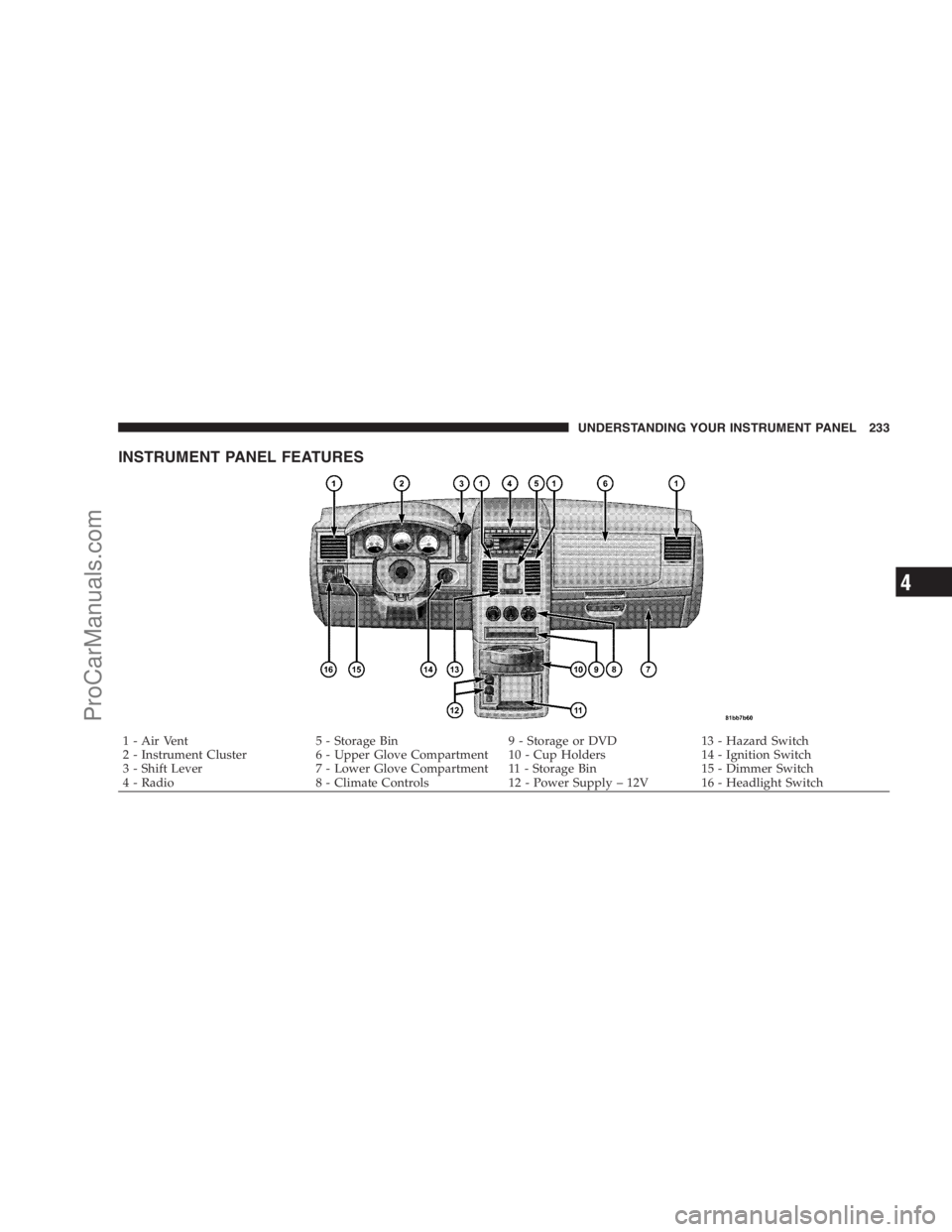
INSTRUMENT PANEL FEATURES
1 - Air Vent 5 - Storage Bin 9 - Storage or DVD 13 - Hazard Switch
2 - Instrument Cluster 6 - Upper Glove Compartment 10 - Cup Holders 14 - Ignition Switch
3 - Shift Lever 7 - Lower Glove Compartment 11 - Storage Bin 15 - Dimmer Switch
4 - Radio 8 - Climate Controls 12 - Power Supply – 12V 16 - Headlight SwitchUNDERSTANDING YOUR INSTRUMENT PANEL 233
4
ProCarManuals.com
Page 250 of 534
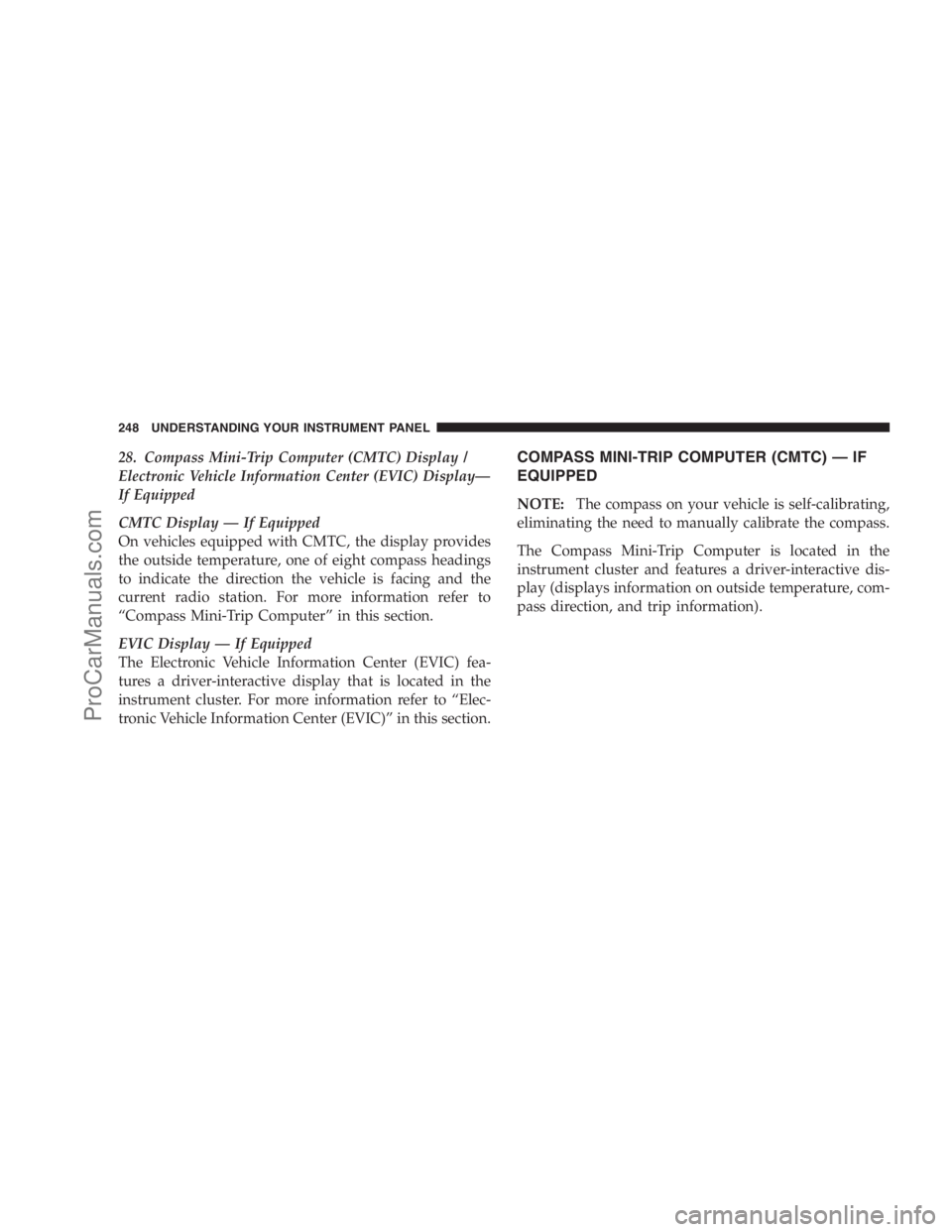
28. Compass Mini-Trip Computer (CMTC) Display /
Electronic Vehicle Information Center (EVIC) Display—
If Equipped
CMTC Display — If Equipped
On vehicles equipped with CMTC, the display provides
the outside temperature, one of eight compass headings
to indicate the direction the vehicle is facing and the
current radio station. For more information refer to
“Compass Mini-Trip Computer” in this section.
EVIC Display — If Equipped
The Electronic Vehicle Information Center (EVIC) fea-
tures a driver-interactive display that is located in the
instrument cluster. For more information refer to “Elec-
tronic Vehicle Information Center (EVIC)” in this section.COMPASS MINI-TRIP COMPUTER (CMTC) — IF
EQUIPPED
NOTE:The compass on your vehicle is self-calibrating,
eliminating the need to manually calibrate the compass.
The Compass Mini-Trip Computer is located in the
instrument cluster and features a driver-interactive dis-
play (displays information on outside temperature, com-
pass direction, and trip information).
248 UNDERSTANDING YOUR INSTRUMENT PANEL
ProCarManuals.com
Page 262 of 534

RKE Unlock
WhenDriver Door 1st Pressis selected, only the driver’s
door will unlock on the first press of the Remote Keyless
Entry (RKE) transmitter UNLOCK button. When Driver
Door 1st Press is selected, you must press the RKE
transmitter UNLOCK button twice, to unlock the passen-
ger’s doors. WhenAll Doors 1st Pressis selected, all of
the doors will unlock on the first press of the RKE
transmitter UNLOCK button. To make your selection,
press and release the RESET button until “Driver Door
1st Press” or “All Doors 1st Press” appears.
RKE Linked To Memory
When this feature is selected the memory seat, mirror,
and radio settings will return to the memory set position
when the RKE transmitter UNLOCK button is pressed. If
this feature is not selected then the memory seat, mirror,
and radio settings can only return to the memory setposition using the door mounted switch. Pressing the
RESET button when in this display will select�Ye s�or
�No.�
Flash Lamp Lock
When ON is selected, the front and rear turn signals will
flash when the doors are locked or unlocked with the
RKE transmitter. This feature may be selected with or
without the sound horn on lock feature selected. To make
your selection, press and release the RESET button until
ON or OFF appears.
Headlamp Off Delay
When this feature is selected, the driver can choose to
have the headlights remain on for 0, 30, 60, or 90 seconds
when exiting the vehicle. To make your selection, press
and release the RESET button until 0, 30, 60, or 90
appears.
260 UNDERSTANDING YOUR INSTRUMENT PANEL
ProCarManuals.com
Page 263 of 534
Easy Exit Seat
This feature provides automatic driver seat positioning to
enhance driver mobility when entering and exiting the
vehicle. To make your selection, press and release the
RESET button until YES (Y) or NO (N) appears.
NOTE:The seat will return to the memorized seat
location (if Recall Memory with Remote Key Unlock is set
to ON) when the RKE transmitter is used to unlock the
door. Refer to “Easy Entry/Exit Seat” under “Driver
Memory Seat” in Section 3 of this manual for more
information.
Tilt MIRR. In Reverse
When this feature is selected and the vehicle is placed in
a reverse gear, the side mirrors tilt downward to allow
the driver to see into the previous blind spot and avoid
objects in close proximity to the rear of the vehicle.
Key-Off Power Delay
When this feature is selected, the power window
switches, radio, hands-free system (if equipped), DVD
video system (if equipped), power sunroof (if equipped),
and power outlets will remain active for up to 10 minutes
after the ignition switch is turned OFF. Opening a vehicle
door will cancel this feature. To make your selection,
press and release the RESET button until Off, 45 sec.,
5 min., or 10 min. appears.
ILLUMIN. Approach
When this feature is selected, the headlights will activate
and remain on for up to 90 seconds when the doors are
unlocked with the RKE transmitter. To make your selec-
tion, press and release the RESET button until “OFF,”
“30 sec.,” “60 sec.,” or “90 sec.” appears.
UNDERSTANDING YOUR INSTRUMENT PANEL 261
4
ProCarManuals.com
Page 265 of 534

Rain Sensing Intermittent Wipers — If Equipped
When ON is selected, the system will automatically
activate the windshield wipers if it senses moisture on
the windshield. To make your selection, press and release
the RESET button until “ON” or “OFF” appears. When
OFF is selected, the system reverts to the standard
intermittent wiper operation.
AM/FM/CD/DVD MULTIMEDIA SYSTEM RADIO
(RER/REN) – IF EQUIPPED
NOTE:The sales code is located on the lower right side
of the unit’s faceplate.
The REN and RER Multimedia systems contain a radio,
CD/DVD player, USB port, and a 30-gigabyte hard drive
(HDD). Sirius Satellite Radio is optional. The 6.5 in
(16.5 cm) touch screen allows for easy menu selection.
The RER radio also contains a Global Positioning System
(GPS)-based Navigation system.Refer to your Multimedia system (REN) or Navigation
(RER) user’s manual for detailed operating instructions.
Operating Instructions — Voice Recognition
System (VR) — If Equipped
For the radio, refer to “Voice Recognition System (VR)” in
Section 3.
Operating Instructions — Hands-Free
Communication (UConnect�) — If Equipped
Refer to “Hands-Free Communication (UConnect�)” in
Section 3.
Clock Setting Procedure
Global Positioning System (GPS) — RER only
The GPS receiver used in this system is synchronized to
the time data being transmitted by the GPS satellite. The
satellite clock is Greenwich Mean Time (GMT). This is the
UNDERSTANDING YOUR INSTRUMENT PANEL 263
4
ProCarManuals.com
Page 267 of 534

Show Time if Radio is Off
When selected, this feature will display the time of day
on the touch screen when the multimedia system is
turned off. Proceed as follows to change the current
setting:
1. Turn on the multimedia system.
2. Touch the screen where the time is displayed. The
clock setting menu will appear on the screen.
3. When this feature is on, a check mark will appear in
the box next to the words “Show Time if Radio is Off.”
Touch the screen where the words “Show Time if Radio is
Off” are displayed to change the current setting.
Changing the Time Zone
1. Turn on the multimedia system.2. Touch the screen where the time is displayed. The
clock setting menu will appear on the screen.
3. Touch the screen where the words “Set Time Zone” are
displayed. The time zone selection menu will appear on
the screen.
4. Select a time zone by touching the screen where your
selection appears. If you do not see a time zone that you
want to select, touch the screen where the word “Page” is
displayed to view additional time zones in the menu.
5. Touch the screen where the word “Save” is displayed.
UNDERSTANDING YOUR INSTRUMENT PANEL 265
4
ProCarManuals.com
Page 268 of 534
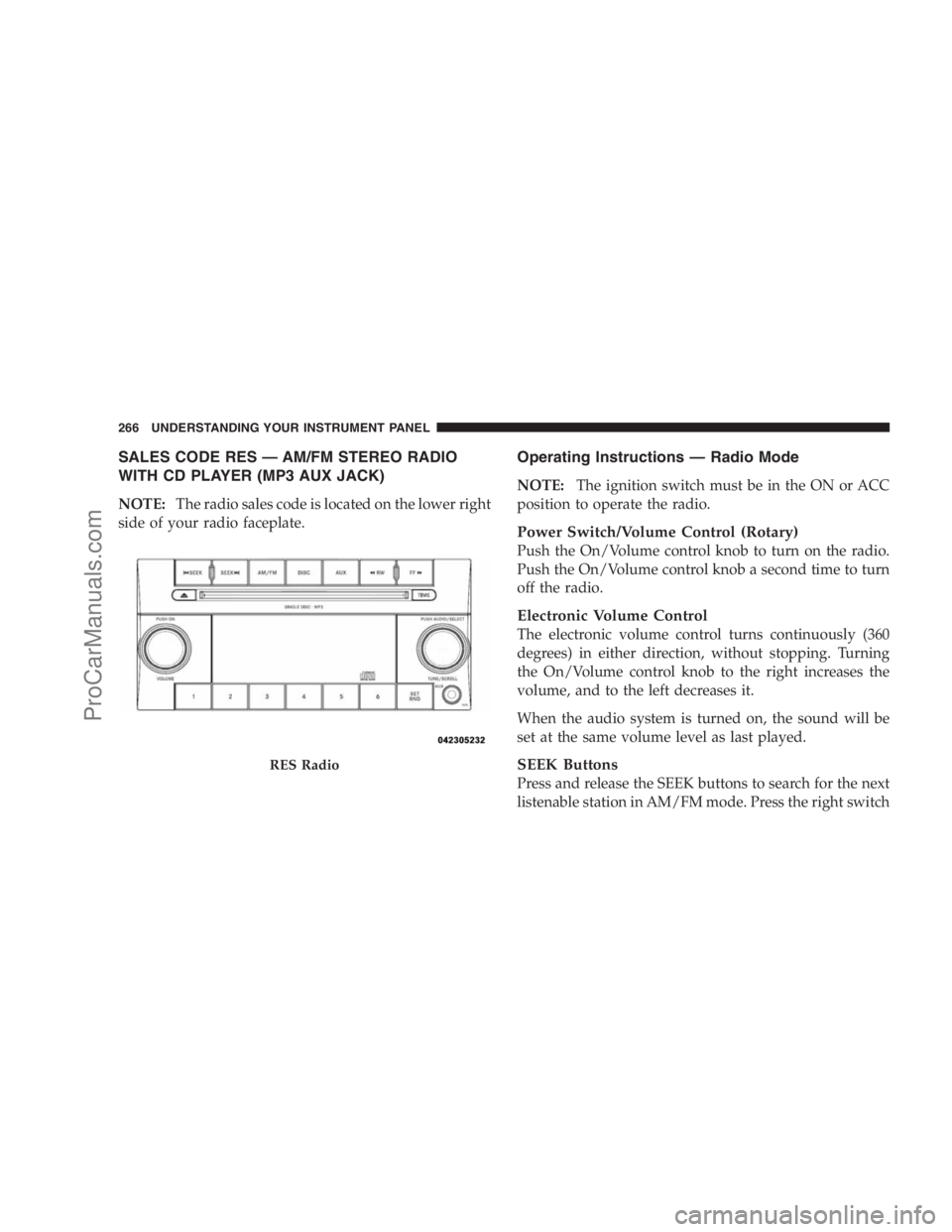
SALES CODE RES — AM/FM STEREO RADIO
WITH CD PLAYER (MP3 AUX JACK)
NOTE:The radio sales code is located on the lower right
side of your radio faceplate.
Operating Instructions — Radio Mode
NOTE:The ignition switch must be in the ON or ACC
position to operate the radio.
Power Switch/Volume Control (Rotary)
Push the On/Volume control knob to turn on the radio.
Push the On/Volume control knob a second time to turn
off the radio.
Electronic Volume Control
The electronic volume control turns continuously (360
degrees) in either direction, without stopping. Turning
the On/Volume control knob to the right increases the
volume, and to the left decreases it.
When the audio system is turned on, the sound will be
set at the same volume level as last played.
SEEK Buttons
Press and release the SEEK buttons to search for the next
listenable station in AM/FM mode. Press the right switch
RES Radio
266 UNDERSTANDING YOUR INSTRUMENT PANEL
ProCarManuals.com