Page 148 of 475
NOTE:The Daytime Running Lights will turn off
automatically when the turn signal is in operation and
turn on again when the turn signal is not operating.
Lights-On Reminder
If the headlights or parking lights are on after the ignition
is turned to the LOCK position, a chime will sound to
alert the driver when the driver’s door is opened.
Fog Lights — If Equipped
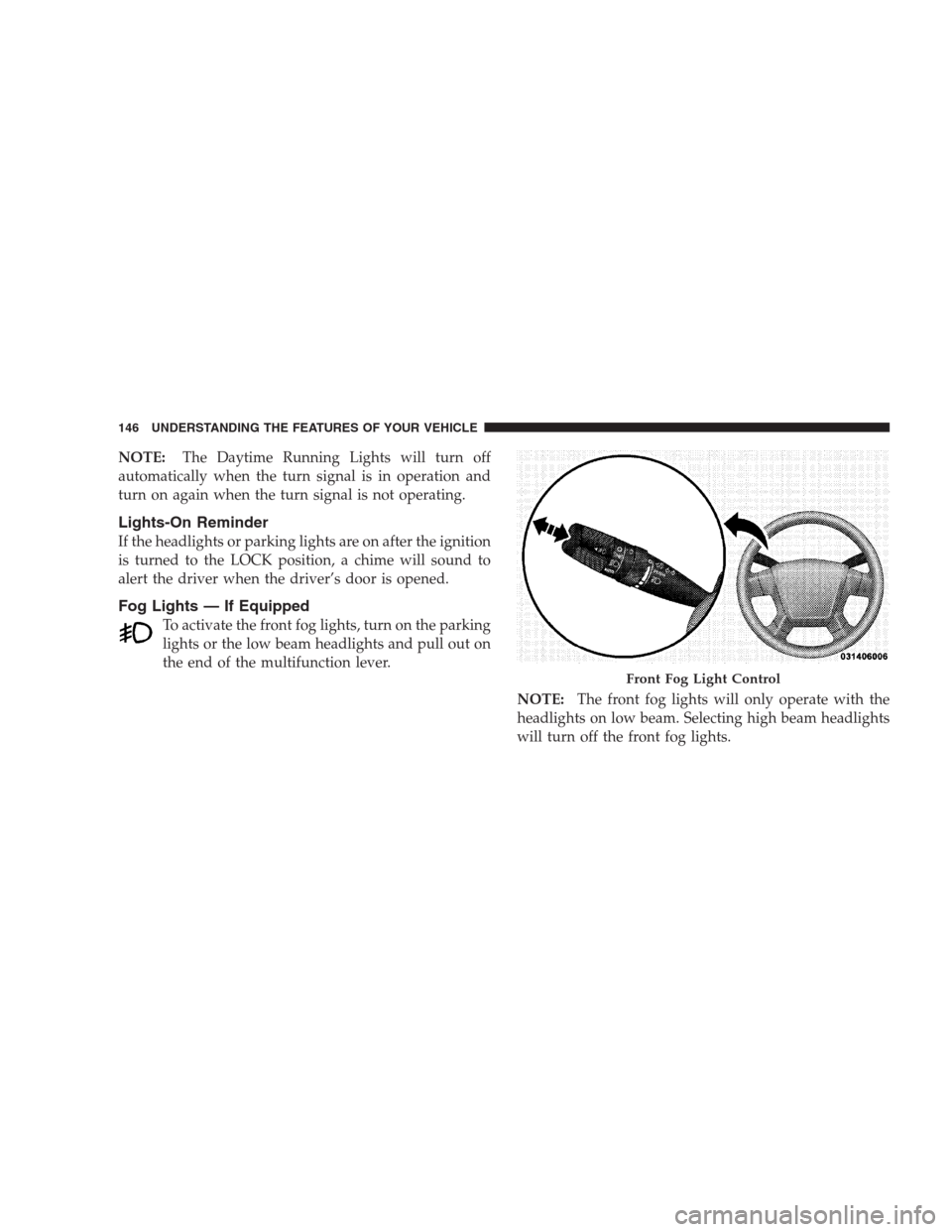
To activate the front fog lights, turn on the parking
lights or the low beam headlights and pull out on
the end of the multifunction lever.
NOTE:The front fog lights will only operate with the
headlights on low beam. Selecting high beam headlights
will turn off the front fog lights.
Front Fog Light Control
146 UNDERSTANDING THE FEATURES OF YOUR VEHICLE
Page 150 of 475
High Beam/Low Beam Select Switch
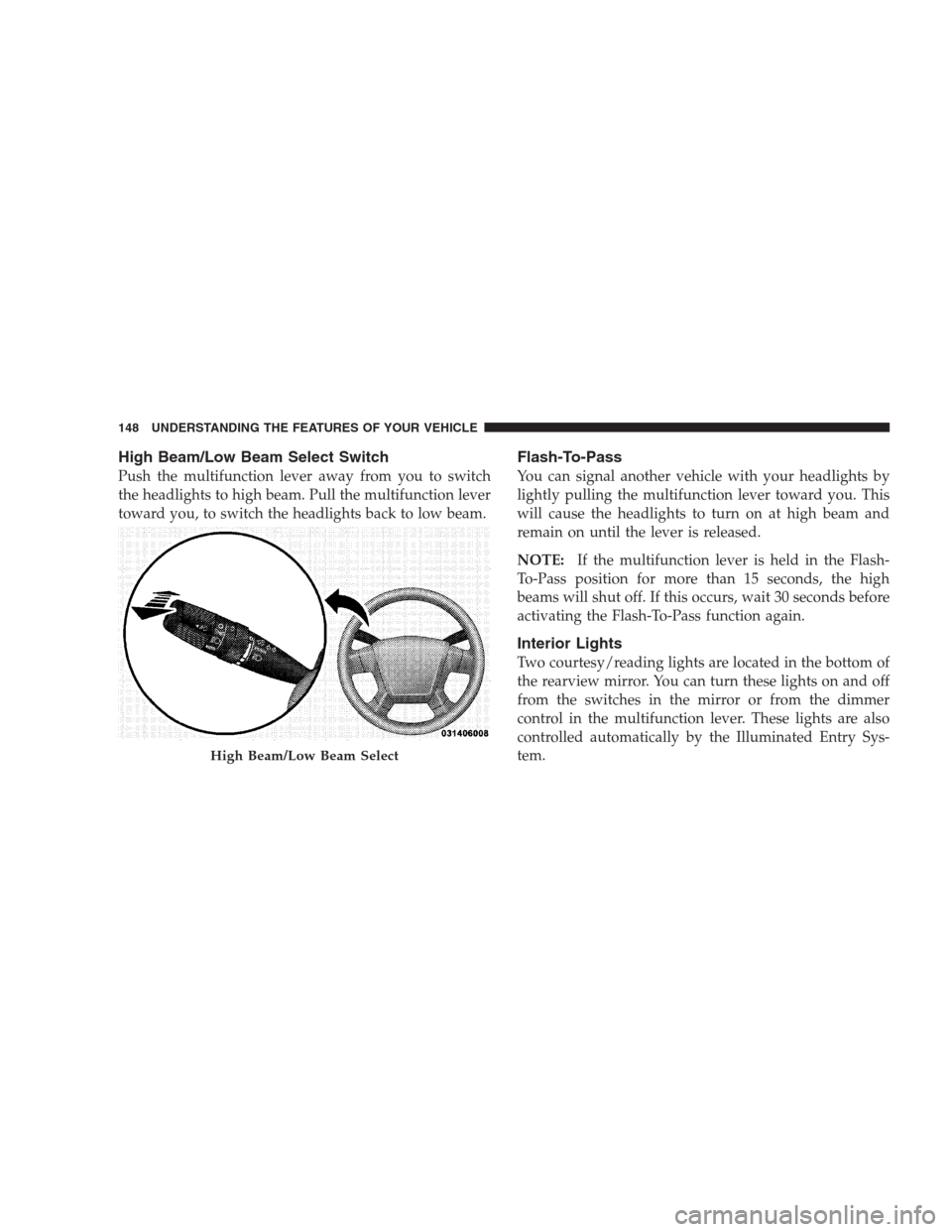
Push the multifunction lever away from you to switch
the headlights to high beam. Pull the multifunction lever
toward you, to switch the headlights back to low beam.
Flash-To-Pass
You can signal another vehicle with your headlights by
lightly pulling the multifunction lever toward you. This
will cause the headlights to turn on at high beam and
remain on until the lever is released.
NOTE:If the multifunction lever is held in the Flash-
To-Pass position for more than 15 seconds, the high
beams will shut off. If this occurs, wait 30 seconds before
activating the Flash-To-Pass function again.
Interior Lights
Two courtesy/reading lights are located in the bottom of
the rearview mirror. You can turn these lights on and off
from the switches in the mirror or from the dimmer
control in the multifunction lever. These lights are also
controlled automatically by the Illuminated Entry Sys-
tem.
High Beam/Low Beam Select
148 UNDERSTANDING THE FEATURES OF YOUR VEHICLE
Page 152 of 475
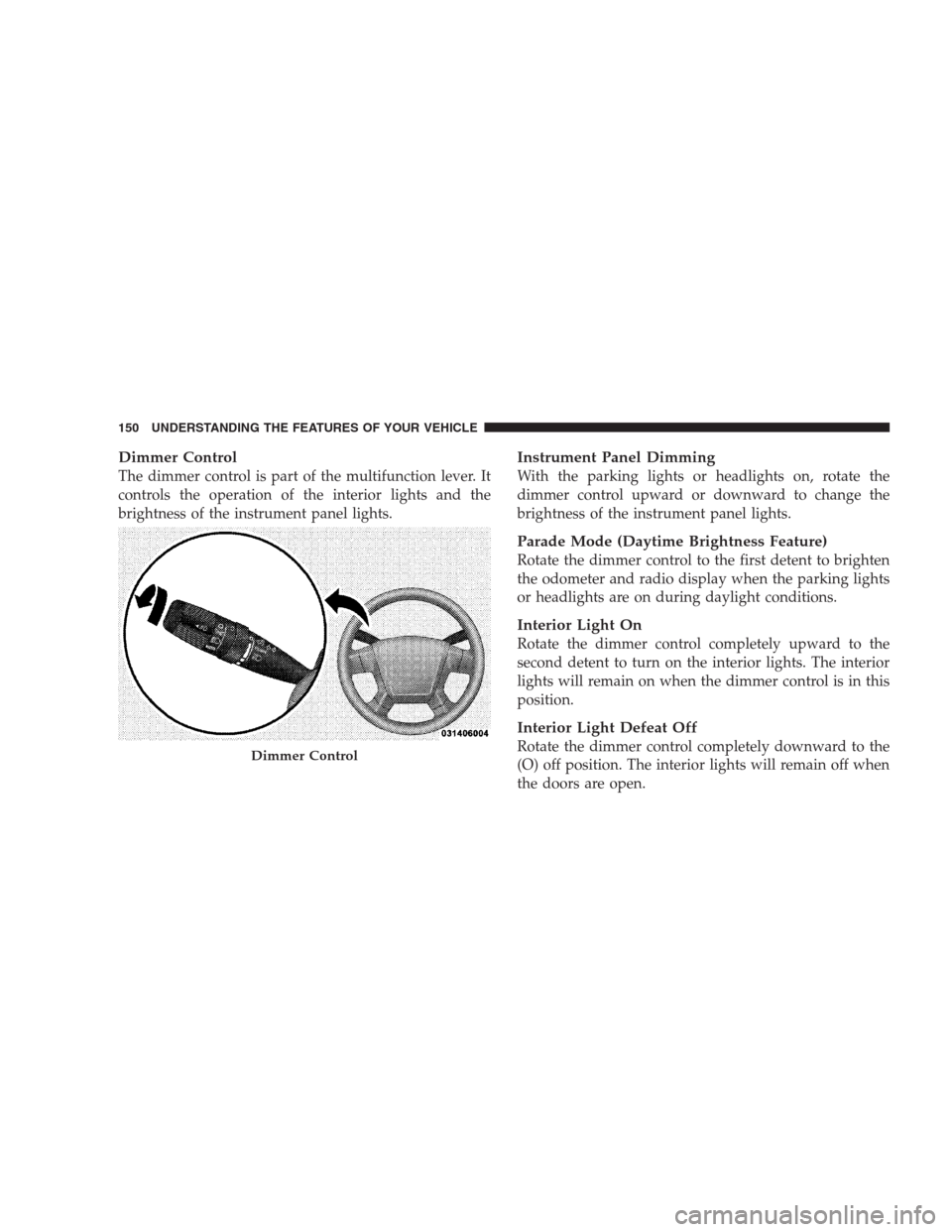
Dimmer Control
The dimmer control is part of the multifunction lever. It
controls the operation of the interior lights and the
brightness of the instrument panel lights.
Instrument Panel Dimming
With the parking lights or headlights on, rotate the
dimmer control upward or downward to change the
brightness of the instrument panel lights.
Parade Mode (Daytime Brightness Feature)
Rotate the dimmer control to the first detent to brighten
the odometer and radio display when the parking lights
or headlights are on during daylight conditions.
Interior Light On
Rotate the dimmer control completely upward to the
second detent to turn on the interior lights. The interior
lights will remain on when the dimmer control is in this
position.
Interior Light Defeat Off
Rotate the dimmer control completely downward to the
(O) off position. The interior lights will remain off when
the doors are open.Dimmer Control
150 UNDERSTANDING THE FEATURES OF YOUR VEHICLE
Page 155 of 475

Mist Feature
Push downward on the windshield wiper/washer con-
trol lever to activate a single wipe cycle to clear the
windshield of road mist or spray from a passing vehicle.
The wipers will continue to operate until you release the
lever.
Headlights with Wipers (Available with Auto
Headlights Only)
When this feature is active, the headlights will turn on
approximately 10 seconds after the wipers are turned on
if the multifunction lever (on the left side of the steering
column) is placed in the AUTO position. In addition, the
headlights will turn off when the wipers are turned off if
they were turned on by this feature.
The Headlights with Wipers feature can be turned on or
off through the Electronic Vehicle Information Center
(EVIC) — if equipped. For details, refer to ”Headlights
with Wipers,” under “Personal Settings (Customer-
Programmable Features),” under “Electronic Vehicle In-
formation Center” in Section 4 of this manual.
Windshield Washers
To use the washer, pull the windshield wiper/washer
control lever toward you and hold it for as long as
washer spray is desired.
Mist Control
UNDERSTANDING THE FEATURES OF YOUR VEHICLE 153
3
Page 194 of 475

25. Malfunction Indicator Light (MIL)
The Malfunction Indicator Light (MIL) is part of
an onboard diagnostic system called OBD that
monitors emissions, engine, and automatic trans-
axle control systems. The light will illuminate when the
key is in the ON position before engine start. If the bulb
does not come on when turning the key from LOCK to
ON, have the condition checked promptly.
Certain conditions such as a loose or missing gas cap,
poor fuel quality, etc. may illuminate the light after
engine start. The vehicle should be serviced if the light
stays on through several of your typical driving cycles. In
most situations the vehicle will drive normally and will
not require towing.If the MIL flashes when the engine is running, serious
conditions may exist that could lead to immediate loss of
power or severe catalytic converter damage. The vehicle
should be serviced as soon as possible if this occurs.
26. High Beam Indicator
This light indicates that the headlights are on high
beam. Pull the turn signal lever toward the steer-
ing wheel to switch the headlights to low beam.
27. Electronic Vehicle Information Center (EVIC)
Display — Premium Cluster Only
This display shows the EVIC messages when the appro-
priate conditions exist. Refer to “Electronic Vehicle Infor-
mation Center (EVIC)” in this section for more
information.
192 UNDERSTANDING YOUR INSTRUMENT PANEL
Page 197 of 475
Electronic Vehicle Information Center (EVIC)
Displays
When the appropriate conditions exist, the Electronic
Vehicle Information Center (EVIC) displays the following
messages.
•Turn Signal On (with a continuous warning chime
after one mile traveled)
•Left Front Turn Signal Light Out (with a single chime)
•Left Rear Turn Signal Light Out (with a single chime)
•Right Front Turn Signal Light Out (with a single
chime)
•Right Rear Turn Signal Light Out (with a single chime)
•RKE (Remote Keyless Entry) Battery Low (with a
single chime)
•Personal Settings Not Available – Vehicle Not in Park
•Personal Settings Not Available – Vehicle in Motion
•Left/Right Door Ajar (one or more, with a single
chime if speed is above 1 mph)
•Door(s) Ajar (with a single chime if vehicle is in
motion)
•Trunk Ajar (with a single chime)
•Headlights On
•Key In Ignition
•Convertible Top In Operation (with a single chime)
•Convertible Top Complete (with a single chime)
•Secure Cargo Shield (with a single chime)
•Speed Too High (with a single chime)
•Convertible Top Malfunction (with a single chime)
•Oil Change Required (with a single chime)
UNDERSTANDING YOUR INSTRUMENT PANEL 195
4
Page 203 of 475

Remote Key Unlock
WhenDriver Door 1st Pressis selected, only the driver’s
door will unlock on the first press of the Remote Keyless
Entry transmitter UNLOCK button. When Driver Door
1st Press is selected, you must press of the RKE transmit-
ter unlock button twice to unlock the passenger’s doors.
WhenAll Doors 1st Pressis selected, all of the doors will
unlock on the first press of the RKE transmitter UNLOCK
button. To make your selection, press and release the
RESET button until “Driver Door 1st Press” or “All Doors
1st Press” appears.
Sound Horn with LOCK
When ON is selected, a short horn sound will occur when
the RKE transmitter LOCK button is pressed. This feature
may be selected with or without the flash lights on
LOCK/UNLOCK feature. To make your selection, press
and release the RESET button until ON or OFF appears.
Flash Lights with LOCK
When ON is selected, the front and rear turn signals will
flash when the doors are locked or unlocked with the
RKE transmitter. This feature may be selected with or
without the Sound Horn On LOCK feature selected. To
make your selection, press and release the RESET button
until ON or OFF appears.
Headlights Off Delay
When this feature is selected, the driver can choose to
have the headlights remain on for 0, 30, 60, or 90 seconds
when exiting the vehicle. To make your selection, press
and hold the RESET button until 0, 30, 60, or 90 appears.
Headlights With Wipers (Available with Auto
Headlights Only)
When ON is selected, and the headlight switch is in the
AUTO position, the headlights will turn on approxi-
mately 10 seconds after the wipers are turned on. The
headlights will also turn off when the wipers are turned
UNDERSTANDING YOUR INSTRUMENT PANEL 201
4
Page 204 of 475

off if they were turned on by this feature. To make your
selection, press and hold the RESET button until ON or
OFF appears.
NOTE:Turning the headlights on during the daytime
causes the instrument panel lights to dim. To increase the
brightness, refer to “Lights” in Section 3 of this manual.
Key Off Power Delay
When this feature is selected, the power window
switches, radio, hands–free system (if equipped), and
power outlets will remain active for up to 10 minutes
after the ignition switch is turned to the LOCK position.
Opening a vehicle door will cancel this feature. To make
your selection, press and hold the RESET button until
OFF, 45 sec, 5 min, or 10 min appears.
Illumination Approach
When this feature is selected, the headlights will activate
and remain on for up to 90 seconds when the doors areunlocked with the RKE transmitter. To make your selec-
tion, press and hold the RESET button until OFF, 30 sec,
60 sec, or 90 sec appears.
Display Units in English or Metric
The EVIC and odometer can be changed between English
and Metric units of measure. To make your selection,
press and release the RESET button until US or METRIC
appears.
SETTING THE ANALOG CLOCK
To set the analog clock, lo-
cated at the top center of the
instrument panel, press and
hold the button in until the
setting is correct. The clock
will adjust slowly at first and
then quicker the longer the
button is held.
202 UNDERSTANDING YOUR INSTRUMENT PANEL