Page 147 of 410
together to minimize the buffeting. If the buffeting occurs
with the sunroof open, adjust the sunroof opening to
minimize the buffeting or open any window.
Sunroof Maintenance
Use only a non-abrasive cleaner and a soft cloth to clean
the glass panel.
ELECTRICAL POWER OUTLETS
The 12-Volt power outlets include tethered caps, labeled
with a key symbol or battery symbol, indicating power
source. All outlets are protected by a single 20 Amp fuse.
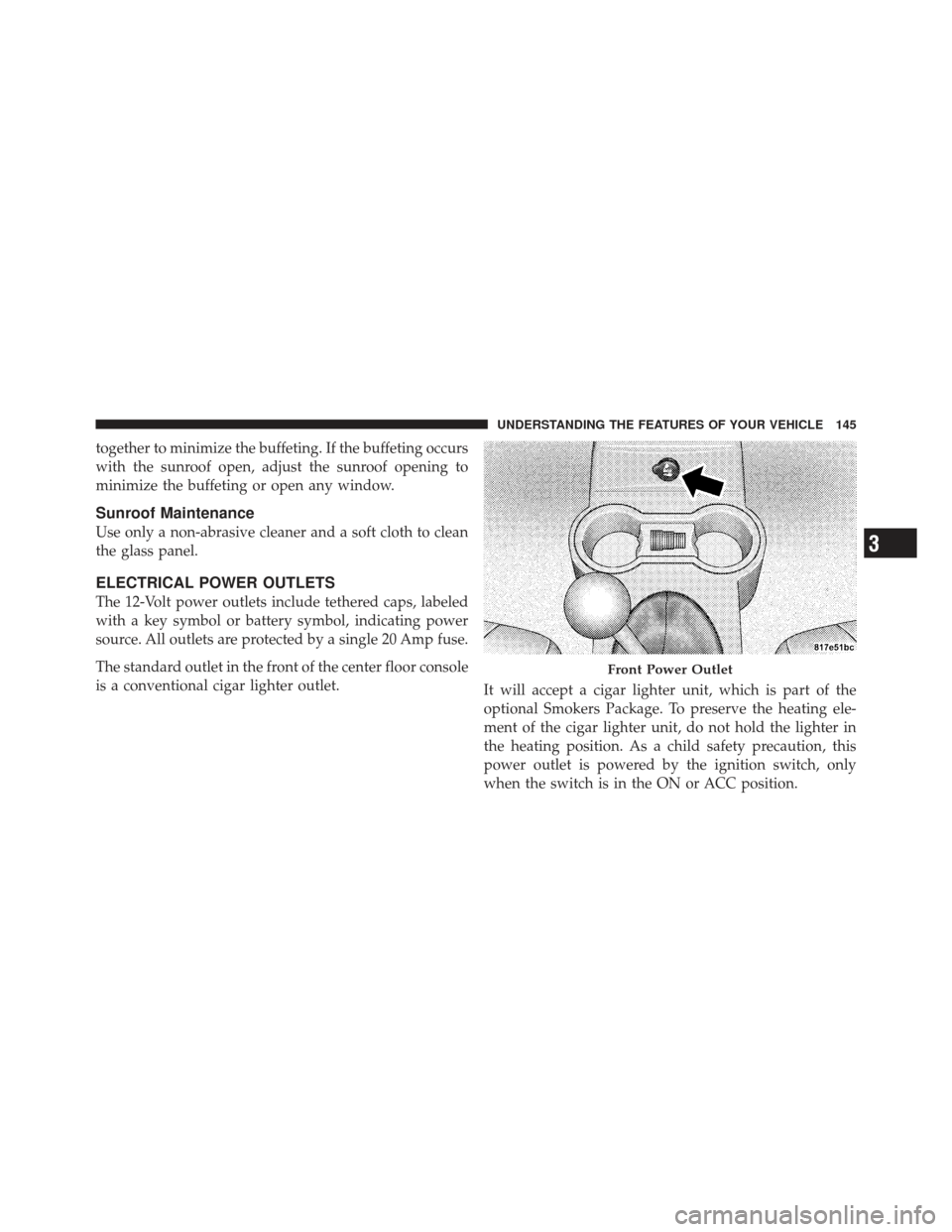
The standard outlet in the front of the center floor console
is a conventional cigar lighter outlet.It will accept a cigar lighter unit, which is part of the
optional Smokers Package. To preserve the heating ele-
ment of the cigar lighter unit, do not hold the lighter in
the heating position. As a child safety precaution, this
power outlet is powered by the ignition switch, only
when the switch is in the ON or ACC position.
Front Power Outlet
3
UNDERSTANDING THE FEATURES OF YOUR VEHICLE 145
Page 148 of 410
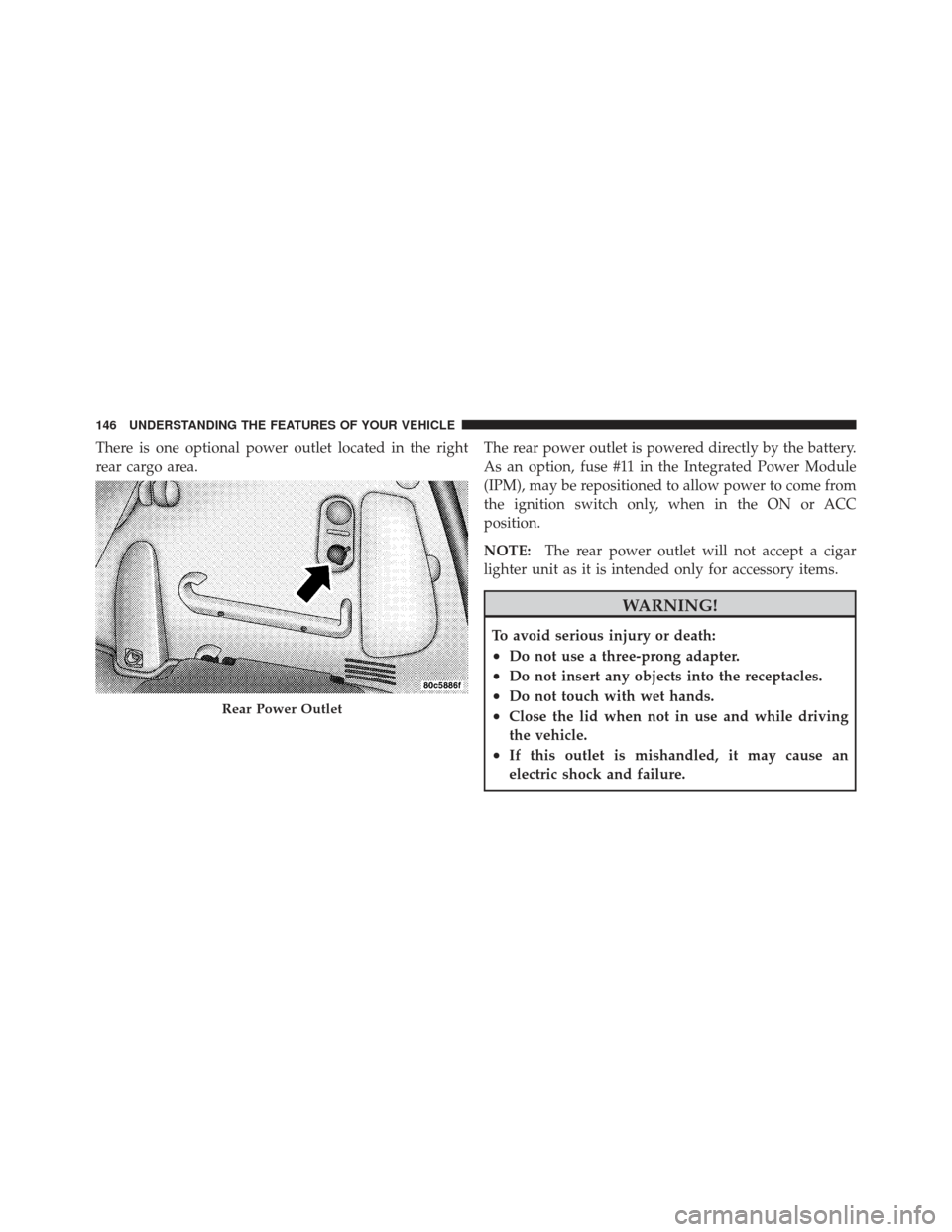
There is one optional power outlet located in the right
rear cargo area.The rear power outlet is powered directly by the battery.
As an option, fuse #11 in the Integrated Power Module
(IPM), may be repositioned to allow power to come from
the ignition switch only, when in the ON or ACC
position.
NOTE:
The rear power outlet will not accept a cigar
lighter unit as it is intended only for accessory items.
WARNING!
To avoid serious injury or death:
•Do not use a three-prong adapter.
•Do not insert any objects into the receptacles.
•Do not touch with wet hands.
•Close the lid when not in use and while driving
the vehicle.
•If this outlet is mishandled, it may cause an
electric shock and failure.
Rear Power Outlet
146 UNDERSTANDING THE FEATURES OF YOUR VEHICLE
Page 157 of 410
Rear Wiper/Washer Switch — If Equipped
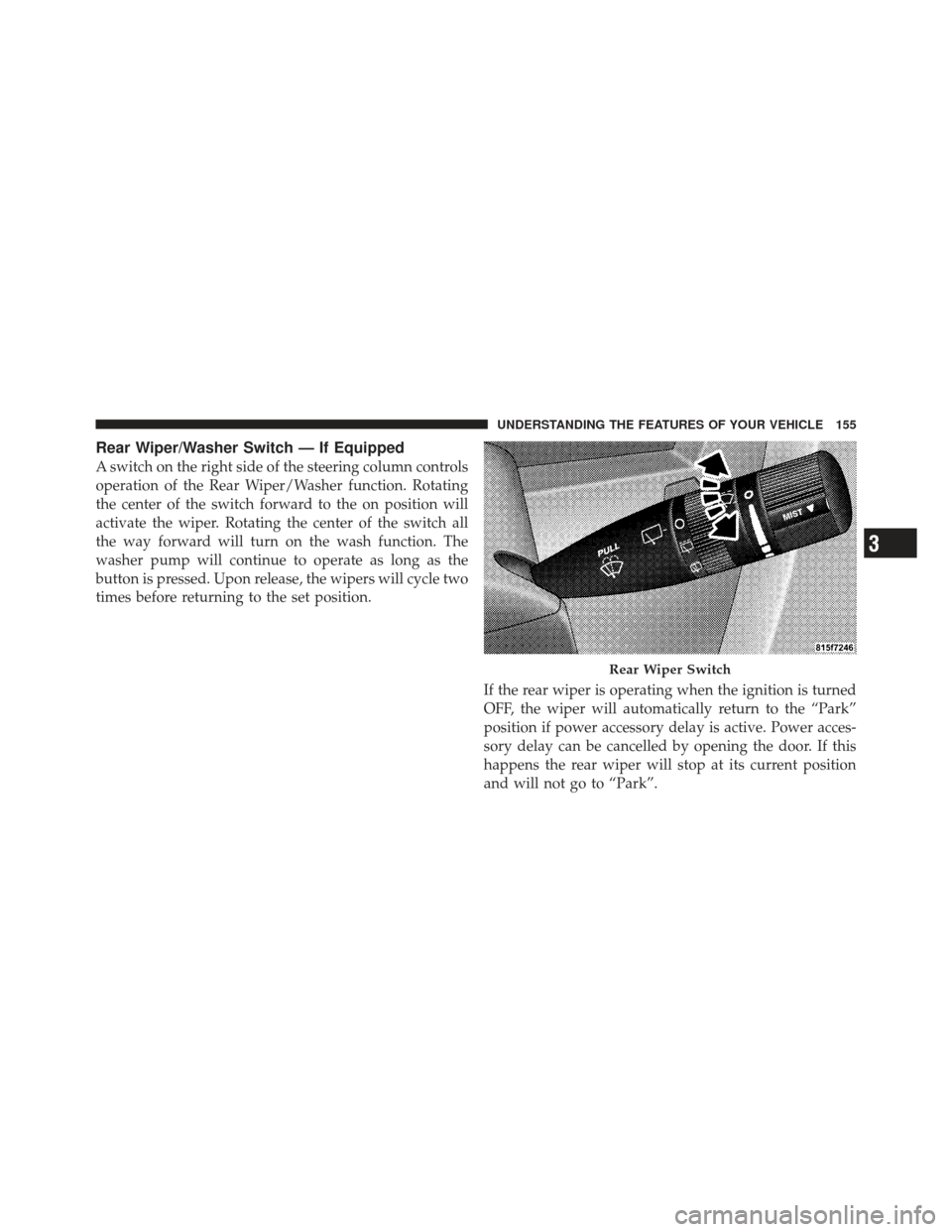
A switch on the right side of the steering column controls
operation of the Rear Wiper/Washer function. Rotating
the center of the switch forward to the on position will
activate the wiper. Rotating the center of the switch all
the way forward will turn on the wash function. The
washer pump will continue to operate as long as the
button is pressed. Upon release, the wipers will cycle two
times before returning to the set position.If the rear wiper is operating when the ignition is turned
OFF, the wiper will automatically return to the “Park”
position if power accessory delay is active. Power acces-
sory delay can be cancelled by opening the door. If this
happens the rear wiper will stop at its current position
and will not go to “Park”.
Rear Wiper Switch
3
UNDERSTANDING THE FEATURES OF YOUR VEHICLE 155
Page 166 of 410

INSTRUMENT CLUSTER DESCRIPTIONS
1. Fuel Gauge
When the ignition switch is in the ON position, the
pointer will show the level of fuel remaining in the fuel
tank.
2. Fuel Door Reminder
This is a reminder that the Fuel Filler Door is located on
the front passenger’s (right) side of the vehicle.
3. Temperature Gauge
The temperature gauge shows engine coolant tempera-
ture. Any reading within the normal range indicates that
the engine cooling system is operating satisfactorily.The gauge pointer will likely indicate a higher tempera-
ture when driving in hot weather, up mountain grades,
or when towing a trailer. It should not be allowed to
exceed the upper limits of the normal operating range.
CAUTION!
Driving with a hot engine cooling system could
damage your vehicle. If temperature gauge reads “H”
pull over and stop the vehicle. Idle the vehicle with
the air conditioner turned off until the pointer drops
back into the normal range. If the pointer remains on
the “H” and you hear continuous chimes, turn the
engine off immediately, and call an authorized deal-
ership for service.
164 UNDERSTANDING YOUR INSTRUMENT PANEL
Page 171 of 410

11. Odometer/Trip Odometer Reset Button
Press this button to change the display from odometer to
either of the two trip odometer settings. Trip A or Trip B
will appear when in the trip odometer mode. Push in and
hold the button for two seconds to reset the trip odometer
to 0 miles or kilometers. The odometer must be in trip
mode to reset.
12. Charging System LightThis light shows the status of the electrical charg-
ing system. The light should come on when the
ignition switch is first turned ON and remain on briefly
as a bulb check. If the light stays on or comes on while
driving, turn off some of the vehicle’s non-essential
electrical devices or increase engine speed (if at idle). If
the charging system light remains on, it means that the
vehicle is experiencing a problem with the charging
system. Obtain SERVICE IMMEDIATELY. See an autho-
rized dealer. 13. Turn Signal Indicators
The arrow will flash with the exterior turn signal
when the turn signal lever is operated.
14. Electronic Stability Program (ESP) Indicator Light
/ Traction Control System (TCS) Indicator Light If this indicator light flashes during accelera-
tion, apply as little throttle as possible. While
driving, ease up on the accelerator. Adapt your
speed and driving to the prevailing road con-
ditions, and do not switch off the Electronic Stability
Program (ESP), or Traction Control System (TCS).
15. Brake Warning Light This light monitors various brake functions,
including brake fluid level and parking brake
application. If the brake light turns on, it may
indicate that the parking brake is applied, that
the brake fluid level is low, or that there is a problem with
the anti-lock brake system reservoir.
4
UNDERSTANDING YOUR INSTRUMENT PANEL 169
Page 173 of 410

Operation of the Brake Warning Light can be checked by
turning the ignition switch from the OFF position to the
ON position. The light should illuminate for approxi-
mately two seconds. The light should then turn off unless
the parking brake is applied or a brake fault is detected.
If the light does not illuminate, have the light inspected
by an authorized dealer.
The light also will turn on when the parking brake is
applied with the ignition switch in the ON position.
NOTE:This light shows only that the parking brake is
applied. It does not show the degree of brake application.
16. Seat Belt Reminder Light When the ignition switch is first turned ON, this
light will turn on for five to eight seconds as a bulb
check. During the bulb check, if the driver’s seat
belt is unbuckled, a chime will sound. After the bulb
check or when driving, if the driver’s seat belt remains unbuckled, the Seat Belt Reminder Light will illuminate
and the chime will sound. Refer to “Occupant Restraints”
in Section 2 for more information.
17. Engine Temperature Warning Light
This light warns of an overheated engine condi-
tion. As temperatures rise and the gauge ap-
proaches H, this indicator will illuminate and a
single chime will sound after reaching a set threshold.
Further overheating will cause the temperature gauge to
pass H, the indicator will continuously flash and a
continuous chime will occur until the engine is allowed
to cool.
If the light turns on while driving, safely pull over and
stop the vehicle. If the A/C system is on, turn it off. Also,
shift the transmission into NEUTRAL and idle the ve-
hicle. If the temperature reading does not return to
4
UNDERSTANDING YOUR INSTRUMENT PANEL 171
Page 174 of 410

normal, turn the engine off immediately and call for
service. Refer to “If Your Engine Overheats” in Section 6
for more information.
18. Low Fuel LightWhen the fuel level reaches approximately 2.0 gal
(7.8 L) this light will turn on, and remain on until
fuel is added.
19. Vehicle Security Light — If Equipped This light will flash at a fast rate for approxi-
mately 15 seconds while the Vehicle Security
Alarm is arming, and then will flash slowly
until the vehicle is disarmed.
20. Front Fog Light Indicator — If Equipped This indicator will illuminate when the front fog
lights are on. 21. Anti-Lock Brake (ABS) Light
This light monitors the Anti-Lock Brake System
(ABS). The light will turn on when the ignition
switch is turned to the ON position and may
stay on for as long as four seconds.
If the ABS light remains on or turns on while driving, it
indicates that the Anti-Lock portion of the brake system
is not functioning and that service is required. However,
the conventional brake system will continue to operate
normally if the BRAKE warning light is not on.
If the ABS light is on, the brake system should be serviced
as soon as possible to restore the benefits of Anti-Lock
brakes. If the ABS light does not turn on when the
Ignition switch is turned to the ON position, have the
light inspected by an authorized dealer.
172 UNDERSTANDING YOUR INSTRUMENT PANEL
Page 175 of 410

22. Oil Pressure Warning LightThis light indicates low engine oil pressure. The
light should turn on momentarily when the engine
is started. If the light turns on while driving, stop the
vehicle and shut off the engine as soon as possible. A
chime will sound for four minutes when this light turns
on.
Do not operate the vehicle until the cause is corrected.
This light does not indicate how much oil is in the engine.
The engine oil level must be checked under the hood.
23. Airbag Warning Light This light turns on and remains on for seven
seconds as a bulb check when the ignition
switch is first turned ON. If the light is not on
during starting, stays on, or turns on while
driving, have the system inspected by an authorized
dealer as soon as possible. 24. High Beam Indicator
This indicator shows that the high beam head-
lights are on. Push the multifunction lever forward
to switch the headlights to high beam, and pull toward
yourself (normal position) to return to low beam.
25. Compass Mini-Trip Computer (CMTC) or Electronic
Vehicle Information Center (EVIC) Button—If Equipped
Pushing this button will switch between the different
EVIC functions.
Press the CMTC reset button to scroll through sub-menus
(i.e., Trip Functions: AVG Fuel Economy, DTE Elapsed
Time, and Units).
26. Compass Mini-Trip Computer (CMTC) or Electronic
Vehicle Information Center (EVIC) Display — If
Equipped
On vehicles equipped with Electronic Vehicle Informa-
tion Center (EVIC), when the appropriate conditions
4
UNDERSTANDING YOUR INSTRUMENT PANEL 173