Page 84 of 493
▫To Activate......................... 156
▫To Set a Desired ACC Speed............ 156
▫To Cancel.......................... 158
▫ToTurnOff ........................ 158
▫To Resume Speed.................... 159
▫To Vary The Speed Setting.............. 159
▫Setting The Following Distance In ACC.... 160
▫Adaptive Cruise Control (ACC) Menu..... 163
▫Display Warnings And Maintenance....... 166
▫Precautions While Driving With ACC...... 169
▫General Information.................. 173
▫Normal (Fixed Speed) Cruise Control
Mode............................. 173�Rear Park Assist System................. 175
�Overhead Console..................... 180
▫Courtesy/Reading Lights.............. 180
▫Sunglasses Storage................... 180
�Garage Door Opener — If Equipped........ 181
▫Programming HomeLink�.............. 182
▫Gate Operator/Canadian Programming.... 185
▫Using HomeLink�................... 185
▫Reprogramming A Single HomeLink�
Button............................ 186
▫Security........................... 186
▫Troubleshooting Tips.................. 186
▫General Information.................. 187
82 UNDERSTANDING THE FEATURES OF YOUR VEHICLE
Page 86 of 493
MIRRORS
Automatic Dimming Inside Mirror
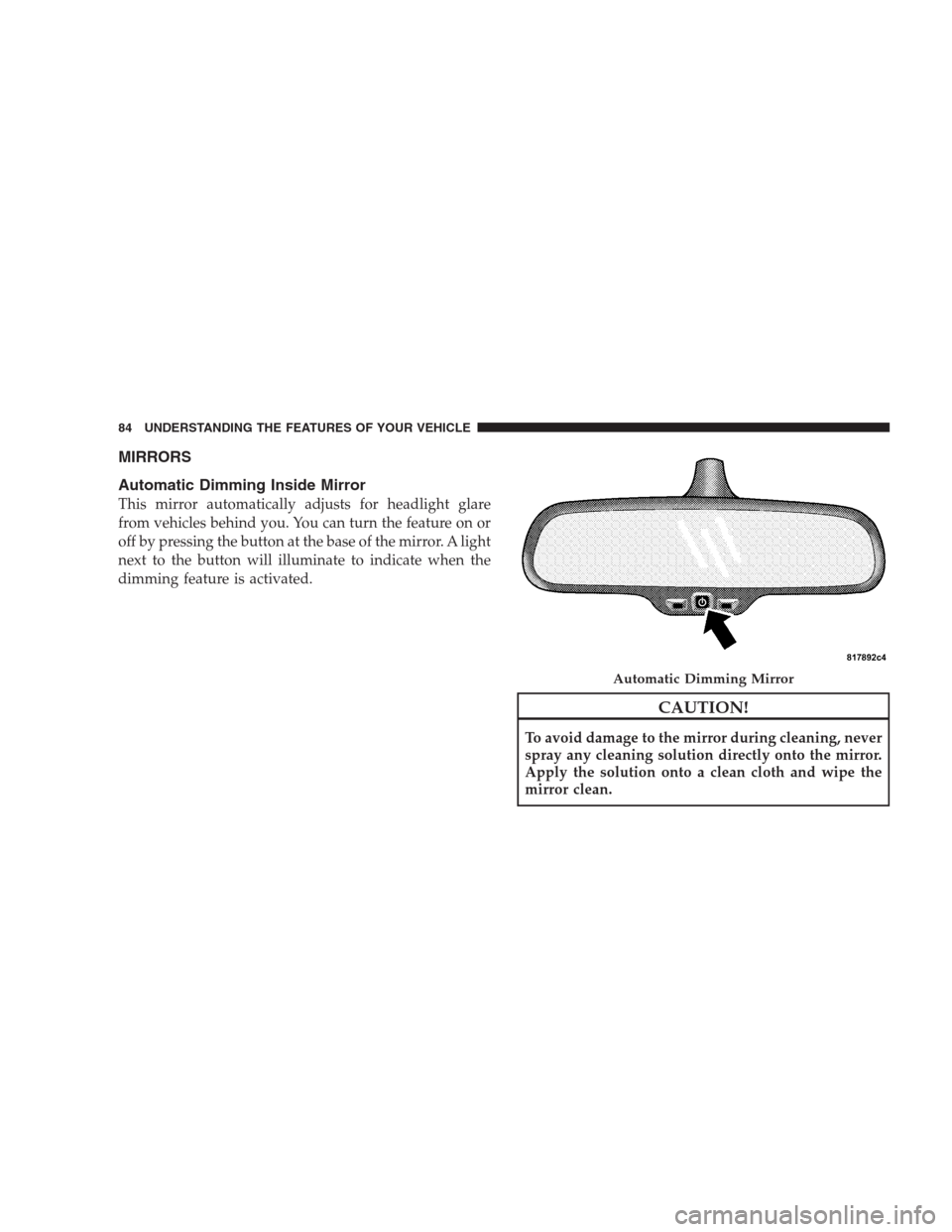
This mirror automatically adjusts for headlight glare
from vehicles behind you. You can turn the feature on or
off by pressing the button at the base of the mirror. A light
next to the button will illuminate to indicate when the
dimming feature is activated.
CAUTION!
To avoid damage to the mirror during cleaning, never
spray any cleaning solution directly onto the mirror.
Apply the solution onto a clean cloth and wipe the
mirror clean.
Automatic Dimming Mirror
84 UNDERSTANDING THE FEATURES OF YOUR VEHICLE
Page 87 of 493

Outside Mirrors
To receive maximum benefit, adjust the outside mirror(s)
to center on the adjacent lane of traffic and a slight
overlap of the view obtained from the inside mirror.
NOTE:The passenger-side convex outside mirror will
give a much wider view to the rear, and especially of the
lane next to your vehicle.
WARNING!
Vehicles and other objects seen in the passenger-side
convex mirror will look smaller and farther away
than they really are. Relying too much on your
passenger-side convex mirror could cause you to
collide with another vehicle or other object. Use your
inside mirror when judging the size or distance of a
vehicle seen in the passenger-side convex mirror.
Outside Mirrors Folding Feature — If Equipped
Some models have exterior mirrors that are hinged. The
hinge allows the mirror to pivot forward and rearward to
resist damage. The hinge has three detent positions, full
forward, full rearward and normal.
Driver Side Outside Mirror Auto Dimmer
This mirror automatically adjusts for annoying headlight
glare from vehicles behind you. You can turn this feature
on or off by pressing the button at the base of the inside
rearview mirror.
Tilt In Reverse Feature
The�Tilt in Reverse�feature tilts the outside rearview
mirrors downward when the ignition switch is in the ON
position and the transmission is in the REVERSE posi-
tion. This feature provides the driver with a better view
of the ground and vehicle in the area of the rear tires
UNDERSTANDING THE FEATURES OF YOUR VEHICLE 85
3
Page 89 of 493
NOTE:For vehicles equipped with Driver Memory
Seat, you can use your Remote Keyless Entry (RKE)
transmitter or the MEMORY switch on the driver’s door
trim panel to return the power mirrors to pre-
programmed positions. Refer to “Driver Memory Seat”
in this section.
Heated Power Mirrors
These mirrors are heated to melt frost or ice. This feature
is activated whenever you turn on the Electric Rear
Window Defroster. Refer to “Electric Rear Window De-
froster” under “Rear Window Features” in Section 3.
Illuminated Vanity Mirrors
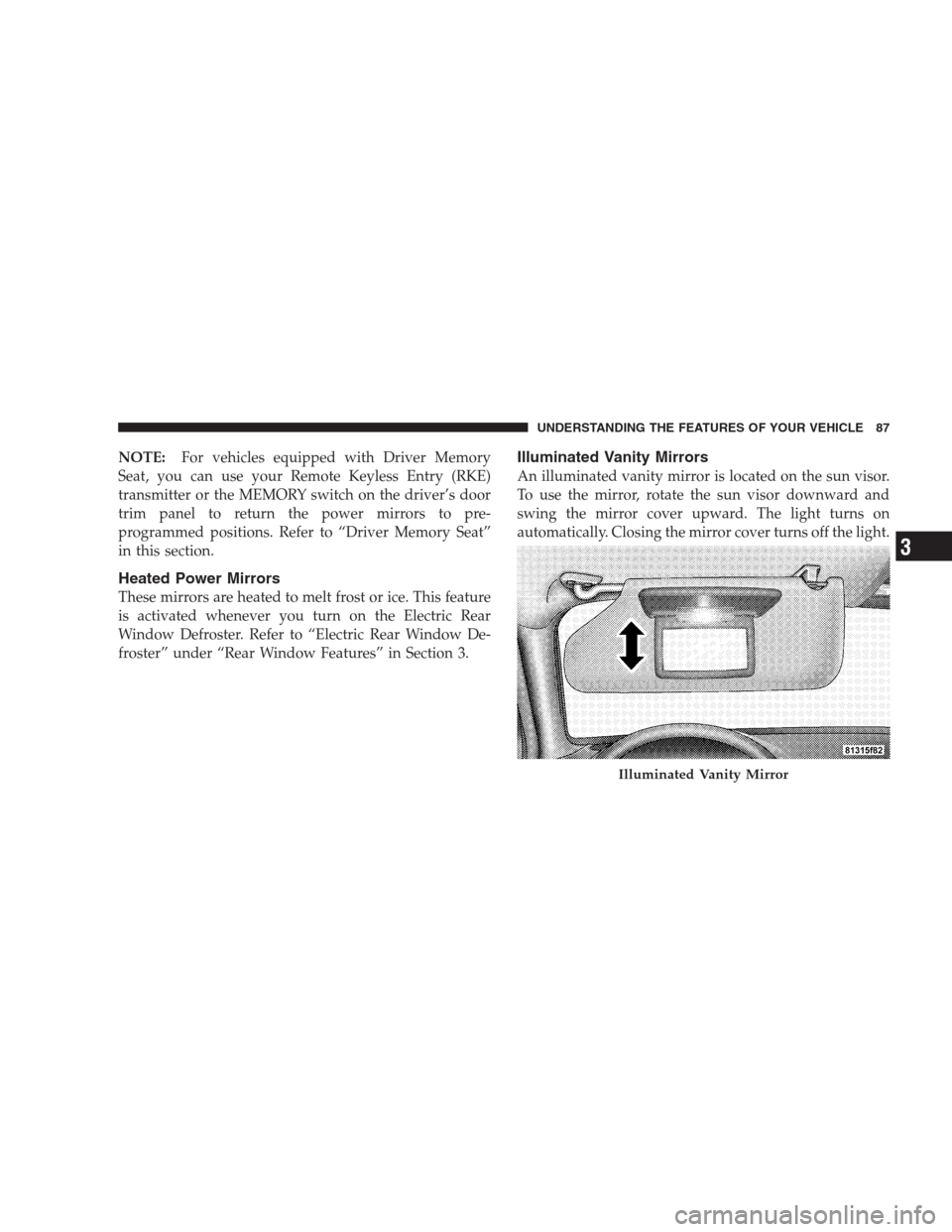
An illuminated vanity mirror is located on the sun visor.
To use the mirror, rotate the sun visor downward and
swing the mirror cover upward. The light turns on
automatically. Closing the mirror cover turns off the light.
Illuminated Vanity Mirror
UNDERSTANDING THE FEATURES OF YOUR VEHICLE 87
3
Page 104 of 493
•If supported, this number may be programmable on
some systems. To do this, press the PHONE button
and say ‘Setup’, followed by ‘Emergency’.
•The UConnect�system does slightly lower your
chances of successfully making a phone call as to that
for the cell phone directly.
WARNING!
Your phone must be turned on and paired to the
UConnect�system to allow use of this vehicle feature
in emergency situations, when the cell phone has
network coverage and stays paired to the UConnect�
system.
Towing Assistance
If you need towing assistance:
•Press the PHONE button to begin.
•After the�Ready�prompt and the following beep, say
�Towing Assistance.�
NOTE:
•The towing assistance number dialed is based on the
country where the vehicle is purchased (1-800-528-
2069 for the U.S., 1-877-213-4525 for Canada, 55-14-
3454 for Mexico City and 1-800-712-3040 for outside
Mexico City in Mexico).
•If supported, this number may be programmable on
some systems. To do this, press the PHONE button
and say “Setup”’, followed by “Towing Assistance”.
Paging
To learn how to page, refer to�Working with Automated
Systems.�Paging works properly except for pagers of
certain companies, which time out a little too soon to
work properly with the UConnect�system.
102 UNDERSTANDING THE FEATURES OF YOUR VEHICLE
Page 136 of 493
To prevent possible damage, do not slam the hood to
close it. Lower the hood, until it is open approximately
6 in (15 cm), and then drop it. This should secure both
latches. Never drive your vehicle unless the hood is fully
closed, with both latches engaged.
WARNING!
If the hood is not fully latched, it could fly up when
the vehicle is moving and block your forward vision.
You could have a collision. Be sure all hood latches
are fully latched before driving.
LIGHTS
Headlight Switch
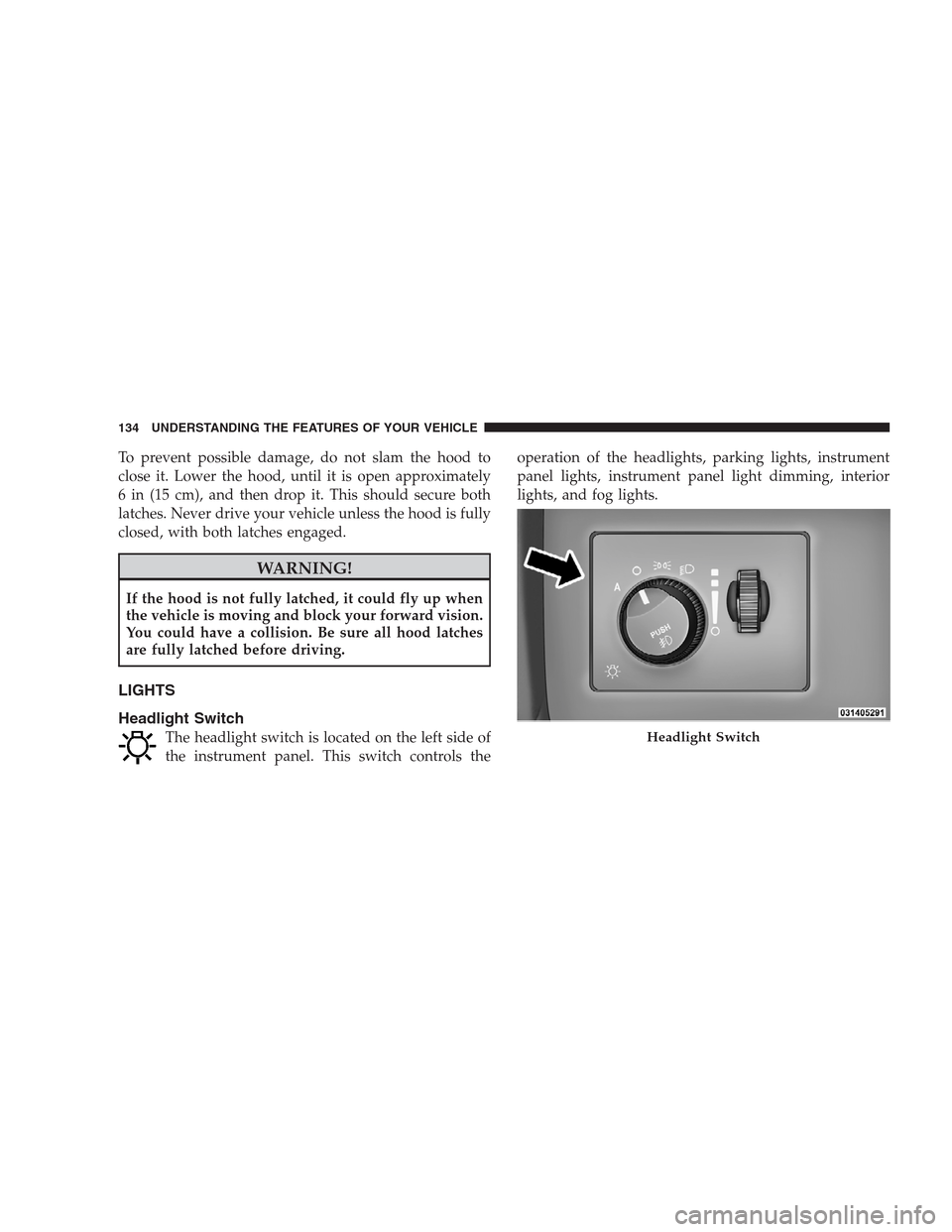
The headlight switch is located on the left side of
the instrument panel. This switch controls theoperation of the headlights, parking lights, instrument
panel lights, instrument panel light dimming, interior
lights, and fog lights.Headlight Switch
134 UNDERSTANDING THE FEATURES OF YOUR VEHICLE
Page 137 of 493

Rotate the headlight switch clockwise to the first detent
for parking light and instrument panel light operation.
Turn it to the second detent for headlight, parking light,
and instrument panel light operation.
Automatic Headlights
This system automatically turns the headlights on or off
according to ambient light levels. To turn the system on,
rotate the headlight switch counterclockwise to the
AUTO (A) position. When the system is on, the headlight
time delay feature is also on. This means the headlights
will stay on for up to 90 seconds after you turn the
ignition switch OFF. To turn the automatic system off,
move the headlight switch out of the AUTO (A) position.
NOTE:The engine must be running before the head-
lights will come on in the automatic mode.
Headlights On with Wipers
When this feature is active, the headlights will turn on
approximately 10 seconds after the wipers are turned on
if the headlight switch is placed in the AUTO position. In
addition, the headlights will turn off when the wipers are
turned off if they were turned on by this feature.
The Headlights On with Wipers feature can be enabled or
disabled. Refer to ”Headlights On with Wipers,” under
“Personal Settings (Customer-Programmable Features)”
under “Electronic Vehicle Information Center (EVIC)” in
Section 4.
SmartBeams — If Equipped
The SmartBeam system provides increased forward light-
ing at night by automating high beam control through
the use of a digital camera mounted on the inside
rearview mirror. This camera detects vehicle specific light
and automatically switches from high beams to low
beams until the approaching vehicle is out of view.
UNDERSTANDING THE FEATURES OF YOUR VEHICLE 135
3
Page 138 of 493

To Activate
1. Select “Automatic High Beams — ON” through the
Electronic Vehicle Information Center (EVIC). Refer to
“Automatic High Beams,” under “Personal Settings
(Customer-Programmable Features)” under “Electronic
Vehicle Information Center (EVIC)” in Section 4.
2. Rotate the headlight switch counterclockwise to the
AUTO (A) position.
3. Push the multifunction lever away from you to switch
the headlights to the high beam position.
NOTE:This system will not activate until the vehicle is
at or above 25 mph (40 km/h).
To Deactivate
Perform either of the following steps to deactivate the
SmartBeam system.
1. Pull the multifunction lever toward you to switch the
headlights from the high beam to the low beam position.
2. Rotate the headlight switch clockwise from the AUTO
(A) to the on position.
NOTE:Broken, muddy, or obstructed headlights and
taillights of vehicles in the field of view will cause
headlights to remain on longer (closer to the vehicle).
Also, dirt, film, and other obstructions on the windshield
or camera lens will cause the system to function
improperly.
136 UNDERSTANDING THE FEATURES OF YOUR VEHICLE