Page 153 of 493
Tapping the Electronic Speed Control lever to RESUME
ACCEL once will result in a 1 mph (1.6 km/h) speed
increase. Each time the Electronic Speed Control lever is
tapped speed increases, so tapping the Electronic Speed
Control lever three times will increase speed by 3 mph
(4.8 km/h), etc.
To decrease speed while Electronic Speed Control is set,
push down and hold the Electronic Speed Control lever
in SET DECEL. Release the Electronic Speed Control
lever when the desired speed is reached, and a new set
speed will be established.
Tapping the Electronic Speed Control lever to SET DE-
CEL once will result in a 1 mph (1.6 km/h) speed
decrease. Each time the Electronic Speed Control lever is
tapped, speed decreases.To Accelerate For Passing
Depress the accelerator as you would normally. When the
pedal is released, the vehicle will return to the set speed.
Using Electronic Speed Control on Hills
NOTE:The Electronic Speed Control system maintains
speed up and down hills. A slight speed change on
moderate hills is normal.
The automatic transmission will downshift while climb-
ing uphill or descending downhill. This downshift is
necessary to maintain vehicle set speed.
On steep hills, a greater speed loss or gain may occur, so
it may be preferable to drive without Electronic Speed
Control.
UNDERSTANDING THE FEATURES OF YOUR VEHICLE 151
3
Page 154 of 493

WARNING!
Electronic Speed Control can be dangerous where the
system cannot maintain a constant speed. Your ve-
hicle could go too fast for the conditions and you
could lose control. An accident could be the result.
Do not use Electronic Speed Control in heavy traffic
or on roads that are winding, icy, snow-covered or
slippery.
ADAPTIVE CRUISE CONTROL (ACC) — IF
EQUIPPED
Adaptive Cruise Control (ACC) increases the driving
convenience provided by cruise control while traveling
on highways and major roadways. However, it is not a
safety system and not designed to prevent collisions.ACC will allow you to keep cruise control engaged in
light to moderate traffic conditions without the constant
need to reset your cruise control. ACC utilizes an infrared
sensor designed to detect a vehicle directly ahead of you.
NOTE:
•If the sensor does not detect a vehicle ahead of you,
ACC will maintain a fixed set speed.
•If the ACC sensor detects a vehicle ahead, ACC will
apply limited braking or acceleration automatically to
maintain a preset following distance, while matching
the speed of the vehicle ahead.
152 UNDERSTANDING THE FEATURES OF YOUR VEHICLE
Page 155 of 493
WARNING!
•Adaptive Cruise Control (ACC) is a convenience
system. It is not a substitute for active driving
involvement. It is always the driver ’s responsibil-
ity to be attentive of road, traffic, and weather
conditions, vehicle speed, distance to the vehicle
ahead; and, most importantly, brake operation to
ensure safe operation of the vehicle under all road
conditions. Your complete attention is always re-
quired while driving to maintain safe control of
your vehicle. Failure to follow these warnings can
result in an accident or serious personal injury.The
ACC system:
•Does not react to pedestrians, oncoming vehicles,
and stationary objects (i.e., a stopped vehicle in a
traffic jam or a disabled vehicle).
(Continued)
WARNING! (Continued)
•Cannot take street, traffic, and weather conditions
into account, and may be limited upon adverse
sight distance conditions.
•Does not predict the lane curvature or the move-
ment of preceding vehicles and will not compen-
sate for such changes.
•Does not always fully recognize complex driving
conditions, which can result in wrong or missing
distance warnings.
•May not detect a vehicle ahead when strong light
(for example, sunrise or sunset) is directly shining
on the front of the vehicle.
•Can only apply a maximum of 25% of the vehicle’s
braking capability, and will not bring the vehicle
to a complete stop.
UNDERSTANDING THE FEATURES OF YOUR VEHICLE 153
3
Page 162 of 493
•The ACC system maintains set speed when driving up
hill and down hill. However, a slight speed change on
moderate hills is normal. In addition, downshifting
may occur while climbing uphill or descending down-
hill. This is normal operation and necessary to main-
tain set speed.
Setting the Following Distance in ACC
The specified following distance for ACC can be set by
varying the distance setting between long, medium, and
short. Using this distance setting and the vehicle speed,
ACC calculates and sets the distance to the vehicle ahead.
This distance setting displays in the EVIC.
To change the distance setting, push the lever away from
you (DISTANCE) and release. Each time this is done, the
distance setting adjusts between long, medium, and
short.
1 — Sensor Bars. Default Distance Setting is Three Bars = Long. 160 UNDERSTANDING THE FEATURES OF YOUR VEHICLE
Page 163 of 493
If there is no vehicle ahead, the vehicle will maintain the
set speed. If a slower moving vehicle is detected in the
same lane, the EVIC displays the “Sensed Vehicle Indi-
cator” icon, and the system adjusts vehicle speed auto-
matically to maintain the distance setting, regardless of
the set speed.
The vehicle will then maintain the set distance until:
•The vehicle ahead accelerates to a speed above the set
speed.
•The vehicle ahead moves out of your lane or view of
the sensor.
•The vehicle ahead slows to a speed below 15 mph
(24 km/h) and the system automatically disengages
itself.
•The distance setting is changed.
•The system disengages. (Refer to the information on
ACC Activation).
The maximum braking applied by ACC is limited; how-
ever, the driver can always apply the brakes manually, if
necessary.
NOTE:The brake lights will illuminate whenever the
ACC system applies the brakes.
UNDERSTANDING THE FEATURES OF YOUR VEHICLE 161
3
Page 168 of 493
Display Warnings and Maintenance
ACC Blinded Warning
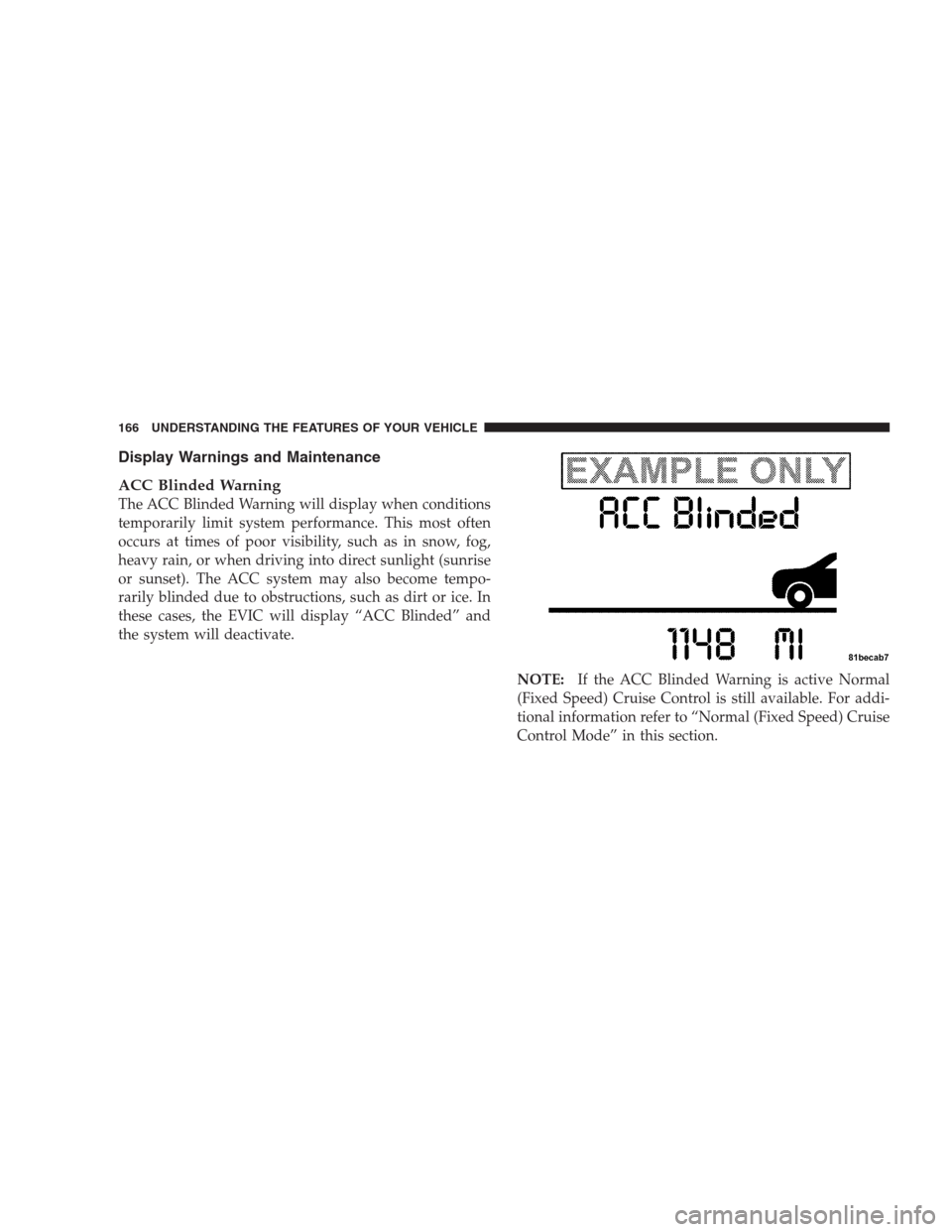
The ACC Blinded Warning will display when conditions
temporarily limit system performance. This most often
occurs at times of poor visibility, such as in snow, fog,
heavy rain, or when driving into direct sunlight (sunrise
or sunset). The ACC system may also become tempo-
rarily blinded due to obstructions, such as dirt or ice. In
these cases, the EVIC will display “ACC Blinded” and
the system will deactivate.
NOTE:If the ACC Blinded Warning is active Normal
(Fixed Speed) Cruise Control is still available. For addi-
tional information refer to “Normal (Fixed Speed) Cruise
Control Mode” in this section.
166 UNDERSTANDING THE FEATURES OF YOUR VEHICLE
Page 169 of 493

If weather conditions are not a factor, the driver should
examine the sensor. It may require cleaning or removal of
an obstruction. The sensor is located behind the grille,
slightly offset from the center of the grille.
To keep the ACC System operating properly, it is impor-
tant to note the following maintenance items:•Always keep the sensor clean. Carefully wipe the
sensor lens with a soft cloth. Be cautious not to
damage the sensor lens.
•Do not remove any screws from the sensor or the
sensor mount. Doing so could cause an ACC system
malfunction or failure and require a sensor realign-
ment.
•If the sensor is damaged due to an accident, see your
authorized dealer for service.
•Do not attach or install any accessories near the sensor,
including transparent material or aftermarket grilles.
Doing so could cause an ACC system failure or
malfunction.
When the condition that deactivated the system is no
longer present, the system will return to the “CRUISE
OFF” state and will resume function by simply reactivat-
ing it.
ACC Sensor Location
UNDERSTANDING THE FEATURES OF YOUR VEHICLE 167
3
Page 182 of 493
OVERHEAD CONSOLE
The overhead console contains courtesy/reading lights,
an optional universal garage door opener (HomeLink�),
storage for sunglasses, and an optional power sunroof
switch.
Courtesy/Reading Lights
At the forward end of the console are two courtesy/
reading lights.
Press the lens to turn on the light. Press it a second time
to turn off the light.
These lights also turn on when a door is opened, or when
the UNLOCK button on the Remote Keyless Entry (RKE)
transmitter is pressed, or when the dimmer control is
turned fully upward, past the second detent.
Sunglasses Storage
At the rear of the console, a compartment is provided for
the storage of a pair of sunglasses.
The storage compartment access is a�push/push�design.
Push on the raised bar on the compartment door to open.
Push on the raised bar to close.
Overhead Console
180 UNDERSTANDING THE FEATURES OF YOUR VEHICLE