Page 160 of 493
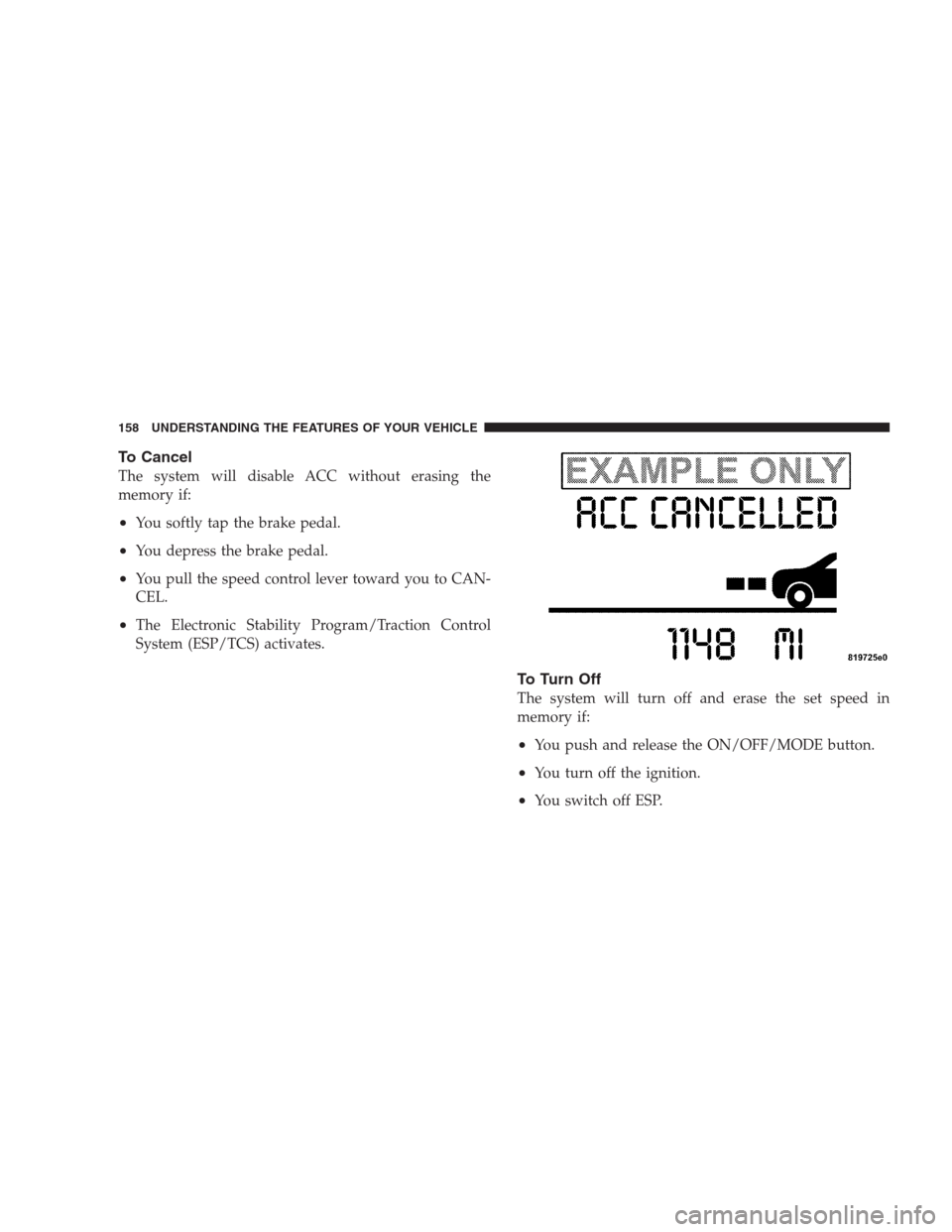
To Cancel
The system will disable ACC without erasing the
memory if:
•You softly tap the brake pedal.
•You depress the brake pedal.
•You pull the speed control lever toward you to CAN-
CEL.
•The Electronic Stability Program/Traction Control
System (ESP/TCS) activates.
To Turn Off
The system will turn off and erase the set speed in
memory if:
•You push and release the ON/OFF/MODE button.
•You turn off the ignition.
•You switch off ESP.
158 UNDERSTANDING THE FEATURES OF YOUR VEHICLE
Page 161 of 493
To Resume Speed
Push the lever upward (RESUME/ACCEL) and release.
Then remove your foot from the accelerator pedal. The
EVIC will display the last set speed.
WARNING!
The Resume function should only be used if traffic
and road conditions permit. Resuming a set speed
that is too high or too low for prevailing traffic and
road conditions could cause the vehicle to accelerate
or decelerate too sharply for safe operation. This
could cause an accident and/or serious injury.
To Vary the Speed Setting
While ACC is set, you can increase the set speed by lifting
and holding the lever up (RESUME/ACCEL). If the lever
is continually held, the set speed will continue to increase
in 5 mph (10 km/h) increments until the lever is released.
The increase in set speed is reflected in the EVIC display.Tapping the lever up once will result in a 1 mph (1 km/h)
increase in set speed. Each subsequent tap of the lever
results in an increase of 1 mph (1 km/h).
While ACC is set, the set speed can be decreased by
pushing and holding the lever down (SET/DECEL). If
the lever is continually held, the set speed will continue
to decrease in 5 mph (10 km/h) increments until the lever
is released. The decrease in set speed is reflected in the
EVIC display.
Tapping the lever down once will result ina1mph
(1 km/h) decrease in set speed. Each subsequent tap of
the lever results in a decrease of 1 mph (1 km/h).
NOTE:•When you use the lever to decelerate, if the engine’s
braking power does not slow the vehicle sufficiently to
reach the set speed, the brake system will automati-
cally slow the vehicle.
UNDERSTANDING THE FEATURES OF YOUR VEHICLE 159
3
Page 163 of 493
If there is no vehicle ahead, the vehicle will maintain the
set speed. If a slower moving vehicle is detected in the
same lane, the EVIC displays the “Sensed Vehicle Indi-
cator” icon, and the system adjusts vehicle speed auto-
matically to maintain the distance setting, regardless of
the set speed.
The vehicle will then maintain the set distance until:
•The vehicle ahead accelerates to a speed above the set
speed.
•The vehicle ahead moves out of your lane or view of
the sensor.
•The vehicle ahead slows to a speed below 15 mph
(24 km/h) and the system automatically disengages
itself.
•The distance setting is changed.
•The system disengages. (Refer to the information on
ACC Activation).
The maximum braking applied by ACC is limited; how-
ever, the driver can always apply the brakes manually, if
necessary.
NOTE:The brake lights will illuminate whenever the
ACC system applies the brakes.
UNDERSTANDING THE FEATURES OF YOUR VEHICLE 161
3
Page 164 of 493
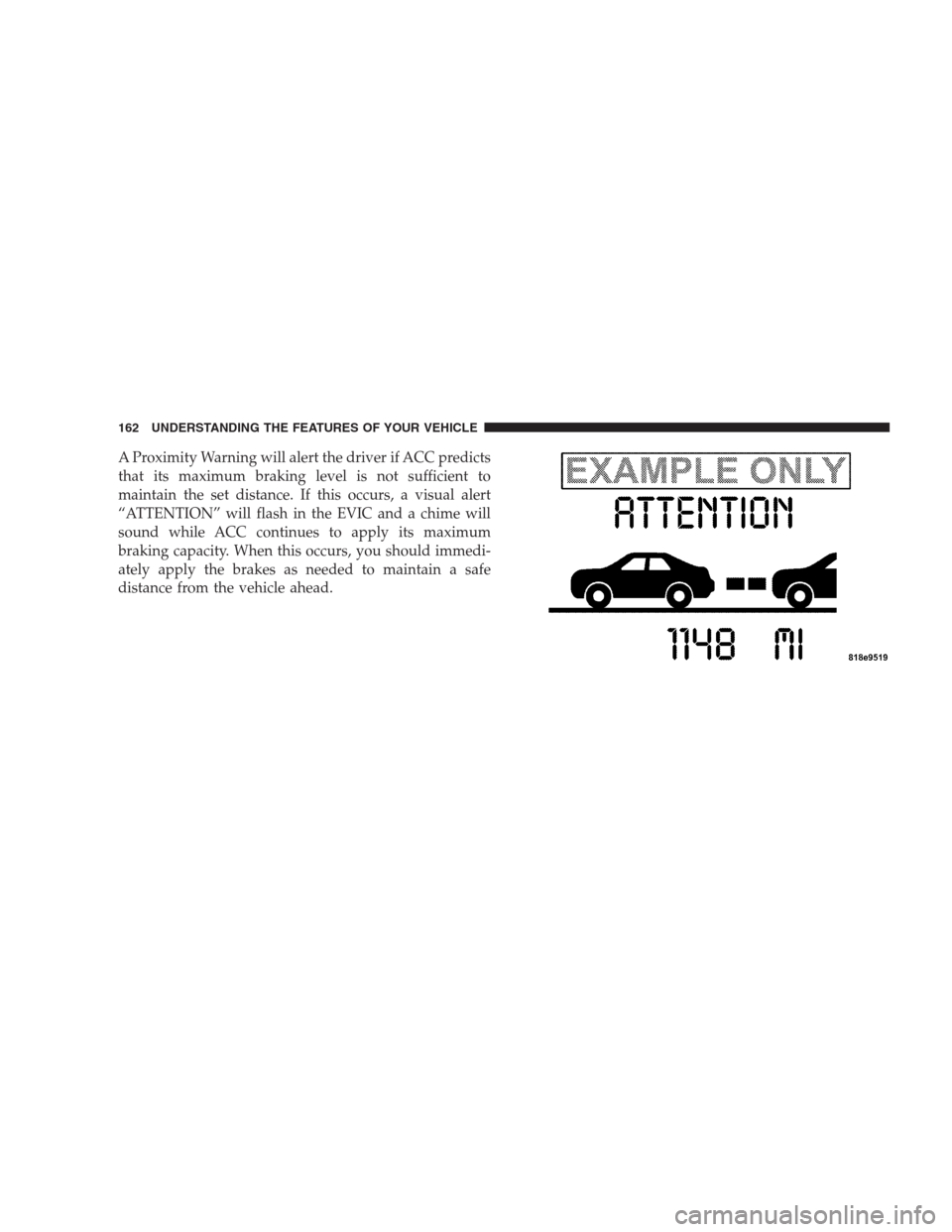
A Proximity Warning will alert the driver if ACC predicts
that its maximum braking level is not sufficient to
maintain the set distance. If this occurs, a visual alert
“ATTENTION” will flash in the EVIC and a chime will
sound while ACC continues to apply its maximum
braking capacity. When this occurs, you should immedi-
ately apply the brakes as needed to maintain a safe
distance from the vehicle ahead.
162 UNDERSTANDING THE FEATURES OF YOUR VEHICLE
Page 171 of 493
Precautions While Driving with ACC
In certain driving situations, ACC may have detection
issues. In these cases, ACC may brake late or unexpect-
edly. The driver needs to stay alert and may need to
intervene.
Adding a Trailer Hitch
The weight of a trailer hitch may affect the performance
of ACC. If there is a noticeable change in performance
following the installation of a hitch, such as reduced
detection range, please see your authorized dealer for
service.
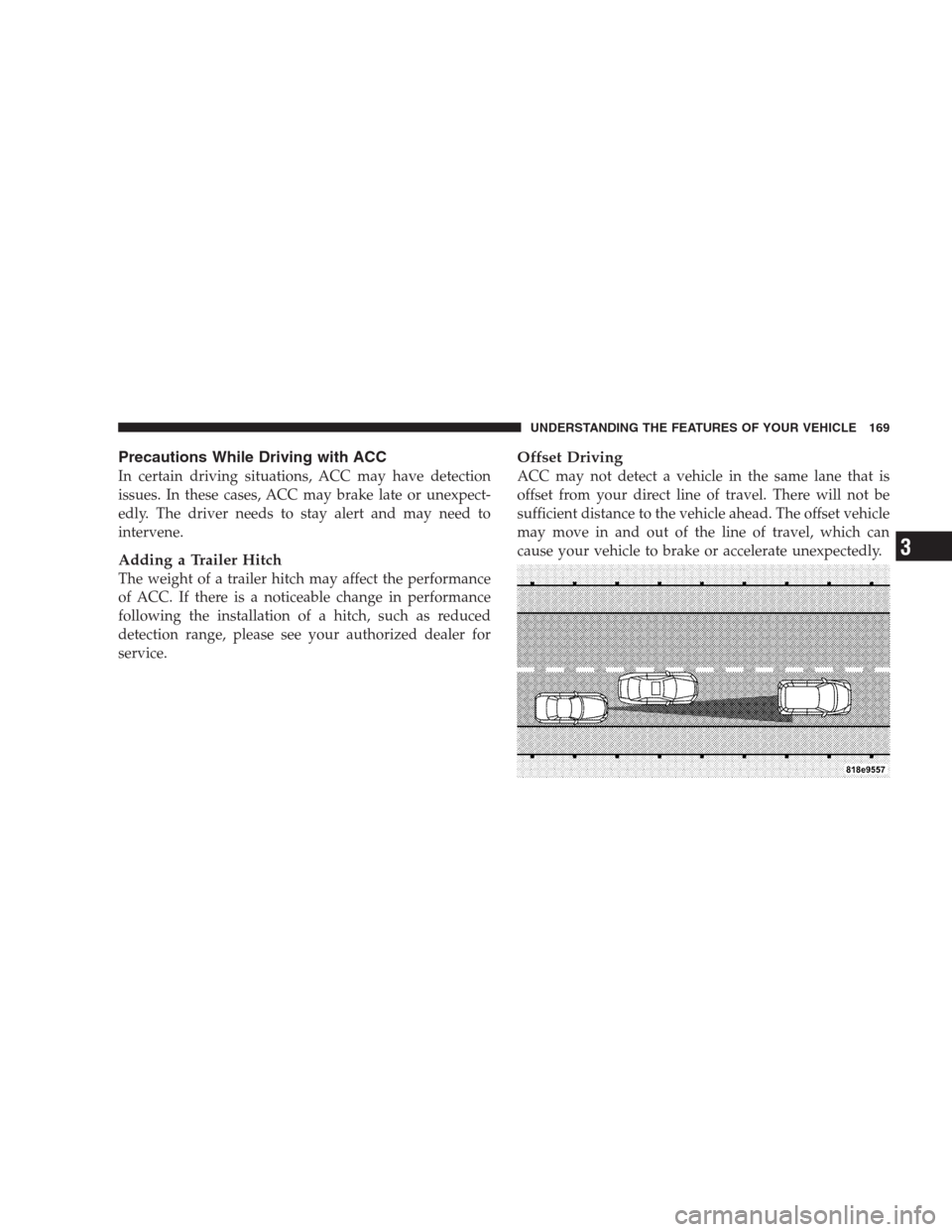
Offset Driving
ACC may not detect a vehicle in the same lane that is
offset from your direct line of travel. There will not be
sufficient distance to the vehicle ahead. The offset vehicle
may move in and out of the line of travel, which can
cause your vehicle to brake or accelerate unexpectedly.
UNDERSTANDING THE FEATURES OF YOUR VEHICLE 169
3
Page 172 of 493
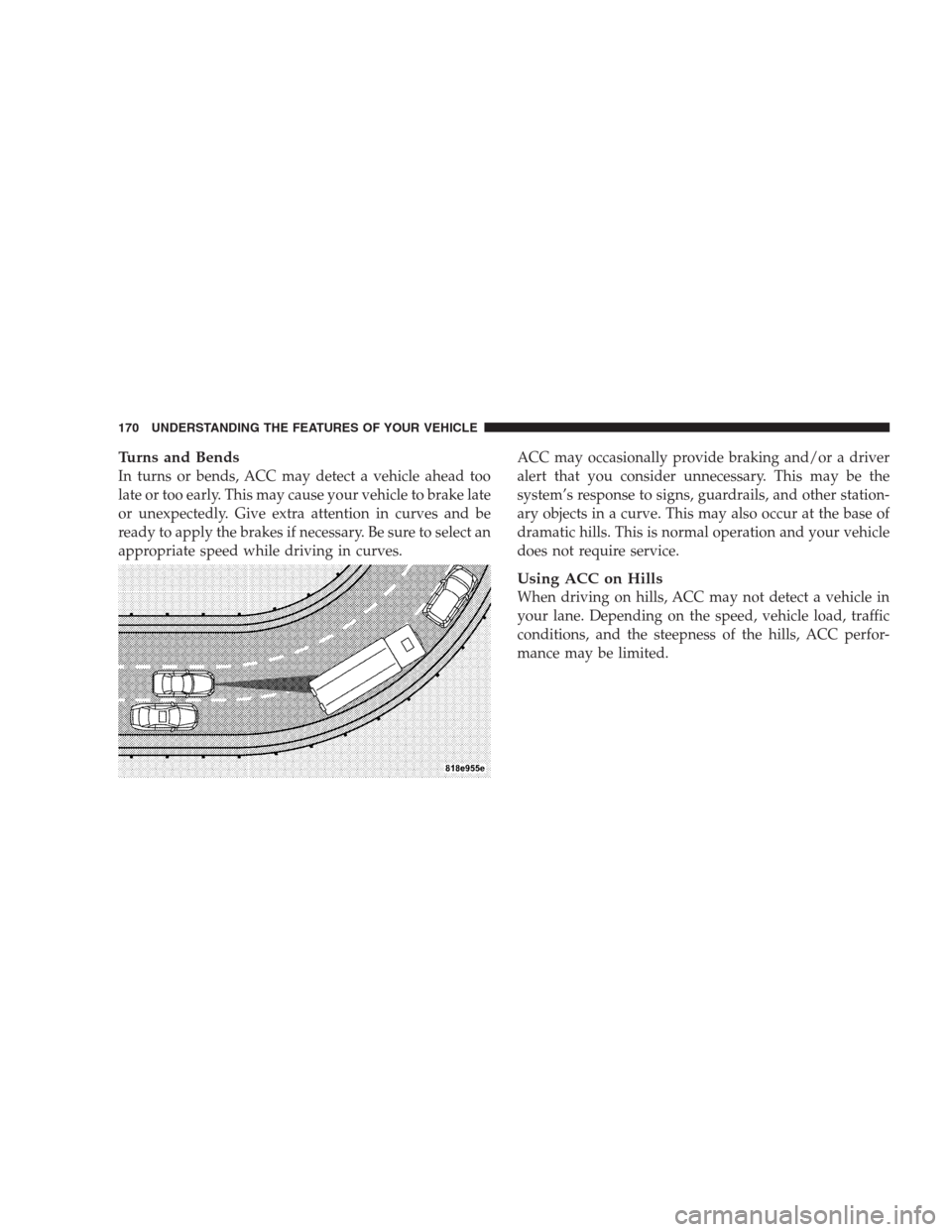
Turns and Bends
In turns or bends, ACC may detect a vehicle ahead too
late or too early. This may cause your vehicle to brake late
or unexpectedly. Give extra attention in curves and be
ready to apply the brakes if necessary. Be sure to select an
appropriate speed while driving in curves.ACC may occasionally provide braking and/or a driver
alert that you consider unnecessary. This may be the
system’s response to signs, guardrails, and other station-
ary objects in a curve. This may also occur at the base of
dramatic hills. This is normal operation and your vehicle
does not require service.
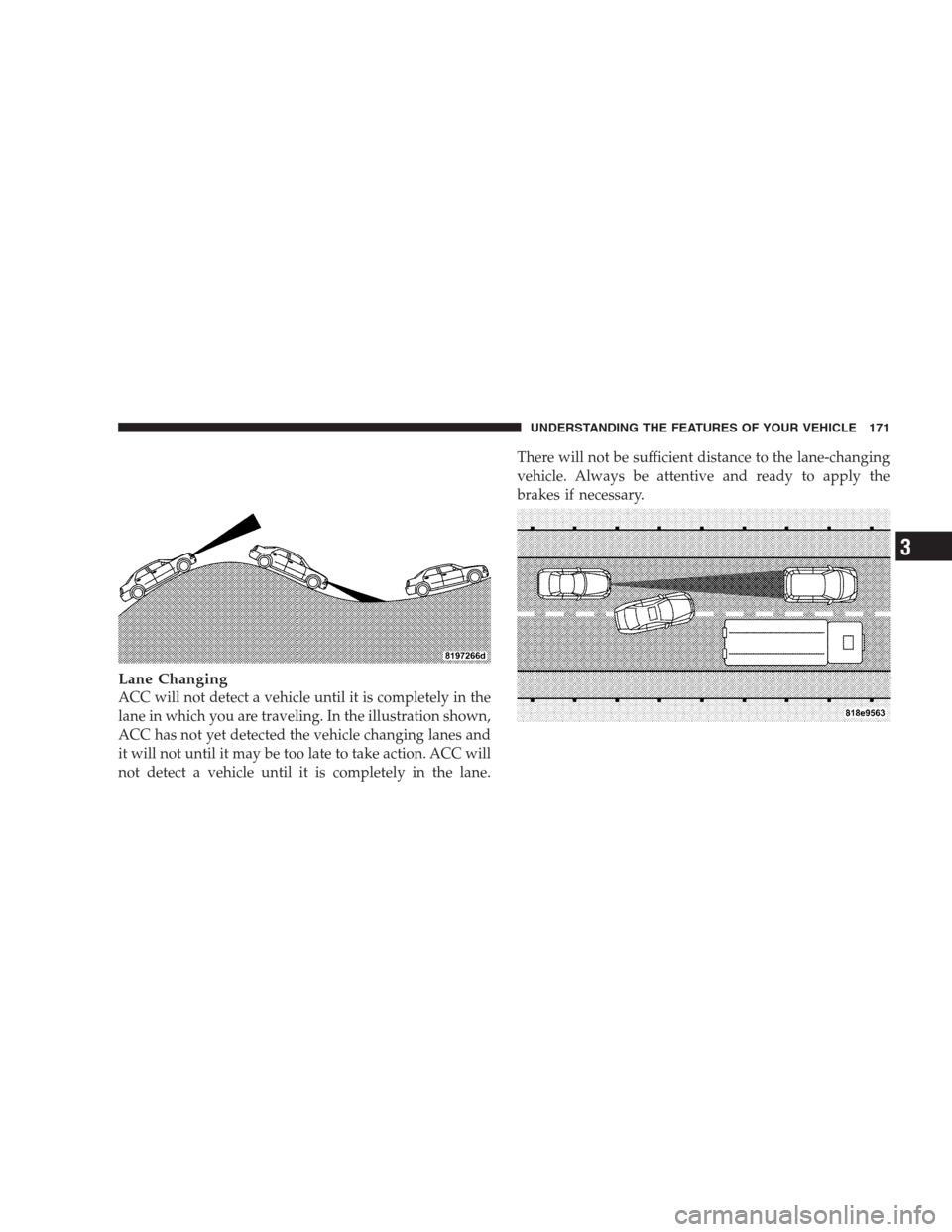
Using ACC on Hills
When driving on hills, ACC may not detect a vehicle in
your lane. Depending on the speed, vehicle load, traffic
conditions, and the steepness of the hills, ACC perfor-
mance may be limited.
170 UNDERSTANDING THE FEATURES OF YOUR VEHICLE
Page 173 of 493
Lane Changing
ACC will not detect a vehicle until it is completely in the
lane in which you are traveling. In the illustration shown,
ACC has not yet detected the vehicle changing lanes and
it will not until it may be too late to take action. ACC will
not detect a vehicle until it is completely in the lane.There will not be sufficient distance to the lane-changing
vehicle. Always be attentive and ready to apply the
brakes if necessary.
UNDERSTANDING THE FEATURES OF YOUR VEHICLE 171
3
Page 174 of 493
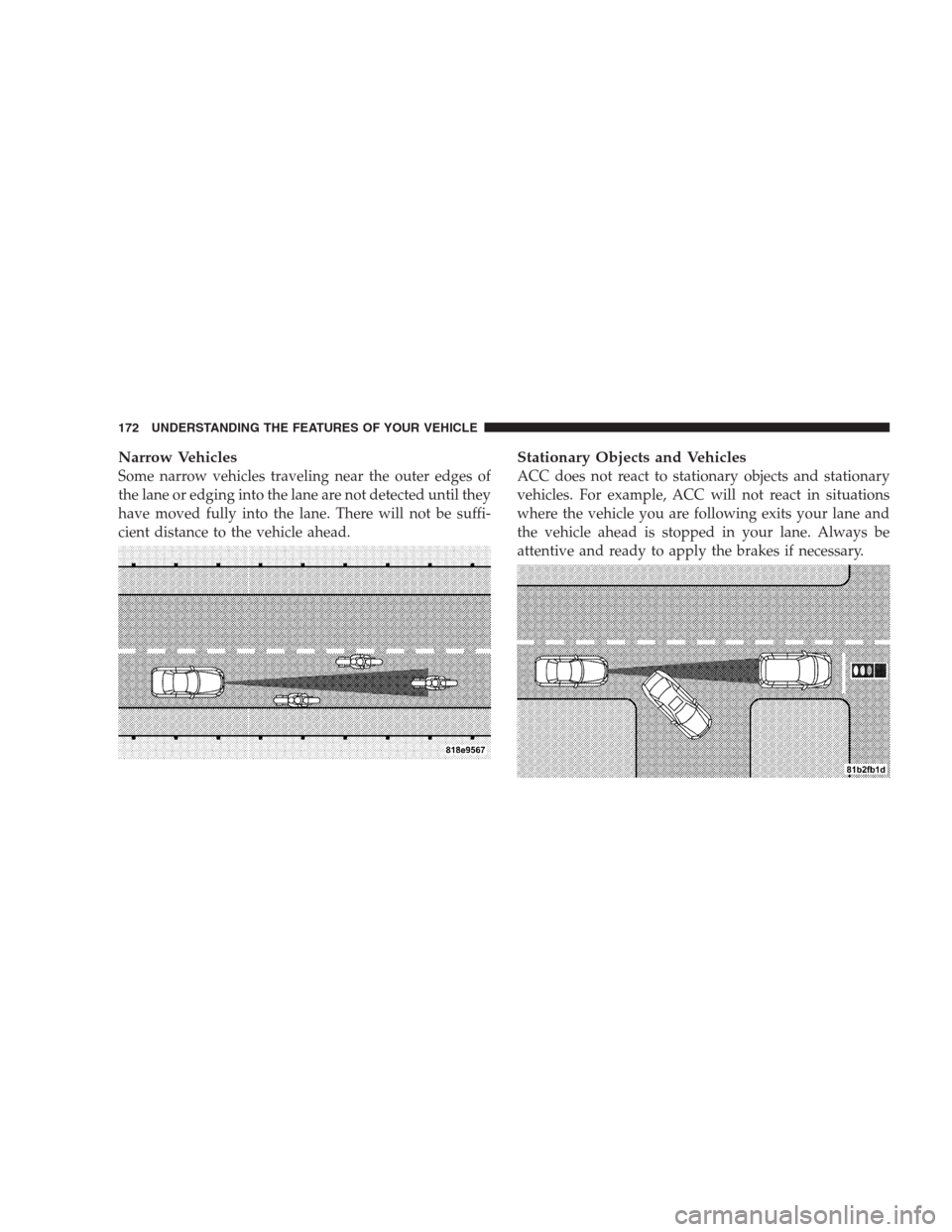
Narrow Vehicles
Some narrow vehicles traveling near the outer edges of
the lane or edging into the lane are not detected until they
have moved fully into the lane. There will not be suffi-
cient distance to the vehicle ahead.
Stationary Objects and Vehicles
ACC does not react to stationary objects and stationary
vehicles. For example, ACC will not react in situations
where the vehicle you are following exits your lane and
the vehicle ahead is stopped in your lane. Always be
attentive and ready to apply the brakes if necessary.
172 UNDERSTANDING THE FEATURES OF YOUR VEHICLE