2009 CHEVROLET UPLANDER remote control
[x] Cancel search: remote controlPage 151 of 464
If the Universal Home Remote indicator light blinks
rapidly for two seconds and then turns to a
constant light, continue with the programming
Steps 6 through 8.
It may be helpful to have another person assist with
the remaining steps.
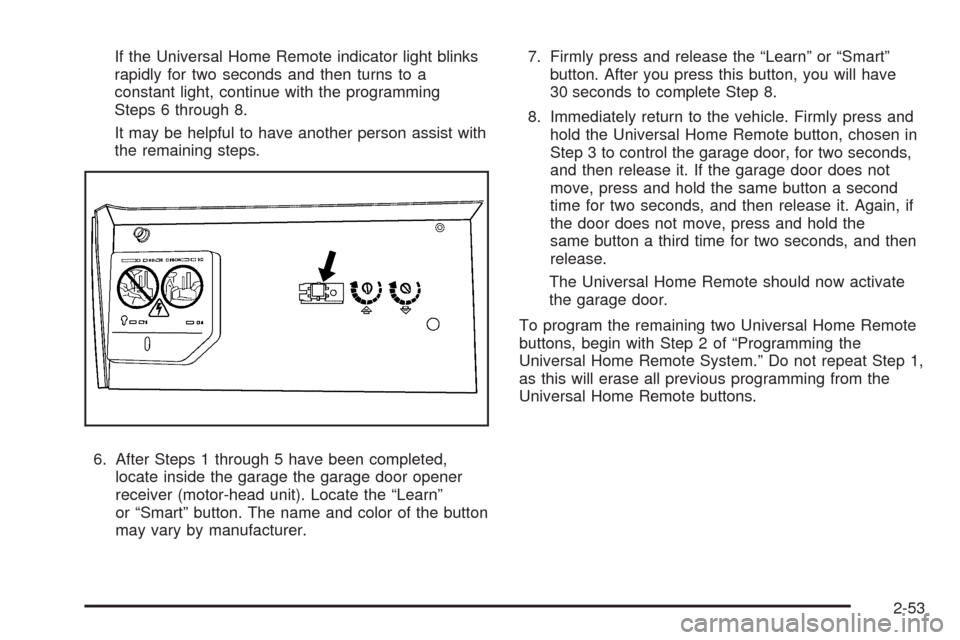
6. After Steps 1 through 5 have been completed,
locate inside the garage the garage door opener
receiver (motor-head unit). Locate the “Learn”
or “Smart” button. The name and color of the button
may vary by manufacturer.7. Firmly press and release the “Learn” or “Smart”
button. After you press this button, you will have
30 seconds to complete Step 8.
8. Immediately return to the vehicle. Firmly press and
hold the Universal Home Remote button, chosen in
Step 3 to control the garage door, for two seconds,
and then release it. If the garage door does not
move, press and hold the same button a second
time for two seconds, and then release it. Again, if
the door does not move, press and hold the
same button a third time for two seconds, and then
release.
The Universal Home Remote should now activate
the garage door.
To program the remaining two Universal Home Remote
buttons, begin with Step 2 of “Programming the
Universal Home Remote System.” Do not repeat Step 1,
as this will erase all previous programming from the
Universal Home Remote buttons.
2-53
Page 176 of 464
Dome Lamp
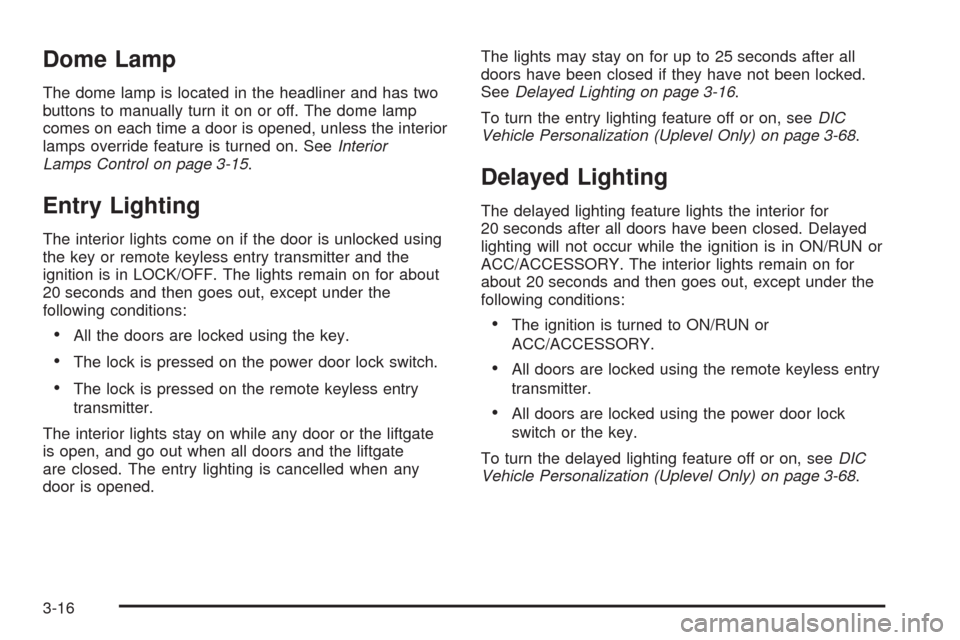
The dome lamp is located in the headliner and has two
buttons to manually turn it on or off. The dome lamp
comes on each time a door is opened, unless the interior
lamps override feature is turned on. SeeInterior
Lamps Control on page 3-15.
Entry Lighting
The interior lights come on if the door is unlocked using
the key or remote keyless entry transmitter and the
ignition is in LOCK/OFF. The lights remain on for about
20 seconds and then goes out, except under the
following conditions:
All the doors are locked using the key.
The lock is pressed on the power door lock switch.
The lock is pressed on the remote keyless entry
transmitter.
The interior lights stay on while any door or the liftgate
is open, and go out when all doors and the liftgate
are closed. The entry lighting is cancelled when any
door is opened.The lights may stay on for up to 25 seconds after all
doors have been closed if they have not been locked.
SeeDelayed Lighting on page 3-16.
To turn the entry lighting feature off or on, seeDIC
Vehicle Personalization (Uplevel Only) on page 3-68.
Delayed Lighting
The delayed lighting feature lights the interior for
20 seconds after all doors have been closed. Delayed
lighting will not occur while the ignition is in ON/RUN or
ACC/ACCESSORY. The interior lights remain on for
about 20 seconds and then goes out, except under the
following conditions:
The ignition is turned to ON/RUN or
ACC/ACCESSORY.
All doors are locked using the remote keyless entry
transmitter.
All doors are locked using the power door lock
switch or the key.
To turn the delayed lighting feature off or on, seeDIC
Vehicle Personalization (Uplevel Only) on page 3-68.
3-16
Page 177 of 464
Exit Lighting
The interior lights come on for about 25 seconds
whenever the key is removed from the ignition. If the
ignition key is turned to ON/RUN or ACC/ACCESSORY,
the lights fade out. The lights also fade out if the doors
are locked with the power door lock switch or the remote
keyless entry transmitter.
Exit lighting is cancelled when any door is opened.
The interior lights stay on while any door or the liftgate
is open, and go out when all doors and the liftgate
are closed.
The interior lights may stay on for up to 20 seconds
after all doors have been closed if they have not been
locked. SeeDelayed Lighting on page 3-16.
To turn the exit lighting feature off or on, seeDIC
Vehicle Personalization (Uplevel Only) on page 3-68.
Front Reading Lamps
There are two reading lamps and one courtesy lamp in
the overhead console. Press either lamp to turn each
on or off. The courtesy lamp comes on each time a door
is opened, unless the interior lamps override feature
is turned on. SeeInterior Lamps Control on page 3-15.
Rear Reading Lamps
There are two reading lamps in the third row headliner.
Press either lamp to turn each on or off.
There may also be a reading lamp in the second row,
integrated with the dome lamp. Press the button next to
the lamp lens to turn the second row reading lamp
on or off.
Cargo Lamp
The cargo lamp is located in the rear of the vehicle,
above the liftgate opening, and does not have a switch.
The cargo lamp comes on each time a door is
opened, unless the interior lamps override is turned on.
SeeInterior Lamps Control on page 3-15.
3-17
Page 181 of 464
Power Outlet 115 Volt Alternating
Current
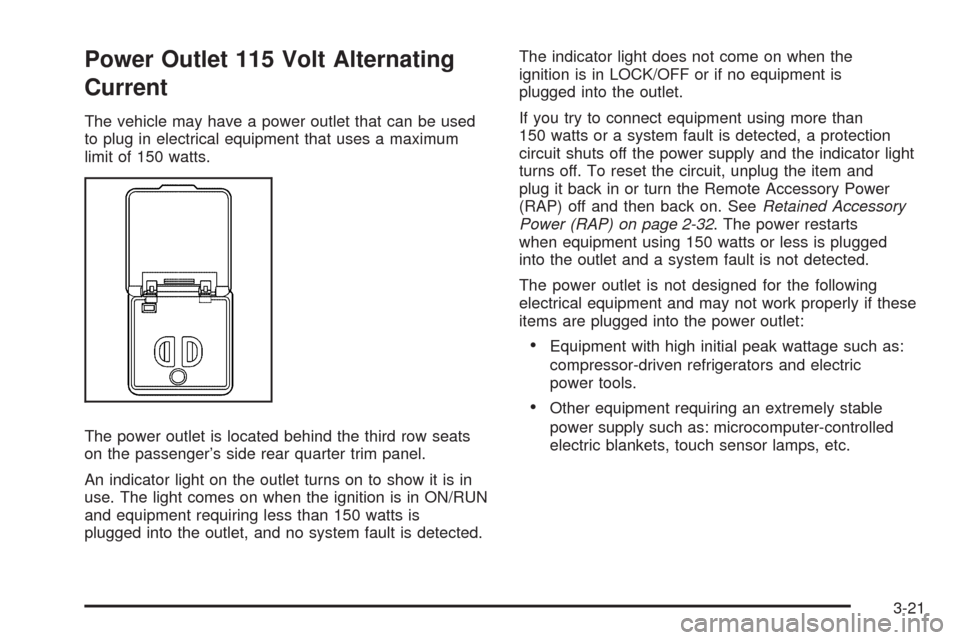
The vehicle may have a power outlet that can be used
to plug in electrical equipment that uses a maximum
limit of 150 watts.
The power outlet is located behind the third row seats
on the passenger’s side rear quarter trim panel.
An indicator light on the outlet turns on to show it is in
use. The light comes on when the ignition is in ON/RUN
and equipment requiring less than 150 watts is
plugged into the outlet, and no system fault is detected.The indicator light does not come on when the
ignition is in LOCK/OFF or if no equipment is
plugged into the outlet.
If you try to connect equipment using more than
150 watts or a system fault is detected, a protection
circuit shuts off the power supply and the indicator light
turns off. To reset the circuit, unplug the item and
plug it back in or turn the Remote Accessory Power
(RAP) off and then back on. SeeRetained Accessory
Power (RAP) on page 2-32. The power restarts
when equipment using 150 watts or less is plugged
into the outlet and a system fault is not detected.
The power outlet is not designed for the following
electrical equipment and may not work properly if these
items are plugged into the power outlet:
Equipment with high initial peak wattage such as:
compressor-driven refrigerators and electric
power tools.
Other equipment requiring an extremely stable
power supply such as: microcomputer-controlled
electric blankets, touch sensor lamps, etc.
3-21
Page 203 of 464

Low Fuel Warning Light
The light next to the fuel gage will come on briey when
you are starting the engine.
This light comes on when the fuel tank is low on fuel.
To turn it off, add fuel to the fuel tank.
Driver Information Center (DIC)
Your vehicle has a Driver Information Center (DIC).
All messages appear in the DIC display located in the
instrument panel cluster, below the tachometer. The DIC
buttons are located on the center of the instrument
panel, below the center outlets.
The DIC comes on when the ignition is on. After a short
delay, the DIC displays WELCOME DRIVER (1 or 2) if a
personalized key 1 or 2 is used, and then the information
that was last displayed before the engine was turned off.
The driver number also corresponds to the numbers,
1 or 2, on the back of the remote keyless entry
transmitters.The DIC displays the odometer, trip odometers, fuel
economy, trip computer, vehicle system information, and
compass display, if equipped. It also displays warning
messages if a system problem is detected. In addition,
the DIC displays phone numbers that are called using the
OnStar
®system, if equipped. SeeOnStar®System on
page 2-47.
On some vehicles, the outside air temperature
automatically appears in the bottom right corner of the
DIC display when viewing all of the information screens,
except for the oil life screens. If the outside air
temperature is at or below 37°F (3°C), the temperature
reading will toggle between displaying the outside
temperature and the word ICE for two minutes. If there is
a problem with the system that controls the temperature
display, the letters OC (open circuit) or SC (short circuit)
will appear on the display. If this occurs, have the vehicle
serviced by your dealer/retailer.
The DIC also allows some features to be customized
or personalized, if equipped. SeeDIC Vehicle
Personalization (Uplevel Only) on page 3-68for
more information.
3-43
Page 222 of 464

REMOTE START DISABLED
If your vehicle has the remote start feature, this
message displays if a remote start attempt is
unsuccessful. This may be caused if any of the following
conditions are true when a remote start attempt is made:
The remote start system is disabled through the DIC.
The key is in the ignition.
The hood or the doors are not closed.
There is an emission control system malfunction.
The engine coolant temperature is too high.
The oil pressure is low.
The hazard warning ashers are turned on.
The maximum number of remote starts or remote
start attempts between ignition cycles has been
reached.
The content theft-deterrent alarm is on while
attempting to remote start the vehicle.
See “REMOTE START” underDIC Vehicle
Personalization (Uplevel Only) on page 3-68and
“Remote Vehicle Start” underRemote Keyless Entry
(RKE) System Operation on page 2-5for more
information.
REMOTE START ON
If your vehicle has the remote start feature, this
message displays when a remote start is initiated.
See “Remote Vehicle Start” underRemote Keyless Entry
(RKE) System Operation on page 2-5for more
information.
RIGHT FRONT TURN LAMP OUT
This message displays when the right front turn signal
bulb needs to be replaced. SeeHeadlamps and
Sidemarker Lamps on page 5-42.
This message displays while the ignition is in ON/RUN.
Press any of the DIC buttons to acknowledge this
message and to clear it from the screen.
This message continues to display for two seconds if it
has not been acknowledged when the engine is turned
off. It also re-displays for two seconds if the message has
been acknowledged, but the condition still exists when
the engine is turned off.
If the condition still exists, the message re-appears
when the engine is turned on.
3-62
Page 253 of 464

CH Unauth:This channel is blocked or cannot be
received with your XM Subscription package.
CH Unavail:This previously assigned channel is no
longer assigned. Tune to another station. If this station
was one of the presets, choose another station for
that preset button.
No Info:No artist, song title, category, or text
information is available at this time on this channel. The
system is working properly.
Not Found:There are no channels available for the
selected category. The system is working properly.
XM Locked:The XM receiver in the vehicle may have
previously been in another vehicle. For security
purposes, XM receivers cannot be swapped between
vehicles. If this message is received after having
the vehicle serviced, check with your dealer/retailer.
Radio ID:If tuned to channel 0, this message will
alternate with the XM Radio 8 digit radio ID label. This
label is needed to activate the service.Unknown:If this message is received when tuned to
channel 0, there may be a receiver fault. Consult
with your dealer/retailer.
Chk XMRcvr:If this message does not clear within a
short period of time, the receiver may have a fault.
Consult with your dealer/retailer.
Rear Seat Entertainment (RSE)
System
Vehicles with an RSE system have a video display
screen, auxiliary inputs, two sets of wireless
headphones, a DVD player, and a remote control.
Before Driving
The RSE is designed for rear seat passengers only.
The driver cannot safely view the video screen
while driving and should not try to do so.
Normal operation could be limited under extremely low
or high temperatures in order to protect the system
from damage. Operate the RSE system under normal or
comfortable cabin temperature ranges.
3-93
Page 255 of 464

To use the auxiliary audio and video inputs, connect an
external auxiliary device such as a camcorder to the
RCA jacks and turn on both the auxiliary device power
and the power on the front of the RSE player.
If a disc is present when the RSE power is turned on,
the player automatically begins playing the disc.
Press the AUX button on the remote control or the
DVD AUX button on the DVD player faceplate to switch
the system between the DVD player and the auxiliary
device. See “DVD Player” and “Remote Control” later in
this section for more information.
Parental Control
wj
(Parental Control):This button is located behind
the video screen next to the auxiliary and headphone
jacks. Press
wjwhile using RSA, or when a DVD or CD
is playing to blank the video screen and to mute the
audio. The power indicator lights on the DVD player
ashes. The parental control also disables all other button
operations from the remote control and the DVD player,
except for the eject button. Press
wjagain to restore
operation of the RSA, DVD player, and remote control.
wjcan also be used to turn the DVD player power on
and automatically resume play if the vehicle is on and a
disc is in the player. If a disc is not in the player then the
system powers up in auxiliary mode.
Audio Output
Audio from the DVD player or auxiliary inputs can be
heard through the following sources:
Vehicle Speakers
Wireless Headphones
Wired Headphones (not included)
Vehicle Speakers
Only one audio source can be heard through the
vehicle’s speakers at a time.
The RSE system or an auxiliary device can be heard
through all of the vehicle’s speakers when the following
occurs:
A DVD or auxiliary device is playing
The front audio system is on and the CD AUX
button is pressed to enable the RSE system
DVD appears on the radio display when the RSE
system is on.
To turn the vehicles speakers on and off, press the
CD AUX button on the radio. The audio from the RSE
system can be heard through the wireless headphones
and the vehicles speakers at the same time. The
volume on the radio varies when switching between the
radio, CD, DVD, MP3, or an auxiliary device.
3-95