2009 CHEVROLET TRAVERSE lock
[x] Cancel search: lockPage 94 of 422
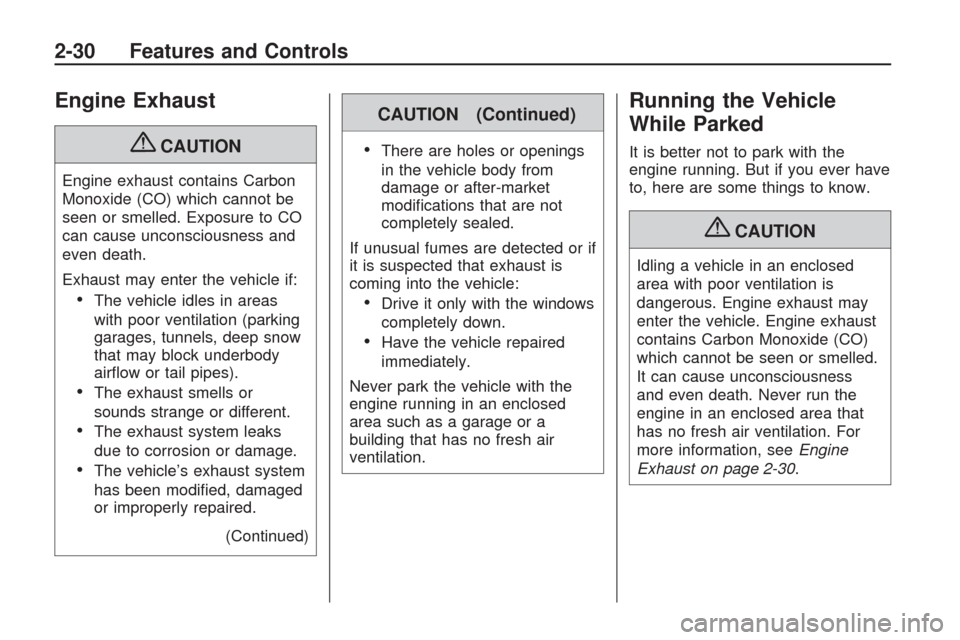
Engine Exhaust
{CAUTION
Engine exhaust contains Carbon
Monoxide (CO) which cannot be
seen or smelled. Exposure to CO
can cause unconsciousness and
even death.
Exhaust may enter the vehicle if:
The vehicle idles in areas
with poor ventilation (parking
garages, tunnels, deep snow
that may block underbody
airow or tail pipes).
The exhaust smells or
sounds strange or different.
The exhaust system leaks
due to corrosion or damage.
The vehicle’s exhaust system
has been modied, damaged
or improperly repaired.
(Continued)
CAUTION (Continued)
There are holes or openings
in the vehicle body from
damage or after-market
modications that are not
completely sealed.
If unusual fumes are detected or if
it is suspected that exhaust is
coming into the vehicle:
Drive it only with the windows
completely down.
Have the vehicle repaired
immediately.
Never park the vehicle with the
engine running in an enclosed
area such as a garage or a
building that has no fresh air
ventilation.
Running the Vehicle
While Parked
It is better not to park with the
engine running. But if you ever have
to, here are some things to know.
{CAUTION
Idling a vehicle in an enclosed
area with poor ventilation is
dangerous. Engine exhaust may
enter the vehicle. Engine exhaust
contains Carbon Monoxide (CO)
which cannot be seen or smelled.
It can cause unconsciousness
and even death. Never run the
engine in an enclosed area that
has no fresh air ventilation. For
more information, seeEngine
Exhaust on page 2-30.
2-30 Features and Controls
Page 99 of 422

Using the Outside Mirror with
the Blind Spot Mirror
1. Set the main mirror so that the
side of your vehicle can just be
seen and your blind spot
mirror has an unobstructed view.
2. When checking for traffic or
before changing a lane, look at
the main driver/passenger side
mirror to observe traffic in the
adjacent lane, behind your
vehicle. Check the blind spot
mirror for a vehicle in the blind
zone. Then, glance over your
shoulder to double check
before moving slowly into the
adjacent lane.
Park Tilt Mirrors
If the vehicle has the memory
package, the outside mirrors have a
park tilt feature. This feature tilts the
outside mirrors to a preselected
position when the vehicle is in
R (Reverse). This allows the driver to
view the curb for parallel parking.The passenger and/or driver mirror
returns to its original position
when the vehicle is shifted out of
R (Reverse), or the ignition is turned
off or to OFF/LOCK.
This feature can be turned on or off
through the Driver Information
Center (DIC). SeeDIC Vehicle
Customization (With DIC Buttons)
on page 3-65andMemory Seat
and Mirrors on page 1-6for
more information.
Outside Convex Mirror
{CAUTION
A convex mirror can make things
(like other vehicles) look farther
away than they really are. If you
cut too sharply into the right lane,
you could hit a vehicle on the
right. Check the inside mirror or
glance over your shoulder before
changing lanes.The passenger side mirror is convex
shaped. A convex mirror’s surface
is curved so more can be seen from
the driver seat.
Outside Heated Mirrors
For vehicles with heated mirrors:
<(Rear Window Defogger):
Press to heat the mirrors.
See “Rear Window Defogger” under
Dual Automatic Climate Control
System on page 3-22for more
information.
Features and Controls 2-35
Page 107 of 422

The back of the vehicle is in an
accident, the position and
mounting angle of the camera can
change or the camera can be
affected. Be sure to have the
camera and its position and
mounting angle checked at your
dealer/retailer.
There are extreme temperature
changes.
The rear vision camera system
display in the rearview mirror may
turn off or not appear as expected
due to one of the following
conditions. If this occurs the left
indicator light on the mirror will ash.
A slow ash may indicate a
loss of video signal, or no
video signal present during the
reverse cycle.
A fast ash may indicate that the
display has been on for the
maximum allowable time during a
reverse cycle, or the display has
reached an Over Temperature
limit.
The fast ash conditions are used
to protect the video device from
high temperature conditions.
Once conditions return to normal
the device will reset and the
green indicator will stop ashing.
During any of these fault conditions,
the display will be blank and the
indicator will continue to ash as long
as the vehicle is in R (Reverse) or
until the conditions return to normal.
Pressing and holding
zwhen the
left indicator light is ashing will turn
off the video display along with
the left indicator light.
OnStar®System
OnStar uses several innovative
technologies and live advisors to
provide a wide range of safety,
security, information, and
convenience services. If the airbags
deploy, the system is designed to
make an automatic call to OnStar
Emergency advisors who can
request emergency services be sent
to your location. If the keys are
locked in the vehicle, call OnStar at
1-888-4-ONSTAR to have a signal
sent to unlock the doors. OnStar
Hands-Free Calling, including
30 trial minutes good for 60 days, is
available on most vehicles. OnStar
Turn-by-Turn Navigation service,
with one trial route, is available on
most vehicles. Press the OnStar
button to have an OnStar advisor
contact Roadside Service.
Features and Controls 2-43
Page 108 of 422

OnStar service is provided subject
to the OnStar Terms and Conditions
included in the OnStar Subscriber
glove box literature.
Some services such as Remote
Door Unlock or Stolen Vehicle
Location Assistance may not be
available until the owner of the
vehicle registers with OnStar.
After the rst prepaid year, contact
OnStar to select a monthly or
annual subscription payment plan.
If a payment plan is not selected,
the OnStar system and all services,
including airbag notication and
emergency services, may be
deactivated and no longer available.
For more information visit
onstar.com (U.S.) or onstar.ca
(Canada), or press the OnStar
button to speak with an advisor.Not all OnStar services are available
on all vehicles. To check if this
vehicle is able to provide the services
described below, or for a full
description of OnStar services and
system limitations, see the OnStar
Owner’s Guide in the glove box or
visit onstar.com (U.S.) or onstar.ca
(Canada), contact OnStar at
1-888-4-ONSTAR (1-888-466-7827)
or TTY 1-877-248-2080, or press the
OnStar button to speak with an
OnStar advisor 24 hours a day,
7 days a week.
OnStar Services Available
with the Safe & Sound Plan
Automatic Notication of
Airbag Deployment
Advanced Automatic Crash
Notication (AACN) (If equipped)
Link to Emergency Services
Roadside Assistance
Stolen Vehicle Location
Assistance
Remote Door Unlock/Vehicle
Alert
OnStar Vehicle Diagnostic Email
GM Goodwrench On Demand
Diagnostics
OnStar Hands-Free Calling with
30 trial minutes
OnStar Virtual Advisor
(U.S. Only)
OnStar Services Included with
Directions & Connections Plan
All Safe and Sound Plan Services
OnStar Turn-by-Turn Navigation
(If equipped) or Driving
Directions - Advisor delivered
RideAssist
Information and Convenience
Services
2-44 Features and Controls
Page 116 of 422
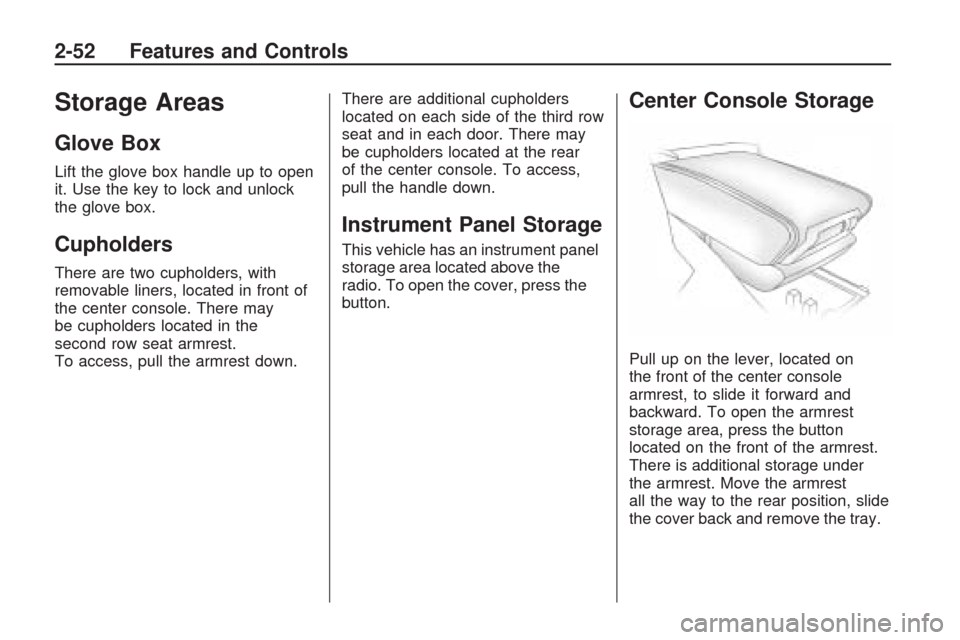
Storage Areas
Glove Box
Lift the glove box handle up to open
it. Use the key to lock and unlock
the glove box.
Cupholders
There are two cupholders, with
removable liners, located in front of
the center console. There may
be cupholders located in the
second row seat armrest.
To access, pull the armrest down.There are additional cupholders
located on each side of the third row
seat and in each door. There may
be cupholders located at the rear
of the center console. To access,
pull the handle down.
Instrument Panel Storage
This vehicle has an instrument panel
storage area located above the
radio. To open the cover, press the
button.
Center Console Storage
Pull up on the lever, located on
the front of the center console
armrest, to slide it forward and
backward. To open the armrest
storage area, press the button
located on the front of the armrest.
There is additional storage under
the armrest. Move the armrest
all the way to the rear position, slide
the cover back and remove the tray.
2-52 Features and Controls
Page 118 of 422

Floor Mats
If the oor mat has a snap retainer,
a grommet in the driver side
oor mat attaches to a hook on the
oor of the vehicle to secure the
oor mat. To remove the oor mat,
pull the mat towards the rear of
the vehicle until the grommet can be
removed from the hook.
If the oor mat has a knob retainer,
a grommet in the oor mat
attaches to a knob on the oor of
the vehicle to secure the oor
mat. To remove the oor mat, turn
the knob till it is aligned with the
slot in the oor mat grommet
and pull the oor mat up.
To reinstall, center the slot in the
oor mat grommet with the knob on
the oor and set the mat in place.
Then turn the knob until it is
perpendicular to the slot in the
grommet to lock the mat in place.
Luggage Carrier
{CAUTION
If something is carried on
top of the vehicle that is longer
or wider than the luggage
carrier — like paneling, plywood,
or a mattress — the wind can
catch it while the vehicle is being
driven. This can cause a driver to
lose control. The item being
carried could be violently torn off,
and this could cause a collision,
and damage the vehicle. Items
may be carried inside. Never
carry something longer or wider
than the luggage carrier on top of
the vehicle.The luggage carrier allows the
loading of things on top of
the vehicle. Crossrails are available
at your dealer/retailer.
Notice:Loading cargo on the
luggage carrier that weighs more
than 200 lbs (91 kg) or hangs
over the rear or sides of the
vehicle can damage the vehicle.
Load cargo so that it rests as
far forward as possible and
against the side rails, making
sure to fasten it securely.
Do not exceed the maximum vehicle
capacity when loading the vehicle.
For more information on vehicle
capacity and loading, seeLoading
the Vehicle on page 4-16.
To prevent damage or loss of cargo
while driving, check to make sure
the cargo is still securely fastened.
2-54 Features and Controls
Page 121 of 422

Instrument Panel
Instrument Panel OverviewInstrument Panel Overview.....3-4
Hazard Warning Flashers.......3-5
Horn....................................3-5
Tilt and Telescopic Steering
Wheel................................3-6
Turn Signal/Multifunction
Lever.................................3-6
Turn and Lane-Change
Signals...............................3-6
Headlamp High/Low-Beam
Changer.............................3-7
Flash-to-Pass........................3-7
Windshield Wipers.................3-7
Windshield Washer................3-8
Rear Window Wiper/Washer. . .3-9
Cruise Control......................3-9
Exterior Lamps....................3-11
Delayed Headlamps.............3-12
Daytime Running
Lamps (DRL)/Automatic
Headlamp System..............3-12
Fog Lamps.........................3-13
Instrument Panel
Brightness.........................3-13Courtesy Lamps..................3-14
Dome Lamps......................3-14
Dome Lamp Override...........3-14
Entry Lighting......................3-14
Delayed Entry Lighting.........3-15
Delayed Exit Lighting...........3-15
Parade Dimming..................3-15
Reading Lamps...................3-15
Electric Power
Management.....................3-15
Battery Run-Down
Protection.........................3-16
Accessory Power Outlet(s). . . .3-17
Power Outlet 115 Volt
Alternating Current.............3-18
Climate ControlsClimate Control System........3-19
Dual Automatic Climate
Control System..................3-22
Outlet Adjustment................3-27
Rear Air Conditioning and
Heating System.................3-28
Rear Air Conditioning and
Heating System and
Electronic Climate
Controls............................3-29
Warning Lights, Gages, and
Indicators
Warning Lights, Gages, and
Indicators..........................3-30
Instrument Panel Cluster.......3-31
Speedometer and
Odometer.........................3-32
Tachometer........................3-32
Safety Belt Reminders..........3-32
Airbag Readiness Light.........3-33
Passenger Airbag Status
Indicator...........................3-33
Charging System Light.........3-34
Voltmeter Gage...................3-35
Brake System Warning
Light................................3-36
Antilock Brake System
(ABS) Warning Light...........3-37
StabiliTrak
®Indicator Light. . . .3-37
Engine Coolant Temperature
Warning Light....................3-38
Engine Coolant
Temperature Gage.............3-38
Tire Pressure Light..............3-39
Malfunction
Indicator Lamp..................3-39
Oil Pressure Light................3-42
Security Light......................3-43
Instrument Panel 3-1
Page 122 of 422

Cruise Control Light.............3-43
Highbeam On Light..............3-43
Tow/Haul Mode Light...........3-43
Fuel Gage..........................3-43
Driver Information
Center (DIC)
Driver Information
Center (DIC).....................3-44
DIC Operation and Displays
(With DIC Buttons).............3-45
DIC Operation and Displays
(Without DIC Buttons).........3-51
DIC Compass.....................3-54
DIC Warnings and
Messages.........................3-56
DIC Vehicle Customization
(With DIC Buttons).............3-65
Audio System(s)Audio System(s)..................3-73
Setting the Clock.................3-74
Radio(s).............................3-75
Using an MP3
(Radio with CD).................3-92
Using an MP3 (Radio with
CD and DVD Player)..........3-96
XM Radio Messages..........3-102Navigation/Radio System.....3-103
Bluetooth
®........................3-103
Rear Seat Entertainment
(RSE) System..................3-114
Rear Seat Audio (RSA)......3-123
Theft-Deterrent Feature.......3-125
Audio Steering Wheel
Controls..........................3-125
Radio Reception................3-126
Multi-Band Antenna............3-127
3-2 Instrument Panel