2009 CHEVROLET IMPALA steering
[x] Cancel search: steeringPage 134 of 406
Using Cruise Control on Hills
How well the cruise control will work on hills depends
upon the vehicle speed, load and the steepness of
the hills. When going up steep hills, you might have to
step on the accelerator pedal to maintain your speed.
When going downhill, you might have to brake or shift to
a lower gear to keep your speed down. If the brakes
are applied the cruise control will turn off.
Ending Cruise Control
There are three ways to end cruise control:
Step lightly on the brake pedal.
Press the[button on the steering wheel.
Press theTbutton on the steering wheel.
Erasing Speed Memory
The cruise control set speed memory is erased by
turning off the cruise control or the ignition.
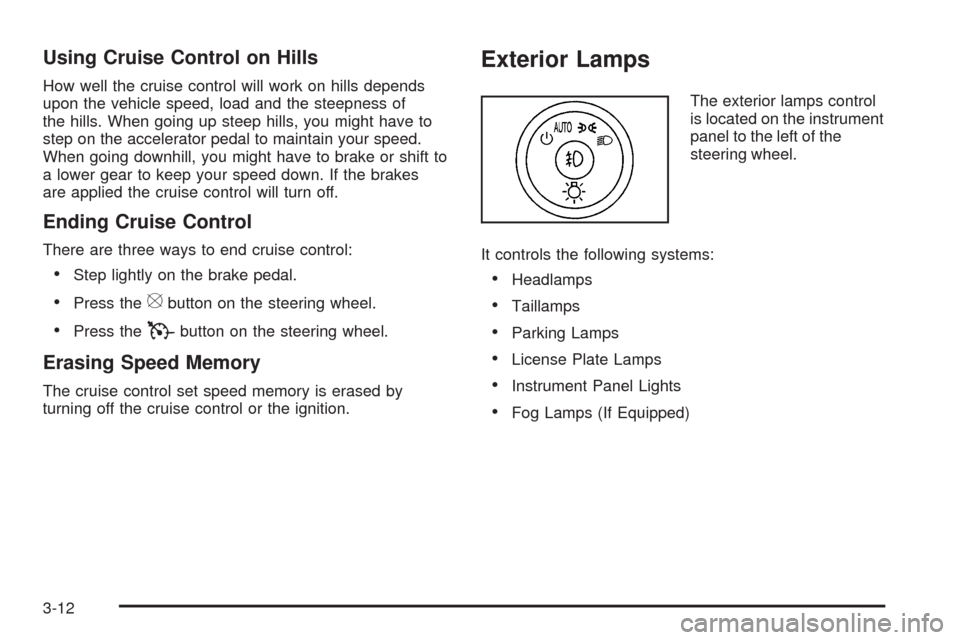
Exterior Lamps
The exterior lamps control
is located on the instrument
panel to the left of the
steering wheel.
It controls the following systems:
Headlamps
Taillamps
Parking Lamps
License Plate Lamps
Instrument Panel Lights
Fog Lamps (If Equipped)
3-12
Page 136 of 406

Daytime Running Lamps (DRL)/
Automatic Headlamp System
Daytime Running Lamps (DRL) can make it easier
for others to see the front of your vehicle during the day.
Fully functional daytime running lamps are required
on all vehicles rst sold in Canada.
The DRL system makes the low-beam headlamps come
on at a reduced brightness when the following conditions
are met:
The ignition is in the ON/RUN position.
The exterior lamps control is in AUTO.
The engine is running.
When the DRL are on, the regular headlamps, taillamps,
sidemarker, and other lamps are not on. The instrument
panel and cluster are also not on.
The headlamps automatically change from DRL to
the regular headlamps depending on the darkness of
the surroundings. The other lamps that come on with
the headlamps will also come on.When it is bright enough outside, the headlamps go off
and the DRL come on.
The regular headlamp system should be turned on
when needed.
Do not cover the light sensor on top of the instrument
panel because it works with the DRL.
Fog Lamps
#(Fog Lamps):For vehicles with fog lamps,
the button is located on the exterior lamps control.
The exterior lamps control is located on the instrument
panel to the left of the steering column.
The ignition must be in the ON/RUN position for the fog
lamps to come on.
Press
#to turn the fog lamps on or off. A light will
come on in the instrument panel cluster.
When the headlamps are changed to high-beam, the
fog lamps also go off.
Some localities have laws that require the headlamps to
be on along with the fog lamps.
3-14
Page 137 of 406
Instrument Panel Brightness
D(Instrument Panel Brightness):The knob with
this symbol on it is located next to the exterior lamps
control to the left of the steering wheel. Push the knob
in all the way until it extends out and then turn the
knob clockwise or counterclockwise to brighten or
dim the lights. Push the knob back in when nished.
Courtesy Lamps
When a door is opened, the courtesy lamps
automatically come on. They make it easy for you
to enter and leave your vehicle. You can also manually
turn these lamps on by fully turning the instrument panel
brightness control clockwise.
The reading lamps, located on the rearview mirror,
can be turned on or off independent of the automatic
courtesy lamps, when the doors are closed.
Dome Lamp
The dome lamp comes on when a door is opened.
This lamp can also be turned on by turning the
instrument panel brightness control clockwise.
Entry Lighting
For vehicles with courtesy lamps, they come on and
stay on for a set time whenever the unlock symbol
is pressed on the Remote Keyless Entry (RKE)
transmitter, if the vehicle has one.
If a door is opened, the lamps stay on while it is open
and then turn off automatically about 20 seconds after
the door is closed. If the unlock symbol is pressed and
no door is opened, the lamps turn off after about
20 seconds.
Entry lighting includes a feature called theater dimming.
With theater dimming, the lamps do not turn off at
the end of the delay time. Instead, they slowly dim and
then go out. The delay time is canceled if the ignition
key is turned to ON/RUN or the power door lock switch
is pressed. The lamps will dim right away.
When the ignition is on, illuminated entry is inactive,
which means the courtesy lamps will not come on unless
a door is opened.
3-15
Page 176 of 406
SERVICE BRAKE SYSTEM
This message displays when service is required on
the brake system. Have the brake system serviced by
your dealer/retailer as soon as possible. The brake
system warning light also appears on the instrument
panel cluster when this message appears on the DIC.
SeeBrake System Warning Light on page 3-30.
SERVICE POWER STEERING
This message displays when a problem is detected
with the power steering system. When this message is
displayed, you may notice that the effort required to steer
the vehicle increases or feels heavier, but you will still be
able to steer the vehicle. Have your vehicle serviced by
your dealer/retailer immediately.
SERVICE STABILITRAK
If your vehicle has Electronic Stability Control (ESC),
this message displays if there has been a problem
detected with ESC. The ESC/TCS light also appears
on the instrument panel cluster. SeeElectronic Stability
Control (ESC) on page 4-6for more information.
If this message turns on while you are driving, pull
off the road as soon as possible and stop carefully.Try resetting the system by turning the ignition off and
then back on. If this message still stays on or turns back
on again while you are driving, your vehicle
needs service. Have the system inspected by your
dealer/retailer as soon as possible.
SERVICE THEFT SYSTEM
This message displays when there is a problem with
the theft-deterrent system programmed in the key. A fault
has been detected in the system which means that the
system is disabled and it is not protecting the vehicle.
The vehicle usually restarts; however, you may want to
take the vehicle to your dealer/retailer before turning off
the engine. SeePASS-Key
®III+ Electronic Immobilizer
Operation on page 2-18for more information.
SERVICE TIRE MONITOR SYSTEM
On vehicles with the Tire Pressure Monitor
System (TPMS), this message displays if a part on
the TPMS is not working properly. The tire pressure
light also ashes and then remains on during the same
ignition cycle. SeeTire Pressure Light on page 3-35.
Several conditions may cause this message to appear.
SeeTire Pressure Monitor Operation on page 5-63
for more information. If the warning comes on and stays
on, there may be a problem with the TPMS. See your
dealer/retailer.
3-54
Page 190 of 406
Finding a Station
BAND:Press to switch between FM1, FM2, AM, or
XM™. The selection displays.
f(Tune):Turn to select radio stations.
©SEEK¨:Press to go to the previous or the next
station and stay there.
To scan stations, press and hold either arrow for a
few seconds until the radio beeps once. The radio goes
to a station, plays for a few seconds, then goes to the
next station. Press either arrow again to stop scanning.
The radio seeks and scans stations only with a strong
signal that are in the selected band.
4(Information) (Radio with CD (Base)):Press to
switch the display between the radio station frequency
and the time. While the ignition is off, press to display
the time.
4(Information) (With XM™ Satellite Radio Service,
MP3, and RDS Features):Press to display additional
text information related to the current FM-RDS or XM
station; or CD, MP3 or WMA song. If information is
available during XM, CD, MP3 or WMA playback, the
song title information displays on the top line of the
display and artist information displays on the bottom
line. When information is not available, No Info displays.
Setting Preset Stations
(Radio with CD (Base))
If the radio does not have XM, up to 18 stations
(six FM1, six FM2, and six AM), can be programmed on
the six numbered pushbuttons. To program presets:
1. Turn the radio on.
2. Press BAND to select FM1, FM2, or AM.
3. Tune in the desired station.
4. Press and hold one of the six numbered
pushbuttons for three seconds until a beep sounds.
When that pushbutton is pressed and released,
the station that was set, returns.
5. Repeat the Steps 2 through 4 for each pushbutton.
Storing a Radio Station as a Favorite
Drivers are encouraged to set up their radio station
favorites while the vehicle is in P (Park). Tune to
favorite stations using the presets, favorites button, and
steering wheel controls if the vehicle has this feature.
SeeDefensive Driving on page 4-2.
If the vehicle has XM and has a FAV button, a maximum
of 36 stations can be programmed as favorites using
the six pushbuttons positioned below the radio station
frequency tabs and by using the radio favorites
page button (FAV button).
3-68
Page 205 of 406
Bluetooth Controls
Use the buttons located on the steering wheel to
operate the in-vehicle Bluetooth system. SeeAudio
Steering Wheel Controls on page 3-94for more
information.
bg(Push To Talk):Press to answer incoming calls,
to conrm system information, and to start speech
recognition.
cx(Phone On Hook):Press to end a call, reject a
call, or to cancel an operation.
Pairing
A Bluetooth enabled cell phone must be paired to the
in-vehicle Bluetooth system rst and then connected to
the vehicle before it can be used. See the cell phone
manufacturers user guide for Bluetooth functions before
pairing the cell phone. If a Bluetooth phone is not
connected, calls will be made using OnStar
®Hands-Free
Calling, if available. Refer to the OnStar owner’s guide for
more information.Pairing Information:
Up to ve cell phones can be paired to the in-vehicle
Bluetooth system.
The pairing process is disabled when the vehicle is
moving.
The in-vehicle Bluetooth system automatically links
with the rst available paired cell phone in the order
the phone was paired.
Only one paired cell phone can be connected to the
in-vehicle Bluetooth system at a time.
Pairing should only need to be completed once,
unless changes to the pairing information have
been made or the phone is deleted.
To link to a different paired phone, see Linking to a
Different Phone later in this section.
3-83
Page 216 of 406
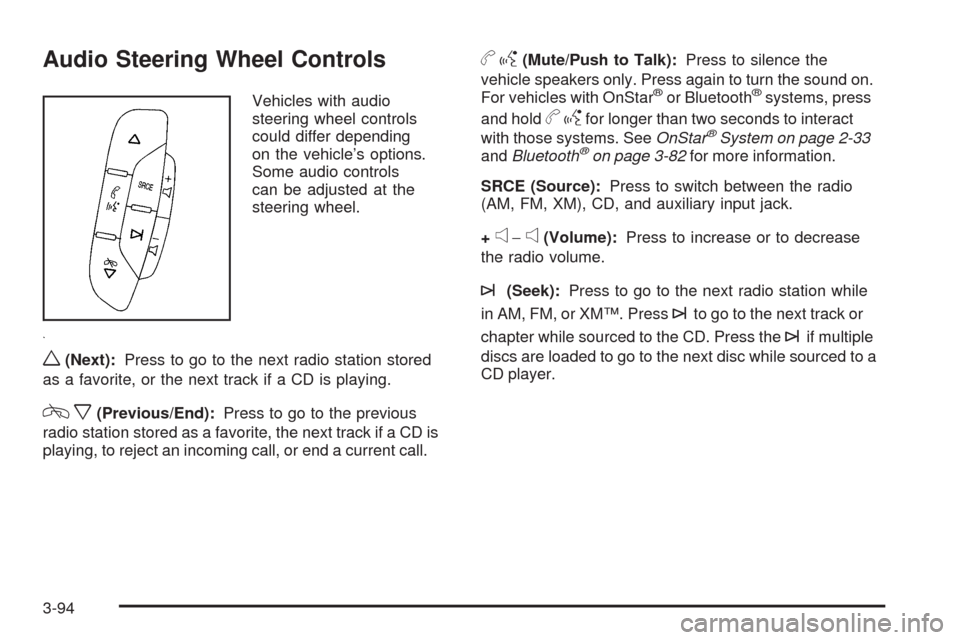
Audio Steering Wheel Controls
Vehicles with audio
steering wheel controls
could differ depending
on the vehicle’s options.
Some audio controls
can be adjusted at the
steering wheel.
w(Next):Press to go to the next radio station stored
as a favorite, or the next track if a CD is playing.
cx(Previous/End):Press to go to the previous
radio station stored as a favorite, the next track if a CD is
playing, to reject an incoming call, or end a current call.
bg(Mute/Push to Talk):Press to silence the
vehicle speakers only. Press again to turn the sound on.
For vehicles with OnStar
®or Bluetooth®systems, press
and hold
bgfor longer than two seconds to interact
with those systems. SeeOnStar®System on page 2-33
andBluetooth®on page 3-82for more information.
SRCE (Source):Press to switch between the radio
(AM, FM, XM), CD, and auxiliary input jack.
+
e−e(Volume):Press to increase or to decrease
the radio volume.
¨(Seek):Press to go to the next radio station while
in AM, FM, or XM™. Press
¨to go to the next track or
chapter while sourced to the CD. Press the
¨if multiple
discs are loaded to go to the next disc while sourced to a
CD player.
3-94
Page 219 of 406
Your Driving, the Road, and the Vehicle............4-2
Driving for Better Fuel Economy.......................4-2
Defensive Driving...........................................4-2
Drunk Driving.................................................4-3
Control of a Vehicle........................................4-3
Braking.........................................................4-4
Antilock Brake System (ABS)...........................4-5
Braking in Emergencies...................................4-6
Electronic Stability Control (ESC)......................4-6
Traction Control System (TCS).........................4-8
Steering........................................................4-9
Off-Road Recovery.......................................4-11
Passing.......................................................4-11
Loss of Control.............................................4-11Driving at Night............................................4-13
Driving in Rain and on Wet Roads..................4-14
Before Leaving on a Long Trip.......................4-15
Highway Hypnosis........................................4-15
Hill and Mountain Roads................................4-16
Winter Driving..............................................4-17
If Your Vehicle is Stuck in Sand, Mud, Ice,
or Snow...................................................4-19
Rocking Your Vehicle to Get It Out.................4-20
Loading the Vehicle......................................4-20
Towing..........................................................4-26
Towing Your Vehicle.....................................4-26
Recreational Vehicle Towing...........................4-26
Towing a Trailer...........................................4-28
Section 4 Driving Your Vehicle
4-1