2009 CHEVROLET HHR steering
[x] Cancel search: steeringPage 154 of 450
Headlamps
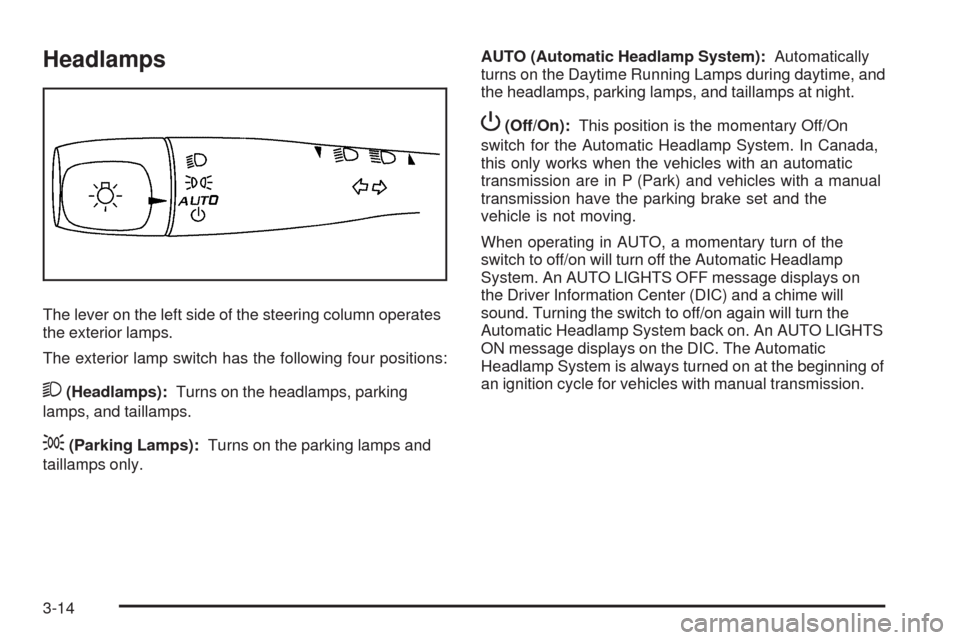
The lever on the left side of the steering column operates
the exterior lamps.
The exterior lamp switch has the following four positions:
2(Headlamps):Turns on the headlamps, parking
lamps, and taillamps.
;(Parking Lamps):Turns on the parking lamps and
taillamps only.AUTO (Automatic Headlamp System):Automatically
turns on the Daytime Running Lamps during daytime, and
the headlamps, parking lamps, and taillamps at night.
P(Off/On):This position is the momentary Off/On
switch for the Automatic Headlamp System. In Canada,
this only works when the vehicles with an automatic
transmission are in P (Park) and vehicles with a manual
transmission have the parking brake set and the
vehicle is not moving.
When operating in AUTO, a momentary turn of the
switch to off/on will turn off the Automatic Headlamp
System. An AUTO LIGHTS OFF message displays on
the Driver Information Center (DIC) and a chime will
sound. Turning the switch to off/on again will turn the
Automatic Headlamp System back on. An AUTO LIGHTS
ON message displays on the DIC. The Automatic
Headlamp System is always turned on at the beginning of
an ignition cycle for vehicles with manual transmission.
3-14
Page 156 of 450
Automatic Headlamp System
When it is dark enough outside, the automatic system
turns on the headlamps at the normal brightness along
with other lamps such as the taillamps, sidemarker,
parking lamps, instrument panel lights, and interior switch
backlighting.
Do not cover the light sensor, located on top of the
instrument panel. If the sensor is covered the headlamps
may remain on when they are not needed.
If the vehicle is driven through a parking garage, overcast
weather or a tunnel, the automatic headlamp system may
turn on.
There is a delay in the transition between the daytime
and nighttime operation of the automatic lamp control
system so that driving under bridges or bright overhead
street lights does not affect the system. The automatic
lamp control system will only be affected when the light
sensor sees a change in lighting lasting longer than this
delay.
If the vehicle is started in a dark garage, the automatic
lamp system turns on immediately. Once the vehicle
exits the garage, it will take about 20 seconds for the
automatic lamp system to change to DRL if it is light
outside. During that delay, the instrument panel cluster
may not be as bright as usual. Make sure the instrument
panel brightness control is in the full bright position.
SeeInstrument Panel Brightness on page 3-17.To idle the vehicle with the system off, turn the ignition
on and turn the exterior light switch to the off/on position.
For vehicles rst sold in Canada, the transmission must
stay in P (Park) for this function or the parking brake must
be set for vehicles with manual transmissions.
Turn on the regular headlamps when they are needed.
Fog Lamps
For vehicles with fog lamps, the button is located on the
instrument panel, to the right of the steering wheel.
The ignition must be on to use the fog lamps.
#:Press to turn the fog lamps on and off. An indicator
light on the button comes on when the fog lamps are on.
The parking lamps automatically turn on and off when the
fog lamps are turned on and off.
The fog lamps will turn off while the high-beam
headlamps are turned on.
Some localities have laws that require the headlamps to
be on along with the fog lamps.
3-16
Page 157 of 450
Instrument Panel Brightness
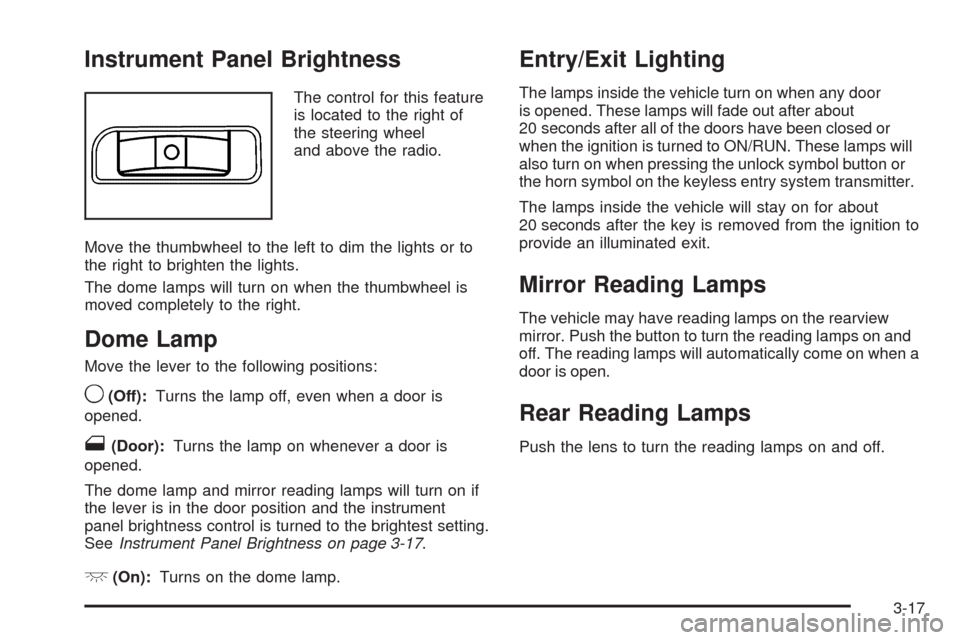
The control for this feature
is located to the right of
the steering wheel
and above the radio.
Move the thumbwheel to the left to dim the lights or to
the right to brighten the lights.
The dome lamps will turn on when the thumbwheel is
moved completely to the right.
Dome Lamp
Move the lever to the following positions:
9(Off):Turns the lamp off, even when a door is
opened.
1(Door):Turns the lamp on whenever a door is
opened.
The dome lamp and mirror reading lamps will turn on if
the lever is in the door position and the instrument
panel brightness control is turned to the brightest setting.
SeeInstrument Panel Brightness on page 3-17.
+(On):Turns on the dome lamp.
Entry/Exit Lighting
The lamps inside the vehicle turn on when any door
is opened. These lamps will fade out after about
20 seconds after all of the doors have been closed or
when the ignition is turned to ON/RUN. These lamps will
also turn on when pressing the unlock symbol button or
the horn symbol on the keyless entry system transmitter.
The lamps inside the vehicle will stay on for about
20 seconds after the key is removed from the ignition to
provide an illuminated exit.
Mirror Reading Lamps
The vehicle may have reading lamps on the rearview
mirror. Push the button to turn the reading lamps on and
off. The reading lamps will automatically come on when a
door is open.
Rear Reading Lamps
Push the lens to turn the reading lamps on and off.
3-17
Page 188 of 450
Driver Information Center (DIC)
Your vehicle has a Driver Information Center (DIC).
The DIC display gives you the status of many of your
vehicle’s systems. The DIC is also used to display driver
personalization menu modes and warning/status
messages. All messages will appear in the DIC display,
located at the bottom of the instrument panel cluster.
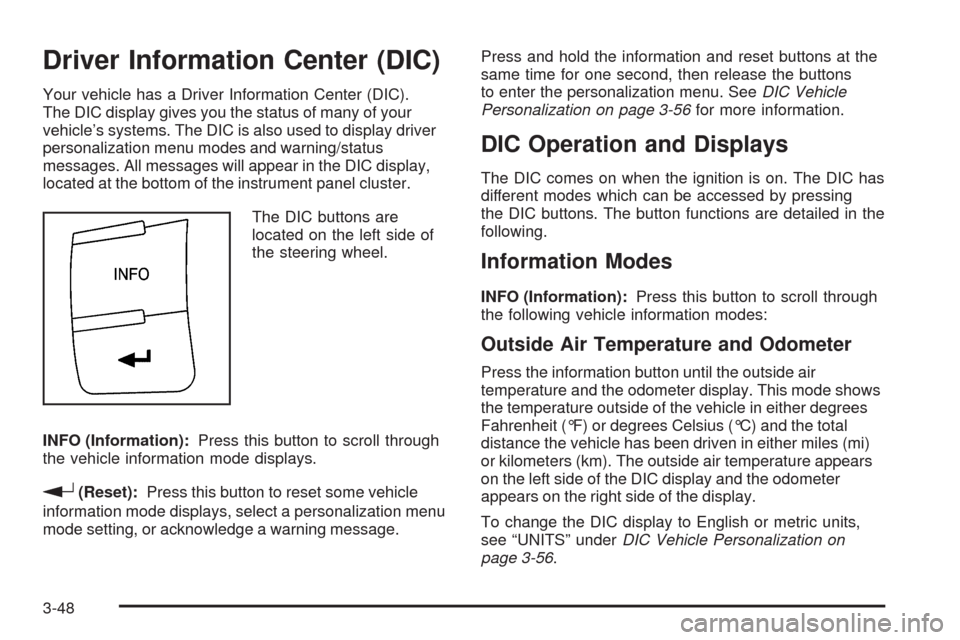
The DIC buttons are
located on the left side of
the steering wheel.
INFO (Information):Press this button to scroll through
the vehicle information mode displays.
r(Reset):Press this button to reset some vehicle
information mode displays, select a personalization menu
mode setting, or acknowledge a warning message.Press and hold the information and reset buttons at the
same time for one second, then release the buttons
to enter the personalization menu. SeeDIC Vehicle
Personalization on page 3-56for more information.
DIC Operation and Displays
The DIC comes on when the ignition is on. The DIC has
different modes which can be accessed by pressing
the DIC buttons. The button functions are detailed in the
following.
Information Modes
INFO (Information):Press this button to scroll through
the following vehicle information modes:
Outside Air Temperature and Odometer
Press the information button until the outside air
temperature and the odometer display. This mode shows
the temperature outside of the vehicle in either degrees
Fahrenheit (°F) or degrees Celsius (°C) and the total
distance the vehicle has been driven in either miles (mi)
or kilometers (km). The outside air temperature appears
on the left side of the DIC display and the odometer
appears on the right side of the display.
To change the DIC display to English or metric units,
see “UNITS” underDIC Vehicle Personalization on
page 3-56.
3-48
Page 194 of 450
LOW FUEL
This message displays when your vehicle is low on fuel.
Rell the fuel tank as soon as possible. SeeFuel Gage
on page 3-42,Fuel on page 5-5, andFilling the Tank on
page 5-9for more information.
LOW TRACTION
If your vehicle has the Enhanced Traction System (ETS)
or Traction Control System (TCS), this message displays
and the ETS light or the ESC/TCS light on the instrument
panel cluster ashes when the system is actively limiting
wheel spin. Slippery road conditions may exist if this
message is displayed, so adjust your driving accordingly.
This message stays on for a few seconds after the
system stops limiting wheel spin. SeeEnhanced Traction
System (ETS) on page 4-12orTraction Control System
(TCS) on page 4-10andEnhanced Traction System
(ETS) Indicator/Warning Light on page 3-34orElectronic
Stability Control (ESC)/Traction Control System (TCS)
Indicator/Warning Light on page 3-35for more
information.
PARKING BRAKE
This message displays if the parking brake is left
engaged. SeeParking Brake on page 2-33for more
information.
POWER STEERING
This message displays if a problem has been detected
with the electric power steering. Have your vehicle
serviced by your dealer/retailer immediately.
SERVICE AIR BAG
This message displays when there is a problem with the
airbag system. Have your vehicle serviced by your
dealer/retailer immediately.
SERVICE ESC (ELECTRONIC STABILITY
CONTROL)
If your vehicle has Electronic Stability Control (ESC), this
message displays and a chime sounds if there has been
a problem detected with ESC. The ESC/TCS light also
appears on the instrument panel cluster. This light stays
on solid as long as the detected problem remains
present. When this message displays, the system is not
working. Adjust your driving accordingly. SeeElectronic
Stability Control (ESC) on page 4-7andElectronic
Stability Control (ESC)/Traction Control System (TCS)
Indicator/Warning Light on page 3-35for more
information.
3-54
Page 206 of 450
¨SEEK:Press to seek or scan stations with a strong
signal in the selected band.
To seek stations, press and release¨SEEK to go
to the next station and stay there.
To scan stations, press and hold¨SEEK for a
few seconds until the radio beeps once. The radio
goes to a station, plays for a few seconds, then goes
to the next station. Press
¨SEEK again to stop
scanning.
To scan preset stations in the selected band, press
and hold
¨SEEK for four seconds until a double
beep sounds. The radio goes to a stored preset,
plays for a few seconds, then goes to the next stored
preset. Press
¨SEEK again to stop scanning preset
stations.
4(Information):For vehicles with the Radio with
CD (Base), press to switch the display between the
radio station frequency and the time. While the ignition is
off, press
4to display the time.For vehicles with XM, MP3, WMA, or RDS features,
press
4to display additional text information related to the
current FM-RDS or XM station; or CD, MP3, WMA song.
Song title information will be displayed on the top line of
the display while the artist information will be displayed
on the bottom line, it the information is available during
XM, CD, MP3, or WMA playback. When information is
not available, “No Info” displays.
Storing Radio Stations
Depending on which radio the vehicle has, radio
stations are stored as either favorites or presets.
Storing a Radio Station as a Favorite
Radio that have a FAV button store radio stations as
favorites.
Drivers are encouraged to set up radio station favorites
while the vehicle is in P (Park). Tune to favorite stations
using the softkeys, favorites button, and steering wheel
controls. SeeDefensive Driving on page 4-2.
3-66
Page 223 of 450
Voice Recognition
The Bluetooth system uses voice recognition to interpret
voice commands to dial phone numbers and name tags.
Noise:Keep interior noise levels to a minimum. The
system may not recognize voice commands if there is
too much background noise.
When to Speak:A short tone sounds after the system
responds indicating when it is waiting for a voice
command. Wait until the tone and then speak.
How to Speak:Speak clearly in a calm and natural
voice.
Audio System
When using the in-vehicle Bluetooth system, sound
comes through the vehicle’s front audio system speakers
and overrides the audio system. Use the audio system
volume knob, during a call, to change the volume level.The adjusted volume level remains in memory for later
calls. To prevent missed calls, a minimum volume level is
used if the volume is turned down too low.
Bluetooth Controls
Use the buttons located on the steering wheel to operate
the in-vehicle Bluetooth system. SeeAudio Steering
Wheel Controls on page 3-94for more information.
bg(Push To Talk):Press to answer incoming calls,
to conrm system information, and to start speech
recognition.
cx(Phone On Hook):Press to end a call, reject a
call, or to cancel an operation.
3-83
Page 234 of 450
Theft-Deterrent Feature
THEFTLOCK®is designed to discourage theft of the
vehicle’s radio by learning a portion of the Vehicle
Identication Number (VIN). The radio does not operate
if it is stolen or moved to a different vehicle.
Audio Steering Wheel Controls
Vehicles with audio
steering wheel controls
could differ depending
on the vehicle’s options.
Some audio controls can
be adjusted at the steering
wheel.
e+/e−(Volume):Press to increase or to decrease
the radio volume.
w/x(Next / Previous):Press to change radio
stations, select tracks on a CD, or to select tracks and
navigate folders on an iPod
®or USB device.
To change radio stations:
Press and releaseworxto go to the next or
previous radio station stored as a preset.
Press and holdworxto go to the next or
previous radio station in the selected band with a
strong signal.
To select tracks on a CD:
Press and release
worxto go to the next or previous
track.
To select tracks on an iPod or USB device:
1. Press and hold
worxwhile listening to a song
until the contents of the current folder display on
the radio display.
2. Press and release
worxto scroll up or down the
list, then press and hold
wto play the highlighted
track.
3-94