2009 CHEVROLET HHR automatic transmission
[x] Cancel search: automatic transmissionPage 156 of 450
Automatic Headlamp System
When it is dark enough outside, the automatic system
turns on the headlamps at the normal brightness along
with other lamps such as the taillamps, sidemarker,
parking lamps, instrument panel lights, and interior switch
backlighting.
Do not cover the light sensor, located on top of the
instrument panel. If the sensor is covered the headlamps
may remain on when they are not needed.
If the vehicle is driven through a parking garage, overcast
weather or a tunnel, the automatic headlamp system may
turn on.
There is a delay in the transition between the daytime
and nighttime operation of the automatic lamp control
system so that driving under bridges or bright overhead
street lights does not affect the system. The automatic
lamp control system will only be affected when the light
sensor sees a change in lighting lasting longer than this
delay.
If the vehicle is started in a dark garage, the automatic
lamp system turns on immediately. Once the vehicle
exits the garage, it will take about 20 seconds for the
automatic lamp system to change to DRL if it is light
outside. During that delay, the instrument panel cluster
may not be as bright as usual. Make sure the instrument
panel brightness control is in the full bright position.
SeeInstrument Panel Brightness on page 3-17.To idle the vehicle with the system off, turn the ignition
on and turn the exterior light switch to the off/on position.
For vehicles rst sold in Canada, the transmission must
stay in P (Park) for this function or the parking brake must
be set for vehicles with manual transmissions.
Turn on the regular headlamps when they are needed.
Fog Lamps
For vehicles with fog lamps, the button is located on the
instrument panel, to the right of the steering wheel.
The ignition must be on to use the fog lamps.
#:Press to turn the fog lamps on and off. An indicator
light on the button comes on when the fog lamps are on.
The parking lamps automatically turn on and off when the
fog lamps are turned on and off.
The fog lamps will turn off while the high-beam
headlamps are turned on.
Some localities have laws that require the headlamps to
be on along with the fog lamps.
3-16
Page 167 of 450
Instrument Panel Cluster
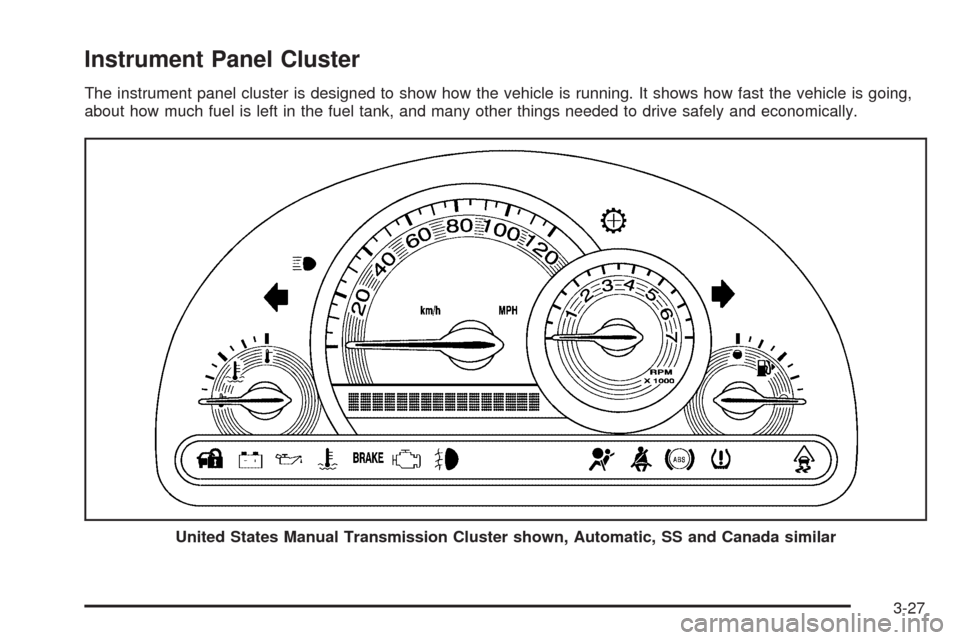
The instrument panel cluster is designed to show how the vehicle is running. It shows how fast the vehicle is going,
about how much fuel is left in the fuel tank, and many other things needed to drive safely and economically.
United States Manual Transmission Cluster shown, Automatic, SS and Canada similar
3-27
Page 199 of 450
OFF:The doors will lock immediately when pressing
the power lock switch or the lock button on the
RKE transmitter.
SeePower Door Locks on page 2-9,Delayed Locking
on page 2-10, andRemote Keyless Entry (RKE) System
Operation on page 2-4for more information.
To select a setting and move on to the next feature,
press the information button while the desired setting is
displayed on the DIC.
AUTO UNLK (Unlock)
This feature, which allows the vehicle to automatically
unlock certain doors, can be enabled or disabled. When
AUTO UNLK appears on the display, press and hold
the reset button for at least one second to scroll through
the available settings:
ALL (default):All of the doors will automatically unlock.
DRIVER:The driver’s door will automatically unlock.
NONE:None of the doors will automatically unlock.
You will need to manually unlock the doors.
If you have a manual transmission vehicle, the door(s)
will automatically unlock when the key is turned off.
If you have an automatic transmission vehicle, you
can select when the automatic unlocking will occur.
See “UNLK (Unlock) (Automatic Transmission Only)”
following.SeeProgrammable Automatic Door Unlock on page 2-10
for more information.
To select a setting and move on to the next feature,
press the information button while the desired setting is
displayed on the DIC.
UNLK (Unlock) (Automatic
Transmission Only)
This screen displays only if your vehicle has an automatic
transmission and DRIVER or ALL is selected for the
AUTO UNLK feature. This feature determines when the
automatic door unlocking will occur. When UNLK appears
on the display, press and hold the reset button for at least
one second to scroll through the available settings:
KEY OFF:The door(s) will unlock when the key is
turned off.
SHIFT TO P (Park) (default):The door(s) will unlock
when the vehicle is shifted into P (Park).
SeeProgrammable Automatic Door Unlock on
page 2-10for more information.
To select a setting and move on to the next feature,
press the information button while the desired setting is
displayed on the DIC.
3-59
Page 237 of 450
Your Driving, the Road, and the Vehicle............4-2
Driving for Better Fuel Economy.......................4-2
Defensive Driving...........................................4-2
Drunk Driving.................................................4-3
Control of a Vehicle........................................4-3
Braking.........................................................4-4
Antilock Brake System (ABS)...........................4-5
Braking in Emergencies...................................4-6
Electronic Stability Control (ESC)......................4-7
Traction Control System (TCS).......................4-10
Enhanced Traction System (ETS)....................4-12
Limited-Slip Differential..................................4-13
Steering......................................................4-14
Off-Road Recovery.......................................4-16
Passing.......................................................4-16
Loss of Control.............................................4-16
Racing or Other Competitive Driving................4-18Driving at Night............................................4-18
Driving in Rain and on Wet Roads..................4-19
Before Leaving on a Long Trip.......................4-20
Highway Hypnosis........................................4-20
Hill and Mountain Roads................................4-21
Winter Driving..............................................4-22
If Your Vehicle is Stuck in Sand, Mud,
Ice, or Snow.............................................4-24
Rocking Your Vehicle to Get It Out.................4-25
Loading the Vehicle......................................4-25
Towing..........................................................4-31
Towing Your Vehicle.....................................4-31
Recreational Vehicle Towing...........................4-31
Towing a Trailer (Automatic Transmission)........4-34
Towing a Trailer (Manual Transmission)...........4-41
Section 4 Driving Your Vehicle
4-1
Page 247 of 450
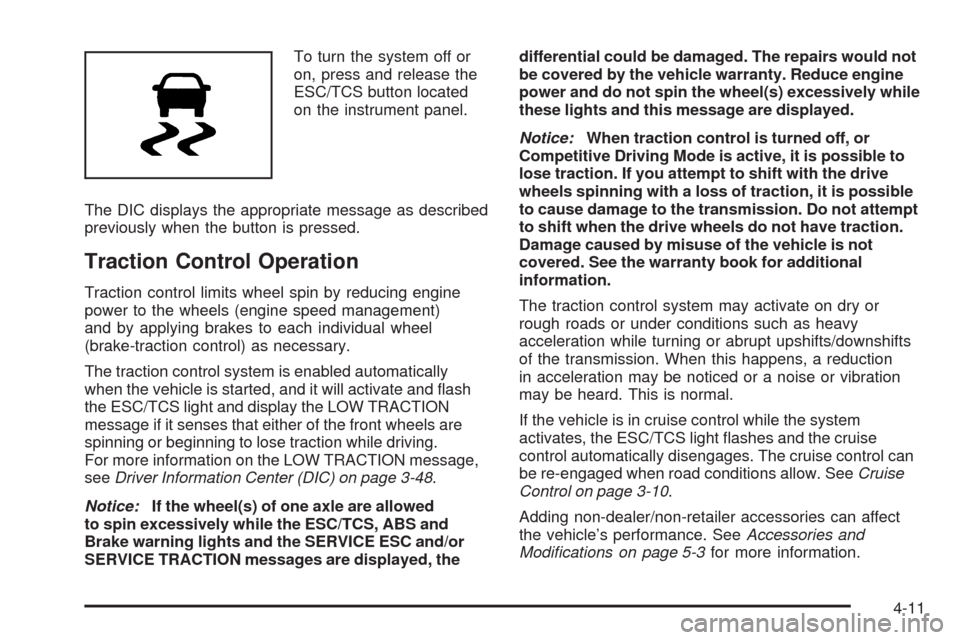
To turn the system off or
on, press and release the
ESC/TCS button located
on the instrument panel.
The DIC displays the appropriate message as described
previously when the button is pressed.
Traction Control Operation
Traction control limits wheel spin by reducing engine
power to the wheels (engine speed management)
and by applying brakes to each individual wheel
(brake-traction control) as necessary.
The traction control system is enabled automatically
when the vehicle is started, and it will activate and ash
the ESC/TCS light and display the LOW TRACTION
message if it senses that either of the front wheels are
spinning or beginning to lose traction while driving.
For more information on the LOW TRACTION message,
seeDriver Information Center (DIC) on page 3-48.
Notice:If the wheel(s) of one axle are allowed
to spin excessively while the ESC/TCS, ABS and
Brake warning lights and the SERVICE ESC and/or
SERVICE TRACTION messages are displayed, thedifferential could be damaged. The repairs would not
be covered by the vehicle warranty. Reduce engine
power and do not spin the wheel(s) excessively while
these lights and this message are displayed.
Notice:When traction control is turned off, or
Competitive Driving Mode is active, it is possible to
lose traction. If you attempt to shift with the drive
wheels spinning with a loss of traction, it is possible
to cause damage to the transmission. Do not attempt
to shift when the drive wheels do not have traction.
Damage caused by misuse of the vehicle is not
covered. See the warranty book for additional
information.
The traction control system may activate on dry or
rough roads or under conditions such as heavy
acceleration while turning or abrupt upshifts/downshifts
of the transmission. When this happens, a reduction
in acceleration may be noticed or a noise or vibration
may be heard. This is normal.
If the vehicle is in cruise control while the system
activates, the ESC/TCS light ashes and the cruise
control automatically disengages. The cruise control can
be re-engaged when road conditions allow. SeeCruise
Control on page 3-10.
Adding non-dealer/non-retailer accessories can affect
the vehicle’s performance. SeeAccessories and
Modifications on page 5-3for more information.
4-11
Page 248 of 450
Enhanced Traction System (ETS)
The vehicle may have an Enhanced Traction System
(ETS) that limits wheel spin. This is especially useful in
slippery road conditions. The system operates only if it
senses that one or both of the front wheels are spinning
or beginning to lose traction. When this happens, the
system reduces engine power and may also upshift the
transmission to limit wheel spin.
If the vehicle has ETS, there is not an ESC/TCS button
on the instrument panel. To turn the system off, shift
to L (Low) or R (Reverse). There is more information
about how to turn the system off later in this section.
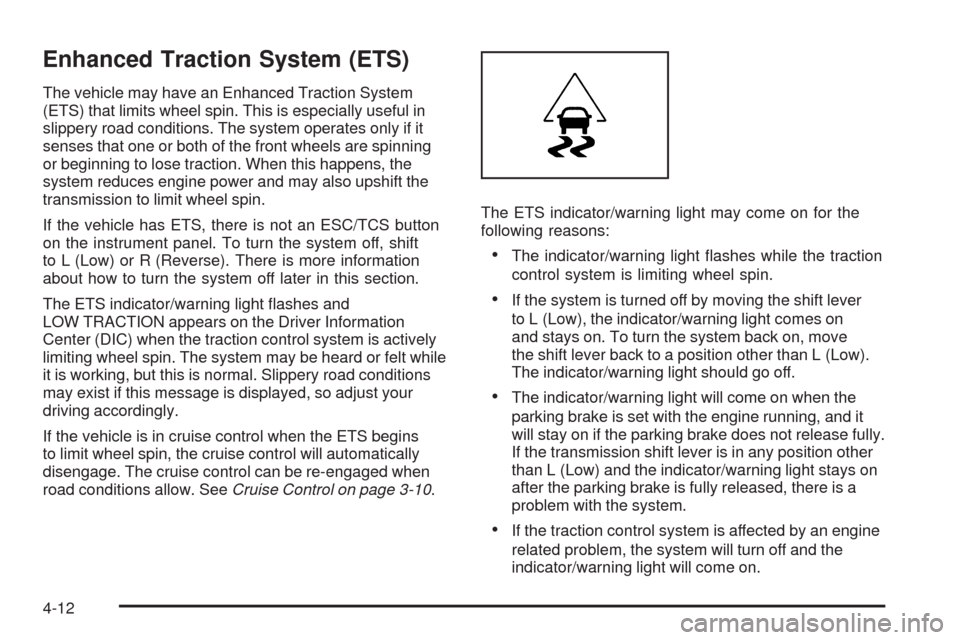
The ETS indicator/warning light ashes and
LOW TRACTION appears on the Driver Information
Center (DIC) when the traction control system is actively
limiting wheel spin. The system may be heard or felt while
it is working, but this is normal. Slippery road conditions
may exist if this message is displayed, so adjust your
driving accordingly.
If the vehicle is in cruise control when the ETS begins
to limit wheel spin, the cruise control will automatically
disengage. The cruise control can be re-engaged when
road conditions allow. SeeCruise Control on page 3-10.The ETS indicator/warning light may come on for the
following reasons:
The indicator/warning light ashes while the traction
control system is limiting wheel spin.
If the system is turned off by moving the shift lever
to L (Low), the indicator/warning light comes on
and stays on. To turn the system back on, move
the shift lever back to a position other than L (Low).
The indicator/warning light should go off.
The indicator/warning light will come on when the
parking brake is set with the engine running, and it
will stay on if the parking brake does not release fully.
If the transmission shift lever is in any position other
than L (Low) and the indicator/warning light stays on
after the parking brake is fully released, there is a
problem with the system.
If the traction control system is affected by an engine
related problem, the system will turn off and the
indicator/warning light will come on.
4-12
Page 249 of 450
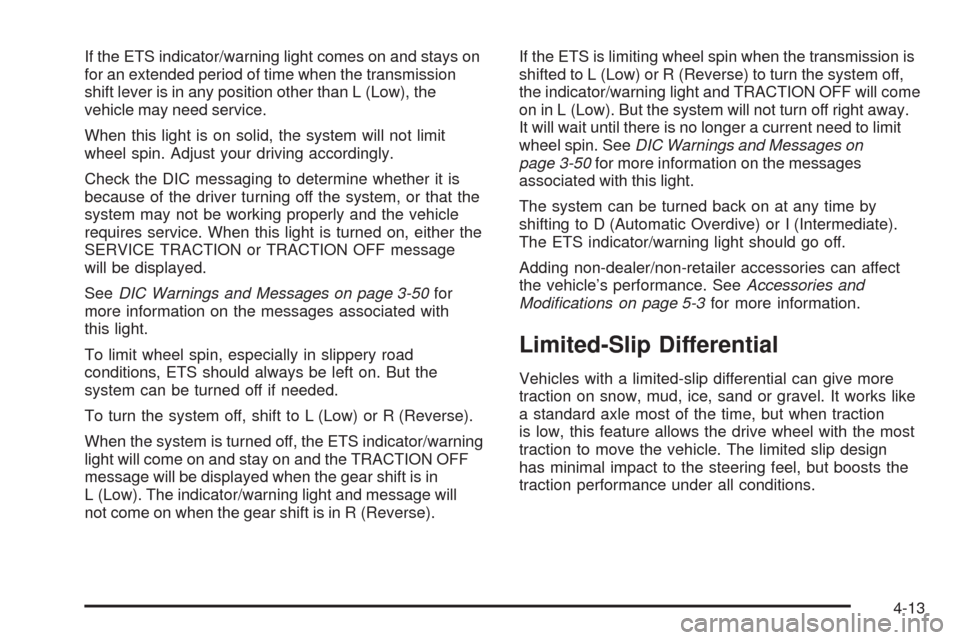
If the ETS indicator/warning light comes on and stays on
for an extended period of time when the transmission
shift lever is in any position other than L (Low), the
vehicle may need service.
When this light is on solid, the system will not limit
wheel spin. Adjust your driving accordingly.
Check the DIC messaging to determine whether it is
because of the driver turning off the system, or that the
system may not be working properly and the vehicle
requires service. When this light is turned on, either the
SERVICE TRACTION or TRACTION OFF message
will be displayed.
SeeDIC Warnings and Messages on page 3-50for
more information on the messages associated with
this light.
To limit wheel spin, especially in slippery road
conditions, ETS should always be left on. But the
system can be turned off if needed.
To turn the system off, shift to L (Low) or R (Reverse).
When the system is turned off, the ETS indicator/warning
light will come on and stay on and the TRACTION OFF
message will be displayed when the gear shift is in
L (Low). The indicator/warning light and message will
not come on when the gear shift is in R (Reverse).If the ETS is limiting wheel spin when the transmission is
shifted to L (Low) or R (Reverse) to turn the system off,
the indicator/warning light and TRACTION OFF will come
on in L (Low). But the system will not turn off right away.
It will wait until there is no longer a current need to limit
wheel spin. SeeDIC Warnings and Messages on
page 3-50for more information on the messages
associated with this light.
The system can be turned back on at any time by
shifting to D (Automatic Overdive) or I (Intermediate).
The ETS indicator/warning light should go off.
Adding non-dealer/non-retailer accessories can affect
the vehicle’s performance. SeeAccessories and
Modifications on page 5-3for more information.
Limited-Slip Differential
Vehicles with a limited-slip differential can give more
traction on snow, mud, ice, sand or gravel. It works like
a standard axle most of the time, but when traction
is low, this feature allows the drive wheel with the most
traction to move the vehicle. The limited slip design
has minimal impact to the steering feel, but boosts the
traction performance under all conditions.
4-13
Page 263 of 450
Steps for Determining Correct Load Limit
1.Locate the statement “The combined weight
of occupants and cargo should never exceed
XXX kg or XXX lbs” on your vehicle’s placard.
2.Determine the combined weight of the driver
and passengers that will be riding in your
vehicle.
3.Subtract the combined weight of the driver
and passengers from XXX kg or XXX lbs.
4.The resulting gure equals the available
amount of cargo and luggage load capacity.
For example, if the “XXX” amount equals
1400 lbs and there will be ve 150 lb
passengers in your vehicle, the amount of
available cargo and luggage load capacity is
650 lbs (1400−750 (5 x 150) = 650 lbs).
5.Determine the combined weight of luggage
and cargo being loaded on the vehicle. That
weight may not safely exceed the available
cargo and luggage load capacity calculated in
Step 4.
6.If your vehicle will be towing a trailer, the load
from your trailer will be transferred to your
vehicle. Consult this manual to determine how
this reduces the available cargo and luggage
load capacity for your vehicle.
If your vehicle can tow a trailer, seeTowing a
Trailer (Automatic Transmission) on page 4-34or
Towing a Trailer (Manual Transmission) on
page 4-41for important information on towing a
trailer, towing safety rules, and trailering tips.
4-27