2009 CHEVROLET EQUINOX door lock
[x] Cancel search: door lockPage 143 of 442
Dome Lamp
For vehicles with a dome lamp, move the lever to
change the setting.
9(Off):Turns the lamp off, even when a door is open.
1(Door):The lamp comes on automatically when a
door is opened.
+(On):Turns the dome lamp on.
Entry Lighting
The dome lamp and the cargo lamp inside the vehicle
comes on when any door is opened, if the dome lamp is
in the door position. In addition, these lamps come on
when the Remote Keyless Entry (RKE) unlock button
is pressed. It stays on for 20 seconds or until a door
is opened. After the door is opened and then closed, the
light remains on for 20 seconds, or until the key is put
in the ignition and turned to the ON/RUN position.
Map Lamps
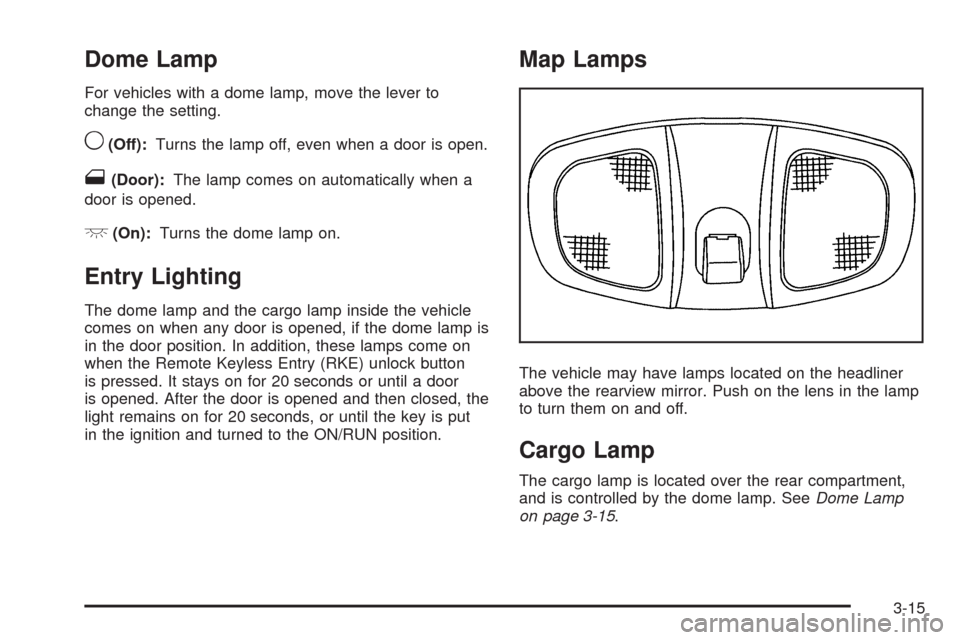
The vehicle may have lamps located on the headliner
above the rearview mirror. Push on the lens in the lamp
to turn them on and off.
Cargo Lamp
The cargo lamp is located over the rear compartment,
and is controlled by the dome lamp. SeeDome Lamp
on page 3-15.
3-15
Page 181 of 442
PASSENGER DOOR FRONT/
REAR OPEN
This message displays when one or more of the
passenger doors are not closed properly. Close the
doors completely.
REMOTE KEY LEARNING ACTIVE
This message displays while you are matching a
Remote Keyless Entry (RKE) transmitter to your vehicle.
See “LEARN REMOTE KEY” underDIC Operation
and Displays on page 3-42for more information.
SERVICE A/C (Air Conditioning)
SYSTEM
This message displays when there is a problem
detected in the air conditioning system. Have the
vehicle serviced by your dealer/retailer.
SERVICE AIR BAG
This message displays when there is a problem with
the airbag system. Have your vehicle serviced by your
dealer/retailer immediately. SeeAirbag Readiness
Light on page 3-27for more information.
SERVICE ALL WHEEL DRIVE
If your vehicle has the All-Wheel Drive (AWD) system,
this message displays along with the service all-wheel
drive light if a problem occurs with this system.
SeeService All-Wheel Drive Light on page 3-39. If this
message appears, stop as soon as possible and
turn off the vehicle. Restart the vehicle and check for
the message on the DIC display. If the message is still
displayed or appears again when you begin driving,
the AWD system needs service. See your dealer/retailer.
SERVICE BATTERY CHARGING
SYSTEM
This message displays when there is a problem with the
generator and battery charging systems. Driving with
this problem could drain the vehicle’s battery. Turn off all
unnecessary accessories. Stop and turn off the vehicle
as soon as it is safe to do so. Have the electrical
system checked by your dealer/retailer immediately.
Connecting a battery charger to your vehicle while the
ignition is in any position other than LOCK/OFF may
cause this message to appear. If you need to charge
your vehicle, make sure that the key is in LOCK/OFF
or out of the ignition during charging.
3-53
Page 186 of 442
Feature Settings Menu Items
The following are personalization features that allow you
to program settings to the vehicle:
DISPLAY ENGLISH
This feature will only display if a language other than
English has been set. This feature allows you to change
the language in which the DIC messages appear to
English.
Press the vehicle information button until the PRESS
V
TO DISPLAY ENGLISH screen appears on the DIC
display. Press the set/reset button to display all
DIC messages in English.
DISPLAY LANG. (Language)
This feature allows you to select the language in which
the DIC messages will appear.
Press the vehicle information button until DISPLAY
LANG. (Language) appears on the DIC display. Press
the set/reset button to access the settings for this
feature. Then press the vehicle information button to
scroll through the following settings:
ENGLISH (default):All messages will appear in English.
FRENCH:All messages will appear in French.
SPANISH:All messages will appear in Spanish.NO CHANGE:No change will be made to this feature.
The current setting will remain.
To select a setting, press the set/reset button while the
desired setting is displayed on the DIC.
AUTO LOCK
This feature allows you to select when the vehicle’s
doors will automatically lock. SeeProgrammable
Automatic Door Locks on page 2-11for more
information.
Press the vehicle information button until AUTO LOCK
appears on the DIC display. Press the set/reset button
to access the settings for this feature. Then press the
vehicle information button to scroll through the following
settings:
OUT OF PARK (default):The vehicle’s doors
automatically lock when the doors are closed and the
vehicle is shifted out of P (Park).
AT SPEED:The vehicle’s doors automatically lock
when the vehicle speed is above 5 mph (8 km/h)
for three seconds.
NO CHANGE:No change will be made to this feature.
The current setting will remain.
To select a setting, press the set/reset button while the
desired setting is displayed on the DIC.
3-58
Page 187 of 442
AUTO UNLOCK
This feature allows you to select whether or not to
turn off the automatic door unlocking feature. It also
allows you to select which doors and when the doors will
automatically unlock. SeeProgrammable Automatic
Door Locks on page 2-11for more information.
Press the vehicle information button until AUTO
UNLOCK appears on the DIC display. Press the
set/reset button to access the settings for this feature.
Then press the vehicle information button to scroll
through the following settings:
OFF:None of the doors will automatically unlock.
DRIVER KEY OUT:Only the driver’s door will unlock
when the key is taken out of the ignition.
DRIVER IN PARK:Only the driver’s door will unlock
when the vehicle is shifted into P (Park).
ALL AT KEY OUT:All of the doors will unlock when
the key is taken out of the ignition.
ALL IN PARK (default):All of the doors will unlock
when the vehicle is shifted into P (Park).
NO CHANGE:No change will be made to this feature.
The current setting will remain.
To select a setting, press the set/reset button while the
desired setting is displayed on the DIC.
REMOTE LOCK
This feature allows you to select the type of feedback
you will receive when locking the vehicle with the
Remote Keyless Entry (RKE) transmitter. You will not
receive feedback when locking the vehicle with the RKE
transmitter if any of the doors are open. SeeRemote
Keyless Entry (RKE) System Operation on page 2-5for
more information.
Press the vehicle information button until REMOTE
LOCK appears on the DIC display. Press the set/reset
button to access the settings for this feature. Then
press the vehicle information button to scroll through the
following settings:
HORN/LIGHTS OFF:There will be no feedback when
you press the lock button on the RKE transmitter.
LIGHTS ONLY:The exterior lamps will ash when you
press the lock button on the RKE transmitter.
HORN CHIRP ONLY:The horn will sound on the
second press of the lock button on the RKE transmitter.
HORN/LIGHTS ON (default):The exterior lamps will
ash when you press the lock button on the RKE
transmitter, and the horn will sound when the lock button
is pressed again within ve seconds of the previous
command.
3-59
Page 188 of 442
NO CHANGE:No change will be made to this feature.
The current setting will remain.
To select a setting, press the set/reset button while the
desired setting is displayed on the DIC.
REMOTE UNLOCK
This feature allows you to select the type of feedback
you will receive when unlocking the vehicle with the
RKE transmitter. You will not receive feedback when
unlocking the vehicle with the RKE transmitter if
the doors are open. SeeRemote Keyless Entry (RKE)
System Operation on page 2-5for more information.
Press the vehicle information button until REMOTE
UNLOCK appears on the DIC display. Press the
set/reset button to access the settings for this feature.
Then press the vehicle information button to scroll
through the following settings:
LIGHTS OFF:The exterior lamps will not ash when
you press the unlock button on the RKE transmitter.
LIGHTS ON (default):The exterior lamps will
ash when you press the unlock button on the RKE
transmitter.
NO CHANGE:No change will be made to this feature.
The current setting will remain.
To select a setting, press the set/reset button while the
desired setting is displayed on the DIC.
DELAY LOCK
This feature allows you to select whether or not the
locking of the vehicle’s doors and liftgate will be delayed.
When locking the doors and liftgate with the power
door lock switch and a door or the liftgate is open, this
feature will delay locking the doors and liftgate until
ve seconds after the last door is closed. You will hear
three chimes to signal that the delayed locking feature
is in use. The key must be out of the ignition for
this feature to work. You can temporarily override
delayed locking by pressing the power door lock switch
twice or the lock button on the RKE transmitter twice.
SeeDelayed Locking on page 2-10for more information.
Press the vehicle information button until DELAY LOCK
appears on the DIC display. Press the set/reset button
to access the settings for this feature. Then press
the vehicle information button to scroll through the
following settings:
LOCK DELAY OFF:There will be no delayed locking
of the vehicle’s doors.
LOCK DELAY ON (default):The doors will not lock
until ve seconds after the last door or the liftgate
is closed.
NO CHANGE:No change will be made to this feature.
The current setting will remain.
To select a setting, press the set/reset button while the
desired setting is displayed on the DIC.
3-60
Page 267 of 442
Tire and Loading Information Label
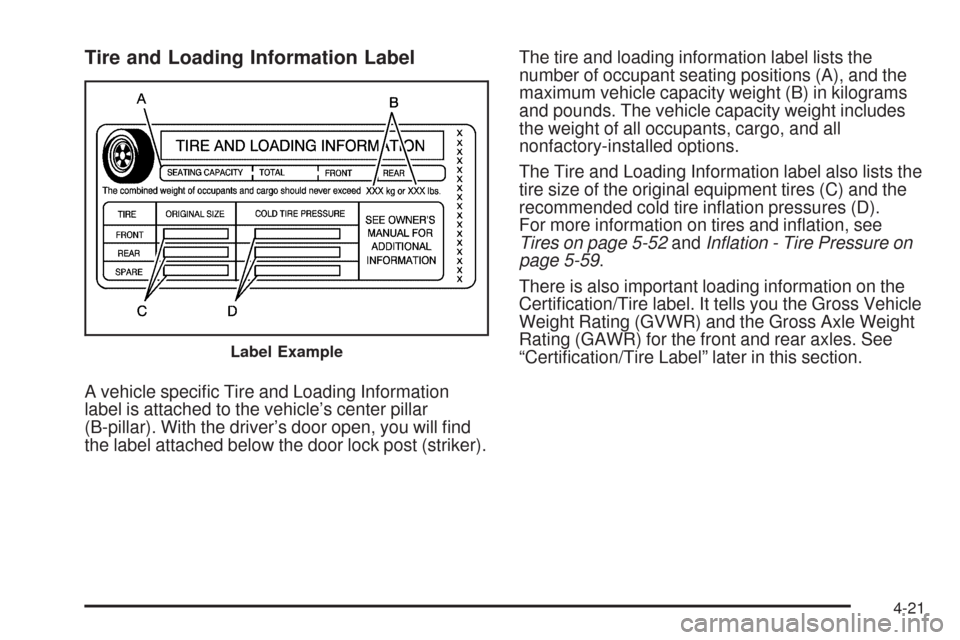
A vehicle specic Tire and Loading Information
label is attached to the vehicle’s center pillar
(B-pillar). With the driver’s door open, you will nd
the label attached below the door lock post (striker).The tire and loading information label lists the
number of occupant seating positions (A), and the
maximum vehicle capacity weight (B) in kilograms
and pounds. The vehicle capacity weight includes
the weight of all occupants, cargo, and all
nonfactory-installed options.
The Tire and Loading Information label also lists the
tire size of the original equipment tires (C) and the
recommended cold tire ination pressures (D).
For more information on tires and ination, see
Tires on page 5-52andInflation - Tire Pressure on
page 5-59.
There is also important loading information on the
Certication/Tire label. It tells you the Gross Vehicle
Weight Rating (GVWR) and the Gross Axle Weight
Rating (GAWR) for the front and rear axles. See
“Certication/Tire Label” later in this section.
Label Example
4-21
Page 294 of 442
Filling the Tank
{CAUTION:
Fuel vapor burns violently and a fuel re can
cause bad injuries. To help avoid injuries to you
and others, read and follow all the instructions on
the pump island. Turn off the engine when you are
refueling. Do not smoke if you are near fuel or
refueling the vehicle. Do not use cellular phones.
Keep sparks, ames, and smoking materials away
from fuel. Do not leave the fuel pump unattended
when refueling the vehicle. This is against the law
in some places. Do not re-enter the vehicle while
pumping fuel. Keep children away from the fuel
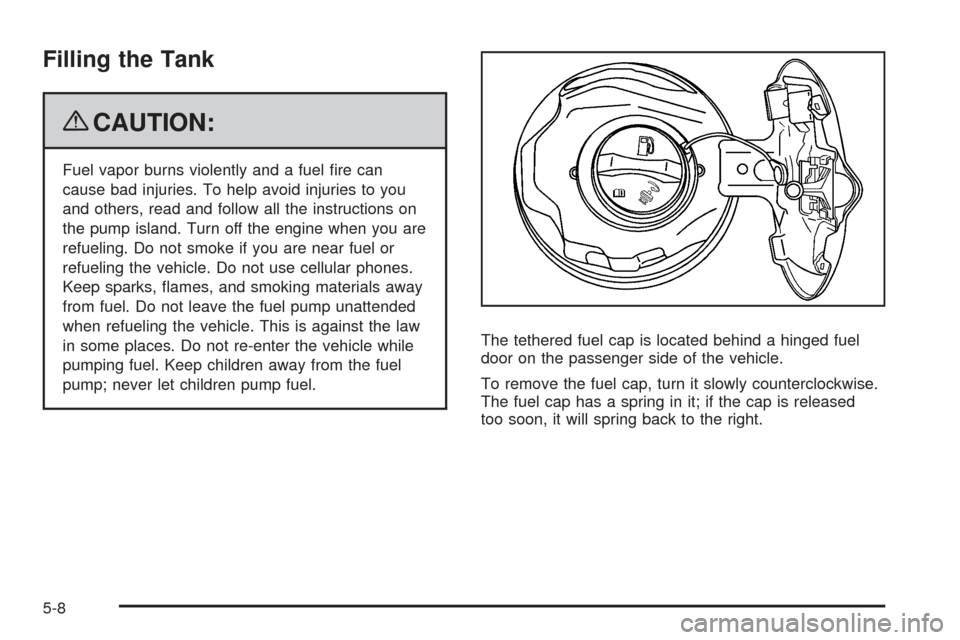
pump; never let children pump fuel.The tethered fuel cap is located behind a hinged fuel
door on the passenger side of the vehicle.
To remove the fuel cap, turn it slowly counterclockwise.
The fuel cap has a spring in it; if the cap is released
too soon, it will spring back to the right.
5-8
Page 322 of 442
Replacing Brake System Parts
The braking system on a vehicle is complex. Its many
parts have to be of top quality and work well together if
the vehicle is to have really good braking. The vehicle
was designed and tested with top-quality brake parts.
When parts of the braking system are replaced — for
example, when the brake linings wear down and new
ones are installed — be sure to get new approved
replacement parts. If this is not done, the brakes might
not work properly. For example, if someone puts in
brake linings that are wrong for the vehicle, the balance
between the front and rear brakes can change — for the
worse. The braking performance expected can change in
many other ways if the wrong replacement brake parts
are installed.
Battery
This vehicle has a maintenance free battery. When it is
time for a new battery, see your dealer/retailer for
one that has the replacement number shown on the
original battery’s label.
For battery replacement, see your dealer/retailer or the
service manual. To purchase a service manual, see
Service Publications Ordering Information on page 7-15.
Warning:Battery posts, terminals, and related
accessories contain lead and lead compounds,
chemicals known to the State of California to cause
cancer and reproductive harm. Wash hands after
handling.
Vehicle Storage
{CAUTION:
Batteries have acid that can burn you and gas that
can explode. You can be badly hurt if you are not
careful. SeeJump Starting on page 5-37for tips
on working around a battery without getting hurt.
Infrequent Usage: If the vehicle is driven infrequently,
remove the black, negative (−) cable from the battery.
This helps keep the battery from running down.
Extended Storage: For extended storage of the vehicle,
remove the black, negative (−) cable from the battery or
use a battery trickle charger. This helps maintain the
charge of the battery over an extended period of time.
All doors and the liftgate must be closed before
reconnecting the battery. After reconnecting the
battery, press the unlock button on the keyless access
transmitter. Failure to follow this procedure could result
in the alarm sounding. Pressing unlock on the keyless
access transmitter will stop the alarm.
5-36