2009 CHEVROLET CORVETTE trunk
[x] Cancel search: trunkPage 141 of 434
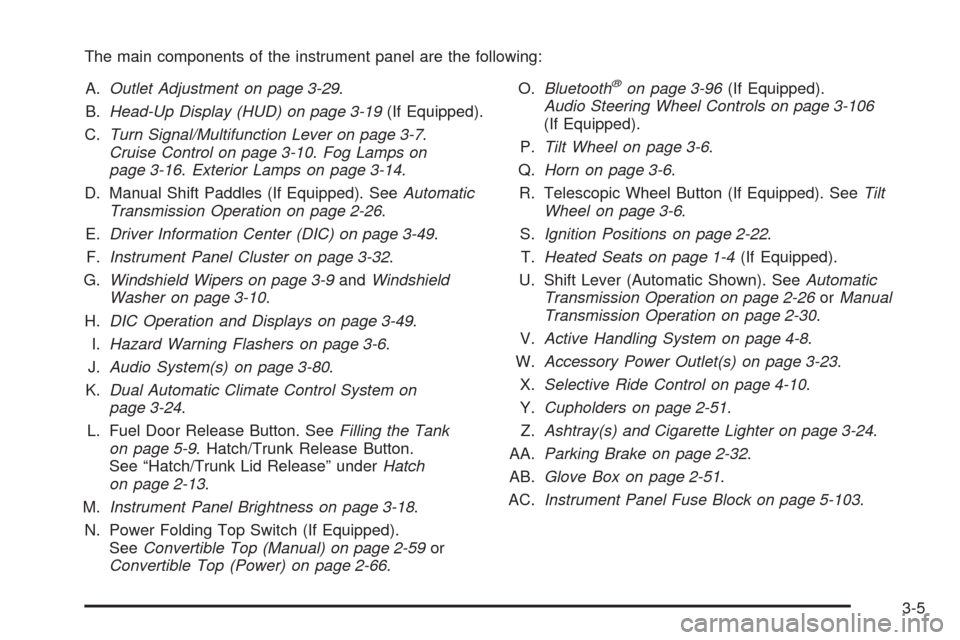
The main components of the instrument panel are the following:
A.Outlet Adjustment on page 3-29.
B.Head-Up Display (HUD) on page 3-19(If Equipped).
C.Turn Signal/Multifunction Lever on page 3-7.
Cruise Control on page 3-10.Fog Lamps on
page 3-16.Exterior Lamps on page 3-14.
D. Manual Shift Paddles (If Equipped). SeeAutomatic
Transmission Operation on page 2-26.
E.Driver Information Center (DIC) on page 3-49.
F.Instrument Panel Cluster on page 3-32.
G.Windshield Wipers on page 3-9andWindshield
Washer on page 3-10.
H.DIC Operation and Displays on page 3-49.
I.Hazard Warning Flashers on page 3-6.
J.Audio System(s) on page 3-80.
K.Dual Automatic Climate Control System on
page 3-24.
L. Fuel Door Release Button. SeeFilling the Tank
on page 5-9. Hatch/Trunk Release Button.
See “Hatch/Trunk Lid Release” underHatch
on page 2-13.
M.Instrument Panel Brightness on page 3-18.
N. Power Folding Top Switch (If Equipped).
SeeConvertible Top (Manual) on page 2-59or
Convertible Top (Power) on page 2-66.O.Bluetooth
®on page 3-96(If Equipped).
Audio Steering Wheel Controls on page 3-106
(If Equipped).
P.Tilt Wheel on page 3-6.
Q.Horn on page 3-6.
R. Telescopic Wheel Button (If Equipped). SeeTilt
Wheel on page 3-6.
S.Ignition Positions on page 2-22.
T.Heated Seats on page 1-4(If Equipped).
U. Shift Lever (Automatic Shown). SeeAutomatic
Transmission Operation on page 2-26orManual
Transmission Operation on page 2-30.
V.Active Handling System on page 4-8.
W.Accessory Power Outlet(s) on page 3-23.
X.Selective Ride Control on page 4-10.
Y.Cupholders on page 2-51.
Z.Ashtray(s) and Cigarette Lighter on page 3-24.
AA.Parking Brake on page 2-32.
AB.Glove Box on page 2-51.
AC.Instrument Panel Fuse Block on page 5-103.
3-5
Page 154 of 434

Instrument Panel Brightness
The knob for this feature is
located on the left side of
the instrument panel.
Push the knob in to turn on the interior lights.
Turn and hold the knob clockwise to brighten the lights
or counterclockwise to dim them. During the day,
this knob will adjust the instrument panel brightness
and at night will adjust all interior lighting.
Be sure not to have this knob turned all the way down
with the lamps on during the day. Your Driver
Information Center (DIC) may not be visible.
Courtesy Lamps
When any door or the hatch/trunk lid is opened, the
interior lamps will go on unless it is bright outside.
You can also turn the courtesy lamps on and off
by pressing the instrument panel brightness knob.
Entry/Exit Lighting
With entry lighting, the interior lamps will come on when
entering the vehicle. The interior lamps will come on
for about 20 seconds when the engine is off.
You can turn exit and entry lighting off by quickly turning
the courtesy lamps on and off.
Reading Lamps
The inside rearview mirror includes two reading lamps.
The lamps will go on when a door is opened.
When the doors are closed, press each lamp switch
to turn them on individually.
Battery Run-Down Protection
This vehicle has a feature to help prevent the battery
from being drained in case any of the following
lamps are left on; the underhood lamp, if your vehicle
has this feature, vanity mirror lamps, cargo lamps,
reading lamps, console or glove box lamps. If any of
these lamps are left on, they will automatically time-out
after about 10 minutes. To reset it, all of the above
lamps must be turned off or the ignition key on.
3-18
Page 191 of 434
Some messages cannot be cleared from the DIC
display because they are more urgent. These messages
require action before they can be cleared. You should
take any messages that appear on the display seriously
and remember that clearing the messages will only
make the messages disappear, not correct the problem.
The following are the possible messages that can be
displayed and some information about them.
ABS (Antilock Brake System) ACTIVE
This message displays when the Antilock Brake System
(ABS) is adjusting brake pressure to help avoid a
braking skid.
Slippery road conditions may exist if this message is
displayed, so adjust your driving accordingly. The
message stays on for a few seconds after the system
stops adjusting brake pressure. SeeAntilock Brake
System (ABS) on page 4-5for more information.
ACTIVE HANDLING
This message displays when the Active Handling
System is operating. The Active Handling System is a
computer controlled system that assists the driver
in controlling the vehicle in difficult driving conditions.
You may feel or hear the system working and see
the ACTIVE HANDLING message displayed in the DIC.This message stays on for a few seconds following
the active handling event. This is normal when
the system is operating. SeeActive Handling System on
page 4-8andBraking on page 4-4.
ACTIVE HANDLING READY
This message displays when the functional check of the
Active Handling System has been completed. SeeActive
Handling System on page 4-8for more information.
ATTACH TRUNK PARTITION
If the vehicle has a power convertible top, this message
displays and a sound will be heard if the trunk partition
is not in place. Open the hatch/trunk and make sure
the trunk partition is secure and no objects are on the
trunk partition. SeeRear Storage Area on page 2-52
for more information.
BATTERY SAVER ACTIVE
This message displays when the vehicle has detected
that the battery voltage is dropping beyond a reasonable
point. The battery saver system starts reducing certain
features of the vehicle that you may be able to notice.
At the point that features are disabled, this message is
displayed. It means that the vehicle is trying to save
the charge in the battery. Turn off unnecessary
accessories to allow the battery to recharge.
3-55
Page 193 of 434
CHECK COOLANT LEVEL
This message displays when the engine coolant level
is low. Have the cooling system serviced by your
dealer/retailer as soon as possible. SeeEngine Coolant
on page 5-34.
CHECK GAS CAP
This message displays if the fuel cap has not been fully
tightened. Check the fuel cap to make sure that it is
on properly. Once tightened, it takes at least one
overnight park to reset or clear this message. If both the
CHECK GAS CAP message and the malfunction
indicator lamp in the instrument panel cluster are on,
you may need to see your dealer/retailer for service.
SeeMalfunction Indicator Lamp on page 3-42for more
information.
CHECK OIL LEVEL
On some vehicles, this message displays and
two chimes sound if the oil level in the vehicle is low.
Once the vehicle senses a change in the engine
oil level, the light remains off.If this message appears after starting the engine, the
engine oil level may be too low. You may need to
add oil. SeeEngine Overheating on page 5-39.
To acknowledge the message, press the RESET button.
The message reappears every 10 minutes until this
condition changes.
CLOSE TRUNK TO MOVE TOP
This message displays and a sound will be heard if
the trunk is open while you are trying to operate the
convertible top. Make sure the trunk is closed before
operating the convertible top. SeeConvertible Top
(Manual) on page 2-59orConvertible Top (Power)
on page 2-66.
COMPETITIVE DRIVING MODE
This message displays and a sound will be heard
when the Competitive Driving mode is selected.
The instrument panel cluster light will be on when the
Competitive Driving mode is selected. The Traction
Control System (TCS) will not be operating while in
the Competitive Driving mode. Adjust your driving
accordingly. SeeRacing or Other Competitive Driving
on page 4-15for more information.
3-57
Page 206 of 434

Other Messages
Here are more messages that you can receive on your
Driver Information Center (DIC). To acknowledge a
message and read another message that may have
come on at the same time, press the RESET button.
ACCESSORY MODE ON
BATTERY VOLTAGE HIGH
SeeVoltmeter Gage on page 3-37.
BATTERY VOLTAGE LOW
SeeVoltmeter Gage on page 3-37.
CHECK WASHER FLUID
SeeWindshield Washer Fluid on page 5-43.
CRUISE SET TO XXX MPH (XXX km/h)
SeeCruise Control on page 3-10.
DRIVER DOOR AJAR
FOB AUTOLEARN WAIT XX MINUTES
See “Matching Transmitter(s) to Your Vehicle” under
Keyless Access System Operation on page 2-5.
FOB BATTERY LOW
See “Battery Replacement” underKeyless Access
System Operation on page 2-5.
HATCH AJAR (Coupe)
INTRUSION SENSOR OFF, if your vehicle has this
feature
INTRUSION SENSOR ON, if your vehicle has this
feature
KNOWN FOB
See “Matching Transmitter(s) to Your Vehicle” under
Keyless Access System Operation on page 2-5.
MAXIMUM NUMBER OF FOBS LEARNED
See “Matching Transmitter(s) to Your Vehicle” under
Keyless Access System Operation on page 2-5.
OFF–ACCESSORY TO LEARN
See “Matching Transmitter(s) to Your Vehicle” under
Keyless Access System Operation on page 2-5.
PASSENGER DOOR AJAR
READY FOR FOB #X
See “Matching Transmitter(s) to Your Vehicle” under
Keyless Access System Operation on page 2-5.
TONNEAU AJAR (Convertible)
TRUNK AJAR (Convertible)
UPSHIFT NOW
SeeManual Transmission Operation on page 2-30.
3-70
Page 211 of 434
If you choose 30 S, the twilight delay time will be set to
30 seconds.
If you choose 90 S, the twilight delay time will be set to
90 seconds.
When the mode you want is selected, press the
OPTION button to set your choice and advance to the
next personal option.
Flash at Unlock:This option activates the front and
rear turn signals for two short ashes when the unlock or
hatch/trunk button on the keyless access transmitter
is pressed. This will only occur when the vehicle is off.
Press the OPTION button until FLASH AT UNLOCK
appears on the display, then press the RESET button to
scroll through the following modes:
YES (default)
NO
If you choose YES, the front and rear turn signals will
ash twice when you press the unlock button or the
hatch/trunk button on the keyless access transmitter.
If you choose NO, this option will turn off.When the mode you want is selected, press the
OPTION button to set your choice and advance to the
next personal option.
Flash at Lock:This option activates the front and rear
turn signals for one long ash when the lock button
on the keyless access transmitter is pressed. This will
only occur when the vehicle is off. If the lock button
on the keyless access transmitter is pressed again
within ve seconds, the horn will sound regardless of
which setting you have selected.
Press the OPTION button until FLASH AT LOCK appears
on the display, then press the RESET button to scroll
through the following modes:
YES (default)
NO
If you choose YES, the front and rear turn signals will
ash once when you press the lock button on the
keyless access transmitter.
If you choose NO, this option will turn off.
When the mode you want is selected, press the OPTION
button to set your choice and advance to the next
personal option.
3-75
Page 244 of 434
Radio Reception
Frequency interference and static can occur during
normal radio reception if items such as cell phone
chargers, vehicle convenience accessories, and external
electronic devices are plugged into the accessory power
outlet. If there is interference or static, unplug the
item from the accessory power outlet.
AM
The range for most AM stations is greater than for FM,
especially at night. The longer range can cause station
frequencies to interfere with each other. For better radio
reception, most AM radio stations boost the power levels
during the day, and then reduce these levels during the
night. Static can also occur when things like storms and
power lines interfere with radio reception. When this
happens, try reducing the treble on the radio.
FM Stereo
FM signals only reach about 10 to 40 miles (16 to 65 km).
Although the radio has a built-in electronic circuit that
automatically works to reduce interference, some static
can occur, especially around tall buildings or hills,
causing the sound to fade in and out.
XM™ Satellite Radio Service
XM Satellite Radio Service gives digital radio reception
from coast-to-coast in the 48 contiguous United States,
and in Canada. Just as with FM, tall buildings or hills caninterfere with satellite radio signals, causing the sound to
fade in and out. In addition, traveling or standing under
heavy foliage, bridges, garages, or tunnels may cause
loss of the XM signal for a period of time.
Cellular Phone Usage
Cellular phone usage may cause interference with the
vehicle’s radio. This interference may occur when
making or receiving phone calls, charging the phone’s
battery, or simply having the phone on. This interference
causes an increased level of static while listening to
the radio. If static is received while listening to the radio,
unplug the cellular phone and turn it off.
Diversity Antenna System
The AM-FM antenna is a hidden self tuning system.
It optimizes the AM and FM signals relative to the
vehicle’s position and radio station source.
No maintenance or adjustments are needed.
XM™ Satellite Radio Antenna System
For vehicles with XM Satellite Radio Service, the
antenna is located on the roof or on the trunk lid of the
vehicle. Keep the antenna clear of obstructions for
clear radio reception.
3-108
Page 284 of 434
Filling a Portable Fuel Container
{CAUTION:
Never ll a portable fuel container while it is in
the vehicle. Static electricity discharge from the
container can ignite the fuel vapor. You can be
badly burned and the vehicle damaged if this
occurs. To help avoid injury to you and others:
Dispense fuel only into approved containers.
Do not ll a container while it is inside a
vehicle, in a vehicle’s trunk, pickup bed,
or on any surface other than the ground.
Bring the ll nozzle in contact with the inside
of the ll opening before operating the nozzle.
Contact should be maintained until the lling
is complete.
Do not smoke while pumping fuel.
Do not use a cellular phone while
pumping fuel.
Checking Things Under
the Hood
{CAUTION:
An electric fan under the hood can start up and
injure you even when the engine is not running.
Keep hands, clothing, and tools away from any
underhood electric fan.
{CAUTION:
Things that burn can get on hot engine parts and
start a re. These include liquids like fuel, oil,
coolant, brake uid, windshield washer and other
uids, and plastic or rubber. You or others could
be burned. Be careful not to drop or spill things
that will burn onto a hot engine.
5-12