2009 CHEVROLET CORVETTE battery
[x] Cancel search: batteryPage 100 of 434
Torque Lock (Automatic Transmission)
If you are parking on a hill and you do not shift the
transmission into P (Park) properly, the weight of the
vehicle may put too much force on the parking pawl in
the transmission. You may nd it difficult to pull the
shift lever out of P (Park). This is called “torque lock.”
To prevent torque lock, set the parking brake and
then shift into P (Park) properly before you leave the
driver seat. To nd out how, see “Shifting Into P (Park)”
listed previously in this section.
When you are ready to drive, move the shift lever out of
P (Park) before you release the parking brake.
If torque lock does occur, you may need to have another
vehicle push yours a little uphill to take some of the
pressure from the transmission parking pawl, so you
can pull the shift lever out of P (Park).
Shifting Out of Park
Shift lock release prevents shifting out of P (Park)
unless the vehicle is running or in Accessory mode
and the brake pedal is applied.
The shift lock release is always functional except in
the case of an uncharged or low voltage (less than
9-volt) battery. SeeJump Starting on page 5-51
for more information.To shift out of P (Park) use the following:
1. Apply the brake pedal.
2. Press the shift lever button.
3. Move the shift lever to the desired position.
If you still are unable to shift out of P (Park):
1. Fully release the shift lever button.
2. While holding down the brake pedal, press the shift
lever button again.
3. Move the shift lever to the desired position.
If you still cannot move the shift lever from P (Park),
consult your dealer/retailer or a professional towing
service.
Parking the Vehicle
(Manual Transmission)
Before you get out of the vehicle, move the shift lever
into R (Reverse) and rmly apply the parking brake.
Once the shift lever has been placed into R (Reverse)
with the clutch pedal pressed in, you can turn the ignition
off and release the clutch.
2-34
Page 109 of 434
How OnStar Service Works
The OnStar system can record and transmit vehicle
information. This information is automatically sent to an
OnStar Call Center when the OnStar button is pressed,
the emergency button is pressed, or if the airbags or
AACN system deploy. This information usually includes
the vehicle’s GPS location and, in the event of a crash,
additional information regarding the crash that the vehicle
was involved in (e.g. the direction from which the vehicle
was hit). When the Virtual Advisor feature of OnStar
Hands-Free Calling is used, the vehicle also sends
OnStar the vehicle’s GPS location so they can provide
services where it is located.
OnStar service cannot work unless the vehicle is in a
place where OnStar has an agreement with a wireless
service provider for service in that area. OnStar service
also cannot work unless the vehicle is in a place where
the wireless service provider OnStar has hired for that
area has coverage, network capacity and reception when
the service is needed, and technology that is compatible
with the OnStar service. Not all services are available
everywhere, particularly in remote or enclosed areas,
or at all times.Location information about the vehicle is only available if
the GPS satellite signals are unobstructed and available.
The vehicle must have a working electrical system,
including adequate battery power, for the OnStar
equipment to operate. There are other problems OnStar
cannot control that may prevent OnStar from providing
OnStar service at any particular time or place. Some
examples are damage to important parts of the vehicle
in a crash, hills, tall buildings, tunnels, weather or
wireless phone network congestion.
Your Responsibility
Increase the volume of the radio if the OnStar advisor
cannot be heard. If the light next to the OnStar buttons
is red, the system may not be functioning properly.
Press the OnStar button and request a vehicle
diagnostic. If the light appears clear (no light is
appearing), your OnStar subscription has expired and
all services have been deactivated. Press the OnStar
button to conrm that the OnStar equipment is active.
2-43
Page 113 of 434
Programming Universal Home
Remote — Fixed Code
For questions or help programming the Universal
Home Remote System, call 1-866-572-2728 or go to
learcar2u.com.
Most garage door openers sold before 1996 are Fixed
Code units.
Programming a garage door opener involves
time-sensitive actions, so read the entire procedure
before starting. Otherwise, the device will time out
and the procedure will have to be repeated.
To program up to three devices:
1. Press START or put the vehicle in accessory mode.
SeeIgnition Positions on page 2-22for additional
information.
Programming can only occur when the vehicle is
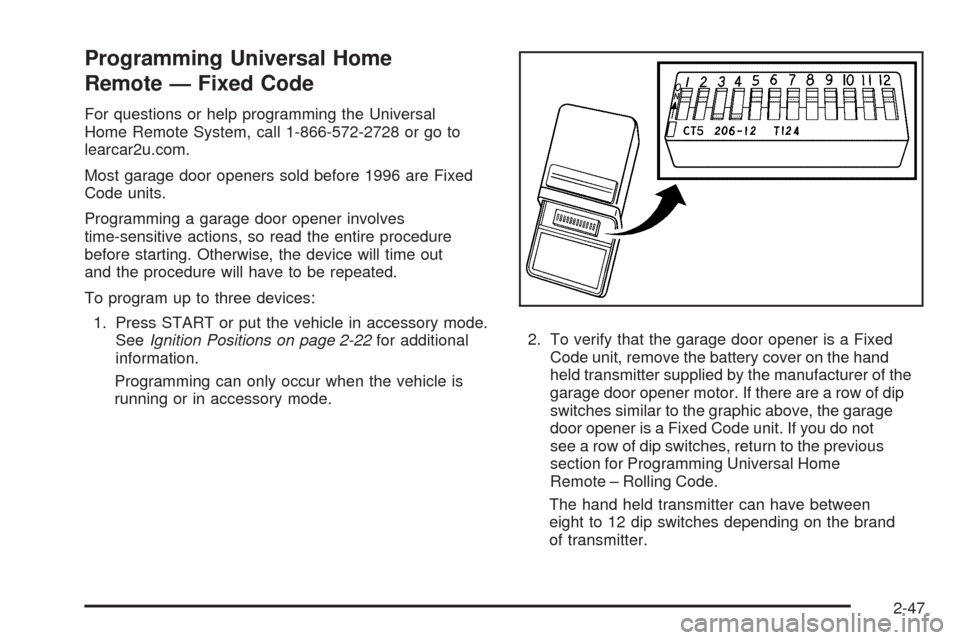
running or in accessory mode.2. To verify that the garage door opener is a Fixed
Code unit, remove the battery cover on the hand
held transmitter supplied by the manufacturer of the
garage door opener motor. If there are a row of dip
switches similar to the graphic above, the garage
door opener is a Fixed Code unit. If you do not
see a row of dip switches, return to the previous
section for Programming Universal Home
Remote – Rolling Code.
The hand held transmitter can have between
eight to 12 dip switches depending on the brand
of transmitter.
2-47
Page 118 of 434
To reinstall the oor mats, position the openings in
the oor mat over the locator pins and push it down
into place.
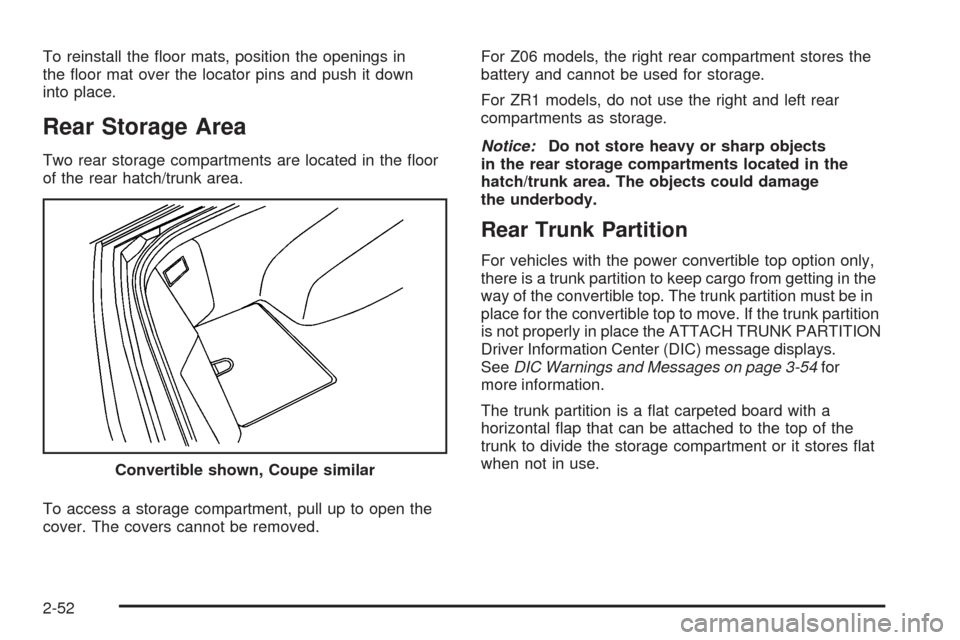
Rear Storage Area
Two rear storage compartments are located in the oor
of the rear hatch/trunk area.
To access a storage compartment, pull up to open the
cover. The covers cannot be removed.For Z06 models, the right rear compartment stores the
battery and cannot be used for storage.
For ZR1 models, do not use the right and left rear
compartments as storage.
Notice:Do not store heavy or sharp objects
in the rear storage compartments located in the
hatch/trunk area. The objects could damage
the underbody.
Rear Trunk Partition
For vehicles with the power convertible top option only,
there is a trunk partition to keep cargo from getting in the
way of the convertible top. The trunk partition must be in
place for the convertible top to move. If the trunk partition
is not properly in place the ATTACH TRUNK PARTITION
Driver Information Center (DIC) message displays.
SeeDIC Warnings and Messages on page 3-54for
more information.
The trunk partition is a at carpeted board with a
horizontal ap that can be attached to the top of the
trunk to divide the storage compartment or it stores at
when not in use.
Convertible shown, Coupe similar
2-52
Page 128 of 434
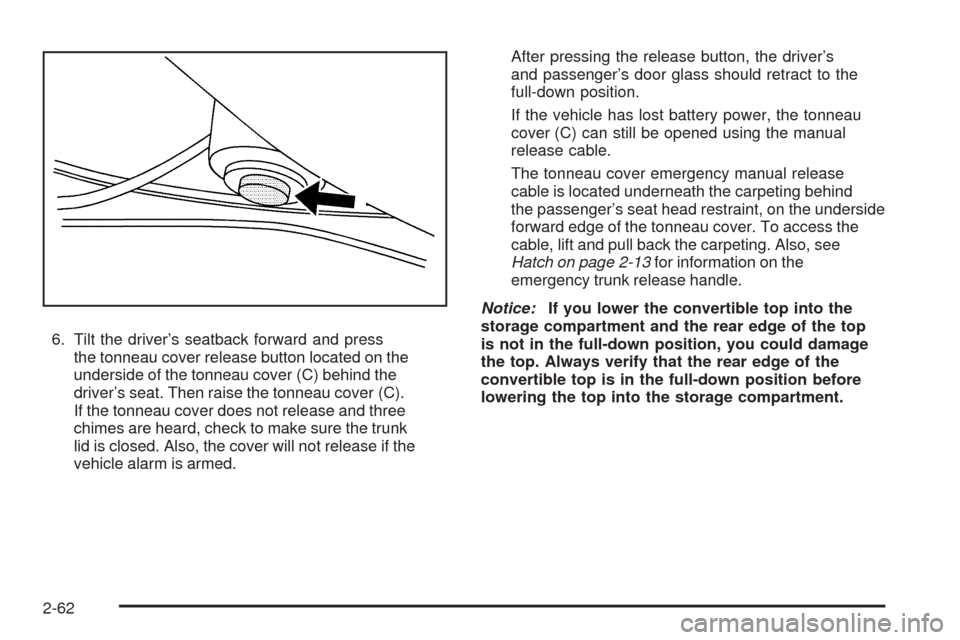
6. Tilt the driver’s seatback forward and press
the tonneau cover release button located on the
underside of the tonneau cover (C) behind the
driver’s seat. Then raise the tonneau cover (C).
If the tonneau cover does not release and three
chimes are heard, check to make sure the trunk
lid is closed. Also, the cover will not release if the
vehicle alarm is armed.After pressing the release button, the driver’s
and passenger’s door glass should retract to the
full-down position.
If the vehicle has lost battery power, the tonneau
cover (C) can still be opened using the manual
release cable.
The tonneau cover emergency manual release
cable is located underneath the carpeting behind
the passenger’s seat head restraint, on the underside
forward edge of the tonneau cover. To access the
cable, lift and pull back the carpeting. Also, see
Hatch on page 2-13for information on the
emergency trunk release handle.
Notice:If you lower the convertible top into the
storage compartment and the rear edge of the top
is not in the full-down position, you could damage
the top. Always verify that the rear edge of the
convertible top is in the full-down position before
lowering the top into the storage compartment.
2-62
Page 130 of 434
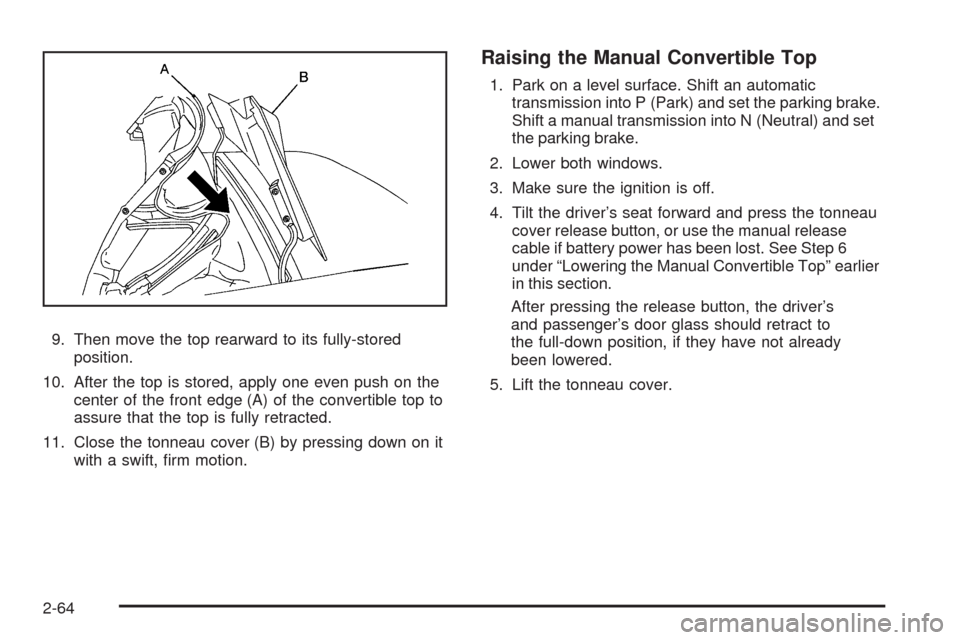
9. Then move the top rearward to its fully-stored
position.
10. After the top is stored, apply one even push on the
center of the front edge (A) of the convertible top to
assure that the top is fully retracted.
11. Close the tonneau cover (B) by pressing down on it
with a swift, rm motion.
Raising the Manual Convertible Top
1. Park on a level surface. Shift an automatic
transmission into P (Park) and set the parking brake.
Shift a manual transmission into N (Neutral) and set
the parking brake.
2. Lower both windows.
3. Make sure the ignition is off.
4. Tilt the driver’s seat forward and press the tonneau
cover release button, or use the manual release
cable if battery power has been lost. See Step 6
under “Lowering the Manual Convertible Top” earlier
in this section.
After pressing the release button, the driver’s
and passenger’s door glass should retract to
the full-down position, if they have not already
been lowered.
5. Lift the tonneau cover.
2-64
Page 134 of 434
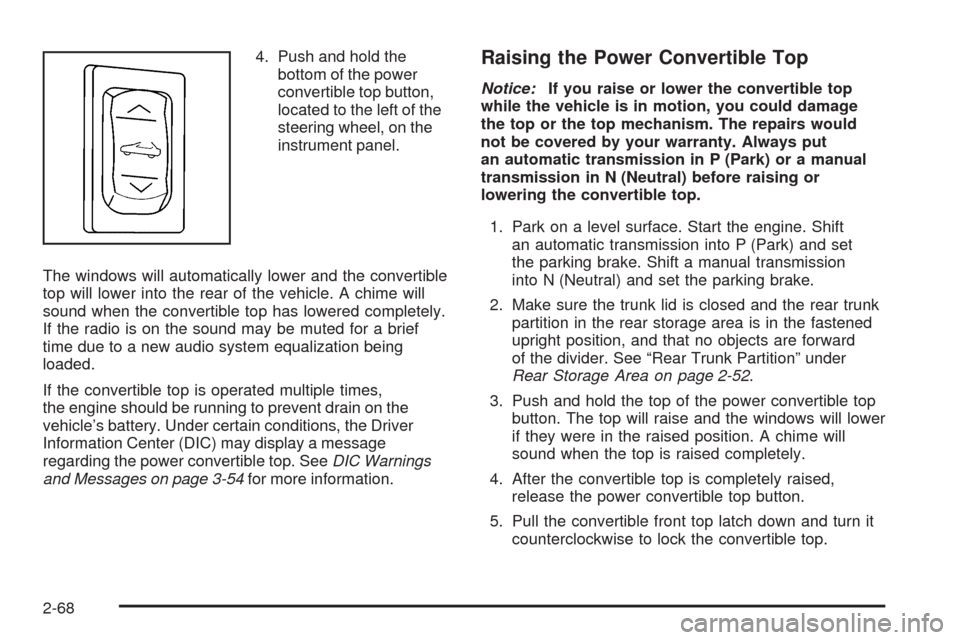
4. Push and hold the
bottom of the power
convertible top button,
located to the left of the
steering wheel, on the
instrument panel.
The windows will automatically lower and the convertible
top will lower into the rear of the vehicle. A chime will
sound when the convertible top has lowered completely.
If the radio is on the sound may be muted for a brief
time due to a new audio system equalization being
loaded.
If the convertible top is operated multiple times,
the engine should be running to prevent drain on the
vehicle’s battery. Under certain conditions, the Driver
Information Center (DIC) may display a message
regarding the power convertible top. SeeDIC Warnings
and Messages on page 3-54for more information.Raising the Power Convertible Top
Notice:If you raise or lower the convertible top
while the vehicle is in motion, you could damage
the top or the top mechanism. The repairs would
not be covered by your warranty. Always put
an automatic transmission in P (Park) or a manual
transmission in N (Neutral) before raising or
lowering the convertible top.
1. Park on a level surface. Start the engine. Shift
an automatic transmission into P (Park) and set
the parking brake. Shift a manual transmission
into N (Neutral) and set the parking brake.
2. Make sure the trunk lid is closed and the rear trunk
partition in the rear storage area is in the fastened
upright position, and that no objects are forward
of the divider. See “Rear Trunk Partition” under
Rear Storage Area on page 2-52.
3. Push and hold the top of the power convertible top
button. The top will raise and the windows will lower
if they were in the raised position. A chime will
sound when the top is raised completely.
4. After the convertible top is completely raised,
release the power convertible top button.
5. Pull the convertible front top latch down and turn it
counterclockwise to lock the convertible top.
2-68
Page 136 of 434
Be careful when opening the tonneau cover by hand.
If the tonneau cover is opened quickly, damage can
occur to the hinging mechanism, which can prevent
proper operation of the convertible top.
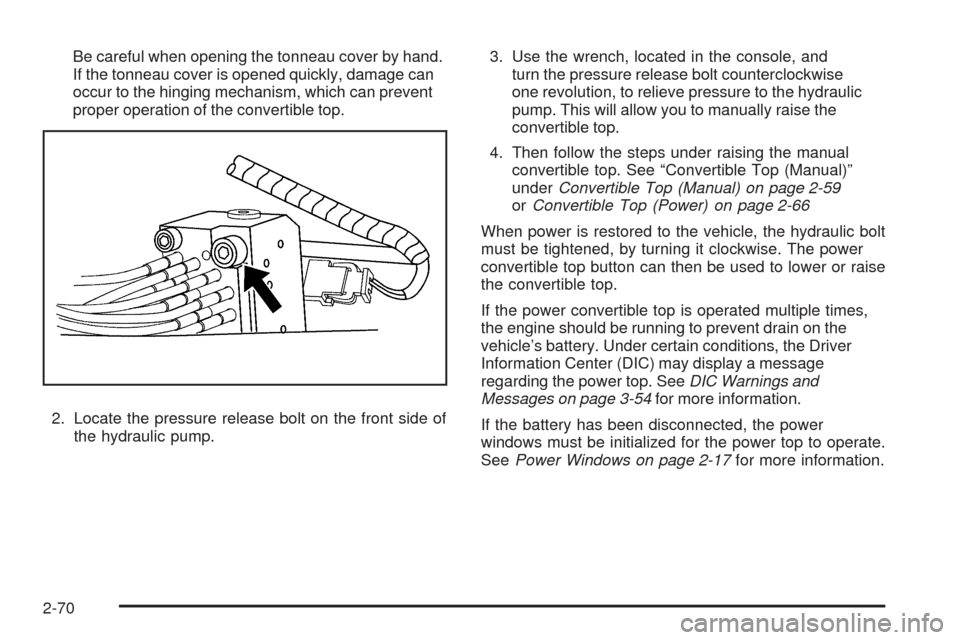
2. Locate the pressure release bolt on the front side of
the hydraulic pump.3. Use the wrench, located in the console, and
turn the pressure release bolt counterclockwise
one revolution, to relieve pressure to the hydraulic
pump. This will allow you to manually raise the
convertible top.
4. Then follow the steps under raising the manual
convertible top. See “Convertible Top (Manual)”
underConvertible Top (Manual) on page 2-59
orConvertible Top (Power) on page 2-66
When power is restored to the vehicle, the hydraulic bolt
must be tightened, by turning it clockwise. The power
convertible top button can then be used to lower or raise
the convertible top.
If the power convertible top is operated multiple times,
the engine should be running to prevent drain on the
vehicle’s battery. Under certain conditions, the Driver
Information Center (DIC) may display a message
regarding the power top. SeeDIC Warnings and
Messages on page 3-54for more information.
If the battery has been disconnected, the power
windows must be initialized for the power top to operate.
SeePower Windows on page 2-17for more information.
2-70