2009 CADILLAC ESCALADE ESV instrument panel
[x] Cancel search: instrument panelPage 190 of 602

There is a delay in the transition between the daytime
and nighttime operation of the Daytime Running Lamps
(DRL) and the automatic headlamp systems so that
driving under bridges or bright overhead street lights
does not affect the system. The DRL and automatic
headlamp system is only affected when the light sensor
detects a change in lighting lasting longer than the delay.
If the vehicle is started in a dark garage, the automatic
headlamp system will come on immediately. Once the
vehicle leaves the garage, it takes approximately
one minute for the automatic headlamp system to
change to DRL if it is bright enough outside. During
that delay, the instrument panel cluster may not be
as bright as usual. Make sure the instrument panel
brightness control is in the full bright position.
See Instrument Panel Brightness on page 3-23 .
To idle the vehicle with the automatic headlamp system
off, turn the control to the off position.
The headlamps will also stay on after you exit the
vehicle. This feature can be programmed using the
Driver Information Center (DIC). See DIC Vehicle
Customization on page 3-65 .
The regular headlamp system can be turned on when
needed. Fog Lamps For vehicles with fog lamps, the control is located next
to the exterior lamps control on the instrument panel
to the left of the steering column.
# (Fog Lamps): Press the button to turn the fog lamps
on or off. A indicator light comes on in the instrument
panel cluster. The ignition must be in the ON/RUN
position for the fog lamps to come on.
When the fog lamps are turned on, the headlamps
automatically turn on.
When the headlamps are changed to high-beam, the
fog lamps also go off. When the high-beam headlamps
go off, the fog lamps will come on again.
Some localities have laws that require the headlamps to
be on along with the fog lamps.
3-22
Page 191 of 602

Instrument Panel Brightness D (Instrument Panel Brightness): This feature
controls the brightness of the instrument panel lights
and is located next to the exterior lamp control.
Push the knob to extend out and then it can be turned.
Turn the knob clockwise or counterclockwise to brighten
or dim the instrument panel lights. Turning the knob to the
farthest clockwise position turns on the dome lamps.
Dome Lamps The dome lamps come on when any door is opened.
They turn off after all the doors are closed.
The dome lamps can also be turned on by turning
the instrument panel brightness knob, located on the
instrument panel to the left of the steering column,
clockwise to the farthest position. In this position, the
dome lamps remain on whether a door is opened or
closed. Dome Lamp Override The dome lamp override button is located next to the
exterior lamps control.
k (Dome Off): Press the button in and the dome
lamps remain off when a door is opened. Press the button
again to return it to the extended position so that the
dome lamps come on when a door is opened.
Entry Lighting The vehicle has an illuminated entry feature.
When the doors are opened, the dome lamps will come
on if the dome override button is in the extended position.
If the dome override button is pressed in, the lamps will
not come on.
Exit Lighting The interior lamps come on when the key is
removed from the ignition. They turn off automatically
in 20 seconds. The lights do not come on if the dome
override button is pressed in.
3-23
Page 196 of 602

Automatic Operation AUTO (Automatic): When automatic operation is
active the system will control the inside temperature,
the air delivery, and the fan speed.
Use the steps below to place the entire system in
automatic mode:
1. Press the AUTO button.
When AUTO is selected, the display will change to
show the current temperature(s) and AUTO come on
the display. The current delivery mode and fan speed
will also be displayed for approximately ve seconds.
When AUTO is selected, the air conditioning
operation and air inlet will be automatically
controlled. The air conditioning compressor will
run when the outside temperature is over about
40°F (4°C). The air inlet will normally be set
to outside air. If it is hot outside, the air inlet may
automatically switch to recirculate inside air to
help quickly cool down the vehicle. The light on
the button comes on in recirculation. 2. Set the driver’s and passenger’s temperature.
To nd your comfort setting, start with a 74°F (23°C)
temperature setting and allow about 20 minutes for
the system to regulate. Use the driver or passenger
temperature buttons to adjust the temperature setting
as necessary. If a temperature setting of 60°F (15°C)
is chosen, the system remains at the maximum
cooling setting. If a temperature setting of 90°F
(32°C) is chosen, the system remains at the
maximum heat setting. Choosing either maximum
setting will not cause the vehicle to heat or cool
any faster.
Be careful not to cover the sensor located on the top of
the instrument panel near the windshield. This sensor
regulates air temperature based on sun load and
also turns on the headlamps.
To avoid blowing cold air in cold weather, the system
will delay turning on the fan until warm air is available.
The length of delay depends on the engine coolant
temperature. Pressing the fan switch will override
this delay and change the fan to a selected speed.
3-28
Page 197 of 602

Manual Operation
y9z (Fan Control): Press the up or down arrows
to increase or decrease the fan speed
Pressing this button when the system is off will turn the
system on.
Pressing either arrow while using automatic operation
will place the fan in manual operation. The fan setting will
display and the AUTO light will turn off. The air delivery
will remain in automatic operation.
N (Air Delivery Mode Control): Press to change the
direction of the airow in the vehicle. Repeatedly press
the button until the desired mode appears on the display.
When the system is turned off, the display goes blank
after displaying the current status of the system.
H (Vent): Air is directed to the instrument panel outlets.
) (Bi-Level): Air is divided between the instrument
panel and oor outlets. Some air is directed towards
the windshield and side window outlets. Cooler air
is directed to the upper vents and warmer air to the
oor vents. 6 (Floor): Air is directed to the oor outlets, with
some to the windshield, side window outlets, and second
row oor outlets. In this mode, the system automatically
selects outside air.
- (Defog): This mode clears the windows of fog or
moisture. Air is directed to the windshield, oor outlets,
and side window vents. In this mode, the system turns
off recirculation and runs the air conditioning compressor
unless the outside temperature is close to freezing.
The recirculation mode cannot be selected while in
the defog mode.
0 (Defrost): This mode removes fog or frost from the
windshield more quickly. Air is directed to the windshield
and side window vents, with some directed to the oor
vents. In this mode, the system automatically forces
outside air into the vehicle and runs the air conditioning
compressor unless the outside temperature is close to
freezing. The recirculation mode cannot be selected while
in the defrost mode.
Do not drive the vehicle until all the windows are clear.
3-29
Page 199 of 602

Rear Window Defogger The rear window defogger uses a warming grid to
remove fog from the rear window.
< (Rear Window Defogger): Press to turn the rear
window defogger on or off. It automatically turns off after
it has been activated. The defogger can also be turned off
by turning off the engine. Do not drive the vehicle until all
the windows are clear.
Notice: Do not use a razor blade or sharp object
to clear the inside rear window. Do not adhere
anything to the defogger grid lines in the rear glass.
These actions may damage the rear defogger.
Repairs would not be covered by your warranty.
Heated Mirrors: For vehicles with heated outside
rearview mirrors, the mirrors heat to help clear fog or
frost from the surface of the mirror when the rear window
defog button is pressed. See Outside Heated Mirrors
on page 2-42 .
Heated or Cooled Seats: For vehicles with heated
seats or heated and cooled seats, see Heated Seats on
page 1-5 or Heated and Cooled Seats on page 1-6 .Outlet Adjustment Use the air outlets located in the center and on the side
of the instrument panel to direct the airow.
Operation Tips
Keep the hood and front air inlets free of ice, snow,
or any other obstruction (such as leaves). The heater
and defroster will work far better, reducing the
chance of fogging the inside of the windows.
When you enter a vehicle in cold weather, press
the fan up button to the maximum fan level before
driving. This helps clear the intake ducts of snow
and moisture, and reduces the chance of fogging
the inside of the window.
Keep the air path under the front seats clear of
objects. This helps air to circulate throughout the
vehicle.
Adding outside equipment to the front of the
vehicle, such as hood-air deectors, may affect
the performance of the heating and air conditioning
system. Check with your dealer/retailer before
adding equipment to the outside of the vehicle.
3-31
Page 202 of 602

Instrument Panel Cluster The instrument panel cluster is designed to let show how the vehicle is running. It shows how fast the vehicle is
going, about how much fuel the vehicle has and many other things needed to drive safely and economically.
United States version shown, Canada similar.
3-34
Page 203 of 602

Speedometer and Odometer The speedometer shows the vehicle’s speed in both
miles per hour (mph) and kilometers per hour (km/h).
The vehicle’s odometer works together with the
Driver Information Center (DIC). The Trip odometer
can be set. See “Trip Odometer” under DIC Operation
and Displays on page 3-48 for more information.
The odometer mileage can be checked while the
vehicle is not running. Simply press the trip stem
on the instrument panel cluster.
If the vehicle ever needs a new odometer installed,
the new one will be set to the correct mileage total
of the old odometer.
Trip Odometer The trip odometer can show how far the vehicle has
been driven since the trip odometer was last set to zero.
For more information see “Trip Odometer” under DIC
Operation and Displays on page 3-48 .
Tachometer The tachometer displays the engine speed in revolutions
per minute (rpm). Safety Belt Reminders Safety Belt Reminder Light When the engine is started, a chime sounds for
several seconds to remind a driver to fasten the safety
belt, unless the driver safety belt is already buckled.
The safety belt light
comes on and stays on
for several seconds, then
ashes for several more.
This chime and light are repeated if the driver remains
unbuckled and the vehicle is in motion. If the driver
safety belt is already buckled, neither the chime nor
the light comes on.
3-35
Page 204 of 602
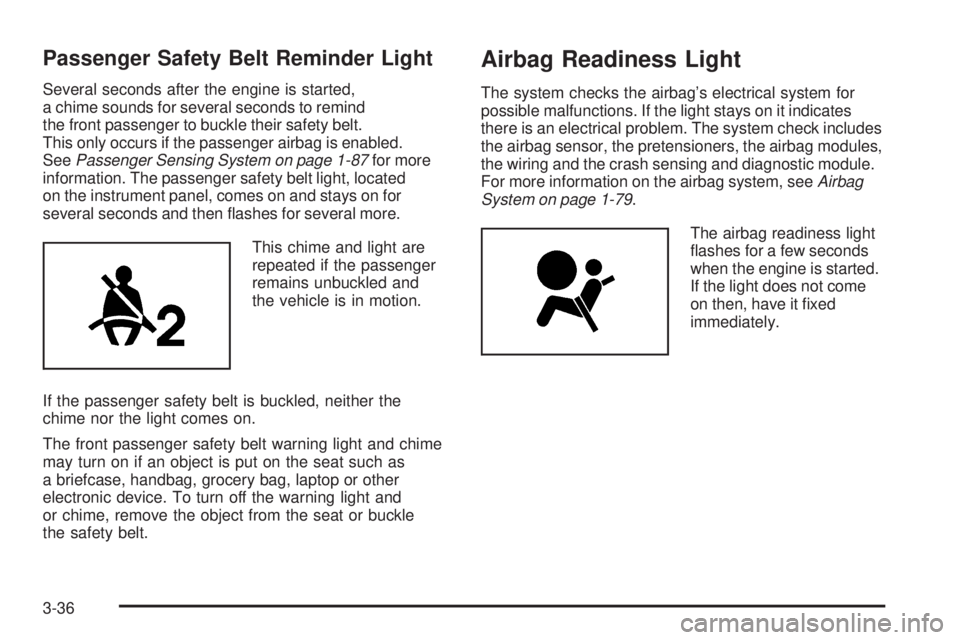
Passenger Safety Belt Reminder Light Several seconds after the engine is started,
a chime sounds for several seconds to remind
the front passenger to buckle their safety belt.
This only occurs if the passenger airbag is enabled.
See Passenger Sensing System on page 1-87 for more
information. The passenger safety belt light, located
on the instrument panel, comes on and stays on for
several seconds and then ashes for several more.
This chime and light are
repeated if the passenger
remains unbuckled and
the vehicle is in motion.
If the passenger safety belt is buckled, neither the
chime nor the light comes on.
The front passenger safety belt warning light and chime
may turn on if an object is put on the seat such as
a briefcase, handbag, grocery bag, laptop or other
electronic device. To turn off the warning light and
or chime, remove the object from the seat or buckle
the safety belt. Airbag Readiness Light The system checks the airbag’s electrical system for
possible malfunctions. If the light stays on it indicates
there is an electrical problem. The system check includes
the airbag sensor, the pretensioners, the airbag modules,
the wiring and the crash sensing and diagnostic module.
For more information on the airbag system, see Airbag
System on page 1-79 .
The airbag readiness light
ashes for a few seconds
when the engine is started.
If the light does not come
on then, have it xed
immediately.
3-36