Navigation
Entertainment
Driving tips
137Reference
At a glance
Controls
Communications
Mobility
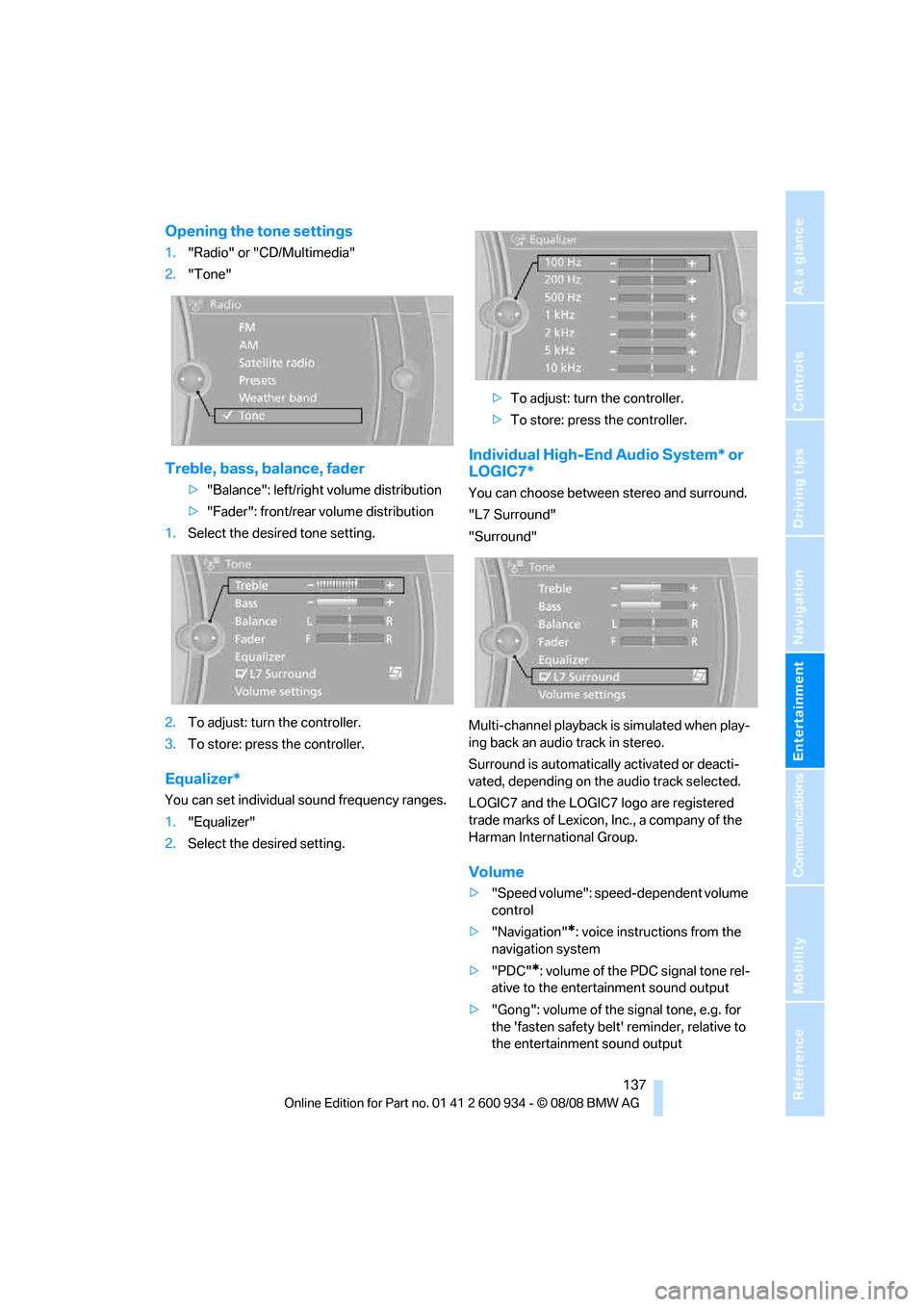
Opening the tone settings
1."Radio" or "CD/Multimedia"
2."Tone"
Treble, bass, balance, fader
>"Balance": left/right volume distribution
>"Fader": front/rear volume distribution
1.Select the desired tone setting.
2.To adjust: turn the controller.
3.To store: press the controller.
Equalizer*
You can set individual sound frequency ranges.
1."Equalizer"
2.Select the desired setting.>To adjust: turn the controller.
>To store: press the controller.
Individual High-End Audio System* or
LOGIC7*
You can choose between stereo and surround.
"L7 Surround"
"Surround"
Multi-channel playback is simulated when play-
ing back an audio track in stereo.
Surround is automatically activated or deacti-
vated, depending on the audio track selected.
LOGIC7 and the LOGIC7 logo are registered
trade marks of Lexicon, Inc., a company of the
Harman International Group.
Volume
>"Speed volume": speed-dependent volume
control
>"Navigation"
*: voice instructions from the
navigation system
>"PDC"
*: volume of the PDC signal tone rel-
ative to the entertainment sound output
>"Gong": volume of the signal tone, e.g. for
the 'fasten safety belt' reminder, relative to
the entertainment sound output
ba8_E90M3_cic.book Seite 137 Dienstag, 19. August 2008 11:51 11