2009 AUDI S6 ECU
[x] Cancel search: ECUPage 44 of 398

Opening and closing
• For security reasons, replacement keys are only available from
Audi dealers. •
Master key with remote control
The remote control allows you to lock or unlock the
vehicle electronically .
Fig. 27 Fo ld -up m aste r
k ey with r emot e
c ontr ol
To fold the key out and back in place, press the release
button=> fig. 27.
The transmitter and battery are located in the head of the remote
control. The receiver is located inside the vehicle. The maximum
effective range depends on several things . Remember , if the battery
is weak, the effective range decreases .
If you need to replace the remote contro l, or if you need to have it
repaired, you must see your authorized Audi dealer . On ly then can
you use the key again.
Personalizing the master ke y
When the ignition is turned off or when the vehicle is locked , various
convenience settings are stored automatically and assigned to the
key that was used. The settings tha t ar e ass igned to the master key
are recal led automatically when the vehicle is unlocked, when the
door is opened or when the ignition is switched on . Settings are saved for the fo
llowing systems :
• Climate control
• Central locking
• Ambient lig hting
• Windows
• Acoustic Parking System*
• Seat memory *
T he
Remote control key function must be activated in the MM I
=:> page 85, so that the settings for the driver's seat (including the
settings for the steering column and exte rior mirrors) are saved on
the master key through the seat memory when the vehicle is locked,
and are set automatically when the vehicle is un locked .
[ i ] Tips
• I f the ignition is switched on, the remote c ontr ol system is deac
tivated.
• T he remote control system can be af fected by other systems
operating in the same frequency range close to the vehicle, such as
mobile telephones, television broadcasting stations, etc .
• For Declarat ion of Compliance to United States FCC and Industry
Canada regulations=:>
page 375. •
Page 48 of 398
Opening and closing
Unlo cking and lo cking w ith Convenie nce key *
On vehic les which a re equ ipped with the
C onveni enc e key* authori
zation system, the doors are un locked
without a key by means of a
proximity sensor in the doo r handle. The doors are simi larly locked
without a key using the locking button. Each door has a proximity
senso r and a locking button.
Powe r side do or clo ser*
The vehicle is equipped with a power side door closer. When closing a door, you simp ly need to gent ly push on the door. The door will
then automatica lly close by itse lf =>
page 48 .
Autom atic locking
The automatic locking feature locks a ll the vehic le doors an d the
rear lid when you drive faster than 9 mph (15 km/hl. This function
can be turned on and off in the MMI
Central locking Menu
=>
page 48.
You can unlock the vehicle from the inside by :
• removing the key from the ignition swi tch (the veh icle will auto
matically un lock itself) or
• pressing the unlock par t of the power lock switch
(l::!l or
pu lling the door handle (twice to open the rear doors).
& WARNING
• When you lock you r vehi cle from out side , nobody -espe cially
c hildren -should remain in side the veh icle . Remember , when you
lock the vehi cle from the outside the window s cannot be opened
from the inside .
• When you leave the vehi cle , alwa ys remove the ignition k ey and
t a ke it with you . Thi s will prevent pa ssenger s {children , for
e x ample ) from a ccidentally bei ng locked in the vehi cle should they
accidentally pre ss the p ower locking switch in the front doo rs.
& WARNING (continu ed )
• Do not leave children in side the vehicle un supervised . In an
emerg ency it would be impos sible to open th e door s from the
outside witho ut the key.
[ i ] Tips
• I n the event of a crash with airbag deployment all locked doors
wi ll be automat ically un locked to give access to the vehic le occu
pants from the outside.
• If the power locking system shou ld ma lfunction, you can lock
each door individually using the vehicle key=>
page 50.
• If the power locking system shou ld fail, you can still open the
fuel tank flap in an emergency=>
page 299.
• You are well advised not to keep valuables inside an unattended
vehic le, visib le or not . Even a p roperly locked vehi cle cannot p rovide
the secur ity of a safe. •
Unlocking and locking the vehicle with the
remote control
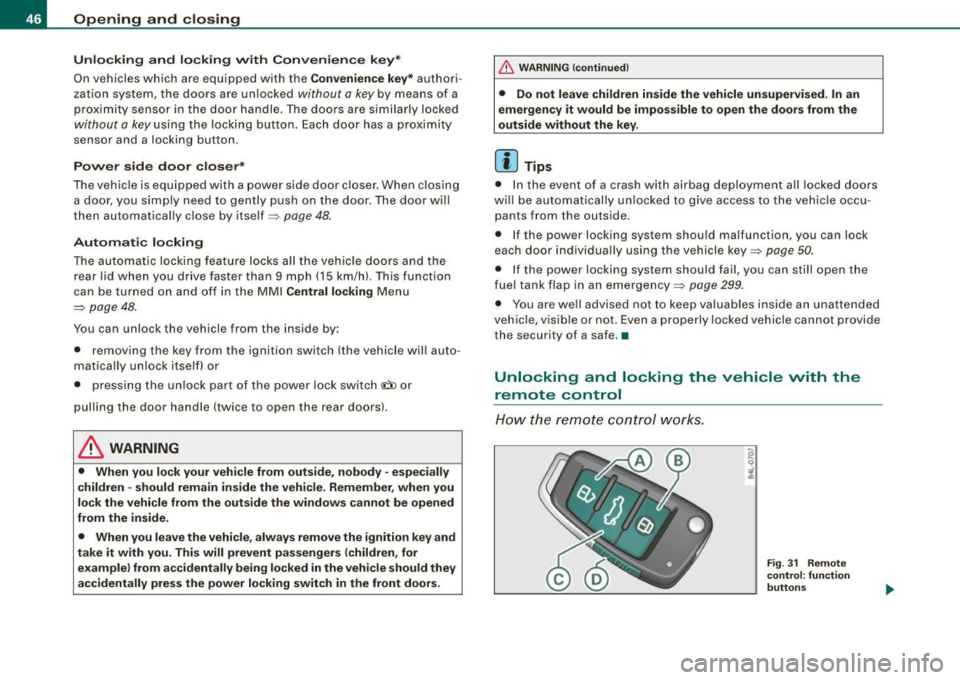
How the remo te control works.
Fig . 31 Rem ote
control : fun ctio n
butt on s
Page 51 of 398
Locking and unlocking the vehicle from inside
The vehicle can be locked or unlocked from the inside
using the p ower locking switches .
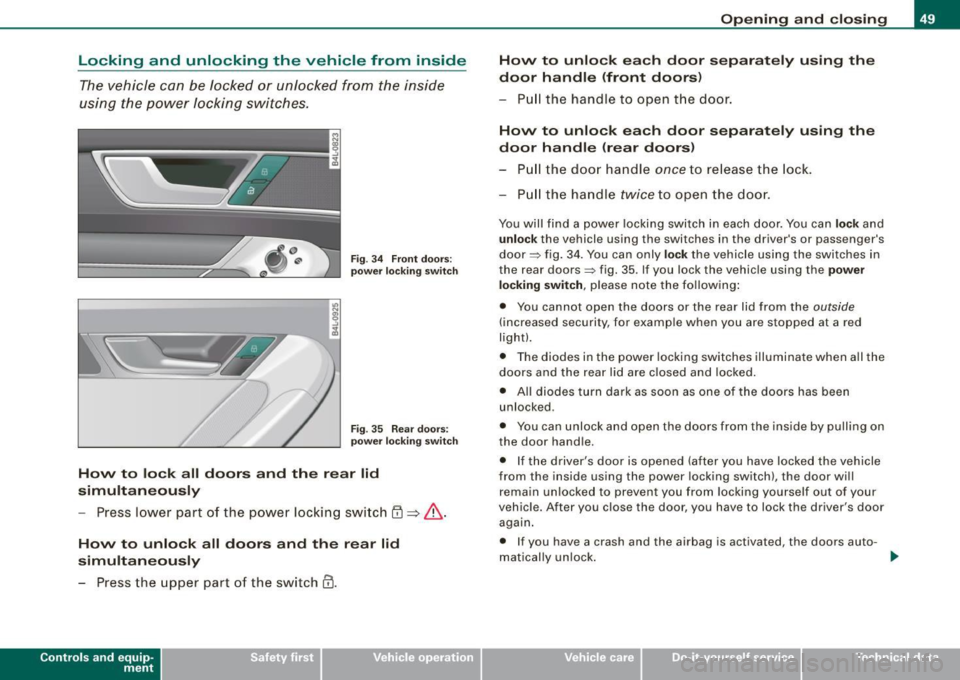
Fig . 3 4 F ront doo rs:
powe r lock ing s witch
F ig . 35 Rear doors:
p owe r lock ing swi tc h
How to lo ck all doors and th e re ar lid
simult aneously
- Press lower part of the power locking switch
@ => &.
How to unlock all doors and the rear lid
simultaneously
- Press the upper part of the switch
0.
Con tro ls and eq uip
ment
Op ening and clo sing
How to unl ock ea ch door separat ely us ing th e
d oo r handl e (front doors)
- Pull the handle to open the door .
How to unlock each door separ ately us ing the
door h andle (r e ar doors )
- P ull the doo r handle
once to re lease the lock .
P ull the handle
twice to open the door.
You will find a power locking switch in each door. You can lo ck and
u nlo ck the vehicle using the switches in the driver's or passenger's
door => fig . 34 . You can only
lock the vehicle using the switches in
the rear doors=> fig. 35. If you lock the vehicle using the
pow er
lo ck ing switch ,
please note the following :
• You cannot open the doors or the rear lid from the
outside
(increased security, for examp le when you are stopped at a red
light).
• The diodes in the power locking switches illuminate when all the
doors and the rear l id are closed and locked.
• All diodes turn dark as soon as one of the doors has been
unlocked .
• You can unlock and open the doors from the inside by pulling on
the door hand le .
• If the driver's door is opened (after you have locked the vehicle
from the inside using the power locking switch), the door will
rema in un locked to preven t you from locking yourself out o f your
vehicle . After you c lose the door, you have to lock the driver's door
again .
• If you have a crash and the airbag is activated, the doors auto-
mat ically un lock . _.,
Vehicle care I I irechnical data
Page 91 of 398
Folding backrest down
-Push forward release lever@~ page 88, fig. 82 in direc -
tion of arrow.
- Fold the backrest down .
Returning backrest to upright position
-Push rear seat backrest up until it engages~ &-You will
know that the seat is properly engaged when you cannot
see the red marking on the lever @.
Locking the backrest
- Insert your key into the lock~ page 88, fig. 83 and turn it
clockwise .
Unlocking the backrest
-Insert the key into the lock and turn it counter-clockwise.
Stowing luggage
-For safe loading and securing of items read and follow
the guidelines on~
page 201.
The rear seatback is divided into two segments -one third/two
thirds. You can fold down either or both parts of the seatback.
The release levers for the folding backrests can be locked when the
backrests are properly engaged in their upright position . This
prevents unauthorized access to the luggage compartment from
within the vehicle. The release levers can only be locked with the
master key or emergency key.
Controls and equip
ment
Seats and storage
& WARNING
• The backrest must always be securely latched so that the
safety belt of the center seating position can work properly to help
protect the occupant.
• The backrest must be securely latched in position so that no
items contained in the luggage compartment can slide forward
upon sudden braking.
• Never allow safety belts to become damaged by being caught
in door or seat hardware.
• Torn or frayed safety belts can tear and damaged belt hardware
can break in a crash. Inspect the belts periodically. Belts showing
damage to webbing, bindings, buckles, or retractors must be
replaced.
& WARNING
Always read and heed WARNINGS ~ & in "Loading the luggage
compartment" on
page 201.
0 Note
When folding the backrest back into place, make sure the safety belt
does not get caught, because it can be damaged. A damaged belt
can fail to provide safe restraint. •
I • •
Page 92 of 398
Seats and storage
Fastening eyelets
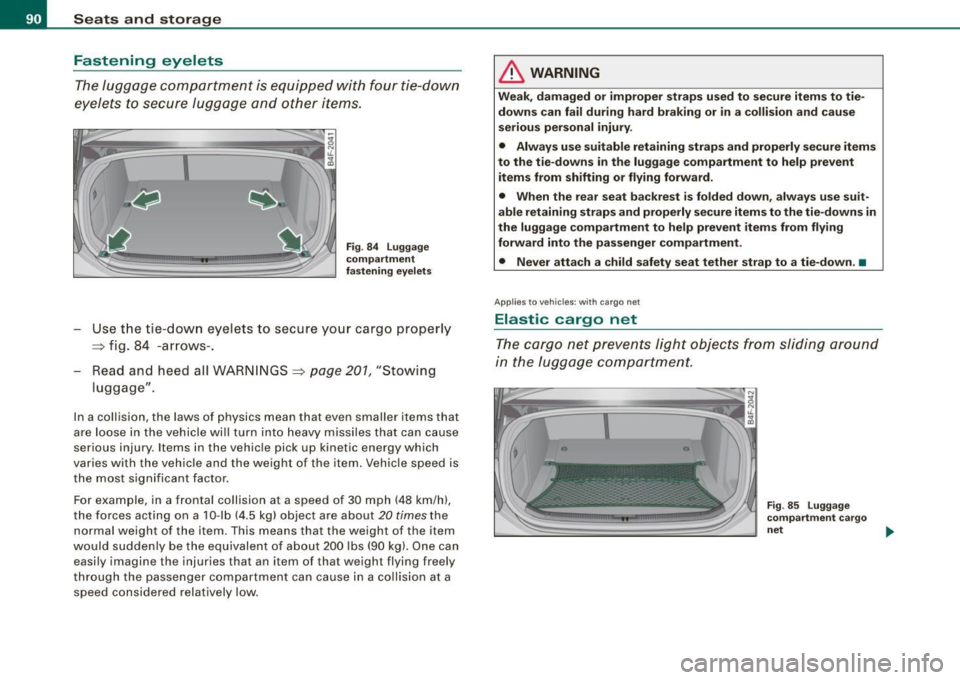
The luggage compartment is equipped with four tie-down
eyelets to secure luggage and other items.
Fig . 84 Luggage
compartment
fastening eyelets
- Use the t ie -down eyelets to secure your cargo proper ly
~ fig. 84 -arrows -.
Read and heed all WARNINGS
~ page 201, "Stowing
luggage" .
In a collision , the laws o f physics mean that even smaller items that
are loose in the vehicle will turn into heavy missiles that can cause
serious injury . Items in the vehicle pick up k inetic energy which
varies with the vehicle and the weight of the item. Vehicle speed is
the most signifi cant facto r.
For example, in a frontal collision at a speed of 30 mph (48 km /h),
the forces acting on a 10-lb (4.5 kg) object are about
20 times the
normal weight of the it em. This means that the we ight of the item
would suddenly be the equivalent of about 200 lbs (90 kg). One can easily imagine the injur ies that an i tem o f that weigh t flying freely
through the passenger compartment can cause in a collision at a speed considered relatively low .
& WARNING
Weak, damaged or improper straps used to secure items to tie
downs can fail during hard braking or in a collision and cause
serious personal injury .
• Always use suitable retaining straps and properly secure items
to the tie-downs in the luggage compartment to help prevent
items from shifting or flying forward.
• When the rear seat backrest is folded down, always use suit
able retaining straps and properly secure items to the tie-downs in
the luggage compartment to help prevent items from flying
forward into the passenger compartment.
• Never attach a child safety seat tether strap to a tie-down. •
Applies to vehicles: with cargo net
Elastic cargo net
The cargo net prevents light objects from sliding around
in the luggage compartment.
Fig . 85 Luggage
compartment cargo
net ..,,
Page 93 of 398

Fig. 86 Luggage
compartment cargo
net attached to
mounting hooks*
Securing objects to the luggage compartment
floor with the net
- Lay out the cargo net in the luggage compartment.
- Engage all four hooks into the fastening eyelets
=:> page 90, fig. 85.
- Place objects to be secured under the net.
Configuring the net to restrain small objects
-Lay out the cargo net in the luggage compartment.
- Engage the hooks on the cargo net in the fastening
eyelets in the floor at the rear of the luggage compart
ment :::::> fig. 86.
- Pull down the mounting hooks -arrows-located below
the base of the rear window.
- Connect each loop on the net to the corresponding hook
as illustrated .
- Place items inside the net.
Con tro ls and eq uip
ment
Seats and storage
Mounting hooks*
There are two mounting hooks under the base of the rear window
inside the luggage compartment . You can attach the cargo net as
well as light objects to these hooks.
The mounting hooks are spring-loaded and will return to their normal position when not in use.
& WARNING
For strength-related reasons, the mounting hooks can only be
used to secure objects weighing up to 10 lb. (5 kg). Heavier objects
will not be adequately secured -there is a risk of injury .•
Left-side compartment
The DVD player for the navigation system* is in the left
side storage comportment.
Vehicle care I I
Fig . 87 Luggage
compartment: storage
compartment for DVD
player .,._
irechnical data
Page 94 of 398

Seats and storage
Fig. 88 Luggage
compartment : DVD
player for the naviga
tion system
- To open, pull the handle forward :::> page 91 , fig. 87.
CD-ROM player for Navigation System*
The CD-ROM player for the navigation system ~ fig. 88 is located in
this storage compartment in the luggage compartment. Operation
is desc ribed in the instruc tions for the audio system. •
App lies to ve hicle s: w ith lo ad-th rough facilit y and removab le ski sack
Ski sack
Use the removable ski sack to transport and protect skis
and other long, light items in the passenger compart
ment.
Fig . 89 Luggage
compartment : ski sack
flap
Loading ski sack
Fig. 90 Ski sack :
securing with rear seat
safety belt
-Fold out center armrest in the rear seat backrest.
- Press the release button -arrow-=> fig. 89 for the ski sack
flap in the passenger compartment and pull down the
flap .
- Open the luggage compartment lid.
- Pull out and unfold the ski sack.
- Load skis or similar objects through the luggage
compartment into the interior of the vehicle=>& .
Securing ski sack
-In sert the ski sack strap©=:> fig. 90 in the center buckle
@.
- Pull the safety belt taut on the free end of the belt@.
Stowing ski sack
- Pull the ski sack through the rear backrest to the rear.
- In the passenger compartment, close the ski sack flap.
- Fold the ski sack carefully. ..,
Page 95 of 398
& WARNING
• The ski sack is intended only for the transportation of skis and
other light objects. To reduce the risk of serious personal injury
never transport heavy or pointed objects in the ski sack.
• When braking rapidly or during an accident the load could be
displaced and cause injury to occupants.
• Sharp edges on the load must be covered for protection.
Always fasten the belt tightly around the sack and its contents
=> page 92, fig. 90.
[ i J Tips
Never stow the ski sack away if it's wet or damp (for example, snow
melting from skis) . Let it dry completely before you stow it away .•
Roof rack
First things first
A roof rack can be fitted to carry additional luggage on
the roof.
-Always read and follow the instructions provided by the
roof rack manufacturer when the roof rack system must
be installed.
If you are transporting luggage or other objects on the roof, please
note the following:
• Your vehicle has specially designed aerodynamic roof rails . Only
install a roof rack specifically designed for your model. Contact the
nearest Audi dealer for information on approved modular roof racks
for your vehicle.
• These approved roof racks are the basis for a complete roof rack
system. Additional attachments for the basic roof rack are neces-
Controls and equip
ment
Seats and storage
sary to safely transport luggage, bicycles, surf boards, skis or small
boats. All necessary hardware for these systems is available at your
authorized Audi dealer.
• We recommend that you keep the installation instructions for
your roof rack system together with your Owner's literature in the
vehicle.
When should the roof rack be removed?
• Before going through an automatic car wash (it is best to ask the
car wash operator for advice).
• When not in use , to reduce fuel consumption, wind noise and to
guard against theft.
& WARNING
• Use of an unapproved roof rack or incorrect mounting of an
approved roof rack can cause the roof rack or the items attached
to it to fall off the roof onto the road.
• Objects falling from the roof of a vehicle can cause a crash and
personal injury.
• Only mount the system between the markings shown in
=> page 94, fig. 91.
• The roof rack system must be installed exactly according to the
instructions provided.
0 Note
• Your vehicle warranty does not cover any damages to the vehicle
caused by using roof racks or mounting structures not approved by
Audi for your vehicle. The same applies to damage resulting from incorrect roof rack installation .
• Always check the roof rack mountings and hardware before each
trip and during a trip to make sure everything is securely tightened.
If necessary, retighten the mountings and check the entire system
from time to time . .,,
I • •