2009 AUDI S6 reset
[x] Cancel search: resetPage 65 of 398

Clear vision
Lights
Switching the headlights on and off ·'t!-·
In the "AUTO " position, a light sensor automatically
s w itches t he head- and tailligh ts on and off in response to
l ight con ditio ns.
Fig . 5 1 In strument
p an el: l ight swit ch
The light switch must not be ove rt u rned pas t the stops in
either direction .
Switching on automatic headlight control
-Tu rn the light swi tch to AUTO => fig. 51 .
Switching on the side marker lights
- Turn t he light switch to ~oo~ .
Switching on the headlights and high beam
-Tur n t he light switch to gD.
- Pu sh th e hi gh bea m le v er for ward tow ards t he inst ru-
m ent panel
=> page 67 .
Con tro ls and eq uip
ment
Switching off the lights
- Tu rn the light sw itch to 0. Clear vision
The head
ligh ts only work when the ignitio n is switched on . While
starting the engine or when switching off the ignition, the head
lights wil l go off and only the side marker lights wil l be on.
After starting the engine, the headlights are automatica lly
adjus ted* to the load and ang le of the vehicle (for example, du ring
acceleration, braking) . This prevents oncoming traffic from experi
encing unnecessary headlight glare from you r headlights .
If the system is not operating properly, a warning symbol in the
Auto -Check Contro l is displayed
=> page 35.
With the side marker lights or headlights switched on, t he sym bol
next to the light switch illuminates
coo:.
Daytime running light s
• USA models :
On vehicles with xenon lights the daytime running
ligh ts will come on automa tically when the ignition is tur ned on and
the light switch=> fig. 51 is in the
O position or the AUTO position
(on ly in daylight conditions). The
Daytim e running lights func tion
can be turned on and off in the MMI menu
Exteri or lighting
=> page 6 4. On vehicles with halogen lights there is no daytime
running ligh ts function=> &,.
• Canada models: The daytime running lights wi ll come on au to
matically when the ignition is turned on and the ligh t switch
=> fig. 5 1 is in the O position or the AUTO positi on (only in dayligh t
conditions)
=> &, .
Automatic headlight control
In the switch posi tion AUTO the automatic headlight contro l is
turned on . The low beams are turned on automatica lly through a
light sensor as soon as ambient brightness (e .g. when driving into a
tunnel) fa lls below a value preset at the factory . When ambie nt ..,_
Vehicle care I I irechnical data
Page 104 of 398

• .___w_ a_ rm __ a_ n_ d_ c_o _l_d ________________________________________________ _
Warm and cold
Climate control
Description
The air conditioner is fully automatic and is designed to
maintain a comfortable and uniform climate inside the
vehicle.
We recommend the follow ing settings:
- Set the temperature to 75 °F (+23 °C).
- Press the !AUTO
I button.
With this setting, you attain maximum comfort in the least amount
of time. Change this setting, as desired, to meet your personal needs.
The climate controls are a combination of heating, ventilation and cooling systems, which automatically reduce humidity and cool the
air inside your vehicle.
The air temperature, air flow and air distribution are automatically
regulated to achieve and maintain the desired passenger compart
ment temperature as quickly as possible.
The system automatically compensates for changes in outside
temperature and for the intensity of the sunlight entering the
vehicle. We recommend you use the
Automatic mode=> page 105
for year-round comfort.
Please note the following:
Turn on the air conditioner to reduce humidity in the vehicle. This also prevents the windows from fogging up.
When the outside temperature is high and the air is very humid,
condensation from the evaporator may drip under the vehicle. This
is normal and does not indicate a leak. If the outside temperature is low,
the fan normally only switches to
a higher speed once the engine coolant has warmed up sufficiently.
The air conditioner temporarily switches off when you drive off from
a standstill using full throttle to save engine power.
The compressor also switches off if the coolant temperature is too
high, so that the engine can be adequately cooled under extreme
loads.
Air pollutants filter
The air pollutants filter (a combined particle filter and activated
charcoal filter) reduces or prevents outside air pollution (dust, or
pollen) from entering the vehicle.
The air pollutants filter must be changed at the intervals specified
in your Warranty
& Maintenance booklet, so that the air conditioner
can properly work.
If you drive your vehicle in an area with high air pollution, the filter
may need to be changed more frequently than specified in your
Audi Warranty
& Maintenance booklet. If in doubt, ask your autho
rized Audi Service Advisor for advice.
Key coded settings
The air conditioner settings selected are automatically stored and
assigned to the key being used. When the vehicle is started, the air
conditioner automatically selects the settings assigned to that key.
This way every driver will maintain his/her own personal settings
and does not have to reset them manually.
If a different driver uses your key and changes the air conditioner
settings, the latest adjustments will erase and replace the settings
you have stored.
Energy management
To prevent the battery from being discharged and to restore the
balance of energy, components which require large amounts of
Page 108 of 398
• ..__w_ a_ r_m _ a_ n_d_ c_ o_ ld __________________________________________________ _
Setting the temperature
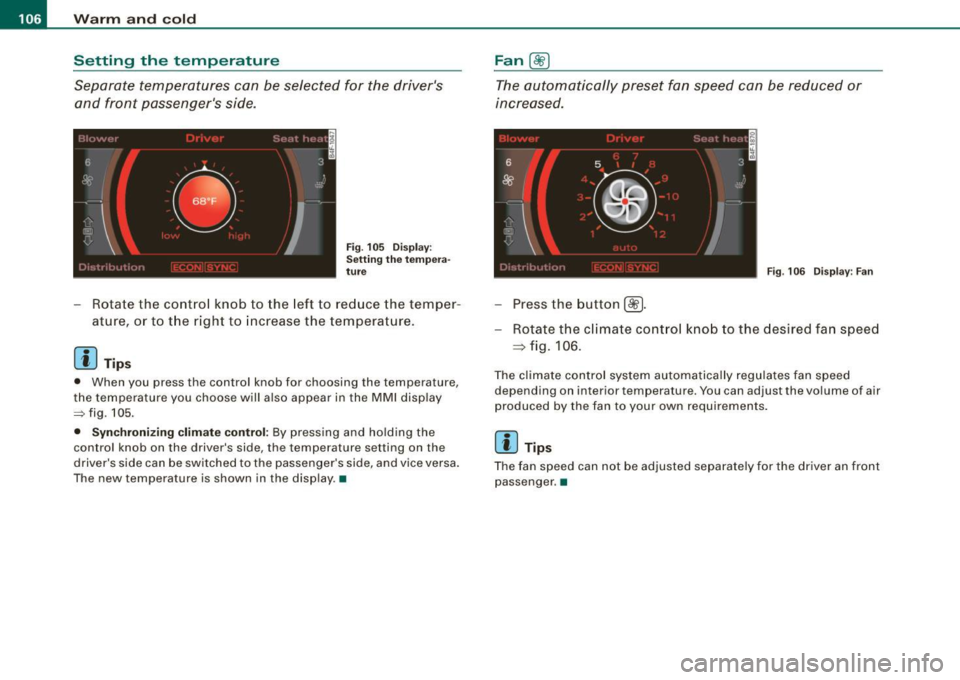
Separate temperatures can be selected for the driver's and front passenger's side.
F ig . 105 D isp lay:
Se tting the tem per a
tu re
- Rotate the contro l knob to the left to reduce the temper-
ature, or to t he r ight to increase the temperature .
[ i ] Tip s
• When you press the control knob for choosing the temperature ,
the temperature you choose w ill also appear in the MMI disp lay
~fig .105 .
• Synchr oni zing climate control: By pressing and ho lding the
control knob on the driver's side, the temperature setting on the
driver's side can be switched to the passenger 's side, and vice versa .
The new temperature is shown in the disp lay .•
Fan @
The automa tically preset fan speed c an be reduced or
inc re a se d.
Fi g. 106 Dis pl ay : Fa n
-Press the button {~].
- Rotate the c lima te contro l kno b to the desired fa n speed
=> fig . 106.
The climate control system automatica lly regulates fan speed
depending on interior temperature. You can adjust the volume of air
p roduced by the fan to your own requirements.
[ i ] Tips
The fan speed can n ot be adjusted separate ly for the driver an front
passenger .•
Page 127 of 398

On the road -
----------------
The display=> page 124, fig. 122 will show the set speed . The
display may vary depending on the type of disp lay in your vehicle .
The ind icator light
CRU ISE (US model) I (')0 (Canadian mode l) wi ll also
light up in the instrument cluster.
The speed is kept constant via an engine output adjust ment or
active brake intervention .
_& WARNING
• Always pay attent ion to traffic even when the crui se control is
s w it ched on. You are alw ays r esp onsi ble for your speed and the
di sta nce b etween your vehi cle and other vehi cle s.
• For s afet y reason s, the crui se control should not be u sed in the
c ity , in stop- and-go traffic , on twi sting roads and when road condi
t ion s a re p oor (s uch a s ice , fo g, gra vel , he avy ra in and h ydro
planing ) - risk of accident.
• Turn off the crui se control tempor arily when e nte ring tu rn
lan es, highway exit lanes or in constru ction zone s.
• Plea se note that in adv ertentl y "re sting " yo ur foot on the accel
erator ped al cau se s the cruise control not to brake . Thi s is b ecau se
the crui se control i s overridden b y the dri ve r's acc eleration .
[ i] Tips
The brake lights il luminate as soon as the brakes decelerate
automatically .•
Ap plie s to v ehicl es: w it h c ruise contro l
Changing speed
-Press lever in the 0 o r Q dir ection => page 124, fig. 121
to increase or decrease you r sp eed.
- Release the lever to s ave that speed.
Controls and equip
ment Change speed in increments of 1 mph (1 km/h) by
lightly pressing
the lever . If you keep the lever pressed down, you will a lter your
speed in 5 mph (10 km /h) increments .
You can a lso press the acce lerator pedal down to increase your
speed, e.g. if you want to pass someone. The speed you saved
earlier will resume as soon as you release the accelerator pedal.
If , however, you exceed your saved speed by 5 mph (10 km/h) for
longer than 5 minutes, the cruise control will turn off temporarily .
The symbol wi ll go ou t bu t the saved speed wi ll be retained. •
Applie s to v ehic le s: with c ru ise cont ro l
Presetting your speed
You can prese t your desire d speed while the vehicle is not
moving.
- Turn o n the ignition .
Pu ll lever into pos ition
G) => page 124, fig. 12 1.
Press the lever in the
0 or Q direction to increase or
decrease your speed .
- Release the lever to save that speed .
This function makes it possible, for example, to save the speed you
want before driving on the highway. Once on the highway , activate
the cruise contro l by pu lli ng the lever toward
G) . •
Ap plies to ve hic les: with c ruise contro l
Switching the system off
Temporary dea ctivation
- Press the brake pedal, or
I • •
Page 136 of 398

• .___A_ d_a_ p:- t_iv _ e_ C_ r_u _is _ e_C_ o_ n_ t_ r_ o_ l --------------------------------------------
How your vehicle responds when accelerating and fol lowing other
veh ic les w ith ACC operat ing can be a dapt ed to your persona l wishes
through different driving programs. Depending on which driving prog ram a nd whic h dis tance you choose, your vehicle will respond
Settings DISTANCE 1
Symbol for time interval
~ -~---
more dynamica lly or more comfortably when accelerating and
b raki ng. T he setting is selecte d throug h the MM I menu Adaptive
Cruise Control =>
page 139, "M M I settings".
DISTANCE 2 DISTANCE 3 DISTANCE4
~-- ~-- ~--- ~- ~---- ~
Support for: Bumper -to-bumper Bumper -to-bumper Bumper -to -bumper Secondary roads,
traffic, brisk driving
Response in "dynamic " driving program
1
Response in "standard " driving program 2
Response in "comfort " driving program 3
(dynamic) 1 ----2 ----- 3 ----- 4 ----- 5 (comfortable)
& WARNING
Following other veh icles too clo sely increases the risk of a crash
and serious personal injury .
• Following other vehicles too closely , parti cularly at h igher
speeds increases the risk of collisions and serious personal injury.
• Setting short distan ces to the traffic ahead reduces the time
and distance available to bring your vehicle to a safe stop and
makes it even more necessary to pay close attention to traffic .
• Always select a speed and distance to traffic ahead that is safe
and appropriate under the prevailing traffic , road , weather and
lighting conditions .
• Never rely on the distan ce control feature of ACC alone to
p revent rear-end collisions . Alw ays be prepared to brake and take
evasive action to avoid collisions and other accident situations.
• Never allow the closing speed between you and other vehicles
to be so high that the Adaptive Cruise Control may not be able to traf
fic, "keeping pace" traffic, "kee ping pace" trai ler operation
co mfortably comfortably
2
2 3
3 3 4
4 4
5
&, WARNING !continued )
slow your vehicle safely . If closing speed is too high, you must
apply the brakes your self to reduce the risk of a rear -end crash.
• Always select a greater following distance to the vehicle ahead
on wet road s than on dry roads.
• Always read and heed the information and WARNINGS =>
& in
" De script ion " on
page 127 .
[ i ] Tips
The distance setting is reset to the factory default DISTANCE 3 the
n ext t ime the ign ition is turne d on.•
Page 138 of 398

• ..__A_ d_a...: p:,..._ ti_v _ e_ C_ ru_ is_ e_ C_ o_n_ t_ r_ o _ l ___________________________________________ _
• <0111,c::::, Driv ing in traffi c: The indicator light '°"'''° shows that a
ve hicle moving in your lane of travel has been de tec ted up front in
your lane of travel. Your speed is adjusted according to the speed of
the vehic le up front . ACC accelerates and brakes automatically
within the system's capabilities.
• -011 ,,-0 Dr iv e r intervention prompt : The red flashing warning
light
-011 .. ~ means Request for dri ver to as sume contr ol. You as the
driver must slow the vehic le with the foot brake . The symbol
<0 1111<0
tel ls you that the Adaptive Cruise Control is not able to slow the
vehic le down enough to keep a enough distance to the vehicle in
front of you. A warning tone will also sound when the symbo l
appears . For more information about the driver intervention prompt
::;, page 138.
& WARNING
Improper use of the Adap tive Crui se Contro l features and inatten
tion can lead to an crash and serious personal injury .
• Never allow the closing speed betw een you and other veh icles
to be so high that the Adapt ive Cruise Control may not be able to
slow you r vehi cle saf ely . If clo sing speed is too high , you mu st
apply the brake s yourself to reduce the ri sk of a re ar-end cra sh .
• Always sele ct a greater follo wing dist ance to the vehi cle up
ahead on wet roads than on dry road s.
• Alway s re ad and heed the information and WARNINGS::;,
& in
"De scription " on
pag e 127 .
[ i ] Tips
• If you use the acce lerato r to go faster than the speed of the
vehicle ahead of you, the driver intervention prompt wi ll not be
accompanied by a warning tone.
• If the speed you previously set is exceeded , the indicator light in
the speedometer w ill sw itc h off. •
App lies to vehic les: w ith Ad apt ive Cruise Contro l
Display in the instrument cluster
Fig. 1 32 D isplay i n the
i n strum ent c lust er
Scroll through the availab le in formati on displays by briefly tapping
the (RESET] button at the end of the windshie ld wiper lever. You can
se lect information from the trip computer, navigation system* or
Adaptive Cruise Control.
© Vehicle symbol
® Distance
© Status
© Vehi cle s ymbol
The vehicle symbo l indicates whether the system has detected an
object traveling in front .
• Vehicle outline : Open road, no vehicle ahead .
• Wh it e v ehi cle: A vehic le is detected ahead.
• Red vehicle: Request for driver to assume co ntrol.
® Distance
Using the arrows and scale, you can detect how far it is to the
vehic le in front of you.
• Open road : No arrow appears when the vehicle is on a n open
road and there is no vehic le ahead .
Page 167 of 398
_______________________________________________ A_ u_t _o _ m_ a_ t _i_ c_ t_r _a _n _ s_ m __ is_s_ i _o _ n __ llll
Autom ati c selec to r l eve r lock
The se lector lever is locked in the P and N positions when the igni
tion is turned on . To move the lever from these positions the driver
must depress the brake pedal. As a reminder to the driver, the
follow ing warning appears in the instrument cluster disp lay when
the selector is in
P and N :
When stationary app ly footbrake while selecting gear
A time delay e lement preven ts the selector lever from locking when
it is moved through the
N position (going from R to Dl. The locking
e lement will lock the selector lever if the lever is left in N (Neutral)
for mor e than approximately 1 second, without the brake peda l
being pressed .
At sp eeds above about 3 mph (5 km/h) the Automatic Shift Lock is
automatically deactivated in the
N posi tion .
Interl ock button
The lock button on the selector lever prevents the lever from being
accid entally sh ift ed into certain pos it ions. Pressing th is button
deactivates the selector leve r lock . Dependi ng on the direction of
the shift, the se le ctor lev er locks a t different positions . Th e positions
are highligh ted in the illus trati on =>
page 164 , fig. 167 .
Igniti on k ey saf ety in te rlo ck
The key canno t be removed from the ignition un less the selector
lever is in th e
P park position . When th e ignition k ey is remov ed, the
selector lever wil l be l ocked in the
P posi tion .•
A pplies to veh ic les : wit h mu ltit ro nic® Cont inuous ly Va riab le Transm iss io n (CVT )
Kick-down
The kick- down feature allo ws the ve hic le to generate
maximum acceler ati on .
When you press the acce lerator pedal beyond the resistance point
t hat is reached at ful l th rottle, the transmission wi ll select a lower
gear ra tio bas ed on vehic le spe ed and engine RPM. The engine RPM
Controls and equip
ment
wi ll be control led to produce maximum vehic le acceleration as long
as yo u conti nue to press the acce lerato r pedal beyond this resis
tance point .
& WARNING
Be careful when us ing the ki ck-down feature on slippery roads .
Rapid acceleration may cau se the vehicle to skid . •
A pplies to veh icl es : wi th mu ltitro nic® C ontinuo usly V ari ab le Tra nsm iss ion (CVT)
Dynamic shift program (DSP)
The multitronic® tr ansmissi on is elect ro nic ally
controlled.
The transmission se lects the appropriate gear ratio (upshifts and
downsh ifts) automatical ly based on preset driving programs.
The transmission wil l selec t one of the
economy programs when
yo u drive at a steady speed o r a gra dually changing speeds without
heavy acceleration . T his gives bes t fuel efficiency , with early
upshifting and delayed downshif ting .
The transmission will au tomat ically select the
s porty shift programs
when you drive at higher speeds, or with heavy acce leration and
freque ntly changing speeds . Upshifts are delayed to make full use
of engine power. Downshifting takes place at higher engine speeds
t han in t he economy programs .
The se lection of the most suitable shift program is a continuous,
automatic process . The driver can also make the transmission
sw itch to a spor ty progra m by
quickly pressing down the gas peda l.
This caus es the transmission to shift down into a lower gear ratio
and makes qu ick acceleration possible (to pass another vehic le) You
do not need to press the gas peda l into the kickdown range . After
the trans missi on has upshifte d, the o riginal p rogram is selected
according to your driving style . _.,
I • •
Page 339 of 398

Tires and wheels -
----------------------
Tire pressure indicator appears
The tire pressure indicator in the instrument cluster
informs you if the tire pressure is too low or if there is a
sys tem malfunc tion.
en
~ 0 ..:, ;g
0 g 0 ..:, ;g
F ig . 25 2 Displa y:
underinflation warning
Fig . 253 Displ ay :
Sy stem malfunction
Using th e ABS sensors , th e t ire pr essur e monitoring system
c o m pares the tire tread ci rcu mference and vi bration character istics
of the individua l tires . If the pressure decreases in one or mor e tires,
th is is ind icated in the inst rumen t cl uster w ith a warning symbol,
and a message=> fig. 252. The driver message in the display goes
ou t af ter 5 sec onds. T he driver message can be dis pl ayed again by
pressing the [ CH ECK ] button. If only on e tire is affected, the display
will indicate its position . T
he tire pressure monitoring must be reset via MMI each time the
press ures are adjus ted (e .g . when swi tchi ng between par tial and
fu ll load pressu re) or after changing or replacing a tire on your
veh icle =>
page 338. You ca n find the recom mended tir e pres sures
for your vehicle on the label on the driver's door pillar=>
page 32 1.
Tire tread circumference and vibration characteristics can change
and cause a tire pressure war ning if:
• the tire pressu re in one or more t ires is too low,
• t he tire has st ructura l damage,
• the tire pressure was changed, wheels rotated or replaced but
t he TP MS was no t r eset =>
pag e 338 .
Warning symbols
• ~ Loss of pressur e in at le ast one tire=>&. Check the tire or tires
and replace or repair if necessary . T he indicator light in the
i nstrument cluster also illu mi nat es =>
page 16 . Che ck/cor rect th e
p ressures of al l four t ires and reset TPM S via MMI.
T (Ti re Pre ssure Mo nitorin g System)
Tire pressure! System
malfunction .
If appears after switch ing the ign it ion on or
w hi le drivi ng => fig . 253 an d the i ndica tor lig ht in th e in stru ment
c luster blinks for approximately one minute and the n stays on, there
i s a sy stem malfunction . See your authorized Au di d ealer as soon a s
possible .
& WARNING
• If the tire pressure indicator appears in the instrument cluster
display, one or more of your tires is significantly under -inflated.
Reduce your speed immediately and avoid any hard steer ing or
braking maneuvers. Stop as soon as possible and check the tires
and their pressures. Inflate the tire pressure to the proper pressure
as indicated on the vehicle's tire pressure label =>
page 321.
Driving on a significantly under-inflated tire causes the tire to over
heat and can lead to tire failure . Under- inflation also is l ikely to
impair the vehicle's handling and stopping ability .
~
Vehicle care I I irechnical data