Page 131 of 238
OTHER FUNCTIONS
1472008 TUNDRA Navigation from Oct.07 Prod.(OM34469U)
5U5189G
When this screen is displayed, try the
transfer operation again.
�Registering the phone book data
You can register the phone book data.
5U5190G
1. Touch “Register” of “Phone Book”.
5U5191G
2. Touch the desired touchscreen but-
ton to edit the phone book.
5U5192G
3. When you complete the edit, touch
“OK”.
Page 132 of 238
OTHER FUNCTIONS
1482008 TUNDRA Navigation from Oct.07 Prod.(OM34469U)
�Editing the name
When you don’t input the name, the num-
ber is displayed on the list.
XS00134
1. Touch “Name”.
5U5194G
2. Use the software keyboard to input the
name.
�Editing the phone number
You can register the phone number in
“TEL1” and “TEL 2” separately. Up to 2
numbers a person can be registered.
5U5195G
1. Touch “TEL 1” or “TEL 2”.
5U5196G
2. Input the number and touch “OK”.
5U5197G
3. Select the desired icon.
Page 133 of 238
OTHER FUNCTIONS
1492008 TUNDRA Navigation from Oct.07 Prod.(OM34469U)
�Selecting the group
You can set a group for a contact (for ex-
ample: “Family”, “Friends”, “Office”...). It
will then be easier for you to find this con-
tact when needed, by using the group dis-
play.
You can select “No group” or “Group 01”
to “Group 19”.
“No group” is displayed if you don’t set the
group.
5U5198G
1. Touch “Group”.
XS00132
2. Select the desired group.
�Setting the voice recognition
You can set the voice recognition. Up to 20
numbers can be registered for the voice
recognition.
5U5200G
1. Touch “Voice Rec.”.
RS02016a
2. Select the phone number and touch
“REC” to record a voice tag.
Page 134 of 238
OTHER FUNCTIONS
1502008 TUNDRA Navigation from Oct.07 Prod.(OM34469U)
RS02017a
3. Touch “PLAY” to play the voice tag.
If you want to delete it, touch “Delete” and
“OK”.
�Adding the data to the phone book
You can add data to the phone book.
5U5201G
1. Touch “Add to”.
5U5202G
2. Select the data you want to add log data
to.
5U5203G
3. Confirm the added data on the screen
and touch “OK”.
Page 135 of 238
OTHER FUNCTIONS
1512008 TUNDRA Navigation from Oct.07 Prod.(OM34469U)
�Editing the data
You can edit the registered data.
5U5204G
1. Touch “Edit”.
5U5205G
2. Select the data you want to edit.
5U5206G
3. Touch the desired touchscreen but-
ton.
When you edit the data, touch “OK”.
5U5207G
When you also touch “Edit” on this
screen, you can edit it.
�Deleting the data
You can delete the data.
When you release your car, delete all your
data on the system.
5U5208G
1. Touch “Delete” of “Phone Book”.
5U5209G
2. Touch the desired touchscreen but-
ton.
Page 136 of 238
OTHER FUNCTIONS
1522008 TUNDRA Navigation from Oct.07 Prod.(OM34469U)
5U5210G
3. Touch “Yes”.
You can also delete it in the following way.
5U5211G
1. Touch “Phone Book”.
5U5212G
2. Select the desired data.
5U5203G
3. Touch “Delete”.
5U5214G
4. Touch “Yes”.
Page 137 of 238
OTHER FUNCTIONS
1532008 TUNDRA Navigation from Oct.07 Prod.(OM34469U)
�Deleting all the phone data
5U5215G
1. Touch “Delete All” of “Phone Book”.
5U5216G
2. Select the deleting method.
Group Data Deleting all the phone. . . . . . . .
data in group.
All Contact Data Deleting all the phone. . .
data.3. When you select “Group Data”, the
“Select Group” screen is displayed.
XS00132
4. Select the desired group.
5U5218G
5. Touch “Yes”.You can also delete it in the following way.
5U5219G
1. Touch “Phone Book”.
5U5220G
2. Touch “Delete All”.
Page 141 of 238
OTHER FUNCTIONS
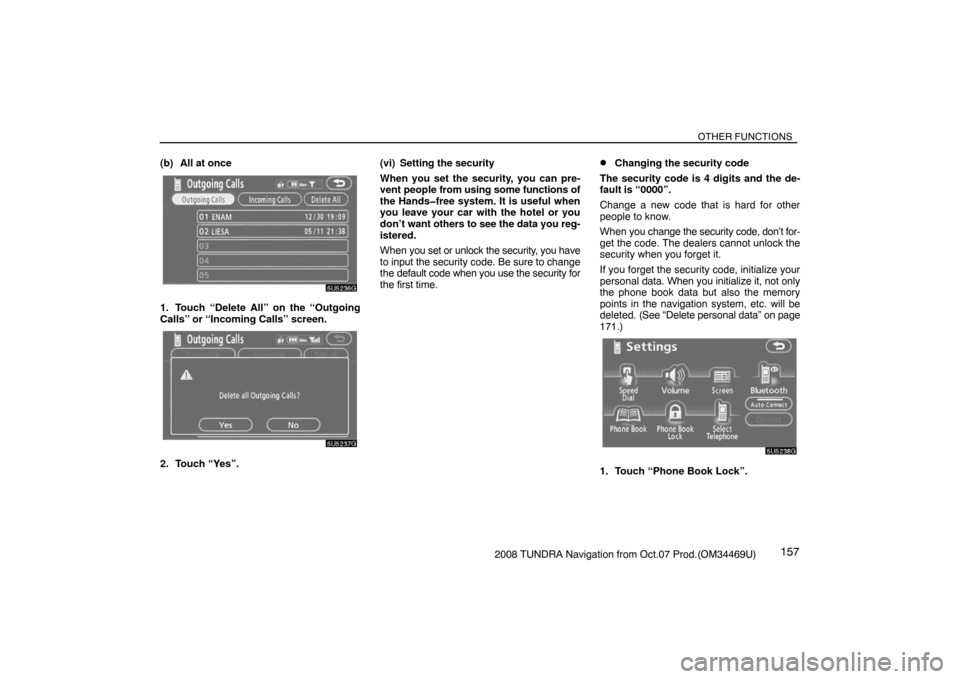
1572008 TUNDRA Navigation from Oct.07 Prod.(OM34469U) (b) All at once
5U5236G
1. Touch “Delete All” on the “Outgoing
Calls” or “Incoming Calls” screen.
5U5237G
2. Touch “Yes”.(vi) Setting the security
When you set the security, you can pre-
vent people from using some functions of
the Handsfree system. It is useful when
you leave your car with the hotel or you
don’t want others to see the data you reg-
istered.
When you set or unlock the security, you have
to input the security code. Be sure to change
the default code when you use the security for
the first time.
�Changing the security code
The security code is 4 digits and the de-
fault is “0000”.
Change a new code that is hard for other
people to know.
When you change the security code, don’t for-
get the code. The dealers cannot unlock the
security when you forget it.
If you forget the security code, initialize your
personal data. When you initialize it, not only
the phone book data but also the memory
points in the navigation system, etc. will be
deleted. (See “Delete personal data” on page
171.)
5U5238G
1. Touch “Phone Book Lock”.


