Page 283 of 572
08 SIENNA_U (L/O 0801)
275
2008 SIENNA from Aug. ’08 Prod. (OM45455U)
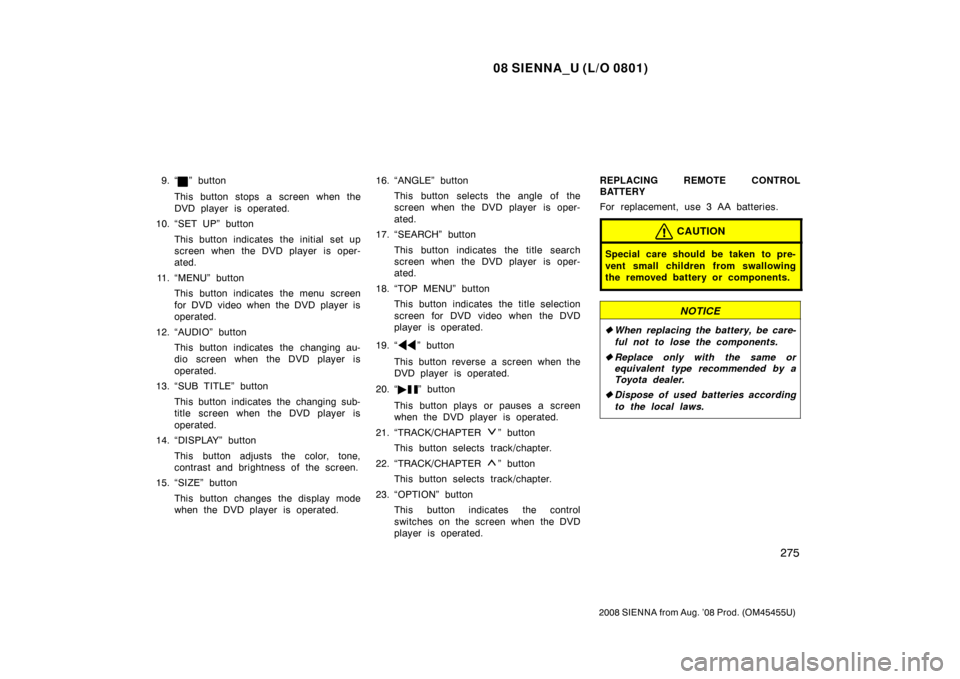
9. “” button
This button stops a screen when the
DVD player is operated.
10. “SET UP” button
This button indicates the initial set up
screen when the DVD player is oper-
ated.
11. “MENU” button This button indicates the menu screen
for DVD video when the DVD player is
operated.
12. “AUDIO” button This button indicates the changing au-
dio screen when the DVD player is
operated.
13. “SUB TITLE” button
This button indicates the changing sub-
title screen when the DVD player is
operated.
14. “DISPLAY” button
This button adjusts the color, tone,
contrast and brightness of the screen.
15. “SIZE” button
This button changes the display mode
when the DVD player is operated. 16. “ANGLE” button
This button selects the angle of the
screen when the DVD player is oper-
ated.
17. “SEARCH” button
This button indicates the title search
screen when the DVD player is oper-
ated.
18. “TOP MENU” button This button indicates the title selection
screen for DVD video when the DVD
player is operated.
19. “
” button
This button reverse a screen when the
DVD player is operated.
20. “ �
” button
This button plays or pauses a screen
when the DVD player is operated.
21. “TRACK/CHAPTER
” button
This button selects track/chapter.
22. “TRACK/CHAPTER
” button
This button selects track/chapter.
23. “OPTION” button This button indicates the control
switches on the screen when the DVD
player is operated. REPLACING REMOTE CONTROL
BATTERY
For replacement, use 3 AA batteries.
CAUTION
Special care should be taken to pre-
vent small children from swallowing
the removed battery or components.
NOTICE
�
When replacing the battery, be care-
ful not to lose the components.
� Replace only with the same or
equivalent type recommended by a
Toyota dealer.
� Dispose of used batteries according
to the local laws.
Page 284 of 572
08 SIENNA_U (L/O 0801)
276
2008 SIENNA from Aug. ’08 Prod. (OM45455U)
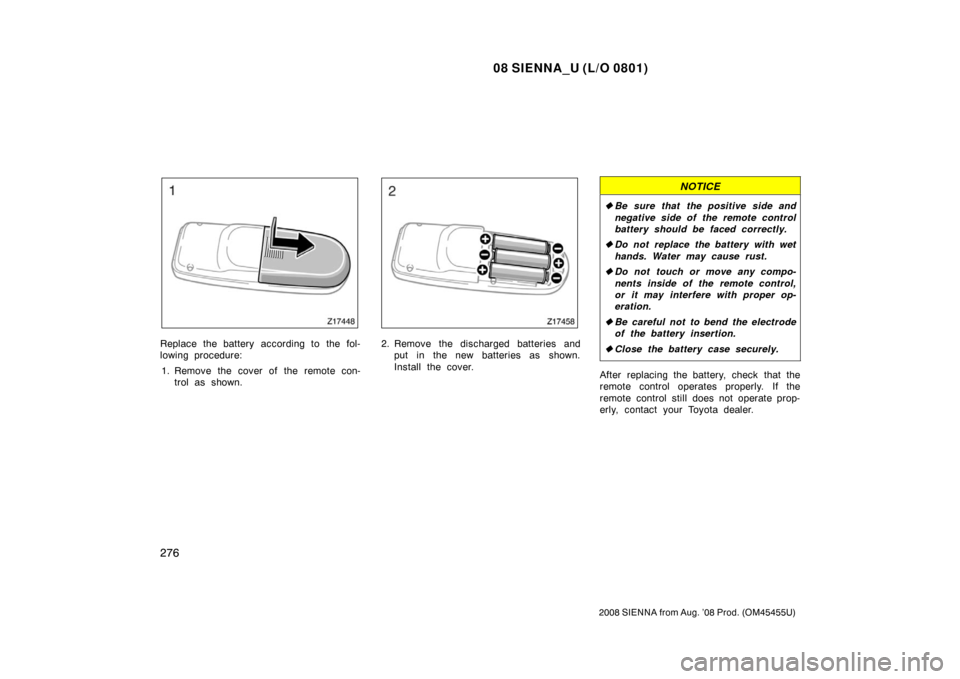
Replace the battery according to the fol-
lowing procedure:1. Remove the cover of the remote con- trol as shown.2. Remove the discharged batteries andput in the new batteries as shown.
Install the cover.
NOTICE
�Be sure that the positive side and
negative side of the remote control
battery should be faced correctly.
� Do not replace the battery with wet
hands. Water may cause rust.
� Do not touch or move any compo-
nents inside of the remote control,
or it may interfere with proper op-
eration.
� Be careful not to bend the electrode
of the battery insertion.
� Close the battery case securely.
After replacing the battery, check that the
remote control operates properly. If the
remote control still does not operate prop-
erly, contact your Toyota dealer.
Page 286 of 572
08 SIENNA_U (L/O 0801)
278
2008 SIENNA from Aug. ’08 Prod. (OM45455U)
7. “DISC” indicator lightThis light indicates that the disc is
loaded.
8. “
” button
This button ejects a disc.
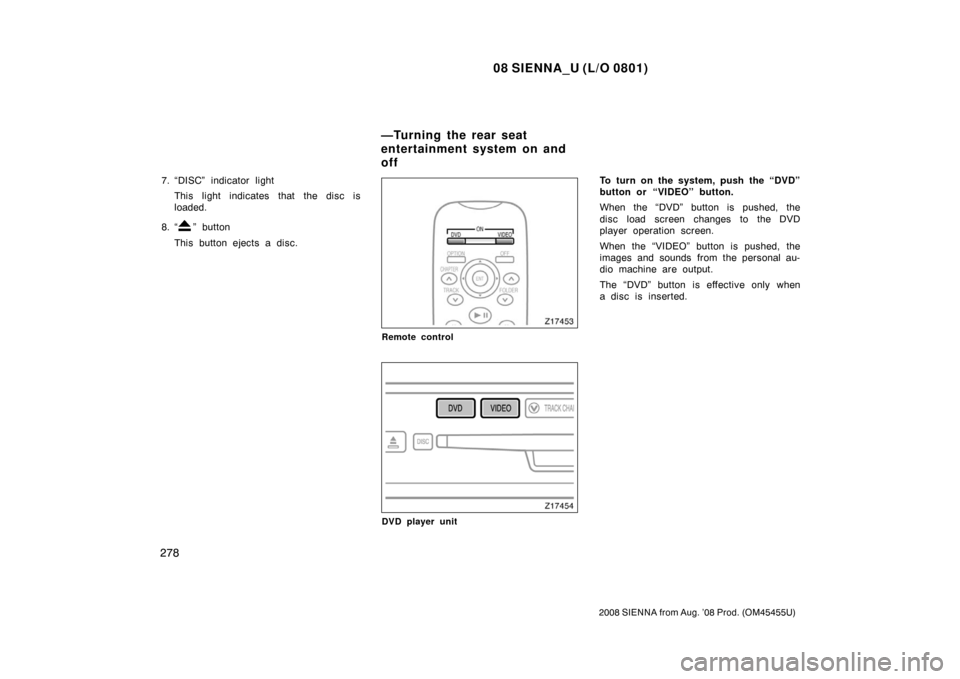
Remote control
DVD player unit
To turn on the system, push the “DVD”
button or “VIDEO” button.
When the “DVD” button is pushed, the
disc load screen changes to the DVD
player operation screen.
When the “VIDEO” button is pushed, the
images and sounds from the personal au-
dio machine are output.
The “DVD” button is effective only when
a disc is inserted.
—Turning the rear seat
entertainment system on and
off
Page 288 of 572
08 SIENNA_U (L/O 0801)
280
2008 SIENNA from Aug. ’08 Prod. (OM45455U)
The audio system controls in the instru-
ment panel allow the operation of the rear
seat entertainment system by rear seat
passengers to be disabled.
Turning on the rear system lock prevents
small children from using the remote con-
troller or operation panel of the DVD play-
er unit to operate the rear seat entertain-
ment system during driving.
Turn the audio system on. Push the
“AUDIO CONTROL” knob repeatedly until
“RSE” is displayed. Then, turn the “AUDIO
CONTROL” knob until “ON” is displayed,
and then push the “AUDIO CONTROL”
knob.
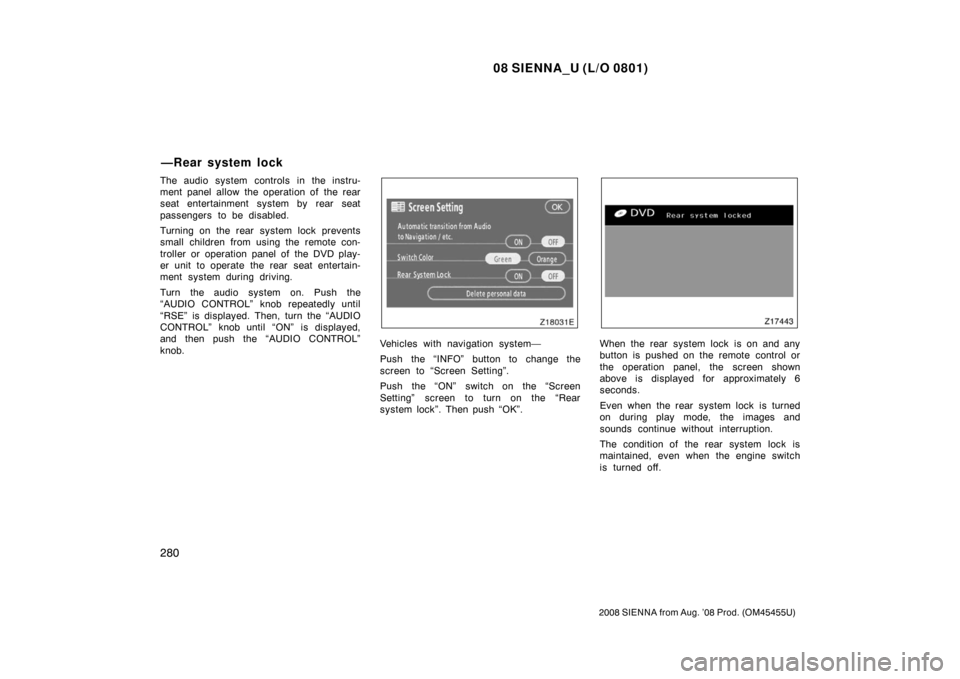
Vehicles with navigation system—
Push the “INFO” button to change the
screen to “Screen Setting”.
Push the “ON” switch on the “Screen
Setting” screen to turn on the “Rear
system lock”. Then push “OK”.When the rear system lock is on and any
button is pushed on the remote control or
the operation panel, the screen shown
above is displayed for approximately 6
seconds.
Even when the rear system lock is turned
on during play mode, the images and
sounds continue without interruption.
The condition of the rear system lock is
maintained, even when the engine switch
is turned off.
—Rear system lock
Page 290 of 572
08 SIENNA_U (L/O 0801)
282
2008 SIENNA from Aug. ’08 Prod. (OM45455U)
8 cm (3 in.) compact disc singles
Your compact disc player needs an adap-
tor to play compact disc singles. Compact
disc singles are about 8 cm (3 in.) in
diameter−smaller than standard di scs.
EJECTING THE DISC
Push the “
” button.
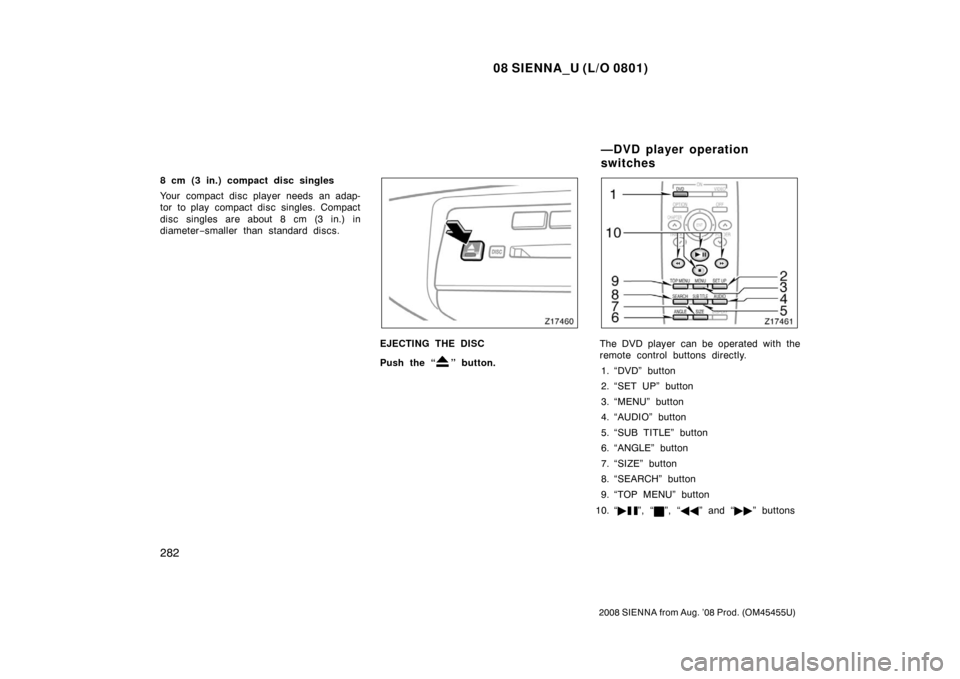
The DVD player can be operated with the
remote control buttons directly.
1. “DVD” button
2. “SET UP” button
3. “MENU” button
4. “AUDIO” button
5. “SUB TITLE” button
6. “ANGLE” button
7. “SIZE” button
8. “SEARCH” button
9. “TOP MENU” button
10. “ �
”, “”, “�� ” and “�� ” buttons
—DVD player operation
switches
Page 291 of 572
08 SIENNA_U (L/O 0801)
283
2008 SIENNA from Aug. ’08 Prod. (OM45455U)
Remote control
DVD player unit
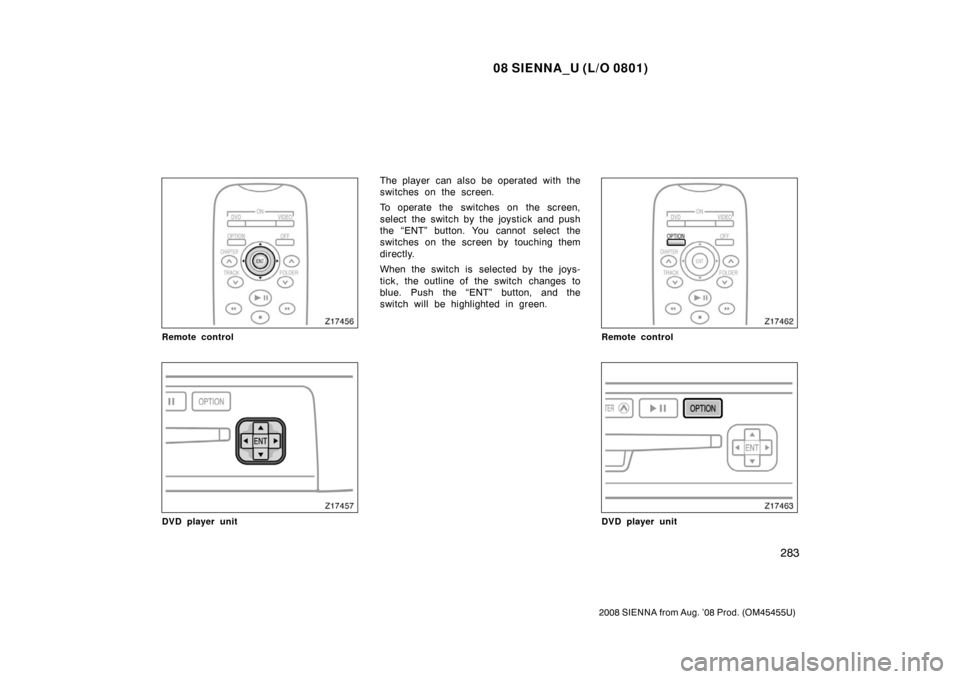
The player can also be operated with the
switches on the screen.
To operate the switches on the screen,
select the switch by the joystick and push
the “ENT” button. You cannot select the
switches on the screen by touching them
directly.
When the switch is selected by the joys-
tick, the outline of the switch changes to
blue. Push the “ENT” button, and the
switch will be highlighted in green.
Remote control
DVD player unit
Page 293 of 572
08 SIENNA_U (L/O 0801)
285
2008 SIENNA from Aug. ’08 Prod. (OM45455U)
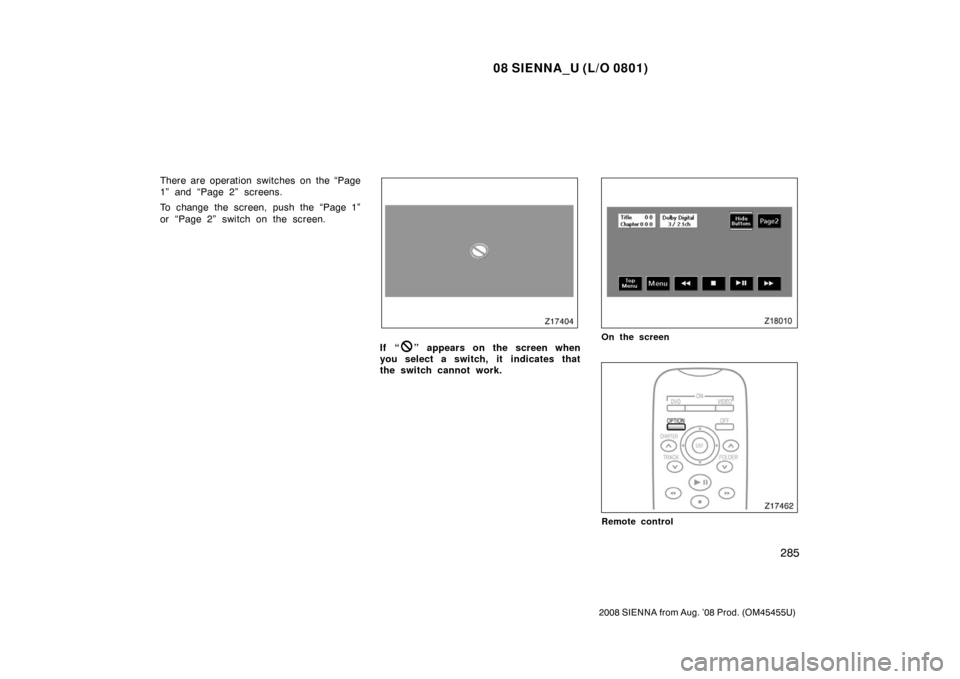
There are operation switches on the “Page
1” and “Page 2” screens.
To change the screen, push the “Page 1”
or “Page 2” switch on the screen.
If “” appears on the screen when
you select a switch, it indicates that
the switch cannot work.On the screen
Remote control
Page 294 of 572
08 SIENNA_U (L/O 0801)
286
2008 SIENNA from Aug. ’08 Prod. (OM45455U)
DVD player unit
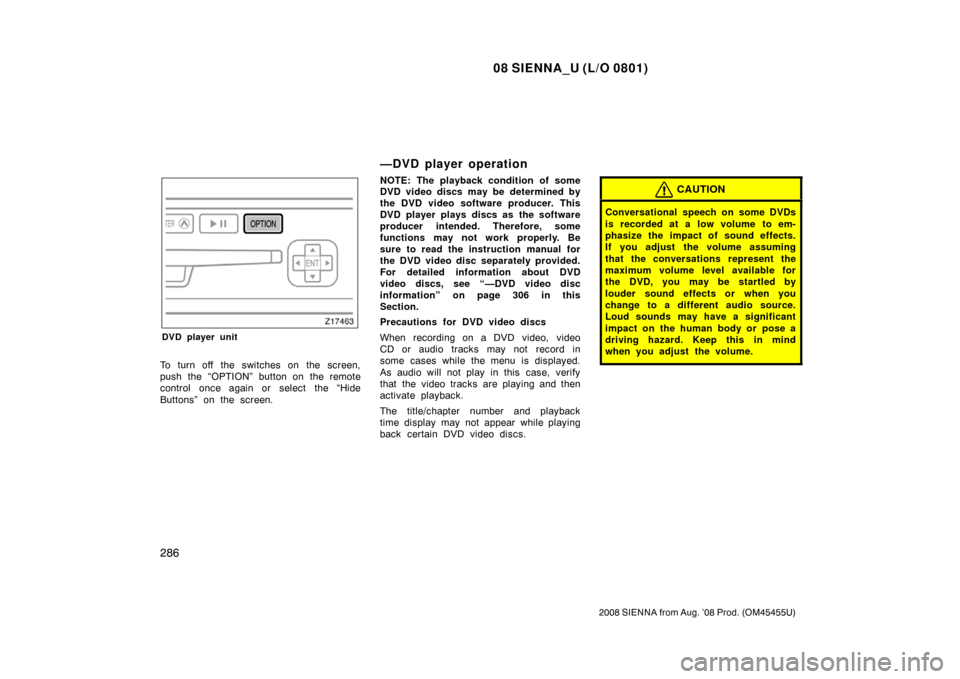
To turn off the switches on the screen,
push the “OPTION” button on the remote
control once again or select the “Hide
Buttons” on the screen.
—DVD player operation
NOTE: The playback condition of some
DVD video discs may be determined by
the DVD video software producer. This
DVD player plays discs as the software
producer intended. Therefore, some
functions may not work properly. Be
sure to read the instruction manual for
the DVD video disc separately provided.
For detailed information about DVD
video discs, see “—DVD video disc
information” on page 306 in this
Section.
Precautions for DVD video discs
When recording on a DVD video, video
CD or audio tracks may not record in
some cases while the menu is displayed.
As audio will not play in this case, verify
that the video tracks are playing and then
activate playback.
The title/chapter number and playback
time display may not appear while playing
back certain DVD video discs.CAUTION
Conversational speech on some DVDs
is recorded at a low volume to em-
phasize the impact of sound effects.
If you adjust the volume assuming
that the conversations represent the
maximum volume level available for
the DVD, you may be startled by
louder sound effects or when you
change to a different audio source.
Loud sounds may have a significant
impact on the human body or pose a
driving hazard. Keep this in mind
when you adjust the volume.