Page 187 of 572
08 SIENNA_U (L/O 0801)
179
2008 SIENNA from Aug. ’08 Prod. (OM45455U)
Personal light main switch
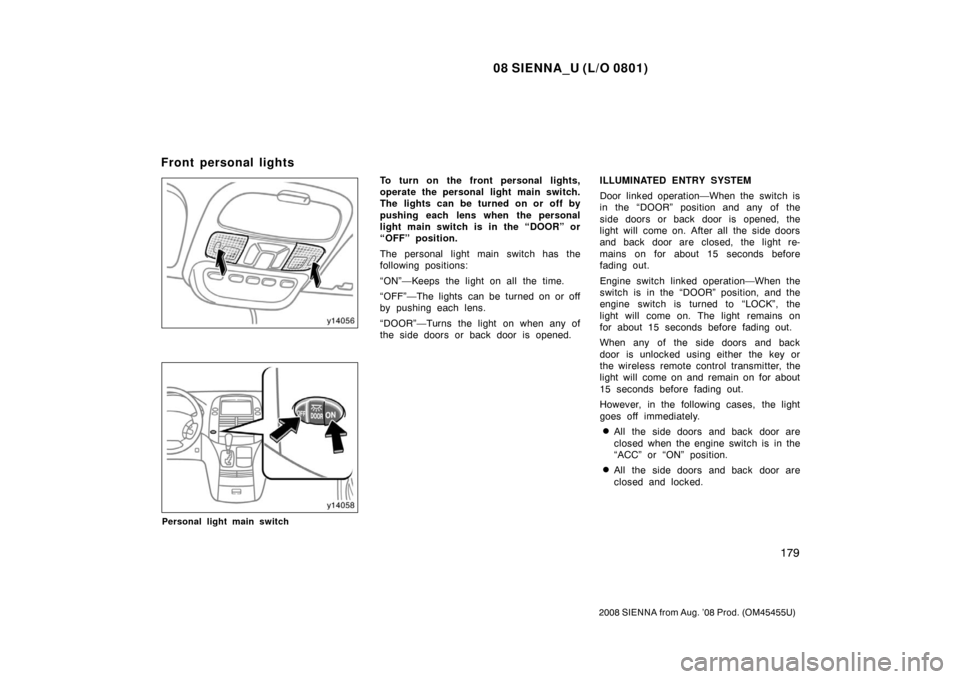
To turn on the front personal lights,
operate the personal light main switch.
The lights can be turned on or off by
pushing each lens when the personal
light main switch is in the “DOOR” or
“OFF” position.
The personal light main switch has the
following positions:
“ON”—Keeps the light on all the time.
“OFF”—The lights can be turned on or off
by pushing each lens.
“DOOR”—Turns the light on when any of
the side doors or back door is opened.ILLUMINATED ENTRY SYSTEM
Door linked operation—When the switch is
in the “DOOR” position and any of the
side doors or back door is opened, the
light will come on. After all the side doors
and back door are closed, the light re-
mains on for about 15 seconds before
fading out.
Engine switch linked operation—When the
switch is in the “DOOR” position, and the
engine switch is turned to “LOCK”, the
light will come on. The light remains on
for about 15 seconds before fading out.
When any of the side doors and back
door is unlocked using either the key or
the wireless remote control transmitter, the
light will come on and remain on for about
15 seconds before fading out.
However, in the following cases, the light
goes off immediately.
�All the side doors and back door are
closed when the engine switch is in the
“ACC” or “ON” position.
�All the side doors and back door are
closed and locked.
Front personal lights
Page 188 of 572
08 SIENNA_U (L/O 0801)
180
2008 SIENNA from Aug. ’08 Prod. (OM45455U)
The following adjustments can be made in
this system. For details, contact your
Toyota dealer.
�Cancelling the door key or the wireless
remote control transmitter linked opera-
tion
�Cancelling the engine switch linked op-
eration.
�Changing the duration of lighting
To prevent the battery being discharged,
the lights will automatically turn off when
the key is removed and the door is left
opened with the switch at the “DOOR”
position for 20 minutes or more.
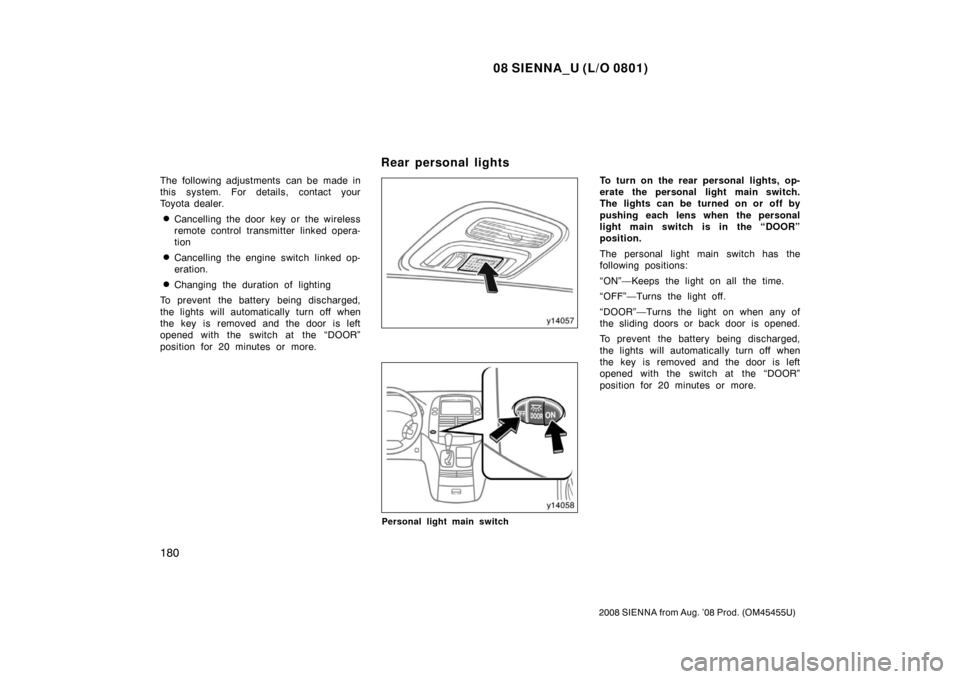
Personal light main switch
To turn on the rear personal lights, op-
erate the personal light main switch.
The lights can be turned on or off by
pushing each lens when the personal
light main switch is in the “DOOR”
position.
The personal light main switch has the
following positions:
“ON”—Keeps the light on all the time.
“OFF”—Turns the light off.
“DOOR”—Turns the light on when any of
the sliding doors or back door is opened.
To prevent the battery being discharged,
the lights will automatically turn off when
the key is removed and the door is left
opened with the switch at the “DOOR”
position for 20 minutes or more.
Rear personal lights
Page 190 of 572
08 SIENNA_U (L/O 0801)
182
2008 SIENNA from Aug. ’08 Prod. (OM45455U)
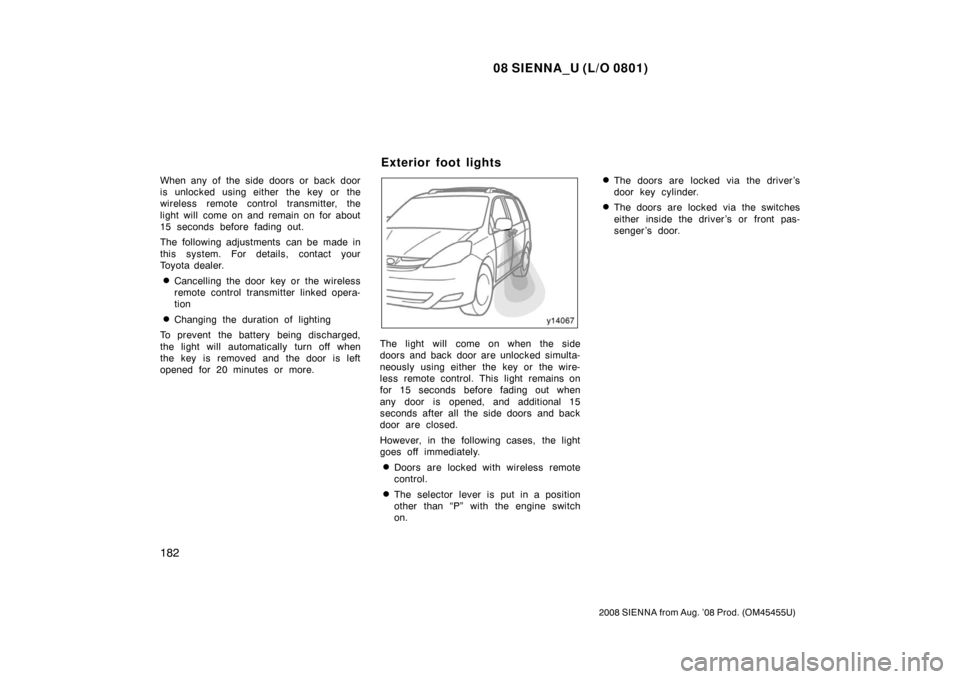
When any of the side doors or back door
is unlocked using either the key or the
wireless remote control transmitter, the
light will come on and remain on for about
15 seconds before fading out.
The following adjustments can be made in
this system. For details, contact your
Toyota dealer.
�Cancelling the door key or the wireless
remote control transmitter linked opera-
tion
�Changing the duration of lighting
To prevent the battery being discharged,
the light will automatically turn off when
the key is removed and the door is left
opened for 20 minutes or more.
The light will come on when the side
doors and back door are unlocked simulta-
neously using either the key or the wire-
less remote control. This light remains on
for 15 seconds before fading out when
any door is opened, and additional 15
seconds after all the side doors and back
door are closed.
However, in the following cases, the light
goes off immediately.
�Doors are locked with wireless remote
control.
�The selector lever is put in a position
other than “P” with the engine switch
on.
�The doors are locked via the driver ’s
door key cylinder.
�The doors are locked via the switches
either inside the driver ’s or front pas-
senger ’s door.
Exterior foot lights
Page 249 of 572
08 SIENNA_U (L/O 0801)
241
2008 SIENNA from Aug. ’08 Prod. (OM45455U)
OPERATION OF INSTRUMENTS AND
CONTROLS
Audio system
Reference242
. . . . . . . . . . . . . . . . . . . . . . . . . . . . . . . . . . . . .\
. . . . . . . . . . . .
Using your audio system 242
. . . . . . . . . . . . . . . . . . . . . . . . . . . . . . . . . . . . \
AUX adapter 264
. . . . . . . . . . . . . . . . . . . . . . . . . . . . . . . . . . . . \
. . . . . . . . . . .
Audio remote controls 265
. . . . . . . . . . . . . . . . . . . . . . . . . . . . . . . . . . . . \
. . .
Rear seat entertainment system 268
. . . . . . . . . . . . . . . . . . . . . . . . . . . . . .
Audio/video system operating hints 309
. . . . . . . . . . . . . . . . . . . . . . . . . . .
Hands −free phone system 316
. . . . . . . . . . . . . . . . . . . . . . . . . . . . . . . . . . .
For vehicle equipped with Navigation system, please refer to the
separate “Navigation System Owner’s Manual”.
SECTION 1 8
Page 273 of 572
08 SIENNA_U (L/O 0801)
265
2008 SIENNA from Aug. ’08 Prod. (OM45455U)
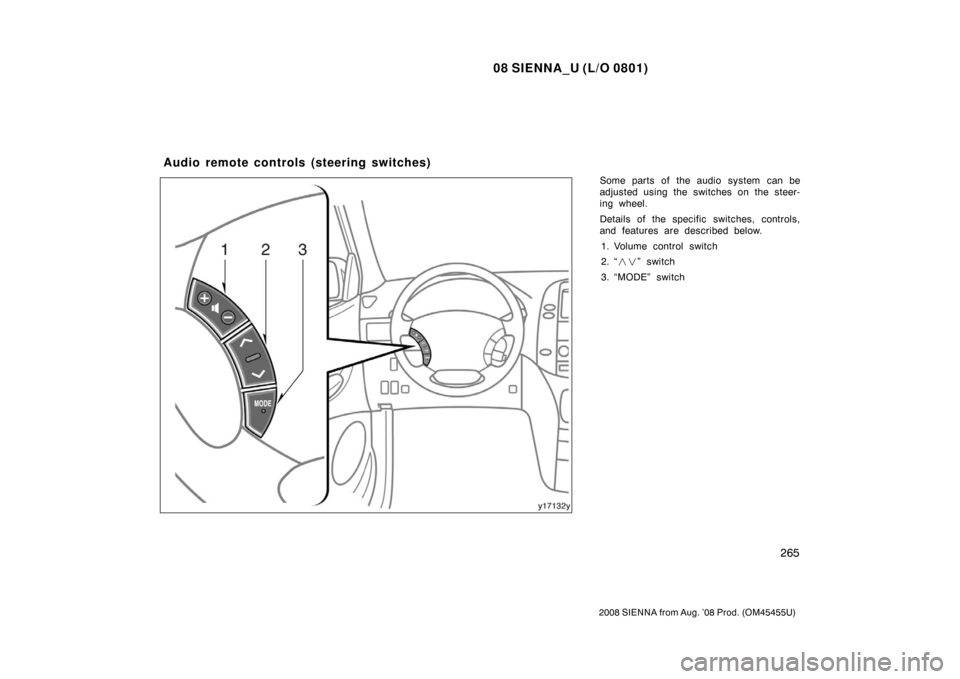
Some parts of the audio system can be
adjusted using the switches on the steer-
ing wheel.
Details of the specific switches, controls,
and features are described below.1. Volume control switch
2. “ ��” switch
3. “MODE” switch
Audio remote controls (steering switches)
Page 279 of 572
08 SIENNA_U (L/O 0801)
271
2008 SIENNA from Aug. ’08 Prod. (OM45455U)
NOTICE
�Benzene or alkaline solutions may
damage the coated surface of the
screen .
� To prevent the battery from being
discharged, do not turn on the rear
seat entertainment system longer
than necessary when the engine is
not running.
The rear seat entertainment system can
be operated with the rear seat entertain-
ment system remote control and buttons
on the DVD player unit. The system can-
not be operated by touching the switches
on the screen directly.
CAUTION
Do not disassemble or modify the re-
mote control. It may cause an acci-
dent, fire or electric shock.
NOTICE
Keep the remote control away from
direct sunlight, high heat and high
humidity. These conditions could
cause the case to deform or the bat-
tery to explode or leak.
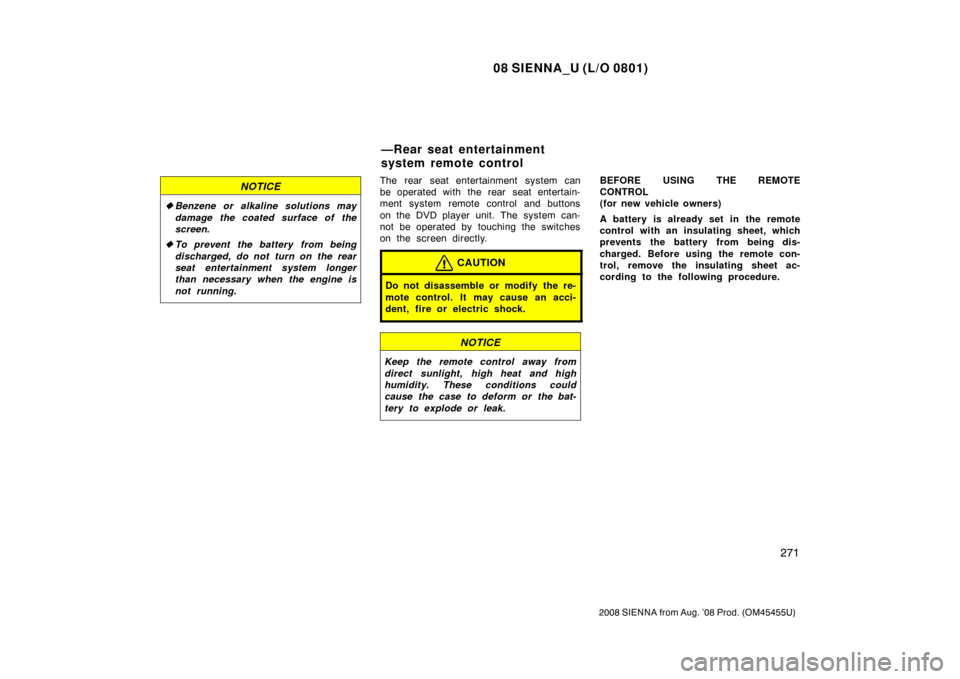
BEFORE USING THE REMOTE
CONTROL
(for new vehicle owners)
A battery is already set in the remote
control with an insulating sheet, which
prevents the battery from being dis-
charged. Before using the remote con-
trol, remove the insulating sheet ac-
cording to the following procedure.
—Rear seat entertainment
system remote control
Page 281 of 572
08 SIENNA_U (L/O 0801)
273
2008 SIENNA from Aug. ’08 Prod. (OM45455U)
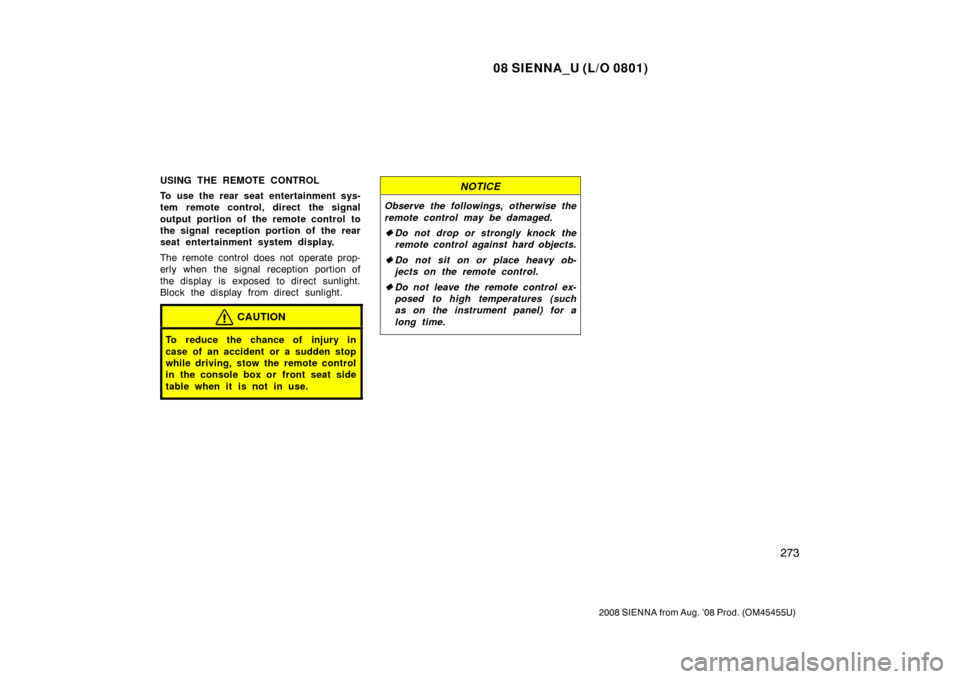
USING THE REMOTE CONTROL
To use the rear seat entertainment sys-
tem remote control, direct the signal
output portion of the remote control to
the signal reception portion of the rear
seat entertainment system display.
The remote control does not operate prop-
erly when the signal reception portion of
the display is exposed to direct sunlight.
Block the display from direct sunlight.
CAUTION
To reduce the chance of injury in
case of an accident or a sudden stop
while driving, stow the remote control
in the console box or front seat side
table when it is not in use.
NOTICE
Observe the followings, otherwise the
remote control may be damaged.
�Do not drop or strongly knock the
remote control against hard objects.
� Do not sit on or place heavy ob-
jects on the remote control.
� Do not leave the remote control ex-
posed to high temperatures (such
as on the instrument panel) for a
long time.
Page 282 of 572
08 SIENNA_U (L/O 0801)
274
2008 SIENNA from Aug. ’08 Prod. (OM45455U)
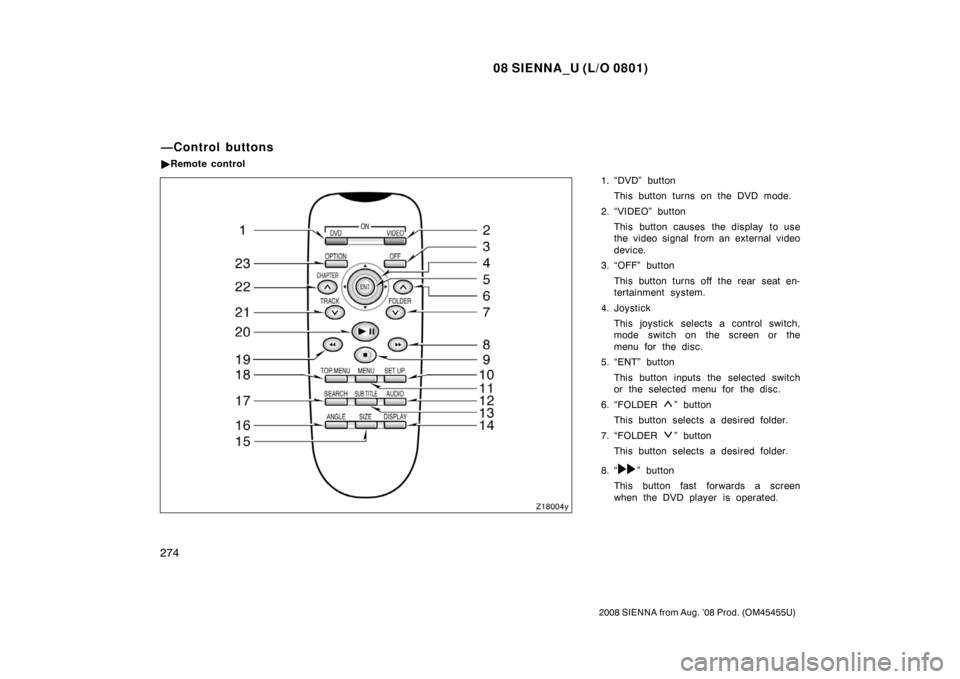
1. “DVD” buttonThis button turns on the DVD mode.
2. “VIDEO” button This button causes the display to use
the video signal from an external video
device.
3. “OFF” button
This button turns off the rear seat en-
tertainment system.
4. Joystick This joystick selects a control switch,
mode switch on the screen or the
menu for the disc.
5. “ENT” button
This button inputs the selected switch
or the selected menu for the disc.
6. “FOLDER
” button
This button selects a desired folder.
7. “FOLDER
” button
This button selects a desired folder.
8. “
” button
This button fast forwards a screen
when the DVD player is operated.
—Control buttons
� Remote control