OTHER FUNCTIONS
167
(d) Delete personal data
The following personal data can be de-
leted or returned to their default settings:
�Maintenance conditions
�Maintenance information “off” setting
�Memory points
�Areas to avoid
�Previous points
�Route trace
�User selection settings
�Phone book data
�Dialed numbers and received calls
�Speed dial
�Bluetooth� phone data
�Security code
This function is available only when the
vehicle is not moving.
1. Touch “Delete personal data”. The
“Delete personal data” screen appears.2. Touch “Delete”. The “Confirmation to
delete all personal data” screen appears.
3. Touch “Yes”.
Finish
AUDIO/VIDEO SYSTEM
178
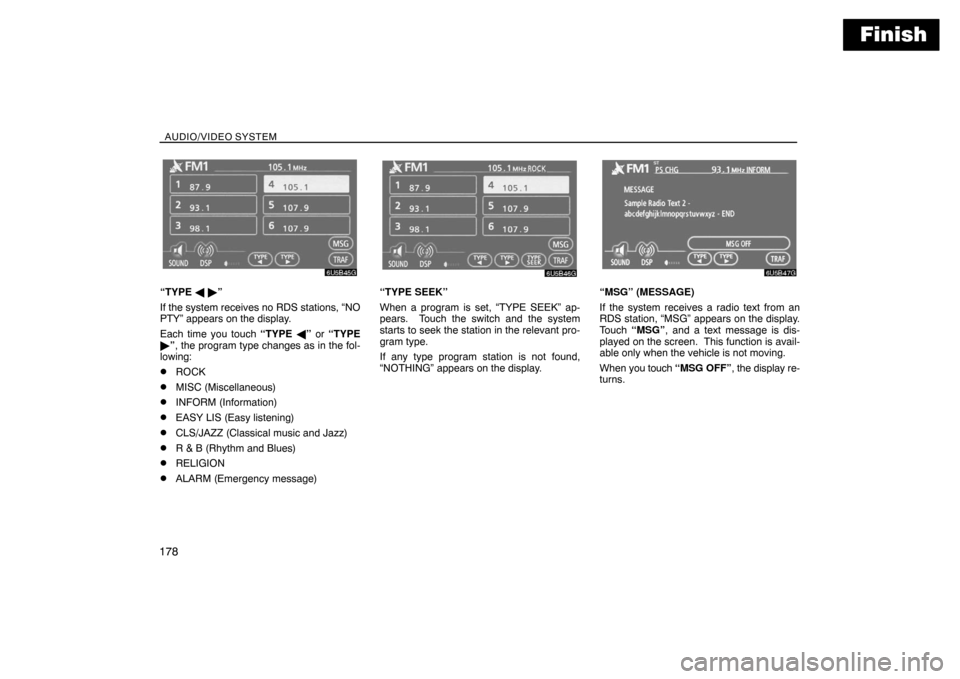
“TYPE � �”
If the system receives no RDS stations, “NO
PTY” appears on the display.
Each time you touch “TYPE �” or “TYPE
�”, the program type changes as in the fol-
lowing:
�ROCK
�MISC (Miscellaneous)
�INFORM (Information)
�EASY LIS (Easy listening)
�CLS/JAZZ (Classical music and Jazz)
�R & B (Rhythm and Blues)
�RELIGION
�ALARM (Emergency message)
“TYPE SEEK”
When a program is set, “TYPE SEEK” ap-
pears. Touch the switch and the system
starts to seek the station in the relevant pro-
gram type.
If any type program station is not found,
“NOTHING” appears on the display.“MSG” (MESSAGE)
If the system receives a radio text from an
RDS station, “MSG” appears on the display.
Touch “MSG”, and a text message is dis-
played on the screen. This function is avail-
able only when the vehicle is not moving.
When you touch “MSG OFF”, the display re-
turns.