Page 215 of 512
215
3-2. Using the air conditioning system and defogger
3
Interior features
PRIUS_U_(L/O_0802)
Using the steering wheel climate remote control switches
Using the automatic mode
Press .
The air conditioning system will operate, and air outlets and
fan speed will be set automatically.
“AUTO” will be displayed on the multi-information display. (if
equipped)
Press “” on to increase the temperature and “” to
decrease the temperature
.
Adjusting the temperature setting
Press
“” on to increase the temperature and “” to decrease
the temperature.
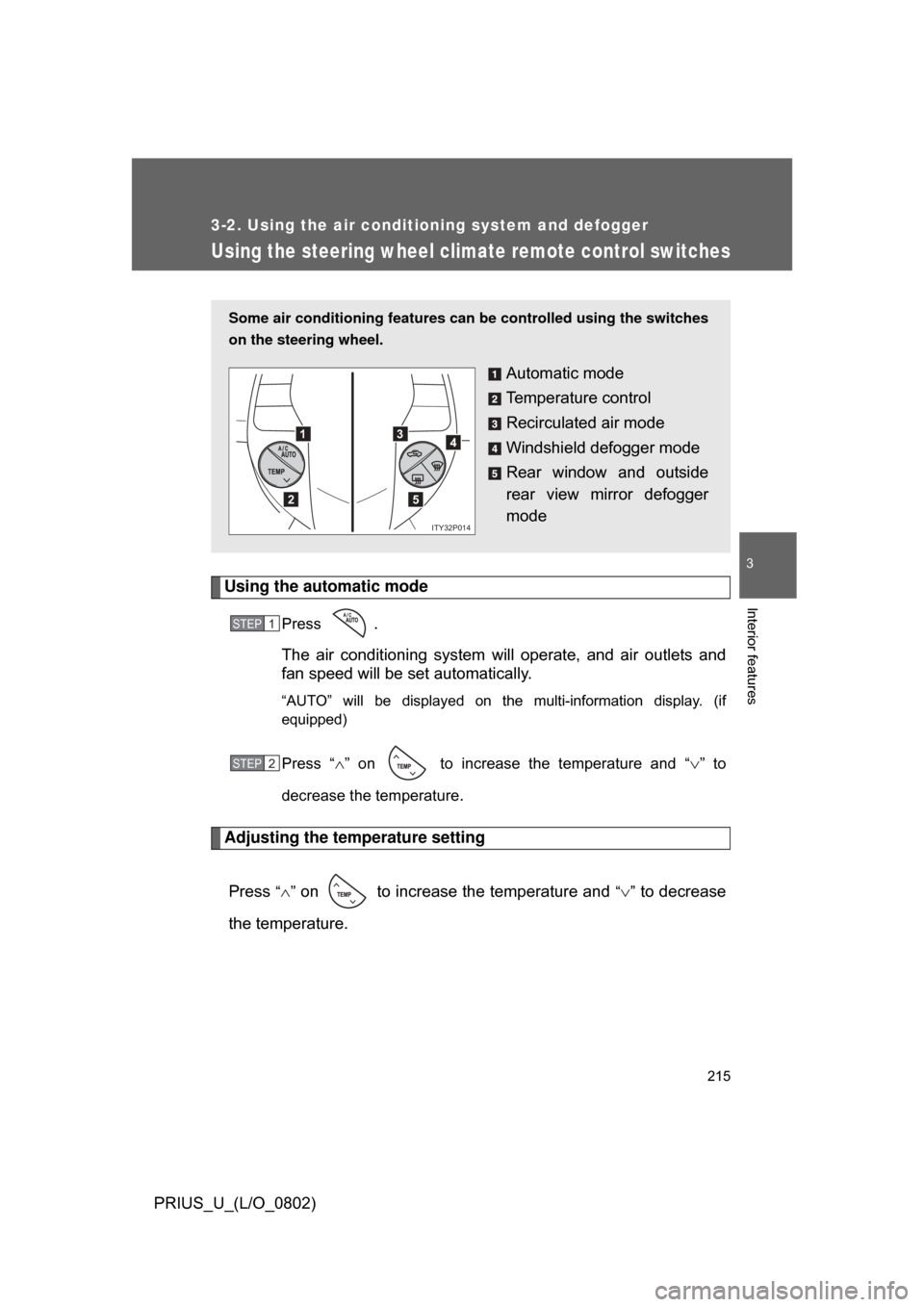
Some air conditioning features can be controlled using the switches
on the steering wheel.
Automatic mode
Temperature control
Recirculated air mode
Windshield defogger mode
Rear window and outside
rear view mirror defogger
mode
1
2
3
5
4
ITY32P014
STEP1
STEP2
Page 219 of 512
219
3
Interior features
PRIUS_U_(L/O_0802)
3-3. Using the audio system
Audio system type (Vehicle with AUX adapter)
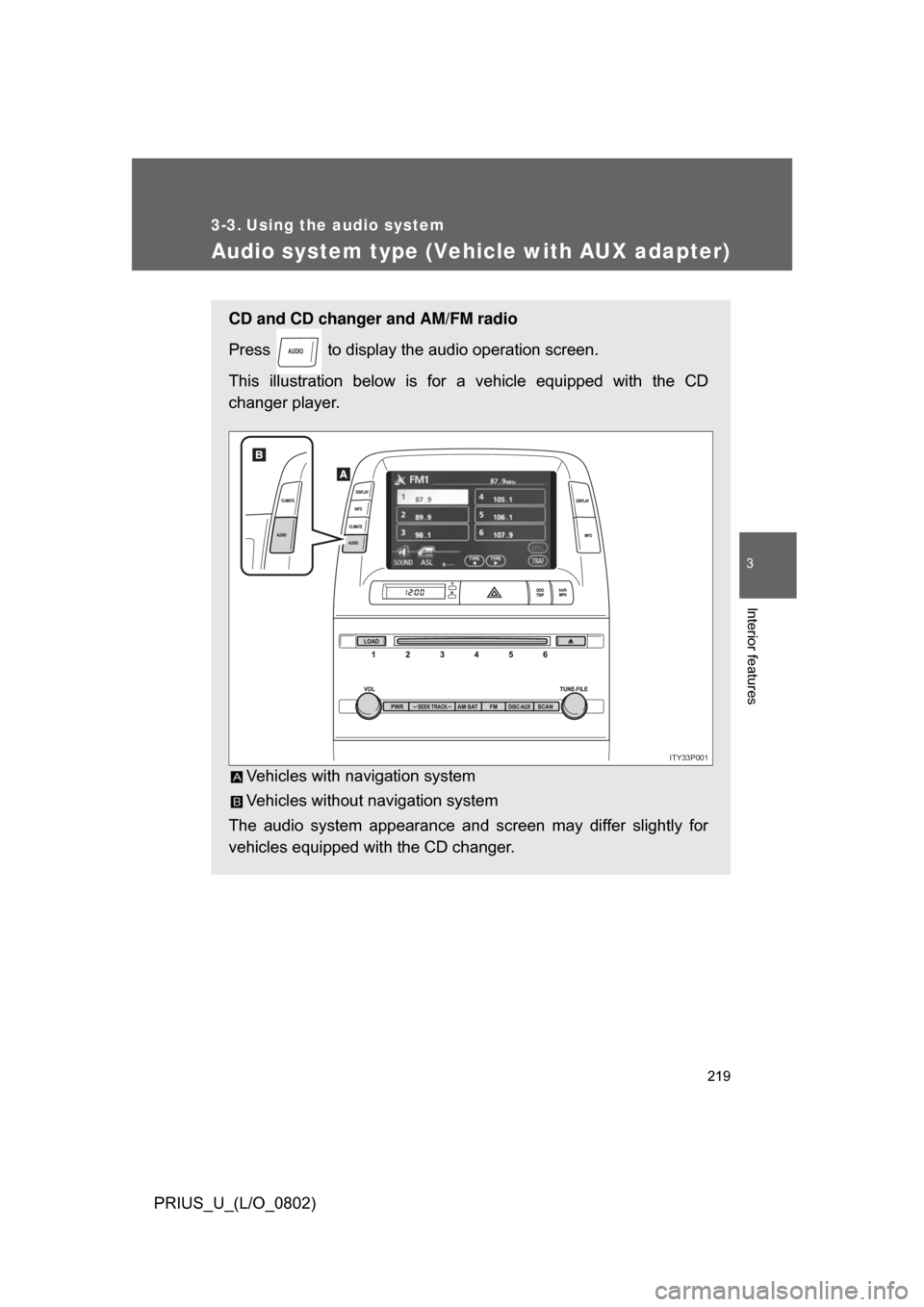
CD and CD changer and AM/FM radio
Press to display the audio operation screen.
This illustration below is for a vehicle equipped with the CD
changer player.
Vehicles with navigation system
Vehicles without navigation system
The audio system appearance and screen may differ slightly for
vehicles equipped with the CD changer.
AUDIO
ITY33P001
Page 222 of 512
222
3-3. Using the audio system
PRIUS_U_(L/O_0802)
Audio system type (Vehicle without AUX adapter)
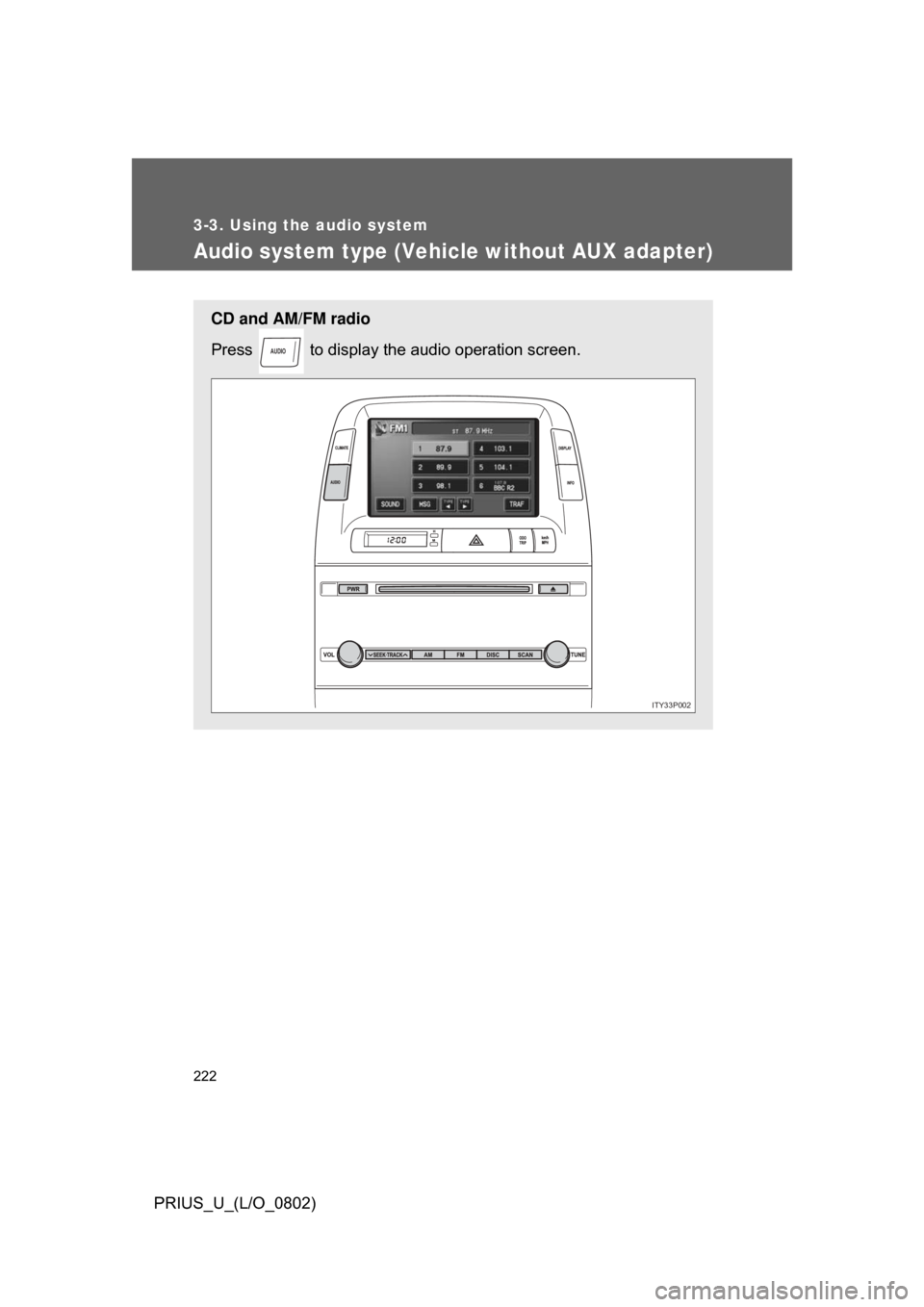
CD and AM/FM radio
Press to display the audio operation screen.
AUDIO
ITY33P002
Page 225 of 512
225
3-3. Using the audio system
3
Interior features
PRIUS_U_(L/O_0802)
Using the radio (vehicle with AUX adapter)
Press or to choose either an AM or FM band.
When you press while listening to the radio, the following
audio control screen appears.
This illustration is a vehicle not equipped with the CD changer
AUDIO
ITY33P003
Display audio
control
Power
Vo l u m e Scan for
receivable
stations
Seek
frequency Adjust the
frequency
(AM, FM
mode)
or channel
(SAT mode)
AM SAT/FM mode buttons Preset stations
Scan for
receivable
stations
(AM mode only)
Page 228 of 512
228 3-3. Using the audio system
PRIUS_U_(L/O_0802)The type of program changes each time the button is pressed.
●
ROCK
● EASYLIS (Easy listening)
● CLS/JAZZ (Classical music and Jazz)
● R & B (Rhythm and Blues)
● INFORM (Information)
● RELIGION
● MISC (Miscellaneous)
● ALARM (Emergency messages)
If the system receives no RDS stations, “NO PTY” appears on the display.
When a program is set, “TYPE SEEK” appears.
Touch on the screen or press or on .
The radio seeks or scans the station by the relevant program type.
If no radio station of that type is found, “NOTHING” appears on the
screen.
■ Displaying radio text messages
Touch on the screen.
If “MSG” appears on the screen,
a text message may be dis-
played.
STEP2
Page 229 of 512
229
3-3. Using the audio system
3
Interior features
PRIUS_U_(L/O_0802)
■
Traffic announcement
Touch on the screen.
“TRAF SEEK” appears on the dis-
play, and the radio will start seek-
ing any station broadcasting
traffic program information.
If no traffic program station is
found, “NOTHING” appears on
the display.
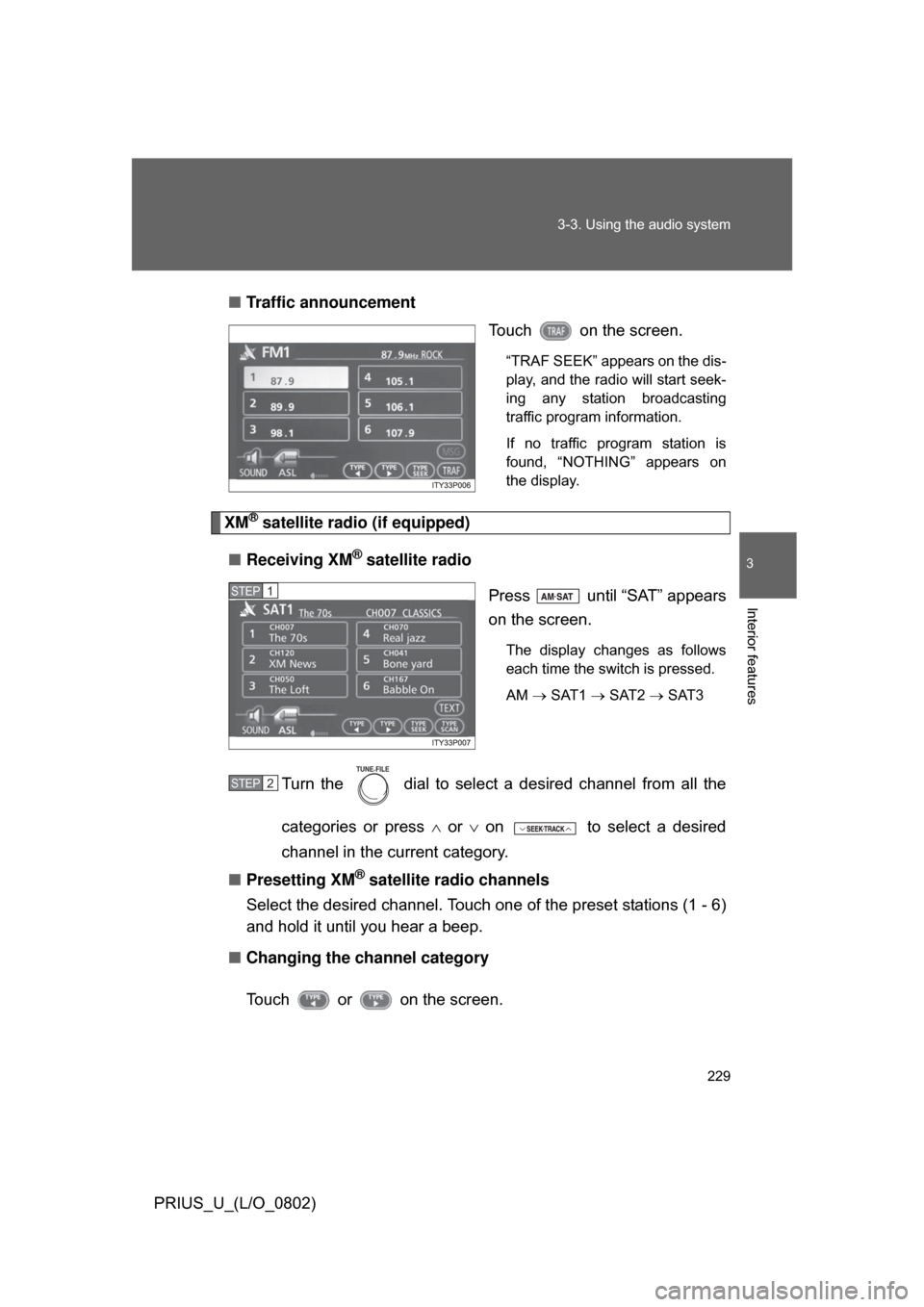
XM® satellite radio (if equipped)
■ Receiving XM
® satellite radio
Press until “SAT” appears
on the screen.
The display changes as follows
each time the switch is pressed.
AM SAT1 SAT2 SAT3
Turn the dial to select a desired channel from all the
categories or press or on to select a desired
channel in the current category.
■ Presetting XM
® satellite radio channels
Select the desired channel. Touch one of the preset stations (1 - 6)
and hold it until you hear a beep.
■ Changing the channel category
Touch or on the screen.
STEP1
STEP2
TUNE FILE
Page 230 of 512
230 3-3. Using the audio system
PRIUS_U_(L/O_0802)■
Scanning XM
® satellite radio channels
● Scanning channels in the current category
Touch on the screen or press .
“SCAN” appears on the screen.
When the desired channel is reached, touch orpress the button once again.
● Scanning preset channels
Touch on the screen or press and hold ituntil you hear a beep.
“P SCAN” appears on the screen.
When the desired channel is reached, touch or
press the button once again.
■ Displaying the title and artist name
Touch on the screen.
The screen will display up to 10
characters.
Touch the button once again to
return to the previous screen.
STEP1SCAN
STEP2
STEP1SCAN
67(3�
Page 234 of 512
234
3-3. Using the audio system
PRIUS_U_(L/O_0802)
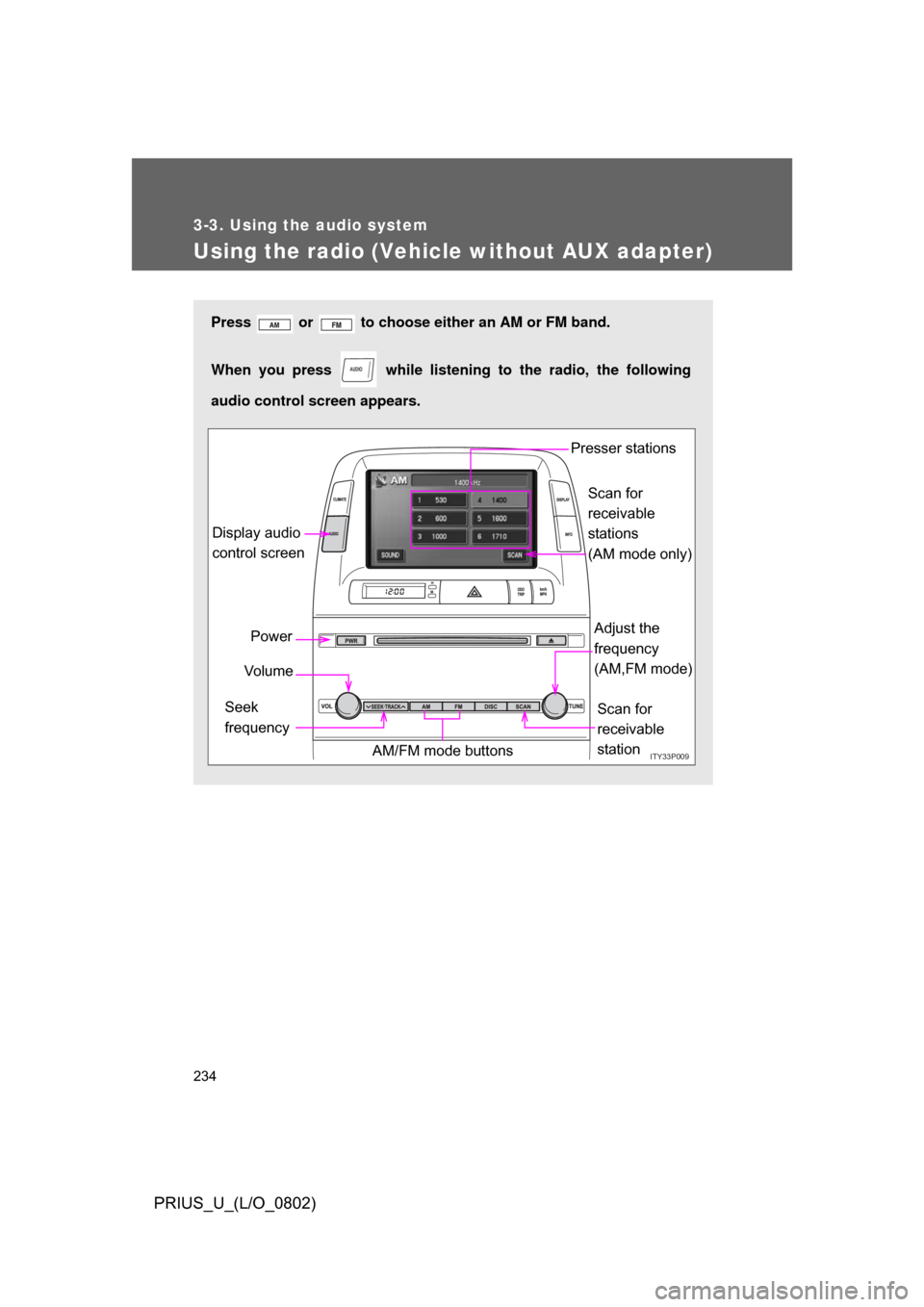
Using the radio (Vehicle without AUX adapter)
Press or to choose either an AM or FM band.
When you press while listening to the radio, the following
audio control screen appears.
AUDIO
ITY33P009
Display audio
control screen
Power
Vo l u m e
Scan for
receivable
station
Seek
frequency Adjust the
frequency
(AM,FM mode)
AM/FM mode buttons Presser stations
Scan for
receivable
stations
(AM mode only)