Page 288 of 512
288 3-4. Using the hands-free system
PRIUS_U_(L/O_0802)■
To refuse a call
Touch and hold .
■ To adjust the received call volume
Press the or . You can also adjust the volume using the
steering switches.
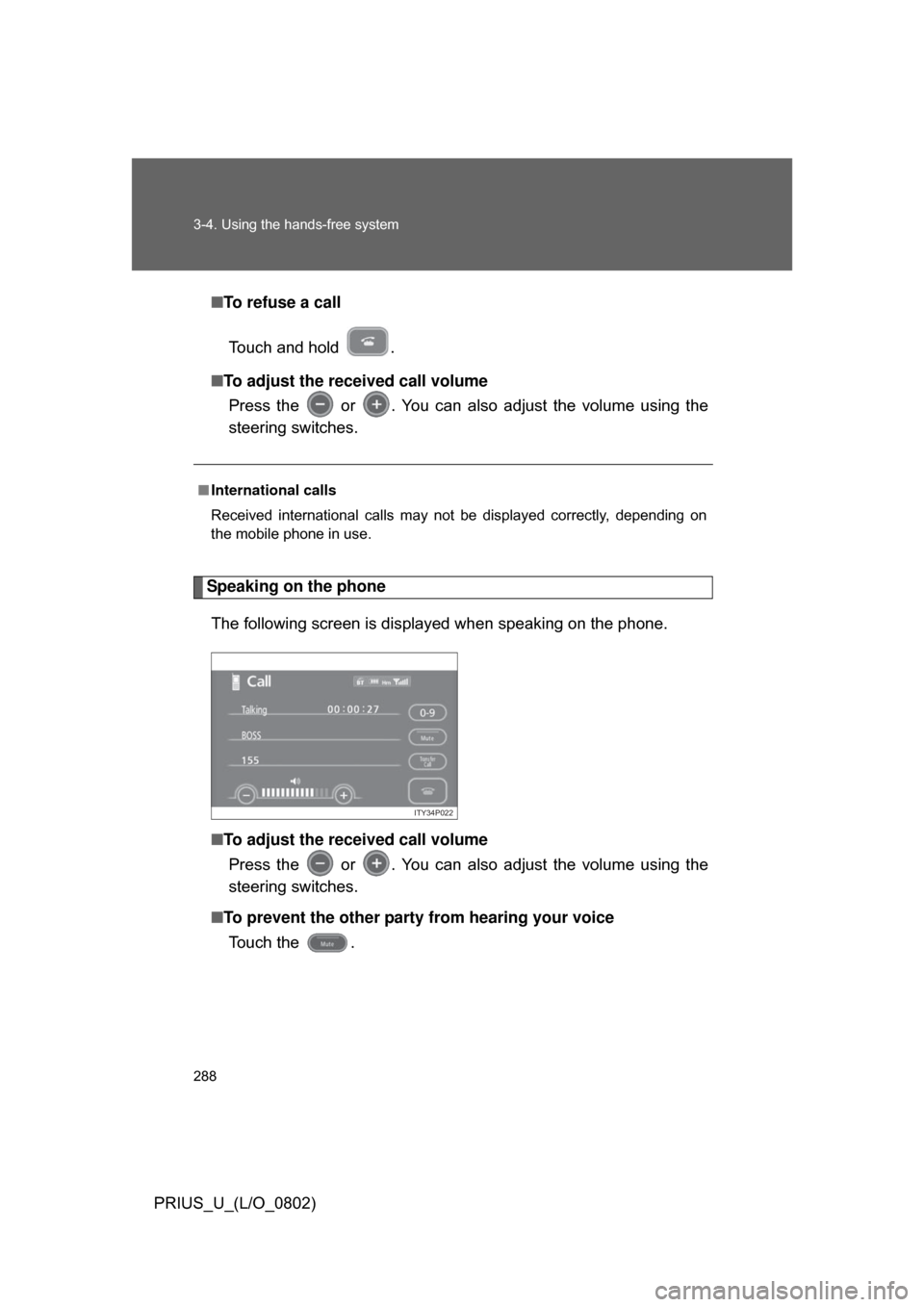
Speaking on the phone
The following screen is displayed when speaking on the phone.
■ To adjust the received call volume
Press the or . You can also adjust the volume using the
steering switches.
■ To prevent the other party from hearing your voice
Touch the .
■ International calls
Received international calls may not be displayed correctly, depending on
the mobile phone in use.
ITY34P022
Page 289 of 512
289
3-4. Using the hands-free system
3
Interior features
PRIUS_U_(L/O_0802)
■
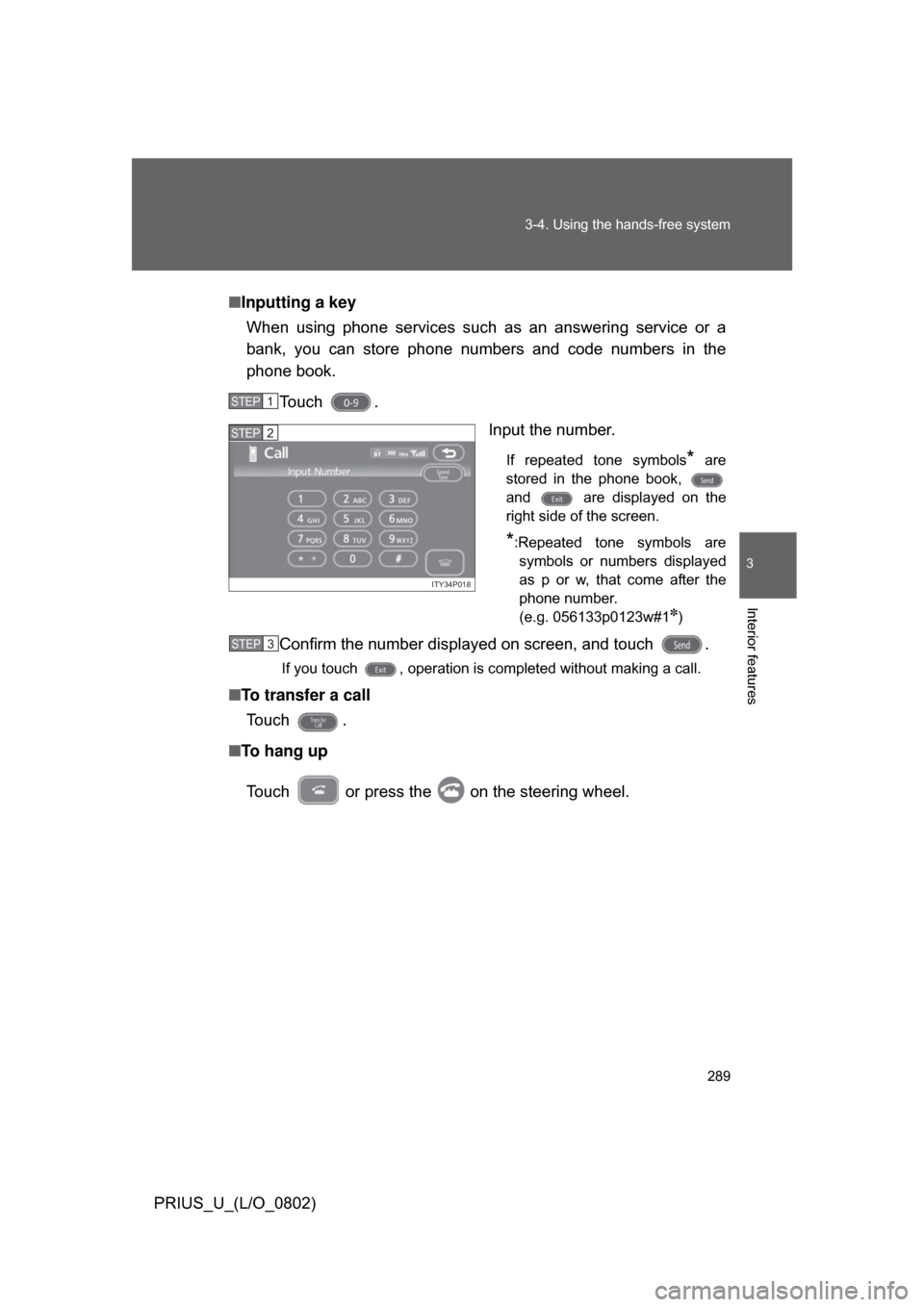
Inputting a key
When using phone services such as an answering service or a
bank, you can store phone numbers and code numbers in the
phone book.
Touch . Input the number.
If repeated tone symbols* are
stored in the phone book,
and are displayed on the
right side of the screen.
*:Repeated tone symbols are symbols or numbers displayed
as p or w, that come after the
phone number.
(e.g. 056133p0123w#1
✽)
Confirm the number displayed on screen, and touch .
If you touch , operation is completed without making a call.
■ To transfer a call
To u c h .
■ To hang up
Touch or press the on the steering wheel.
STEP1
ITY34P018
STEP2
STEP3
Page 290 of 512
290 3-4. Using the hands-free system
PRIUS_U_(L/O_0802)
■Transferring calls
● It is not possible to transfer from hands-free to the mobile phone while
driving.
● If you transfer from the mobile phone to hands-free, the hands-free
screen will be displayed, and you can operate the system using the
screen.
● Transfer method and operation may vary according to the mobile phone
used.
● For operation of the mobile phone in use, see the phone’s manual.
■ To send a tone by speed tone
Touch then touch . Choose the desired number from the
speed tone list displayed.
■ While driving
Key input is unavailable.
Page 291 of 512
291
3-4. Using the hands-free system
3
Interior features
PRIUS_U_(L/O_0802)
Setting the hands-free system
You can speed dial, register in and edit the phone book, and set the
Bluetooth
® phone.
Settings screen
To display the screen shown above, press , touch on
the “Information” screen, then touch on the “Telephone”
ITY34P024
Connection
Method
Page 294 of 512
294 3-4. Using the hands-free system
PRIUS_U_(L/O_0802)
Registering/Editing/Deleting a Speed Tone■ Registering a speed tone
You can register up to 6 items.
Press .
Touch on the “Inf ormation” screen.
Touch on the “Telephone” screen.
Touch on the “Settings” screen. Touch in the “Speed
To n e ” s e c t i o n .
Input the desired name and
touch .
, : Letter input
: Number/Symbol input: Space
: Backspace
■
To delete all speed dial items
Follow the steps for “Deleting a speed dial item” to “STEP 5”. In the “Speed
Dial” section of the “Speed Dial Settings” screen, touch the . A confir-
mation message will be displayed. If everything is correct, touch .
STEP1
STEP2
STEP3
STEP4
ITY34P029
STEP5
ITY34P030
STEP6
Page 296 of 512
296 3-4. Using the hands-free system
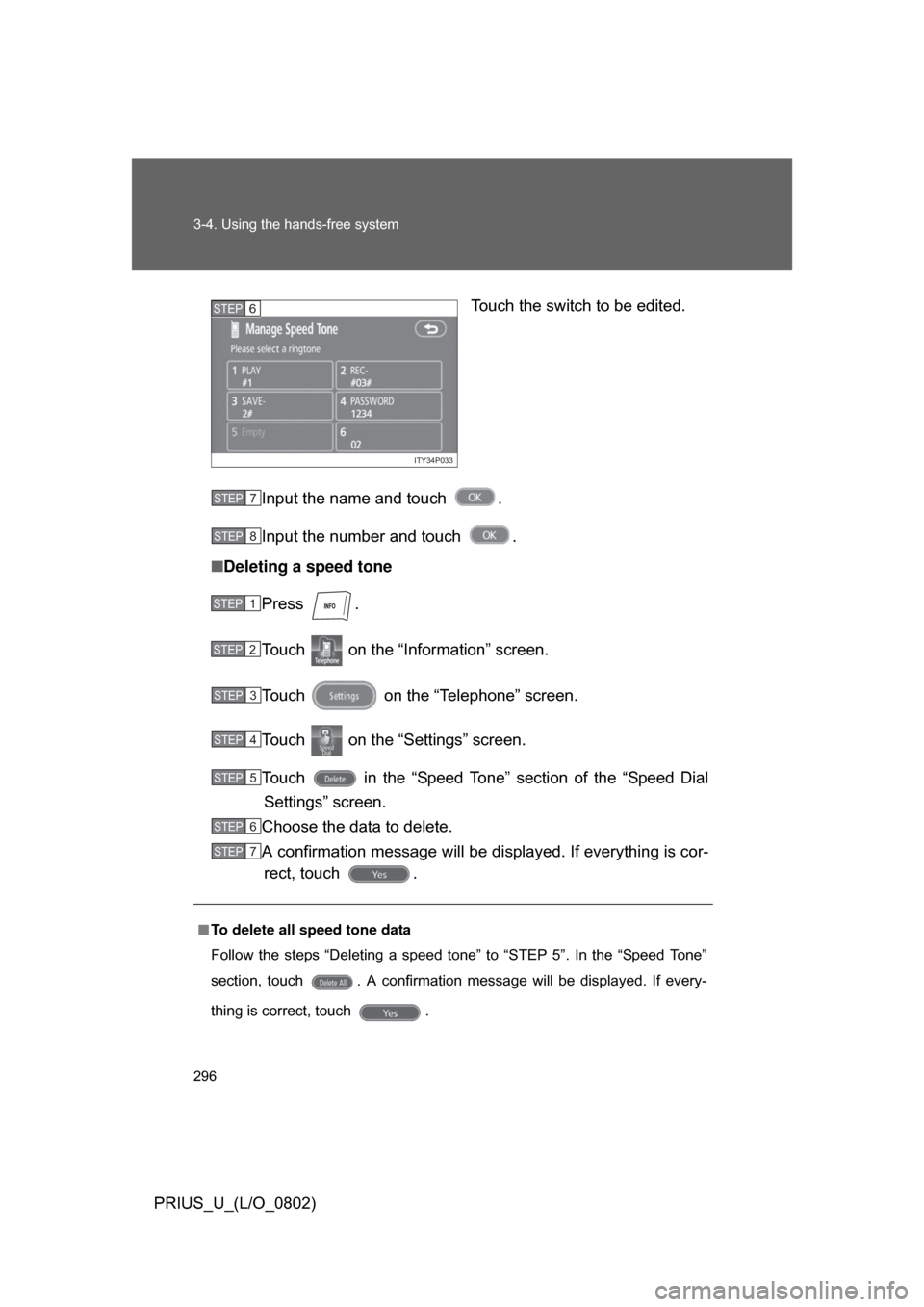
PRIUS_U_(L/O_0802)Touch the switch to be edited.
Input the name and touch .
Input the number and touch .
■ Deleting a speed tone
Press .
Touch on the “Inf ormation” screen.
Touch on the “Telephone” screen.
Touch on the “Settings” screen.
Touch in the “Speed Tone” section of the “Speed Dial Settings” screen.
Choose the data to delete.
A confirmation message will be di splayed. If everything is cor-
rect, touch .
ITY34P033
STEP6
■ To delete all speed tone data
Follow the steps “Deleting a speed tone” to “STEP 5”. In the “Speed Tone”
section, touch . A confirmation message will be displayed. If every-
thing is correct, touch .
STEP7
STEP8
STEP1
STEP2
STEP3
STEP4
STEP5
STEP6
STEP7
Page 298 of 512
298 3-4. Using the hands-free system
PRIUS_U_(L/O_0802)
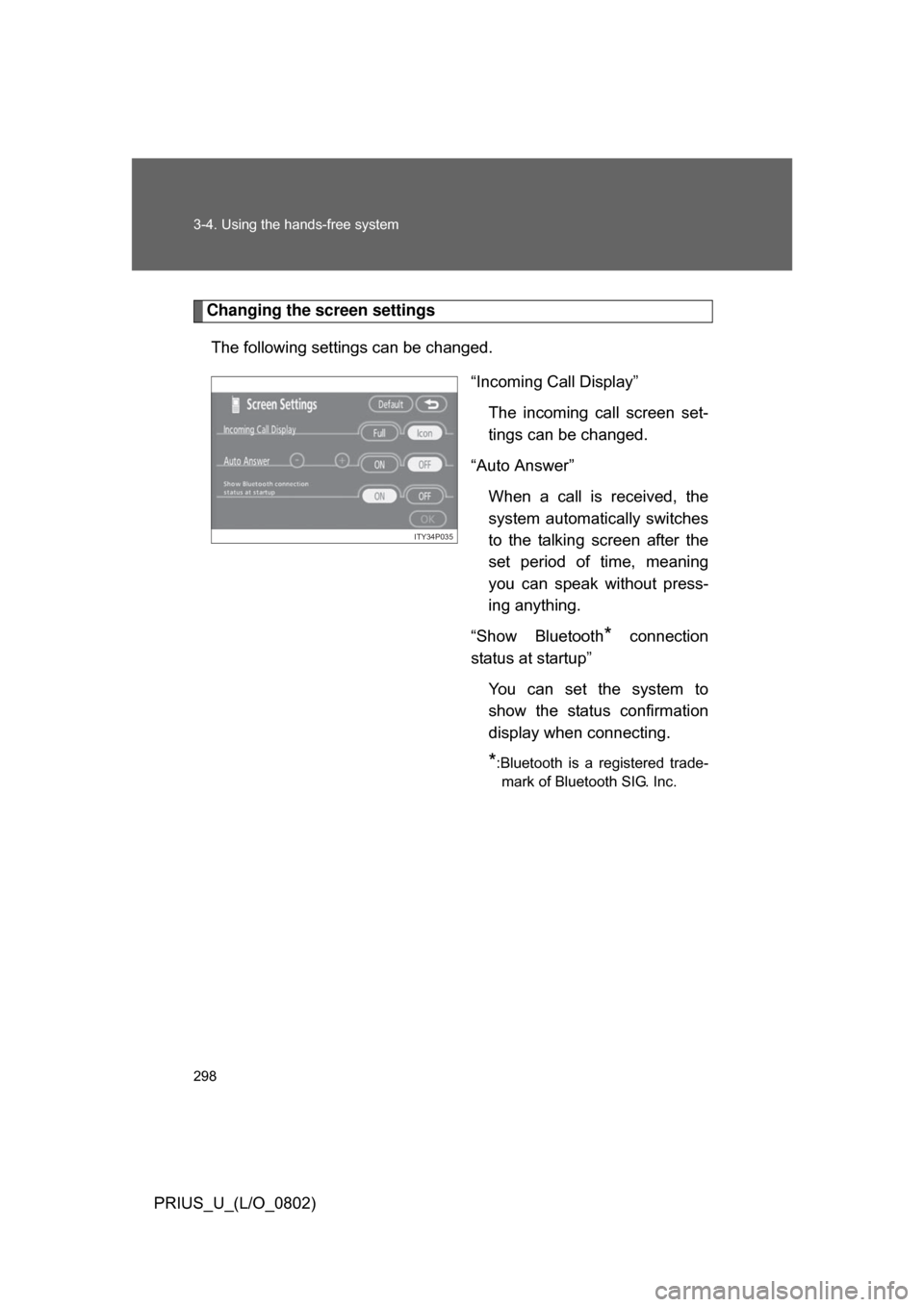
Changing the screen settingsThe following settings can be changed. “Incoming Call Display”The incoming call screen set-
tings can be changed.
“Auto Answer” When a call is received, the
system automatically switches
to the talking screen after the
set period of time, meaning
you can speak without press-
ing anything.
“Show Bluetooth
* connection
status at startup”
You can set the system to
show the status confirmation
display when connecting.
*:Bluetooth is a registered trade-mark of Bluetooth SIG. Inc.
ITY34P035
Page 299 of 512
299
3-4. Using the hands-free system
3
Interior features
PRIUS_U_(L/O_0802)
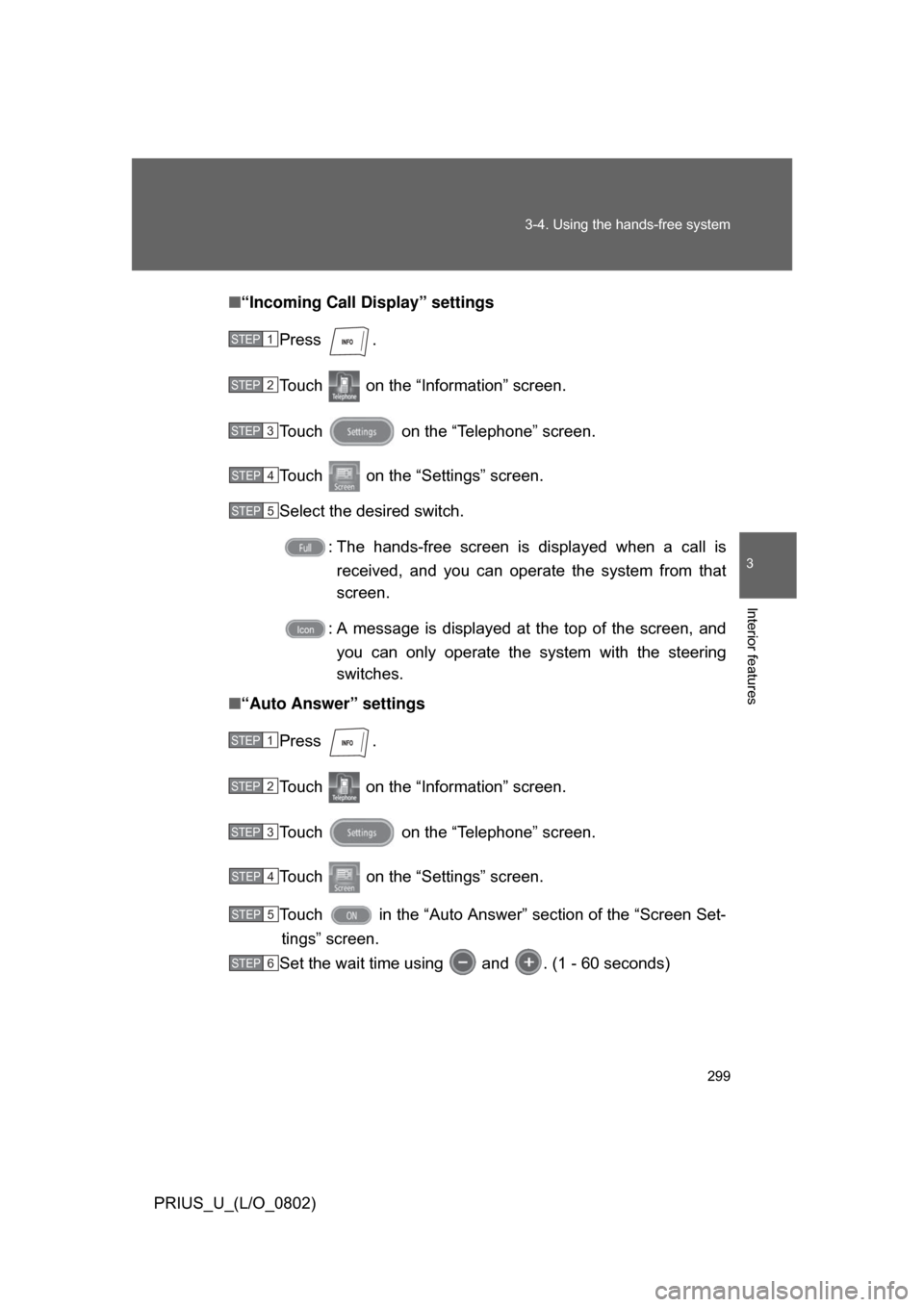
■
“Incoming Call Display” settings
Press .
Touch on the “Information” screen.
Touch on the “Telephone” screen.
Touch on the “Settings” screen.
Select the desired switch. : The hands-free screen is displayed when a call isreceived, and you can opera te the system from that
screen.
: A message is displayed at the top of the screen, and you can only operate the system with the steering
switches.
■ “Auto Answer” settings
Press .
Touch on the “Information” screen.
Touch on the “Telephone” screen.
Touch on the “Settings” screen.
Touch in the “Auto Answer” section of the “Screen Set-tings” screen.
Set the wait time using and . (1 - 60 seconds)
STEP1
STEP2
STEP3
STEP4
STEP5
STEP1
STEP2
STEP3
STEP4
STEP5
STEP6