Page 138 of 512

138 2-1. Driving procedures
PRIUS_U_(L/O_0802)
■Using engine brake
To use the engine braking, shift the shift lever to “B” position.
● During high speed driving, you may feel that deceleration by engine brak-
ing is less than that of a typical vehicle.
● Do not continue normal driving with the transmission in “B” for a long
time.
This may cause decreased fuel economy. To prevent this, use “D” for
normal driving.
■ Reverse warning buzzer
When shifting into “R”, a buzzer will sound to inform the driver that the shift
lever is in “R”.
■ If the system malfunctions
The following conditions, there is some problem in the system.
Immediately stop the vehicle in a safe place and contact your Toyota dealer.
● The indicator on the “P” position switch flashes. However, this does not
indicate a malfunction unless a warning message appears in the touch
screen.
● All frames of shift position indicators in the instrument cluster flash.
● The parking system error message appears on the touch screen.
● The instrument cluster and touch screen does not come on when the
“POWER” switch is in ON mode.
Page 139 of 512
139
2-1. Driving procedures
2
When driving
PRIUS_U_(L/O_0802)
■
Alarms
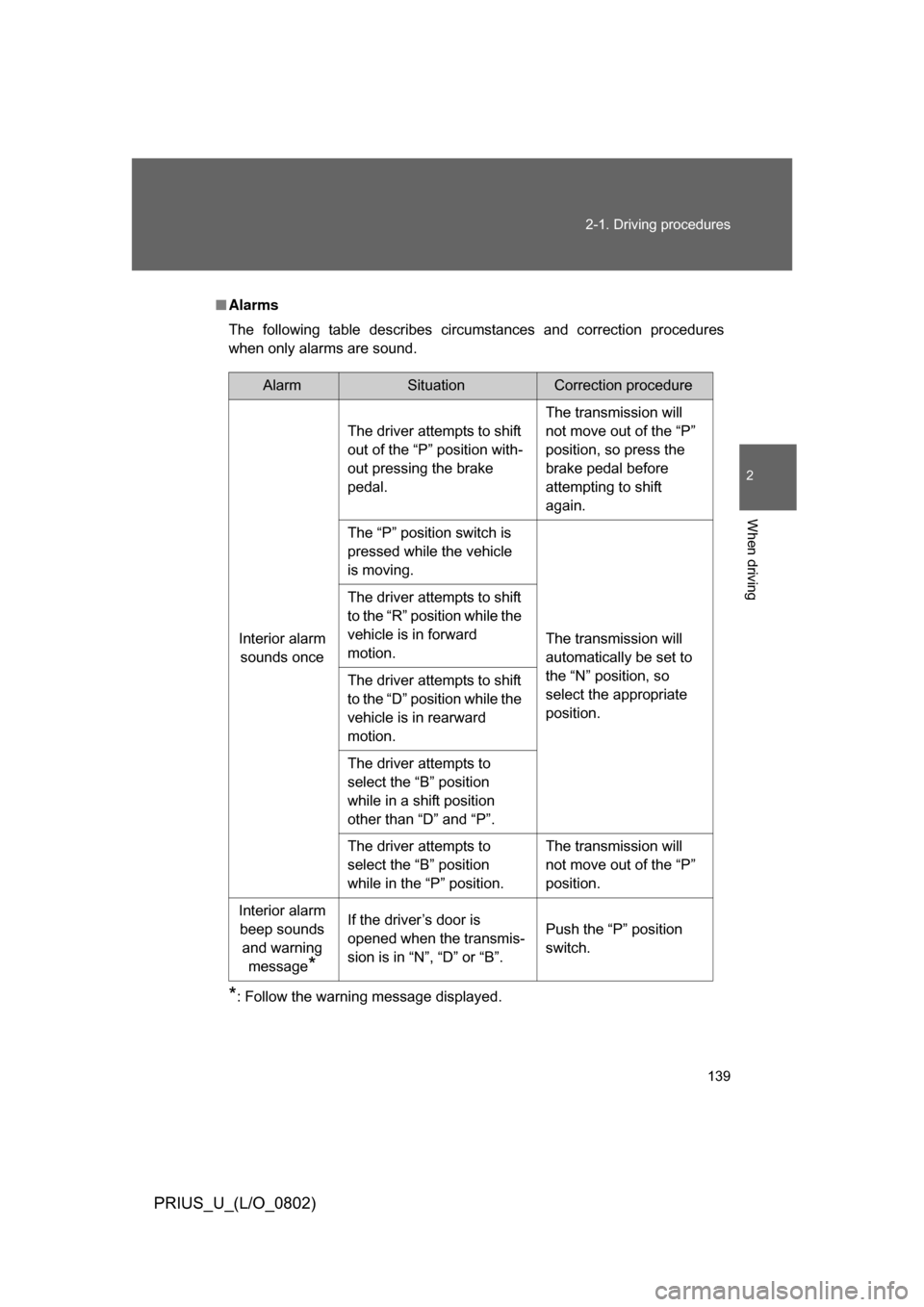
The following table describes circumstances and correction procedures
when only alarms are sound.
*: Follow the warning message displayed.
AlarmSituationCorrection procedure
Interior alarm sounds once The driver attempts to shift
out of the “P” position with-
out pressing the brake
pedal.
The transmission will
not move out of the “P”
position, so press the
brake pedal before
attempting to shift
again.
The “P” position switch is
pressed while the vehicle
is moving.
The transmission will
automatically be set to
the “N” position, so
select the appropriate
position.
The driver attempts to shift
to the “R” position while the
vehicle is in forward
motion.
The driver attempts to shift
to the “D” position while the
vehicle is in rearward
motion.
The driver attempts to
select the “B” position
while in a shift position
other than “D” and “P”.
The driver attempts to
select the “B” position
while in the “P” position.
The transmission will
not move out of the “P”
position.
Interior alarm beep sounds and warning message
*
If the driver’s door is
opened when the transmis-
sion is in “N”, “D” or “B”. Push the “P” position
switch.
Page 146 of 512
146
2-2. Instrument cluster
PRIUS_U_(L/O_0802)
Indicators and warning lights
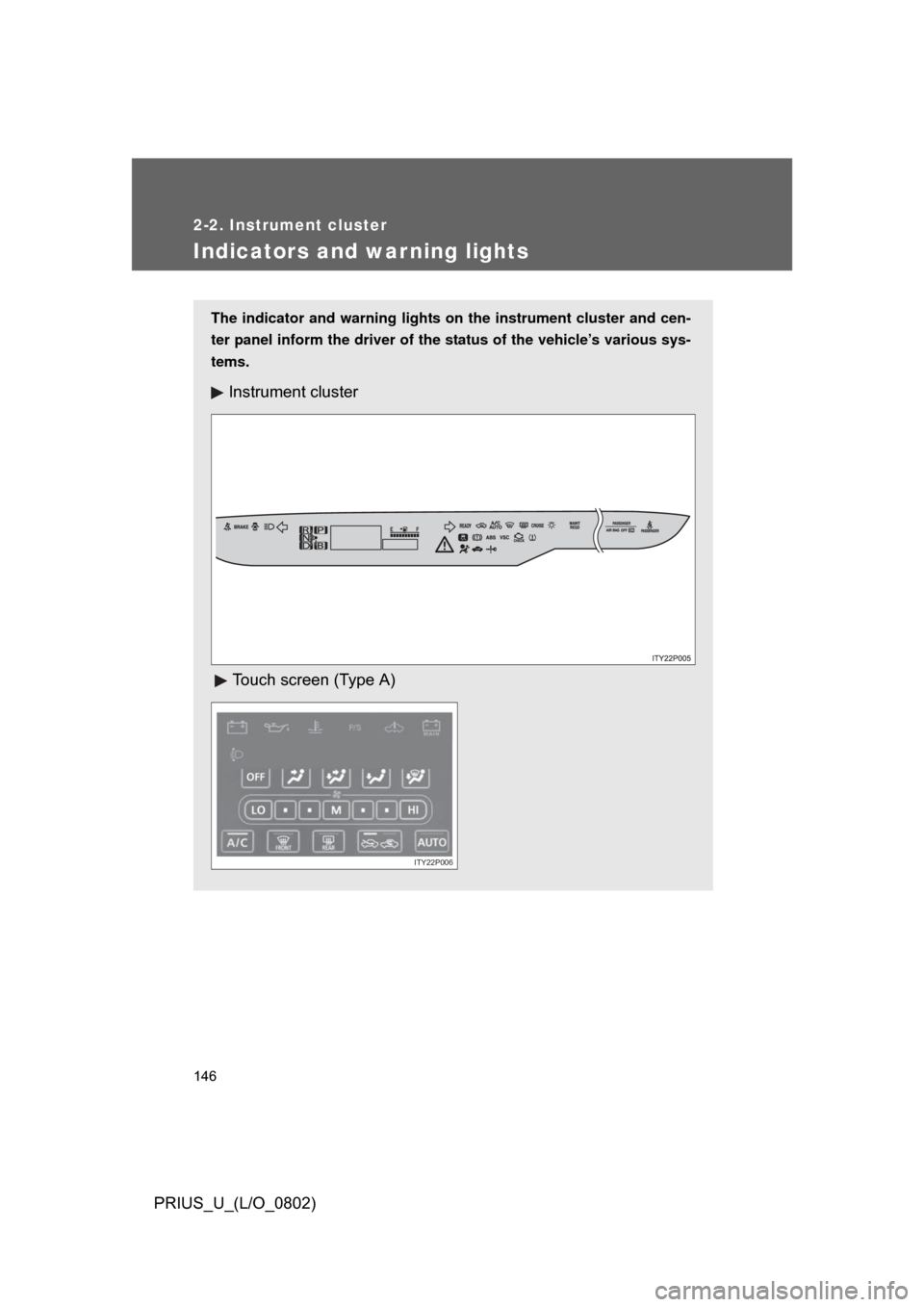
The indicator and warning lights on the instrument cluster and cen-
ter panel inform the driver of the status of the vehicle’s various sys-
tems.
Instrument cluster
Touch screen (Type A)
ITY22P006
Page 149 of 512
149
2-2. Instrument cluster
2
When driving
PRIUS_U_(L/O_0802)
CAUTION
■
If a safety system warning light does not come on
Should a safety system light such as ABS and the SRS airbag warning light
not come on when you start the hybrid system, this could mean that these
systems are not available to help protect you in an accident, which could
result in death or serious injury. Have the vehicle inspected by your Toyota
dealer immediately if this occurs.
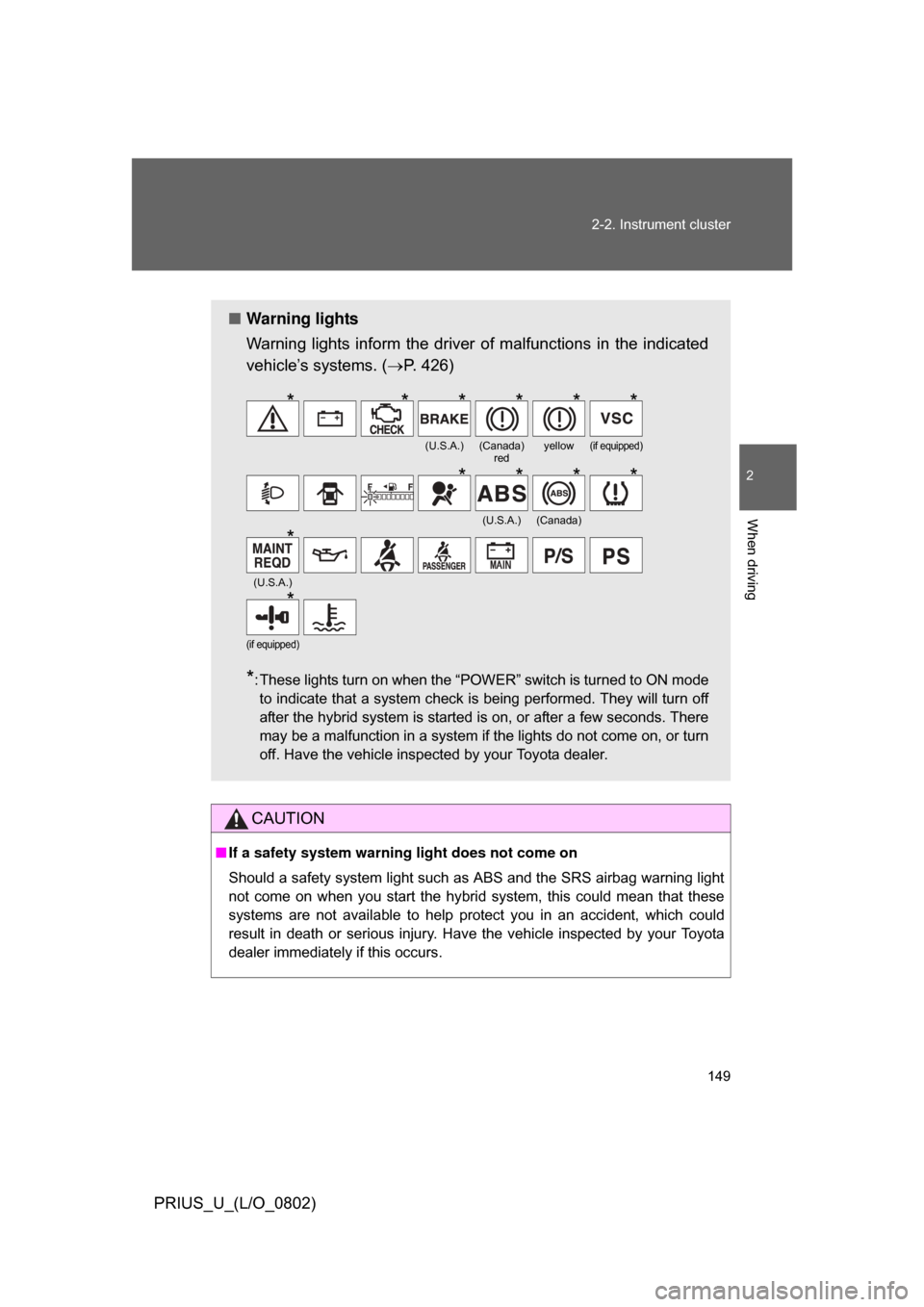
■ Warning lights
Warning lights inform the driver of malfunctions in the indicated
vehicle’s systems. ( P. 426)
*: These lights turn on when the “POWER” switch is turned to ON mode
to indicate that a system check is being performed. They will turn off
after the hybrid system is started is on, or after a few seconds. There
may be a malfunction in a system if the lights do not come on, or turn
off. Have the vehicle inspected by your Toyota dealer.
(U.S.A.)(Canada) redyellow(if equipped)
(U.S.A.)(Canada)
(U.S.A.)
(if equipped)
******
****
*
*
Page 172 of 512

172 2-4. Using other driving systems
PRIUS_U_(L/O_0802)
CAUTION
■The ABS does not operate effectively when
● The limits of tire gripping performance have been exceeded.
● The vehicle hydroplanes while driving at high speed on the wet or slick
road.
■ Stopping distance when the ABS is ope rating on the wet or slick roads
The ABS is not designed to shorten the vehicle’s stopping distance. Always
maintain a sufficient distance from the vehicle in front of you in the following
situations.
● When driving on dirt, gravel or snow-covered roads
● When driving with tire chains
● When driving over bumps in the road
● When driving over roads with potholes or roads with uneven pavement
■ When the Enhanced VSC is activated
The slip indicator light flashes and a warning buzzer sounds. Always drive
carefully.
Reckless driving may cause an accident. Exercise particular care when the
indicator light flashes and a buzzer sounds.
■ Replacing tires
Make sure that all tires are of the same size, brand, tread pattern and total
load capacity. In addition, make sure that the tires are inflated to the speci-
fied tire pressure level.
The ABS and Enhanced VSC will not function correctly if different tires are
fitted on the vehicle.
Contact your Toyota dealer for further information when replacing tires or
wheels.
Page 180 of 512

180 2-5. Driving information
PRIUS_U_(L/O_0802)
CAUTION
■Driving with snow chains
Observe the following precautions to reduce the risk of accidents.
Failing to do so may result in the vehicle being unable to be driven safely,
and may cause death or serious injury.
● Do not drive in excess of the speed limit specified for the tire chains being
used, or 30 mph (50 km/h), whichever is lower.
● Avoid driving on bumpy road surfaces or over potholes.
● Avoid sudden turns and braking, as use of chains may adversely affect
vehicle handling.
● Slow down sufficiently before entering a curve to ensure that vehicle con-
trol is maintained.
NOTICE
■Repairing or replacing snow tires
Request repairs of and obtain replacement snow tires from Toyota dealers.
This is because the removal and attachment of snow tires affects the opera-
tion of the tire pressure warning valves and transmitters.
■ Fitting tire chains
The tire pressure warning valves and transmitters may not function correctly
when tire chains are fitted.
Page 221 of 512
221
3-3. Using the audio system
3
Interior features
PRIUS_U_(L/O_0802)
CAUTION
■
For vehicles sold in the U.S.A. and Canada
● Part 15 of the FCC Rules
FCC Warning:
Any unauthorized changes or modifications to this equipment will void the
user’s authority to operate this device.
● Laser products
• Do not take this unit apart or attempt to make any changes yourself.
This is an intricate unit that uses a laser pickup to retrieve information
from the surface of compact discs. The laser is carefully shielded so
that its rays remain inside the cabinet. Therefore, never try to disas-
semble the player or alter any of its parts since you may be exposed to
laser rays and dangerous voltages.
• This product utilizes a laser. Use of controls or adjustments or performance of procedures other
than those specified herein may result in hazardous radiation expo-
sure.
NOTICE
■To prevent 12 volt battery discharge
Do not leave the audio system on longer than necessary when the engine is
not running.
■ To avoid damaging the audio system
Take care not to spill drinks or other fluids over the audio system.
Page 223 of 512

223
3-3. Using the audio system
3
Interior features
PRIUS_U_(L/O_0802)
■
Using cellular phones
Interference may be heard through the audio system’s speakers if a cellular
phone is being used inside or close to the vehicle while the audio system is
operating.
CAUTION
■For vehicles sold in the U.S.A. and Canada
● Part 15 of the FCC Rules
FCC Warning:
Any unauthorized changes or modifications to this equipment will void the
user’s authority to operate this device.
● Laser products
• Do not take this unit apart or attempt to make any changes yourself.
This is an intricate unit that uses a laser pickup to retrieve information
from the surface of compact discs. The laser is carefully shielded so
that its rays remain inside the cabinet. Therefore, never try to disas-
semble the player or alter any of its parts since you may be exposed to
laser rays and dangerous voltages.
• This product utilizes a laser. Use of controls or adjustments or performance of procedures other
than those specified herein may result in hazardous radiation expo-
sure.
CD player:Plays audio CDs and CD text.
TitlePage
Using the radioP. 234
Using the CD playerP. 247
Optimal use of the audio systemP. 266
Using the steering wheel switchesP. 269