Page 66 of 580
66 1-3. Opening, closing and locking the doors
■Door lock buzzer
If a door is not fully closed, a buzzer sounds continuously if an attempt to
lock the door is made. Fully close the door to stop the buzzer, and lock the
vehicle once more.
■ Electronic key battery depletion
P. 5 1
■ If the wireless remote control does not operate
●Locking and unlocking the doors: Use the mechanical key. ( P. 517)
● Starting the hybrid system. ( P. 174)
■ Security feature
If a door is not opened within approximately 60 seconds after the vehicle is
unlocked, the security feature automatically locks the vehicle again.
■ When the electronic key battery is fully depleted
P. 456
■ Alarm
Using the wireless remote control to lock the door will set the alarm sy\
stem.
(P. 124)
■ Conditions affecting operation
P. 4 9
■ Customization that can be co nfigured at Toyota dealer
Settings (e.g. wireless remote control) can be changed.
(Customizable features P. 559)
■ Reversing the operation of the power back door
Pressing the wireless remote control switch again while the power back door
is operating will cause the operation to reverse. However, the reverse opera-
tion cannot be performed for the first second after automatic operation starts,
even if the wireless remote control switch is pressed again.
Page 76 of 580
76 1-3. Opening, closing and locking the doors
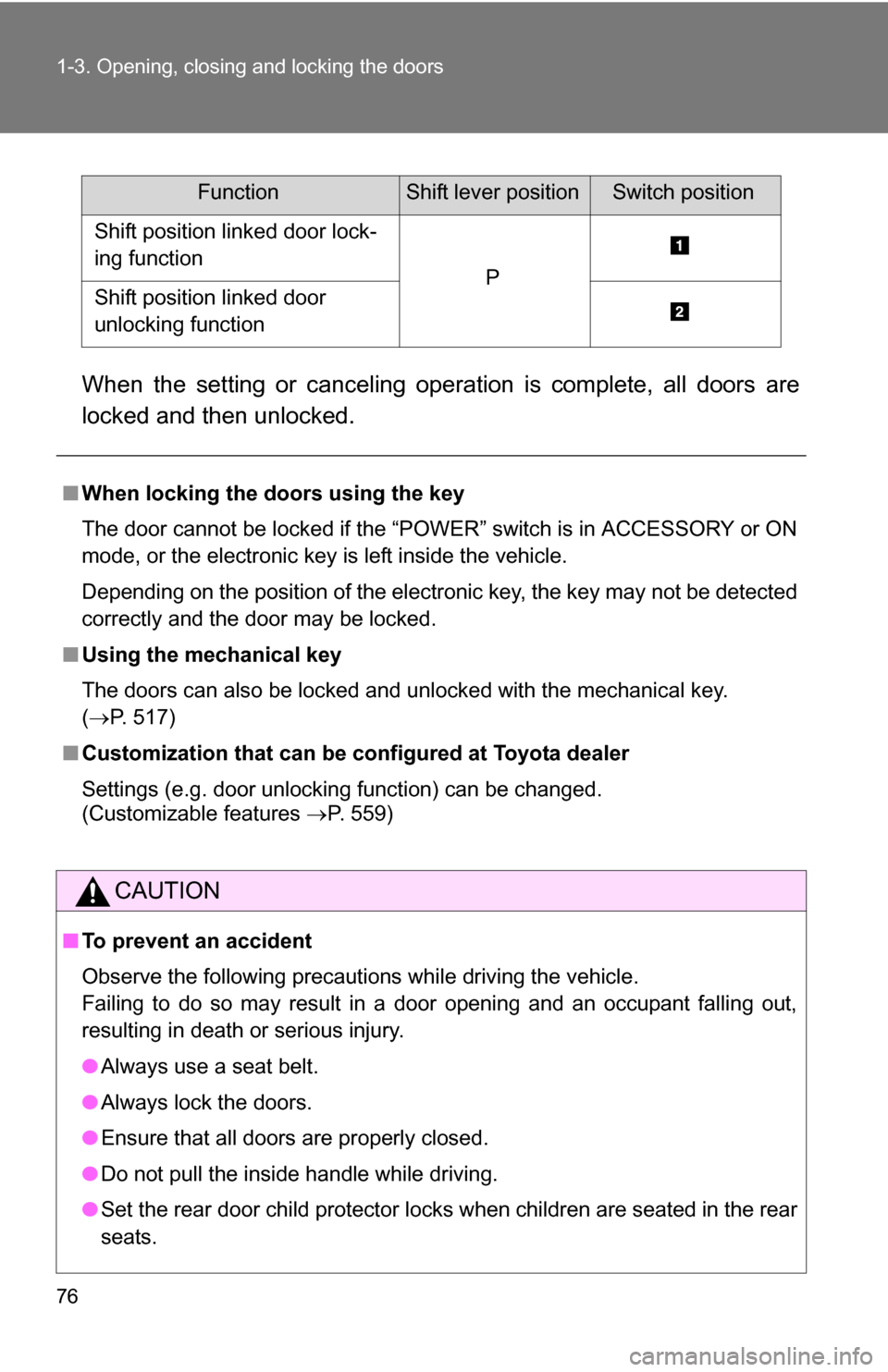
When the setting or canceling operation is complete, all doors are
locked and then unlocked.
FunctionShift lever positionSwitch position
Shift position linked door lock-
ing function
PShift position linked door
unlocking function
■When locking the doors using the key
The door cannot be locked if the “POWER” switch is in ACCESSORY or ON
mode, or the electronic key is left inside the vehicle.
Depending on the position of the electronic key, the key may not be detected
correctly and the door may be locked.
■ Using the mechanical key
The doors can also be locked and unlocked with the mechanical key.
(P. 517)
■ Customization that can be co nfigured at Toyota dealer
Settings (e.g. door unlocking function) can be changed.
(Customizable features P. 559)
CAUTION
■To prevent an accident
Observe the following precautions while driving the vehicle.
Failing to do so may result in a door opening and an occupant falling out,
resulting in death or serious injury.
●Always use a seat belt.
● Always lock the doors.
● Ensure that all doors are properly closed.
● Do not pull the inside handle while driving.
● Set the rear door child protector locks when children are seated in the rear
seats.
Page 82 of 580
82
1-3. Opening, closing and locking the doors
Glass hatch (if equipped)
■Opening and closing the glass hatch
●Make sure that the rear wiper is switched off.
● Do not rotate the rear wiper arm while the glass hatch is opening. (If the
rear wiper arm is rotated, close the glass hatch as it is then switch on the
wiper. The rear wiper arm will return to the correct position automatically
after wiping.)
● Make sure that the back door is closed before closing the glass hatch.
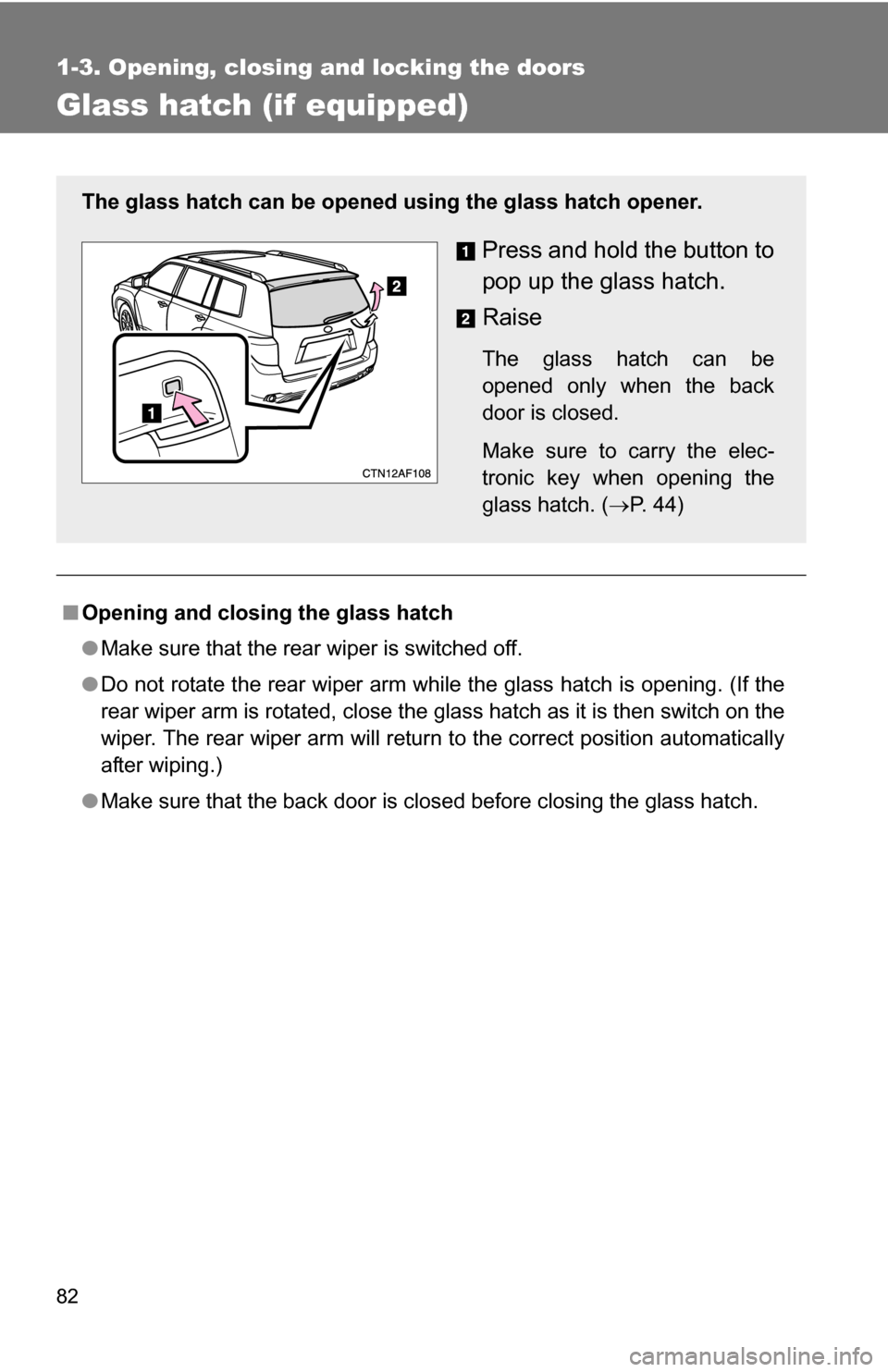
The glass hatch can be opened using the glass hatch opener.
Press and hold the button to
pop up the glass hatch.
Raise
The glass hatch can be
opened only when the back
door is closed.
Make sure to carry the elec-
tronic key when opening the
glass hatch. ( P. 44)
Page 120 of 580
120
1-7. Theft deterrent system
Immobilizer system
■System maintenance
The vehicle has a maintenance-free type of immobilizer system.
■ Conditions that may cause the system to malfunction
●If the key is in contact with a metallic object
● If the key is in close proximity to or touching a key to the security system
(key with a built-in transponder chip) of another vehicle
The vehicle's keys have built-in tran sponder chips that prevent the
hybrid system from starting if the key has not been previously regis-
tered in the vehicle's on-board computer.
Never leave the keys inside the vehicle when you leave the vehicle.
Vehicles without navigation system
The indicator light flashes after
the “POWER” switch has been
turned to OFF to indicate that
the system is operating.
Vehicles with navigation system
The indicator light flashes after
the “POWER” switch has been
turned to OFF to indicate that
the system is operating.
Page 123 of 580
123
1-7. Theft deterrent system
1
Before driving
NOTICE
■
To prevent damage to the key
Do not modify, remove or disable the immobilizer system. If any unautho-
rized changes or modifications are made, the proper operation of the system
cannot be guaranteed.
Page 126 of 580
126 1-7. Theft deterrent system
■Items to check before locking the vehicle
To prevent unexpected triggering of the alarm and vehicle theft, make sure
of the following.
●Nobody is in the vehicle.
● The windows and moon roof are closed before the alarm is set.
● No valuables or other personal items are left in the vehicle.
■ Panic mode
P. 6 5
■ When the battery is disconnected
Be sure to cancel the alarm system.
If the battery is discharged before canceling the alarm, the system may be
triggered when the battery is reconnected.
■ When using the mechani cal key to unlock the doors
Deactivate the alarm.
Page 164 of 580
164
2-1. Driving procedures
Driving the vehicle
The following procedures should be observed to ensure safe driv-
ing.
■ Starting the hybrid system
P. 174
■ Driving
With the brake pedal depressed, shift the shift lever to D. ( P. 180)
Release the parking brake. ( P. 183)
Gradually release the brake pedal and gently depress the
accelerator pedal to accelerate the vehicle.
■ Stopping
With the shift lever in D, depress the brake pedal.
If necessary, set the parking brake.
When the vehicle is stopped for an extended period of time, shift
the shift lever to P. ( P. 180)
■Parking the vehicle
With the shift lever in D, depress the brake pedal.
Set the parking brake. ( P. 183)
Shift the shift lever to P. ( P. 180)
When parking on a hill, if necessary, block the wheels.
Press the “POWER” switch and stop the hybrid system.
Lock the door, making sure that you have the key on your
person.
STEP1
STEP2
STEP3
STEP1
STEP2
STEP1
STEP2
STEP3
STEP4
STEP5
Page 175 of 580
175
2-1. Driving procedures
2
When driving
■
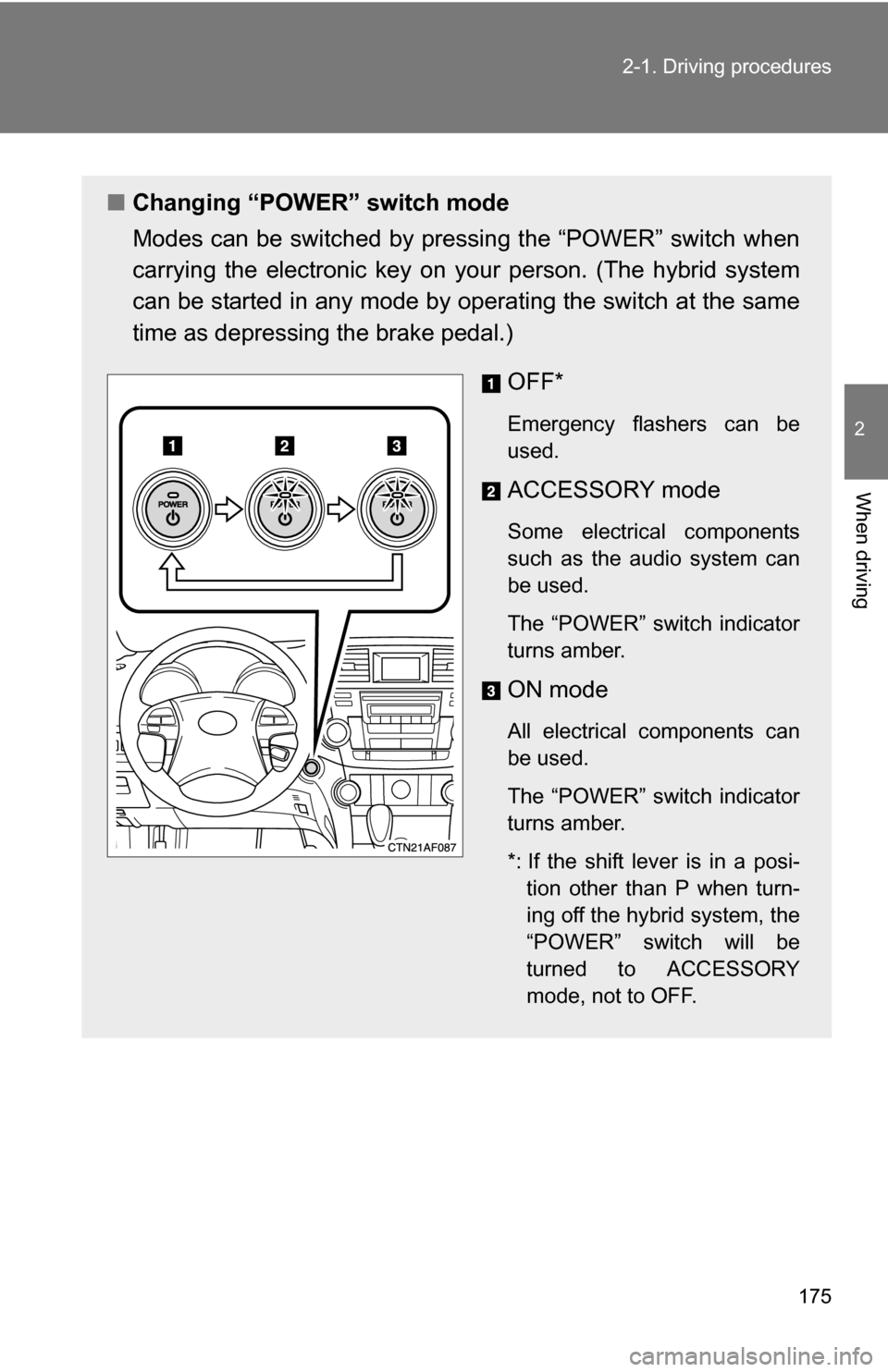
Changing “POWER” switch mode
Modes can be switched by pressing the “POWER” switch when
carrying the electronic key on your person. (The hybrid system
can be started in any mode by operating the switch at the same
time as depressing the brake pedal.)
OFF*
Emergency flashers can be
used.
ACCESSORY mode
Some electrical components
such as the audio system can
be used.
The “POWER” switch indicator
turns amber.
ON mode
All electrical components can
be used.
The “POWER” switch indicator
turns amber.
*: If the shift lever is in a posi-tion other than P when turn-
ing off the hybrid system, the
“POWER” switch will be
turned to ACCESSORY
mode, not to OFF.